Multi-Accounting in 2026: BitBrowser Antidetect Browser and Tiger SMS Virtual Numbers for SMS Verification
 2026.10.30 02:04
 YT.Shi
Managing dozens or even hundreds of accounts is a routine task for digital marketers, sellers on international marketplaces, SMM agencies, Web3 researchers and software testers. Yet the security systems of major platforms (Meta, Google, TikTok, Amazon, X) keep making their new-user checks more sophisticated.
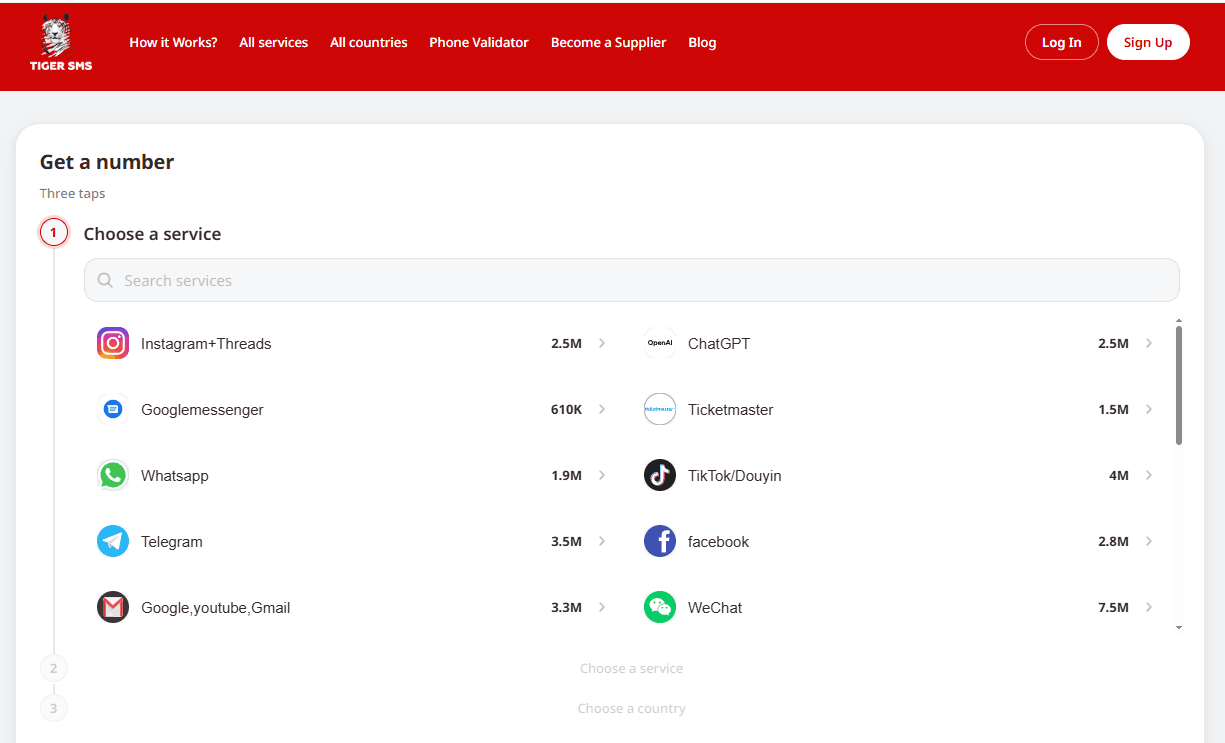
In 2026, simply changing your IP address may not be enough when managing multiple profiles. Platforms can also consider browser environment parameters, network headers and phone number data during SMS verification. The virtual number service Tiger SMS offers one-time numbers for SMS verification across a range of international platforms.
This article looks at how account verification works on today’s platforms and how anti-detect browser, cloud phones and SMS activations can fit into a multi-account workflow.
How Security Algorithms Check New Accounts
Security systems evaluate every sign-up on three levels. A mismatch on any one of them leads to additional checks (checkpoints) or restricted account functionality.
| Verification level | What the platform analyzes | How BitBrowser + Tiger SMS solve it |
|---|---|---|
| 1. Digital fingerprint | Device configuration, Canvas, WebGL, AudioContext, fonts, screen resolution, OS and browser kernel version. | BitBrowser creates isolated profiles based on Chromium and Firefox kernels, each with its own cookies and local storage. |
| 2. Network environment and mobile parameters | IP address, provider (ASN), WebRTC, DNS, and whether the time zone, system language and mobile carrier code match the IP geolocation. | BitBrowser and BitCloudPhone automatically adjust geolocation, time zone, language and mobile carrier parameters (from a database of 600+ carriers) to the IP of the linked proxy. |
| 3. Phone verification (OTP) | Phone number geography, line type (physical SIM card or virtual VoIP gateway), the number’s registration history on a given service. | Tiger SMS provides numbers from 260+ countries for 200+ services. Each number goes to a single user and is never resold for the same service. |
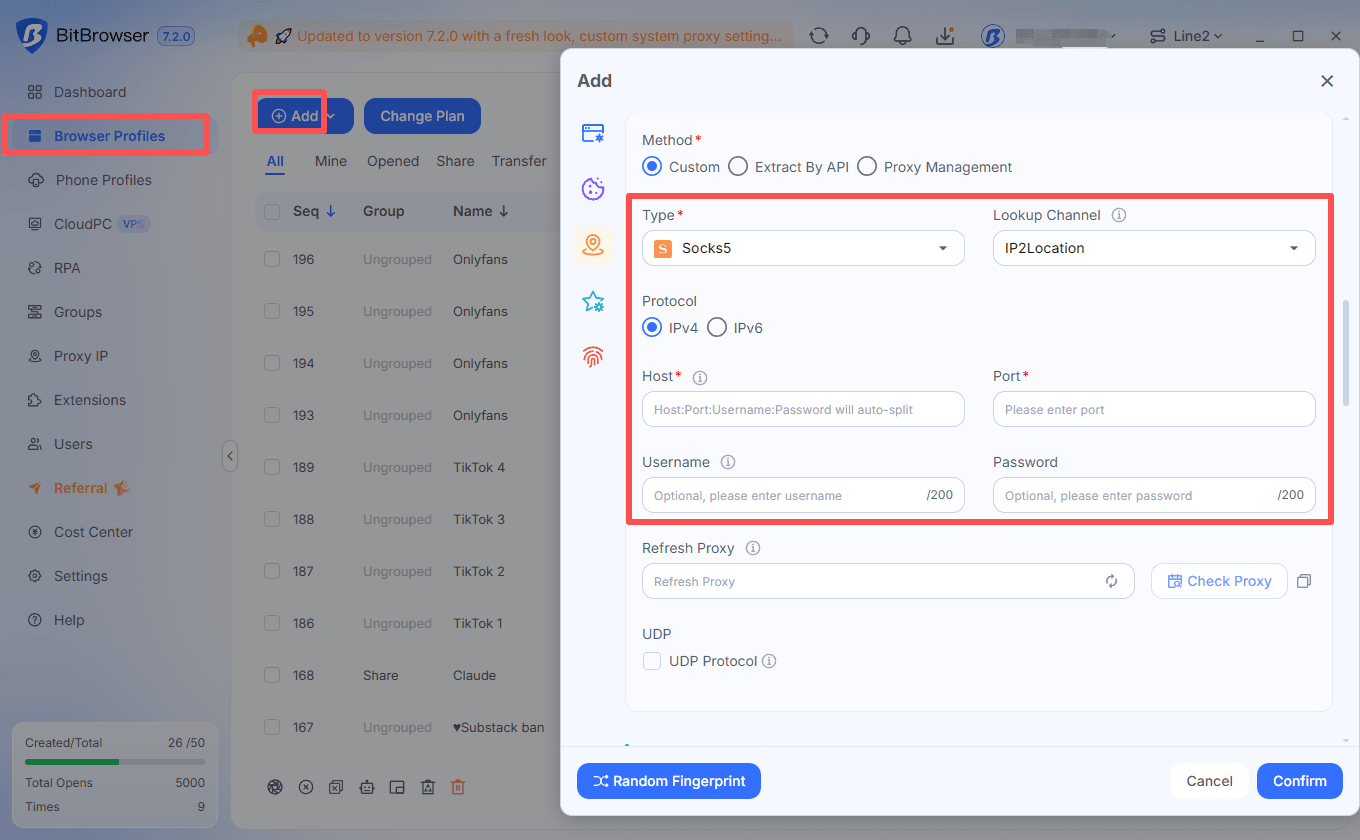
Specialists often carefully configure their anti-detect browser profile and buy high-quality residential proxies, but at the phone confirmation step they use the wrong number type or a country that doesn’t match the proxy location. Using BitBrowser and Tiger SMS together can help keep the browser, network and phone details aligned throughout the setup process.
Four Multi-Account Management Workflows
The following examples show how the two services can be used in manual profile management and automated workflows.
1. Mobile Profiles with BitCloudPhone (Android and iOS) and Tiger SMS
Many platforms — including TikTok, Instagram, WhatsApp, Telegram and Shopee — apply stricter requirements to sign-ups from a desktop browser and favor users of their mobile apps.
BitBrowser also offers cloud phones for mobile-based workflows:
▸ BitCloudPhone-Android — a cloud emulator that automatically adjusts its parameters to the IP address. The system detects the proxy location and sets the matching mobile carrier (600+ carriers worldwide are supported), SIM card parameters, system language and time zone.
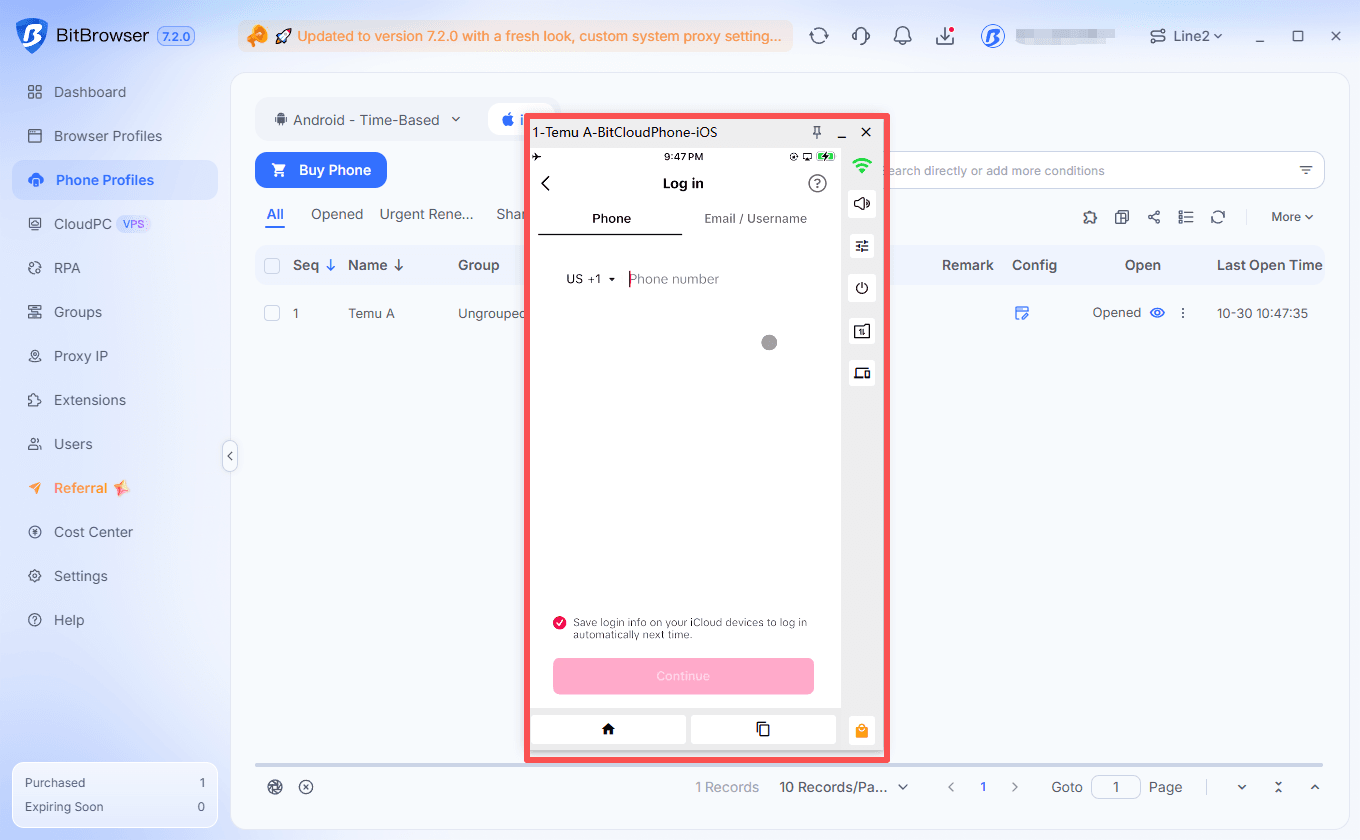
▸ BitCloudPhone-iOS — cloud devices running on real chips with native iOS, real device identifiers and support for physical sensors.
How it works: you launch a cloud phone whose carrier and location settings are already synced with your proxy, open the mobile app and request a number from the same country in Tiger SMS. This helps align the IP location, SIM settings, OS parameters and phone country code.
2. Using the Synchronizer for Repetitive Setup Steps
When preparing a pool of accounts for marketing, SMM or Web3 activities (Discord, X, Telegram), routine actions take up a lot of time. BitBrowser’s built-in Synchronizer mirrors actions from the main window to all other open profiles, but you need to account for how unique data is entered.
Since the Synchronizer duplicates the same text into every window, while each account’s phone number and verification code are unique, the workflow looks like this:
1. Synchronized stage: open 10–15 profiles, turn on synchronization and, in all windows at once, go to the target site, build up initial cookies, open the sign-up form, fill in the shared fields (for example, a standard password, date of birth, agreement checkboxes) and proceed to the phone number step.
2. Individual stage: pause input synchronization (or switch between windows), get a batch of numbers in the Tiger SMS web panel and enter each unique number and the SMS code you receive into each window one by one.
3. Completion: after verification, turn the Synchronizer back on to finish setting up the profiles.
3. Programmatic Automation: RPA, Local API, MCP and ADB + Tiger SMS API
For teams that regularly register and test accounts, both platforms provide tools that can be used in automated workflows.
Automation capabilities on the BitBrowser side:

▸ RPA Automation and Local API (compatible with Selenium, Puppeteer and Playwright) for running scenarios in the browser;
▸ ADB (Android Debug Bridge) control for automating actions inside BitCloudPhone cloud phones;
▸ MCP (Model Context Protocol) support, which lets you connect AI agents to manage browser profiles using language models.
Capabilities on the Tiger SMS API side:
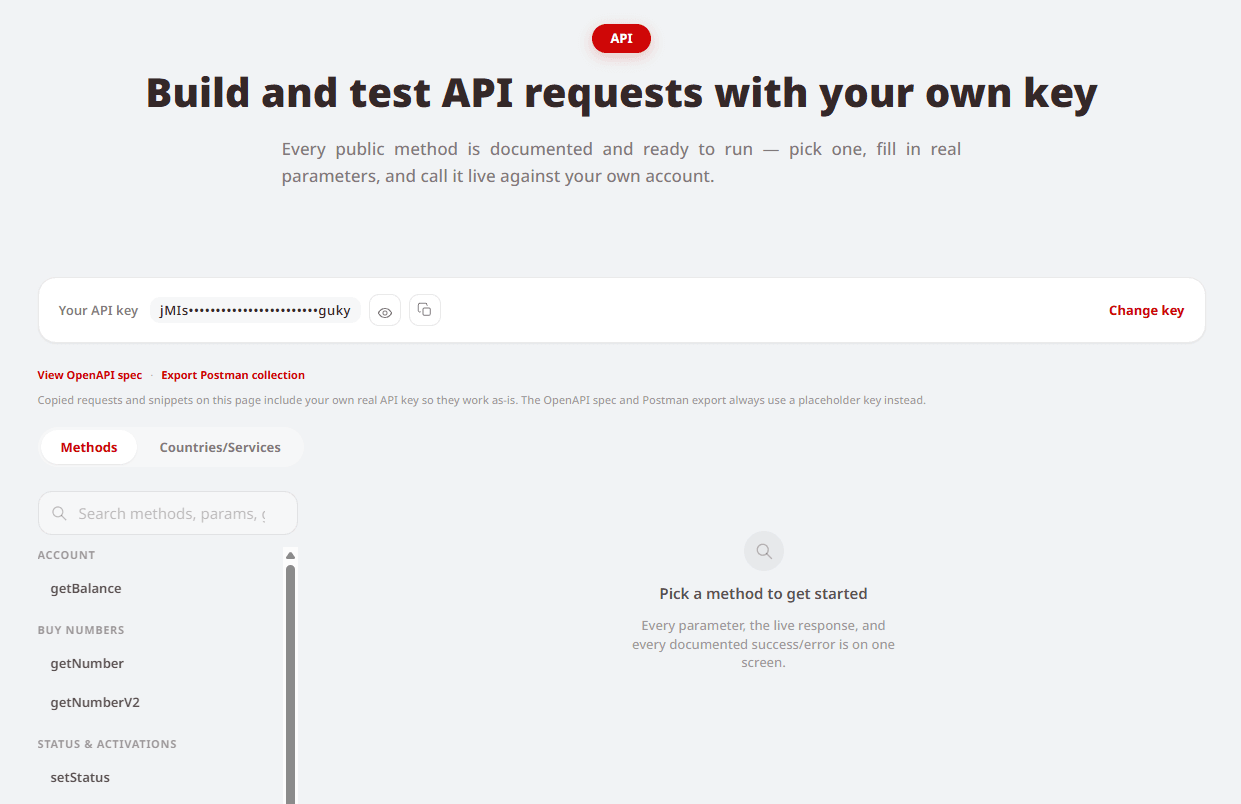
▸ Documented OpenAPI spec and Postman collection — ready-made request templates let you integrate number retrieval into your script in minutes;
▸ Webhook for incoming SMS — your script doesn’t need to keep polling the server: as soon as the code arrives, Tiger SMS instantly sends it to your webhook;
▸ Automatic number cancellation with a refund — if no SMS arrives from the service within the set time, the request is cancelled automatically and the reserved amount is returned to your account balance right away.
4. Working with International SaaS, AI Platforms and E-commerce as a Team
Registering work accounts on international services (OpenAI / ChatGPT, Claude, Amazon, eBay, Etsy, PayPal) requires an exact match of regional settings. The Tiger SMS catalog covers more than 260 countries and over 200 service categories (plus a universal “Any other” category for niche platforms).
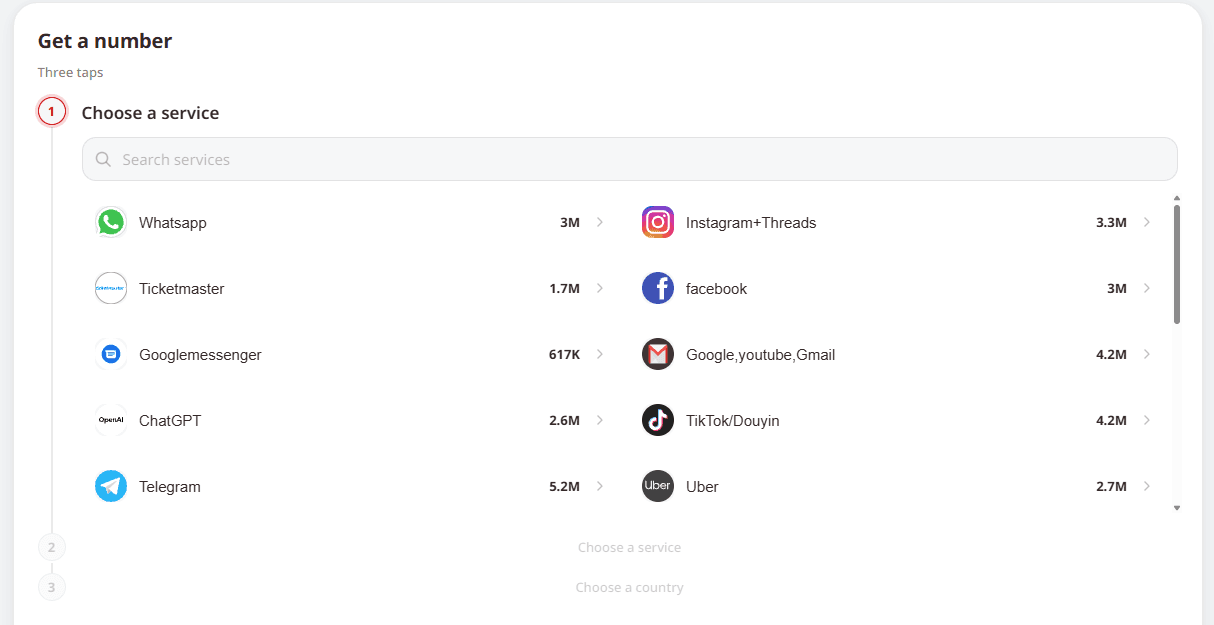
A practical tip on choosing numbers: in the Tiger SMS country list you’ll find both standard locations based on physical SIM cards and special categories marked “virt” (for example, United States virt) that run on virtual lines. Both options work for simple websites, but for platforms with strict anti-fraud systems (Google, Meta, major marketplaces and messengers) we recommend choosing physical SIM numbers without the “virt” label.
Once the accounts are created and verified, BitBrowser’s paid plans let you securely hand over ready profiles with all saved sessions to your team members, with granular access permissions and no need to share logins and passwords.
Infrastructure Costs and Unit Economics
The two services use different pricing models, which can help freelancers and teams estimate costs for their workflows. Tiger SMS uses a pay-per-SMS model: you are charged only when you actually receive the verification code.
| Parameter | BitBrowser | Tiger SMS | Overall benefit |
|---|---|---|---|
| Free start and testing | Free plan: 10 browser profiles free forever (for 1 user). | Free number cancellation and an instant refund if the SMS doesn’t arrive. | Test the setup for your target service on a minimal budget. |
| Core working plans | Paid plans start at $10 per month for 50 profiles and team features. | One-time activation numbers start at $0.03 per SMS. | Low cost per ready profile as you scale. |
| Mobile infrastructure | A BitCloudPhone-Android cloud phone starts at $0.03 per 24 hours of use. | Mobile carriers from 260+ countries for in-app verification. | The total cost of a mobile profile depends on profile use, computing time and verification. |
| Management tools | Desktop clients for Windows and macOS, web-based control of cloud PCs (BitCloudPC). | A web dashboard, OpenAPI documentation and a Postman collection. | Work quickly both manually in the browser and via API. |
How the Two Services Fit into a Multi-Account Workflow
The two services cover different parts of a multi-account workflow. Their respective features include:
▸ BitBrowser users can use Tiger SMS for one-time numbers across its listed countries and services, with OpenAPI/Postman documentation and webhook support that can be connected to RPA scripts and the browser’s Local API.
▸ Tiger SMS users can use BitBrowser’s antidetect browser and cloud phones to manage the browser and mobile environments associated with the accounts they create.
▸ Affiliate programs: users who recommend these tools to colleagues or write about them on niche websites can also participate in the respective affiliate programs. BitBrowser runs its Promotion Reward program, while the Tiger SMS affiliate program pays 5% of referrals’ spending (up to $50 per referred user).
Common Sign-Up Mistakes and How to Avoid Them
Even when using proxies and physical SIM numbers, users may encounter account access issues because of operational mistakes. The following points are worth checking:
1. No backup sign-in method (the main mistake). A Tiger SMS virtual number is issued for a single session (usually 15–20 minutes) to receive one verification SMS. You won’t be able to request a code to the same number a week later. Solution: right after sign-up, link a backup email, a passkey or a two-factor authentication app (Google Authenticator / 2FA) to the account so that future logins don’t require SMS.
2. Proxy country doesn’t match the phone code. If your BitBrowser profile is set to a German IP address but you choose an Indonesian number for verification, security algorithms may send the account for additional checks. Always choose the number’s country in Tiger SMS to match your proxy location.
3. Using “virt” numbers on sensitive platforms. As noted above, for banking services, major ad accounts and popular messengers, choose the standard country sections with physical SIM cards and avoid virtual labels.
4. Instant pasting from the clipboard. Anti-fraud scripts on web pages track Ctrl+V events and unnaturally fast form filling. When registering manually, use BitBrowser’s built-in human typing emulation or enter the digits at a natural pace.
Frequently Asked Questions (FAQ)
Can I receive a second SMS on the same number a few days later?
No. Tiger SMS numbers are intended for one-time activation during sign-up and are assigned strictly to one user for the duration of the active session (up to 20 minutes). To keep reliable access to a profile created in BitBrowser, link two-factor authentication (a 2FA app) or an email address to the account right after receiving the first code.
What happens to my Tiger SMS balance if the verification code doesn’t arrive?
The service charges only for messages actually delivered. If no SMS arrives from the selected platform, you can cancel the number manually in your dashboard or automatically via the API — the full amount will be returned to your balance.
What if the website or app I need isn’t on the Tiger SMS service list?
The Tiger SMS catalog includes more than 200 popular platforms. If you’re registering on a rare, local or niche website that isn’t on the main list, choose the “Any other” category and select the country you need. The system will issue a clean number capable of receiving an SMS from your platform.
How can I set up automated account registration without coding skills?
You can use BitBrowser’s built-in visual RPA Automation builder to automate clicks and page navigation, or combine the Synchronizer (for shared steps) with quick number issuance through the Tiger SMS web panel. If you have a developer, combining BitBrowser’s Local API / MCP with Tiger SMS’s OpenAPI and webhooks lets you fully automate the process.
How much does it cost to start with BitBrowser and Tiger SMS?
The listed starting costs are: 10 browser profiles for free with BitBrowser’s single-user plan, BitCloudPhone-Android from $0.03 per day, and Tiger SMS virtual numbers from $0.03 per successful activation.
For more information about the tools discussed in this article, visit BitBrowser (which includes 10 free profiles) and Tiger SMS for details about its SMS verification services.

 Multi-Account Management
 Prevent Account Association
 Multi-Employee Management
Recommended
See More