How to Use Claude Safely in 2026: Account Sharing Rules and BitBrowser Workflow Management
 2026.06.27 19:41
 petro
petroClaude has become an important tool for content teams, developers, agencies, researchers, and business operators. As more teams use AI for daily work, one question appears again and again: can multiple people share one Claude account?
At first, sharing one Claude Pro subscription may seem like a simple way to reduce costs. Two coworkers might work on the same research project, a writer and editor may need access to the same AI conversations, or a small agency may want one central place for client work.
However, Claude account sharing is not just a pricing issue. It is also a matter of platform rules, privacy, security, and professional workflow management. Anthropic’s Consumer Terms clearly state that users may not share account login information, API keys, or account credentials with anyone else.
This guide explains what is allowed, what is risky, and how teams can build a cleaner workflow using official Claude access options together with BitBrowser for browser profile and workspace management.
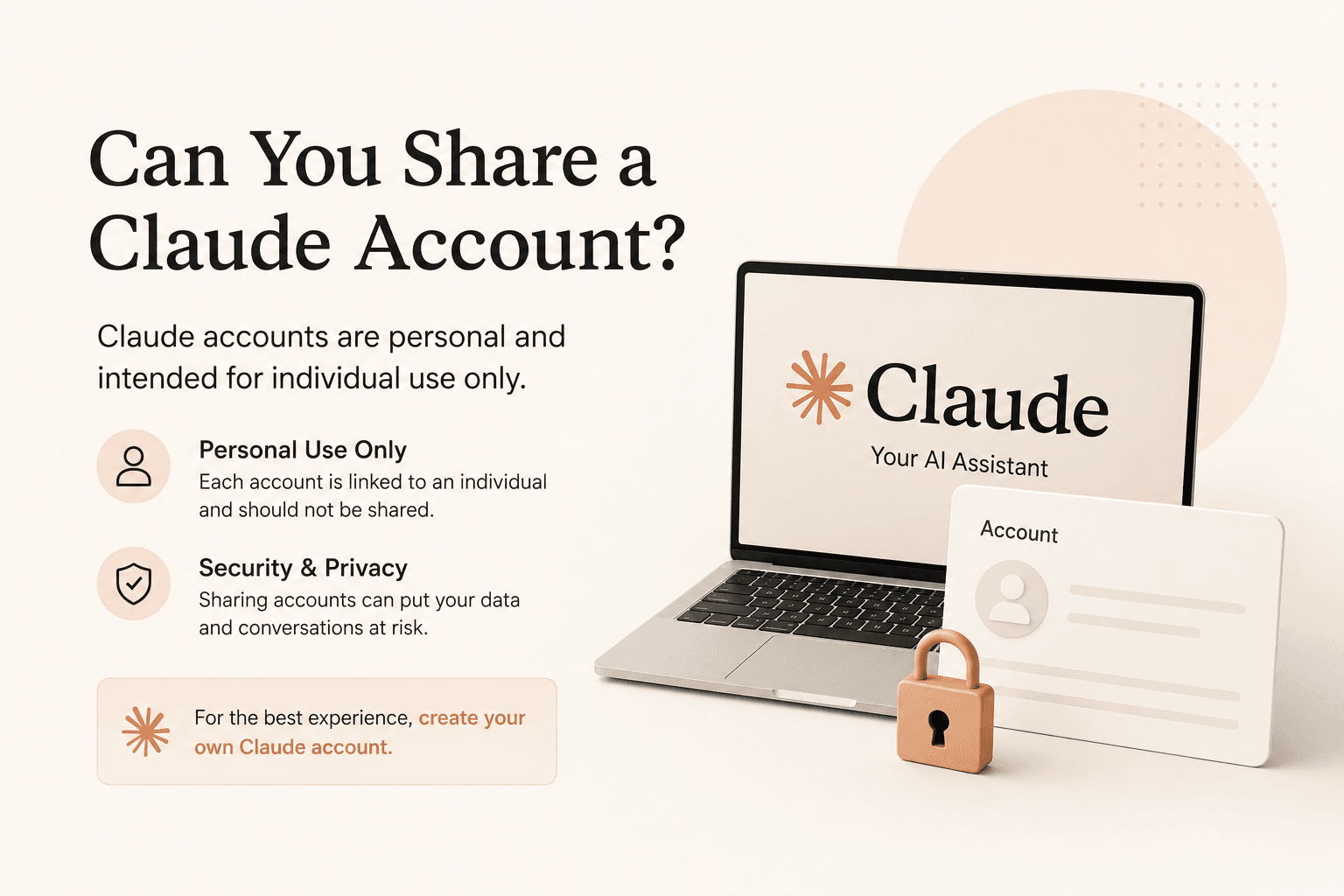
Can You Share a Claude Account?
The direct answer is no. A personal Claude account should not be shared with another person.
This applies whether the account is free or paid. A Claude Pro or Max subscription gives more usage and features to the account owner, but it does not convert the account into a multi-user workspace. Claude’s rules make a clear distinction between one person using their own account and multiple people using the same login.
Using Claude on your own laptop, phone, or tablet is different from giving your password to another person. The account holder can use their own account across their own devices, but another person should not be given access to that login.
For teams, companies, agencies, and developers, the correct approach is not to share one personal account. The better option is to use a proper team-based access model.
Can You Share a Claude Pro Account?
No. Claude Pro is still a personal account plan. It is designed for one user, not for a group of coworkers, contractors, friends, or family members.
This is where many small teams make a mistake. A team may think:
“One Pro plan is cheaper than several accounts.”
That may be true from a cost perspective, but it does not solve the compliance or security problem. A shared Pro account creates several risks:
- Everyone using the login may see the same chats and files.
- Sensitive client data may be exposed to people who should not see it.
- It becomes difficult to know who performed which action.
- Offboarding becomes messy when someone leaves the team.
- Changing the password affects every person using the account.
In professional environments, shared passwords are rarely a good long-term solution. They create more problems than they solve.
Why Claude Password Sharing Is Risky
A Claude account can contain more than casual conversations. It may include:
- Client research
- Draft articles
- Code snippets
- Uploaded files
- Business notes
- Internal documents
- Project instructions
- Strategic plans
- Private prompts and outputs
If several people use the same Claude login, they may all have access to the same history and materials. This can expose confidential information and create unnecessary privacy risks.
Password sharing also creates weak operational control. Once a login is sent through Telegram, Slack, email, Notion, or a spreadsheet, it can be copied, saved, forwarded, or forgotten. When a contractor leaves or a project ends, the team may need to change the password for everyone instead of removing one person’s access cleanly.
For agencies and businesses, this is not a professional workflow. A safer structure gives each user their own access and keeps project work organized by role, client, and responsibility.
What Claude Team and Enterprise Solve
Claude Team and Enterprise are designed for organizations that need multiple people to use Claude properly.
Instead of one shared personal login, each team member gets their own account access inside the organization. This helps separate users, roles, permissions, billing, and activity.
Claude’s current Team and Enterprise pricing pages list features such as project sharing, collaboration, central billing, administration, SSO, usage analytics, and role-based access depending on the plan. The Team plan is positioned for teams of 5 to 150 users, while Enterprise is aimed at larger organizations with more advanced controls.
This is the correct model for companies that want to collaborate with Claude. It allows teams to work together without turning one personal account into a shared password.
What About Claude Code?
The same principle applies to Claude Code.
A development team can work on the same repository, project, or codebase, but that does not mean developers should share one Claude login. Each developer should use their own authorized Claude access.
This is important because development work often involves sensitive files, internal tools, API references, private repositories, and business logic. Shared credentials make it harder to manage responsibility and access control.
A professional Claude Code workflow should keep:
- Developer access individual
- Repository permissions separate
- Project instructions organized
- Sensitive files protected
- Team collaboration structured
Claude can support development collaboration, but the access model should remain clean and individual.
Where BitBrowser Fits Into the Workflow
BitBrowser does not make Claude account sharing allowed. It should not be presented as a way to bypass Claude’s rules or turn one personal Claude account into a team login.
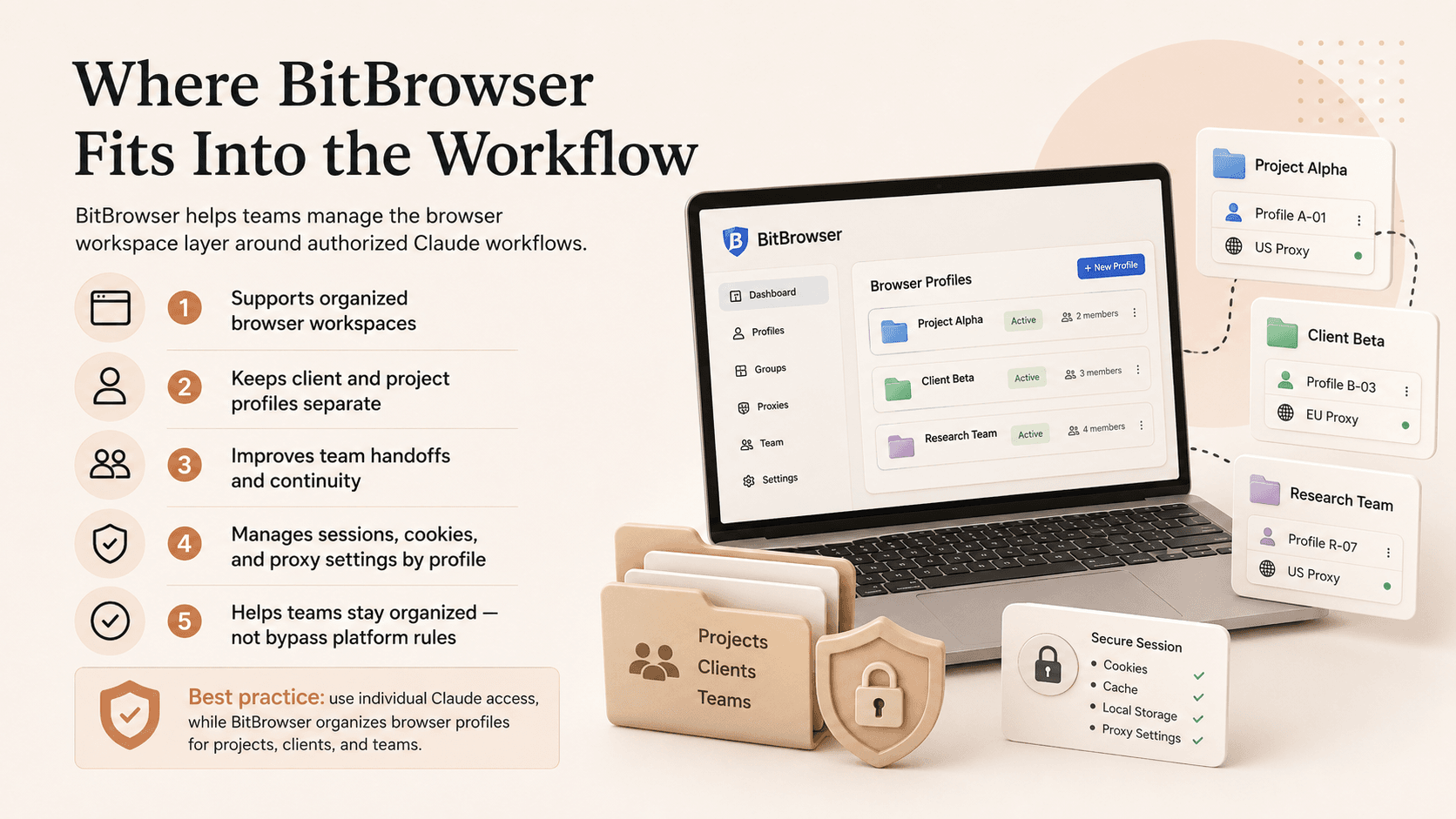
Instead, BitBrowser can help with the browser workspace layer around authorized workflows.
Many teams do not use Claude alone. They often work with several browser-based tools at the same time, such as:
- Content management systems
- SEO platforms
- Client dashboards
- Research sources
- Publishing tools
- Social media accounts
- Project management platforms
- Analytics dashboards
- Developer documentation
- Internal admin panels
Managing all of these tools in one normal browser can quickly become messy, especially when multiple people are involved.
BitBrowser helps teams create separate browser profiles for different projects, clients, or workflows. Its official materials describe shared browser profiles and security controls as features designed for team collaboration and multi-account managemen
How BitBrowser Helps Teams Manage Browser Workspaces
1. Separate Workspaces by Client or Project
A professional team may handle several clients at the same time. Each client may have different accounts, tabs, dashboards, research documents, and publishing tools.
With BitBrowser, teams can create separate browser profiles for each client or project. This helps keep work organized and reduces confusion between accounts or tasks.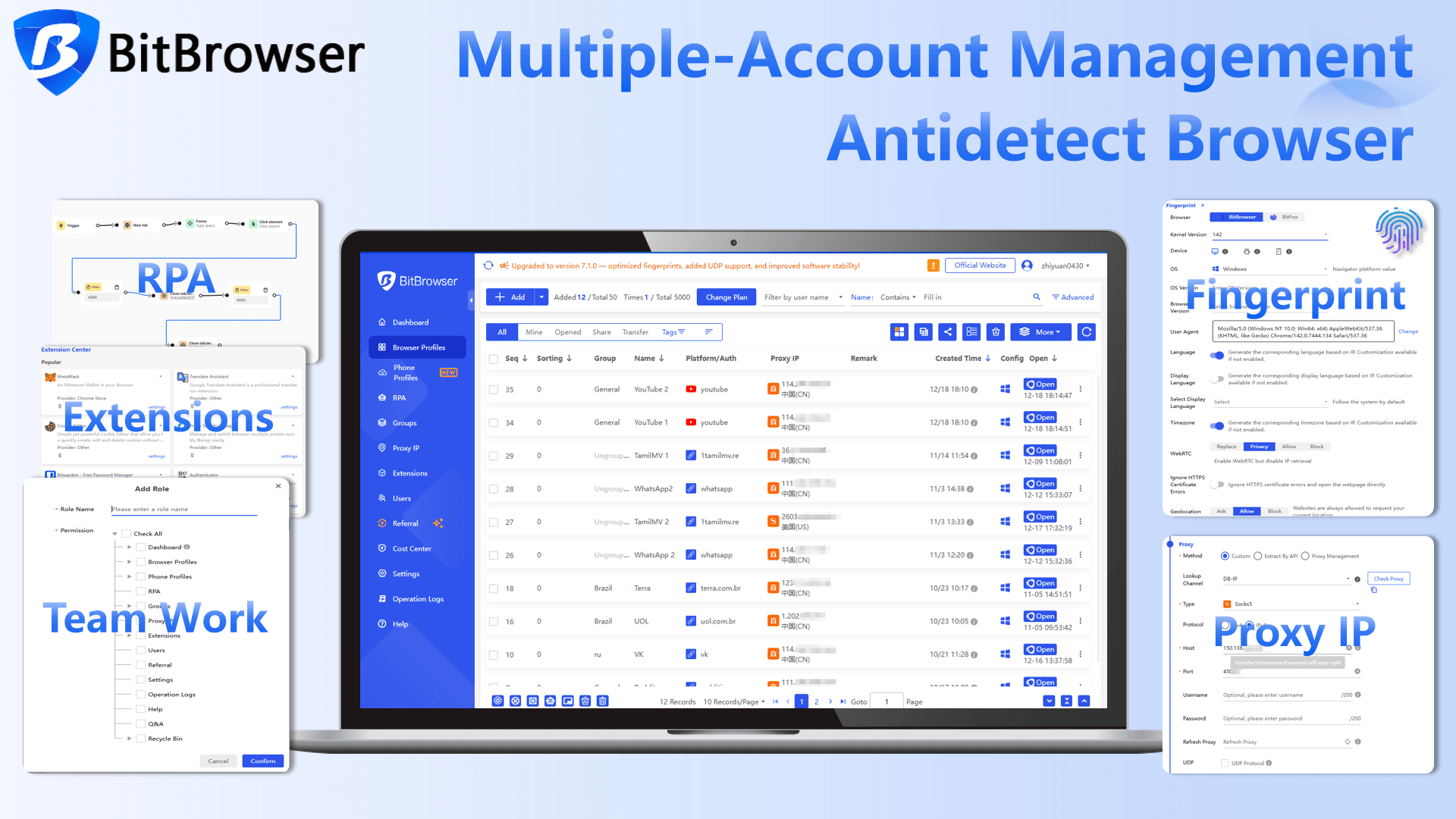
For example:
- Profile 1: Client A research and SEO tools
- Profile 2: Client B publishing dashboard
- Profile 3: Internal agency workflow
- Profile 4: Developer documentation
- Profile 5: Social media management
This structure is much cleaner than mixing all projects into one browser session.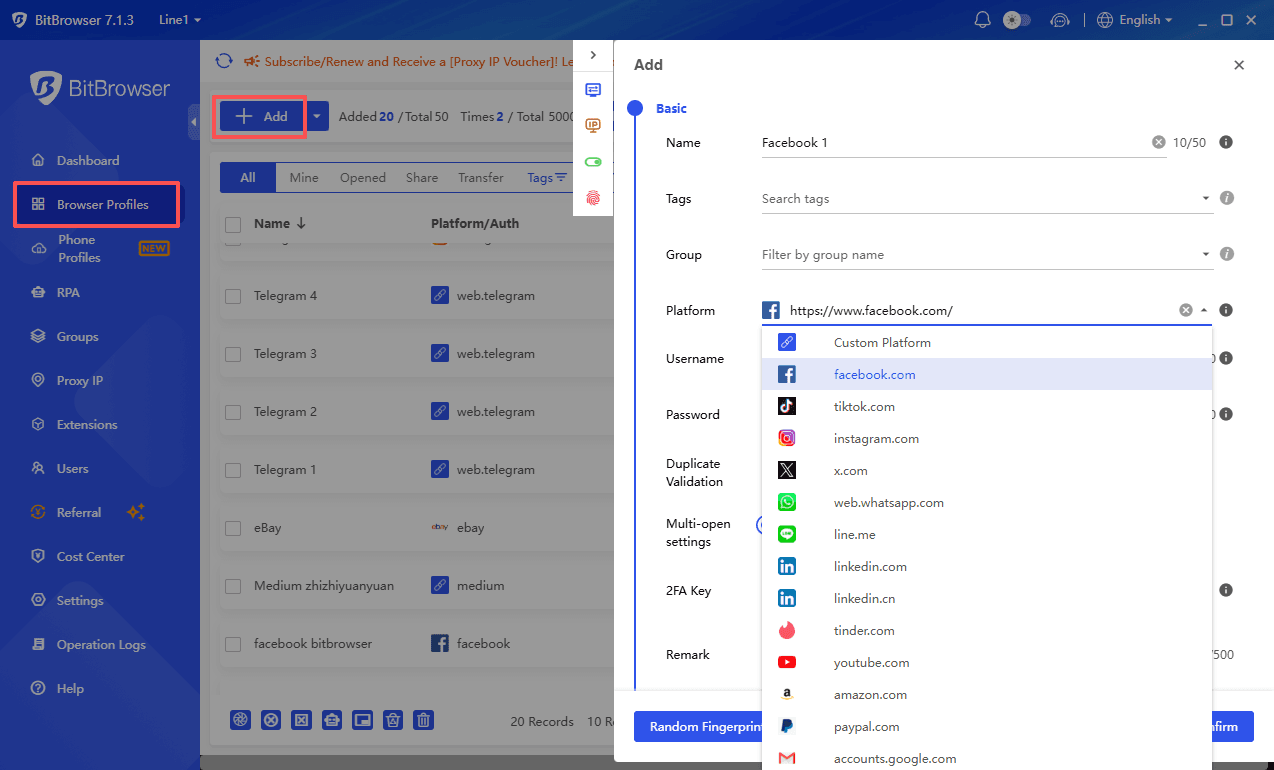
2. Improve Team Handoffs
In many workflows, one person starts a task and another person completes it.
For example:
- A strategist prepares research.
- A writer drafts the article.
- An editor reviews the content.
- A publisher uploads it to the website.
Without an organized browser workspace, every handoff becomes slower. The next person may need to search for the right tabs, reopen tools, find references, or ask where the previous work stopped.
With BitBrowser profiles, teams can keep a project workspace more consistent. The relevant tabs, bookmarks, browser environment, and tool setup can stay organized inside the right profile.
This does not replace proper Claude access. It simply makes the surrounding browser workflow easier to manage.
3. Keep Browser Sessions More Organized
A normal browser can become overloaded with unrelated logins, cookies, bookmarks, and extensions. This is especially problematic for agencies and teams that manage many accounts.
BitBrowser is designed around isolated browser profiles. Its official documentation describes browser profiles, fingerprint objects, and profile creation as part of its profile management system.
For professional teams, isolated profiles can help separate:
- Cookies
- Local storage
- Browser settings
- Proxy settings
- Sessions
- Project-specific tools
- Client-specific dashboards
This helps teams maintain a more structured workflow.
4. Manage Proxy and Network Settings Per Profile
Some teams need specific proxy settings for different workflows, especially when managing international projects, localized testing, SEO research, or account-based operations.
BitBrowser supports proxy configuration and browser profile management. Its official resources mention proxy setup, profile isolation, and fingerprint-related configuration as part of its workflow.
For Claude-related workflows, this should be used responsibly. The goal should be workspace consistency, project separation, and operational organization — not bypassing platform rules or avoiding account restrictions.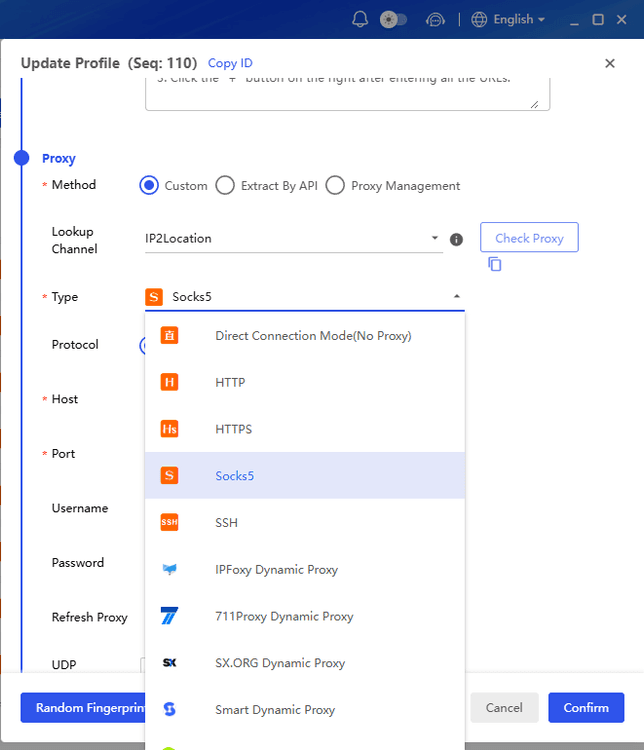
5. Support Multi-Account Operations More Professionally
Many agencies and digital teams manage multiple accounts across platforms such as social media, e-commerce, SEO tools, client portals, and advertising dashboards.
BitBrowser can help create separate environments for these workflows, making it easier to manage different accounts without mixing sessions. This is useful for teams that need clear separation between clients, tasks, and roles.
However, the same rule applies: every platform’s terms should be respected. BitBrowser should be used as a workflow management tool, not as a tool for violating account policies.
Example: A Professional Claude + BitBrowser Workflow
Imagine a content agency working on a client project.
The team includes:
- A researcher
- A writer
- An editor
- A publisher
Each team member uses their own authorized Claude access through the correct Claude plan. Nobody shares a personal Claude password.
At the same time, the agency creates a dedicated BitBrowser profile for the client project. That profile contains:
- Research tabs
- SEO tools
- Client website dashboard
- Publishing CMS
- Reference documents
- Project bookmarks
- Approved browser settings
When the researcher finishes, the writer can continue from the same organized workspace. When the writer finishes, the editor can review the project without rebuilding the browser setup. When the editor approves the article, the publisher can access the correct CMS and upload the final content.
This is a cleaner, safer, and more professional workflow.
What BitBrowser Should Not Be Used For
It is important to be clear: BitBrowser should not be used to make prohibited Claude account sharing appear acceptable.
BitBrowser does not change Claude’s terms. It does not give permission to share a personal Claude login. It does not replace Claude Team or Enterprise. It should not be positioned as a way to avoid rules, hide unauthorized access, or bypass platform restrictions.
The correct positioning is:
Claude Team or Enterprise manages authorized Claude access. BitBrowser manages the browser workspace around that authorized work.
This distinction keeps the article professional, accurate, and safer for readers.
FAQs
Can I share my Claude account with another person?
No. A personal Claude account should not be shared with another person. Anthropic’s Consumer Terms state that account login information and credentials should not be shared
Can two people use one Claude Pro account?
No. Claude Pro is still intended for one account holder. A Pro subscription does not make the account a shared team plan.
Can I use Claude on multiple devices?
Yes, you can use your own Claude account on your own devices. That is different from giving another person your login.
What is the best option for teams?
For teams, Claude Team or Enterprise is the proper access model. These plans are built for organizations that need multiple users, collaboration, and administration features. (Claude)
Can BitBrowser replace Claude Team?
No. BitBrowser does not replace Claude Team. BitBrowser helps organize browser profiles and workspaces, while Claude Team manages authorized Claude access.
Is BitBrowser useful for AI workflows?
Yes. BitBrowser can be useful for teams that need organized browser profiles for client work, research, publishing, SEO, development, or multi-account operations. It helps separate browser environments and keep workflows more structured.
Final Verdict
Sharing a personal Claude account may look convenient, but it creates serious problems. It can violate Claude’s account rules, expose sensitive conversations, weaken access control, and make team management harder.
For professional collaboration, each user should have their own authorized Claude access. Businesses, agencies, and development teams should consider Claude Team or Enterprise when multiple people need regular access.
BitBrowser adds value at the browser-workspace level. It helps teams organize project profiles, separate client environments, manage browser sessions, and improve handoffs between team members. Used correctly, BitBrowser supports a more professional workflow around Claude — without encouraging unsafe or unauthorized account sharing.

 Multi-Account Management
 Prevent Account Association
 Multi-Employee Management
Recommended
See More 



