How to Integrate Thordata Residential Proxy with BitBrowser for Secure Multi-Account Management
 2026.07.30 19:09
 petro
petroManaging multiple online accounts has become an important part of many digital workflows, including e-commerce operations, social media management, affiliate marketing, and advertising campaigns.
However, managing multiple accounts requires more than just an anti-detect browser. A stable and reliable IP environment is also essential.
By combining Thordata Residential Proxy with BitBrowser, users can create separated browser environments with independent residential IP connections, helping improve account management efficiency and workflow stability.
Thordata Residential Proxy: Building Reliable Network Environments
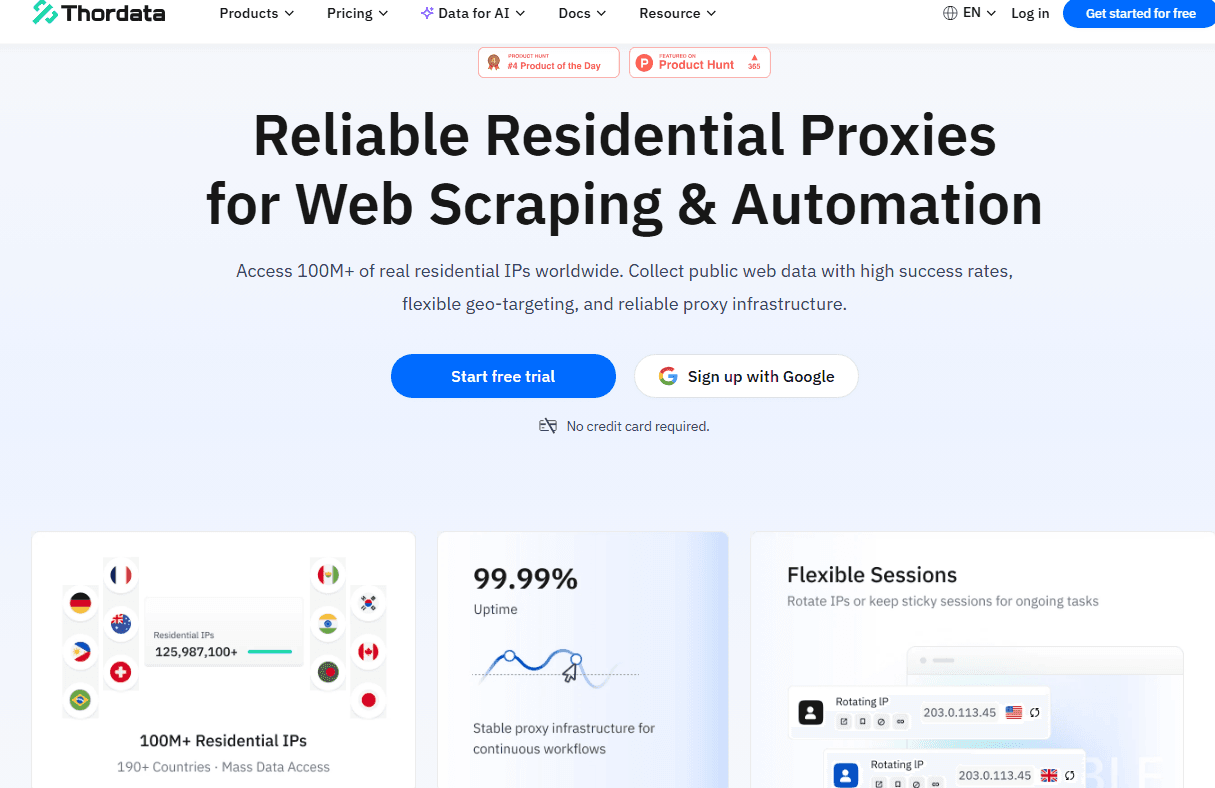
Thordata provides residential proxy solutions using real residential IP resources from global networks.
With Thordata, users can configure dedicated proxy environments for different browser profiles and access websites through different geographic locations.
Core Advantages
Real Residential IP Environment
Each BitBrowser profile can connect through a separate Thordata residential IP, helping create a more natural browsing environment.
This is useful for:
- Multi-account management
- Social media operations
- Advertising account testing
- Regional website access
Global GEO Targeting
Thordata supports flexible geographic targeting, allowing users to select proxy locations according to business requirements.
Common use cases include:
- Local market research
- Regional content testing
- International e-commerce operations
- Advertising verification
Flexible Session Management
Different workflows require different IP behaviors.
Thordata supports:
- Rotating residential proxies for tasks requiring IP changes
- Sticky sessions for workflows requiring longer IP consistency
Users can select the appropriate proxy mode based on their specific needs.
Use Cases of Thordata + BitBrowser
Social Media Account Management
For teams managing multiple social media profiles, maintaining separated browser environments is important.
The combination of:
- BitBrowser browser profiles
- Thordata residential IPs
helps create independent account environments for different workflows.
Cross-Border E-commerce
Global sellers often need to access websites from different regions.
With residential proxies, users can:
- Check regional product information
- Analyze local markets
- Test website displays
Advertising and Marketing Testing
Marketing teams may need to verify:
- Regional landing pages
- Local search results
- Campaign visibility
Thordata residential proxies help simulate different geographic access environments.
Integration Configuration Guide
Before starting the setup, prepare:
Requirements
You need:
- A valid Thordata account
- Available residential proxy traffic
- BitBrowser installed on your device
Step 1: Get Proxy Information from Thordata
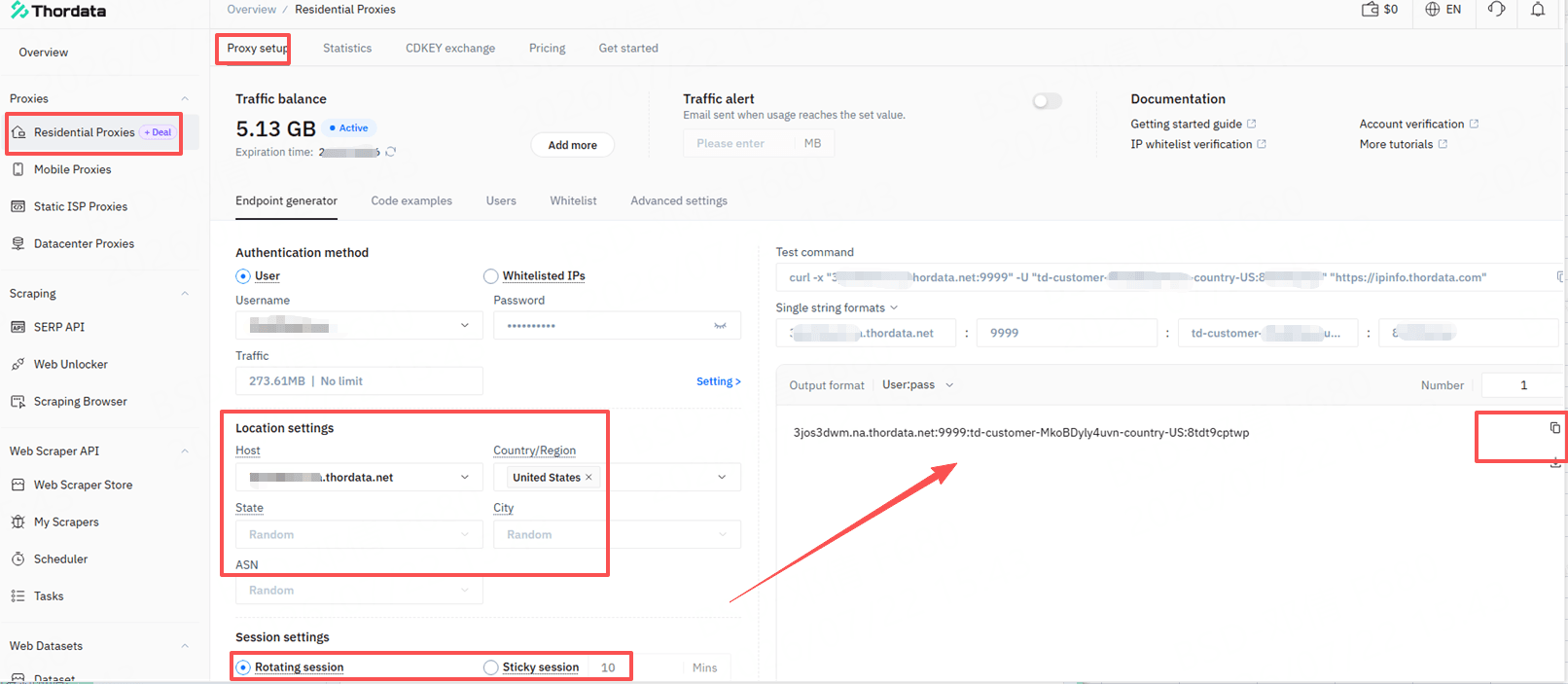
First, log in to your Thordata dashboard.
Create or select a residential proxy plan and obtain the required connection information.
Usually, proxy details include:
- Proxy host
- Proxy port
- Username
- Password
Keep this information available for BitBrowser configuration.
Step 2: Create a New Browser Profile in BitBrowser
Open BitBrowser and create a new browser profile.
Configure Thordata Proxy Settings
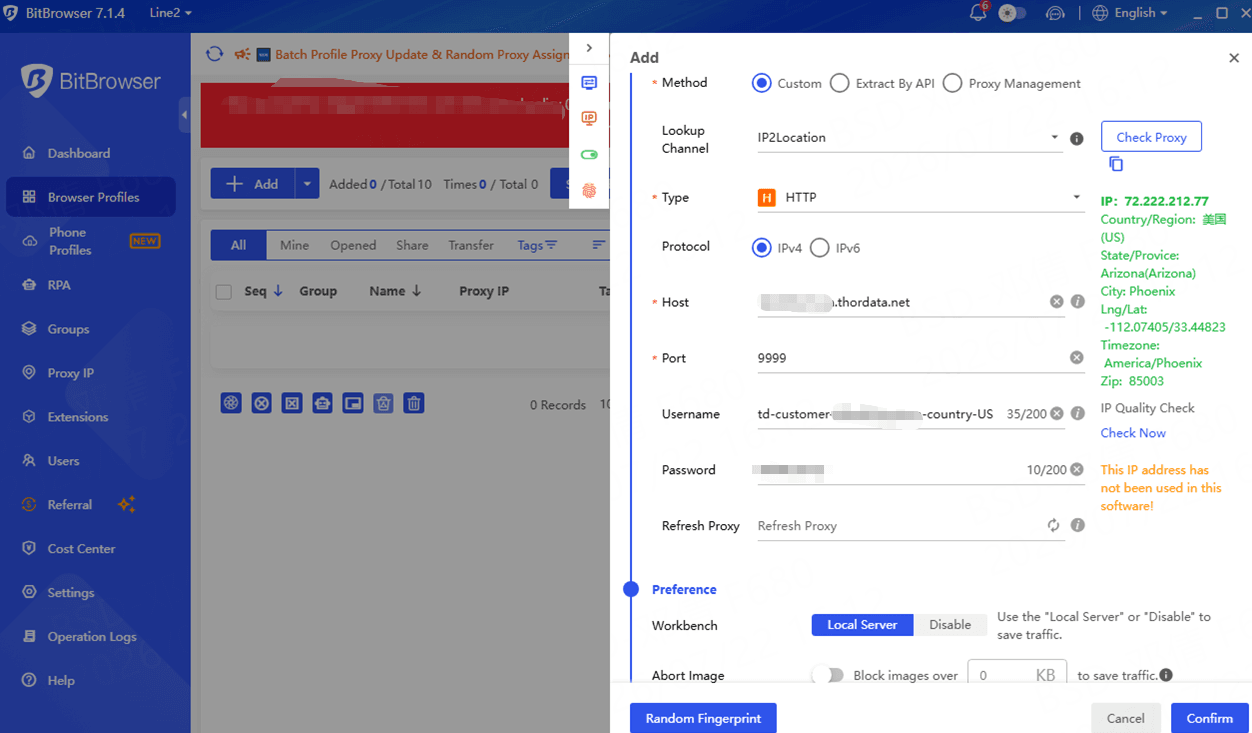
In the proxy configuration section:
- Select proxy type:
HTTP / HTTPS
- Enter Thordata proxy information:
- Host
- Port
- Username
- Password
- Click the proxy test option.
If the connection is successful, save the profile configuration.
Step 3: Start Using the Browser Profile
After completing the configuration:
- Launch the BitBrowser profile
- Verify the IP location
- Test website accessibility
Each profile can operate with its own independent proxy environment.
Why Choose Thordata for BitBrowser Workflows?
A reliable proxy provider should offer more than just IP addresses.
Important factors include:
IP Quality
Residential IP resources provide a more realistic network environment.
Location Flexibility
Different projects require different regions.
Session Control
Users can choose rotating or sticky connections depending on their workflow.
Easy Integration
HTTP(S) proxy support makes integration with browser tools simple.
Start Testing Thordata Residential Proxy
Before launching large-scale projects, testing compatibility with your workflow is recommended.
Thordata provides new users with:
🎁3-day free trial
Users can test:
- Proxy connection stability
- GEO targeting requirements
- BitBrowser compatibility
Start your test:thordata.com
Conclusion
BitBrowser helps users manage independent browser environments, while Thordata provides the residential proxy infrastructure needed for flexible and stable network access.
By combining browser fingerprint management with reliable residential proxies, users can build more organized workflows for:
- Multi-account management
- E-commerce operations
- Marketing campaigns
- Automation tasks
Testing the setup first allows users to choose the best configuration for their specific needs.

 Multi-Account Management
 Prevent Account Association
 Multi-Employee Management
Recommended
See More 



