ISP Proxies vs Residential Proxies: Which One Should You Use for Multi Account Management
 2026.07.16 10:07
 YT.Shi
If you are doing multi account management for ecom, affiliate, social media, ad accounts, sneaker stuff, marketplaces, whatever… choosing the right proxy type is one of those decisions that can either make your setup feel stable or feel like walking on thin ice.
So let’s talk about the two that get compared the most for this use case: ISP proxies and residential proxies. What they actually are, how they behave, what they cost you in money and headache. And which one you should use for multi account management depending on what you are doing.
What Are ISP Proxies?
ISP proxies (sometimes called static residential proxies, or ISP residential proxies depending on the provider) are IPs that are hosted on servers in data centers, but they are issued by real Internet Service Providers. That’s the key point.
So instead of looking like a typical datacenter IP block that screams “proxy”, they often look like a normal consumer ISP connection from Comcast, AT&T, Vodafone, etc. But performance wise, they behave more like datacenter proxies because they are sitting on infrastructure that is fast, stable, and always on.
A few practical traits you’ll notice with ISP proxies:
· Usually static: you keep the same IP for a long time (days, weeks, months) unless you rotate it yourself.
· Fast and low latency: great for tasks that involve lots of page loads, lots of tabs, heavy web apps.
· More stable sessions: because the IP does not randomly change mid session.
· More expensive per IP: you are paying for “clean” IP reputation and stability.
People like them because they can be the sweet spot. Less suspicious than pure datacenter IPs, but way easier to work with than rotating residential pools.
What Are Residential Proxies?
Residential proxies are IP addresses that come from real devices on real home networks. In most cases, those IPs are part of a large pool, and you access them through a gateway that assigns you an IP from that pool.
They can be:
· Rotating residential proxies (most common): IP changes on a timer or per request.
· Sticky sessions: you hold the same residential IP for a set duration (like 10 minutes, 30 minutes, 1 hour), then it changes. This type of proxy is discussed in detail here.
The big benefit is obvious. To platforms, these IPs look like normal users browsing from home, because they literally are.
But there are tradeoffs people don’t love talking about until it breaks something:
· Not always stable: IP can drop, slow down, or get reassigned.
· Speed varies a lot: because the underlying connection is a real residential line, not data center fiber.
· Billing is usually by bandwidth: you pay per GB, not per IP.
· Location targeting is better: you can often target city, region, ISP, sometimes ASN.
Residential proxies are typically what people reach for when they need maximum “normal user” vibes. Especially if a platform is aggressive about detecting proxies.
ISP Proxies vs Residential Proxies: Key Differences
Here’s the comparison that actually matters for multi account management.
| Factor | ISP Proxies | Residential Proxies |
|---|---|---|
| IP Reputation | Looks like a real ISP connection. Quality depends on provider and IP range. | Most authentic because IPs come from real residential networks. |
| Stability | Static IPs provide consistent account environments, ideal for long term management. | Rotating IPs improve diversity but may affect account consistency. |
| Speed & Reliability | Usually faster and more stable for daily account operations. | Speed varies depending on residential exit nodes. |
| Cost | Usually paid per IP with predictable monthly costs. | Usually paid per GB, which can become expensive with heavy usage. |
| Geo Targeting | Good targeting, but city level availability may be limited. | Better for precise locations and wider geographic coverage. |
| Detection Risk | Fewer CAPTCHAs than datacenter proxies and better session consistency. | Lower proxy detection, but frequent IP changes may trigger security checks. |
| Best For | Multi account management, long term accounts, stable operations. | Scraping, geo testing, and tasks needing many real user IPs. |
Which Proxy Is Better for Managing Multiple Accounts?
If you force me to give a clean answer, it’s this:
· For long term multi account management where you log into the same accounts repeatedly, ISP proxies are often the better default.
· For account creation, warming, and high risk platforms, residential proxies can be safer, especially when the platform is strict about proxy detection.
But the best proxy is the one that matches your workflow.
Ask yourself:
1. Am I logging into the same set of accounts every day?
2. Do I need each account to have a consistent “home” IP?
3. Is the platform paranoid about datacenter patterns?
4. Am I doing actions that spike security checks? Like adding payment methods, running ads, changing profile details, mass messaging?
If you are managing social profiles, seller accounts, ad accounts, and you want them to stay stable for months, static ISP proxies mapped 1:1 to browser profiles is a very common winning setup.
If you are doing lots of new account creation or you need very specific local IPs to match signup info, residential tends to play nicer.
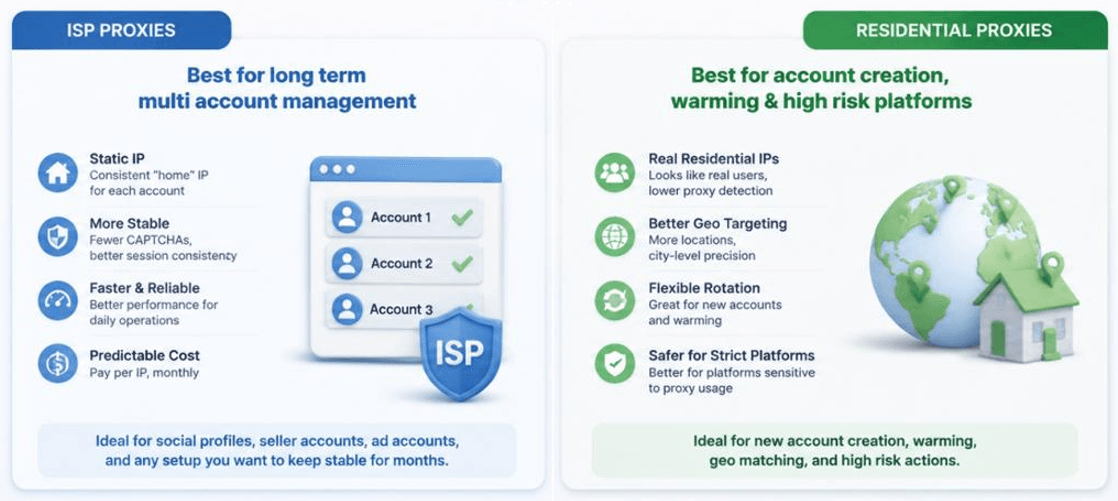
When to Use ISP vs Residential Proxies for Multi Account Management?
ISP proxies are best for long term account management where stability matters.
They provide static IPs, faster performance, and consistent account environments. They work well for seller accounts, social accounts, ad accounts, and any profile that needs regular logins. A 1:1 setup with one proxy per browser profile helps reduce account connections and makes management easier.
Residential proxies are better when authenticity and location flexibility are the priority.
They are useful for account creation, account warming, strict platforms, and campaigns requiring specific locations. With sticky sessions, residential proxies can also support ongoing account management while keeping each profile on a consistent IP.
Can You Combine ISP Proxies and Residential Proxies?
Yes. This is what a lot of people end up doing once they stop trying to find one perfect proxy type.
A practical combined setup looks like this:
· Residential proxies for account creation and early warming.
· Move stable accounts to ISP proxies for long term management.
· Keep a small residential pool for recovery scenarios — including suspicious login loops, travel style location changes, testing new regions, and emergency rotation when an ISP IP gets flagged.
You can also segment by risk level:
· High value accounts (ad accounts, payment linked accounts) on dedicated ISP proxies.
· Lower value accounts or short lifespan accounts on residential rotation.
The main thing is to keep your mapping clean. Do not randomly swap proxies between accounts. That's when you get the classic problem where one flagged account poisons the rest.
In addition to that, check IP fraud score before assigning a proxy to catch this early.
How BitBrowser Helps Manage Multiple Accounts with Proxies?
Proxies are only one layer. If you reuse the same browser fingerprint across accounts, the platform can still connect them even if IPs are different. That's where anti detect browsers come in, and BitBrowser is built specifically for this kind of setup.
Here's how BitBrowser typically helps in multi account management workflows:
Separate browser profiles with isolated fingerprints
You create multiple browser profiles, and each profile has its own isolated environment — including cookies and storage, user agent and device characteristics, canvas and WebGL fingerprint parameters (depending on configuration), and timezone, language, screen resolution, fonts, and other signals.
So instead of one browser pretending to be 20 people, you get 20 isolated environments.
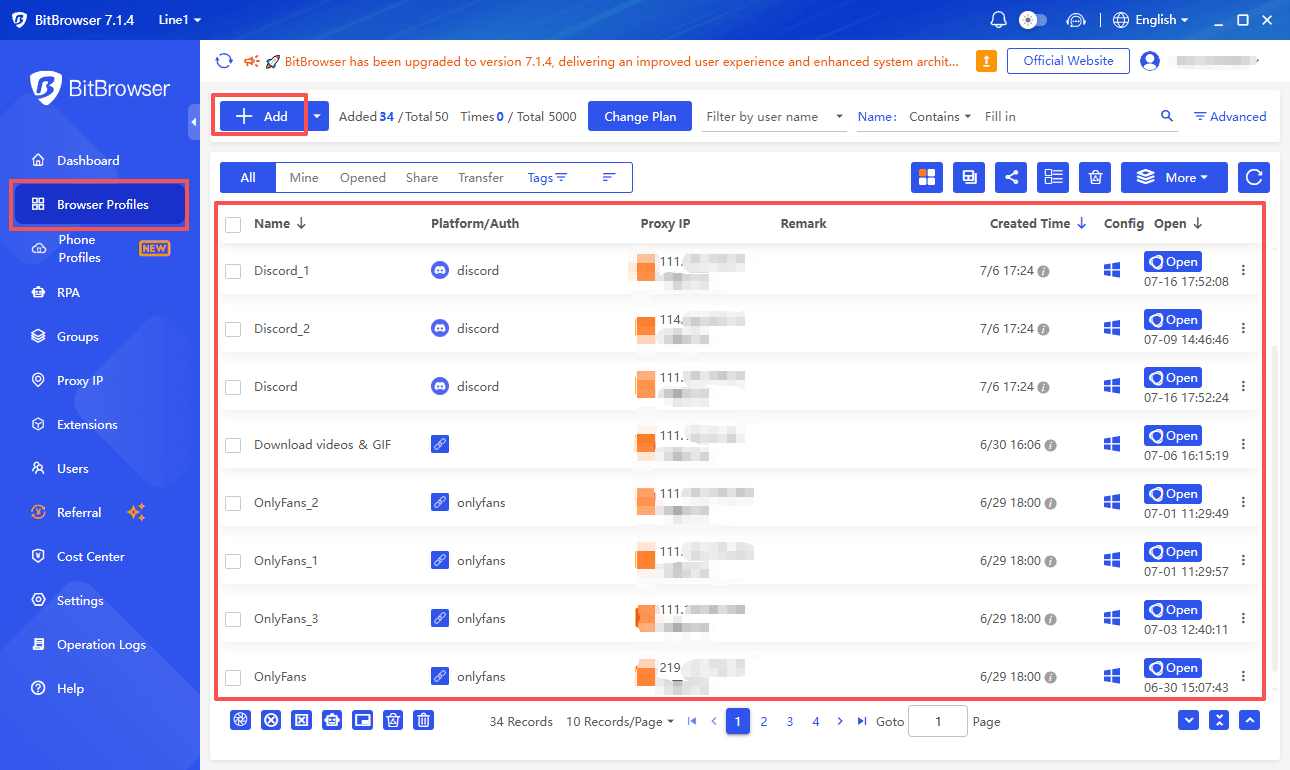
Proxy binding per profile
This is the big one for this article. In BitBrowser you can assign a proxy (ISP or residential) to each browser profile. That lets you do the 1:1 mapping that keeps accounts stable.
Typical mapping people use:
· Profile A -> ISP proxy A -> Account A
· Profile B -> ISP proxy B -> Account B
· Or for residential: Profile A -> sticky residential session -> Account A
The point is consistency.
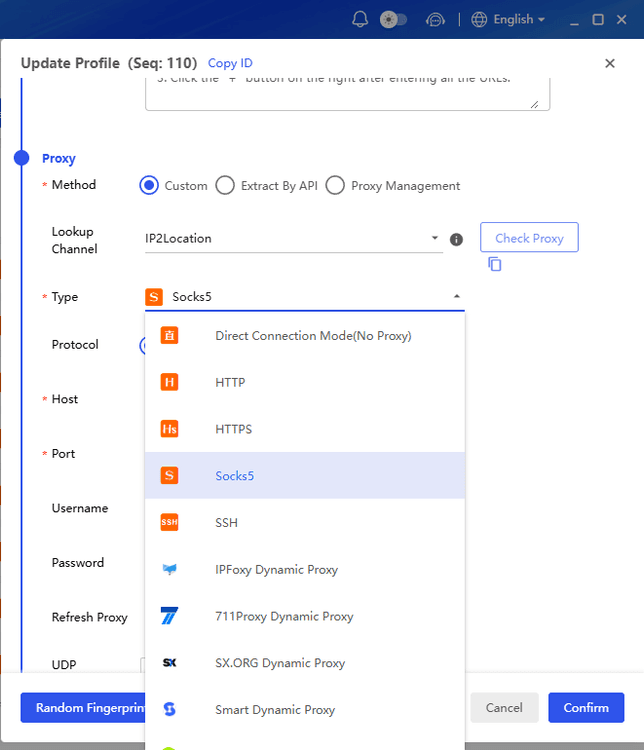
Team workflows and organization
If you’re managing a lot of accounts, you also care about boring stuff like:
· grouping profiles
· tagging by platform, region, client, status
· permissions for team members
BitBrowser tends to be used because it supports those operational pieces, not just fingerprint spoofing.
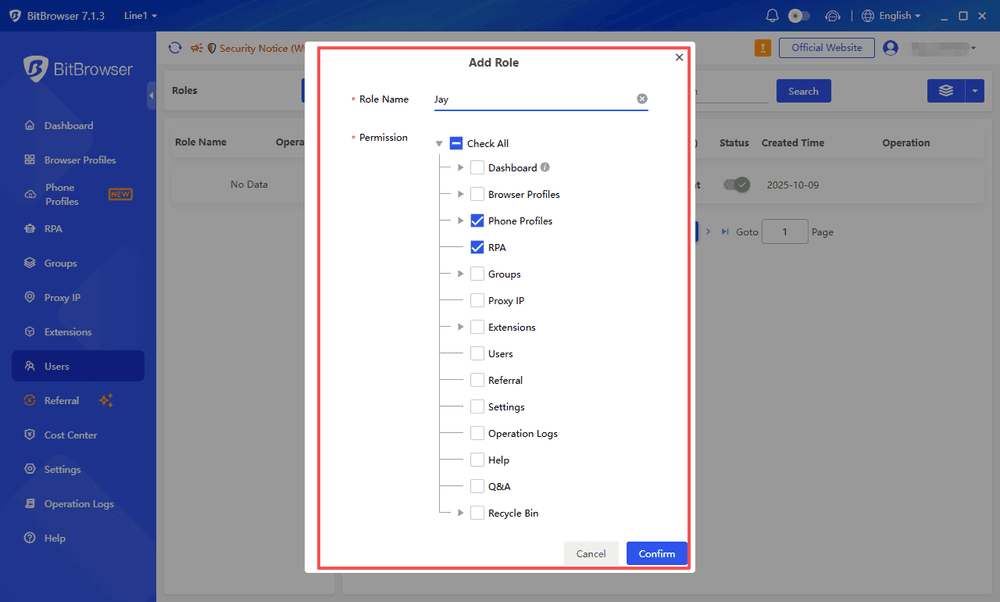
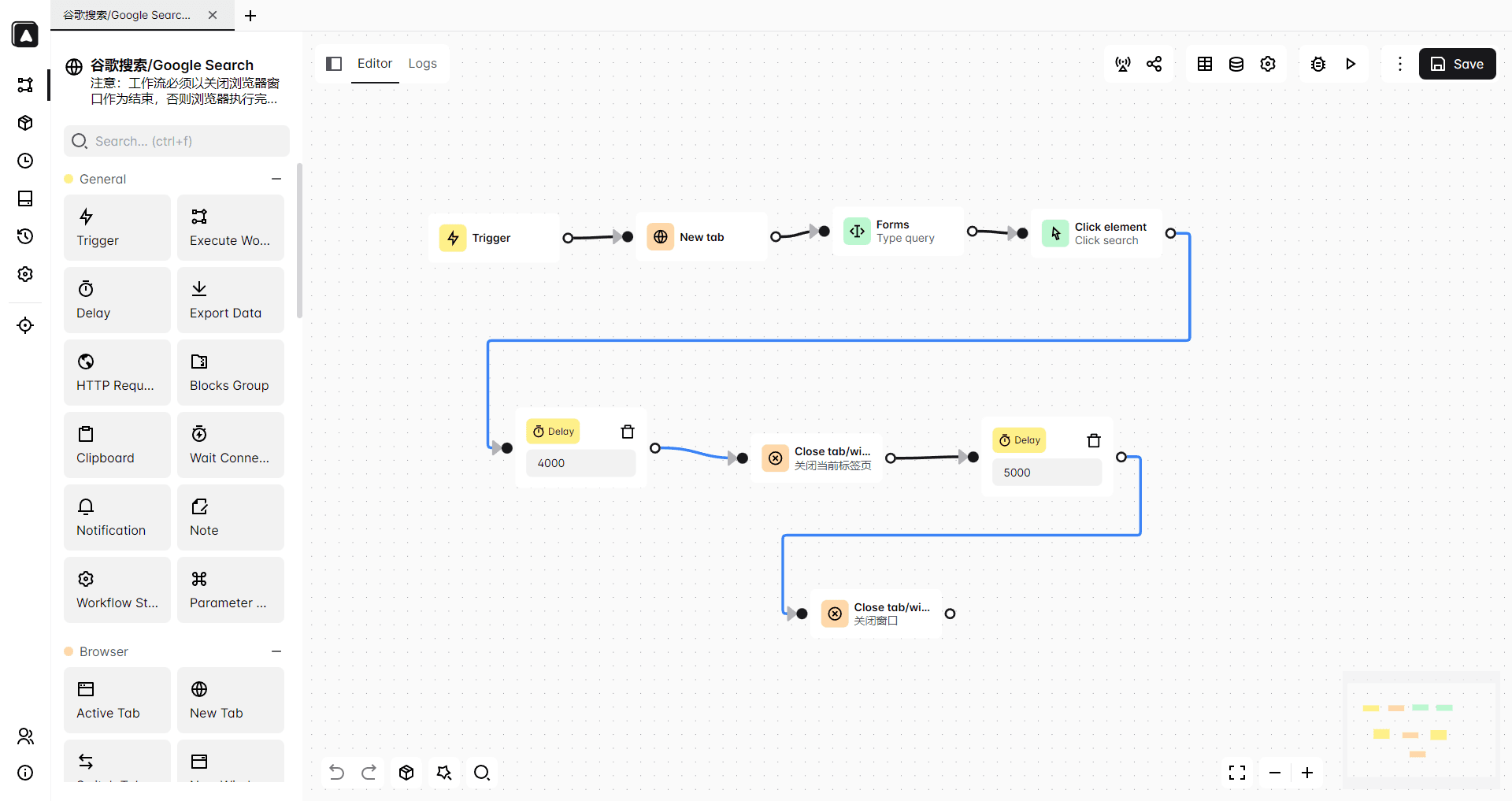
Automation friendly setup (when needed)
Some users pair anti detect browsers with automation tools or scripts for repetitive tasks. Even if you’re mostly manual, having consistent profiles and stable proxy assignments makes automation less fragile.
Just keep in mind, automation increases risk if you do it carelessly. That’s not a tool problem, that’s a behavior pattern problem.
Conclusion
ISP proxies and residential proxies both work for multi account management, but they solve slightly different problems.
· If you want speed, stability, and long term consistency, ISP proxies are usually the better choice. Especially when you map one proxy to one BitBrowser profile and keep it clean.
· If you want maximum authenticity, flexible geos, and safer account creation flows, residential proxies are often the better fit. Just be careful with rotation and session consistency.
And if you’re doing this seriously, you probably end up combining them anyway. Residential to get accounts off the ground, ISP to keep them stable once they matter.
The proxy is not the whole story, but it’s a big part of it. Pair it with proper profile isolation in a tool like BitBrowser, keep your account behavior realistic, and things get a lot calmer. Not perfect. Just calmer.
Frequently Asked Questions
What challenges can arise when managing multiple online accounts simultaneously?
Multiple accounts may face flags, verification requests, or restrictions due to IP, fingerprint, cookies, location, and behavior tracking.
What are ISP proxies and how do they help with multi account management?
ISP proxies are ISP-issued IPs hosted on servers. They offer static IPs, fast speeds, and stable sessions, making them suitable for long term account management.
How do residential proxies differ from ISP proxies?
Residential proxies use real home network IPs, offering higher authenticity and better geo targeting. However, they are usually less stable and more expensive.
Which proxy is better for session consistency?
ISP proxies are usually better because static IPs keep accounts connected to the same location and connection.
How do their costs differ?
ISP proxies are usually charged per IP with predictable monthly costs. Residential proxies are often charged by bandwidth usage, which can increase with heavy traffic.
Which proxy is better for geo targeting?
Residential proxies generally provide more precise location options, while ISP proxies offer stable targeting with more limited availability in some areas.

 Multi-Account Management
 Prevent Account Association
 Multi-Employee Management
Recommended
See More 



