How Beginners Can Make Money on Upwork in 2026 (No Experience Required)
 2026.01.21 10:48
 YT.Shi
Most people open Upwork for the first time and immediately feel behind. You see profiles with 10,000 hours logged. People with “Top Rated Plus”. Job posts with 50 proposals in 20 minutes. And you start thinking… cool, so this is not for me.
But in 2026, beginners still make money on Upwork every day. Not because they’re experts, but because they understand how to start small and play the game correctly. They offer one simple service, write clear and honest proposals, and deliver reliable work. That’s what clients actually care about.
This guide is the beginner friendly version. No fake “make $10k this week” stuff. Just what actually works in 2026, even if you have zero experience and no portfolio.
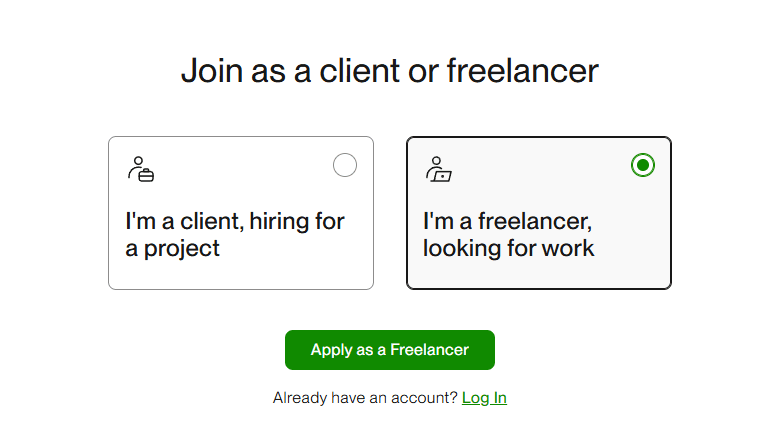
Is Upwork Worth It for Beginners?
Yes, but only if you understand what Upwork really is.
Upwork is not a place where clients hire you because you “deserve a chance”. Clients hire you because you reduce risk for them. They want someone who will communicate, hit deadlines, and not disappear halfway through.
So if you are a beginner who can do those three things, you are already more useful than a surprising number of freelancers.
That said, Upwork is worth it for beginners when:
· You are willing to apply consistently for a few weeks, not a few hours
· You can start with smaller, easier jobs to build proof
· You treat proposals like a sales skill, not a lottery ticket
· You focus on one simple service instead of “I can do anything”
Upwork is not worth it if:
· You need money fast, like rent due in 5 days fast
· You hate writing and don’t want to learn basic client communication
· You plan to spam proposals and hope something sticks
· You want to run multiple accounts or do anything sketchy that can get you banned
If you can be patient and professional, it is still one of the most straightforward ways to turn internet skills into actual income.
What Beginners Need Before Starting on Upwork
You do not need a degree. You do not need a fancy portfolio website. You do not need 10 different skills.
But you do need a few basics. Otherwise you are going to waste time applying and hearing nothing back, which feels terrible.
1. Pick one beginner friendly skill to sell
Not forever. Just for now. One offer. One category.
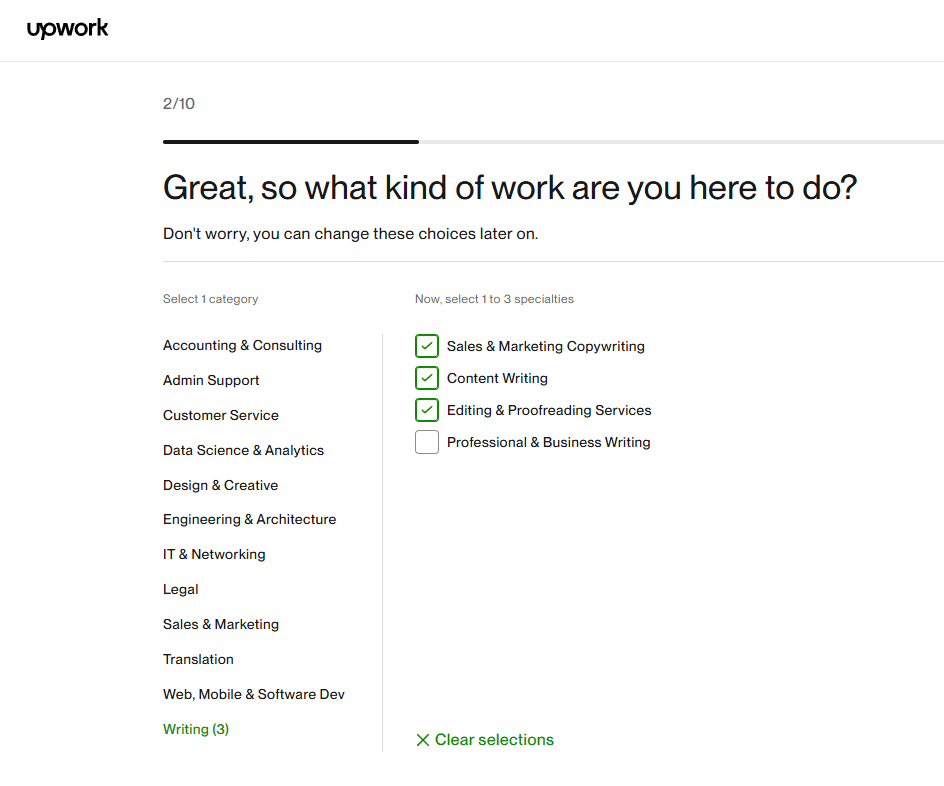
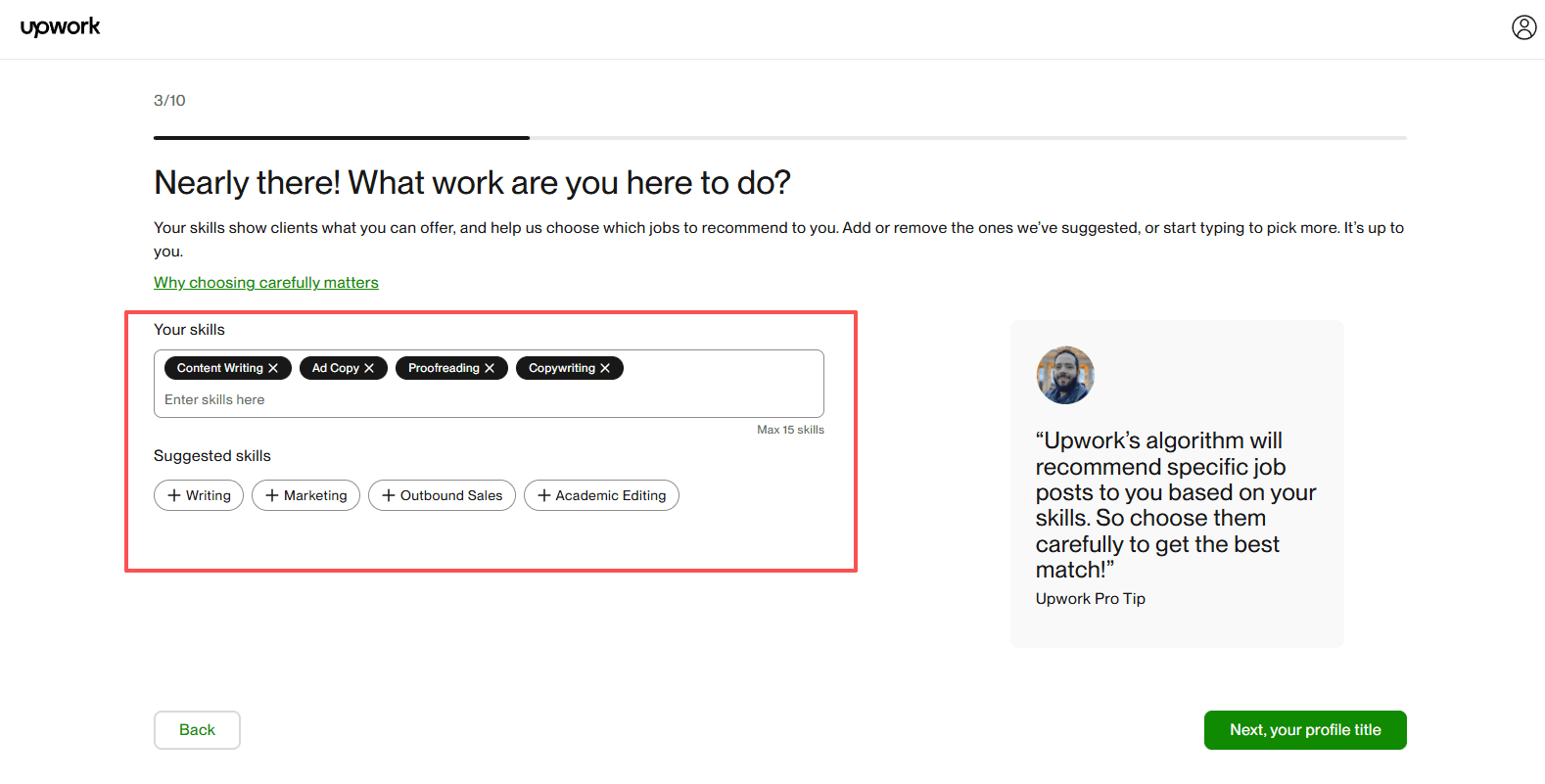
Some realistic “no experience” starting points in 2026:
· Virtual assistant tasks (data entry, research, inbox cleanup, scheduling)
· Customer support (chat support, email support, ticket tagging)
· Simple Canva design (social posts, thumbnails, PDF lead magnets)
· Short form video editing (cuts, captions, basic hooks)
· Content repurposing (turn a blog into LinkedIn posts, turn a webinar into clips)
· Basic WordPress edits (formatting, speed cleanup basics, plugin updates)
· Lead list building (find emails, build lists, validate leads)
· Transcription and note cleanup (especially for podcasts, Zoom calls)
· Simple SEO support (uploading content, internal linking, metadata, image compression)
· AI assisted writing support (outlines, rewrites, formatting, but still human edited)
Pick the one you can learn to do decently in 10 to 20 hours. Not perfectly. Just well enough to help a client.
2. Build a Small Portfolio (Even If It’s Self-Made)
Clients need proof. If you do not have client work, you can create samples.
Examples:
· If you want to do Canva social posts, make 12 posts for an imaginary brand.
· If you want to do VA (Virtual Assistant) work, create a sample spreadsheet, a process doc, and a “weekly report” template.
· If you want to edit videos, take public domain clips or your own footage and make 3 short edits.
· If you want to do blog formatting in WordPress, set up a free site and show before and after screenshots.
Upload these as Portfolio items on Upwork. Keep it simple. 3 to 6 samples is enough to start.
3. Write a clear personal profile
Most beginner profiles say: “I am hardworking and passionate and I will do my best.”
That does not help a client. It is not a crime, but it is invisible.
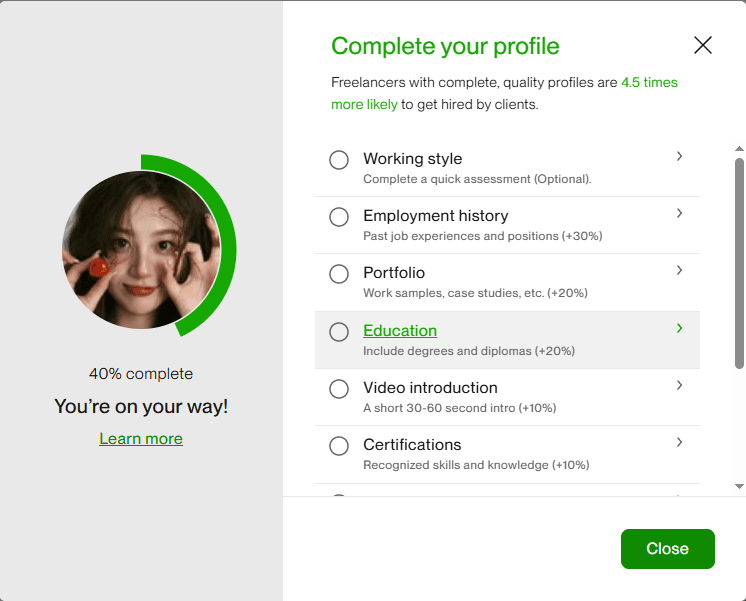
Your profile needs:
· A clear headline (what you do)
· A short overview that says who you help and what outcomes you deliver
· 3 to 5 bullet points of specific tasks you can handle
· One sentence that reduces risk (response time, availability, process)
· A call to action (invite me, message me, etc.)
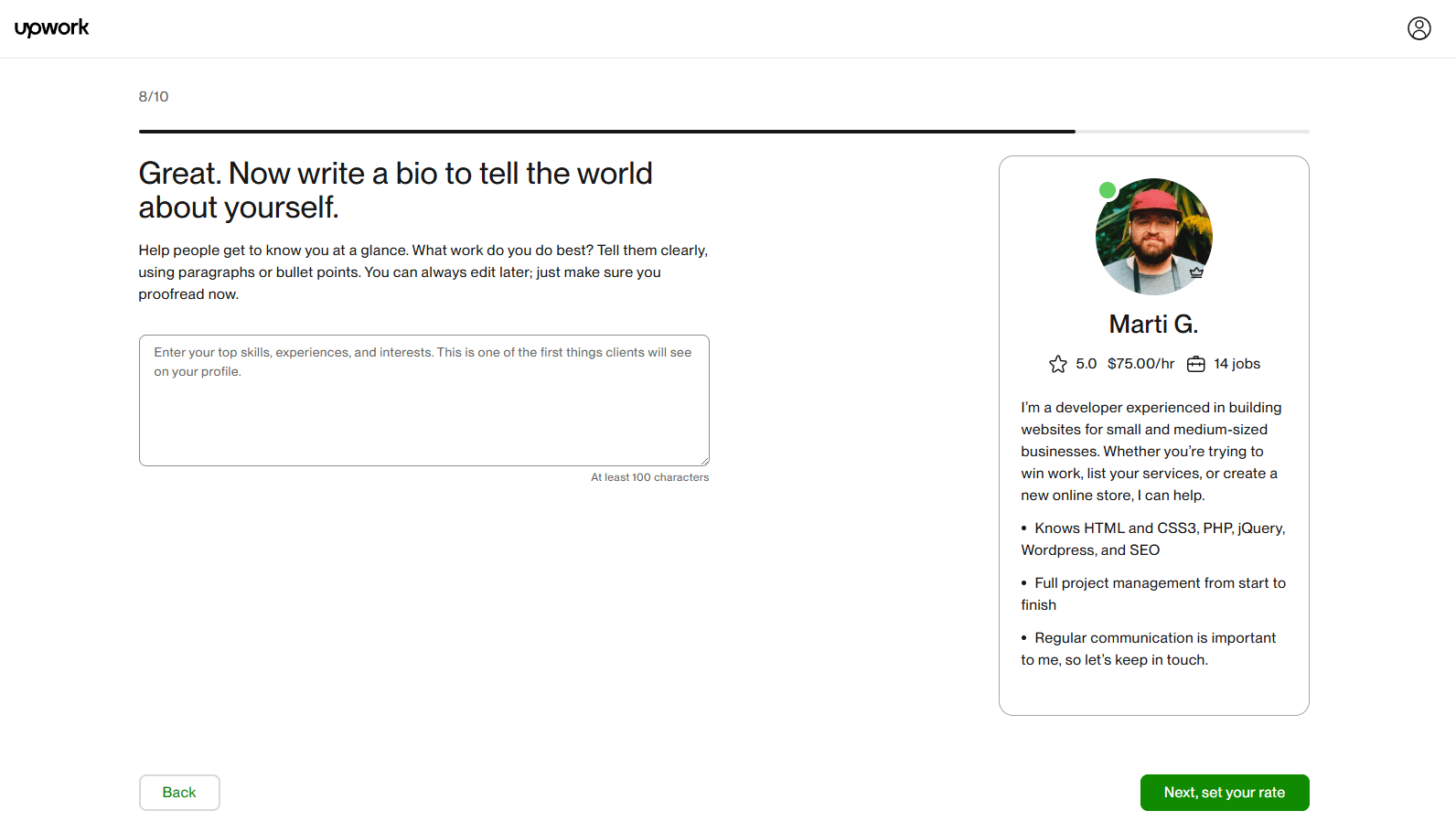
Example headline ideas:
· “Virtual Assistant for Admin Support, Research, and Data Cleanup”
· “Short Form Video Editor for Reels, Shorts, and TikTok”
· “Canva Designer for Social Posts, Carousels, and Simple PDFs”
4. Develop a simple freelance rate
Beginners overthink pricing. They either price too high with no proof, or they price so low it scares clients.
In 2026, a practical beginner approach is:
· Start with a fixed price package for a small deliverable
· Or start hourly at a fair entry rate and increase after reviews
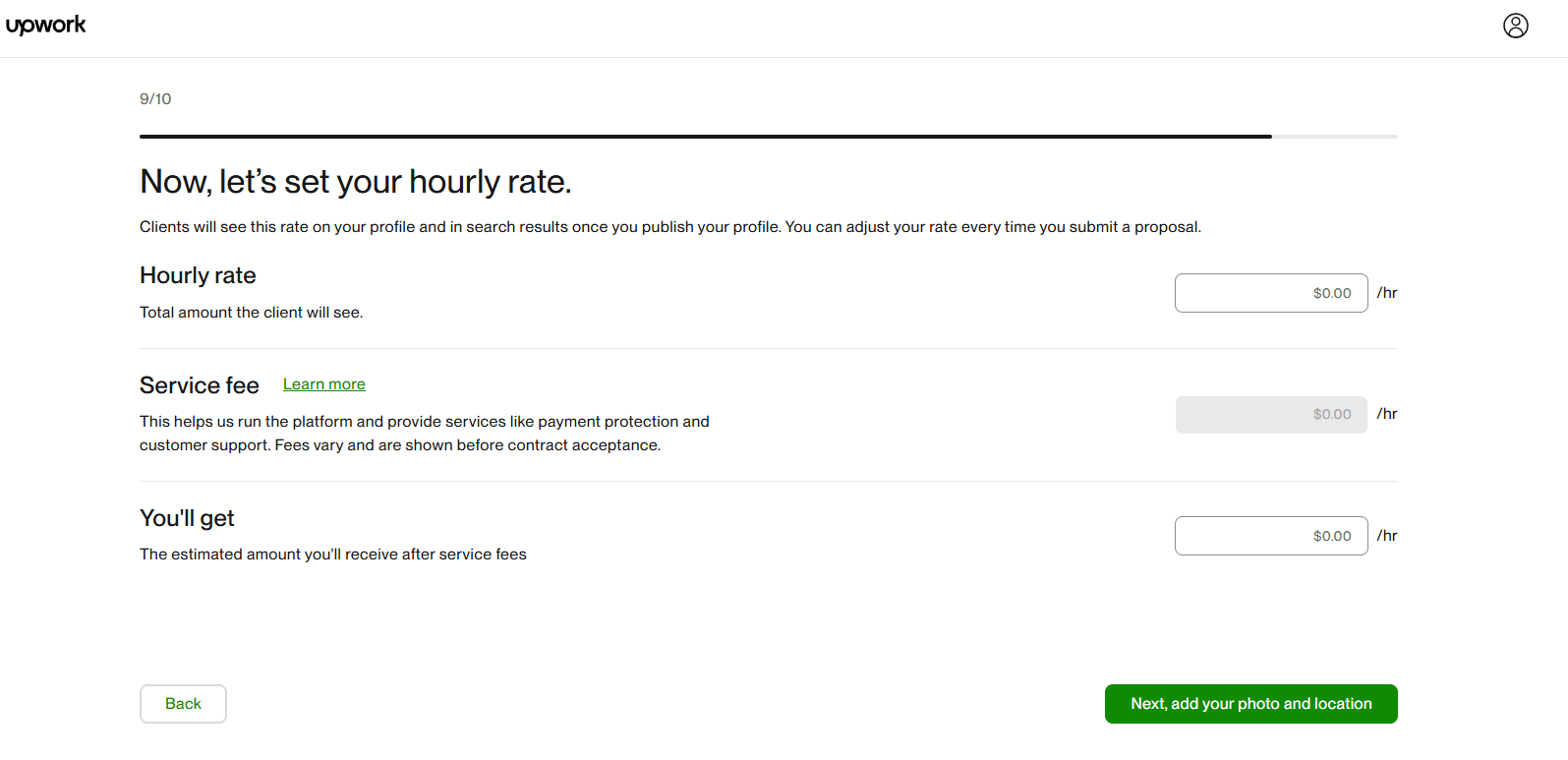
Examples:
· “$25 for formatting and publishing 1 WordPress blog post (includes images, headings, internal links)”
· “$40 for 10 Canva posts in your brand style”
· “$60 for editing 4 short clips with captions”
The goal is not to stay cheap. The goal is to get your first 2 to 5 reviews fast without burning out.
If you're still unsure how to set your rates, please refer to the official UOWork Freelancer Rate Calculator.
5. A daily application routine
Upwork rewards consistency, not intensity.
A good beginner target:
· 5 to 10 quality proposals per day
· Or 20 to 40 per week, consistently for a month
If you do that with decent targeting and good proposals, you will almost always land something.
How to Get Your First Job on Upwork (Step by Step)
This is the part most people want. The exact playbook. So here it is.
Step 1: Build a Upwork Offer Clients Can Say Yes To
When you’re just starting on Upwork, your first offer should be easy for clients to understand and low-risk to hire. Keep it small, specific, and fast to deliver. Clear scope and short turnaround times make it much easier for clients to say yes to a beginner.
Avoid vague offers like “I can be your VA for anything you need” or “I do social media.” These sound flexible, but they give clients no clear idea of what they’re actually buying.
Instead, lead with a concrete outcome and a deadline.
For example, “I will organize your inbox with labels, filters, and canned replies in 24 hours,” or “I will design 15 Instagram posts in Canva using your brand colors, delivered in 48 hours.”
Small, focused starter offers allow clients to test your work with minimal risk. Once you deliver well, trust builds quickly—and upsells and repeat work usually follow naturally.
Step 2: Search for the right jobs (not the popular ones)
Most beginners make the same mistake on Upwork. They apply to the most obvious job posts, usually the ones that already have 50 proposals. These listings look attractive, but they are also the hardest to win, especially if you have no experience.
Instead, focus on jobs where clients are more likely to notice and reply to beginners. Look for:
· New posts published within the last 1 to 6 hours
· Clear job descriptions where the client knows exactly what they want
· Mid range budgets that are realistic, not ultra cheap and not enterprise level
· Clients with hiring history who actually award contracts
· Fewer proposals, with 0 to 15 being the ideal range
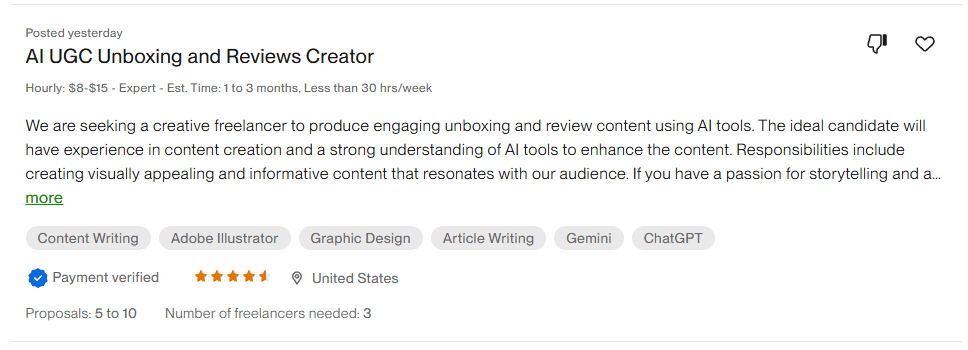
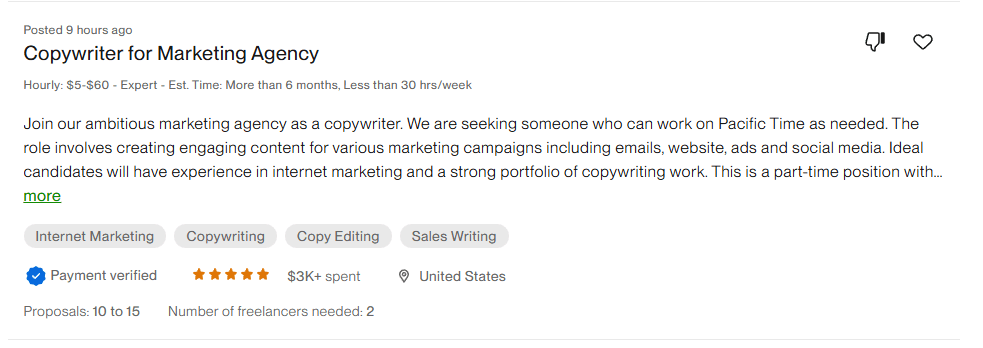
Use Upwork filters to narrow things down even further:
· Experience level: Entry or Intermediate. Intermediate roles are often easier than they sound
· Client history: Payment verified is helpful, but do not overthink it
· Project length: Short term projects are much easier to win when starting out
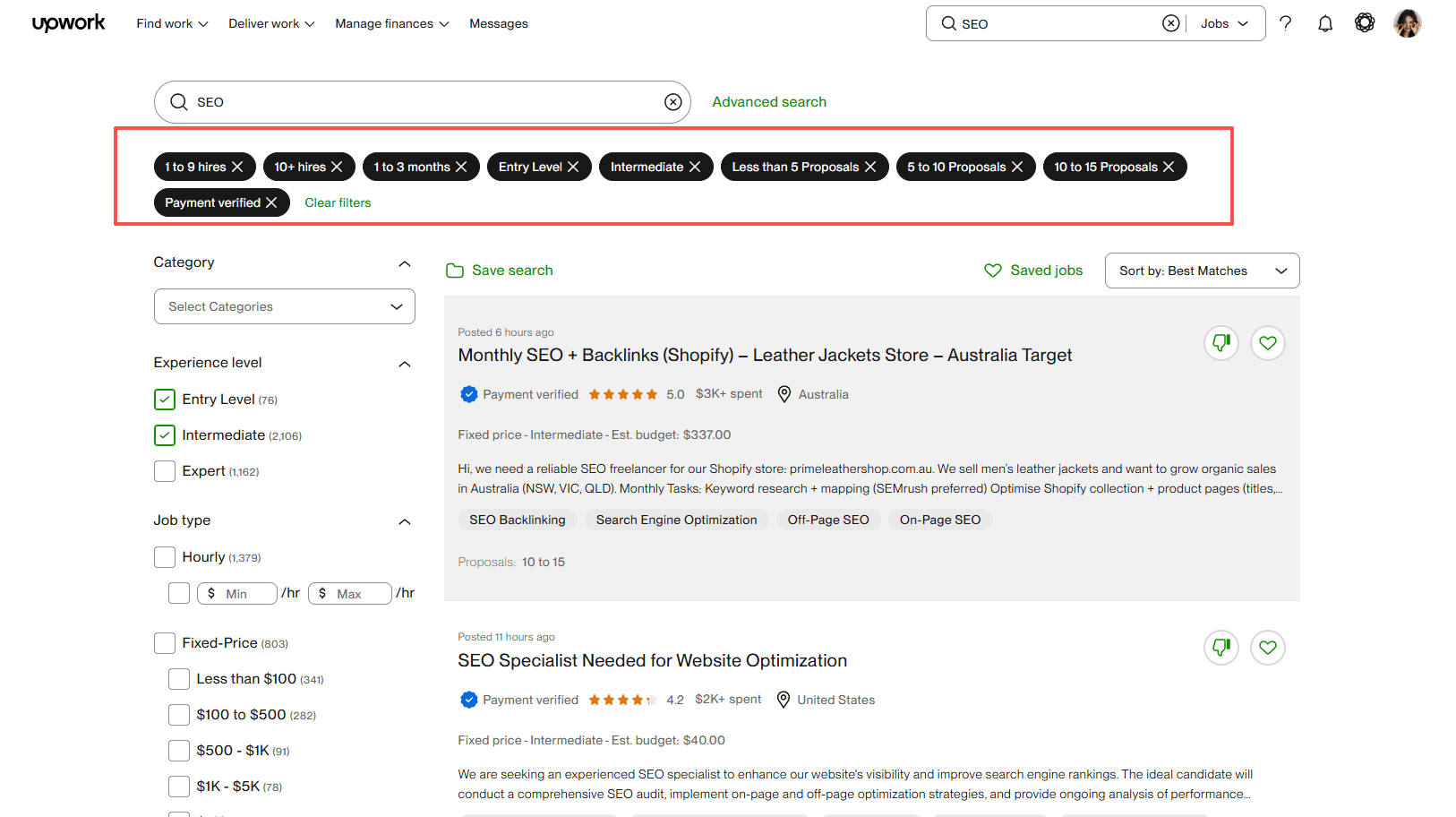
Choosing the right jobs matters just as much as writing good proposals.
Step 3: Read the Job Post Carefully Before You Apply
Before you write a single line of your proposal, take a minute to really read the job post. Many beginners rush this part and get ignored, not because they lack skills, but because they miss what the client is actually asking for.
As you read, try to understand a few key things:
· What the client really wants you to deliver
· Why they need it and what they are trying to achieve
· What they might be worried about, such as deadlines, quality, or privacy
· Whether there are any small instructions hidden in the post
Sometimes clients add a simple test, like asking you to include a specific word in your reply. Do it. Not because it’s clever, but because it shows you paid attention. On Upwork, that small detail alone can already put you ahead of most beginners.
Step 4: Write a personalized proposal
Most proposals feel like templates. Clients can smell it.
A strong beginner proposal is short and specific.
Use this structure:
1. One sentence that proves you understood the job
2. Your plan in 2 to 4 bullet points
3. A small proof item (sample, similar task, or quick suggestion)
4. One question to move it forward
5. A simple close
Here is a copy paste template you can adapt:
Proposal template (beginner friendly):
Hi [Name if available], I read your post. You need help with [specific task] so that you can [goal/outcome].
Here’s how I’d handle it:
Step 1: [first action]
Step 2: [second action]
Step 3: [deliverable and format]
Step 4: [timeline]
If you want, I can also [small extra that is relevant, not random].
Quick question: [one question that clarifies the scope, like file format, brand guidelines, deadline, volume].
I can start [when].
Thanks,
[Your name]
That is it. No life story. No “dear hiring manager”. No 12 paragraphs.
If the client has additional requirements, please comply. For example:
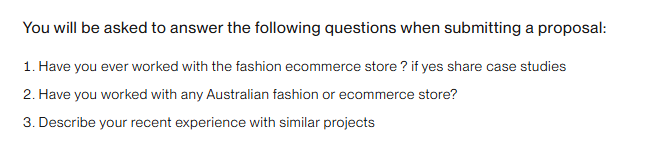
Remember, every rejected proposal is a learning opportunity. It's crucial to analyze what went wrong and adjust your strategy accordingly.
When submitting proposals, you must use Connects, the virtual tokens of the Upwork platform. These function as trust points, representing your sincerity toward clients. Connects are primarily obtained through paid channels, but free channels such as new user rewards and promotional activities also exist.
Step 5: Attach a relevant sample, even if tiny
If the job is about Canva posts, attach 1 image preview or a link to a small sample set.
If it is about research, attach a screenshot of a sample spreadsheet.
If it is about video editing, attach a 15 second clip.
Do not attach 10 things. Attach one thing that matches the job. That is the point.
Step 6: Be fast and calm in messages
When a client replies, most beginners either respond instantly with panic energy or disappear.
Do this instead:
· Reply within a few hours if possible
· Keep messages short
· Confirm scope, deadline, and deliverable
· Ask anything that could cause revisions later
· Suggest the simplest next step
Example:
“Thanks, yes I can do that. To confirm: you want 12 clips, 20 to 30 seconds each, with burned in captions and a 9:16 format, delivered by Friday. Are you providing the raw footage and brand font/colors?”
This kind of message builds trust fast.
Step 7: Overdeliver slightly on the first job
Not by doing unpaid work for weeks. Just a small professional touch.
Examples:
· A clean handoff message with what you did and what you recommend next
· A folder structure that makes sense
· A short Loom walkthrough
· Two variations of a design, not ten, just two
· A simple checklist for how to use the files
The goal is the review. The review unlocks everything.
Step 8: Ask for a review the right way
Do not beg. Just be direct.
“Glad this is done. If everything looks good on your side, I’d really appreciate a quick review. It helps me a lot as a new freelancer on Upwork.”
Most reasonable clients will do it.
Common Beginner Mistakes on Upwork
Even if you work hard, these mistakes can keep you stuck. The good news is that most of them are easy to avoid once you know what to look for.
| Beginner Mistake | What Usually Goes Wrong | What to Do Instead |
|---|---|---|
| Applying to everything | Your proposals become generic, and generic proposals get ignored | Pick one clear offer, one type of client, and focus on that lane for the first month |
| Writing long, emotional proposals | Clients don’t hire based on motivation, they hire based on clarity | Keep proposals short, confident, and focused on a clear plan |
| Ignoring the client’s exact words | Mismatched tools or deliverables instantly disqualify you | Mirror the client’s language and repeat the exact deliverable back to them |
| Competing on price only | You attract clients who treat you like a cheap commodity | Lead with speed, clarity, and a specific outcome, not just a lower price |
| Starting with huge jobs | Large projects bring more risk, changes, and stress | Win small projects first, build trust, then move up |
| Not tracking what works | You keep guessing and repeating the same mistakes | Track which jobs reply, which proposals work, and which prices convert |
| Getting sloppy with account safety | One mistake can lead to a permanent Upwork ban | Treat your account like an asset and follow platform rules strictly |
Extra reminder on account safety: Avoid running multiple accounts in one browser, using random VPNs, sharing accounts, taking payments off platform, clicking suspicious links, or sharing personal contact details too early. Upwork bans are often permanent, so protecting your account is just as important as landing clients.
How BitBrowser Helps Beginners Use Upwork Safely
Upwork is strict about account integrity. And honestly, for good reason. They are trying to reduce fraud and spam, which is out of control on every platform.
Now, if you are a normal beginner with one account, working from one device, on a stable connection, you might never need anything extra.
But there are real situations where people mess up without even trying:
· You log in from different devices constantly.
· You travel and your IP changes a lot.
· You work from coworking spaces with shared networks.
· Your browser is full of extensions, trackers, weird automation stuff.
· Someone else in your home uses Upwork too, same WiFi, same machine.
· You manage multiple client logins for other platforms and your browser gets messy fast.
This is where a tool like BitBrowser can help. Not to do anything shady. The goal is the opposite. It is about stability and separation.
BitBrowser is basically an anti detect browser that lets you create isolated browser profiles. Each profile has its own fingerprint environment, cookies, cache, and settings. So sessions do not bleed into each other.
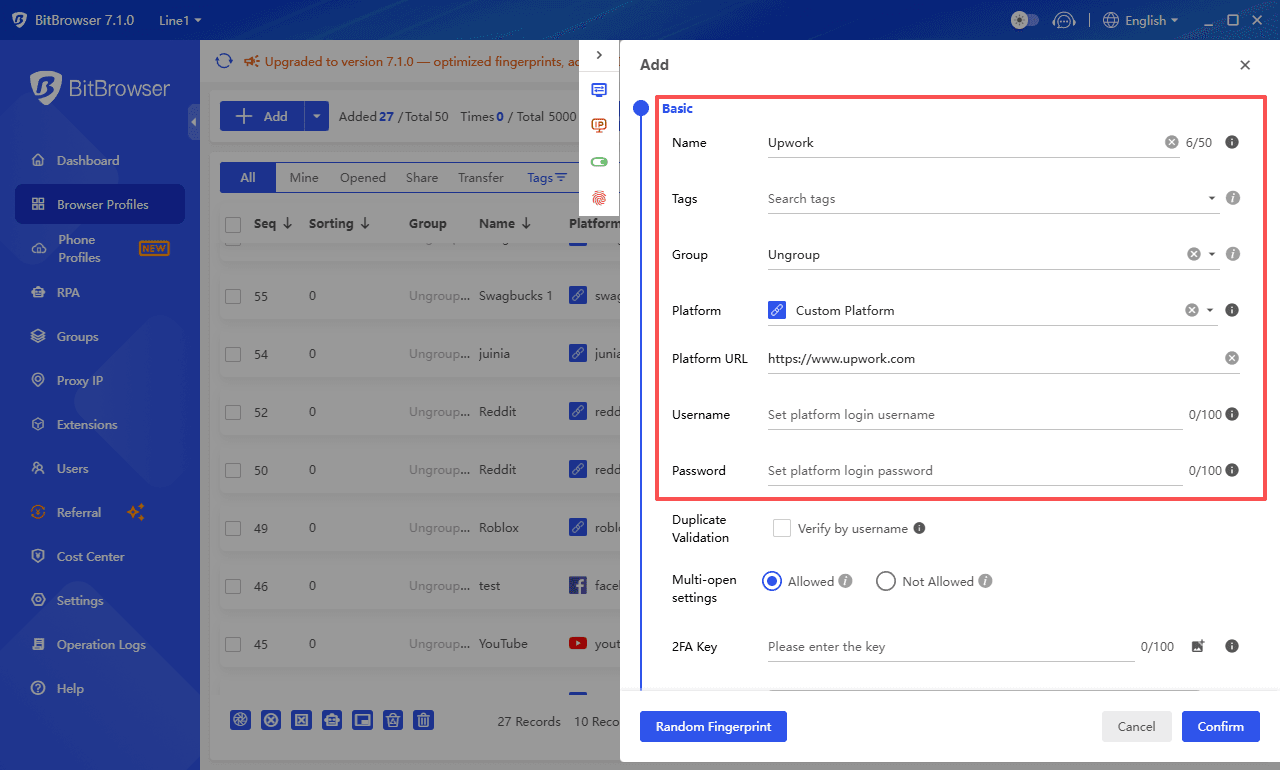
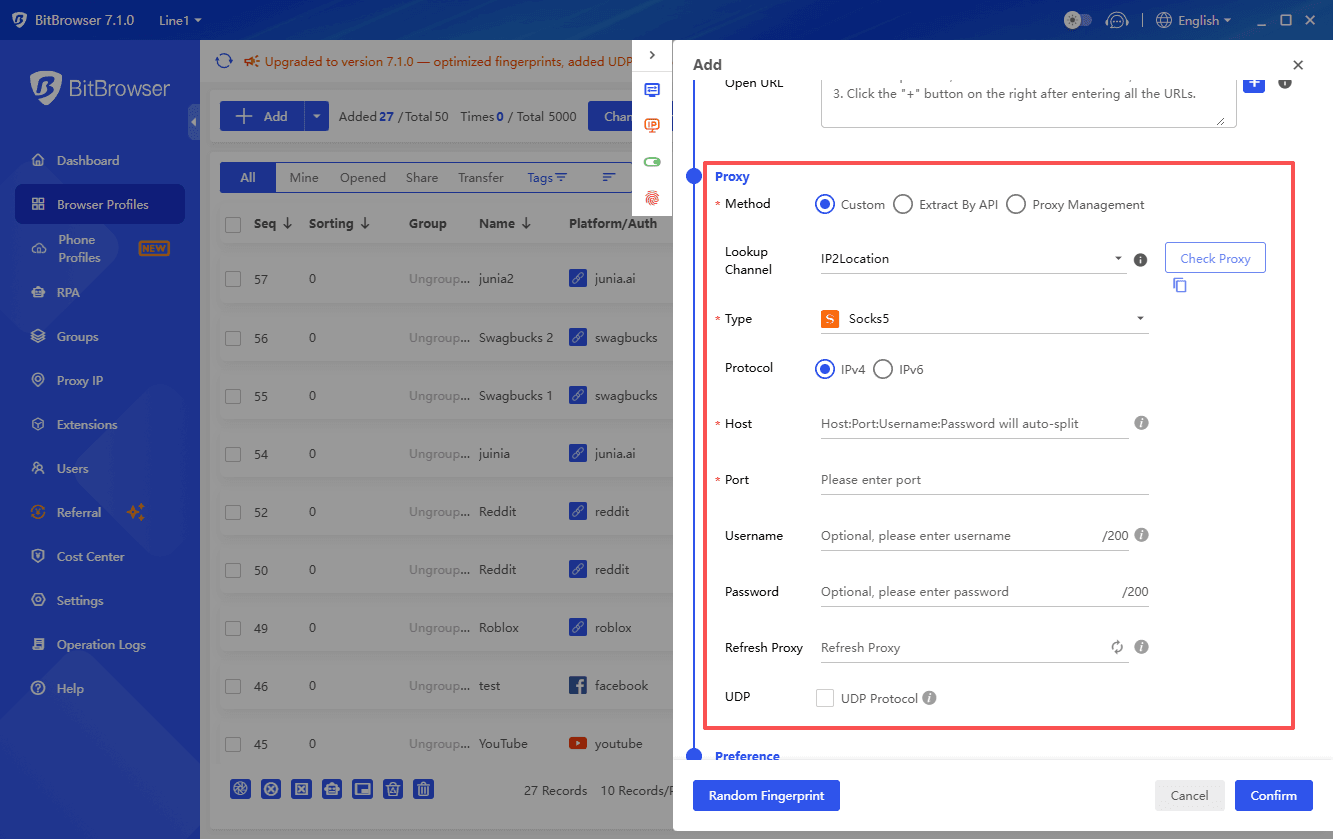
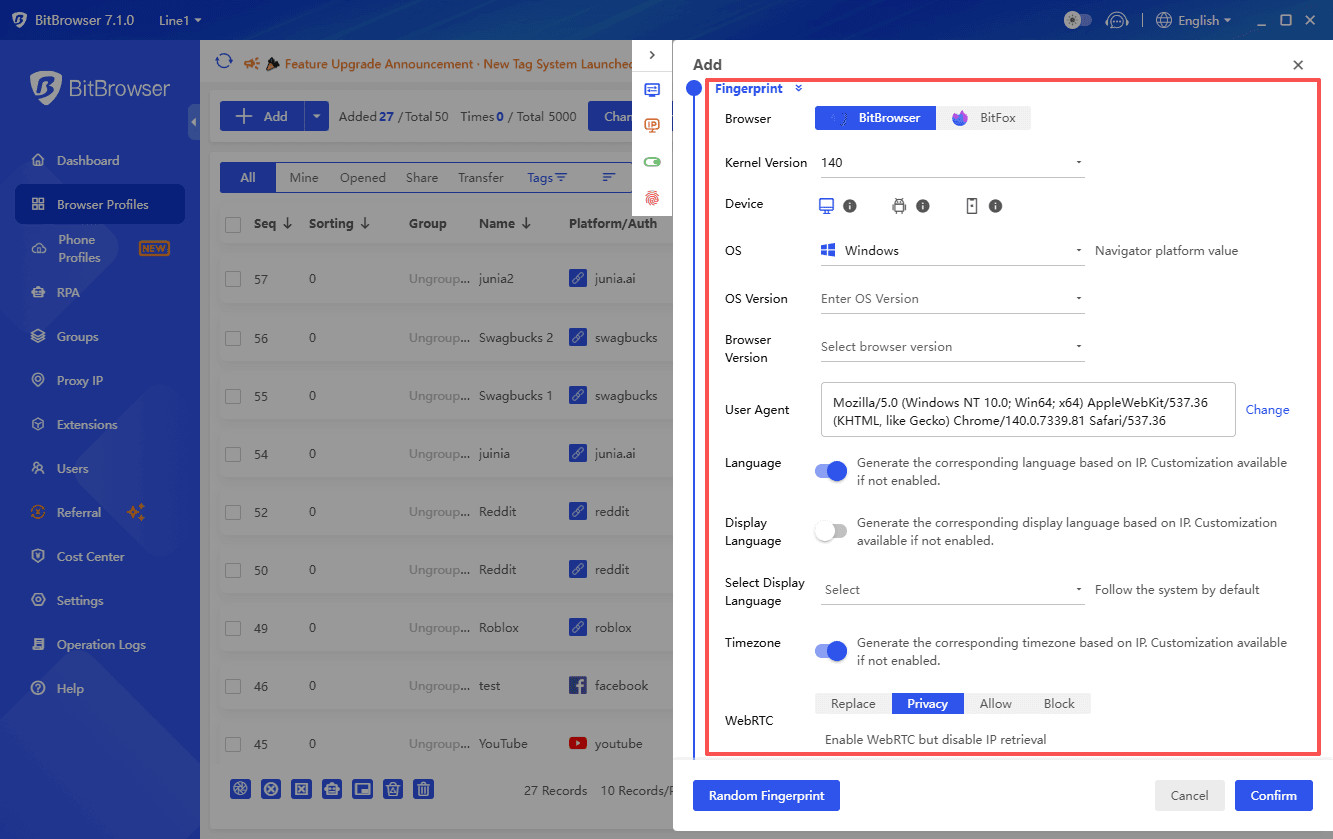
For Upwork beginners, the practical benefits are:
· Cleaner separation between your Upwork profile and other work profiles or client accounts you manage
· More stable browsing environment so you are not constantly logging in and out across a chaotic browser setup
· Reduced risk of accidental cross contamination from extensions, saved sessions, or shared device use
Important note: BitBrowser is a tool to help you stay organized, not a way to bypass platform rules. It’s best not to use it for multiple Upwork accounts or to hide your identity.
Think of it like a clean workspace or separate user accounts on your computer. It helps keep things organized, predictable, and less messy.
That’s exactly what it’s meant for.
FAQ: Making Money on Upwork for Beginners
How much can a beginner realistically make on Upwork in 2026?
In the beginning, think small and steady. Many beginners land their first gigs in the $20 to $200 range, then move into $500 to $2,000 per month within a few months if they apply consistently and build reviews. Higher is possible, but usually after you specialize.
Do I need certifications to start?
No. Certifications can help in certain niches, but clients mostly care about proof, communication, and reliability. A simple portfolio and a clear offer usually beat a random certificate.
What is the easiest service to sell with no experience?
VA support, lead list building, Canva design, basic short form video editing, and content repurposing tend to be the easiest entry points because the deliverables are clear and clients hire for speed and consistency.
How many proposals does it take to get the first job?
It varies, but a realistic range for a true beginner is 20 to 80 proposals. If you are sending 80 and getting nothing, it is usually your targeting or your proposal, not “Upwork is impossible”.
Should I start with hourly or fixed price?
Fixed price is often easier for beginners because the scope is clearer and the client knows the cost. Hourly can work too, but only if you track time properly and communicate what you are doing.
Is it okay to use AI tools for Upwork work?
Usually yes, depending on the job and client expectations. The safer approach is: use AI to speed up drafts and repetitive tasks, but always human edit, and do not claim things you did not do. If a client asks, be honest about your process. It's worth noting that the economic potential of generative AI can significantly enhance your productivity in various tasks.
What should I put in my portfolio if I have no clients?
Make samples. Treat them like real client work. Create 3 to 6 examples that match the jobs you are applying for. Simple, relevant, and clean beats fancy.
How fast can I get my first client?
Some people get one in a day. Many take 2 to 4 weeks. If you apply consistently, improve your proposals, and pick beginner friendly jobs, you can usually land something within the first month.
Can I make money on Upwork without talking to clients on calls?
Yes. Plenty of clients prefer chat only. But being willing to do a short call can increase your close rate, especially for higher paying projects.
What is the biggest factor that helps beginners succeed?
Consistency plus clarity. A clear offer, clear proposals, clear communication, delivered consistently. That combination is boring, and it works.
If you want the simplest next step after reading this, do this today: pick one service, create three samples, write one strong profile, then apply to ten small jobs that match exactly what you are offering. Keep it tight. Keep it honest. Then repeat tomorrow.
Conclusion
Making money on Upwork as a beginner in 2026 is completely possible, even if you have no experience or portfolio. The key is to start small, focus on one clear service, and deliver consistently reliable work. Avoid shortcuts, follow platform rules, and treat each proposal and project as a learning opportunity.
By picking a beginner-friendly skill, creating a few simple samples, writing a strong profile, and applying to the right jobs every day, you can gradually build trust, earn reviews, and grow your freelance income. Upwork rewards patience, clarity, and professionalism more than talent alone.
To make this process smoother and safer, consider using BitBrowser. It helps you keep your Upwork workspace organized, manage multiple profiles without confusion, and reduce the risk of accidental account issues. Start today with a clean, predictable setup, focus on small wins, and watch your freelance journey gain momentum.

 Multi-Account Management
 Prevent Account Association
 Multi-Employee Management
Recommended
See More 



