WEB3 Operation Guide Managing Multiple Crypto Wallets Efficiently with BitBrowser
 2026.07.21 22:35
 petro
petroManaging multiple cryptocurrency wallets can quickly become complex, especially when they serve different purposes such as long-term storage, DeFi operations, NFT activity, business transactions, development, and client work.
BitBrowser can help by giving each authorized wallet its own isolated browser profile. Sessions, cookies, extensions, local storage, bookmarks, and login data remain separated, reducing cross-account confusion and improving workflow consistency.
CORE PRINCIPLE Use one clearly labeled browser profile for one authorized wallet environment. Keep the wallet register, hardware signing process, backups, and transaction records outside the browser profile itself. |
Recommended Wallet Profile Structure
Each profile has a defined purpose and a visual tag. The table is kept together as one standalone reference section.
Profile Name | Wallet Purpose | Color Tag |
|---|---|---|
Profile 1 | Long-term storage | Green |
Profile 2 | Business treasury | Blue |
Profile 3 | DeFi operations | Purple |
Profile 4 | NFT marketplace | Yellow |
Profile 5 | Development and testing | Gray |
Profile 6 | Client or project wallet | Orange |
Profile 7 | Emergency reserve | Red |
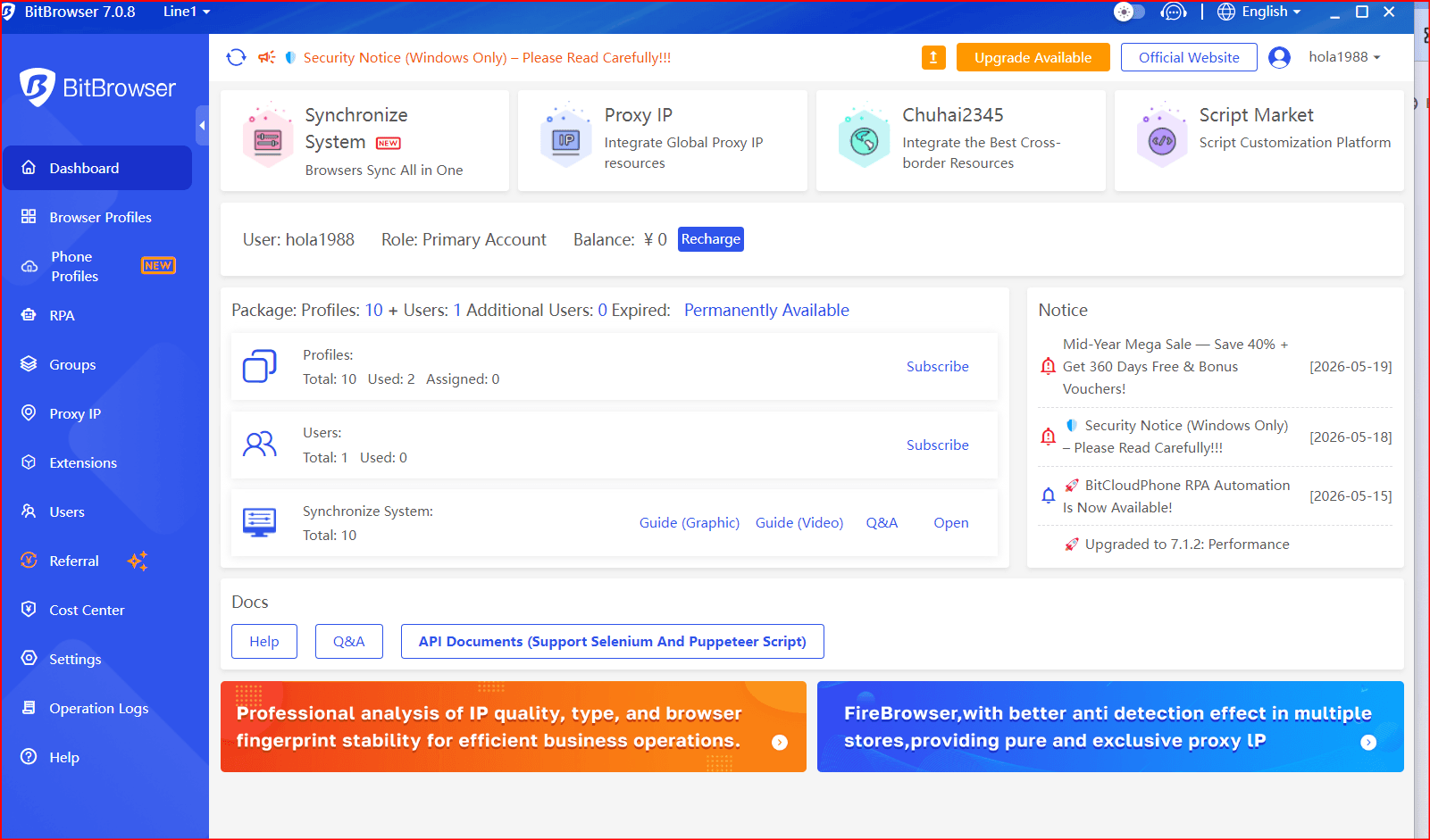
Key Features of BitBrowser for Wallet Management
Isolated Wallet Environments
Each profile functions as an independent browser environment. This separation helps prevent wallet sessions, connected sites, cookies, and extension states from becoming mixed.
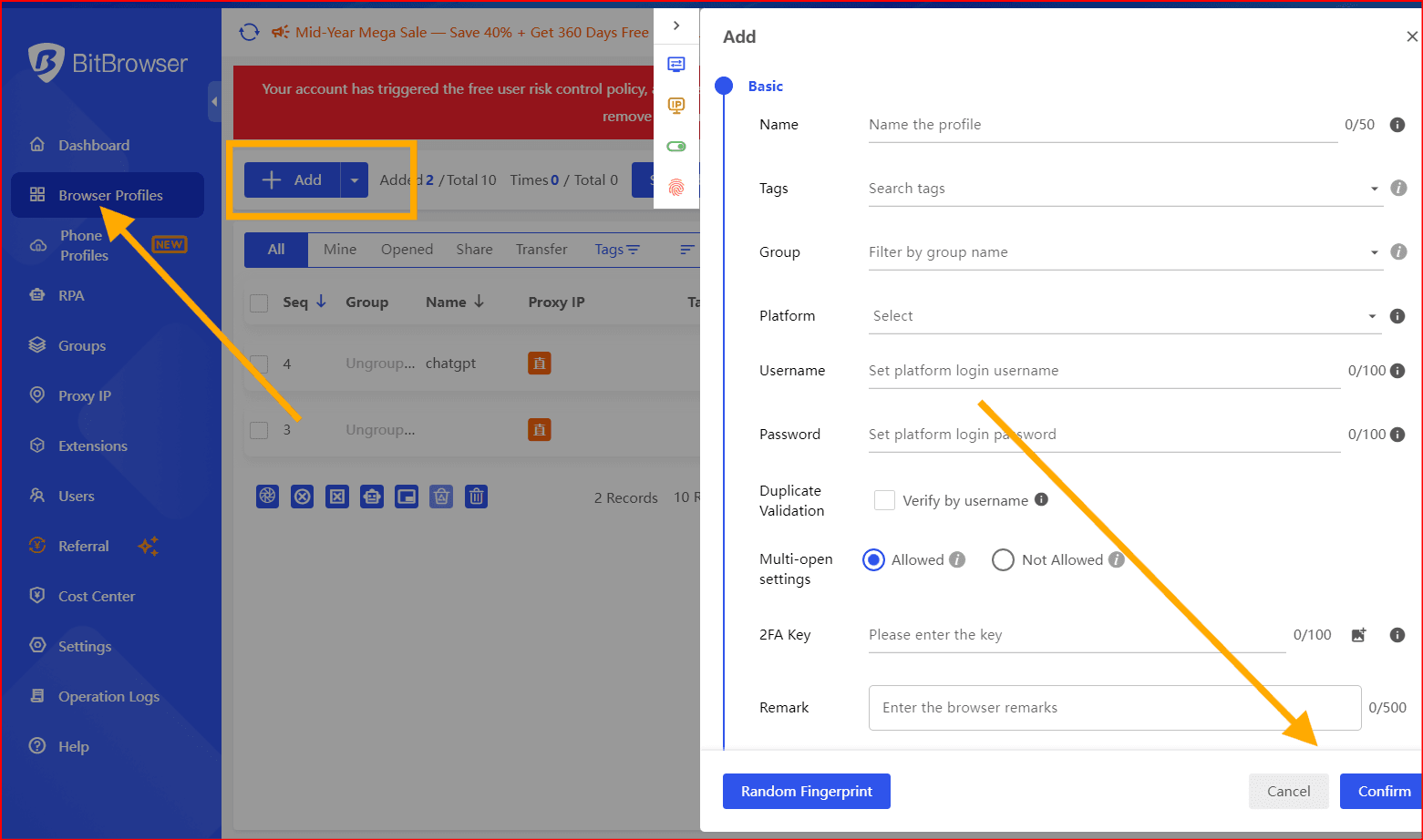
Separate cookies and cache
Independent wallet extensions
Dedicated local storage
Profile-specific browsing history and bookmarks
Dedicated Wallet Extensions
A profile can host the wallet extension approved for that environment, such as MetaMask, Rabby Wallet, or Coinbase Wallet. Keep extension sets minimal and verify every installation source.
OPERATIONAL BENEFIT A one-wallet-per-profile structure reduces the chance of connecting the wrong address, signing from the wrong account, or mixing personal, client, and business sessions. |
Professional Profile Naming
Use structured names that show the network, purpose, and wallet number at a glance.
Profile Naming Examples
Profile Label | Assigned Use |
|---|---|
BASE - TREASURY - 01 | Business treasury |
ETH - STORAGE - 02 | Long-term asset storage |
BASE - DEFI - 03 | DeFi operations |
NFT - MARKETPLACE - 04 | NFT marketplace activity |
TESTNET - DEVELOPMENT - 05 | Development and testing |
CLIENT - OPERATIONS - 06 | Client or project wallet |
EMERGENCY - RESERVE - 07 | Backup and emergency funds |
Bookmarks, Team Access, and Network Controls
Profile-Specific Bookmarks
Store only trusted links relevant to each wallet purpose. This reduces exposure to phishing domains, malicious advertisements, and accidental use of unapproved applications.
DeFi profiles: approved exchanges, bridges, and analytics tools
NFT profiles: approved marketplaces and minting platforms
Development profiles: testnets, faucets, documentation, and dashboards
Team Access Management
For business use, assign access by job responsibility and apply the principle of least privilege.
Role-Based Access Table
Role | Access Level |
|---|---|
Finance | Treasury and payment profiles |
Developer | Testing and development profile |
Operations | Client and project wallets |
Proxy Configuration
Profiles can be mapped to approved business network routes for distributed teams, regional operations, or controlled network segmentation. Proxy settings must not be used to bypass regulations, evade geographic restrictions, manipulate airdrops, or disguise wallet ownership.
Automation and API Integration
Automation may support administrative work, including launching an approved profile, checking public balances, exporting transaction history, generating reports, tracking gas fees, and sending activity alerts.
SECURITY NOTE Never store private keys, seed phrases, recovery codes, or wallet passwords inside automation scripts or shared workflows. Sensitive signing should remain deliberate and separately protected. |
Seven-Profile Workflow Summary
The following standalone table replaces crowded visual cards and makes each profile easier to compare, print, and review.
Wallet Environment | Primary Purpose | Risk Level | Recommended Access |
|---|---|---|---|
Storage wallet | Long-term holding | Low | Restricted |
Treasury wallet | Business transactions | Medium | Finance team |
DeFi wallet | Staking, swaps, and approved protocol activity | High | Active management |
NFT wallet | Trading and minting | Medium | Marketplace use |
Development wallet | Testing smart contracts | Low | Developers |
Client wallet | Project operations | Medium | Assigned team |
Emergency wallet | Backup funds | Very low | Highly restricted |
USE THIS AS AN OPERATING MAP Profile labels, purposes, risk levels, and access assignments should match the private wallet register used by the organization. |
Important Limitations
BitBrowser improves organization and session separation, but it does not replace core wallet-security controls.
Hardware wallets for high-value signing
Multisignature approval for organizational funds
Offline seed phrase and recovery storage
Strong authentication and unique passwords
Transaction verification before every signature
Smart-contract permission reviews and security audits
Best-Practice Strategy
Use the four control layers together. No single layer is sufficient by itself.
Control Layer | Recommended Tool | Primary Role |
|---|---|---|
Session isolation | BitBrowser | Separates browser profiles and wallet sessions |
Transaction signing | Hardware wallet or multisignature wallet | Protects private keys and approval workflows |
Recovery | Offline backups | Secures recovery material |
Governance | Access control and transaction records | Limits permissions and preserves accountability |
Conclusion
BitBrowser can be a practical organizational layer for professionals managing multiple authorized cryptocurrency wallets. Isolated profiles, clear naming, profile-specific bookmarks, role-based access, and controlled automation can reduce operational mistakes and improve consistency.
The strongest setup combines BitBrowser for session isolation with hardware signing, secure offline backups, permission reviews, accurate transaction records, and compliance with every platform used.
RECOMMENDED MODEL One authorized wallet, one clearly labeled BitBrowser profile, one defined purpose, and one documented security process. |

 Multi-Account Management
 Prevent Account Association
 Multi-Employee Management
Recommended
See More 



