Mobile Proxy for Ruby: Ruby Automation, Scraping, and Multi-Account Workflows
 2026.06.28 12:55
 petro
petroRuby is still a practical language for automation, web scraping, data collection, testing, and backend workflows. Many developers use Ruby scripts to send HTTP requests, test websites, collect public data, monitor pages, or automate repetitive online tasks.
However, when Ruby scripts connect to websites directly, every request usually comes from the same IP address. This can create problems such as rate limits, blocked requests, inaccurate geo-testing, or repeated verification checks.
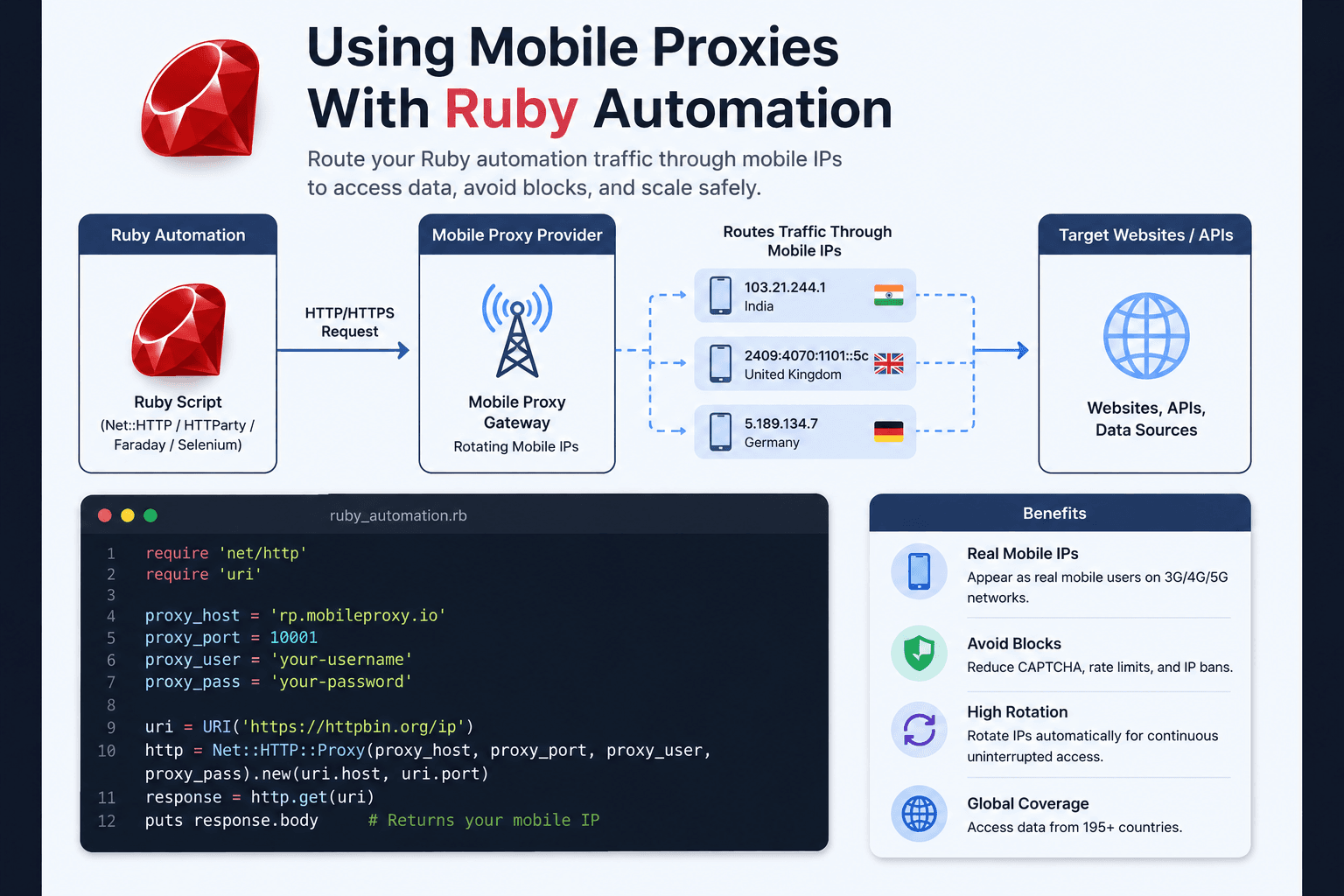
A mobile proxy for Ruby helps solve this by routing Ruby traffic through real mobile IP addresses from 3G, 4G, or 5G networks. Compared with basic datacenter proxies, mobile proxies often look more natural because they use carrier-grade mobile networks.
For developers, marketers, QA teams, and automation users, combining Ruby + mobile proxies + BitBrowser can create a safer and more organized workflow.
What Is a Mobile Proxy?
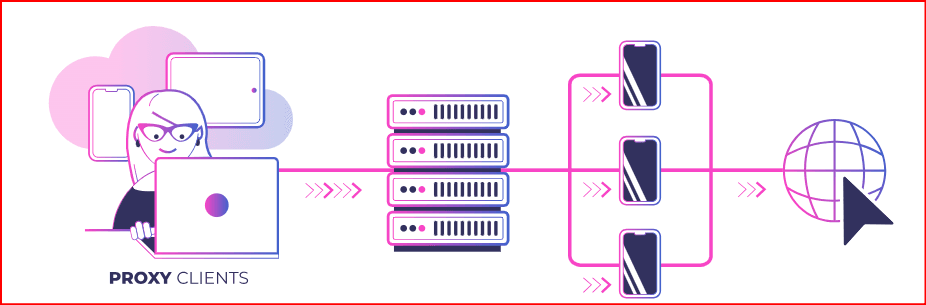
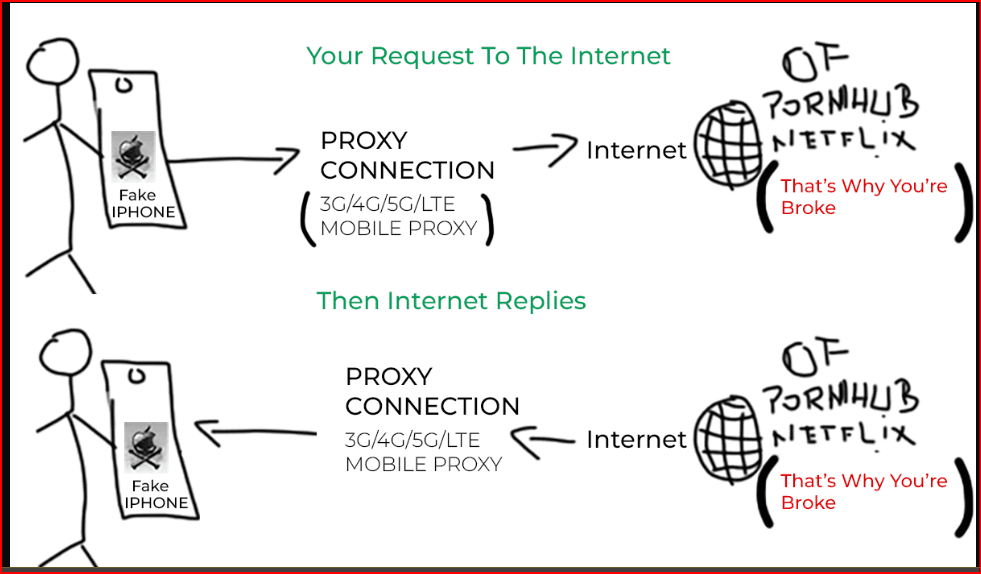
A mobile proxy is a proxy connection that routes internet traffic through a real mobile network. Instead of using a normal server IP, your request appears to come from a mobile carrier IP.
For example, a Ruby script can send a request through a mobile proxy, and the target website may see the request as coming from a mobile device network.
Mobile proxies are commonly used for:
- Website testing
- Geo-location testing
- SEO monitoring
- Social media management
- E-commerce research
- Ad verification
- Public data collection
- Multi-account workflow separation
The key advantage is that mobile IPs are usually associated with real carrier networks, making them more trusted than many low-quality datacenter IPs.
Why Use Mobile Proxies With Ruby?
Ruby can be used for many automated workflows, but without a proxy, every request comes from the same IP. This may not be suitable for larger projects.
1. Better Request Distribution
If a Ruby script sends too many requests from one IP address, websites may slow down, block, or challenge the connection. A mobile proxy allows traffic to be distributed through different mobile IPs.
2. Location-Based Testing
Mobile proxies can help test how a website appears in different countries or regions. This is useful for SEO teams, advertisers, affiliate marketers, and international businesses.
3. More Realistic Mobile Traffic
Because mobile proxies use carrier networks, they can be useful when testing mobile-first platforms, mobile landing pages, or app-related web services.
4. Improved Privacy for Automation
A proxy helps separate your real IP address from automated Ruby requests. This is useful for privacy, testing, and operational security.
5. Multi-Account Support
When Ruby is used alongside browser automation or account workflows, mobile proxies help separate different sessions, accounts, and environments.
Basic Ruby Proxy Example
Ruby can send HTTP requests through a proxy using built-in libraries such as Net::HTTP.
Example:
require 'net/http'
require 'uri'

proxy_host = "your_proxy_host"
proxy_port = 12345
proxy_user = "your_username"
proxy_pass = "your_password"

target_url = URI("https://example.com")

proxy = Net::HTTP::Proxy(proxy_host, proxy_port, proxy_user, proxy_pass)

response = proxy.start(target_url.host, target_url.port, use_ssl: true) do |http|
  request = Net::HTTP::Get.new(target_url)
  http.request(request)
end

puts response.body
In this example, the Ruby request is routed through the proxy instead of connecting directly from your real IP address.
Using Mobile Proxies With Ruby Automation
A typical Ruby automation setup may include:
- A Ruby script for sending requests or collecting data
- A mobile proxy provider for IP routing
- Proxy authentication using username and password
- Rotation settings for changing IPs
- Logs to monitor errors, blocks, and response codes
For small tasks, one mobile proxy may be enough. For larger projects, rotating mobile proxies are usually better because they allow IP changes after a certain time or request limit.for big my project i've used this nsocks.net provaider very good for Automation
Important Proxy Features to Check
Before using a mobile proxy with Ruby, check these features:
| Feature | Why It Matters |
|---|---|
| HTTP/HTTPS support | Needed for most Ruby web requests |
| SOCKS5 support | Useful for advanced workflows |
| Country targeting | Helps with geo-testing |
| IP rotation | Reduces repeated traffic from one IP |
| Sticky sessions | Keeps the same IP for a fixed time |
| Speed and uptime | Important for stable automation |
| Authentication | Usually username/password or IP whitelist |
| Dashboard | Makes proxy management easier |
A good mobile proxy should be stable, fast enough for your workflow, and easy to integrate into Ruby scripts.
The Role of BitBrowser in Ruby + Mobile Proxy Workflows
Ruby is useful for scripts, automation, data handling, and backend logic. However, many online workflows are not only about HTTP requests. Some tasks require real browser sessions, cookies, fingerprints, logins, extensions, and separated account environments.
This is where BitBrowser becomes useful.
BitBrowser is an antidetect browser designed to help users create isolated browser profiles. Each profile can have its own browser fingerprint, proxy, cookies, local storage, and session environment.
When combined with mobile proxies, BitBrowser can help manage multiple browser identities more safely and professionally.
How BitBrowser Helps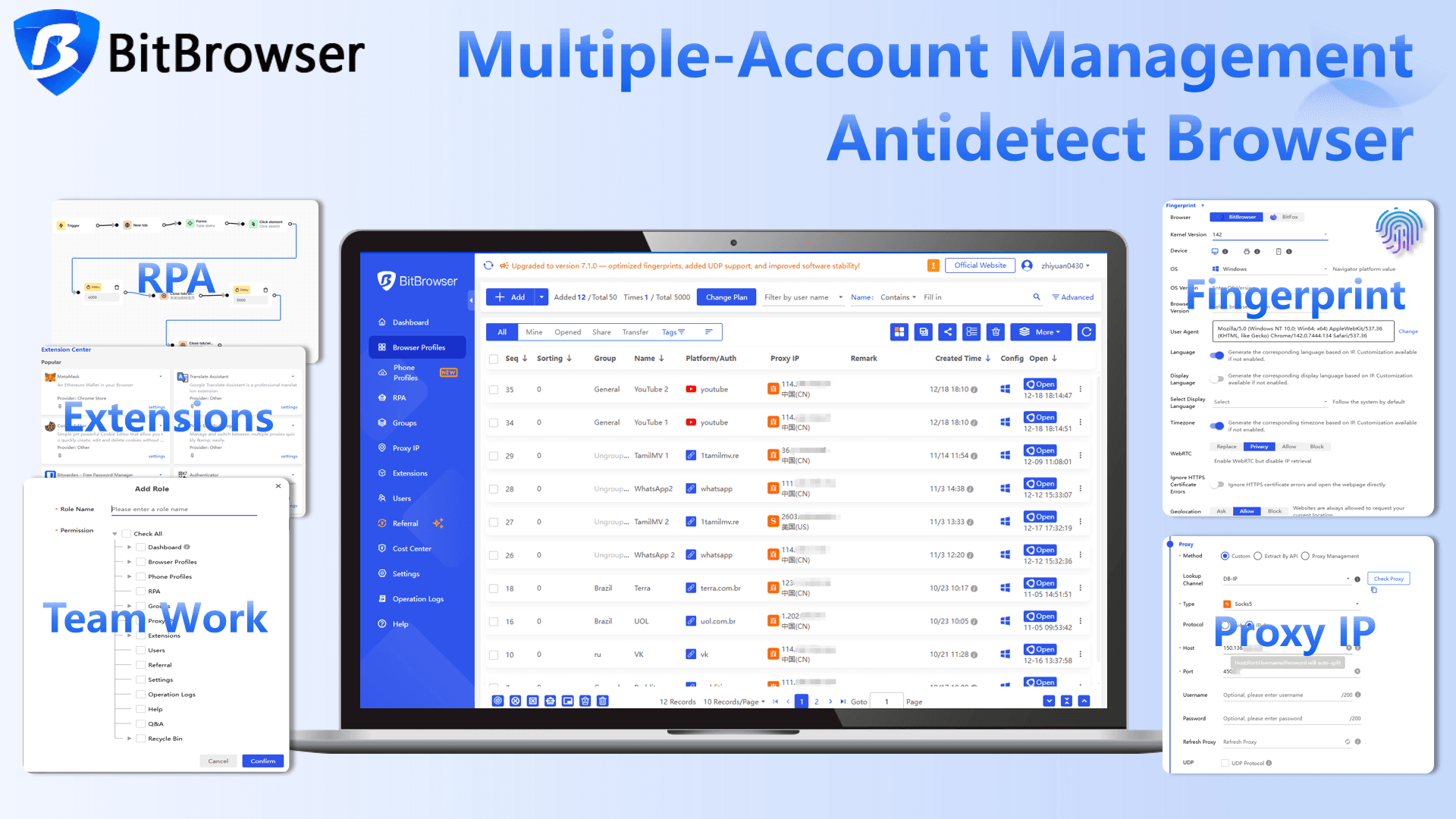
1. Separate browser profiles
Each account or workflow can run in its own isolated browser profile.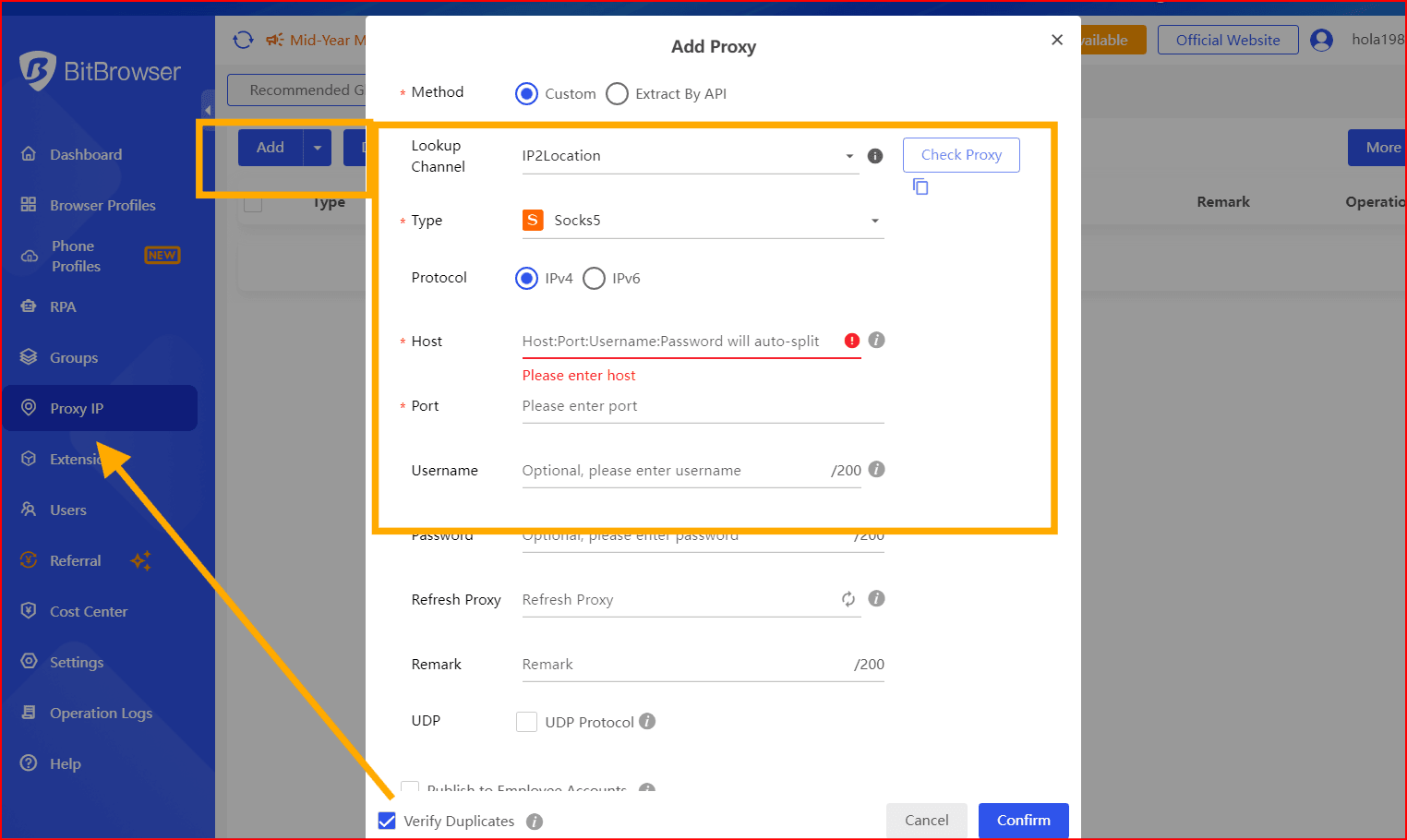
2. Proxy assignment per profile
A different mobile proxy can be assigned to each BitBrowser profile.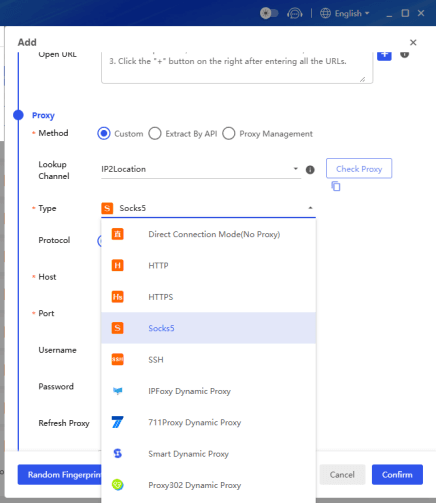
3. Reduced account linking risk
When profiles have separate fingerprints, cookies, and IPs, it becomes easier to avoid accidental cross-account overlap.
4. Better team management
Teams can organize accounts, profiles, proxies, and workflows in a more structured way.
5. Useful with Ruby-based workflows
Ruby scripts can handle backend tasks such as data processing, scheduling, reporting, and monitoring, while BitBrowser manages browser-based sessions.
For example, a marketing team may use Ruby to collect campaign data and BitBrowser to manage browser profiles for different accounts. The mobile proxy provides the IP layer, while BitBrowser provides the browser identity layer.
Ruby vs BitBrowser: Different Roles
Ruby and BitBrowser are not replacements for each other. They serve different purposes.
| Tool | Best For |
|---|---|
| Ruby | Scripts, API requests, automation logic, data processing |
| Mobile proxy | IP routing, location testing, mobile network traffic |
| BitBrowser | Browser profile isolation, fingerprint management, multi-account workflows |
A professional setup often uses all three together:
Ruby handles automation logic.
Mobile proxies handle IP separation.
BitBrowser handles browser identity separation.
Best Use Cases for Mobile Proxy With Ruby
1. SEO Rank Tracking
Ruby scripts can check search results from different locations using mobile proxies. This helps SEO teams understand how rankings appear in different regions.
2. Price Monitoring
E-commerce teams can use Ruby scripts to monitor public product prices while mobile proxies help avoid repeated requests from one IP.
3. Ad Verification
Advertisers can test whether ads, landing pages, and redirects display correctly in different countries or networks.
4. Social Media Workflow Support
Ruby can support reporting, scheduling, or data handling, while BitBrowser manages separate social media browser profiles with mobile proxies.
5. Web Testing
Developers can test how websites respond to mobile carrier IPs, different countries, or rotating network conditions.
Safety and Compliance Tips
Mobile proxies and automation should be used responsibly. Before running any Ruby automation workflow, follow these rules:
- Respect website terms of service
- Avoid collecting private or sensitive data
- Do not overload websites with excessive requests
- Use rate limits and delays
- Keep logs of your requests
- Avoid spam, fraud, or abusive automation
- Use BitBrowser only for legitimate account separation and operational organization
A responsible workflow is more stable and less likely to cause technical or legal problems.
Conclusion
A mobile proxy for Ruby can be very useful for developers, SEO teams, marketers, testers, and automation users. It allows Ruby scripts to route traffic through mobile carrier IPs, making workflows more flexible for geo-testing, public data collection, monitoring, and web automation.
For browser-based workflows, BitBrowser adds an important extra layer. Ruby can manage scripts and backend logic, mobile proxies can manage IP routing, and BitBrowser can manage browser profiles, fingerprints, cookies, and account separation.
Together, Ruby, mobile proxies, and BitBrowser create a stronger setup for professional automation, multi-account management, and secure online operations.

 Multi-Account Management
 Prevent Account Association
 Multi-Employee Management
Recommended
See More 



