Multilogin vs GoLogin: Which Antidetect Browser Is Better in 2026
 2026.03.13 10:16
 YT.Shi
If you’ve ever tried managing multiple accounts on platforms like Facebook, TikTok, Amazon, or Google, you probably already know the biggest problem: account linking.
Modern platforms don’t just look at your IP address anymore. They analyze browser fingerprints, device behavior, cookies, and even subtle environment signals. If several accounts look like they’re coming from the same device, bans can happen quickly.
That’s why antidetect browsers have become an essential tool for marketers, affiliate teams, and e-commerce operators. These browsers create isolated environments where each account appears to run on a separate device.
Two tools that frequently come up in discussions are Multilogin and GoLogin. Both have been widely used in the industry for years and each has its own strengths.
At the same time, newer tools like BitBrowser have started appearing in the same conversations, especially among marketers who manage large numbers of accounts.
So which one actually performs better in 2026?
Let’s take a closer look.
Multilogin: The Veteran Antidetect Browser
Multilogin is often described as one of the original antidetect browsers. The platform has been around for more than a decade and built its reputation on stable browser fingerprint simulation.
Because of this history, many professional teams still rely on it for large-scale account operations. Agencies running advertising campaigns or affiliate networks often choose Multilogin when stability is their top priority.
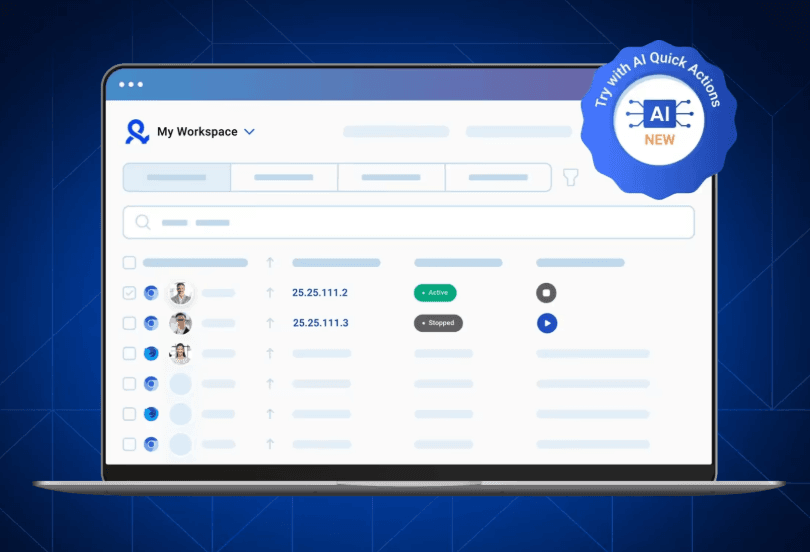
Another interesting aspect of Multilogin is its dual browser engine system. Users can choose between two custom browsers designed specifically for antidetect environments.
Key Features
One of Multilogin’s most talked-about capabilities is its fingerprint generation technology. Instead of simply modifying visible browser parameters, the system attempts to simulate realistic browser behavior.
This includes aspects such as graphics rendering, hardware signatures, fonts, and other fingerprint signals.
Multilogin also offers two dedicated browser engines:
● Mimic (Chromium based)
● Stealthfox (Firefox based)
Having two engines can be useful when certain websites behave differently depending on the browser type.
The platform also includes team management tools, allowing agencies to assign permissions so different team members can create, edit, or launch browser profiles without interfering with each other. However, these collaboration features are available starting from €79 plans and above, which may increase overall costs for larger teams.
Automation is another area where Multilogin is commonly used. The browser integrates with developer tools such as Selenium and Puppeteer, enabling automated workflows while maintaining consistent fingerprint environments. As with many professional antidetect browsers, these integrations are primarily designed for technical users rather than no-code automation setups.
Limitations
Multilogin has its technical merits, but it's far from perfect.
First off, the price is a major turn-off for a lot of users. Compared to most other antidetect browsers out there, it's seriously on the pricey side.
Then there's the steep learning curve. New users are in for a frustrating time trying to figure out profile settings, proxy configs, and automation workflows. It's not intuitive.
Operators have also pointed out annoying compatibility quirks with their new web-based interface and desktop agent setup: it can get glitchy depending on your device.
None of these are total deal-breakers, but they definitely add friction and make the experience way more annoying than it should be.
GoLogin: A More Accessible Alternative
GoLogin entered the antidetect browser market later but quickly gained popularity among smaller teams and individual marketers.
The platform focuses heavily on usability. Compared with older tools, GoLogin’s interface is generally easier to navigate and requires less setup time, making it approachable for users who don’t want to deal with complicated configurations.
Because of this approach, it’s commonly used by:
● affiliate marketers
● social media managers
● small agencies
● e-commerce sellers
However, the platform is designed with simplicity in mind, which also means it may offer less granular control compared with some enterprise-level tools.
Key Features
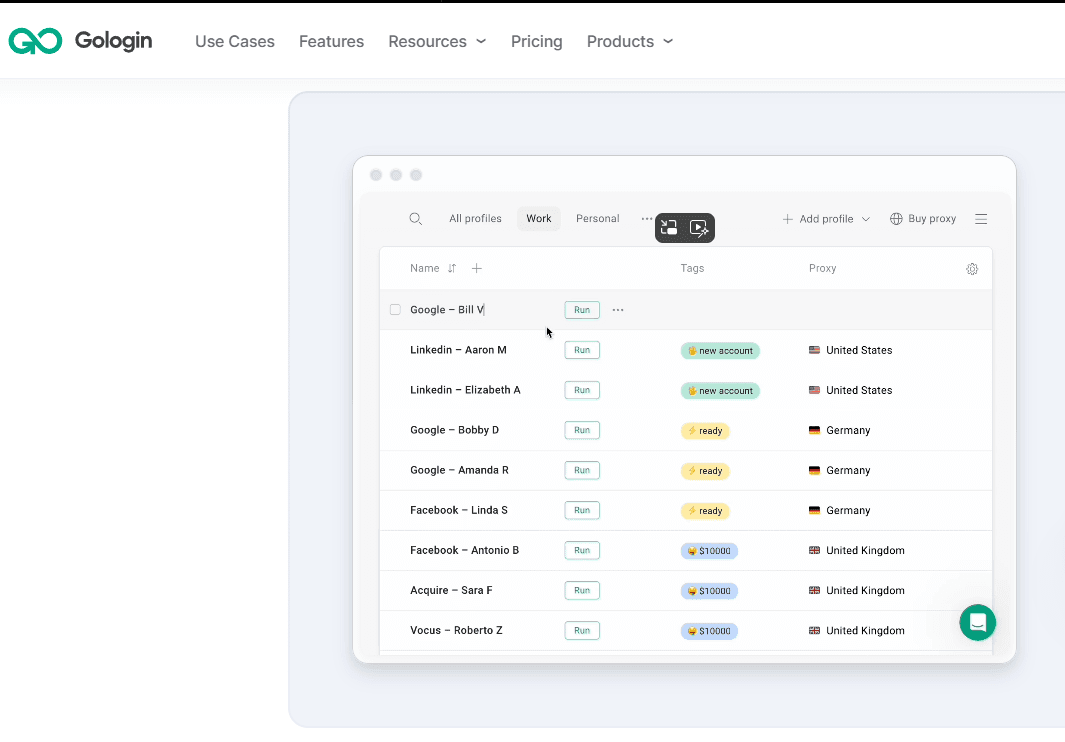
One feature that attracts beginners is the built-in proxy marketplace. Instead of manually configuring proxies, users can purchase and assign them directly inside the dashboard.
This removes some of the technical complexity that comes with traditional proxy management, although it also means proxy costs can be higher depending on the provider used.
GoLogin also includes a flexible fingerprint configuration system. Users can choose different operating systems, hardware profiles, and browser settings when creating environments.
The platform supports mobile fingerprints, which is useful when running accounts on platforms where mobile traffic is dominant. That said, fingerprint options for certain devices can be somewhat limited, and in some cases fingerprints may still closely match the host device’s operating system.
Collaboration features are available as well. Teams can share browser profiles and manage access permissions, although the permission system is relatively simple compared with more advanced team-management solutions.
Limitations
GoLogin performs well for many common use cases, but there are a few trade-offs worth noting.
Automation support is available through Puppeteer and Selenium, which works well for developers. However, the platform currently does not offer built-in no-code automation tools, and debugging automation workflows may require manual setup.
In terms of browser options, GoLogin currently provides a Chromium-based browser, but does not offer a Firefox-based environment, which some users prefer for diversification.
Performance can also depend on device resources when managing a large number of profiles simultaneously. With very large profile volumes, stability may vary depending on the local machine and the proxies being used.
Customer support is available through live chat, though the overall documentation and knowledge base are smaller compared with more mature platforms.
Pricing starts at $49 per month, which is relatively accessible for many users. However, when combined with higher-quality proxies, the overall operational cost can increase.
Multilogin vs GoLogin: Feature Comparison (2026)
| Feature | Multilogin | GoLogin |
|---|---|---|
| Browser Engines | Mimic (Chromium) and Stealthfox (Firefox) | Chromium-based browser |
| Fingerprint Technology | Advanced browser fingerprint simulation | Customizable fingerprint environments |
| Proxy Integration | Manual setup, built-in proxies on higher plans | Built-in proxy marketplace |
| Automation Support | Supports Selenium & Puppeteer | Supports Selenium & Puppeteer |
| Team Collaboration | Advanced permissions (≥€79 plans) | Basic profile sharing & access control |
| Typical Users | Large agencies, enterprise teams | Affiliate marketers, small teams |
Multilogin vs GoLogin Pricing
Pricing is often the deciding factor for many users. Both browsers offer plans based on the number of browser profiles. The costs may look similar at smaller scales but begin to diverge when operations grow.
| Profiles | Multilogin | GoLogin |
|---|---|---|
| 10 profiles | about €9 / month | about $9 / month |
| 50 profiles | about €49 / month | about $49 / month |
| 100 profiles | about €79 / month | about $79 / month |
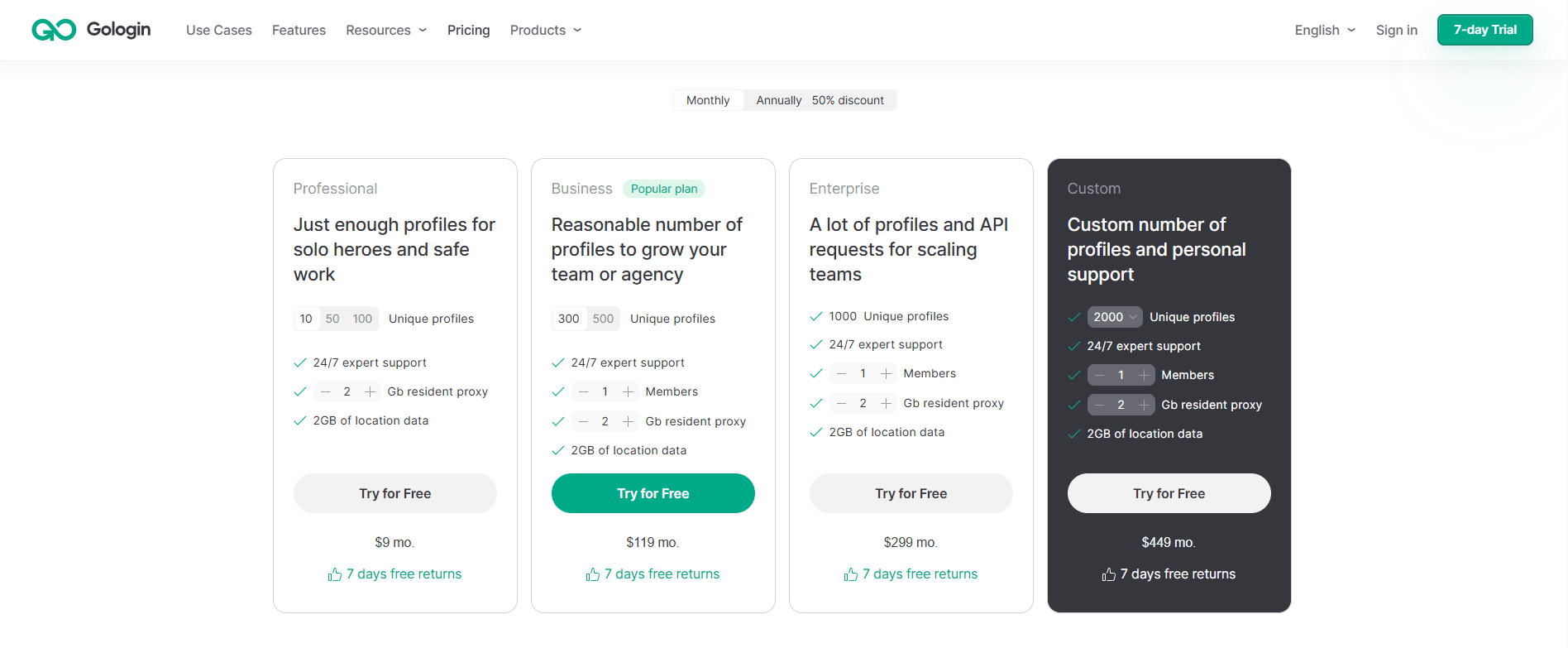
| 300 profiles | about €159 / month | about $119 / month |
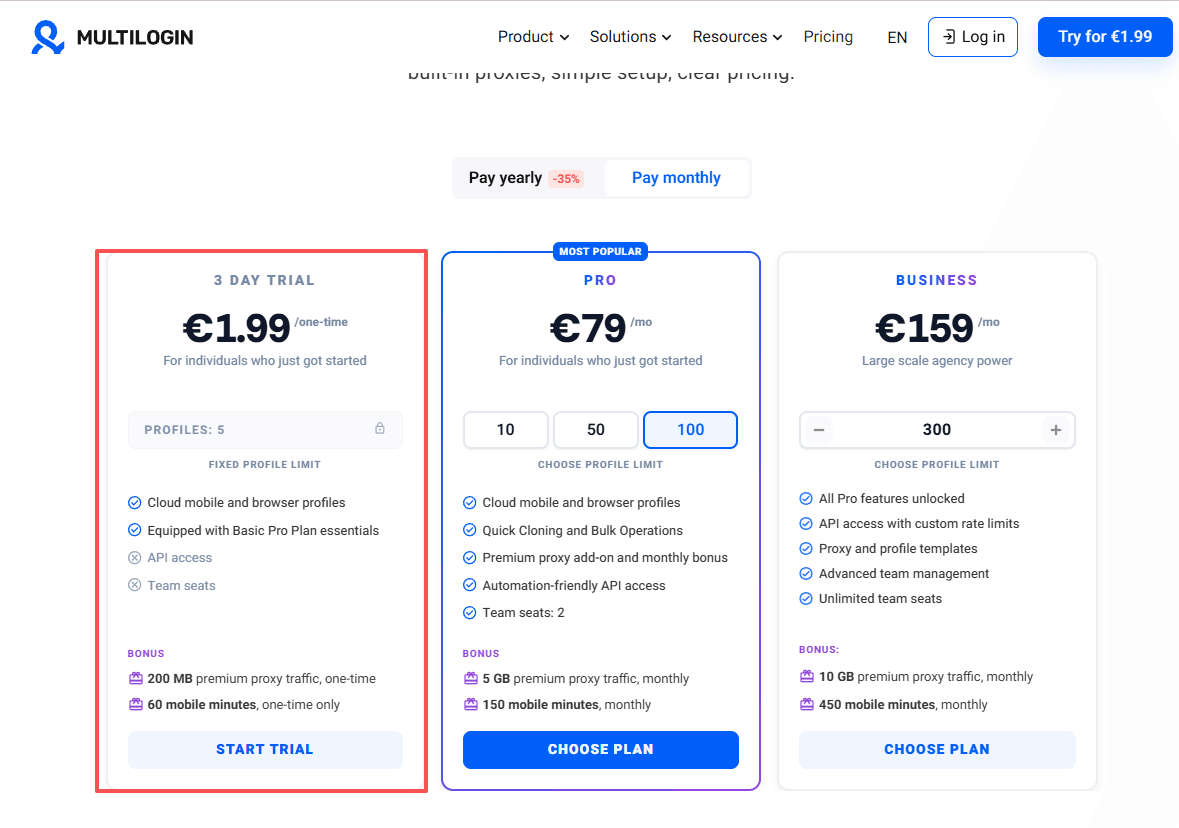
Multilogin offers a 3-day trial for €1.99 with basic features, including 5 profiles, but no automation or team collaboration. Team collaboration is only available in the €79 plan, limited to two roles.
GoLogin, according to its latest official pricing, provides a 7-day free trial. It also offers a free data plan with 3 profiles, but with limited features and no team collaboration.

On paper the pricing difference may not look dramatic for small setups. But when teams scale to hundreds of profiles and add proxy costs, expenses can increase significantly.
This is one of the reasons many marketers eventually explore other options such as BitBrowser, especially when they need to manage large numbers of accounts.
BitBrowser: A Balanced and Competitive Alternative
If you’ve tried tools like Multilogin or GoLogin, you’ve probably noticed the trade-offs.
Multilogin is powerful, but the price climbs quickly and the setup can feel complicated. GoLogin is easier to use, but when operations start scaling, some advanced controls and automation options can feel limited.
Because of that, many users eventually start searching for a Multilogin alternative or a more scalable GoLogin alternative.
That’s where BitBrowser comes in.
Why BitBrowser Stands Out
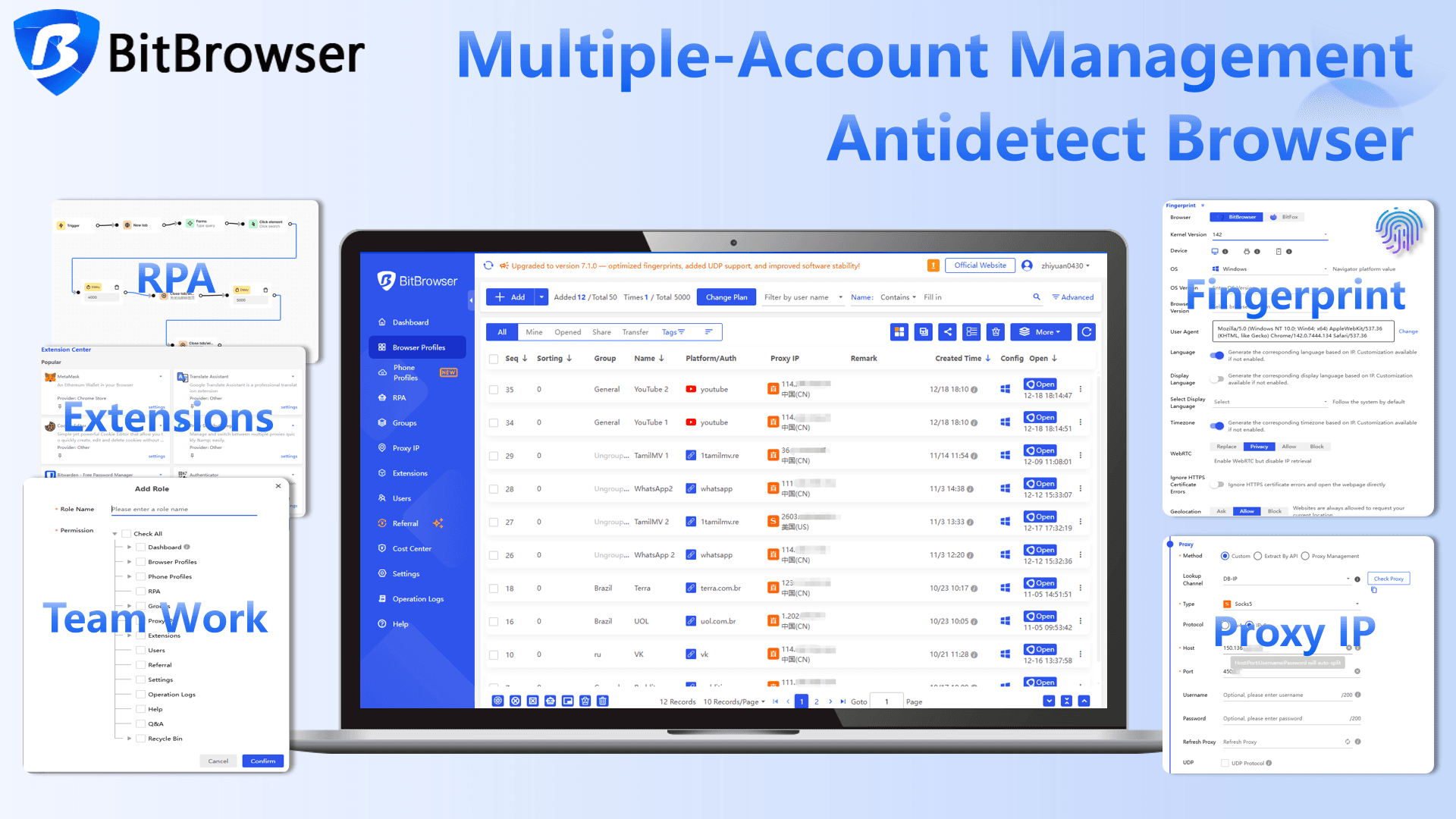
BitBrowser is designed specifically for multi‑account management at scale. Each browser profile behaves like a completely separate device, with its own fingerprint, cookies, and hardware signals.
That isolation is essential if you're managing multiple stores, ad accounts, or social media profiles.
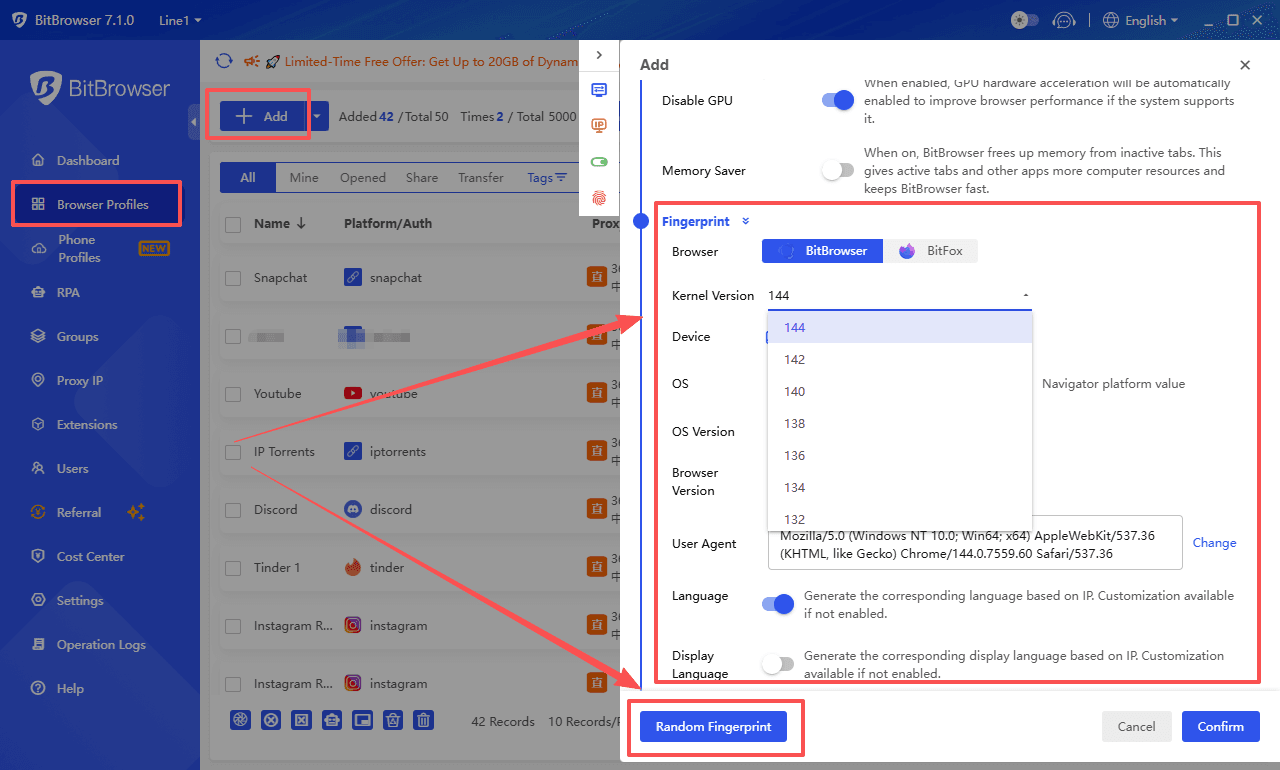
One thing BitBrowser does well is keeping the setup simple without sacrificing flexibility. You can customize browser fingerprints to simulate different devices while still running on a modified Chromium kernel. The result is a browsing environment that behaves like a normal browser rather than an automation tool.
Proxy integration is also flexible. BitBrowser supports common protocols like HTTP, HTTPS, SOCKS5, and SSH. You can test proxy connections and locations before launching profiles, which helps avoid issues when running large numbers of accounts.
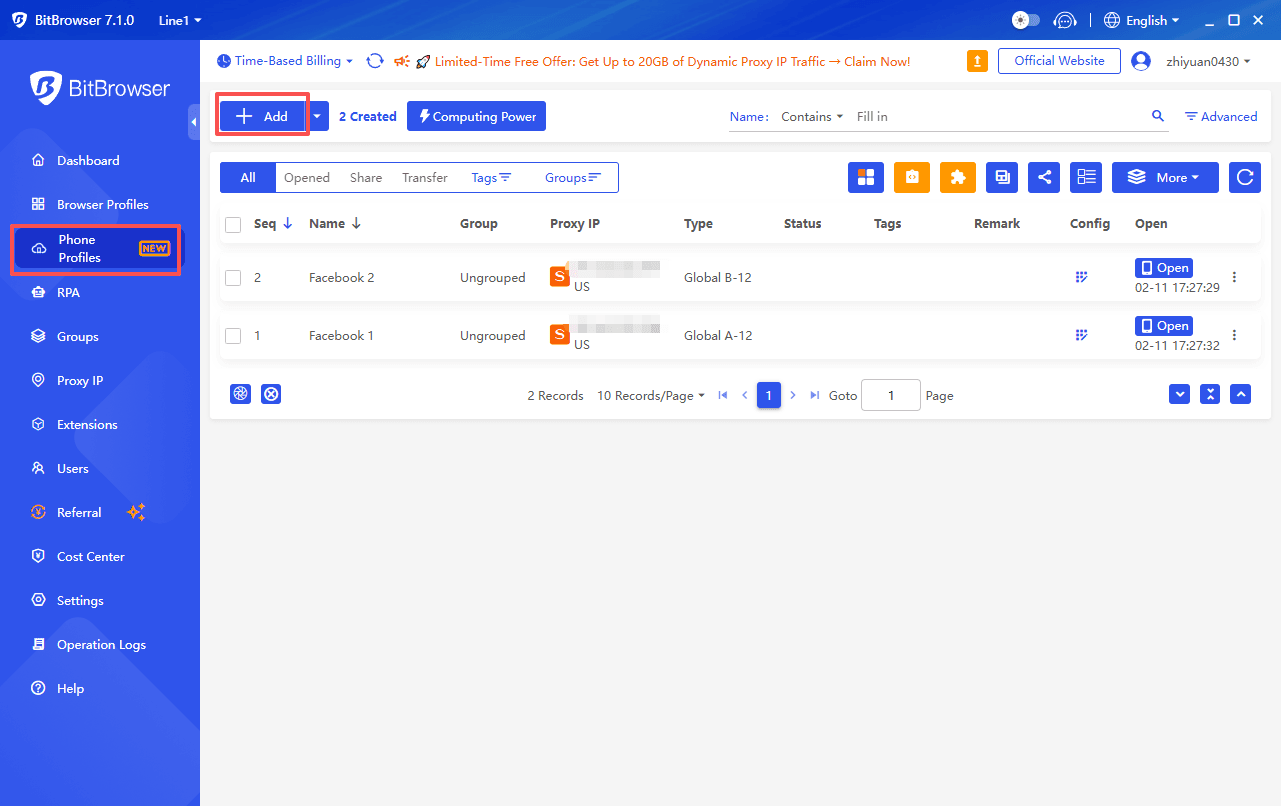
It also integrates seamlessly with BitCloudPhone, letting you manage mobile accounts directly from your BitBrowser profiles.
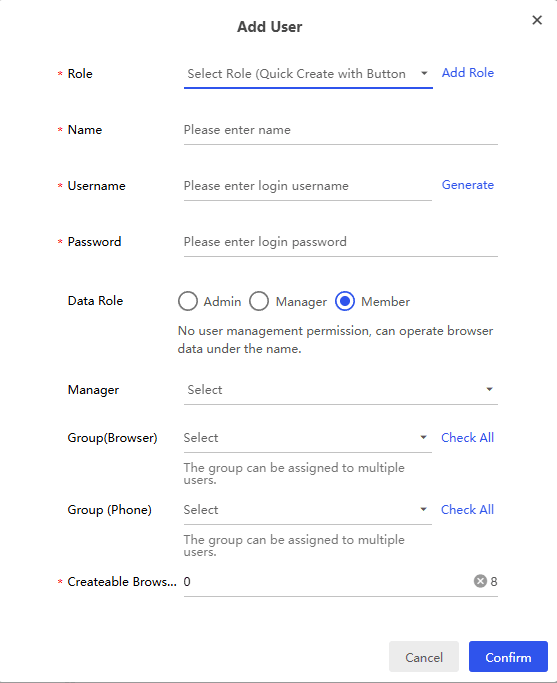
For teams, BitBrowser includes built‑in collaboration tools. Different roles can be assigned to team members, and browser profiles can be shared safely without exposing cookies or account passwords. This makes it much easier to manage account operations across a team.
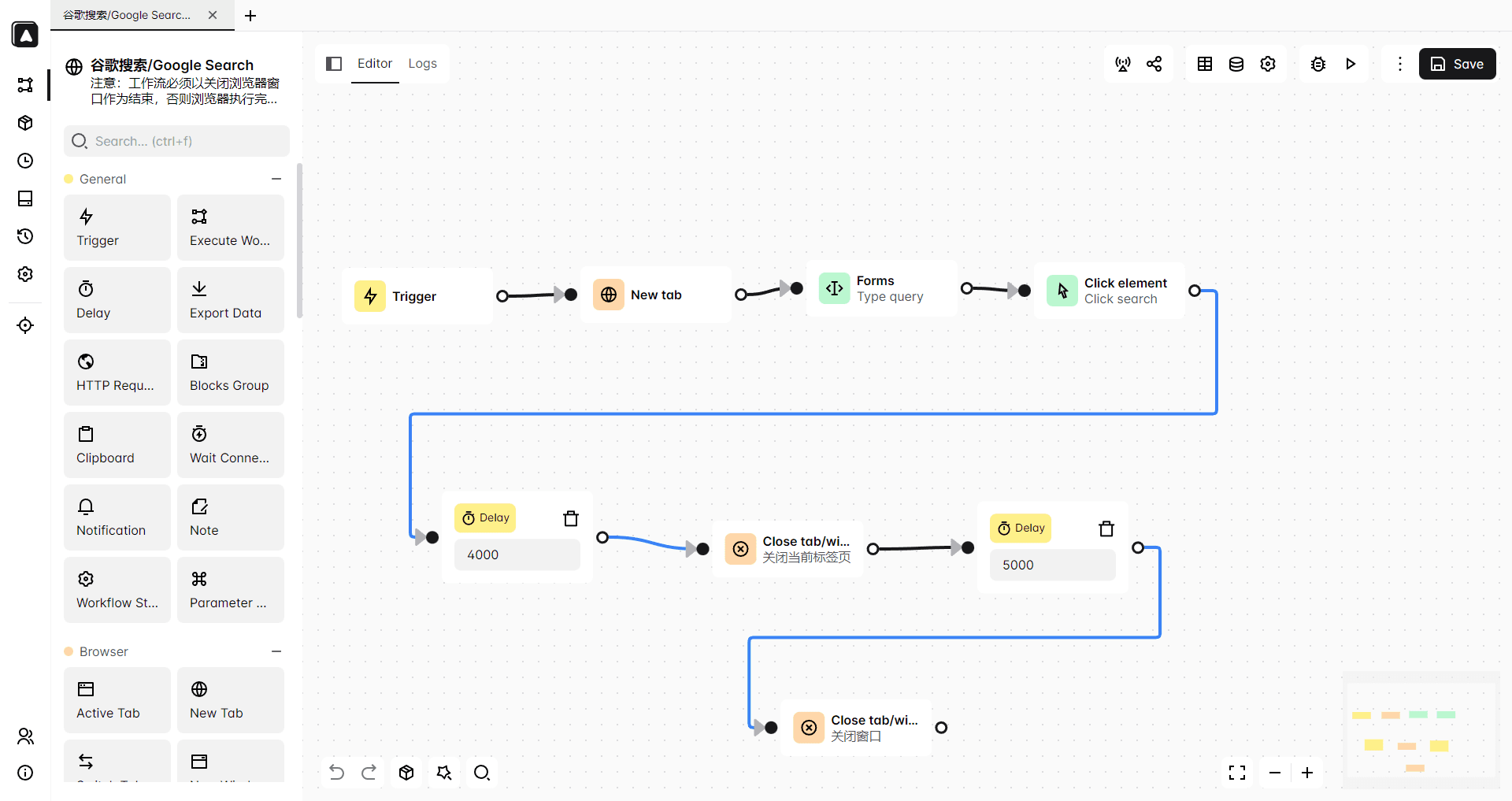
Automation is another strong area. BitBrowser supports developer tools like Selenium and Puppeteer, but it also includes built‑in RPA automation and a synchronizer that allows actions to be mirrored across multiple profiles at once. For repetitive workflows, that can save a huge amount of manual effort.
Pricing & Free Plan Advantage
Pricing is another area where BitBrowser stands out.
Unlike many antidetect browsers that only offer limited trials, BitBrowser provides a permanently free plan with 10 browser profiles. Even on the free tier, users still get access to most core features such as fingerprint customization, proxy integration, automation tools, API access, and extension management.
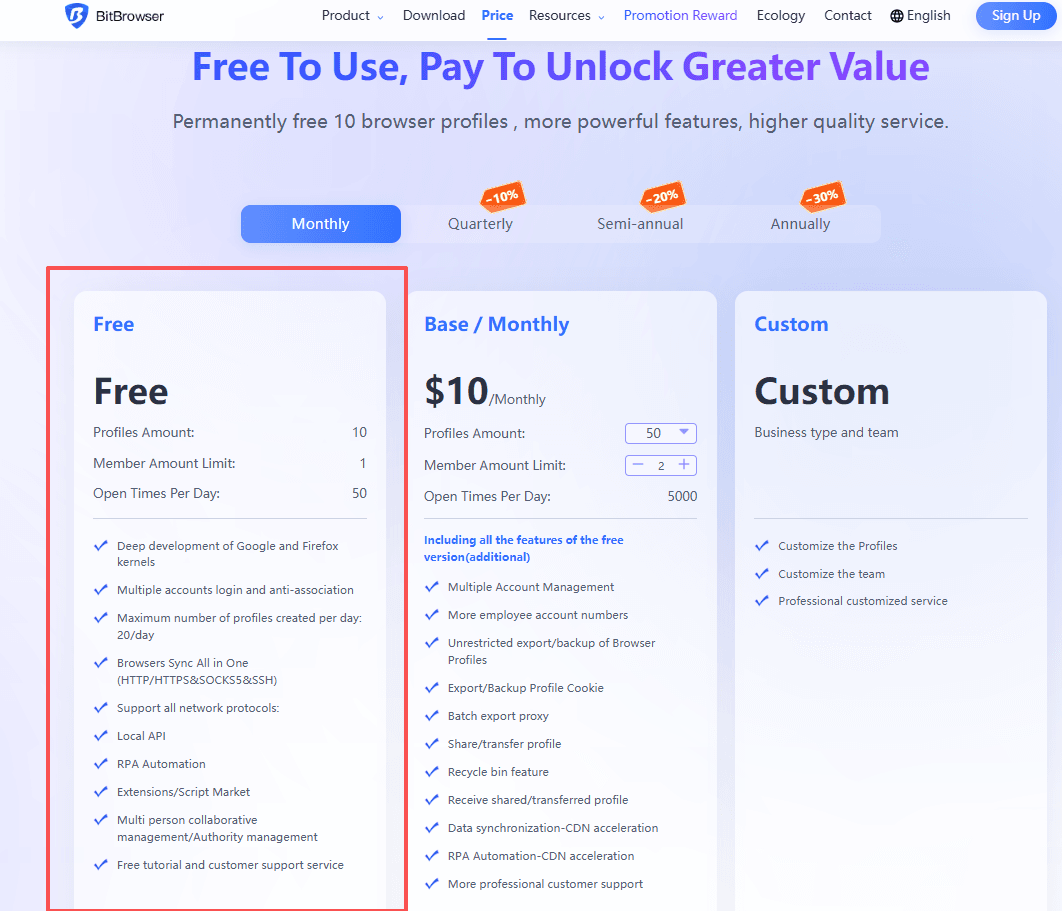
For many individuals and small teams, those 10 free profiles are already enough to start running real multi‑account operations.
When scaling up, the pricing also remains relatively affordable compared with many competitors. Paid plans allow users to manage significantly more profiles without the steep cost increases often seen in other platforms.
Because of this combination—powerful features, built‑in automation, and a generous free plan—BitBrowser has become a popular choice for users searching for a more practical Multilogin alternative or GoLogin alternative in 2026.
Get 10 browser profiles permanently free
Multilogin vs GoLogin vs BitBrowser
| Feature | Multilogin | GoLogin | BitBrowser |
|---|---|---|---|
| Fingerprint Control | Advanced | Customizable | Advanced & flexible |
| Proxy Integration | Manual setup | Built-in marketplace | Manual + API support |
| Automation | Selenium, Puppeteer | Selenium, Puppeteer | Selenium, Puppeteer + RPA |
| Team Collaboration | Advanced, high-tier plans | Basic sharing | Flexible roles, safe sharing |
| Ease of Use | Steep learning curve | Beginner-friendly | Beginner-friendly with advanced options |
| Multi-Account Scaling | Strong but costly | Good for small teams | Built for scaling operations |
| Typical Users | Large agencies | Small teams & affiliates | Agencies, e-commerce, marketing teams |
✅ Takeaway:
Multilogin → powerful, expensive, complex
GoLogin → simple, limited for scaling
BitBrowser → balanced, scalable, practical
Conclusion
Managing multiple accounts isn’t easy. Multilogin gives power but costs a lot. GoLogin is simple but can feel limited when scaling. BitBrowser hits the sweet spot—stable, flexible, and beginner-friendly, but still strong enough for large operations. Plus, it comes with 10 free profiles and built-in automation. If you’re looking for a Multilogin alternative or a GoLogin alternative, BitBrowser is worth trying.
FAQ
Q: Why do I even need an antidetect browser?
A: Platforms like Facebook, TikTok, Amazon, and Google don’t just track IPs anymore. They look at browser fingerprints, device signals, and cookies. Without isolation, multiple accounts can get linked and banned quickly.
Q: Multilogin vs GoLogin—what’s the main difference?
A: Multilogin is powerful and stable but pricey and a bit complex. GoLogin is easy to use, but when you scale to dozens or hundreds of accounts, some advanced controls are limited.
Q: How does BitBrowser compare?
A: BitBrowser balances both worlds—easy setup, advanced fingerprinting, proxies, and automation. It’s built for scaling, but still beginner-friendly. Plus, it integrates with BitCloudPhone for mobile account management.
Q: Can I manage multiple accounts safely?
A: Yes. All three browsers create isolated environments so each account looks like a separate device. The key differences are in features, automation, and ease of scaling.
Q: What about team management?
A: Multilogin supports advanced roles on higher plans. GoLogin has basic sharing. BitBrowser allows flexible roles, safe profile sharing, and team collaboration without exposing passwords or cookies.

 Multi-Account Management
 Prevent Account Association
 Multi-Employee Management
Recommended
See More 



