Multiple Polymarket Accounts with BitBrowser: A Compliance-First Workspace Guide
 2026.07.21 16:02
 petro
petroThe phrase “multiple Polymarket accounts with BitBrowser” can sound like a shortcut for opening duplicate identities. That is not the responsible use described in this guide. Polymarket is a real-money prediction market, and its current documentation explains that trading access depends on jurisdiction, sanctions rules, anti-money-laundering requirements, and KYC controls. Before creating or operating an additional account, confirm that the account is permitted, properly owned, and eligible to trade. Read the current Polymarket documentation and the BitBrowser official website before implementation
.
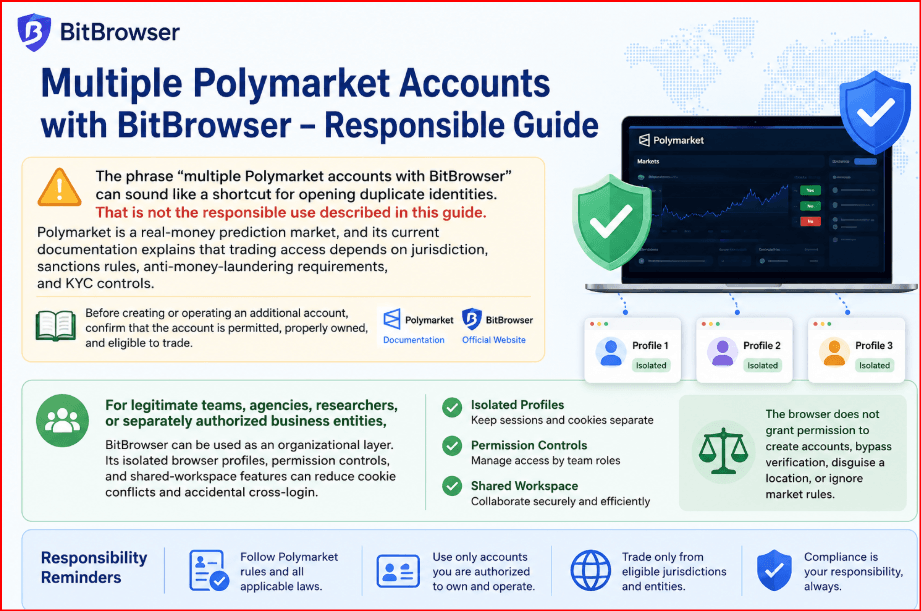
For legitimate teams, agencies, researchers, or separately authorized business entities, BitBrowser can be used as an organizational layer. Its isolated browser profiles, permission controls, and shared-workspace features can reduce cookie conflicts and accidental cross-login. The browser does not grant permission to create accounts, bypass verification, disguise a location, or ignore market rules.
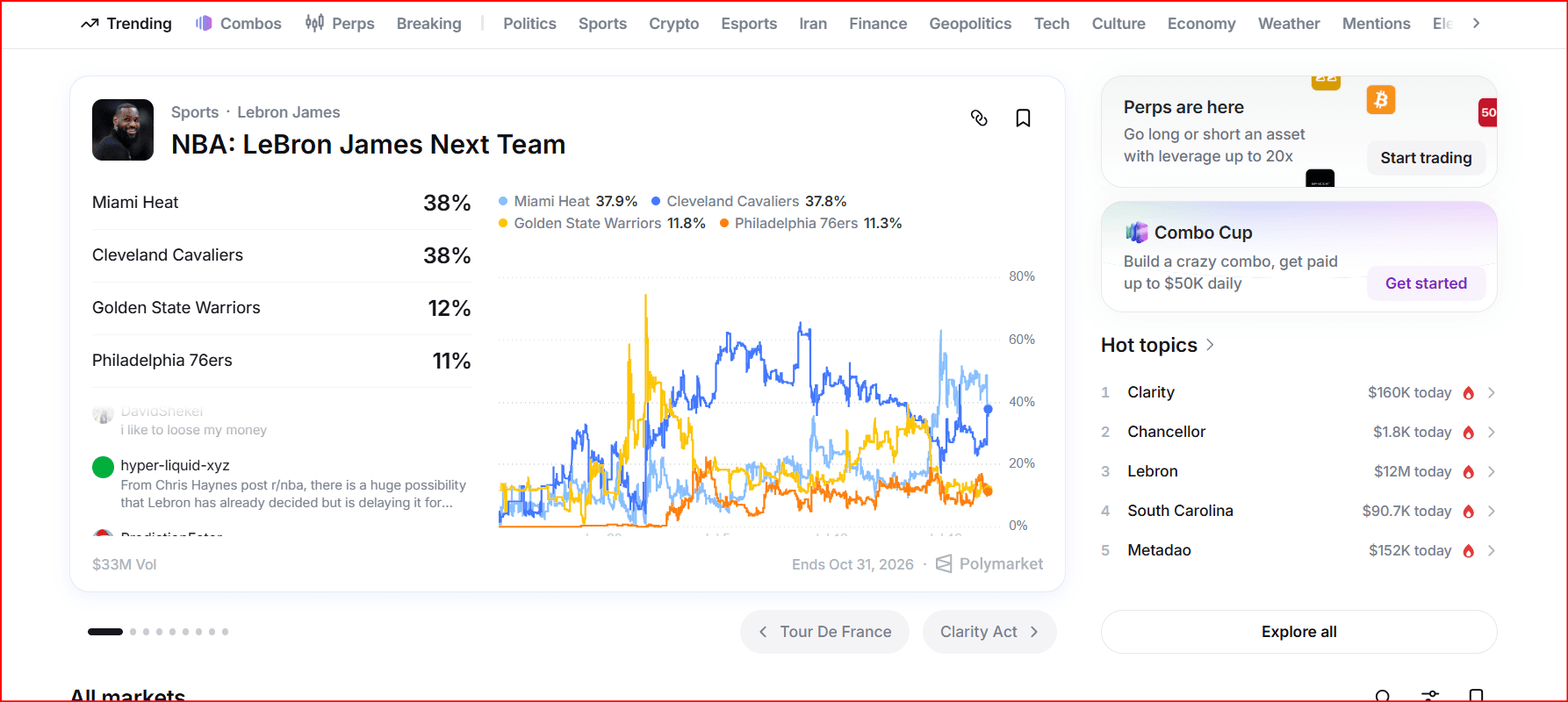
Important compliance notice Use BitBrowser only for accounts and operators that are genuinely authorized. Do not bypass KYC, geographic restrictions, sanctions controls, account suspensions, reward limits, or market-integrity rules. |
Compliance gate before creating any workspace
Control | What to verify | Required action |
|---|---|---|
Account permission | Obtain explicit permission or reliable confirmation that the account structure is allowed. | Proceed only after confirmation. |
Real ownership | Use truthful identity and entity information. | Never use borrowed, purchased, or fabricated identities. |
Jurisdiction | Check the official geoblock status and local law. | Do not use a proxy or spoofed location to trade. |
Wallet mapping | Record the wallet connected to each account. | Avoid undocumented wallet sharing. |
Team access | Apply least-privilege permissions. | Remove access immediately when roles change. |
Market integrity | Keep trading independent and genuine. | No wash trading, reward abuse, or coordinated manipulation. |
What “multiple accounts” should mean in a compliant workflow
A compliant multi-account workflow begins with ownership and authorization. Each account must represent the real person or legal entity approved to use it. An employee should not create extra accounts in another person’s name, reuse identity documents, purchase pre-verified accounts, or split one person’s activity across profiles to obtain additional rewards or limits.
If a company has several approved operators, the safest approach is to document who owns each account, who may access it, what business purpose it serves, and which wallet is connected. When the platform’s rules are unclear, contact Polymarket Support before proceeding. A browser profile should be created only after that approval exists.
How BitBrowser helps without becoming an evasion tool
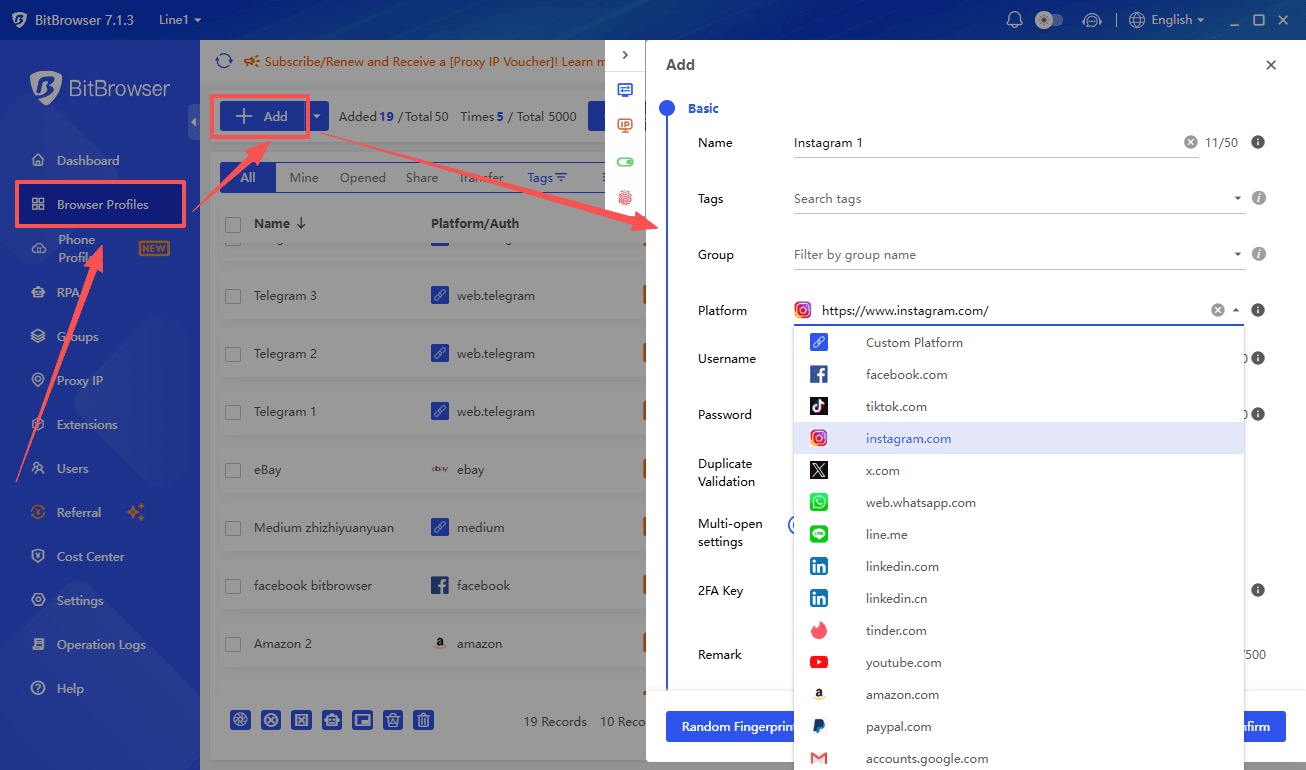
BitBrowser can keep cookies, local storage, extensions, bookmarks, and sessions separated in individual profiles. This is useful when an authorized operator needs to avoid signing into the wrong account or when a compliance manager needs a repeatable workspace. Team permissions can limit who may open, edit, or share a profile.
Do not use fingerprint controls, proxies, or location settings to pretend that an operator is in an eligible region. Polymarket publishes geographic restrictions and rejects orders from blocked locations. The correct response to a restriction is to stop trading, use available close-only functions where permitted, or contact support—not to alter the apparent location.
A seven-step compliant operating procedure
1. Review the latest Polymarket Terms of Use, availability page, and geographic restrictions.
2. Create an ownership register listing the real owner, entity, purpose, wallet, and responsible operator for every authorized account.
3. Complete required verification with truthful information and keep evidence of approval.
4. Create one BitBrowser profile per approved account and give it a clear internal name such as ENTITY–OWNER–PURPOSE.
5. Assign the minimum necessary team permissions; avoid shared passwords and unrestricted exports.
6. Use a consistent approved network and device policy. Never change location to defeat a restriction.
7. Review access logs, connected wallets, permissions, and account status on a regular schedule.
Security controls for wallets and sessions
Browser isolation does not replace wallet security. Use a dedicated wallet only when permitted, protect seed phrases offline, enable available authentication controls, and never store private keys in notes or shared profile descriptions. Confirm the wallet address before deposits and withdrawals, and require a second person to review large transfers.
Operators should close unused sessions, remove former employees promptly, and document any unusual login alert. If an account is challenged, paused, or restricted, freeze the related BitBrowser profile until the issue is resolved through official support channels.
Common mistakes to avoid
The most serious mistakes are creating duplicate personal identities, using another person’s documents, buying accounts, masking a restricted jurisdiction, coordinating trades to manufacture volume, or using several accounts to influence a market. Other operational mistakes include reusing wallets without documentation, granting every team member administrator access, and storing recovery information inside the browser profile.
A good rule is simple: if the workflow would be unacceptable when fully disclosed to Polymarket’s compliance team, it should not be performed through BitBrowser.
Recommended BitBrowser workspace structure
Component | Recommended setting | Why it matters |
|---|---|---|
Profile name | ENTITY–OWNER–PURPOSE | Makes ownership easy to audit. |
Profile access | Named operators only | Reduces accidental or unauthorized logins. |
Network policy | Approved, truthful location | Prevents regulatory circumvention. |
Wallet record | Verified address and custodian | Avoids deposits to the wrong wallet. |
Review cycle | Monthly and after staff changes | Keeps permissions and records current. |
Frequently Asked Questions
Can BitBrowser make multiple Polymarket accounts permissible?
No. A browser can organize sessions, but only Polymarket rules, local law, and account approval determine whether an account is allowed.
Can I use a proxy to access Polymarket from a blocked region?
This guide does not support that. Polymarket publishes geographic restrictions, and bypassing them can violate rules and law.
Should several employees share one login?
Avoid informal password sharing. Use platform-approved access arrangements and BitBrowser permissions only for operators who are explicitly authorized.
Is this financial advice?
No. The article covers operational security and compliance. Prediction-market trading can cause substantial losses.
Conclusion
BitBrowser can make authorized Polymarket workspaces clearer and safer by separating sessions and controlling team access. It should never be used to hide identity, location, ownership, or coordinated activity. Review the current Polymarket documentation, obtain approval when uncertain, and use the official BitBrowser website for product information. BitBrowser • Polymarket official documentation
Official references
BitBrowser official website | Polymarket official website | Polymarket documentation
Geographic restrictions | Terms of Use
Sources and platform rules can change. Check the live official pages before publication or use.
Educational disclaimer This article is for operational-security and compliance education. It is not legal, regulatory, tax, or financial advice. Prediction-market trading can result in substantial losses. |

 Multi-Account Management
 Prevent Account Association
 Multi-Employee Management
Recommended
See More 



