2026.11.27 16:33
 petro
Top 10 Best Features of BitBrowser CloudPC Connector in 2026
Discover how BitBrowser CloudPC Connector simplifies remote desktop access, cloud computer management, Windows VPS connections, and multi-device workflows.
Quick Answer
BitBrowser CloudPC Connector is a free desktop application designed to manage multiple BitCloudPC instances and compatible self-hosted Windows VPS servers from one interface.
Its main advantages include unified management, independent desktop windows, automatic synchronization, customizable resolution, encrypted local storage, and easy connection backup.
Best for: Remote workers, developers, cloud PC users, IT administrators, and businesses managing multiple Windows desktop environments.
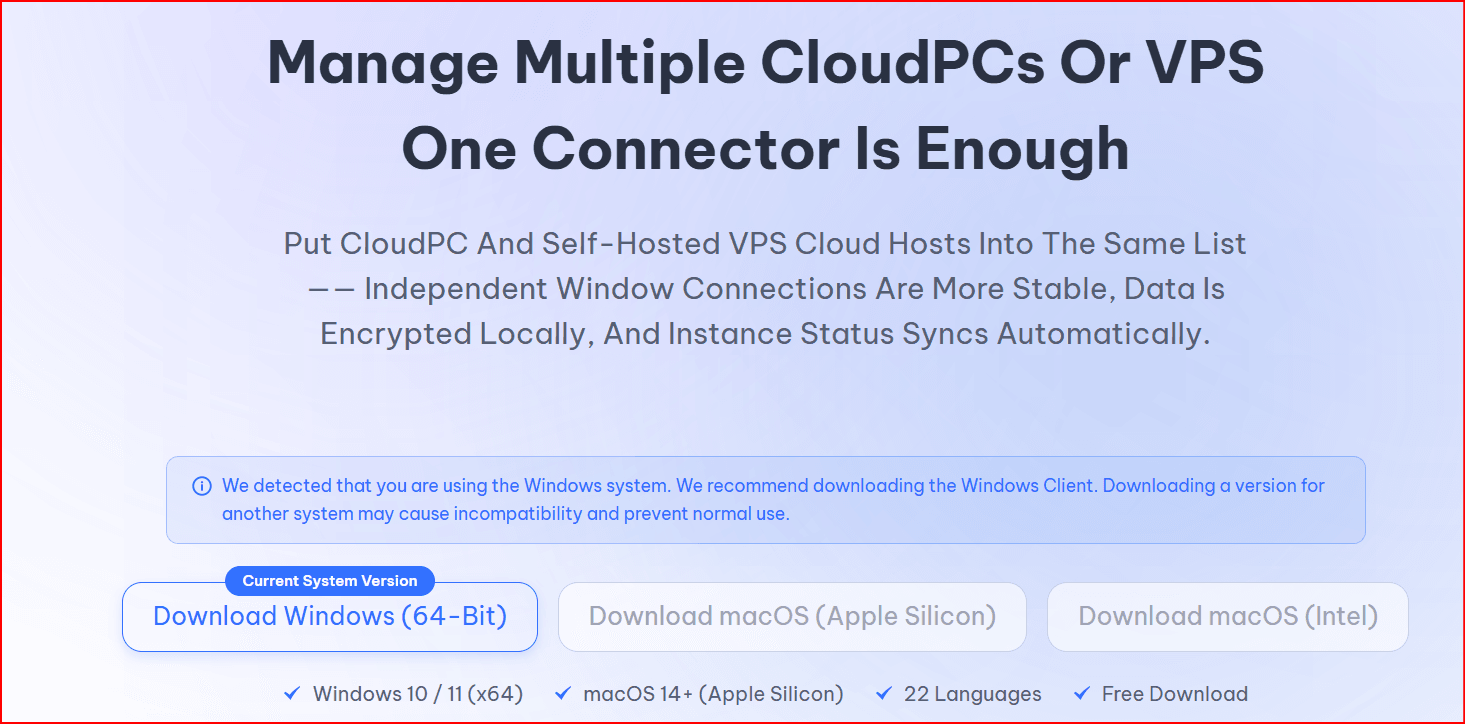
What Is BitBrowser CloudPC Connector?
BitBrowser CloudPC Connector is a remote computer management tool developed to simplify the way users connect to cloud desktops and self-hosted virtual private servers.
Instead of keeping multiple remote desktop applications open or manually remembering connection addresses, users can organize compatible computers within a single management interface.
The software works with BitCloudPC instances and custom Windows hosts supporting Remote Desktop Protocol (RDP).
CloudPC Connector is available for supported Windows and macOS computers and is free to download.
1. Unified Management of Cloud PCs and Windows VPS
One of the most useful features is the ability to organize different remote computers within a single application.
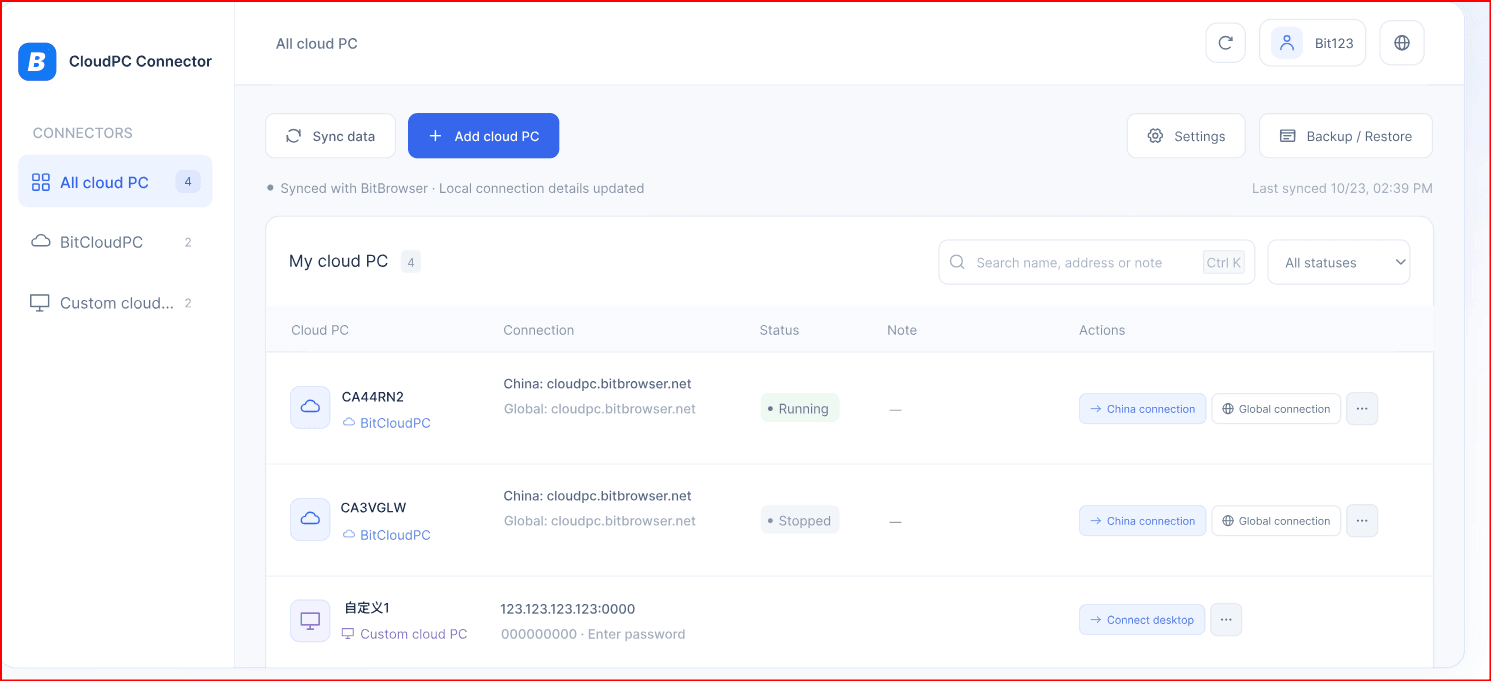
CloudPC Connector displays BitCloudPC and custom Windows cloud hosts in a unified list. Users can browse their computers, search for specific machines, and apply categories or filters.
This is particularly useful for organizations managing several virtual desktops, development machines, or Windows-based business environments.
Main benefit: A centralized workspace reduces the effort required to find and access remote computers.
2. Support for Self-Hosted Windows VPS Servers
CloudPC Connector is not restricted to BitCloudPC services. Users can add compatible custom Windows hosts that support RDP connections.
This makes the application useful for administrators who operate Windows VPS instances provided by different hosting companies.
For example, a developer could maintain a Windows VPS for application testing, another for software configuration, and a third for remote administrative tasks.
All three connections can be organized within the same client.
Main benefit: Manage compatible Windows VPS connections without relying on a separate desktop interface for each hosting provider.
Important: The target machine must support RDP, and remote access must be enabled and reachable. The connector is not a replacement for Linux SSH administration.
3. Independent Remote Desktop Windows
When managing several remote computers, switching between different desktop sessions can become inconvenient.
BitBrowser CloudPC Connector allows users to open remote desktops in independent windows. This makes it easier to move between machines and maintain separate workflows.
If a user selects a computer that already has an active connection window, the connector brings that window to the foreground instead of creating a duplicate session.
This can reduce unnecessary duplicate connections and make the workspace easier to organize.
Main benefit: Convenient switching between multiple remote Windows desktops.
4. Automatic CloudPC Synchronization
Administrators need current information about the remote computers available in their workspace.
CloudPC Connector supports automatic synchronization of BitCloudPC instances and their operating status when the application starts.
Users can also refresh the information manually when needed.
For BitCloudPC synchronization, the official setup guide requires BitBrowser version 7.2.0 or later to be running with the user signed in.
Main benefit: Keep the BitCloudPC list synchronized without manually re-entering connection information.
5. Customizable Remote Desktop Resolution
Different remote desktop tasks require different screen layouts. A small administrative window may work well at lower resolutions, while design and development tasks may benefit from a larger desktop workspace.
BitBrowser CloudPC Connector offers selectable resolution settings ranging from 720p to 4K, along with maximize and custom resolution options.
Users can adjust the remote desktop display according to their monitor size and workflow requirements.
Main benefit: Greater flexibility when using remote desktops on different local devices and displays.
6. Encrypted Local Connection Storage
Remote desktop management involves sensitive connection information, making data protection an important consideration.
BitBrowser CloudPC Connector advertises locally encrypted connection records using AES-256-GCM authenticated encryption and scrypt-based key derivation.
According to its official documentation, connection passwords are not stored on disk as plaintext or exposed through connection lists, logs, or process arguments.
Temporary session information is also cleared after use.
Main benefit: An encrypted local database helps protect stored remote connection configurations.
Users should still protect their own computers, use strong authentication, and secure RDP access appropriately.
7. Encrypted Backup and Restore
Reconfiguring numerous remote desktop connections after moving to another computer can be inconvenient.
CloudPC Connector includes an encrypted backup feature that allows users to export their saved connection configurations to a .bcpc file.
These backups can be restored when changing devices or recovering connection settings.
The official guide describes password-protected backup exports and restoration of saved connection records.
Main benefit: Reduce repetitive configuration work when migrating between supported computers.
These backups protect connection records; they are not full backups of the remote computers or their files.
8. Multilingual Interface with 22 Languages
CloudPC Connector provides an interface localized into 22 languages, including translated controls, prompts, and error messages.
This makes the application more accessible for international users who prefer managing their cloud computers in their native language.
For global organizations, multilingual interfaces can also make software onboarding easier for teams working in different regions.
Main benefit: A more accessible remote desktop management experience for international users.
9. Automatic Updates and Connection Verification
Maintaining remote access tools is an important part of a secure IT workflow.
CloudPC Connector includes online update detection and signature verification for application upgrades.
It also advertises remote host certificate verification during connection setup, helping users identify potentially abnormal connections.
These measures complement standard security practices such as using trusted downloads, strong credentials, network access controls, and regularly updated operating systems.
Main benefit: Built-in update and certificate verification features support safer maintenance of remote desktop connections.
10. Free Windows and macOS Desktop Client
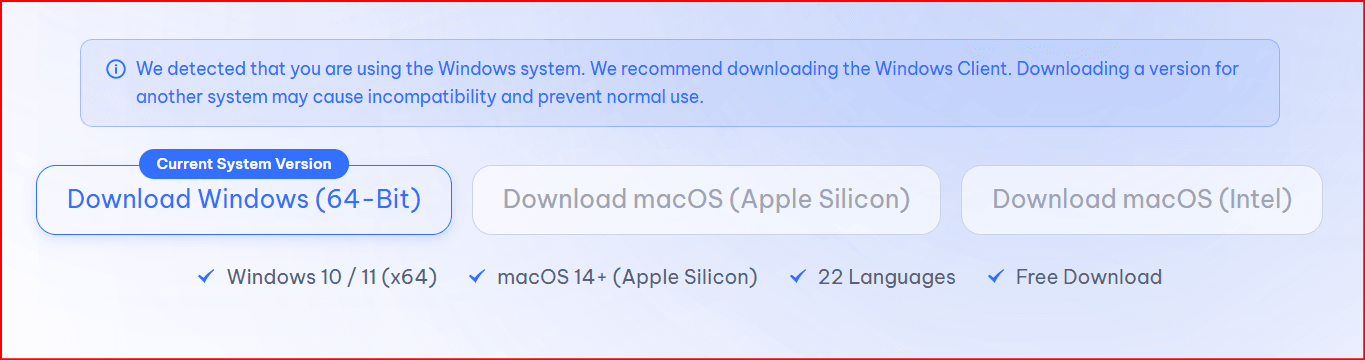
BitBrowser CloudPC Connector is available as a free desktop application for supported Windows and macOS systems.
The official download page lists Windows 10 and Windows 11 (64-bit), along with macOS installers for Apple Silicon and Intel-based Macs.
Users can install the application, synchronize their BitCloudPC machines, and begin opening compatible remote desktop connections.
Main benefit: A free entry point for organizing supported CloudPC and Windows VPS environments from a desktop computer.
Top 10 BitBrowser CloudPC Connector Features: Quick Comparison
| # | Feature | Main Advantage |
|---|---|---|
| 1 | Unified management | One cloud computer list |
| 2 | Windows VPS compatibility | Add custom RDP hosts |
| 3 | Independent windows | Organized desktop sessions |
| 4 | Automatic sync | Updated BitCloudPC information |
| 5 | Resolution settings | 720p to 4K options |
| 6 | Local encryption | Protected connection records |
| 7 | Backup and restore | Portable connection configurations |
| 8 | 22 languages | Multilingual interface |
| 9 | Update verification | Application maintenance features |
| 10 | Free desktop client | Accessible Windows and Mac downloads |
How to Get Started with CloudPC Connector
Step 1: Download the Application
Visit the official BitBrowser CloudPC Connector website and download the installer for your supported operating system.
Step 2: Install and Launch
Follow the installation instructions and open the desktop client.
Step 3: Synchronize BitCloudPC
To synchronize your BitCloudPC environments, ensure the required BitBrowser version is running and that you are signed in. Refresh the cloud computer list as needed.
Step 4: Add Custom Windows Hosts
When using your own Windows VPS, add its supported RDP connection details. Make sure remote access is enabled and the connection is reachable through an appropriately secured network path.
Step 5: Connect to Your Remote Desktop
Select the desired cloud computer and click Connect. The application opens its remote desktop in a dedicated window.
Step 6: Organize and Back Up Connections
Use the management interface to organize computers and export encrypted connection backups when needed.
Frequently Asked Questions
Is BitBrowser CloudPC Connector free?
Yes. The application is advertised as free to download. Any separate cloud computing, VPS hosting, or network costs still apply.
Can it manage multiple Windows VPS servers?
Yes. Users can add compatible Windows hosts supporting RDP and organize their remote desktop connections.
Does it support Linux VPS servers?
The advertised custom-host connection capability is based on Windows RDP. CloudPC Connector should not be treated as a general Linux SSH administration tool.
Can I use it on macOS?
Yes. BitBrowser provides macOS download options for supported Apple Silicon and Intel systems.
Does it replace VPS hosting?
No. CloudPC Connector provides remote desktop connection management. Users still need their own compatible remote computers, VPS hosting plans, or BitCloudPC instances.
Final Verdict: Is BitBrowser CloudPC Connector Worth Using in 2026?
BitBrowser CloudPC Connector is a practical option for users who regularly manage several cloud computers or compatible Windows VPS environments.
Its strongest features are unified computer management, independent remote desktop windows, automatic BitCloudPC synchronization, adjustable resolution, and encrypted local connection storage.
For developers, IT administrators, remote workers, and businesses that rely on Windows cloud desktops, the connector provides a convenient way to organize remote connections from one desktop application.
It does not replace the computing resources themselves or specialized server administration tools, but it can simplify day-to-day remote access.
Our conclusion: BitBrowser CloudPC Connector is worth evaluating in 2026, particularly for users managing multiple BitCloudPC instances or RDP-compatible Windows hosts.
Official Sources
BitBrowser CloudPC Connector – Official Product Page
BitBrowser CloudPC Connector – Official Setup and Usage Guide
Product information based on official documentation available in November 2026. Features and compatibility may change with future releases.

 Multi-Account Management
 Prevent Account Association
 Multi-Employee Management