Snapchat Account Disabled or Locked: How to Fix and Prevent It in 2026
 2026.05.26 06:55
 YT.Shi
Seeing your Snapchat account disabled or locked can be frustrating, especially when you rely on it to stay in touch with friends, run a business, or keep your streaks alive. One moment everything works fine, and the next you cannot log in at all. The good news is that many account locks are fixable if you take the right steps.
This guide will walk you through exactly what to do for each type of lock, why it probably happened, and how to avoid it happening again. Whether your account was temporarily locked, permanently disabled, or your entire device got banned, you will find clear, actionable steps below.
If you want to know whether Snapchat is down, please visit this article: Is Snapchat Down Right Now? Why Your Snaps Won't Load and How to Fix It Fast
Figure Out What Type of Lock You Have
Not all Snapchat account locks are the same. The fix that works for one type will be completely wrong for another. Before you do anything else, pay attention to the exact message you see when you try to log in. Here are the four main situations you might be dealing with, along with what each one actually means.
Temporary Lock
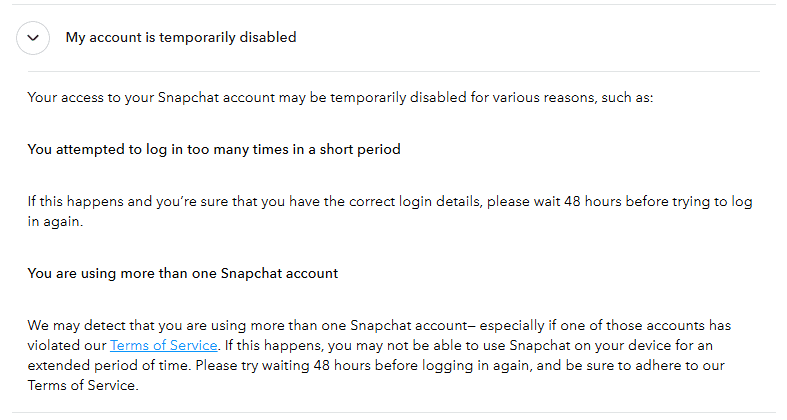
If you see a message like "Your account has been temporarily locked," Snapchat has paused your access as a precaution. This usually happens because the system detected something slightly unusual, like logging in from a new location, tapping through the app too fast, or using a weak password.
The important thing to know is that a temporary lock can often be resolved by you directly, without needing to contact support. In most cases, the lock lasts around 48 hours or less. Stay calm and follow the steps in the section below instead of repeatedly trying to log in, which can make things worse.
Permanent Lock
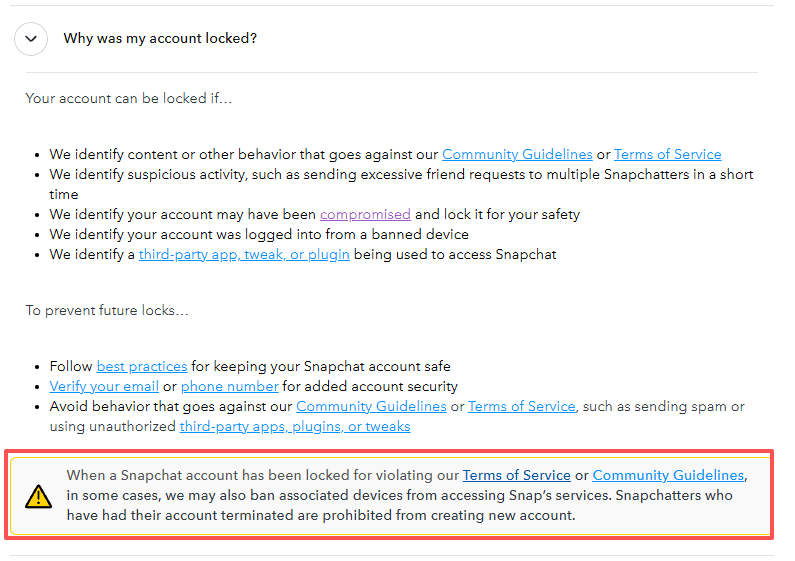
A permanent lock is much more serious. You might see a message stating that your account has been permanently locked for violating Snapchat's Community Guidelines or Terms of Service. Unlike a temporary lock, you cannot unlock it yourself by simply waiting. In some cases, Snapchat may have also removed content that broke the rules or banned your device alongside the account.
The only legitimate way to get a permanently locked account back is to submit an appeal through the Snapchat app. There is no other official method. Do not fall for any third party service claiming they can unlock your account for a fee. You can only appeal once per lock, and if your appeal is denied, there is no second chance. The review process may take up to 30 days, so patience is essential.
Device Ban (SS06, SS18, SS07 Errors)
Sometimes the problem is not just your account but your actual phone. If you see error codes SS06 or SS18 when trying to log in, Snapchat has banned the device you are using because of abuse or repeated guideline violations. An SS07 error means too many accounts have been associated with that device.
This is important: Snapchat Support cannot unban a device. If your device is banned, you will not be able to create new accounts on it. Your only practical path is to appeal your account lock through the app, and if the account appeal is successful, the device ban may be lifted as well.
Security Lock
If you see a message saying your account looks like it was compromised and has been locked for your safety, Snapchat's system has detected suspicious login activity. This is actually a protective measure rather than a punishment. In this case, you need to contact Snapchat Support directly to verify your identity and regain access. Also find out what to do if your Snapchat account may have been compromised.
Now that you know what type of lock you are dealing with, follow the matching instructions below.
How to Fix a Temporary Lock
A temporary lock is the easiest to resolve if you follow these steps carefully.
1. Wait before doing anything.
Do not open the Snapchat app or attempt to log in for at least 24 hours. Many temporary locks clear automatically after a cooling off period. Repeated login attempts during a lock can extend the restriction or escalate it.
2. Delete every third party Snapchat app or plugin.
This step is essential. If you have ever installed any modified Snapchat app, companion tool, or tweak, remove it completely from your phone right now. Examples include Snapchat++, Phantom, Wicked, and SnapTools. Go through your phone settings and uninstall anything that is not the official Snapchat app from the iOS App Store or Google Play Store. Leaving these apps installed is one of the most common reasons locks keep coming back.
3. Use the official unlock page.
After waiting at least 24 hours, open a web browser on your phone or computer and go to the Snapchat unlock page at accounts.snapchat.com/accounts/unlock. Log in with your username and password, then select the "Unlock" option. If this works, you are back in.
4. If it does not work, wait a full 48 hours.
If the unlock page does not let you in, do not panic. Some locks need a full 48 hours before the system allows you back. Wait, then try logging in through the app normally.
How to Appeal a Permanent Lock
A permanent lock requires an official appeal, and the process is strict. Follow these steps exactly.
1. Open the Snapchat app and try to log in.
Enter your login credentials as you normally would. After the login attempt fails, a pop up notification should appear on your screen.
2. Tap "Appeal Decision."
If your account lock is eligible for an appeal, you will see the "Appeal Decision" button on the pop up. Tap it. If you do not see this button, it means your account lock is not eligible for appeal and there is nothing else you can do through official channels.
3. Fill out the appeal form honestly.
When filling out the appeal, be straightforward. Provide your username, the email address linked to your account, and a clear explanation of your situation. If you made a mistake, acknowledge it briefly. Keep the tone polite and factual rather than emotional. If you were using a third party tool before, mention that you have removed it and will only use the official app going forward.
4. Wait for a response.
Review can take up to 30 days. Snapchat will notify you by email or through the app once a decision is reached. Do not create additional support tickets during this period. The appeal you submitted through the app is the only one that matters, and extra tickets will not speed anything up.
What to Do About a Device Ban
As noted above, Snapchat Support cannot manually unban a device. Your best option is to appeal your account lock through the app as described in the permanent lock section. If the account appeal succeeds, the device ban might be lifted alongside it.
If the appeal is denied and the device remains banned, you will need to use a different phone or tablet to access Snapchat moving forward. This can be a serious headache, especially if you manage Snapchat accounts for work or content creation and cannot easily switch hardware.
If you need to get back to using Snapchat from a computer while dealing with a device ban, or if you simply want to prevent future bans from affecting all of your accounts at once, a tool that isolates your browsing environments becomes very useful. BitBrowser lets you create independent browser profiles, each with its own cookies, cache, and digital fingerprint.
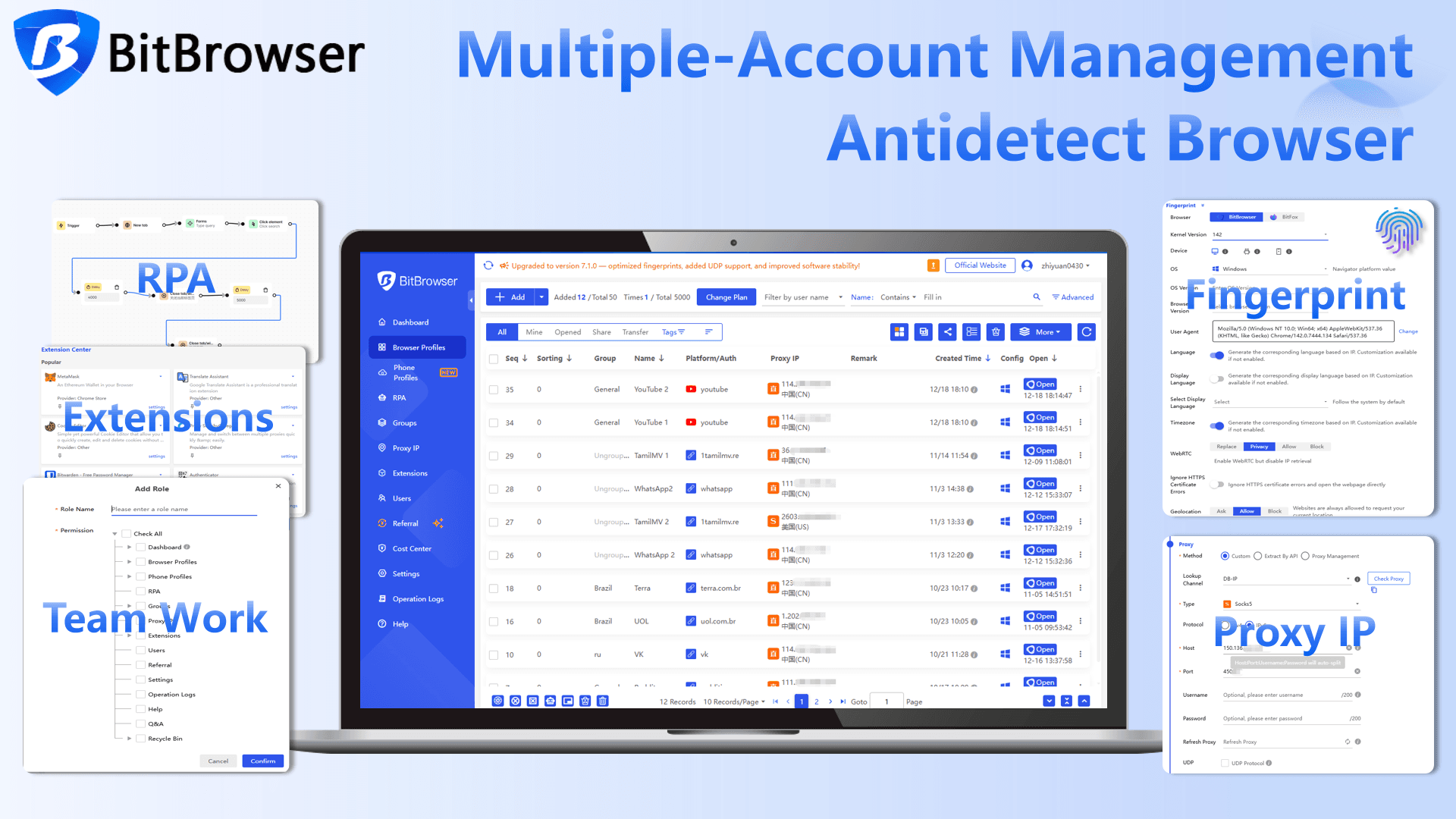
To Snapchat, each profile appears as a completely separate device, so a ban on one account does not automatically spread to your others. By keeping every account in its own protected space, you reduce the risk of chain bans even when you are working from the same physical computer.
How to Download Your Data While Locked
Even if your account is locked, you might still be able to download your Memories and other data. Here is how:
1. On a computer or mobile browser, go to accounts.snapchat.com.
2. Log in with your Snapchat credentials.
3. Click on "My Data."
4. Select the types of data you want to include in your download.
5. Choose a date range or toggle it off to receive all your data.
6. Confirm the email address where you want to be notified.
7. Click "Submit" at the bottom of the page.
8. Snapchat will send you an email with a download link once your data is ready.
Or you can view recent exports at accounts.snapchat.com/accounts/downloadmydata. Note that data downloads may not be available for all locked accounts, especially if the account does not have a verified email address attached to it.
Why Snapchat Locks Accounts: The Real Reasons
Understanding why your account got locked is the best way to make sure it does not happen again. Based on official Snapchat documentation and data from 2026, here are the most common reasons.
Content That Violates Community Guidelines
Posting prohibited content is one of the biggest triggers. Research indicates that roughly 40 percent of account bans are connected to content violations. Snapchat's Community Guidelines prohibit a wide range of content, including sexually explicit material, hate speech, harassment, bullying, violent threats, promotion of self harm, and illegal or regulated activities. The platform uses both automated detection and human review to flag violations.
Third Party Apps and Unauthorized Plugins
This is perhaps the single most common reason everyday users get locked. Snapchat actively scans for connections from modified or unofficial apps. If you have ever used anything other than the official app downloaded from a legitimate store, your account is at risk. Simply deleting the unofficial app is often enough to resolve a temporary lock, but repeated use can lead to a permanent ban.
Suspicious or Bot Like Activity
Adding too many friends in a short period, sending the same message to lots of people, or creating multiple accounts in rapid succession all look like spam behavior to Snapchat's automated systems. Even if your intentions are harmless, the platform may flag your account as a bot. If you are managing accounts for business or marketing, you are at a higher risk simply because your activity patterns differ from a typical personal user.
Account Security Red Flags
Logging in from an unusual location, using a new device without verifying it, registering with false information, or operating multiple accounts on the same device without proper isolation can all trigger security locks. Snapchat tracks hardware identifiers like IMEI, device model, and Android ID. When multiple accounts share the same hardware fingerprint, the system may interpret this as coordinated inauthentic behavior.
Age Restrictions
Snapchat enforces minimum age requirements strictly. As of early 2026, the platform locked or disabled over 415,000 accounts in Australia alone belonging to users under the age of 16, in compliance with local legislation. If your account gets locked for age related reasons, recovery options are very limited because the lock is tied to legal compliance rather than behavioral violations.
How to Prevent Your Snapchat Account From Getting Locked Again
Once you get your account back or start fresh, these practical habits will help you stay out of trouble.
Stick to the Official App and Nothing Else
Download Snapchat only from the iOS App Store or Google Play Store. Never install modified versions, companion tools, or any app that claims to add extra features to Snapchat. This is the single most important rule. It applies even if your friends use those apps without any problems. Sooner or later, the detection system will catch up.
Follow the Community Guidelines
Before posting anything, take a moment to consider whether it could be seen as offensive, threatening, or inappropriate. If you are unsure, do not post it. The guidelines cover more ground than most people realize, including bullying, harassment, sexually explicit content, and violent imagery. Staying within these boundaries is straightforward as long as you use common sense.
Secure Your Account Properly
Add a verified email address and a verified phone number to your account. Then turn on two factor authentication from the settings menu. These steps do more than just protect you from hackers. They also tell Snapchat's security system that you are a legitimate account holder, which reduces the chance of getting flagged for suspicious activity.
Avoid Bot Like Behavior
Do not mass add friends, send bulk messages, or perform repetitive actions at high speed. If you are growing an account for business or content creation, spread your activity out naturally throughout the day. Think about how a real person uses Snapchat and mimic that rhythm. Slow and steady is far safer than fast and aggressive.
Manage Multiple Accounts the Smart Way
Running more than one Snapchat account is allowed, but how you do it makes all the difference. Using the same device to switch between several accounts without isolation is risky because Snapchat can see that all those accounts share the same hardware identifiers.
A cleaner approach is to keep each account in its own environment. Every account should have unique credentials, including a different email address and phone number for verification. This keeps your accounts genuinely separated and reduces the risk that a problem with one account spreads to all the others.
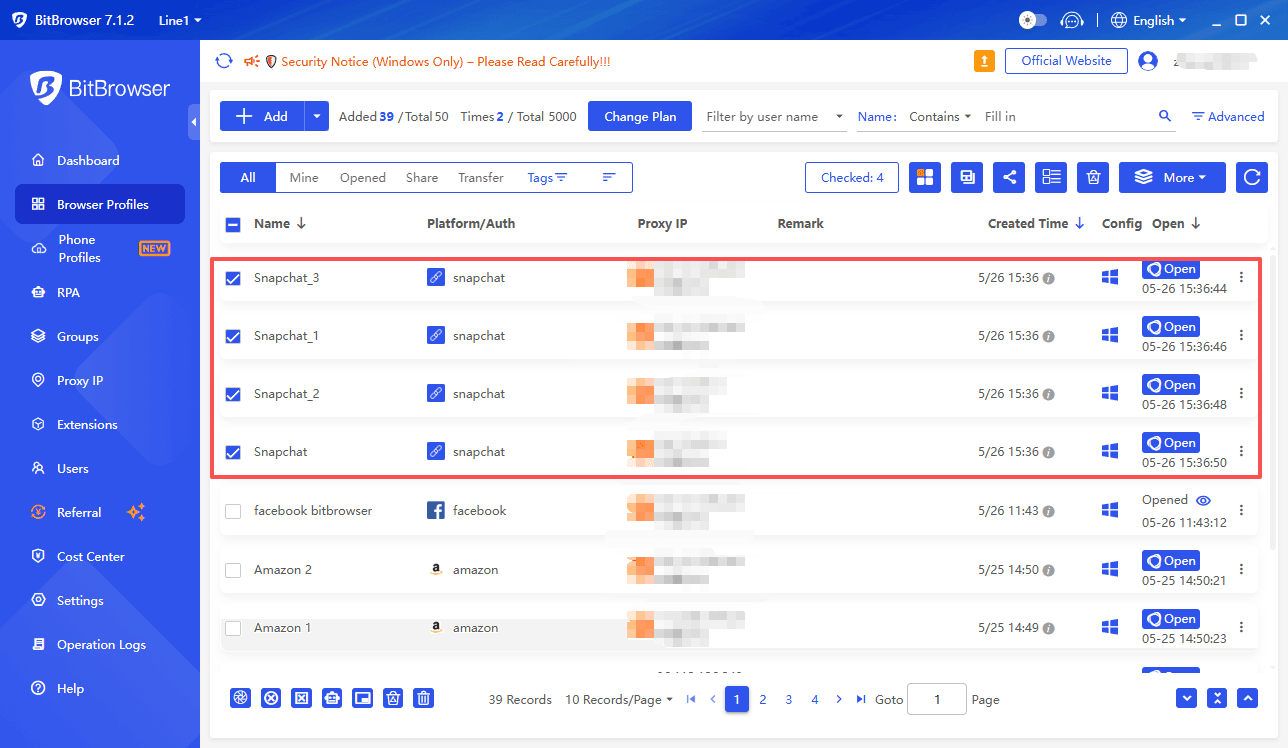
For people managing multiple social accounts regularly, whether for personal organization, content creation, or business, tools like BitBrowser offer a practical way to create independent browsing environments with isolated digital fingerprints.
Sign Up
Each account profile operates in its own container with separate cookies, cache, and device level identifiers, so Snapchat sees each login as coming from a genuinely distinct setup. This reduces the chance of chain bans where a single flag takes down every account linked to your device.
Combined with good behavioral habits like avoiding rapid fire actions and keeping activity patterns natural, a tool like BitBrowser helps you manage multiple Snapchat presences without constantly worrying about the next lock screen.
Summary
When your Snapchat account is disabled or locked, the most important first step is to identify the exact type of lock you are dealing with. Temporary locks usually clear within 48 hours, and removing unofficial apps helps. Permanent locks require a single in‑app appeal, so be honest and patient. Device bans may resolve if the account appeal succeeds.
Prevent future issues by sticking to the official app, following guidelines, avoiding bot‑like behavior, and keeping each account in its own separate space. Tools like BitBrowser make that separation easy and help stop one ban from affecting everything.

 Multi-Account Management
 Prevent Account Association
 Multi-Employee Management
Recommended
See More 



