Can I Log In to My Tinder Account Without Using the App
 2026.06.16 07:47
 YT.Shi
The short answer is yes. You absolutely can log in to your Tinder account without downloading or using the mobile app. Tinder offers a fully functional web version that you can access from any browser on your computer, laptop, or even your phone's browser. Just head to Tinder.com, log in with your credentials, and you are ready to start swiping. No app installation is required.
This guide covers how to log in and register on Tinder’s web version, compares it with the app, lists other access methods, and explains how to safely run multiple accounts on one device without getting banned.
Stuck with an IP ban? Check our Tinder recovery guide. Want more privacy? See our Tinder private browsing guide.
What You Need to Log In to Tinder Without the App
Logging into Tinder through your browser is straightforward, but there are a few basic requirements you should know about.
First, you need a stable internet connection and a web browser on any device, whether it is a Windows PC, a Mac, a Chromebook, or even a tablet. Tinder.com works on all major browsers including Chrome, Firefox, Safari, and Edge.
Second, you need an existing Tinder account. You can log in using one of three methods: your phone number (you will receive a verification code via SMS), your Google account, or your Facebook account. If you do not have an account yet, you can create one directly on the web version as well.
Third, you will need to grant Tinder permission to access your location when prompted by your browser. This is how Tinder finds potential matches near you. Without location access, the service will not work properly.
That is all you need. No smartphone, no app store, and no storage space required.
How to Log In to Tinder on the Web
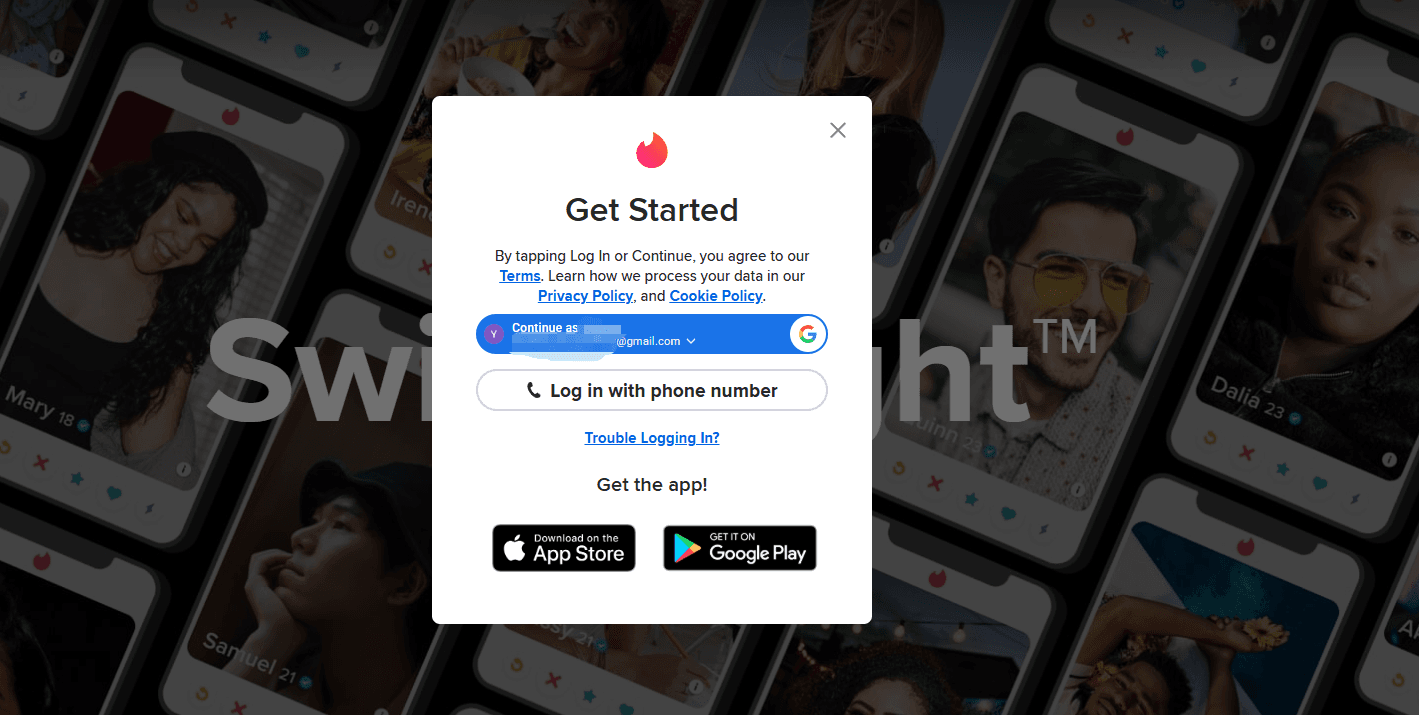
Accessing your Tinder account through a web browser is quick and easy. Here is a simple step-by-step guide:
Step 1: Open your preferred web browser and go to Tinder.com.
Step 2: On the homepage, click the “Log In” button.
Step 3: Choose your preferred login method. You can log in with your phone number, your Google account, or your Facebook account.
Step 4: If you choose phone number login, enter your number and wait for the verification code to arrive via SMS. Enter the code to proceed. If you choose Google or Facebook, follow the authentication prompts to grant Tinder access.
Step 5: When your browser asks for location access, click “Allow” so Tinder can show you people nearby.
Step 6: You will also be asked whether to allow browser notifications for new matches and messages. You can choose to allow or block these based on your preference.
Once these steps are complete, your Tinder feed will load, and you can start swiping, matching, and messaging just like you would on the app.
How to Register a Tinder Account on the Web Version
If you are new to Tinder, you can create an account entirely through the web version without ever touching the mobile app. The registration process is almost identical to what you would find on the app.
Step 1: Go to Tinder.com and click “Create account”.

Step 2: Choose your sign-in method. You can register using your phone number, your Google account, or your Facebook account.
Step 3: If you use a phone number, enter it and verify it with the code sent to your device. If you use Google or Facebook, follow the authentication steps. Please note that even if you do not use a mobile phone number to register, you will still be prompted to verify your mobile phone number. Therefore, please have a valid mobile phone number ready.
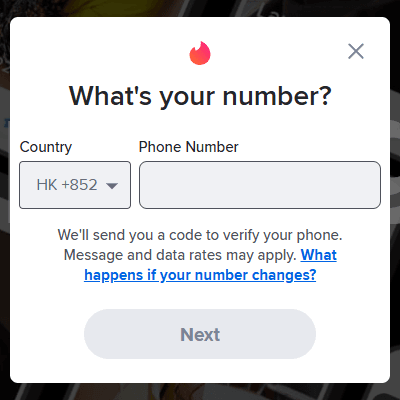
Step 4: Provide some basic information, including your name, age, gender, and email address.
Step 5: Complete a CAPTCHA to verify that you are a real person, not a bot.
Step 6: Set up your profile by adding photos and writing a short bio. You can add up to nine photos and videos to your profile.
Step 7: Allow location access so Tinder can start showing you potential matches in your area.
Once your profile is set up, you are ready to start swiping. The web version gives you the same core experience as the app, so you do not miss out on anything important during registration.
Web Version vs. App: What Are the Differences and Advantages
While the web version and the mobile app share the same core functionality, there are some notable differences worth considering.
| Feature | Web Version | App Version |
|---|---|---|
| User Interface | Matches and chats in a left panel; swiping area on the right. Shows multiple info at once. | Single‑screen, scroll‑based layout. More compact. |
| Keyboard Shortcuts | Supports swipe, like, pass via keyboard. | No keyboard support. |
| Work Mode | Has a built‑in “Work Mode” that mimics a document for discreet use. | Not available. |
| Location & Notifications | Uses browser location; sends desktop notifications. | Uses GPS for precise location; push notifications even when closed. |
| New Features | Core features always available, but new experimental features often arrive later. | New features usually debut here first. |
| Installation | No download needed; works on any browser. | Must install from app store and update regularly. |
Advantages of the Web Version:
● No need to download or update an app
● Works on any device with a browser, including work computers and school laptops
● Saves storage space on your phone
● Offers Work Mode for discreet usage
● Keyboard shortcuts for faster navigation
Other Alternative to the Mobile App: Tinder Matchmaker Link Feature
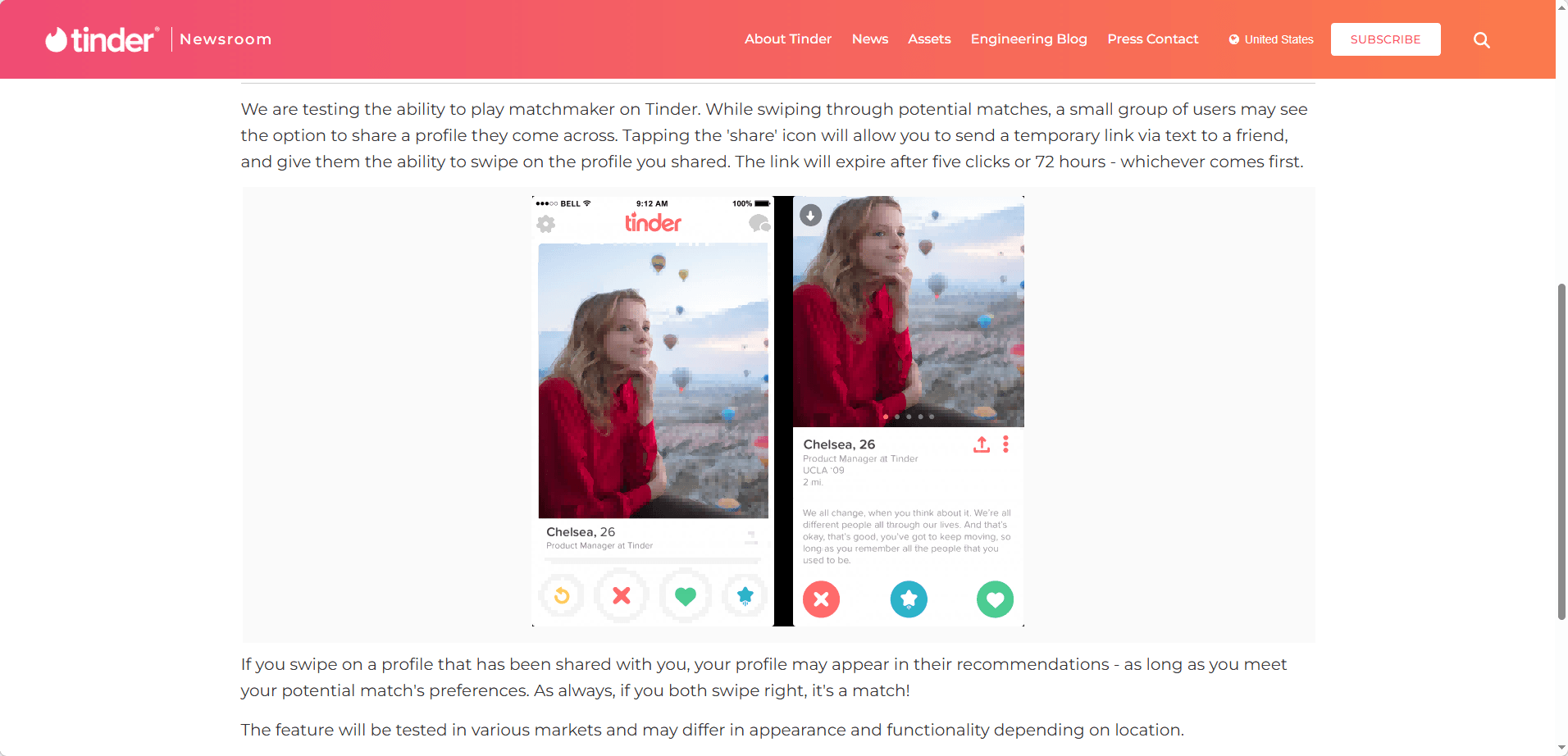
Tinder Matchmaker is a live social feature that lets friends help you pick matches without needing their own Tinder account. Here is what you need to know:
How it works: Any user can generate up to 15 unique share links per day from Settings > Manage Matchmaker. Each link expires after 24 hours.
Friend experience: Recipients open the link in a mobile browser, no download or login required. They enter guest mode and can recommend or pass on the profiles shown to you.
Your control: All recommended profiles appear in your regular queue. You still have the final say and can swipe left or right on them as usual.
Limitations: Friends cannot send messages or like profiles for you. They are only advisors.
Purpose: This feature turns dating into a group activity while keeping your account secure and your decisions yours.
Running Multiple Tinder Accounts and Staying Private: A Smarter Way
By now, you know how easy it is to use Tinder on the web. No app, no storage worries, and Work Mode for discreet browsing. But a regular browser has limits. If you want to browse the internet with true anonymity, need to manage several accounts, or plan to share access with a team, a single browser window exposes you to real risks.
Every browser leaves traces behind: your IP, screen size, fonts, time zone, and more. Even separate Chrome profiles can be linked by Tinder's detection systems. If the platform connects your accounts to one device, all of them could get banned at once.
An anti-detect browser like BitBrowser solves this. It creates isolated browser environments that each look like a completely different real device to Tinder. Here is how that helps with the specific needs you might have.
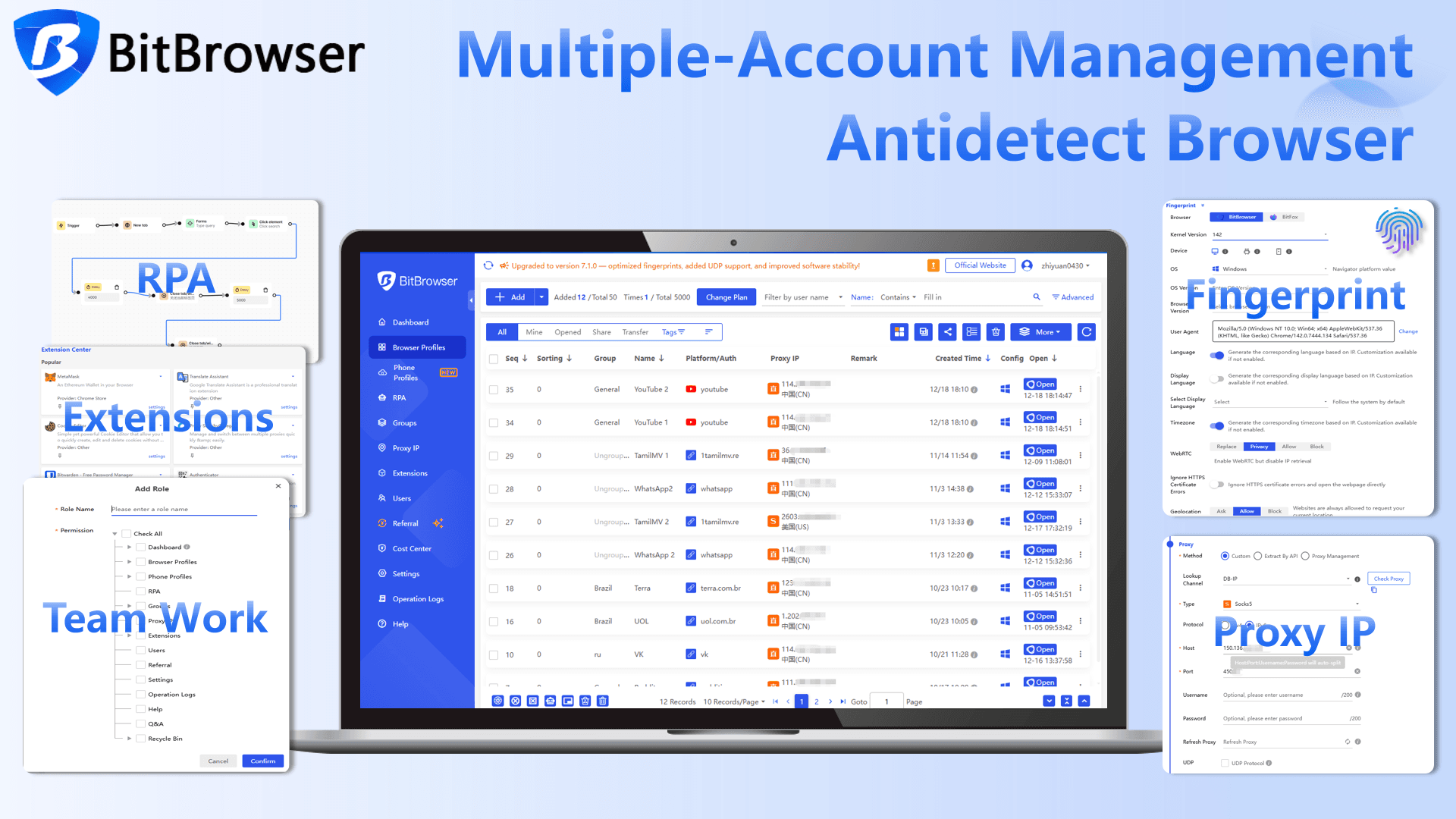
For Stronger Privacy
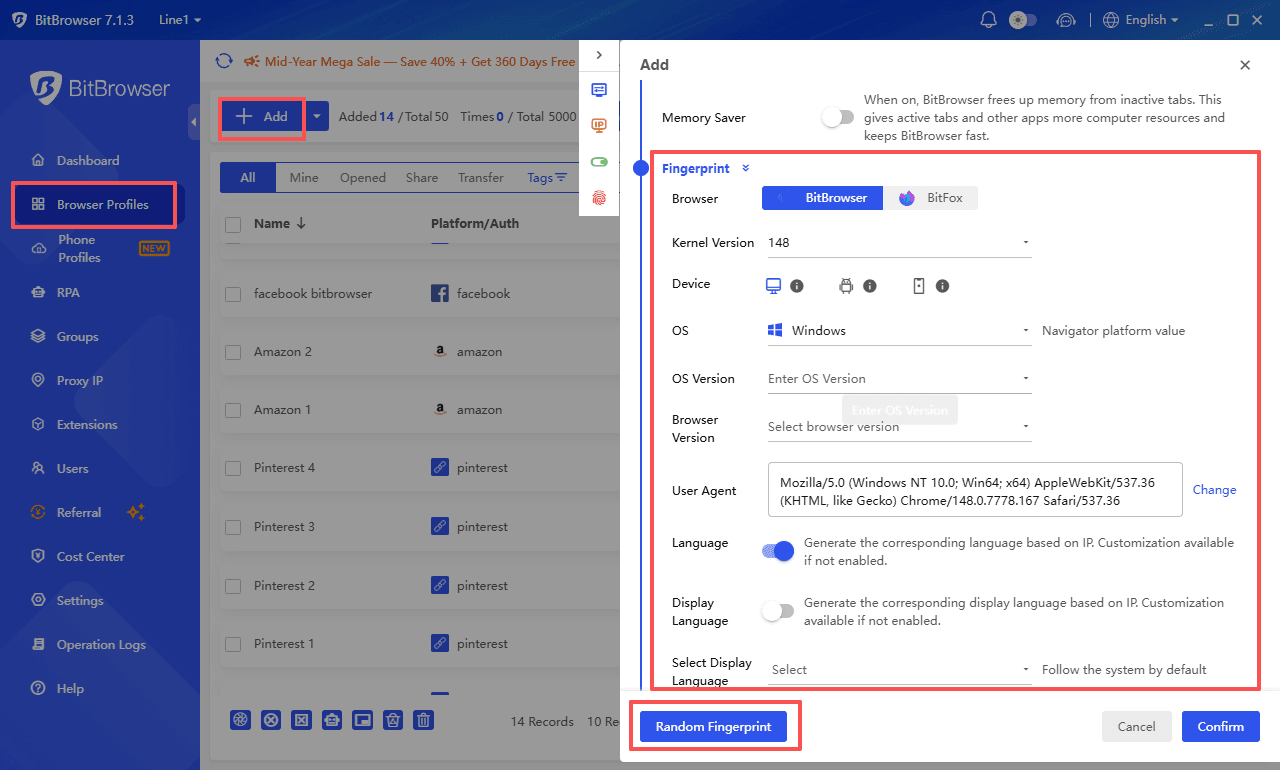
BitBrowser masks your device fingerprint. You can set a unique browser type, operating system, language, and time zone for each environment. When you log into Tinder, it looks like you are on a separate computer. Your real device never gets linked to your Tinder activity.
For Managing Multiple Accounts
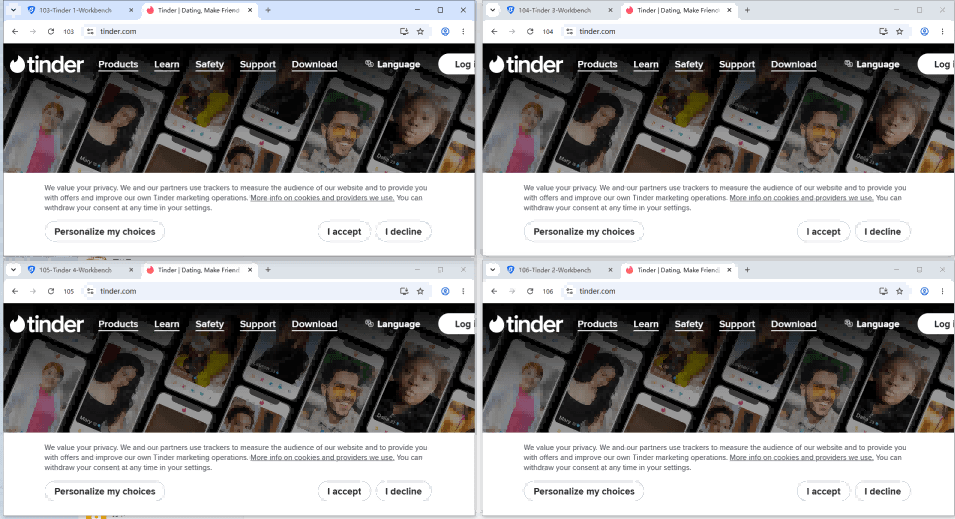
Each account lives in its own sealed environment. You can open several at the same time, all with different digital fingerprints. No signals leak between them. Tinder sees each one as a different user on a different device, which cuts your ban risk dramatically.
For Extra Location Control
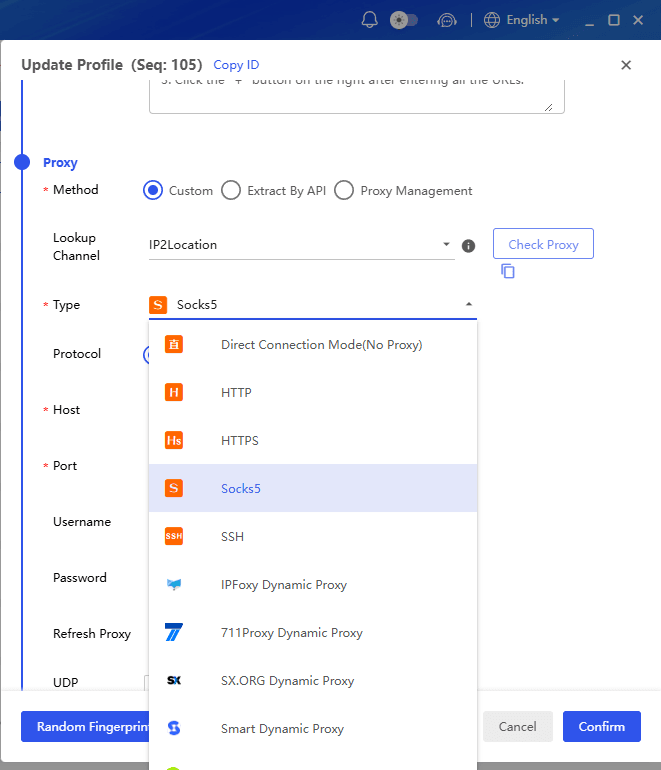
You can pair each environment with its own proxy. Need accounts that appear from different cities or countries? Just attach a proxy from that location. This is especially useful if you have ever faced an IP ban and want to avoid another one.
For Team Account Management
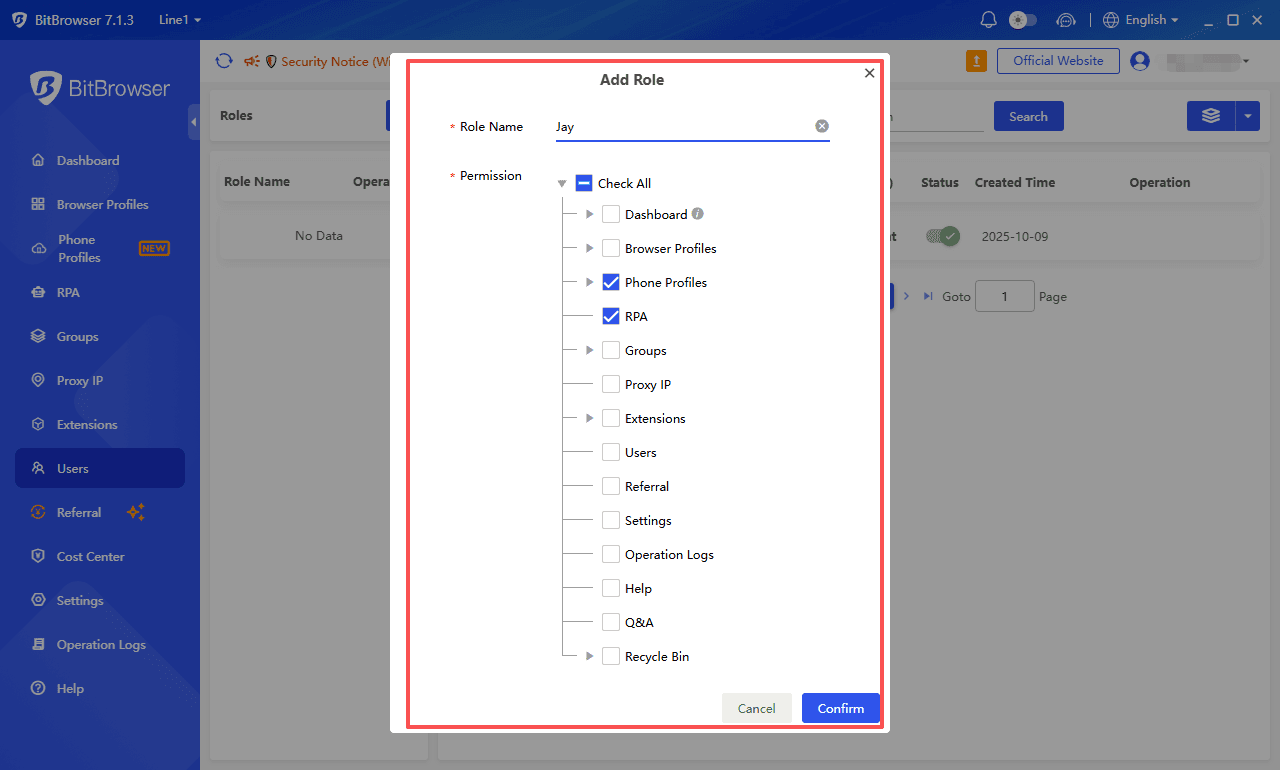
BitBrowser includes collaboration features. Share browser environments with teammates without handing over actual login details. Set permission levels for each person, and every action gets logged. You always know who did what.
All of this works right alongside the Tinder web version you already know. You keep the same no app convenience while adding real protection and flexibility. Whether your goal is private browsing, safe multi account management, or team collaboration on Tinder, BitBrowser fits neatly into your workflow.
Sign up now
Conclusion
You can access your Tinder account without the mobile app. Tinder.com is the official web version with complete core functions such as swiping matching chatting and profile editing. Login options include phone numbers Google accounts and Facebook accounts. New accounts can also be created fully on the website.
The web version beats the mobile app in many ways. It has a wider page layout keyboard shortcuts and a hidden Work Mode for private use. It suits users who like large screens want to free up phone storage or use devices unable to install mobile apps.
Managing multiple Tinder accounts on one device carries risks without independent environment separation and may result in permanent account suspension. BitBrowser supports fingerprint isolation and proxy setups to separate and protect different accounts. Proper setup lets you use all Tinder features whether you install the app or not.
Frequently Asked Questions
Q: Can I use Tinder on my computer without a smartphone?
A: Yes. You can access Tinder.com from any computer browser and use the service normally. You do not need a smartphone at all.
Q: Is the Tinder web version free?
A: Yes, the basic version of Tinder on the web is free to use, just like the mobile app.
Q: Can I log in with my Facebook account on the web version?
A: Yes. Tinder supports Facebook login on both the web version and the mobile app.
Q: Will I miss any features by using the web version instead of the app?
A: The web version covers all core features like swiping, matching, and messaging. Some newer features may appear on the app first, but the web version is regularly updated.
Q: Is it safe to use BitBrowser for Tinder?
A: Yes, BitBrowser is designed specifically for safe multi-account management. It creates isolated browsing environments with unique fingerprints, reducing the risk of ban.
Q: Can Tinder detect if I am using a proxy?
A: Tinder can detect low-quality or datacenter proxies. It is recommended to use high-quality residential proxies for each account to maintain a legitimate appearance.

 Multi-Account Management
 Prevent Account Association
 Multi-Employee Management
Recommended
See More 



