Top platforms to buy LinkedIn accounts in 2026
 2026.04.25 15:17
 YT.Shi
In our last article, we broke down everything you need to know about buying LinkedIn accounts safely. We covered the risks, the essential setup with BitBrowser’s isolated profiles, and how to warm up a purchased account without getting flagged. If you have read that guide and decided to move forward, the next logical question is: where exactly do you find a decent account?
Let me be upfront. No platform selling LinkedIn accounts is perfectly clean or risk free. Every single one operates against LinkedIn’s Terms of Service, which means you are walking into a gray zone regardless of which seller you pick. That said, not all sources are created equal. Some platforms genuinely try to deliver aged, stable profiles. Others will send you AI-generated junk that gets banned within hours.
After spending time in the trenches and talking to other marketers who buy accounts regularly, here are the platforms that consistently surface as the most discussed and, in some cases, the most reliable options in 2026. I will cover what each one offers, what to watch out for, and how to use BitBrowser to protect whatever account you end up buying.
Important Warning Before You Read Further
Before I list any platform, remember this. LinkedIn’s detection systems are smarter than ever. They monitor login locations, device fingerprints, and behavioral patterns around the clock. Even the best aged account can get banned immediately if you log in from a flagged IP or share a browser fingerprint with another account.
This is why, regardless of which platform you choose, you must set up proper isolation. BitBrowser lets you create a completely independent browsing environment for every account, so each one looks like a real person on a unique device. If you skip this step, the platform you bought from becomes irrelevant because your account will not survive the first login.
1. MirrorProfiles — Premium Account Rental
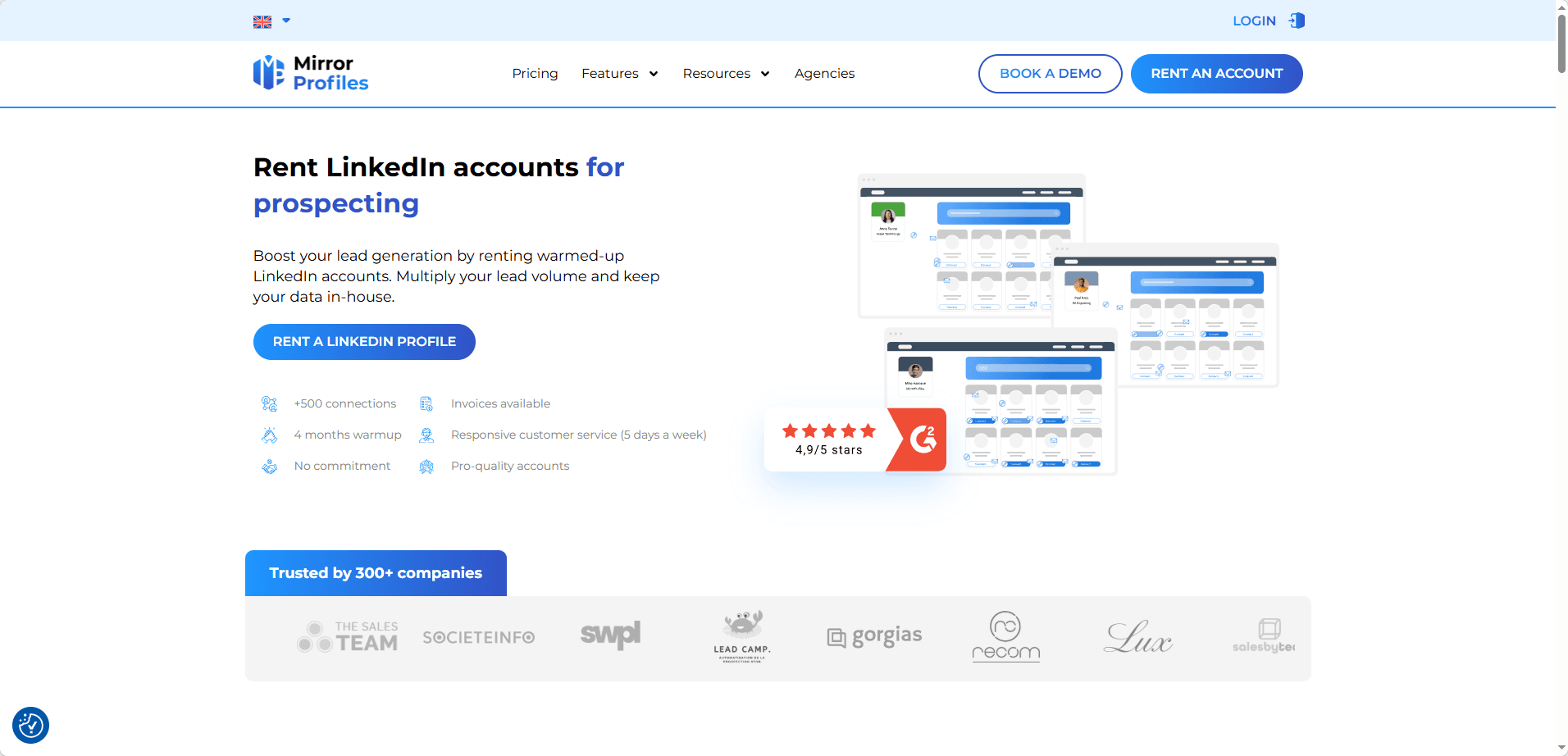
Model: Account rental, not ownership
Starting Price: Around $200 per month for a US-based profile
Best For: Marketers who need high-quality profiles immediately and are fine with renting
MirrorProfiles stands out because they do not sell accounts outright. They rent them. Every profile they offer has been manually warmed up for at least three months. These accounts come with real profile pictures, detailed work histories, and more than 500 genuine connections built through consistent organic activity. The handover process is smooth, and they support most major automation tools if that is part of your workflow.
The obvious downside is that you never fully own the account. MirrorProfiles retains ultimate control. If their internal policies change or if the account gets flagged, you cannot simply reclaim it yourself. This is where BitBrowser becomes especially useful. Since you are accessing a rented account from a separate browser profile with its own assigned residential proxy, your main business profile stays completely insulated. If the rented account goes down, your own LinkedIn presence does not go down with it.
2. LinkUnity — ID-Verified Aged Accounts for Rental
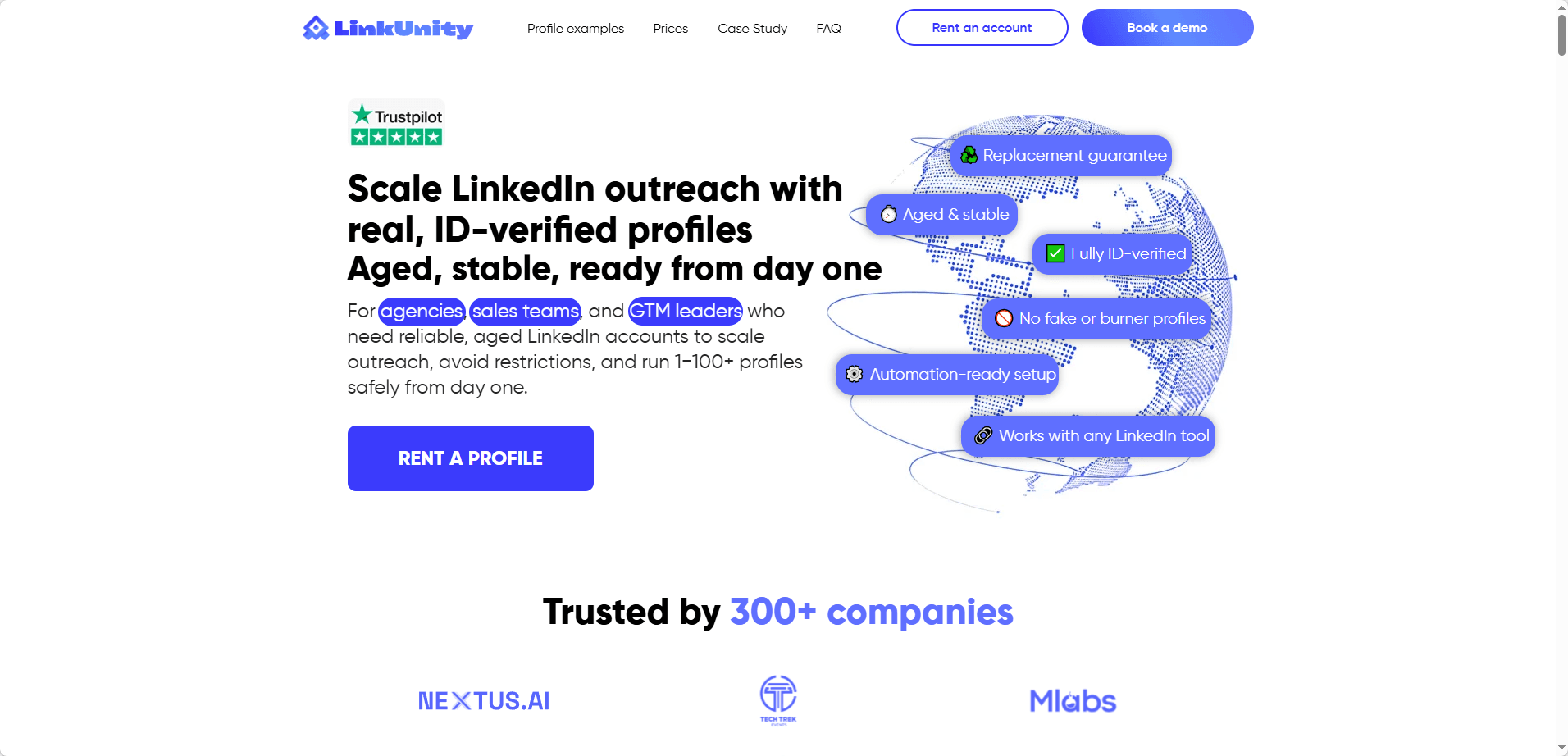
Model: Account rental with ID-verified profiles
Starting Price: Around $90 per month for a single account
Best For: Long-term outreach where profile authenticity matters most
LinkUnity takes a different approach from most sellers. They specialize in ID-verified accounts, meaning the profiles have passed some form of identity verification step within LinkedIn‘s system. This makes them significantly harder for LinkedIn to automatically flag as fake. The profiles are aged, active, and come with a replacement guarantee if something goes wrong early on. On Trustpilot, LinkUnity holds a solid 4.3 out of 5 rating, with users consistently praising the stability of their accounts and the responsiveness of their support team.
Delivery can be slow during high demand periods, and the upfront cost is higher than what you would pay on cheap bulk platforms. It is also worth noting that LinkUnity is technically a rental service rather than a direct purchase, so you do not own the account outright. However, users report far better stability compared to throwaway accounts from other vendors.
When you receive a LinkUnity account, ask the seller for the active session cookies. Instead of logging in with the username and password, import those cookies directly into a fresh BitBrowser profile. This is the smoothest way to take over the account because LinkedIn sees the existing session simply continuing in the same environment. There is no suspicious new device login, no triggered verification checkpoint, just a seamless transition. BitBrowser‘s batch cookie import feature makes this process effortless.
3. Akountify — Done‑for‑You Outreach via Real LinkedIn Profiles
Model: Account rental with agent‑managed outreach
Starting Price: Plans start at $97 per month for a single account
Best For: Teams that want to skip technical setup and hand outreach to a verified operator
Akountify takes a different route from the other platforms on this list. Instead of renting you an account that you log into and manage yourself, they match you with a real person, an outreach agent, who uses their own aged, ID‑verified LinkedIn profile to run your campaigns on your behalf. You provide the targeting and messaging, and the agent handles the actual profile activity from their own device.
The appeal is straightforward. There is no need to set up isolated browser environments, source residential proxies, or worry about session cookie imports. The agent is a genuine LinkedIn user with a real digital footprint, a real home IP, and a real device. From LinkedIn‘s perspective, nothing looks unusual. This makes Akountify an interesting option if you would rather not deal with the technical side that tools like BitBrowser solve so well.
The trade‑off is equally clear. You do not control the account, and you do not see the browser fingerprint that sits behind it. Communication with your assigned agent goes through the platform, and response times vary. Trustpilot ratings for Akountify are mixed and scattered across different regional pages. One page shows a 4.2 out of 5, while another sits closer to 3.1. Several users praise years of smooth, stable service. Others voice frustration about slow customer support replies and occasional delivery delays.
Akountify works if you value convenience over control. For a hands‑on setup where you want full visibility and isolation power in your own hands, a direct‑access rental model paired with BitBrowser still gives you more granular protection. But if your priority is simply getting campaigns running quickly through a verified person, Akountify is worth a look. Just go in knowing that the technical safeguards happen on someone else’s end.
4. UseViral — Social Media Growth Service with LinkedIn Packages
Model: Direct delivery of LinkedIn connections, followers, and engagement
Starting Price: Varies by package; typically $15 to $200 depending on volume and quality tier
Best For: Marketers looking to boost social proof on LinkedIn profiles quickly
UseViral is less of an account seller and more of a social media growth service. They offer packages to buy LinkedIn connections, followers, post shares, and group members from what they describe as real, active profiles. The appeal is straightforward: instead of managing a purchased account yourself, you simply boost the visibility and credibility of an existing profile with a one-time order.
However, this convenience comes with serious caveats. UseViral holds a poor 1.7 out of 5 rating on Trustpilot, with numerous users reporting fake accounts, vanished followers within days, and unresponsive customer support. Several reviewers explicitly warn that the LinkedIn-specific packages delivered low-quality profiles with no real engagement. If you choose to test UseViral, start with the smallest package available and never run it on a profile you cannot afford to lose. Always access any profile connected to their service through a dedicated, isolated BitBrowser environment so that a potential ban does not cascade to your main LinkedIn presence.
5. Accounts Provider — Direct Purchase with Subscription Model
Model: Direct purchase with subscription-based access
Starting Price: Ranges from $15 for basic aged accounts to $700 for premium profiles with 250+ connections
Best For: Buyers who want full ownership and a wide pricing range to fit different budgets
Accounts Provider takes a broad-market approach. They offer accounts that are at least six months old and come with a baseline of 250 connections. Their catalog is priced across a wide spectrum, from budget-friendly options at $15 all the way up to premium aged profiles at $700, making them one of the more accessible platforms for buyers testing the waters. They promise 24-hour delivery and verified account credentials with every purchase.
The subscription model means you can scale up or down based on your outreach needs, which is useful if your campaign volume fluctuates. That said, industry analyses consistently point out that the economics of accounts selling for $15 to $700 do not match the real-world value of a genuinely aged profile with authentic connections. A real aged account with 500-plus real connections would be worth $2,000 to $5,000 on the open market. If someone is selling it for a fraction of that, treat it with caution.
When you receive an account from Accounts Provider, transfer it exclusively through BitBrowser’s cookie import function. Do not perform a fresh login. Assign a static residential proxy immediately, and let the account rest with only passive browsing for at least a week before sending any connection requests.
A Quick Warning About Bulk Sellers
You will come across platforms like BulkAccountsBuy that advertise LinkedIn accounts for just a few dollars each. They promise large volumes at low prices, which might sound perfect for scaling fast. Do not fall for it.
User reviews on Trustpilot and other forums consistently describe these sellers as unreliable. Many buyers report receiving login credentials that never worked or accounts that were banned within 24 to 72 hours. These sellers often use AI-generated profile photos and scripted activity histories that LinkedIn‘s systems detect almost immediately.
There is no point buying an account for cheap if it vanishes within two days. Stick to the five platforms listed above that focus on manual aging, transparent practices, and clear replacement terms.
How to Stay Safe Regardless of Which Platform You Choose
No matter which of the five platforms you pick, the security rules do not change. Every purchased or rented account needs its own independent digital identity.
Here is a quick checklist to follow.
First, create a separate BitBrowser profile for each account. This gives every profile its own cookies, cache, and browser fingerprint.
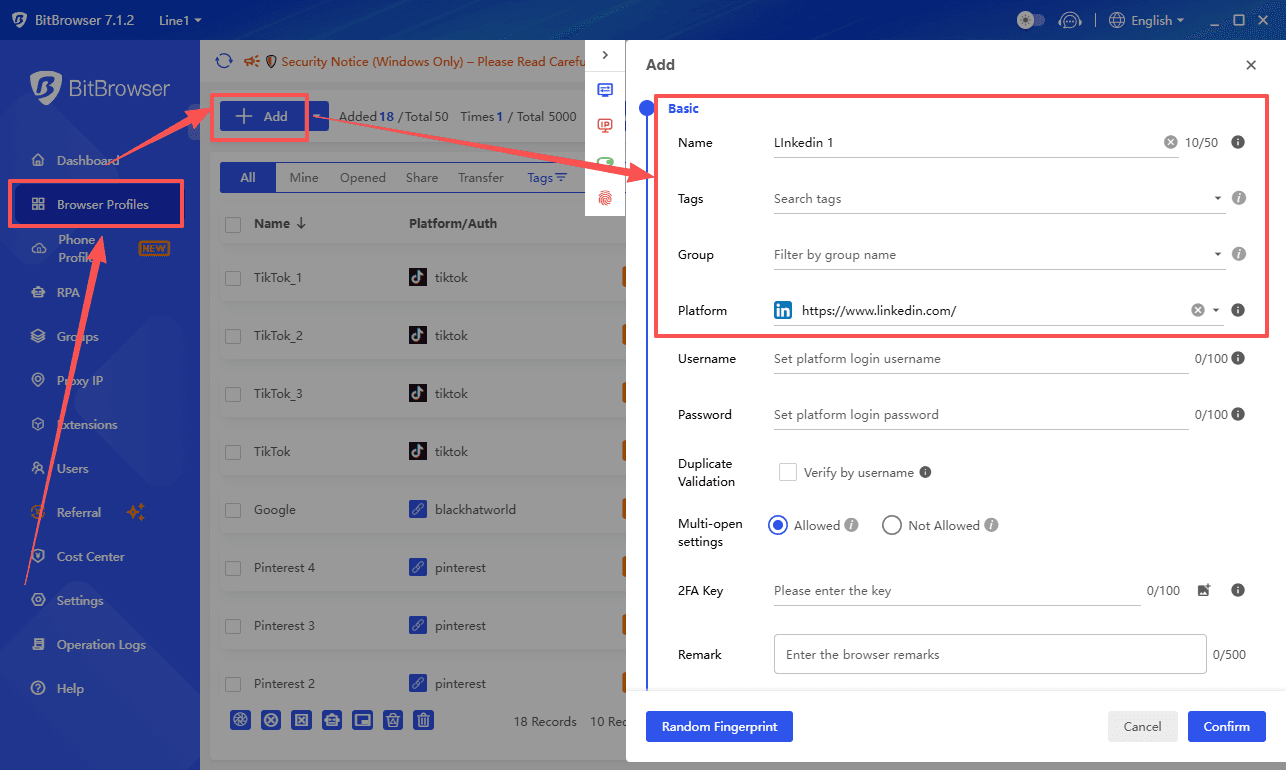
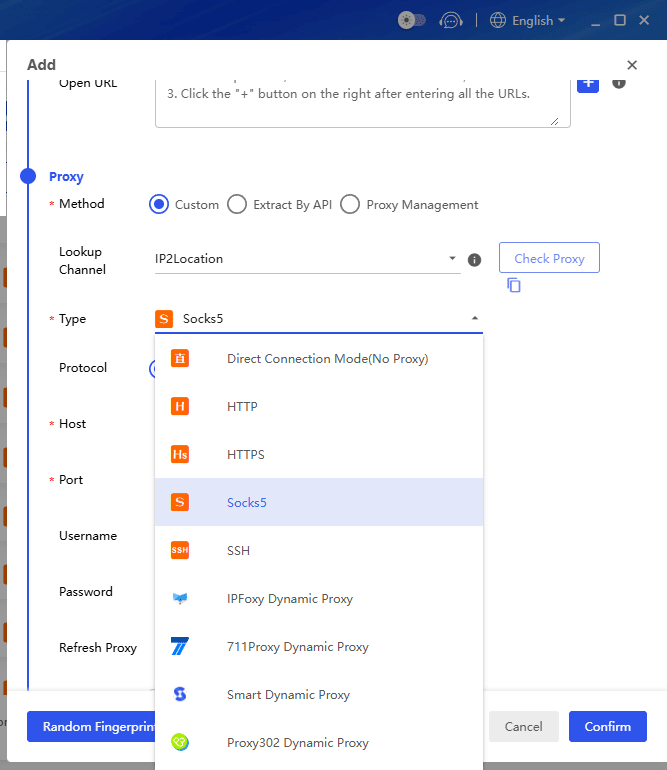
Second, assign a static residential proxy to each profile so the IP address stays consistent.
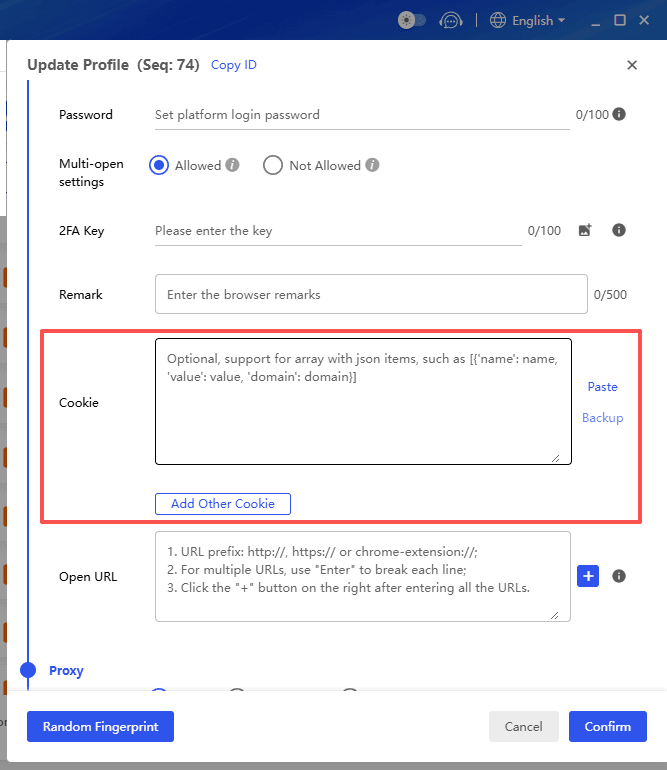
Third, request session cookies from the seller and import them directly, avoiding fresh logins that trigger alarms.
Fourth, spend at least one week warming up the account with organic browsing before any outreach. Treat every account like a real person with their own device and their own browsing habits.
BitBrowser’s free plan gives you 10 free browser profiles to start, and paid plans scale from there. Even a small setup with proper isolation is worth infinitely more than a hundred accounts that keep getting banned because you cut corners on the technical side.
Sign Up
Frequently Asked Questions
Which of these five platforms is the safest?
None of them are completely safe because buying or renting LinkedIn accounts always violates the platform’s Terms of Service. However, from a stability and reputation standpoint, LinkUnity and MirrorProfiles have the most consistent track records in 2026. LinkUnity scores 4.3 out of 5 on Trustpilot with users praising account stability. MirrorProfiles is widely discussed in tech blogs and review sites. UseViral, on the other hand, carries a much higher risk with a poor 1.7 rating and numerous complaints about low quality profiles.
Should I rent or buy a LinkedIn account?
Renting, offered by MirrorProfiles, LinkUnity, and Bidva, gives you access to high quality aged profiles without the upfront cost of ownership. The provider handles warm up and maintenance. The catch is that you never fully own the account. If the provider changes terms or goes offline, you lose access. Buying outright, through platforms like Accounts Provider, gives you full control but also full responsibility for keeping the account alive. Either way, you need a tool like BitBrowser to isolate the account from your regular digital identity.
Can I pay with cryptocurrency to stay anonymous?
Some of these platforms accept cryptocurrency or other anonymous payment methods. Anonymity on the payment side does not protect you on the technical side, though. LinkedIn does not care how you paid. It only cares that the account behaves like a real person. If you log in without an isolated browser profile and a clean residential proxy, LinkedIn will detect the account transfer regardless of how private your payment was.
What type of proxy should I use with these accounts?
Always use a static residential proxy. These IPs come from real home internet connections and look completely natural to LinkedIn. Datacenter proxies get flagged far too easily, and VPN IPs are often shared by thousands of users, making them a fast track to a ban. BitBrowser lets you assign a dedicated static residential proxy to each browser profile, so every account looks like it lives in a real, stable location.
Conclusion
If you are serious about buying or renting LinkedIn accounts in 2026, you now have five real platforms to evaluate. MirrorProfiles and LinkUnity lead the pack for rental stability, with Bidva serving enterprise teams well. Accounts Provider offers an ownership model at varying price points. UseViral is an outlier that focuses on social proof boosting, but approach it with extreme caution given the poor user feedback.
Pick the model that fits your budget and control preference. Then lock down the technical side immediately. Create an isolated BitBrowser profile for every single account. Assign a static residential proxy. Import the session cookies instead of doing a fresh login. Spend at least a week on passive warming before you send a single connection request.
No platform and no amount of money can save an account that shares a browser fingerprint with your main profile. BitBrowser keeps those identities cleanly separated, which is the difference between running a stable outreach operation and watching everything get banned overnight. Stay patient, stay isolated, and let the tools do their job.

 Multi-Account Management
 Prevent Account Association
 Multi-Employee Management
Recommended
See More 



