How to Check & Fix Shadowban on Twitter (X) in 2026 – Complete Guide
 2026.04.29 08:55
 petro
petroIf your Twitter (X) engagement suddenly drops—fewer views, replies, or impressions—you might be shadowbanned.
The problem?
X does not notify you when it happens.
This guide explains how to detect, fix, and prevent shadowbans effectively.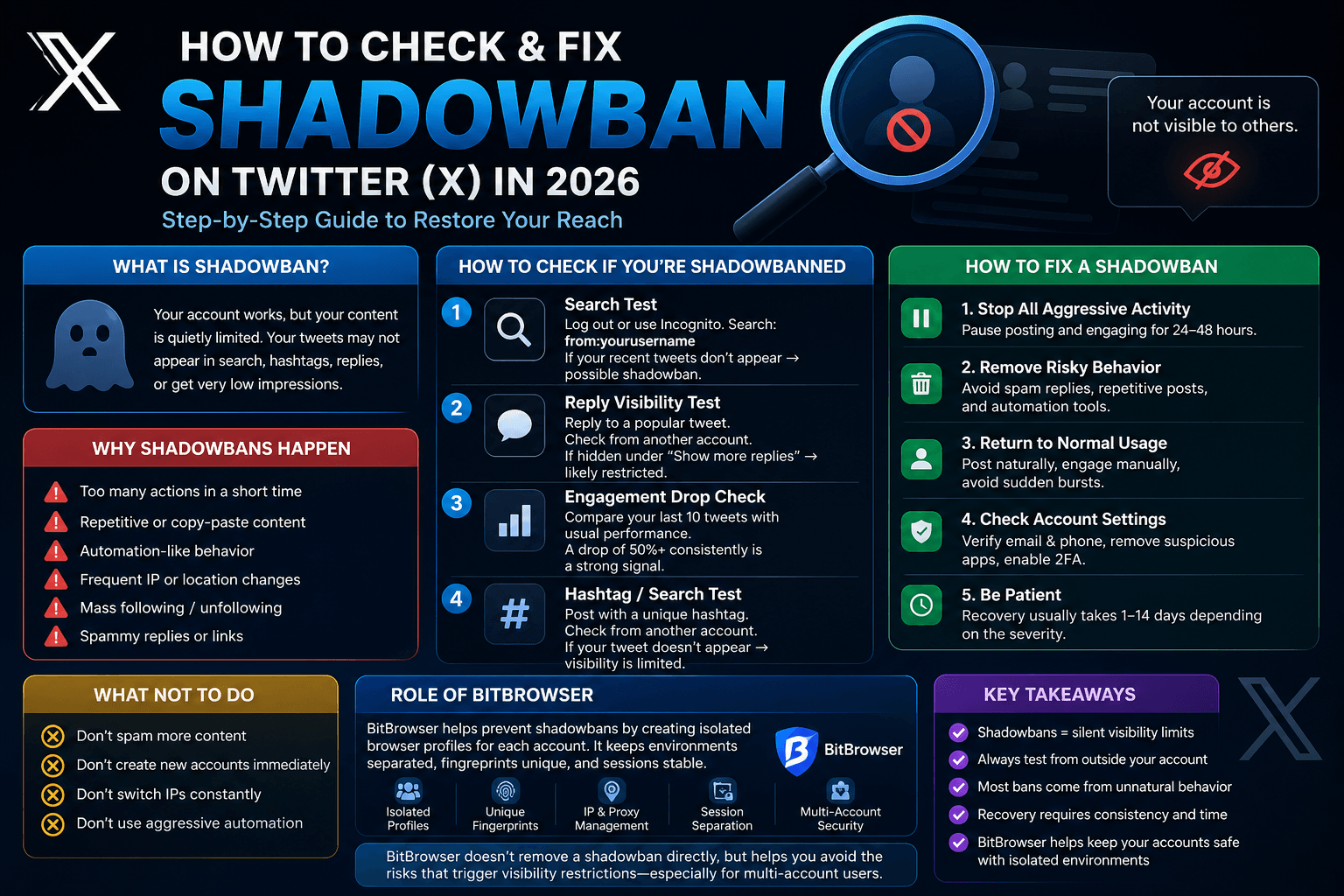
What Is a Twitter (X) Shadowban?
A shadowban (also called visibility filtering) occurs when your account remains active, but your content is quietly restricted.
This means:
- Tweets may not appear in search
- Hashtag visibility is reduced
- Replies get hidden
- Overall impressions drop significantly
It’s like posting without being seen
How to Check If You’re Shadowbanned
1. Search Test (Most Accurate)
- Log out or use incognito mode
- Search:
from:yourusername - If tweets don’t appear → possible shadowban
2. Reply Visibility Test
- Reply to a popular tweet
- Check from another account
If your reply is hidden under “Show more replies”, your visibility is limited.
3. Engagement Drop Analysis
Compare your recent tweets:
- Sudden drop of 50%+ impressions
- Consistent low engagement
This is a strong signal of restriction.
4. Hashtag Test
- Post with a unique hashtag
- Search it from another account
If your tweet is missing → you may be shadowbanned.
Types of Shadowbans
Different restrictions exist:
- Search ban – tweets don’t show in search
- Ghost ban – replies are hidden
- Suggestion ban – account not recommended
- Deboosting – reduced reach in feeds
Why Shadowbans Happen
Twitter (X) flags unusual patterns, not single actions.
Common Causes:
- Excessive liking, following, or replying
- Repetitive or copy-paste content
- Automation-like behavior
- Frequent IP or device changes
- Mass follow/unfollow actions
- Spammy links or replies
How to Fix a Shadowban
1. Pause Activity
Stop posting and engaging for 24–48 hours.
2. Remove Risky Behavior
Avoid:
- Spam replies
- Repetitive posts
- Automation tools
3. Normalize Your Activity
- Post naturally
- Engage manually
- Avoid sudden bursts
4. Secure Your Account
- Verify email and phone
- Enable 2FA
- Remove suspicious apps
5. Wait for Recovery
Typical duration:
- 1–3 days (light cases)
- 3–7 days (common)
- 1–2 weeks (severe cases)
What NOT to Do
- Don’t spam more content
- Don’t create multiple new accounts
- Don’t frequently switch IPs
- Don’t use aggressive automation
How to Avoid Shadowbans Long-Term
Stay Consistent
- Same device
- Same IP/location
- Stable behavior
Avoid Spam Patterns
- No copy-paste replies
- No mass actions
Act Like a Real User
- Natural engagement
- Human-like activity
Multi-Account Risk (Important)
Managing multiple accounts incorrectly can trigger shadowbans.
Risk factors:
- Same browser environment
- Shared IP address
- Device overlap
This leads to account linking and reduced trust.
Key Takeaways
- Shadowbans reduce visibility silently
- Always test from outside your account
- Most bans come from unnatural behavior
- Recovery requires consistency and patience
How BitBrowser Helps Prevent Twitter (X) Shadowbans
For users managing multiple Twitter (X) accounts, one major shadowban risk is account environment overlap.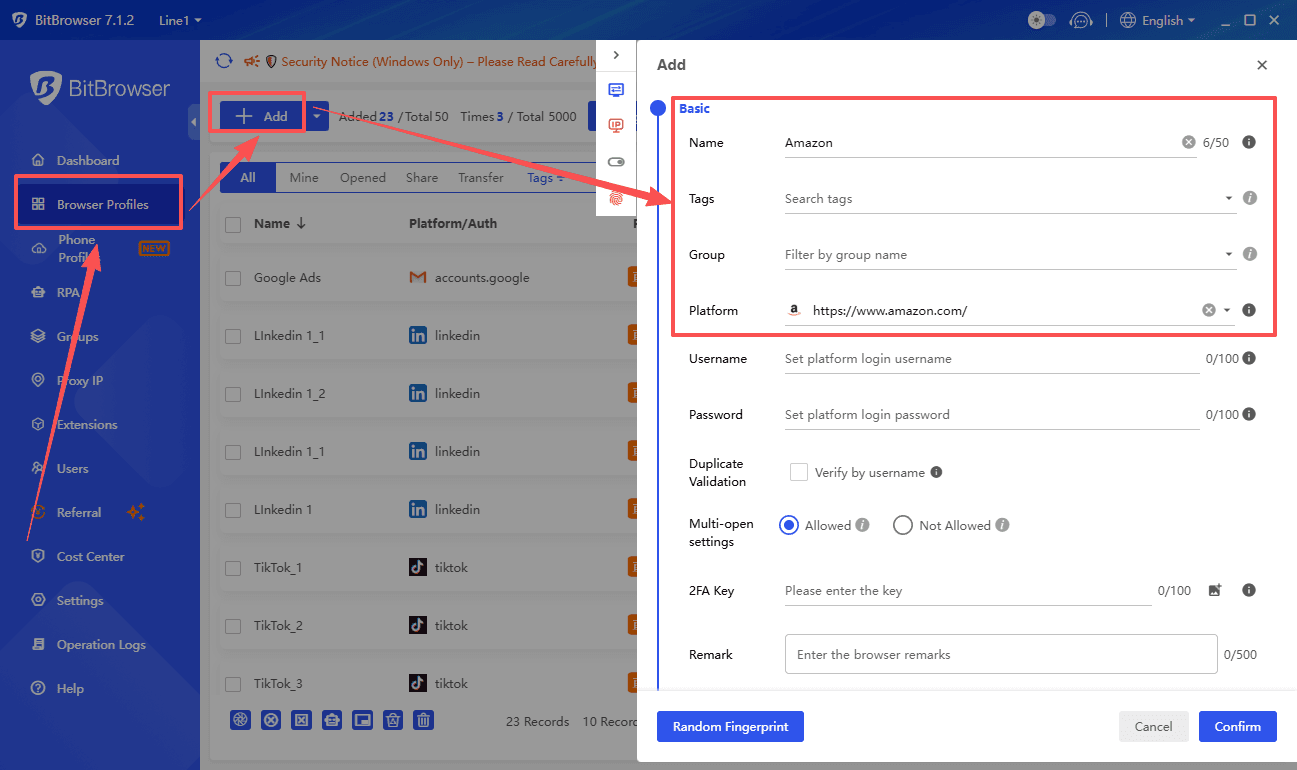
This happens when several accounts share the same:
- Browser cookies
- Device fingerprint
- IP behavior
- Login environment
- Session data
Twitter may detect these similarities and treat the accounts as connected or suspicious.
BitBrowser helps reduce this risk by creating isolated browser profiles for each account. Each profile can maintain its own cookies, fingerprint settings, login session, and browsing environment.
This helps users:
- Keep Twitter accounts separated
- Maintain stable account environments
- Reduce suspicious login patterns
- Avoid accidental session overlap
- Manage accounts more safely and consistently
BitBrowser does not “remove” a shadowban directly, but it helps prevent behaviors that can trigger visibility restrictions—especially for multi-account users.
Conclusion
Shadowbans on Twitter (X) are frustrating—but manageable.
The solution is simple:
- Identify the issue
- Stop risky behavior
- Maintain consistent activity
With the right approach, your reach will recover—and grow safely.

 Multi-Account Management
 Prevent Account Association
 Multi-Employee Management
Recommended
See More 



