How to Use Android Emulators: Features, Pros, Cons, and Cloud-Based Alternatives
 2026.05.31 10:08
 petro
petroAndroid emulators have become essential tools for developers, QA testers, gamers, and businesses that need access to Android applications without relying on physical devices. By creating a virtual Android environment on a computer, an emulator allows users to install, test, and run Android apps directly from their desktop.
But as mobile workflows become more demanding, traditional Android emulators are no longer the only solution available. Many businesses and power users now compare local Android emulators with cloud-based Android environments such as BitBrowser Cloud Phone, which provide better scalability, remote accessibility, and long-term stability.
In this guide, you'll learn what an Android emulator is, how it works, its advantages and limitations, and when a cloud phone solution may be a better alternative.
What Is an Android Emulator?
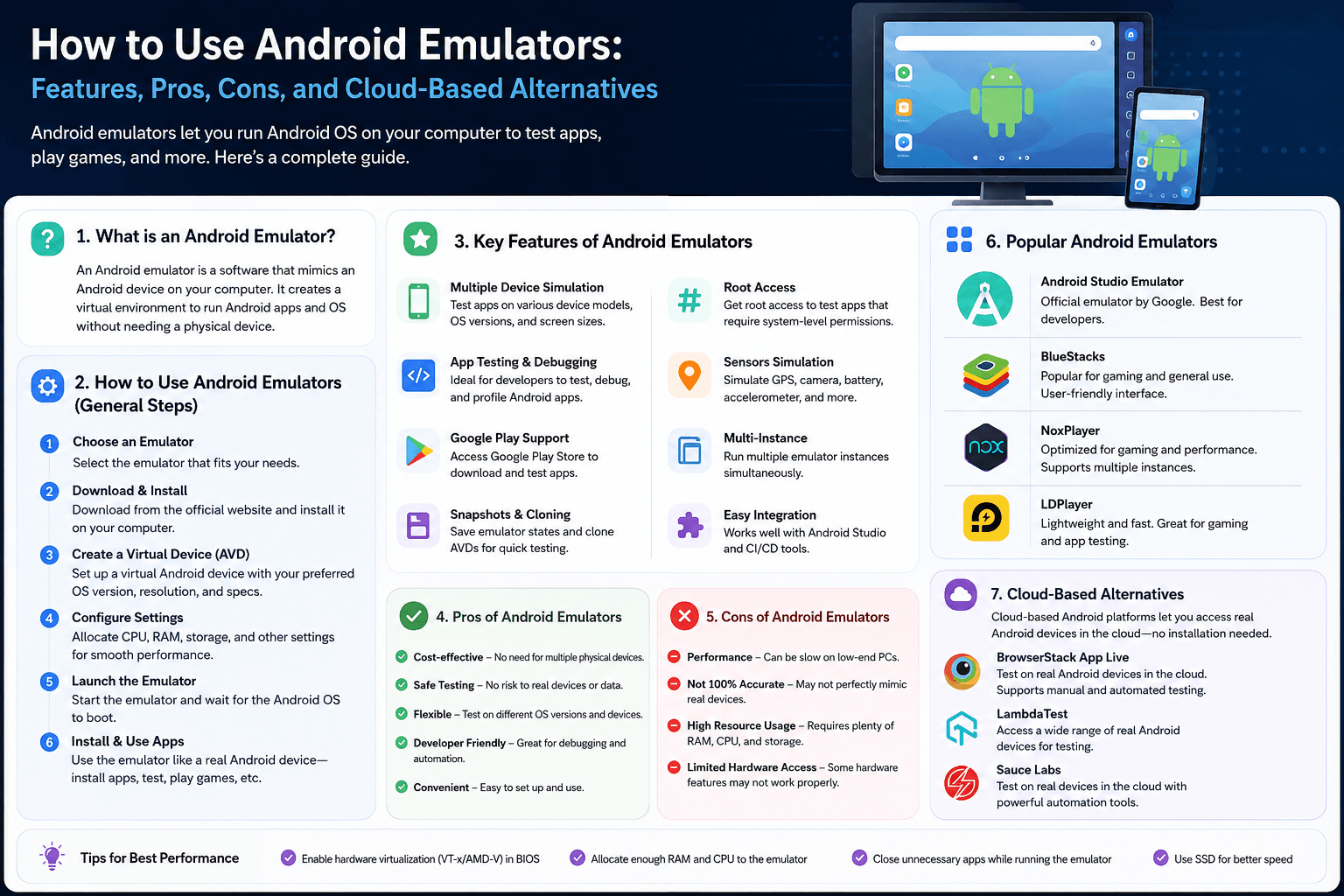
An Android emulator is software that simulates an Android device on a computer. It recreates the Android operating system, allowing users to run Android applications without using a physical smartphone or tablet.
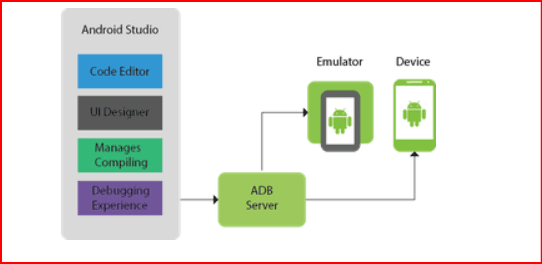
A virtual Android device typically allows users to:
- Install and run Android apps
- Test APK files
- Switch between Android versions
- Simulate different screen sizes
- Debug mobile applications
- Test user interfaces and functionality
- Use keyboard and mouse controls
Popular Android emulators include Android Studio Emulator, BlueStacks, NoxPlayer, LDPlayer, and Genymotion.
Although Android emulators can replicate many device functions, they cannot perfectly reproduce every aspect of real mobile hardware.
How Does an Android Emulator Work?
An Android emulator creates a virtual Android device inside your computer. This virtual device includes Android system files, storage, settings, and simulated hardware components.
When an app runs inside the emulator, the software translates Android instructions into operations your computer can process.
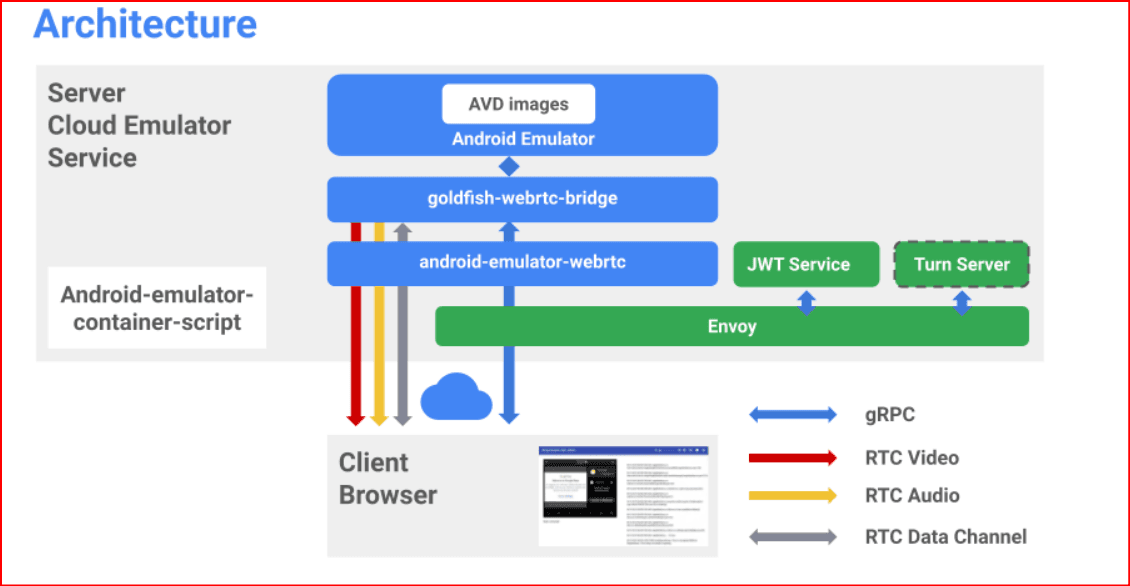
The emulator relies on:
- CPU virtualization
- RAM allocation
- Graphics rendering
- Virtual storage
- Network routing
Modern Android emulators often use virtualization technologies such as Intel VT-x, AMD-V, Hyper-V, or KVM to improve performance and reduce system overhead.
Benefits of Using an Android Emulator
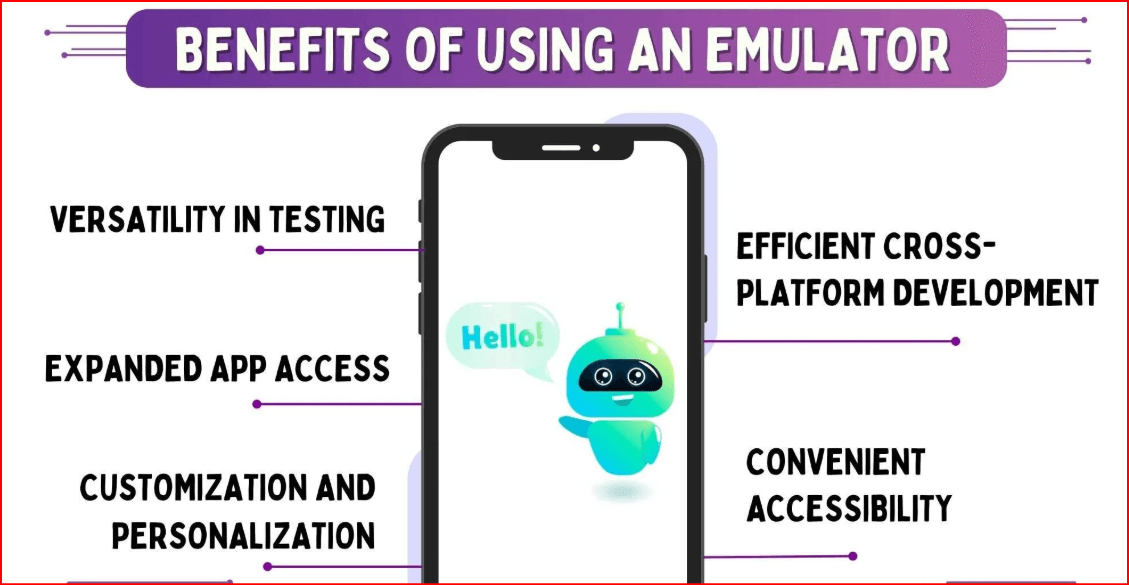
Android emulators offer several advantages:
Cost Savings
Developers can test applications across multiple Android versions without purchasing numerous physical devices.
Faster Development
Apps can be built, deployed, tested, and debugged from a single workstation.
Flexible Testing
Users can simulate:
- Different Android versions
- Various screen sizes
- Device configurations
- Resolution settings
Easy Environment Management
Virtual devices can be reset, duplicated, or reconfigured much faster than physical phones.
Limitations of Android Emulators
While Android emulators are powerful, they have several limitations.
High Resource Consumption
Running Android environments locally requires significant:
- CPU power
- RAM
- Storage
- Graphics resources
Incomplete Hardware Simulation
Emulators cannot fully reproduce:
- Battery behavior
- Mobile network fluctuations
- Camera performance
- Biometric authentication
- NFC functionality
- Manufacturer-specific customizations
Multi-Instance Challenges
Running multiple Android instances simultaneously often causes:
- Performance degradation
- Higher memory usage
- Application instability
- System slowdowns
Local Hardware Dependency
If the host computer shuts down or experiences issues, the Android environment becomes unavailable.
Android Emulator vs Cloud Phone
Both Android emulators and cloud phones provide Android environments, but they are designed for different purposes.
| Feature | Android Emulator | BitBrowser Cloud Phone |
|---|---|---|
| Environment | Local Computer | Cloud Infrastructure |
| Resource Usage | Local Hardware | Cloud Resources |
| Scalability | Limited | High |
| Remote Access | Limited | Available Anywhere |
| Session Persistence | Depends on PC | Persistent |
| Team Collaboration | Difficult | Easy |
| Automation Support | Basic | Advanced |
Android emulators are ideal for development and testing, while cloud phones are better suited for long-term operations and large-scale Android workflows.
When Should You Use BitBrowser Cloud Phone?
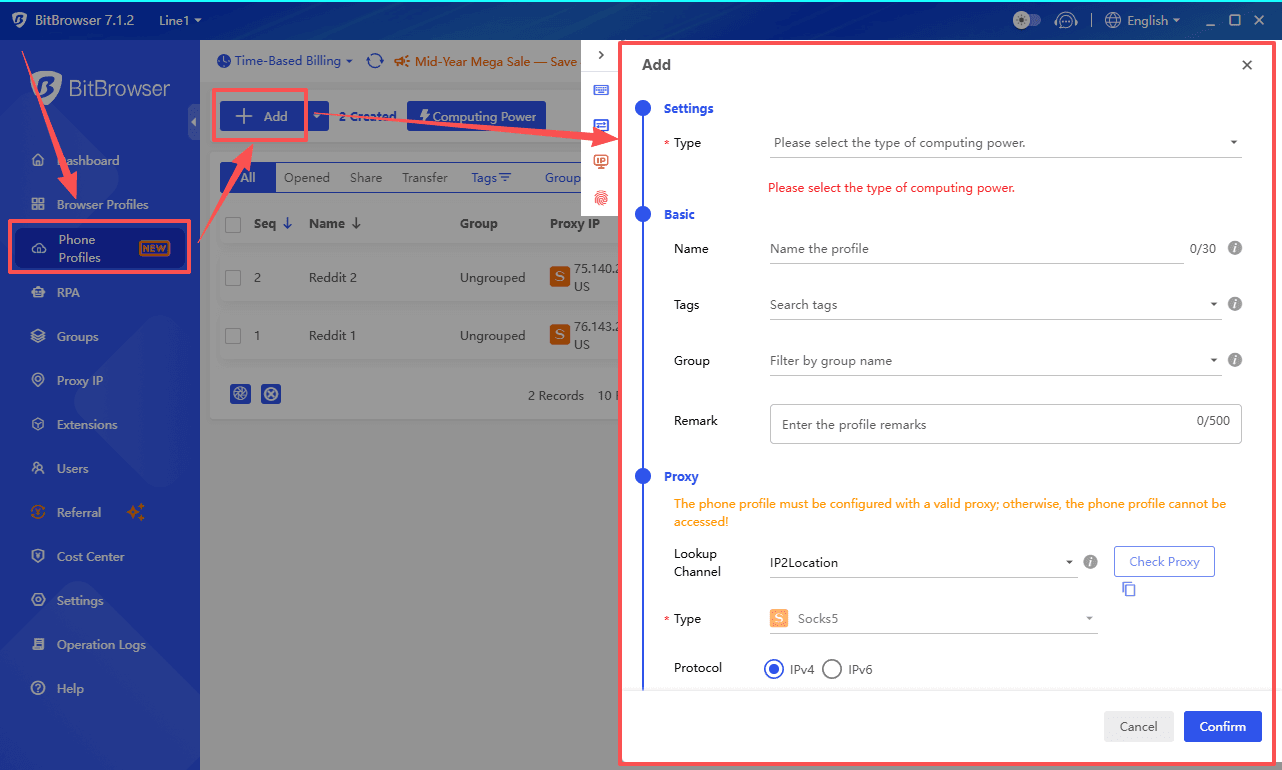
BitBrowser Cloud Phone is a better solution when you need:
- Persistent Android environments
- Multi-account management
- Cloud-based automation
- Remote team collaboration
- Scalable Android infrastructure
- Long-running mobile sessions
Unlike traditional emulators, BitBrowser Cloud Phone operates in the cloud, eliminating local hardware bottlenecks and allowing users to manage Android environments from anywhere.
Conclusion
Android emulators remain excellent tools for app development, debugging, testing, and occasional Android usage. However, they were not designed to serve as large-scale mobile infrastructure.
As Android workloads grow more demanding, users often encounter hardware limitations, performance bottlenecks, and management challenges.
For testing and development, Android emulators remain a practical choice. For persistent mobile operations, automation, multi-account management, and scalable Android environments, BitBrowser Cloud Phone offers a more powerful alternative.
The simplest rule is:
Use an Android emulator to test. Use BitBrowser Cloud Phone when your Android workflows need to scale, persist, and operate continuously.

 Multi-Account Management
 Prevent Account Association
 Multi-Employee Management
Recommended
See More