BitBrowser 7.1.5 Brings MCP Service, Virtual Desktop and New Team Controls
 2026.08.20 10:45
 YT.Shi
BitBrowser has been upgraded to version 7.1.5, bringing several new features and improvements for users who manage multiple accounts, work with teams, or rely on browser automation.
The update introduces two notable features, MCP service support and Virtual Desktop, while also expanding sub account permissions, improving browser fingerprint protection, updating the Browser API, and fixing a window management issue.
Here is a closer look at what has changed in BitBrowser 7.1.5.
MCP Service Support
One of the biggest additions in version 7.1.5 is MCP service support.
MCP provides a way for external AI tools and applications to work with BitBrowser more conveniently. This makes it possible to explore new workflows that connect browser environments with other tools and services.
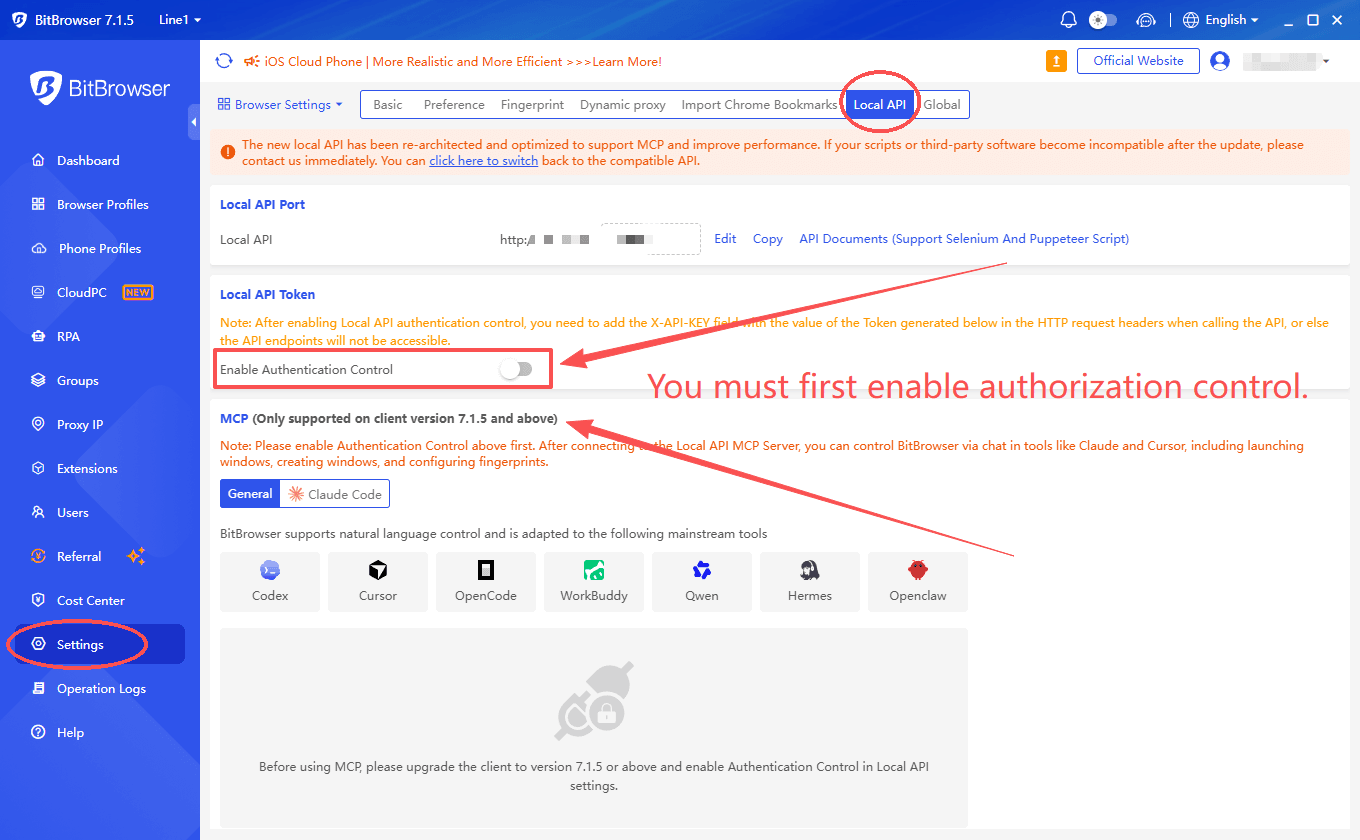
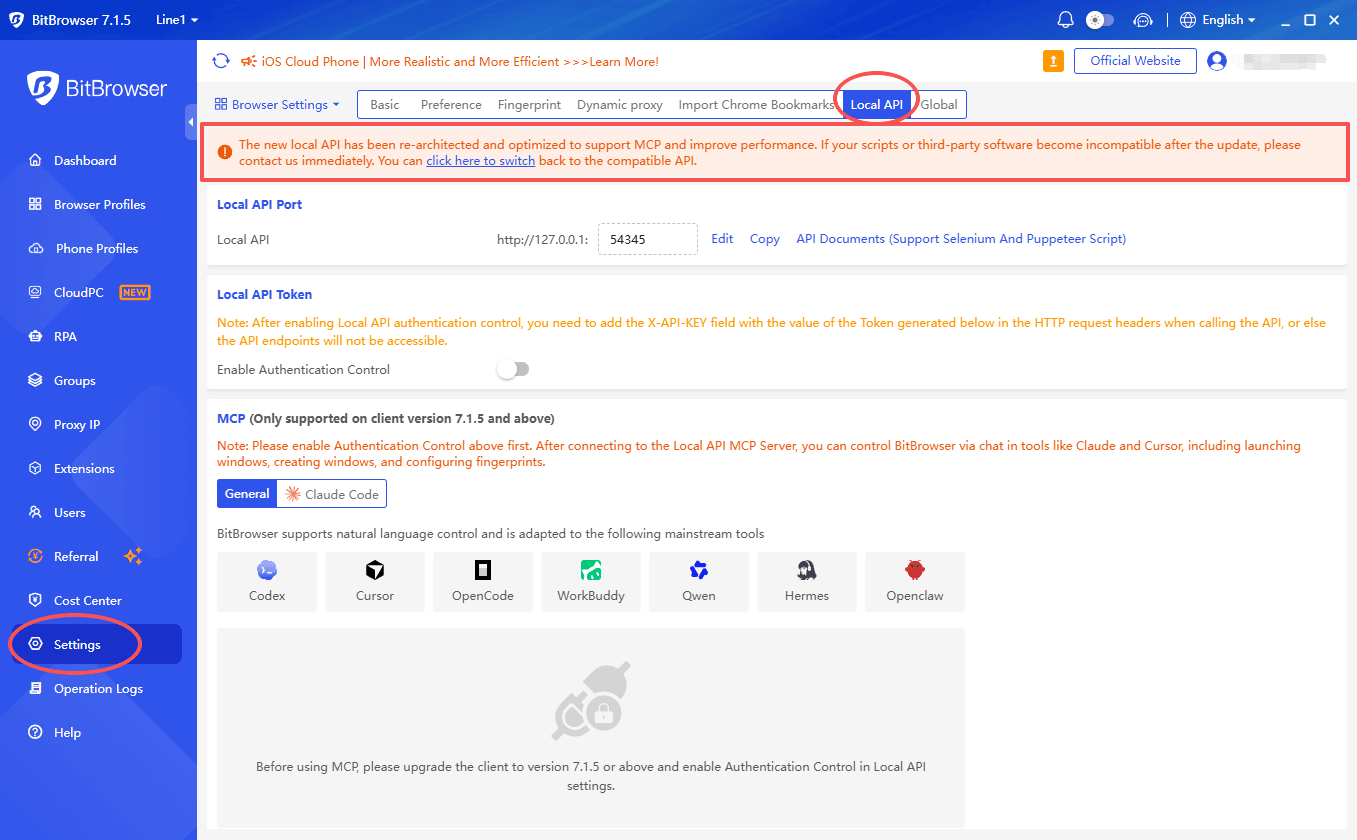
After connecting to the Local API MCP Server, you can control BitBrowser via chat in tools like Claude and Cursor, including launching windows, creating windows, and configuring fingerprints.
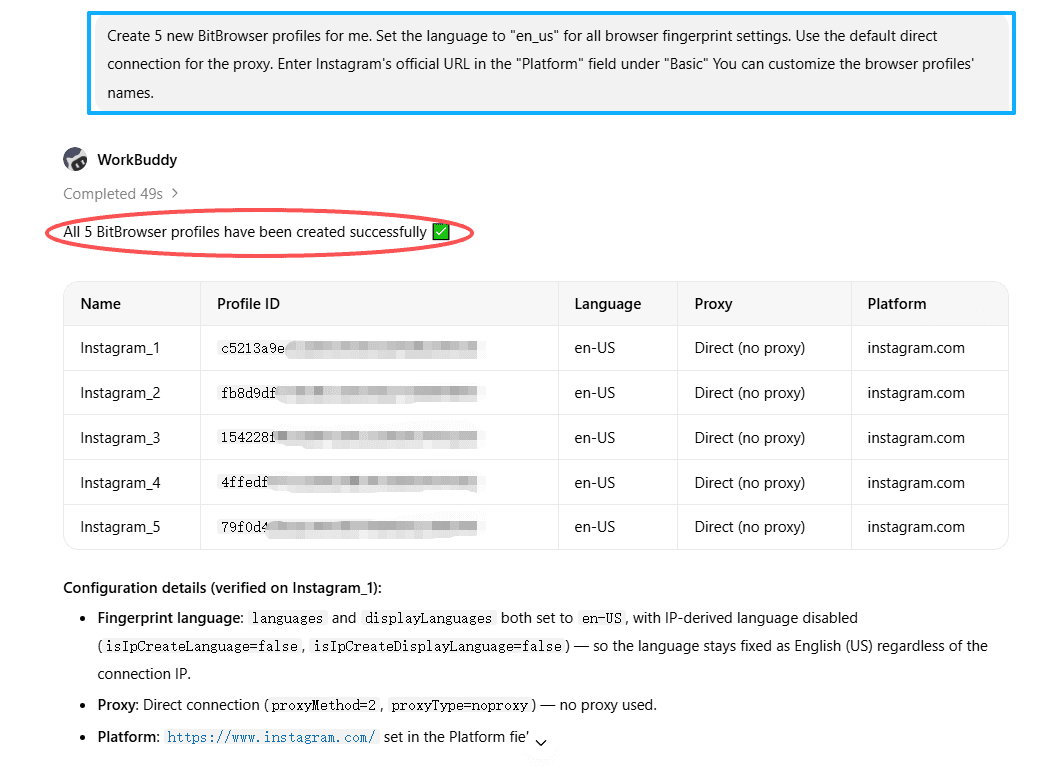
For users who regularly manage multiple browser environments or perform repetitive browser tasks, this can provide more flexibility when building their own workflows.
For example:
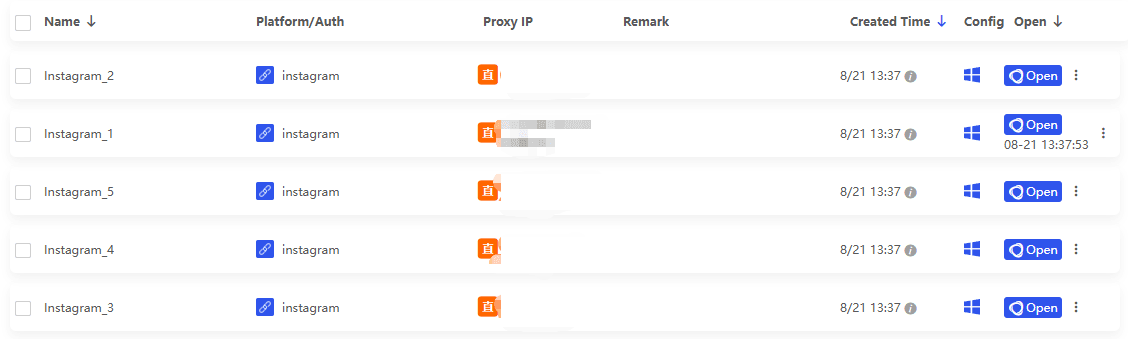
There is one important requirement before getting started.
Local API authentication control must be enabled before using the MCP service.
If you are using MCP in a team or business environment, it is also a good idea to review your access settings first and only enable the permissions required for your workflow.
Virtual Desktop
The second major addition is Virtual Desktop.
When working with multiple browser windows, it is easy for them to become mixed with everyday applications and other workspaces on the computer.
BitBrowser 7.1.5 allows users to run BitBrowser in a separate virtual desktop, making it easier to keep browser related work apart from their normal desktop activities.
For example, you can keep your regular work on the main desktop while running BitBrowser and its browser windows on another desktop.
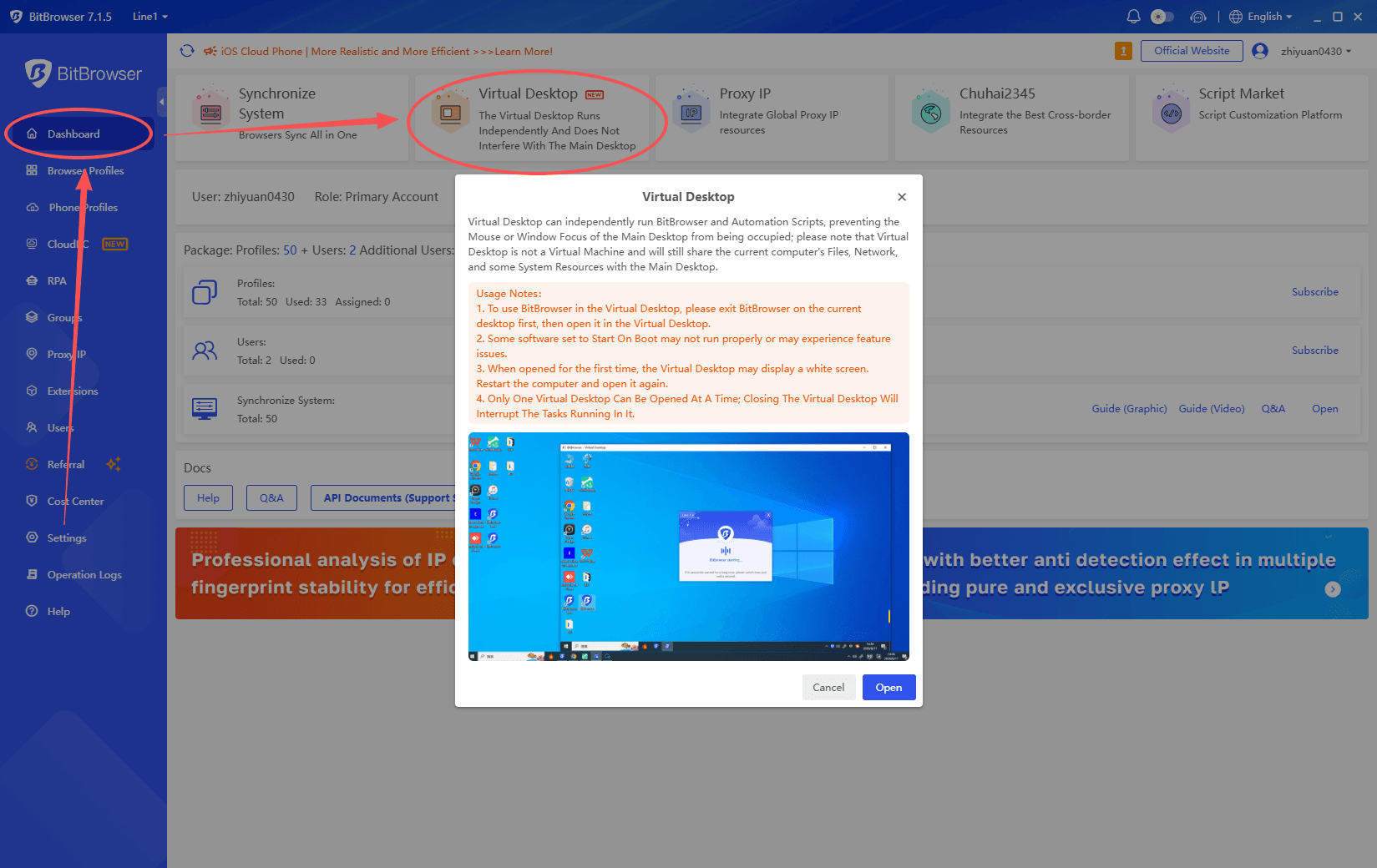
This can be useful when:
● You regularly work with many browser windows
● Different workspaces need to be kept separate
● You want to reduce desktop clutter
● You frequently switch between different tasks
Virtual Desktop is mainly about making the working environment easier to organize. It does not require setting up a separate computer or virtual machine.
More Control Over Sub Accounts
Version 7.1.5 also adds more detailed controls for sub accounts.
For teams using BitBrowser, administrators can now control whether sub accounts are allowed to open DevTools inside profiles.
Administrators can also prevent sub accounts from installing or uninstalling browser extensions.
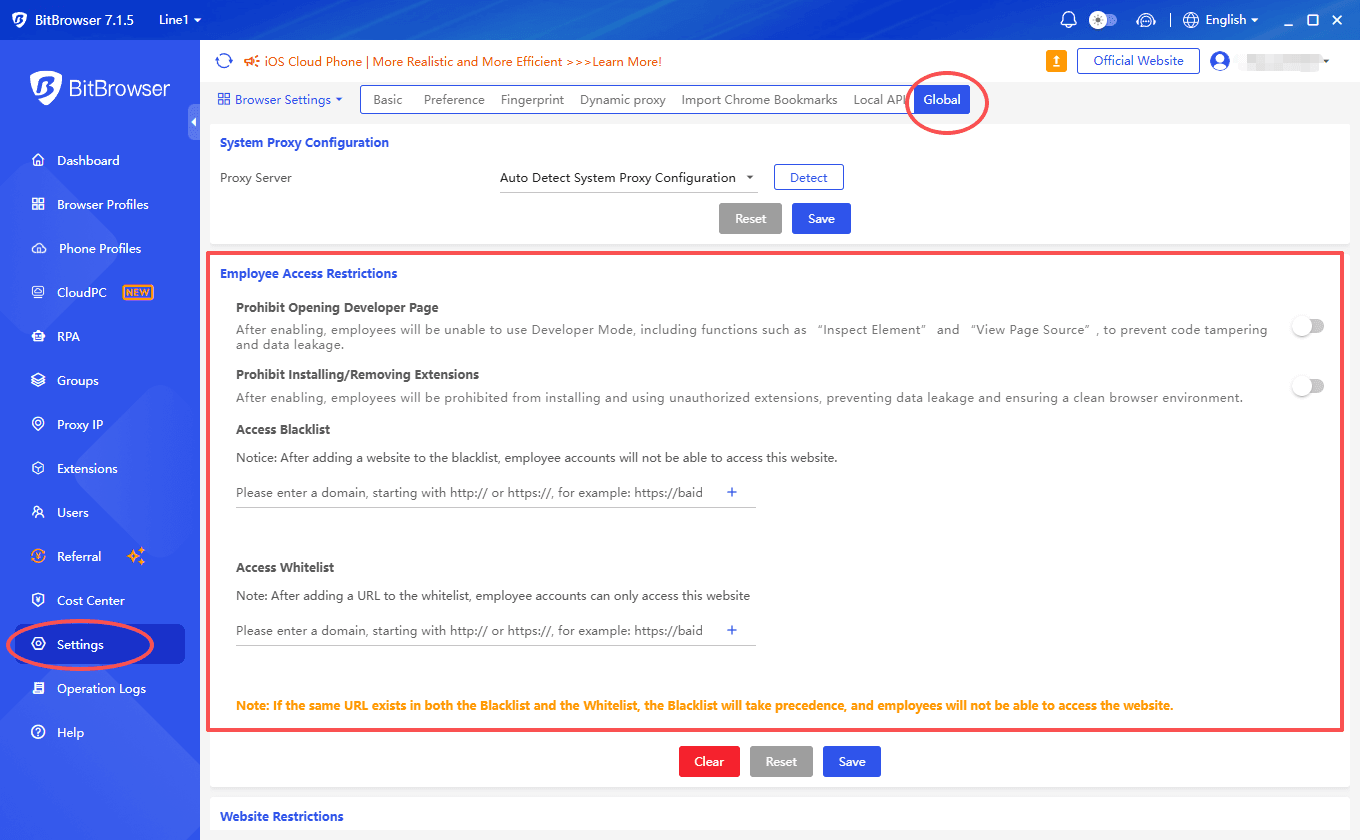
These controls give team administrators more options when different members have different responsibilities.
For example, an employee may need access to a browser profile for daily work but may not need permission to change extensions or access browser development tools.
Instead of giving every user the same level of access, administrators can now configure permissions according to their actual workflow.
URL Allowlists and Blocklists
Sub account management has also been extended to website access.
BitBrowser 7.1.5 adds global URL access controls that support both allowlists and blocklists for sub accounts.
This allows administrators to define which URLs a sub account can access.

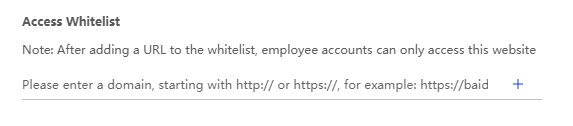
For larger teams, this can be useful when different employees are responsible for different platforms or tasks.
For example, a sub account assigned to a specific workflow can be restricted to the websites required for that role.
Combined with the new DevTools and extension controls, the update provides more granular control over how sub accounts use browser environments.
More Flexible Global Settings
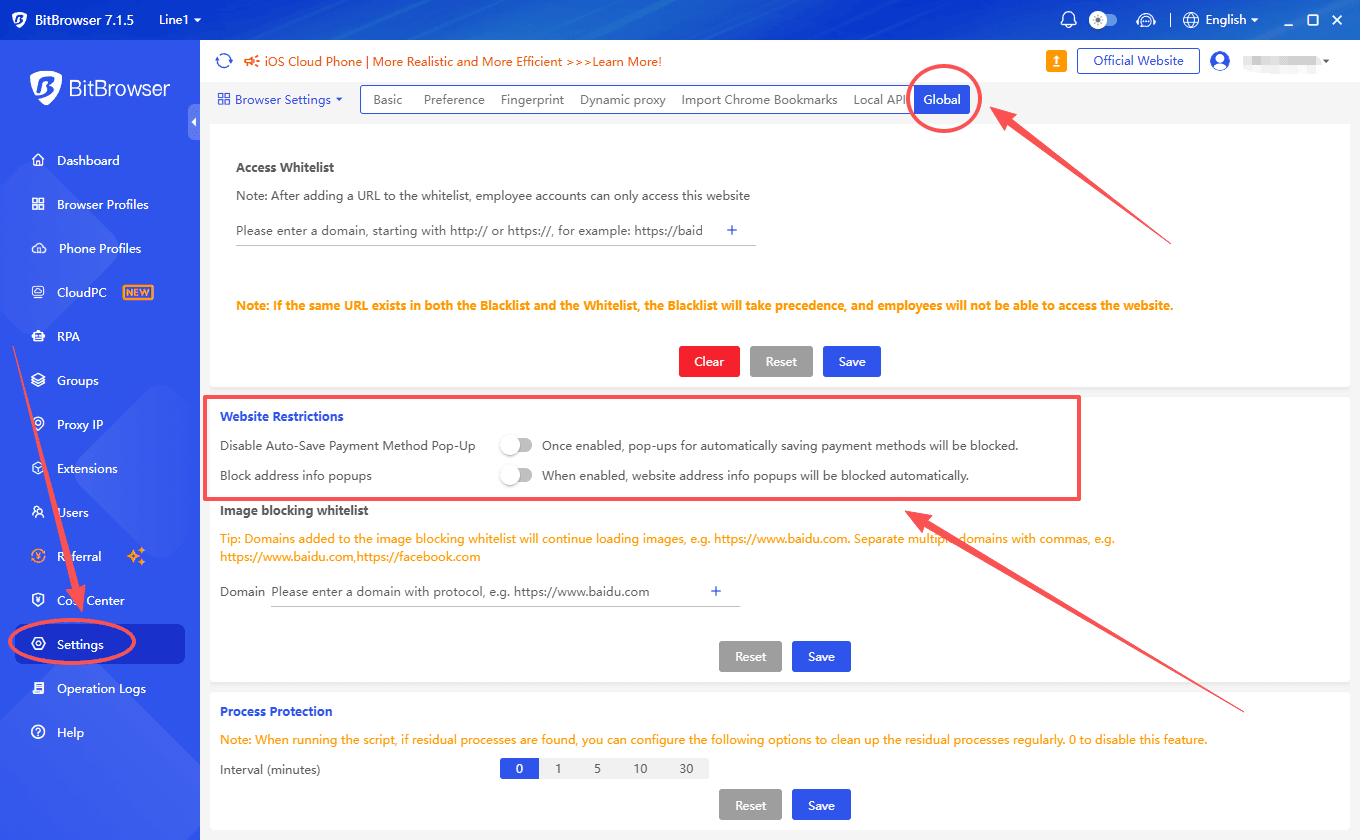
Several global configuration options have also been added.
Users can now disable address and payment card save prompts across profiles.
This can be useful in managed browser environments where administrators want to keep browser behavior consistent across different profiles.
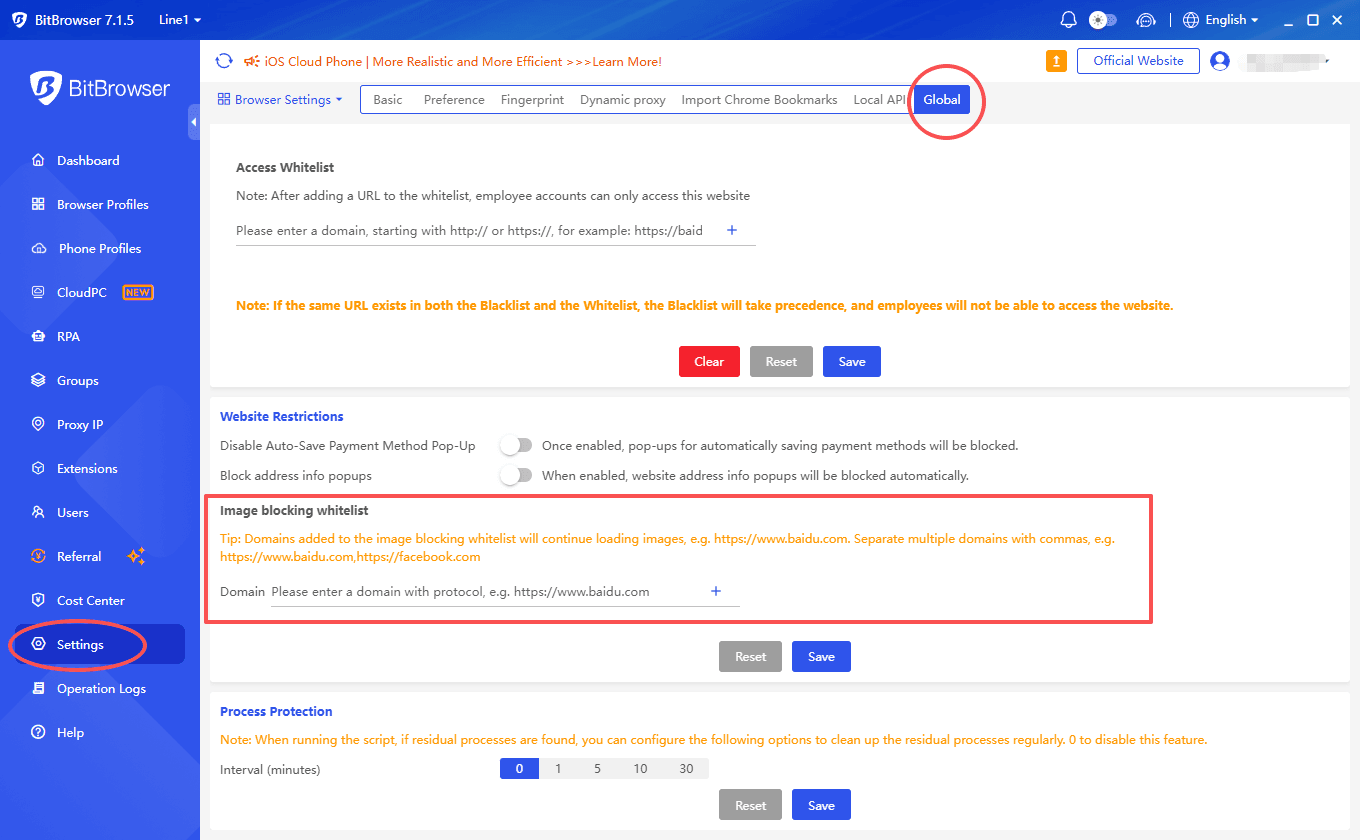
The update also introduces a global allowlist for profiles with image loading disabled.
When image loading is disabled, users can use the allowlist to specify profiles that should be excluded from the restriction.
This provides more flexibility for workflows where image loading is useful in some browser environments but unnecessary in others.
Browser API Updates
For developers and technical teams, version 7.1.5 also brings changes to the Browser API.
Two new endpoints have been added:
browser/add
browser/modify
They replace the previous:
browser/update
The new endpoints are designed to provide a clearer way to add and modify browser profiles, while also improving response speed.
Improved Minimized Window Handling
In some situations, a browser profile launched in a minimized state could have inaccurate window dimensions.
BitBrowser 7.1.5 improves this behavior so that profile dimensions are handled more accurately when launching profiles in a minimized state.
For users who frequently launch and manage multiple browser windows, this should make window management more predictable.
Improved Browser Fingerprint Protection
BitBrowser 7.1.5 also includes improvements to browser fingerprint protection.
The update strengthens protection against local port detection, further improving the protection of browser environments.
What Does BitBrowser 7.1.5 Focus On?
BitBrowser 7.1.5 is not focused on just one type of user.
● For users interested in AI powered workflows, MCP service support provides a new way to connect BitBrowser with external tools.
● For users who work with many browser windows, Virtual Desktop provides a cleaner way to organize different workspaces.
● For teams, the new sub account permissions and URL access controls provide more control over what different users can do.
● And for developers, the updated Browser API provides new endpoints and improved response speed.
If you are already using BitBrowser for multi account management, team workflows, browser automation, or other browser based tasks, version 7.1.5 is worth exploring.
Make sure to review the new global settings, sub account permissions, and Virtual Desktop options after upgrading so they match the way your team actually works.
Frequently Asked Questions
What Is New in BitBrowser 7.1.5?
BitBrowser 7.1.5 adds MCP service support and Virtual Desktop, along with new sub account controls, URL allowlists and blocklists, improved browser fingerprint protection, updated Browser API endpoints, and other usability improvements.
What Is MCP Service in BitBrowser?
MCP service allows external AI tools and applications to work with BitBrowser more conveniently. It provides new possibilities for connecting browser environments with other tools and building more flexible workflows.
Do I Need to Enable Local API Authentication to Use MCP?
Yes. Local API authentication must be enabled before you can use the MCP service in BitBrowser. Make sure the required authentication settings are configured first.
What Is Virtual Desktop in BitBrowser?
Virtual Desktop allows BitBrowser to run in a separate desktop workspace, helping keep browser windows separate from your everyday computer activities. It does not require a separate computer or virtual machine.
Can I Control What Sub Accounts Can Do in BitBrowser 7.1.5?
Yes. Administrators can control DevTools access, browser extension installation and removal, and website access for sub accounts. URL allowlists and blocklists can also be configured to provide more granular access control for teams.

 Multi-Account Management
 Prevent Account Association
 Multi-Employee Management
Recommended
See More