BitCloudPhone RPA Automation Is Now Available: Free Your Hands from Repetitive Tasks
 2026.05.11 05:51
 BitBrowser
BitCloudPhone RPA Automation Is Now Available!
Enable cloud automation with one click and free your hands from repetitive work
BitCloudPhone now supports RPA automation. RPA stands for robotic process automation. In simple terms, it lets you set up a series of actions on a cloud phone and then have the system repeat those actions automatically. You decide what the steps are, like tapping, typing, or scrolling, and the cloud phone performs them just like a person would.
This means you can handle account warming, product listing, batch operations, and many other repetitive tasks without doing the same clicks over and over. The result is a big step up in operational efficiency.
Key Features
• Simulates real user actions automatically to reduce manual workload. It handles the repetitive clicking and typing for you, so your team can spend time on tasks that need human judgment.
• Stable cloud execution with 24/7 automated operation. The automation runs entirely in the cloud, which means it stays active even when your own computer is turned off.
• Supports batch task processing for higher efficiency. You can set up a workflow once and then run it across many cloud phones at the same time, making it easy to manage multiple accounts.
• Suitable for account warming, product listing, and other business scenarios. Common applications include keeping accounts active with daily interactions and publishing the same product details on different store accounts without repeated manual work.
Why Use BitCloudPhone RPA Automation?
This feature is designed to take repetitive work off your plate. You set up a workflow once, and then it runs automatically on your chosen cloud phones whenever you need it. Because the tasks execute on BitBrowser’s cloud servers, you do not need to keep your own computer powered on. The work continues even when your local machine is off.
Running the same workflow on multiple cloud phones at the same time is simple. This is especially useful when you manage several accounts and need to keep them all active. For example, account warming often means logging in, browsing a few pages, and doing small daily interactions. Instead of doing this manually for each account, you can let an RPA workflow handle it for you.
Another common use is publishing product listings. If you sell on multiple platforms, the RPA can enter the same product details across your different cloud phone accounts, saving you from typing everything again and again.
Usage Note
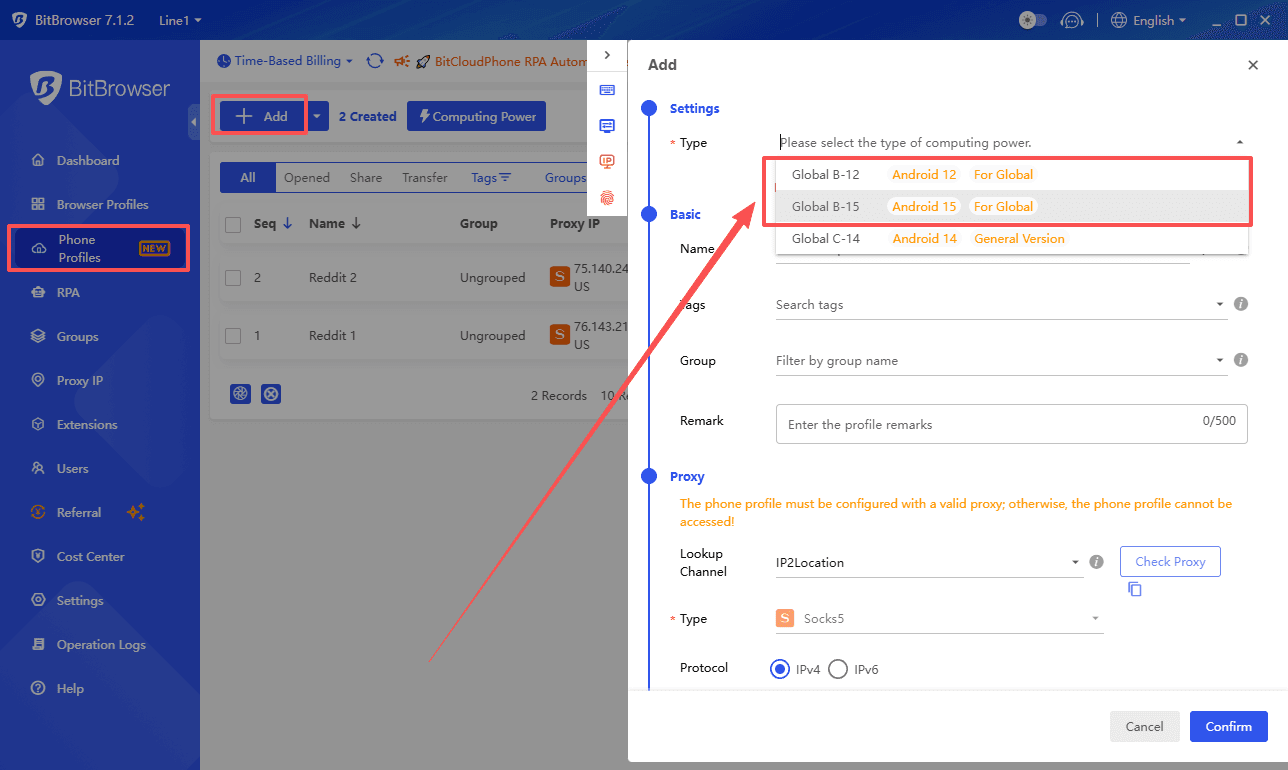
RPA Automation is only supported on Computing Power 12 and Computing Power 15 devices. Please make sure your cloud phone plan includes one of these configurations before you start using this feature.
How to Use
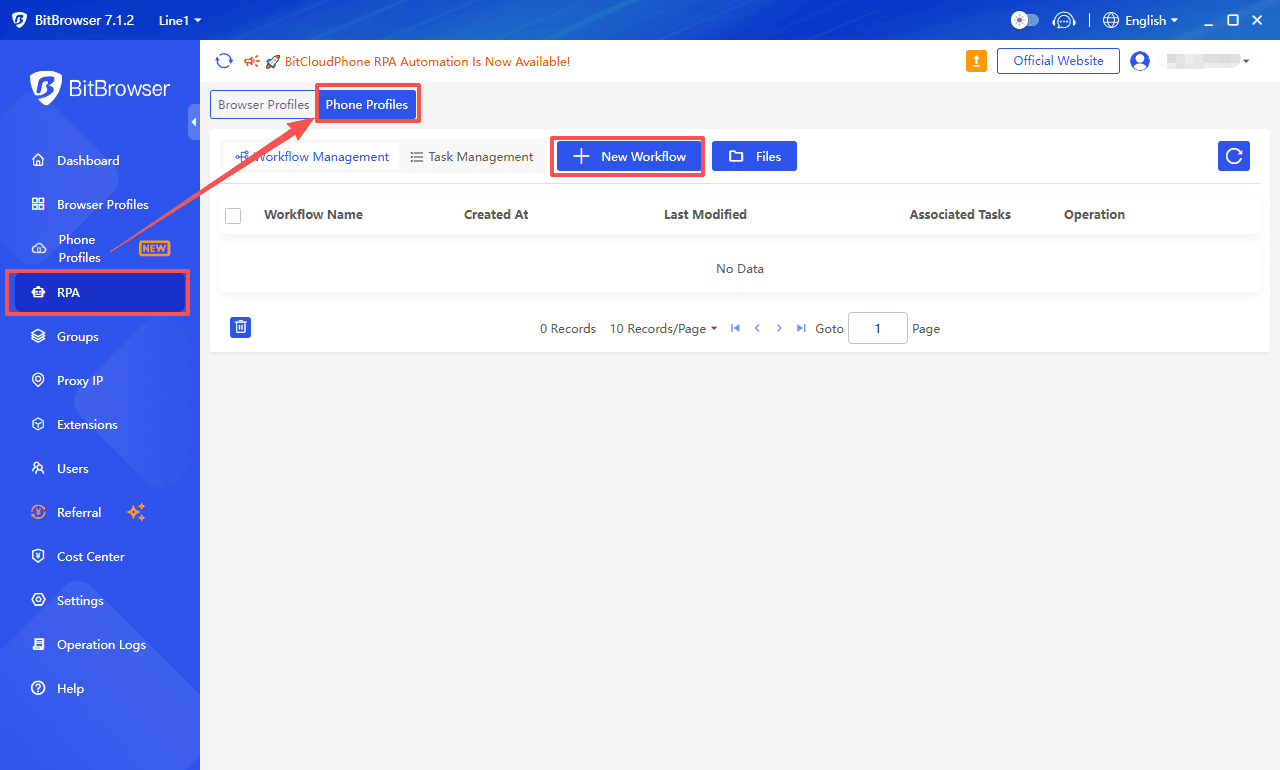
1. Go to 【RPA】 and select the "Phone Profile" entry
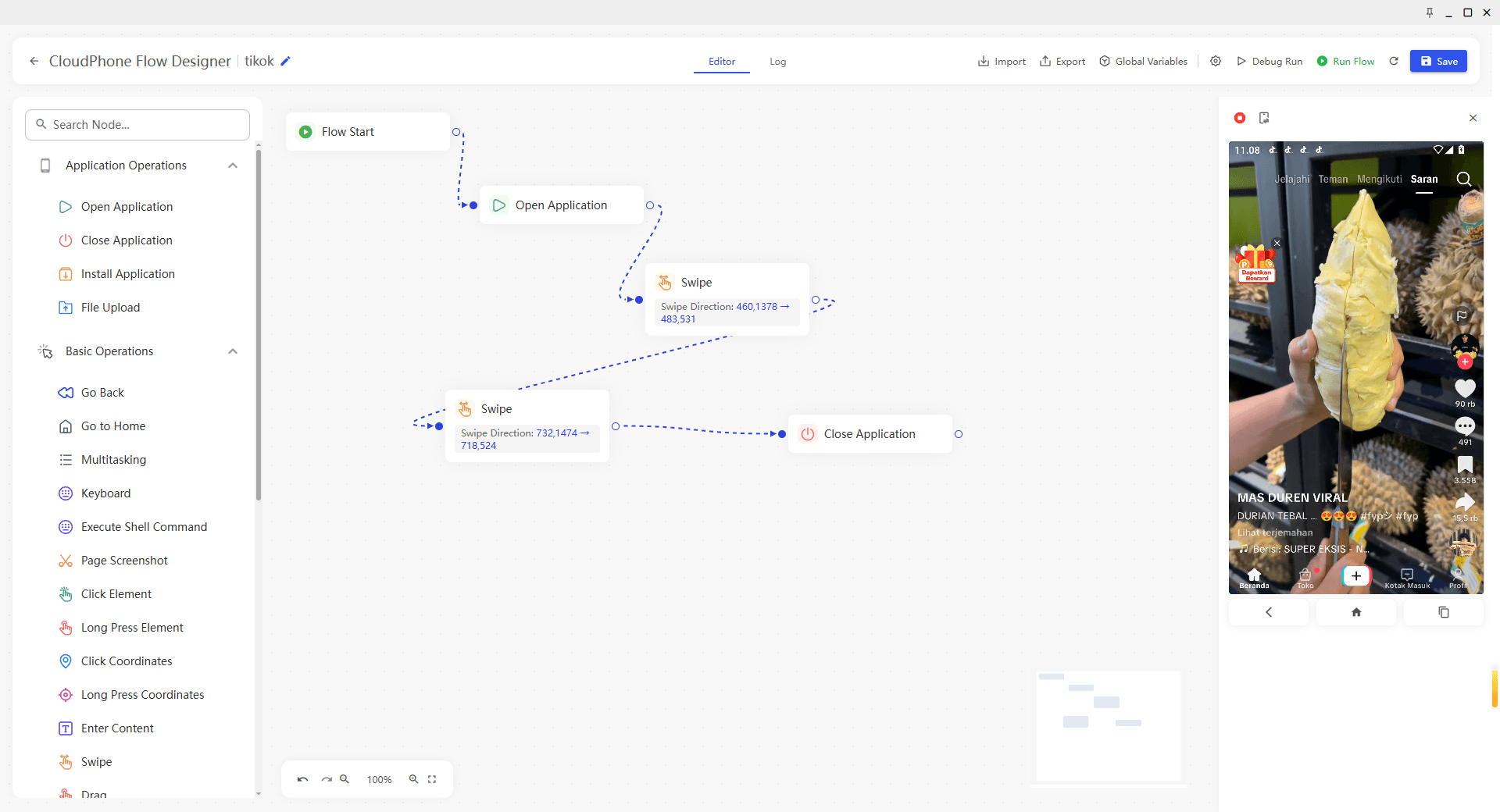
2. Create a new RPA workflow and choose the required task elements
You will see a list of task elements to choose from, such as opening an app, tapping a button, scrolling, or entering text. Select the ones that match your task and put them in the right order.
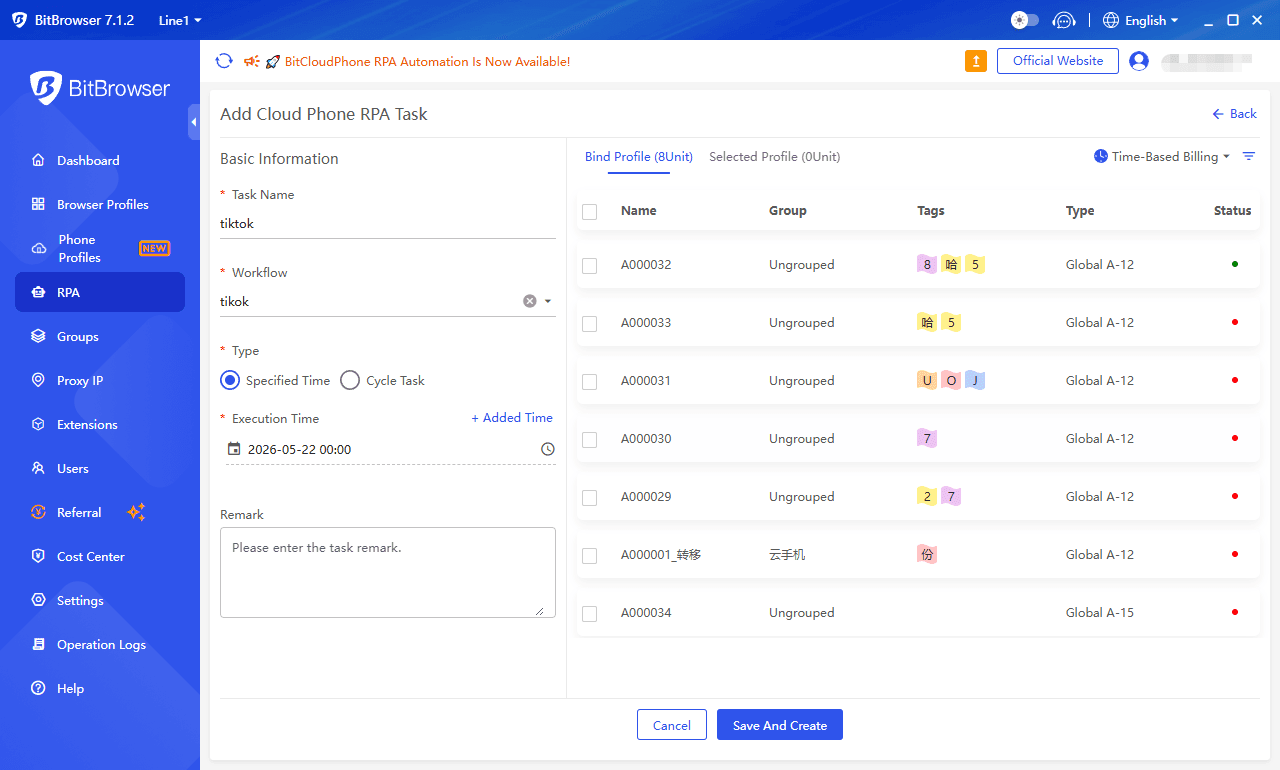
3. Create an execution task, select the target cloud phones, and set the execution time
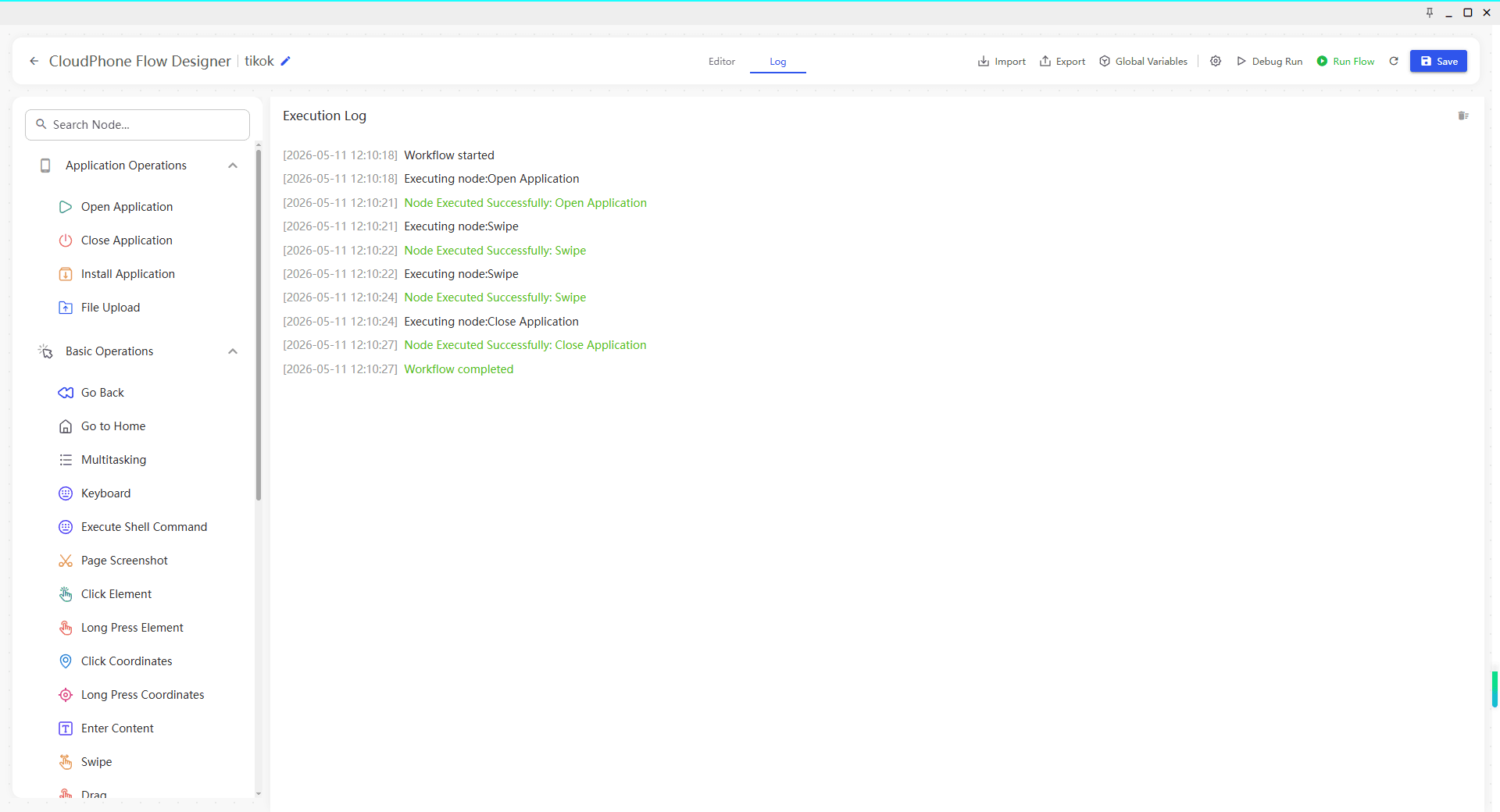
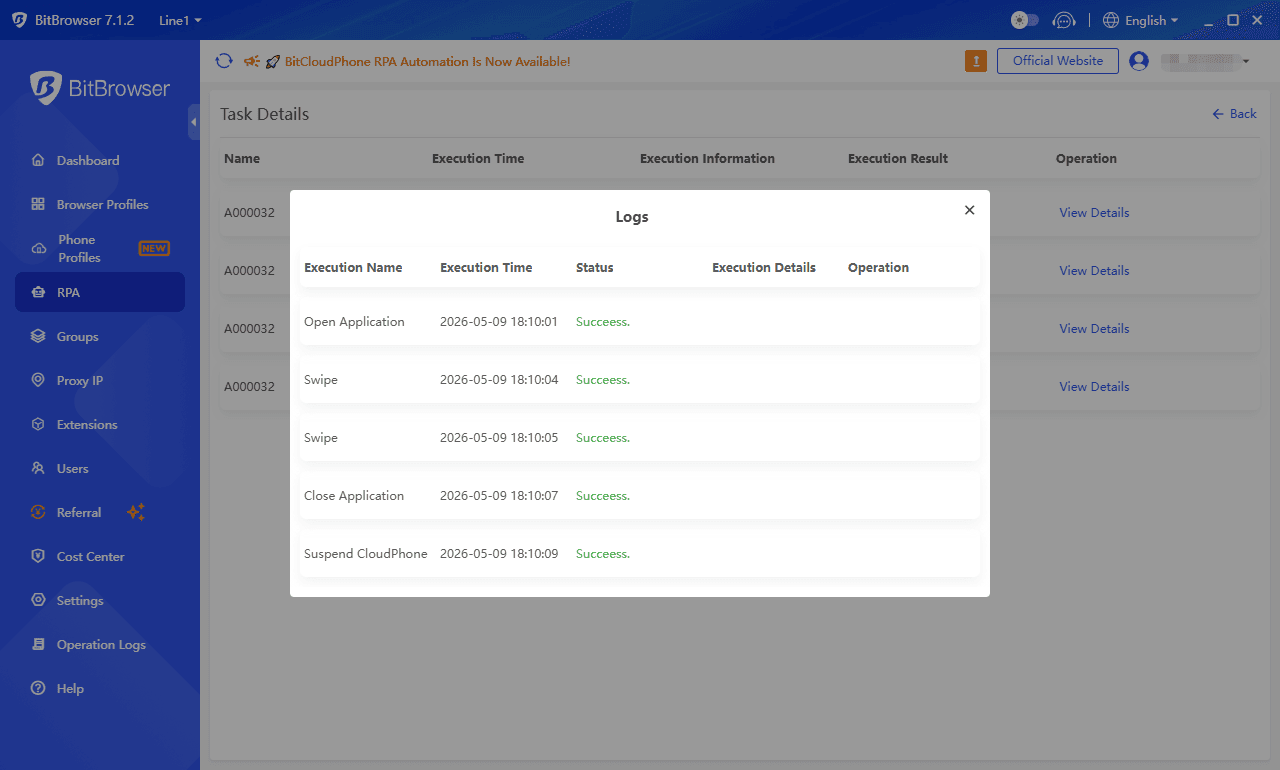
4. Complete the configuration and wait for automatic execution
You can check the progress anytime from your dashboard.
Experience BitCloudPhone automation now and make batch operations easier and more efficient
Log in to your account, set up your first workflow, and let the cloud handle the rest. Your repetitive tasks just found a better way to get done.
To learn more about the feature, visit the Cloud Phone page: https://www.bitbrowser.net/cloudphone
If you don’t have an account yet, you can sign up here: https://client.bitbrowser.cn/register

 Multi-Account Management
 Prevent Account Association
 Multi-Employee Management
Recommended
See More