Best Antidetect Browsers in 2025: Cost-Effectiveness Comparison
 2025.11.28 15:48
 YT.Shi
Anti-detect browsers solve a critical problem: they let you operate multiple business accounts without triggering platform security systems. When you're handling social media management for clients, conducting competitive research, or managing e-commerce operations across different marketplaces, these browsers create unique digital fingerprints for each profile. This prevents platforms from linking your accounts together and shutting down your operations.
In 2025, anti-detect browsers have become essential tools for social media managers, e-commerce operators, and marketing teams managing multiple accounts. This article reviews the most popular anti-detect browsers available today, including BitBrowser, AdsPower, GoLogin, Multilogin, Kameleo, and Octo Browser.
We will examine each browser’s core features, ideal user scenarios, and cost-effectiveness. A comprehensive comparison table will help readers quickly understand the advantages and trade-offs of each option, guiding them to choose the best tool for their needs.
Best Anti-detect Browsers in 2025: Cost-Effectiveness Comparison
Cost-Effectiveness Comparison of the Best Anti-Detect Browsers in 2025
| Product | Starting Monthly Price (Public) | Free / Trial Availability | Starting Profiles / Seats | Key Strengths | Cost-Effectiveness Score (1–5) |
|---|---|---|---|---|---|
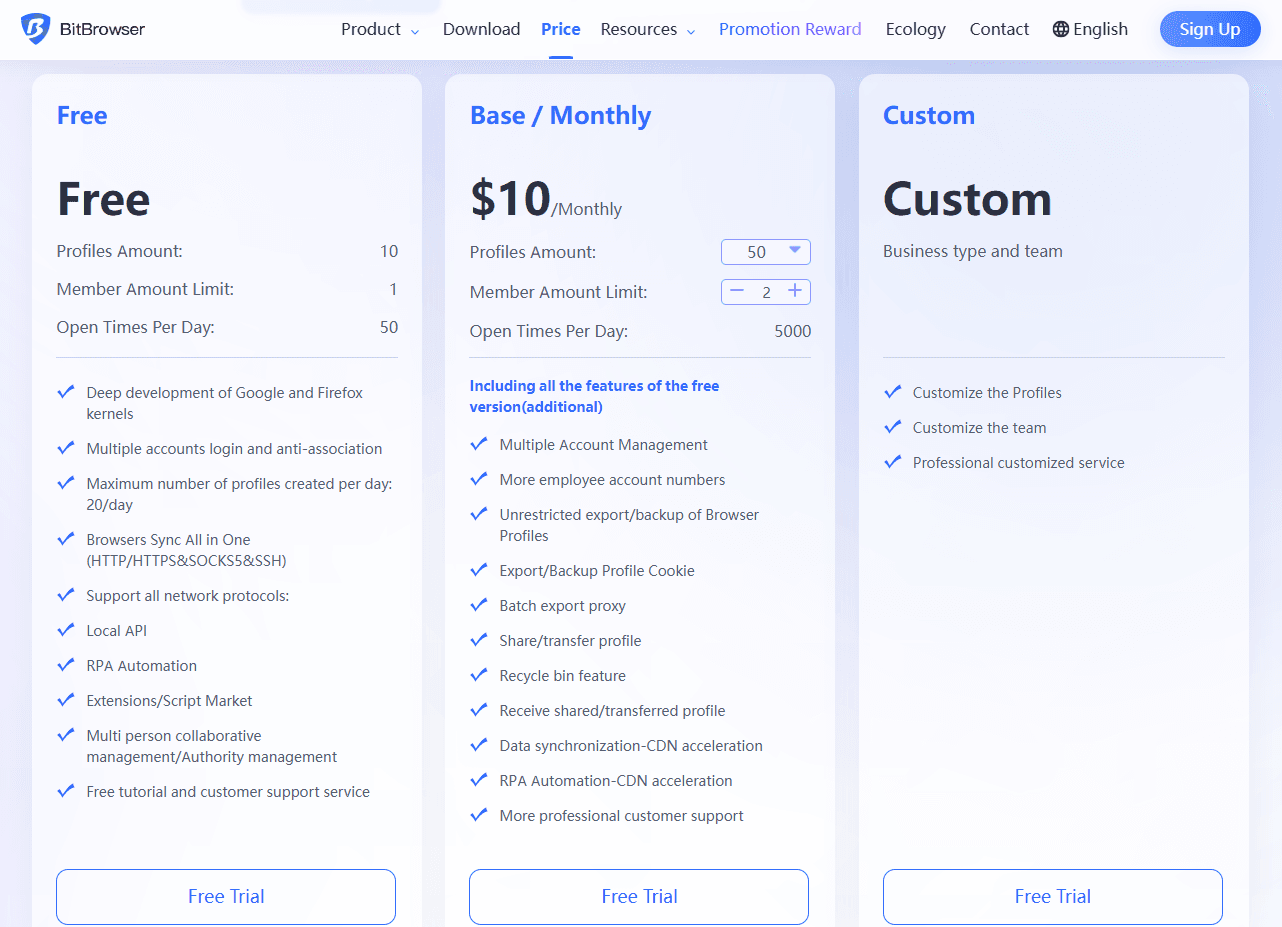
| BitBrowser | $0 (permanent free tier with 10 profiles); paid plans from ~$10/month (50 profiles) | Permanent free tier; multiple paid plans | Free 10 profiles; paid tiers offer 50 / 100 / 200 profiles | High-fidelity fingerprinting, strong team collaboration, automation support, local API, extensions/script market, highly affordable; suitable for individuals and mid-to-large teams | 4.5 / 5 |
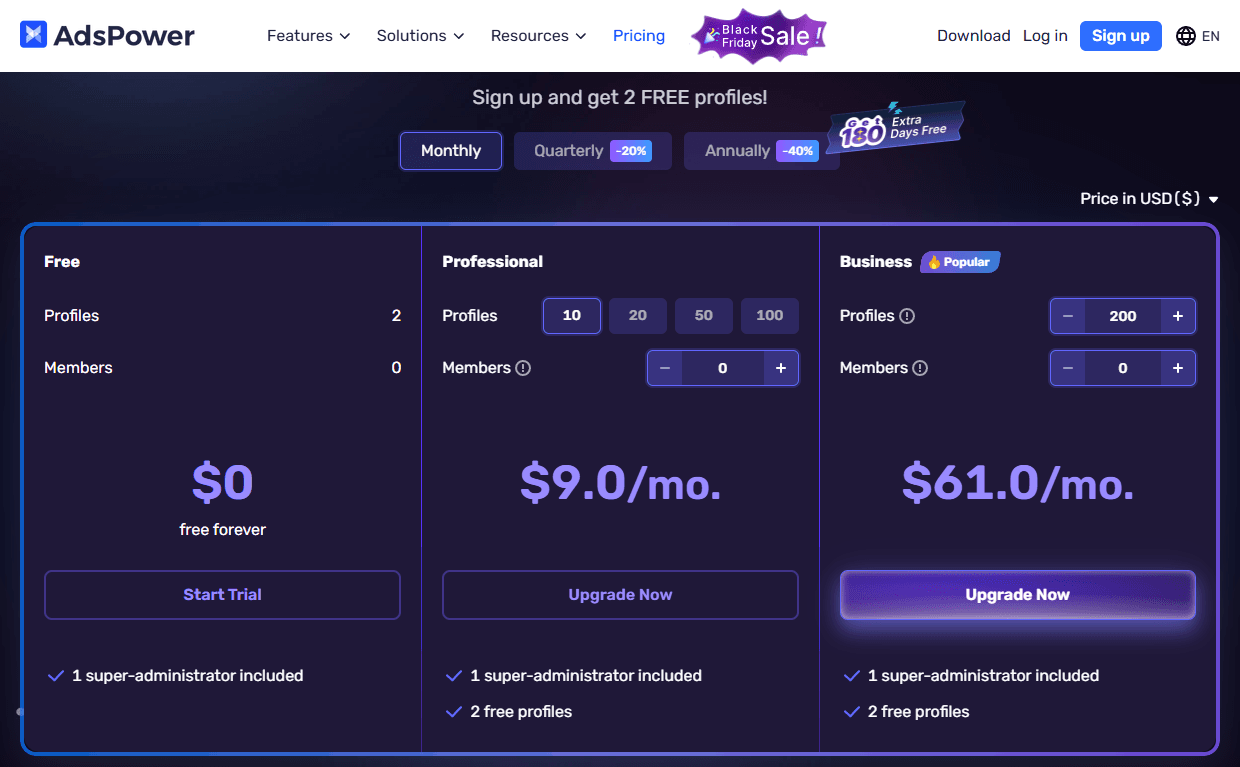
| AdsPower | ~$9–$10/month (10 profiles starter pack) | Permanent free tier with 2 profiles; paid professional plans | Free 2 profiles; paid tiers: 10/20/50/100 profiles | Built-in no-code RPA automation, synchronizer, iOS fingerprint simulation; ideal for automation-heavy workflows | 4 / 5 |
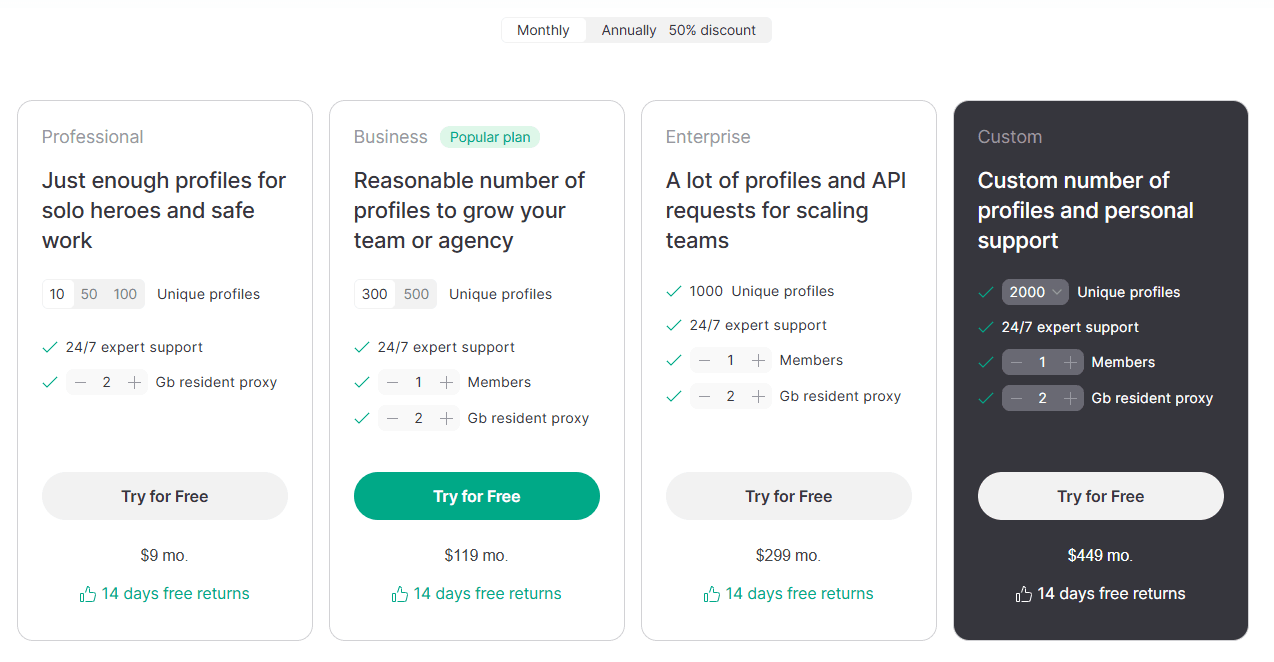
| GoLogin | ~$9–$79/month for common plans; $119+ for higher tiers | 7-day free trial | 10–100 profiles (plan dependent) | Multi-platform support (Windows, macOS, Linux, Android), cloud browsing, basic automation | 3.5 / 5 |
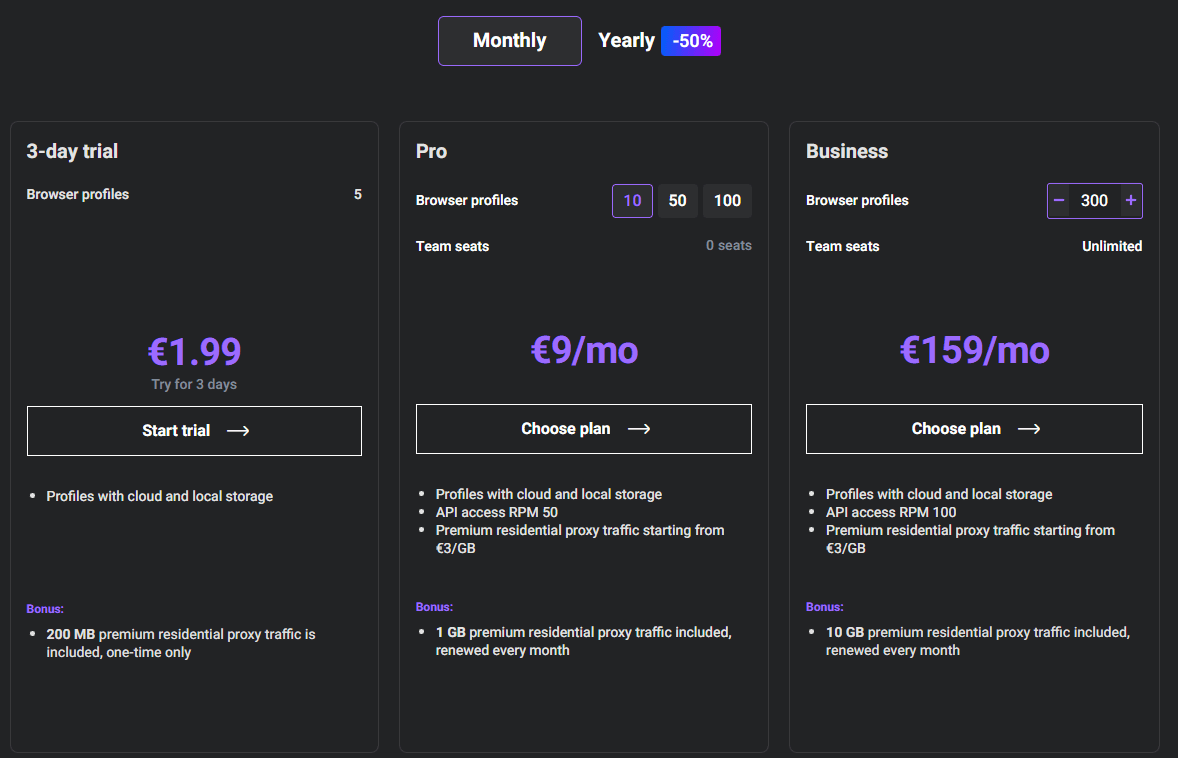
| Multilogin | From €9/month (10 profiles); enterprise features €159+ | Paid trial (€1.99 for 3 days) | 10 profiles at entry; business plan offers unlimited team seats | Enterprise-grade stability, customizable fingerprints, dual browser engines (Chrome/Firefox) | 3 / 5 |
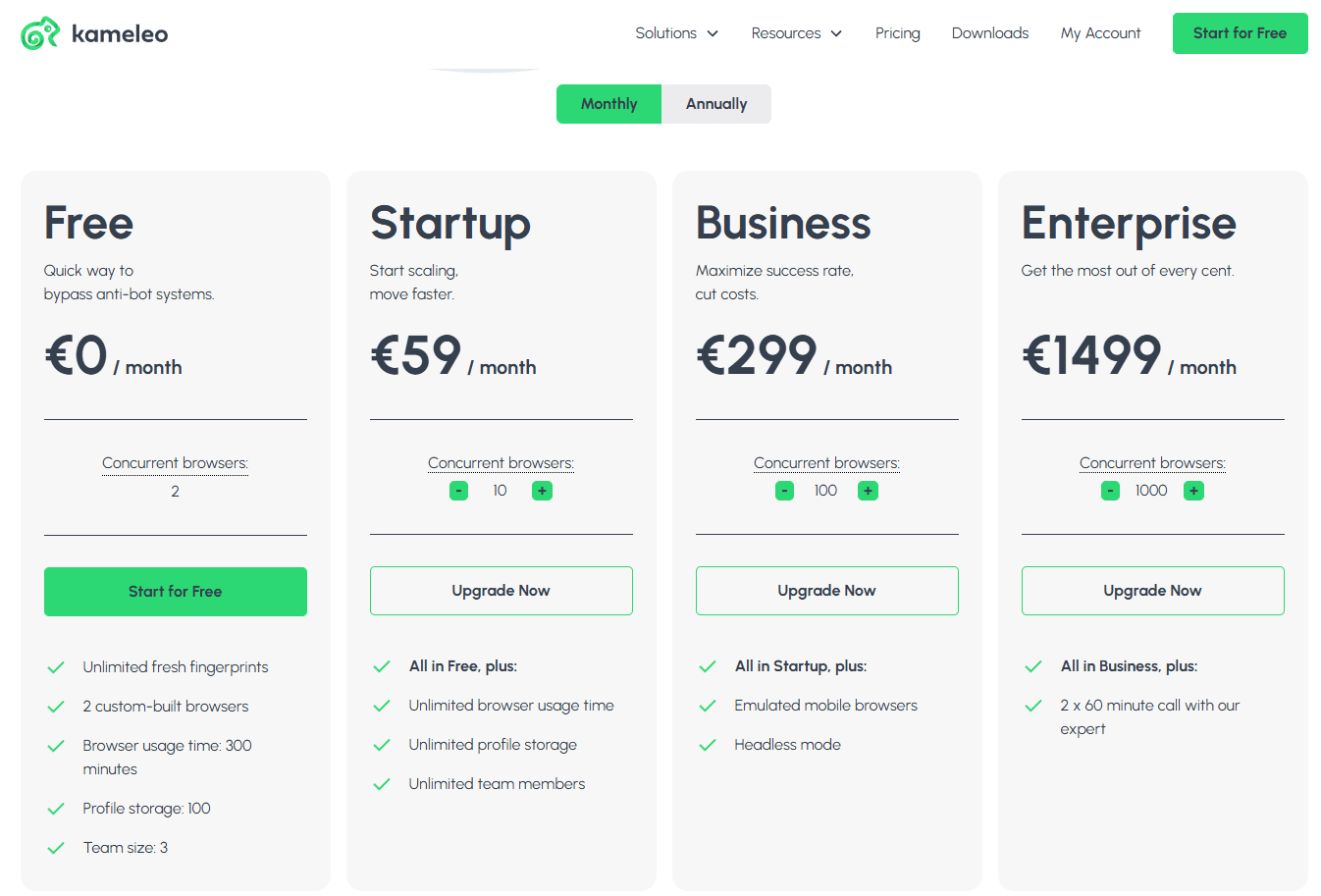
| Kameleo | From €59/month (desktop edition); mobile edition €299/month | Free tier with restrictions | Free: 2 custom browsers (time-limited / API-limited); paid plans start from 10+ profiles; emulated mobile browsers: €299 monthly | Advanced mobile simulation (Android/iOS), advanced fingerprint controls; for technical teams and high-security workflows | 3 / 5 |
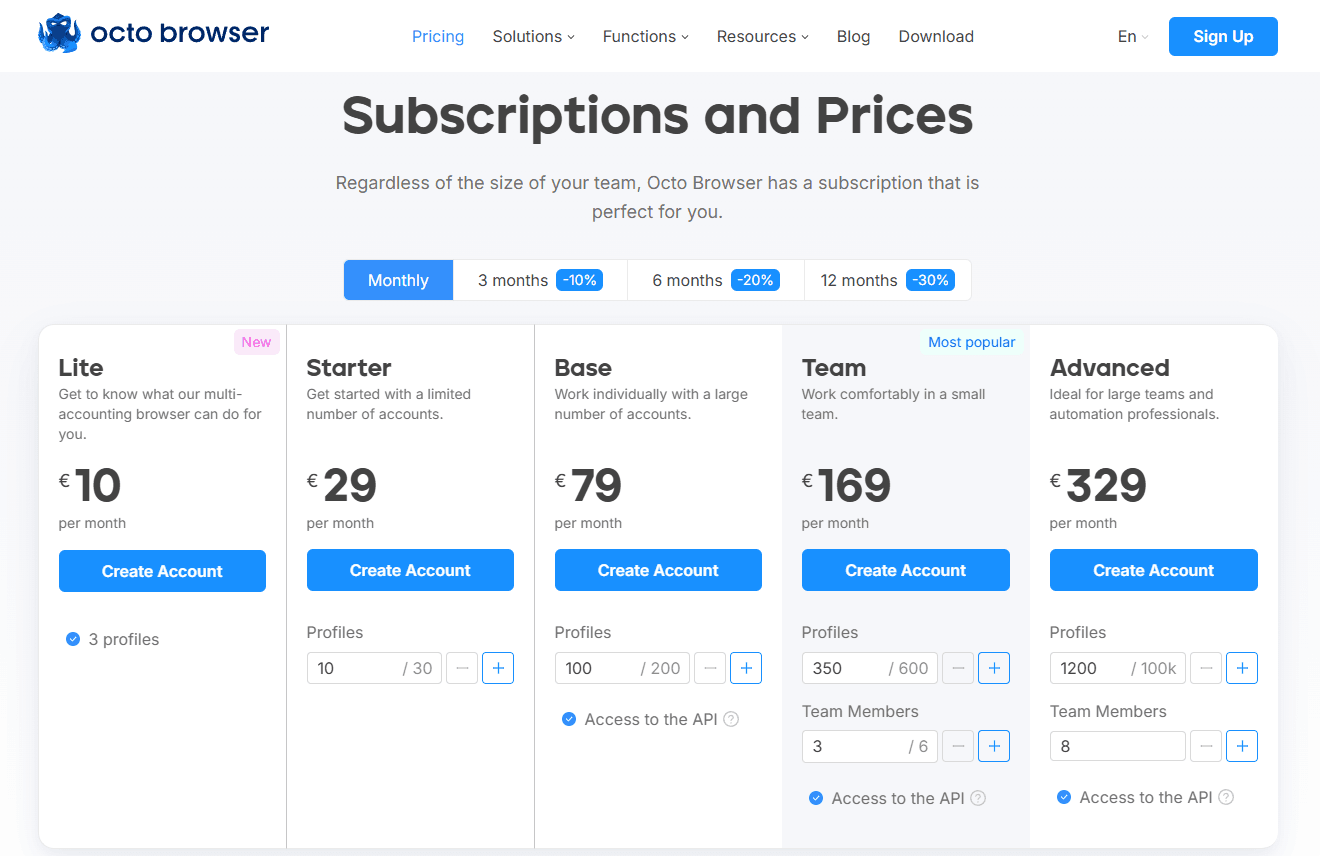
| Octo Browser | €10/month (Lite: 3 profiles); €29/month (Starter: 10 profiles) | No long-term free tier | Lite: 3 profiles; Starter: 10 profiles; higher tiers include API and team features | Kernel-level fingerprint spoofing, frequent core updates, strong team permission management | 3.5 / 5 |
1. BitBrowser
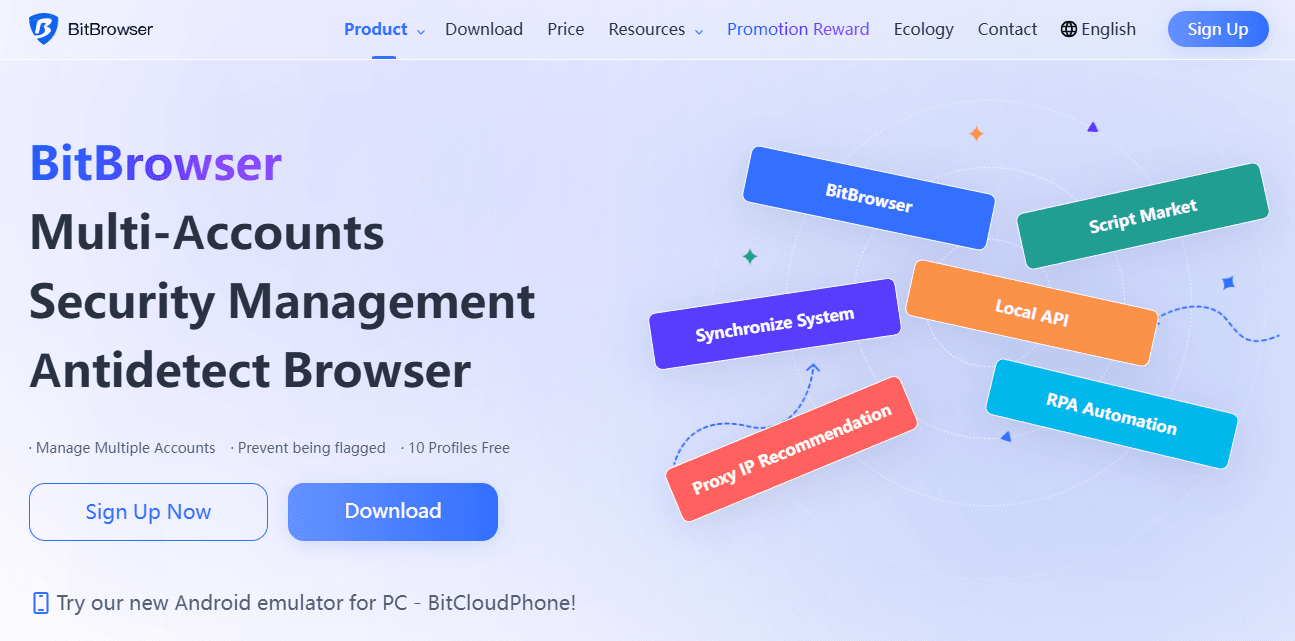
BitBrowser stands out for its beginner-friendly approach and generous free tier, making it accessible for small teams and individual users starting with anti-detect browsers. At the same time, it has evolved into a scalable solution that also supports mid-sized and large operational teams.
· Core Strengths: The platform provides robust team collaboration tools, powerful automation, high-fidelity browser-fingerprint simulation, and seamless proxy integration. These features allow both small and large teams to coordinate multi-account workflows efficiently. Its balance of functionality and accessibility makes it particularly attractive for users seeking reliable performance without complexity.
· Cost Analysis: With 10 permanently free profiles for nearly most core features and affordable paid plans starting at approximately $10 monthly for 50 profiles, BitBrowser delivers exceptional value for budget-conscious users and small-scale operations.
· Ideal Use Cases: Perfect for lightweight social media management, e-commerce store testing, and users making their first foray into anti-detect browsing.
2. AdsPower
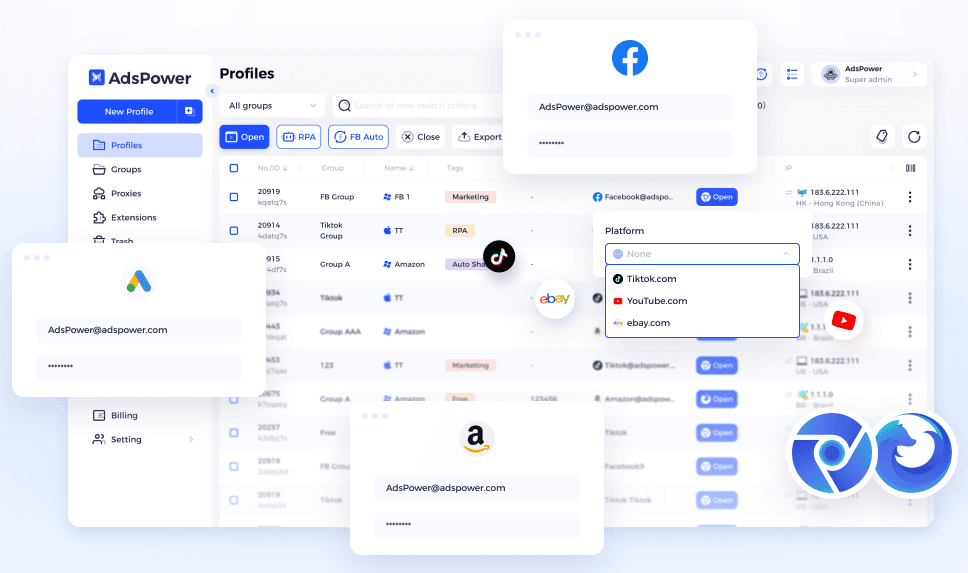
AdsPower maintains its popularity in 2025 through competitive pricing and automation features that appeal to users seeking efficiency gains.
· Core Strengths: The browser's built-in no-code RPA (Robotic Process Automation) and synchronizer functionality significantly reduce manual repetitive tasks. It also supports iOS device fingerprint simulation and integrates with multiple proxy providers.
· Cost Analysis: The permanent free plan (with only 2 profiles) and low-cost professional plans starting at $9/month ( with 10 profiles) provide entry points. However, costs can increase substantially for business plans as team size and profile requirements grow.
· Ideal Use Cases: Well-suited for cryptocurrency traders, social media account farmers, and technical users who prioritize automation capabilities.
· Safety Notice: Some sources indicate AdsPower experienced user data security incidents in 2025. We recommend verifying recent security updates before making your decision.
3. GoLogin
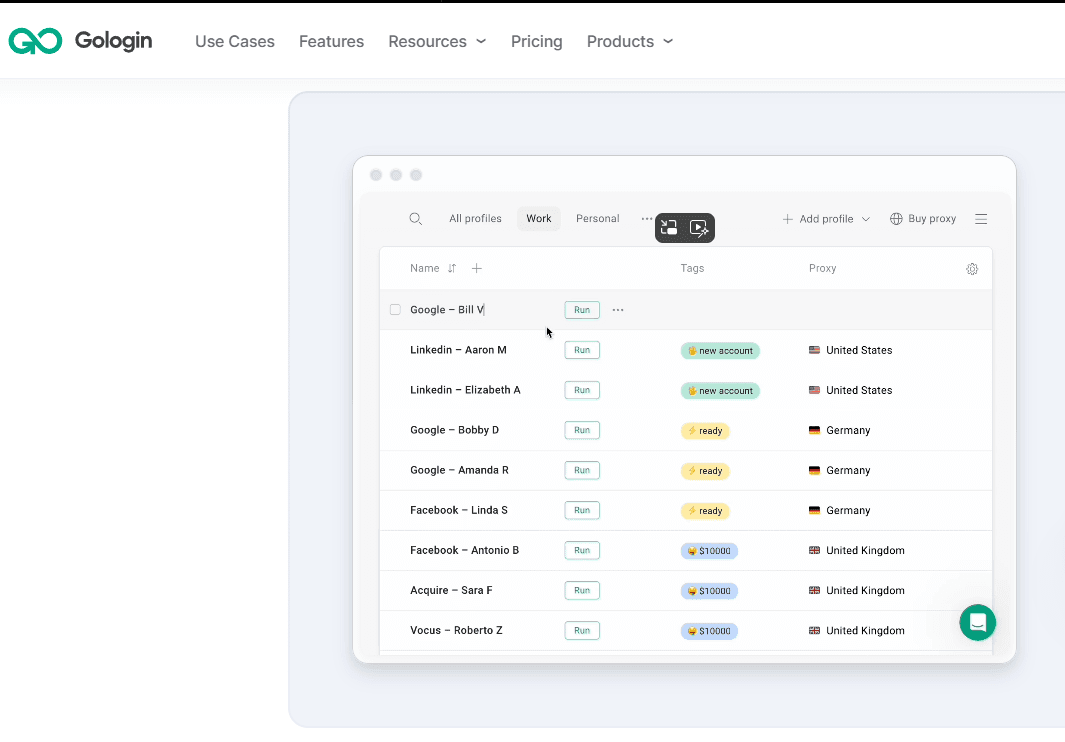
GoLogin offers comprehensive cross-platform compatibility and user-friendly interface design that lowers the learning curve for non-technical users.
· Core Strengths: The platform supports Windows, macOS, Linux, and Android systems, combined with cloud browsing options and integrated proxy services. Its compatibility with Selenium and Puppeteer provides automation workflow capabilities.
· Cost Analysis: A 7-day free trial is available, with professional plans starting at $9 monthly for 10 profiles. It's team collaboration features remain relatively basic, with more advanced options typically reserved for higher-tier plans.
· Ideal Use Cases: Well-suited for remote teams, multi-device users, and those prioritizing user experience alongside basic automation requirements.
· Downside: Users may experience delayed browser core updates and relatively high resource consumption, particularly regarding memory usage.
4. Multilogin
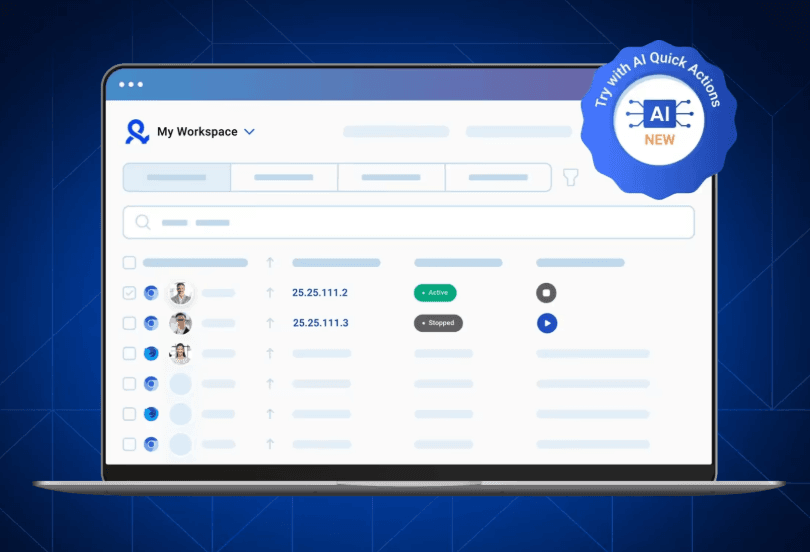
Multilogin maintains its position as a premium anti-detect browser solution, designed for enterprise-grade stability and comprehensive features tailored for large-scale operations.
· Core Strengths: Customizable fingerprint environments, dual browser engine support (Chrome and Firefox), and batch operations management provide professional users with reliable control and reliability.
· Cost Analysis: Requiring €1.99 for a 3-day trial and commanding premium pricing starting at €9 monthly for 10 profiles. However, its team collaboration feature unlocking unlimited team seats is only available in the business plan starting at $159, making Multilogin one of the more expensive anti-detect browsers on the market.
· Ideal Use Cases: The solution for enterprise clients, large marketing teams, and scenario requiring stability for extensive multi-account operations.
5. Kameleo
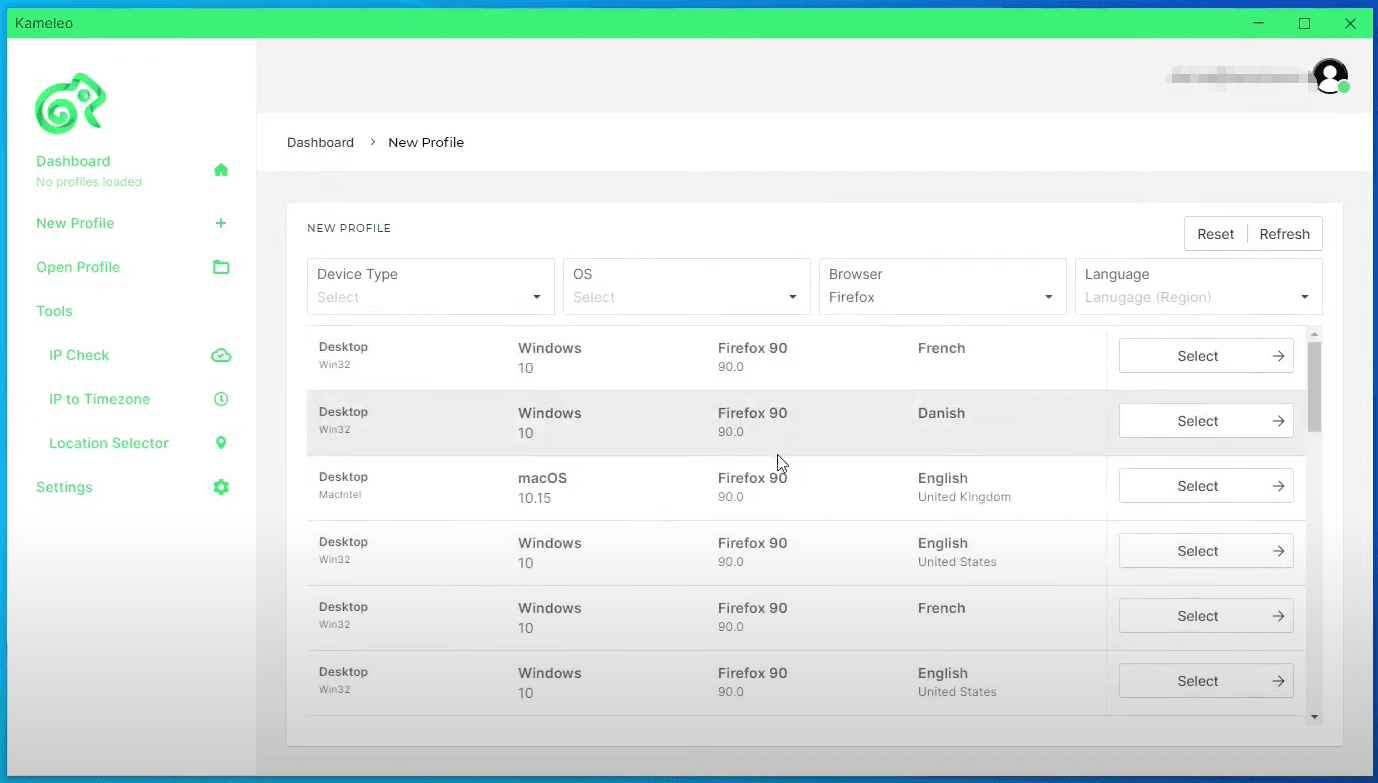
Kameleo specializes in mobile environment simulation and deep fingerprint customization, catering to technical teams with advanced security and anonymity requirements.
· Core Strengths: Kameleo could create virtual profiles with authentic Android and iOS device fingerprints. Broad browser support and advanced cookie editing capabilities further enhance its technical appeal.
· Cost Analysis: Providing a free tier (with 2 custom-built browsers) with notable restrictions (with 5-hour browser usage limit and a 60-request/minute API rate cap). Its premium services require a substantial investment, with plans starting at approximately €59 per month. Additionally, emulated mobile browsers require higher-tier subscriptions (€299 monthly), and the interface has a steeper learning curve.
· Ideal Use Cases: Serves technical teams, developers, and users who require reliable mobile fingerprint simulation for mobile-experience-first platforms like TikTok or Instagram.
6. Octo Browser
Octo Browser excels in team collaboration features and fingerprint quality, with rapid kernel updates that maintain detection evasion effectiveness.
· Core Strengths: Kernel-level fingerprint spoofing technology combined with quick adaptation to official Chrome updates ensures consistently reliable performance. The platform's team permission management, activity logging, and profile organization tools are well-implemented.
· Cost Analysis: Octo Browser lacks a free plan, with its entry-level Lite plan starting at approximately €10 per month for 3 profiles. Octo's Starter plan starts at €29 (with 10 profiles). Additionally, its API access features (starting at €79) and team collaboration features (starting at €169) are only available in higher-priced plans.
· Ideal Use Cases: Well-suited for affiliate marketing, medium to large teams, and any operation prioritizing collaboration efficiency and superior fingerprint quality.
· Limitations: The platform's limitations include interface support for only six languages; restricted batch operation capabilities, notably the inability to organize profiles with folders; and lack of fingerprint simulation support for Linux and iOS environments.
Conclusion
This comparison shows that the anti-detect browser landscape in 2025 offers a wide range of options, each designed for different user needs. Some tools focus on automation or mobile fingerprint simulation, while others prioritize cross-platform compatibility or enterprise-level stability. Because of these differences, no single browser is universally ideal for every scenario.
However, when cost-effectiveness, feature balance, and ease of use are considered together, BitBrowser provides the strongest overall value among the products reviewed. It combines high-quality fingerprint environments with practical collaboration tools and affordable pricing, making it suitable for both individual users and growing teams.
Ultimately, the best choice depends on your specific requirements, such as the number of profiles needed, technical complexity, automation demands, and team size. The findings in this comparison can serve as a practical reference to help users and organizations identify the anti-detect browser that aligns most closely with their operational goals in 2025.
FAQs (Frequently Asked Questions)
1. What is an anti-detect browser?
An anti-detect browser is a tool that creates unique browser fingerprints for each profile, allowing users to operate multiple accounts without being linked or flagged by platform security systems. This is essential for activities like social media management, e-commerce operations, and advertising across multiple accounts.
2. Are there free anti-detect browsers available?
Yes, but options vary:
· BitBrowser: Permanent free tier with 10 profiles.
· AdsPower: Permanent free tier with 2 profiles.
· Kameleo: Free tier with heavy usage and API restrictions.
Most other browsers offer only trials or no free version.
3. How should I choose the best anti-detect browser for my needs?
Consider the following factors:
· Number of profiles required
· Budget and long-term cost
· Need for automation or APIs
· Fingerprint realism and stability
· Team size and collaboration features
· Whether mobile simulation is necessary
· Supported platforms (Windows, macOS, Linux, Android)
4. Which anti-detect browser offers the best overall value?
Based on cost-effectiveness, performance balance, and usability, BitBrowser provides the strongest overall value. It offers a permanent free tier, affordable plans, high-fidelity fingerprinting, automation capabilities, and robust team collaboration suitable for both individuals and mid-to-large teams.
5. What are the main differences among the six anti-detect browsers reviewed in this article?
Each of the six browsers serves a different type of user.
· BitBrowser offers the strongest balance of affordability, collaboration features, and usability, making it suitable for individuals and growing teams.
· AdsPower emphasizes automation and workflow efficiency, appealing to users who rely heavily on RPA tools.
· GoLogin provides broad cross-platform compatibility and a smoother learning curve for general users.
· Multilogin focuses on enterprise-level stability and customization, but at a higher cost.
· Kameleo specializes in advanced mobile fingerprint simulation and deep technical controls, catering to developers and security-focused teams.
· Octo Browser stands out for fingerprint quality and team permission management, making it valuable for multi-person operations that require coordination.
Together, these tools represent distinct priorities in the 2025 anti-detect browser market, from cost-efficiency to technical specialization.

 Multi-Account Management
 Prevent Account Association
 Multi-Employee Management
Recommended
See More 



