BitCloudPC for Multiple eBay Seller Accounts in 2026
 2026.09.26 16:22
 petro
A seller handling several eBay stores often works with different catalogs, inventory records, images, shipping rules and customer conversations. The main challenge is keeping the right materials with the right operation. A separate cloud desktop can give each store or brand a consistent place to work.
BitCloudPC supplies remote Windows environments with configurable resources. You can use a CloudPC for a brand, client or department, install the relevant software and return to the same workspace from another location. This is an organizational choice; it does not change eBay's requirements for the accounts you operate.
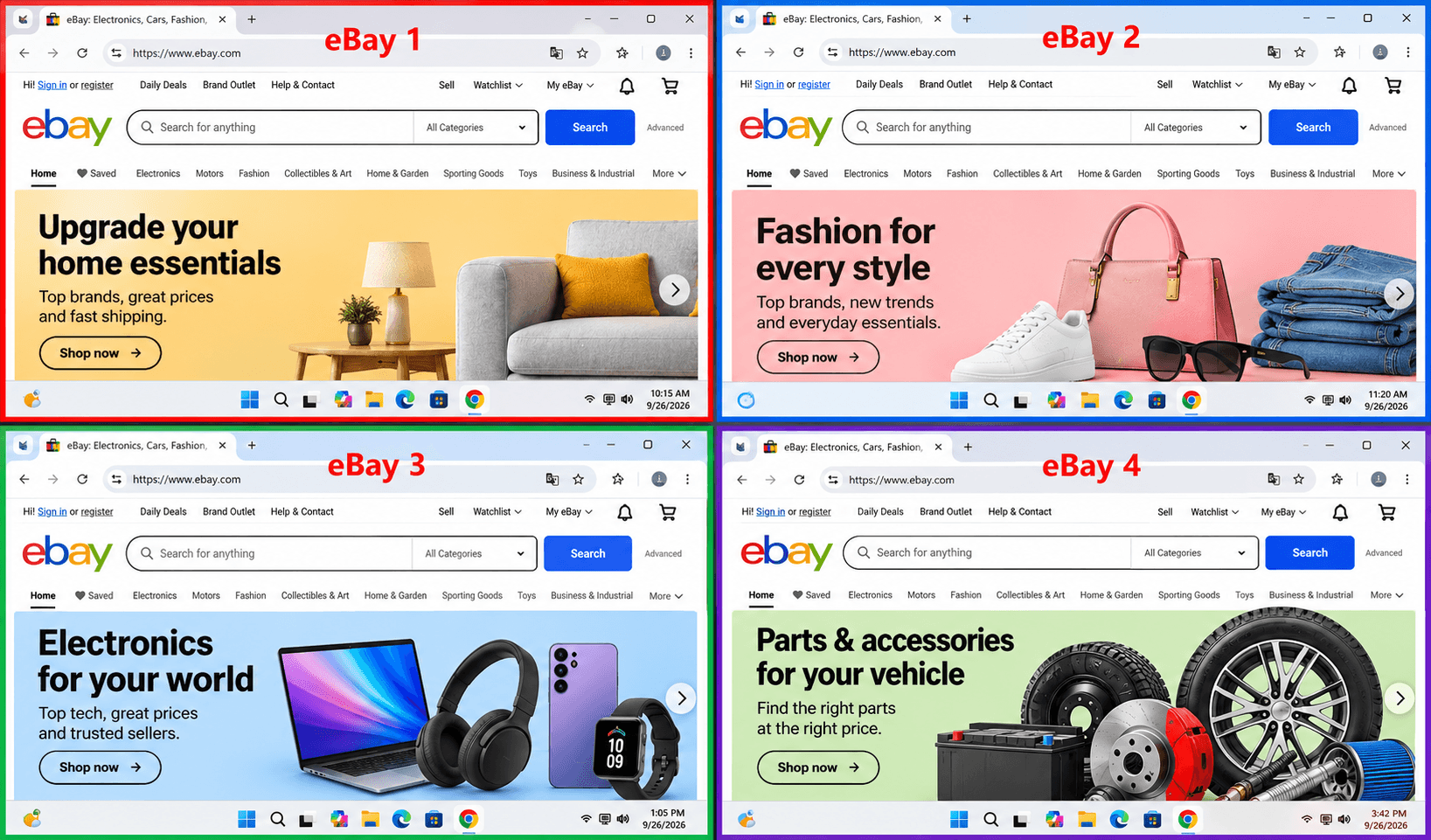
When a separate desktop helps
Start with a real operational boundary: different business entities, clients, product lines or teams. A dedicated environment can keep listing drafts, supplier files and spreadsheets together. Naming workspaces after the store and purpose also reduces errors during busy order processing.
Separation is especially useful when one team handles listings and another handles returns or advertising. Permissions, shared credentials and access records still need deliberate management. A CloudPC is a workspace, not a substitute for internal controls or marketplace compliance.
| Workflow | Keep in the workspace | Routine check |
|---|---|---|
| Listings | Product photos, SKU sheet, titles and drafts | Confirm store and shipping policy |
| Orders | Packing documents and fulfillment tools | Reconcile order status |
| Marketing | Campaign files and performance reports | Match the campaign to the correct store |
| Support | Templates, return records and case notes | Protect customer information |
A store specific daily routine
At the start of a shift, open the workspace assigned to the store and check the Seller Hub overview. Review new orders, messages, returns and listing issues before moving to promotions. Keep a short handover note in that workspace so the next person can see what has been completed and what still needs action.
For listings, use a consistent folder for original product photos and another for approved versions. Store the SKU, price, condition notes, dimensions and shipping information with the draft. Before publishing, compare the listing against the physical item and the store's fulfillment capability. The separate desktop makes the materials easier to find; human review remains essential.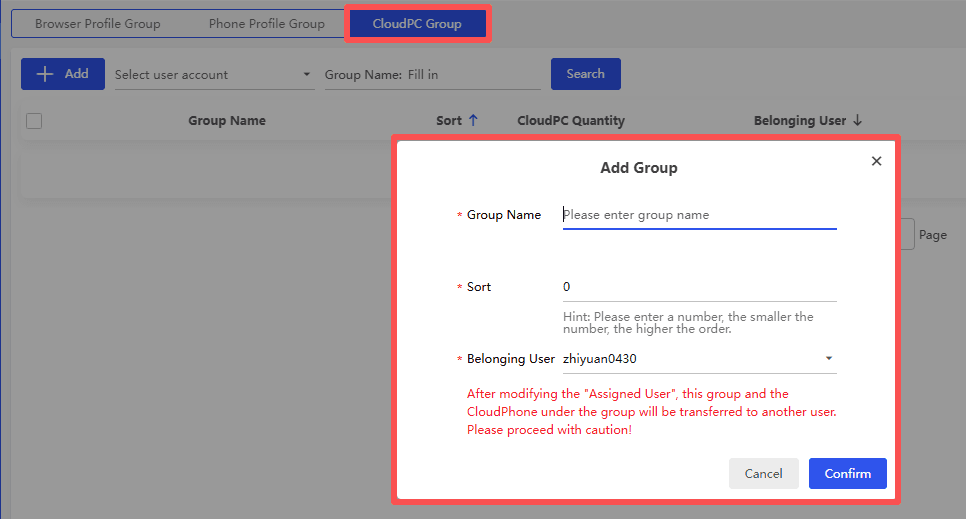
Set up a workable eBay environment
1. Creatt profile and Map your stores and responsibilities. Decide whether a CloudPC should belong to a store, a brand or a team. You do not automatically need one desktop per account.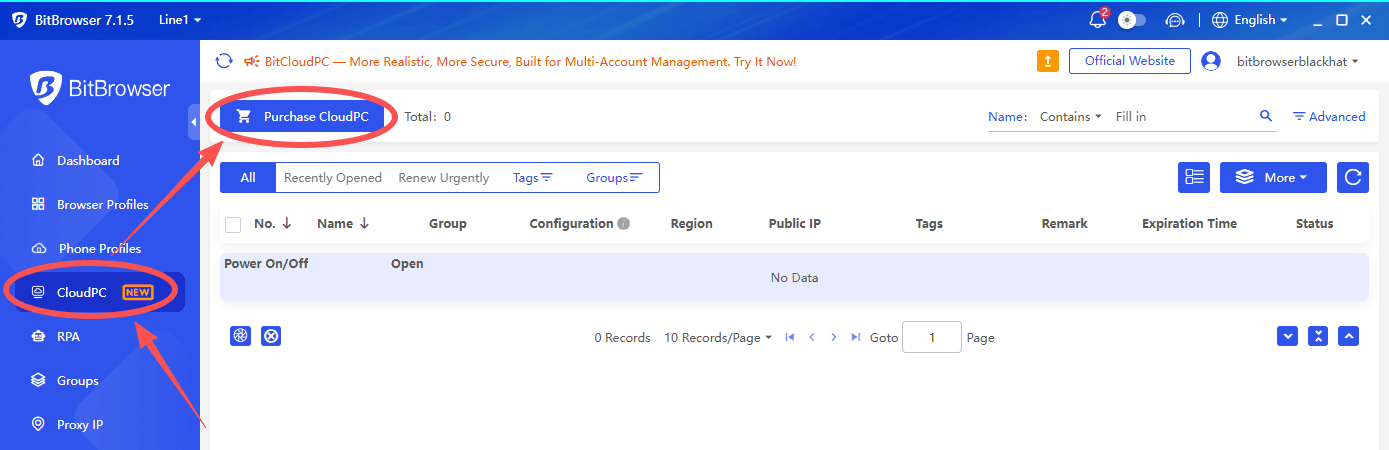
2. Choose a Windows configuration for the actual workload. BitCloudPC describes 4 vCPU and 8 GB RAM as a suggested starting point for common e-commerce work; confirm current choices and pricing before purchasing.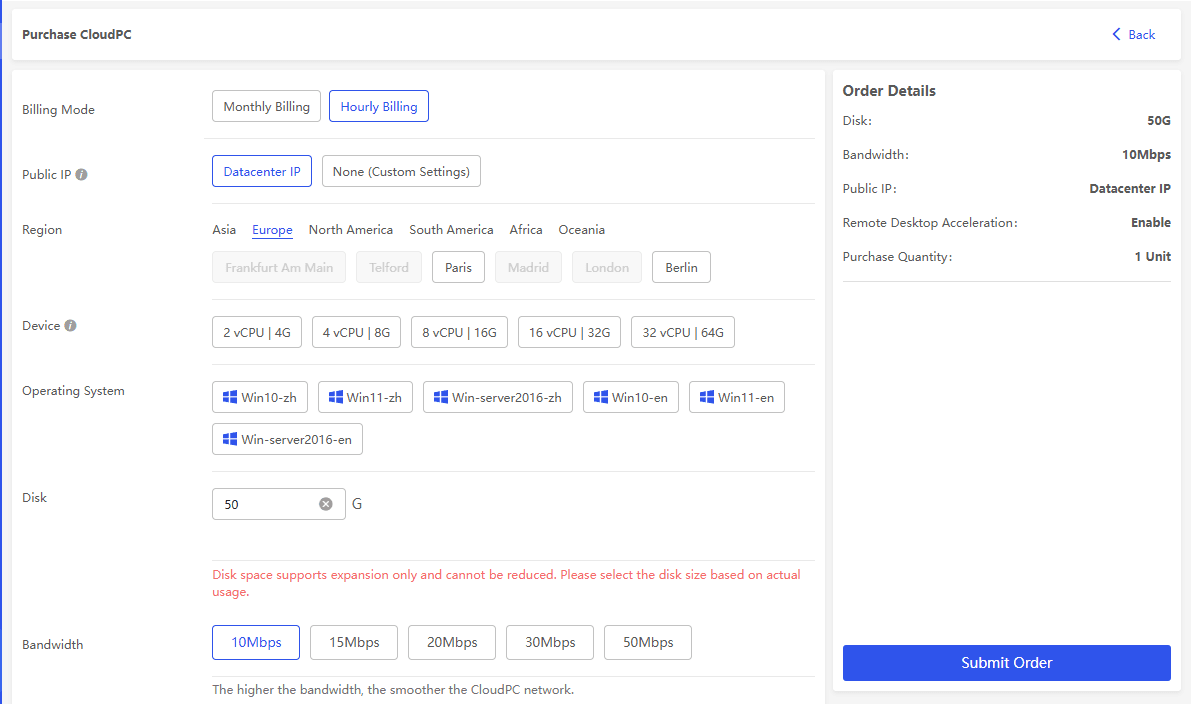
3. Create clear folders for Listings, Inventory, Orders, Marketing and Reports. Install only the applications needed in that workspace and document who may access them.
4. Connect remotely, sign in through approved business processes, and verify the account before editing listings or responding to buyers. Use Groups to find workspaces as the operation grows.
BitCloudPC · CloudPC setup guide · CloudPC groups
Team access and continuity
A growing operation should not rely on one person's laptop or a shared password file. Assign access according to each person's role, use strong authentication, and remove access promptly when responsibilities change. Keep a record of who owns listing approvals, customer replies and refund decisions. Review any available team permissions before giving someone access to an entire desktop.
Plan for interruptions as well. Back up source images, inventory records and financial reports according to company policy; confirm how the cloud environment itself is backed up. If a remote session is slow, test the local connection and workload before increasing CPU or RAM. A faster instance will not fix an unreliable internet connection or an inefficient workflow.
Choosing an environment by workload
A light desktop may be enough for Seller Hub, email and basic spreadsheets. Bulk listings, large catalog imports or image editing may require more memory, storage and processor capacity. Estimate the number of simultaneous users and applications, then test an ordinary workday. Track whether the delay comes from the CloudPC, the network or the marketplace tool itself.
Network settings should follow your established business setup. BitCloudPC describes native IP and configurable outbound options, but availability can vary by product and location. Avoid changing locations or identities to evade checks. Document the purpose of each configuration so an administrator can explain and maintain it later.
CloudPC, browser profile or VPS
A CloudPC separates the Windows desktop, its files and installed applications. BitBrowser profiles separate browser sessions and browser data. A traditional VPS provides remote computing but commonly involves more system administration. Pick the layer that solves your actual operational problem.
A CloudPC may reduce the need for several physical laptops, but it still needs software updates, strong sign-in security, backups and an access plan. Test performance with your actual listing, image and spreadsheet tasks before scaling.
eBay account policy comes first
eBay allows members to maintain more than one account for reasons such as different product lines. It prohibits registering or using another account to evade selling limits, restrictions or other policy consequences. Related accounts may also be affected by restrictions. A separate computer or network does not create an exemption.
Keep business identity and contact information accurate, resolve policy issues on the affected account and follow eBay's selling standards across every store. Network choices should serve legitimate operational needs, not conceal ownership or bypass a marketplace decision.
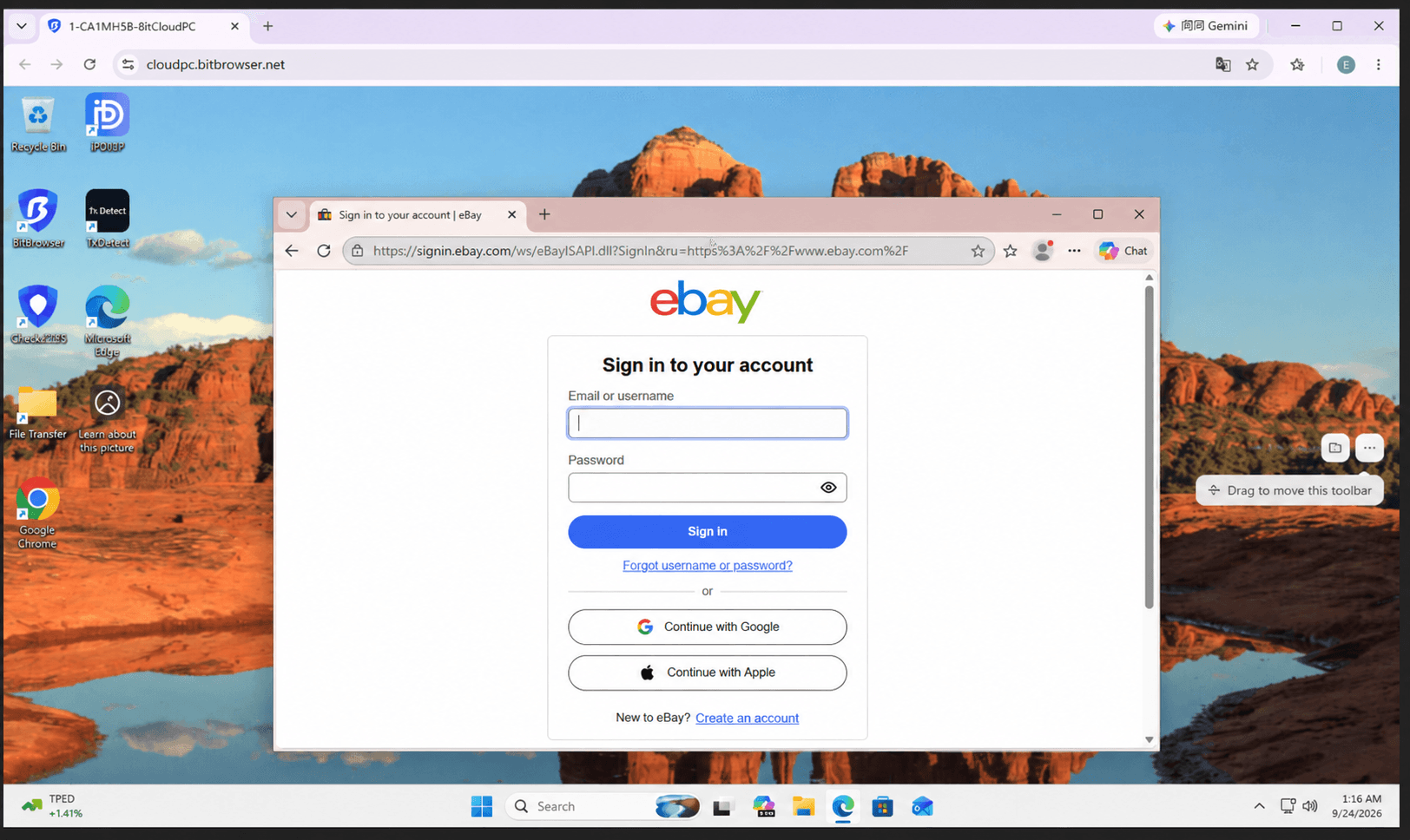
eBay multiple account policy · eBay Seller Hub
Frequently asked questions
Does every eBay account need its own CloudPC?
No. Choose a separate workspace when distinct files, applications, teams or business processes justify it.
Can I use my own software?
The Windows desktop supports compatible software, subject to the plan and permissions available to you.
Will a CloudPC prevent an account restriction?
No. eBay evaluates accounts under its policies; environment separation is for organization and access.
Conclusion
A well-named CloudPC can make an eBay operation easier to run from day to day. Start with one clearly defined workflow, document the setup and expand only where separate desktops measurably reduce confusion.

 Multi-Account Management
 Prevent Account Association
 Multi-Employee Management
Recommended
See More