Best Alternatives to ChatGPT When It’s Blocked: What Still Works
 2025.12.23 10:44
 YT.Shi
Introduction
ChatGPT has quickly become the go-to AI assistant for millions of users worldwide, reshaping how we write, research, and solve everyday problems. But what if you suddenly can’t access it? Whether the issue comes from geographic restrictions, workplace firewalls, school networks, or account limitations, losing access to ChatGPT can feel like hitting a wall right when you need help the most.
I’ve run into this problem myself, so I understand how frustrating it can be, and more importantly, I know you’re looking for solutions that actually work.
In this guide, ChatGPT unblocked is the main focus. You’ll learn:
· The real reasons why ChatGPT gets blocked
· Practical and proven methods to bypass restrictions safely
· Reliable ChatGPT alternatives that offer similar or even better performance
· Long-term, stable access solutions using antidetect browsers
You don’t need advanced technical skills to follow these methods. Let’s get you back to productive, AI-powered work—no matter what’s blocking your access.
Why ChatGPT Gets Blocked?
Understanding the reasons behind ChatGPT blocked scenarios helps you navigate these obstacles more effectively. The restrictions you encounter typically fall into three main categories, each with distinct characteristics and implications.
1. Geographic Restrictions and Regional Regulations
You might find ChatGPT inaccessible simply based on your location. Countries like China, Russia, Iran, and North Korea have implemented nationwide bans on the service. These ChatGPT access restrictions stem from data sovereignty concerns, content control policies, or national security considerations. Even in regions where ChatGPT isn't officially banned, regulatory compliance requirements may prevent OpenAI from offering services in certain jurisdictions.

2. Network Firewalls and Institutional Blocks
Your workplace, school, or university likely maintains strict network policies. IT administrators deploy firewalls that specifically target AI chatbot platforms to prevent bandwidth consumption, maintain productivity standards, or protect sensitive information from being shared with external AI systems.
These institutional blocks represent some of the most common ChatGPT not working scenarios you'll encounter in professional or educational environments. For instance, unblocking ChatGPT at such institutions may require specific permissions or adjustments to network settings.
You can access this resource for a complete guide on unlocking ChatGPT at school.

3. Account Suspension and Usage Limitations
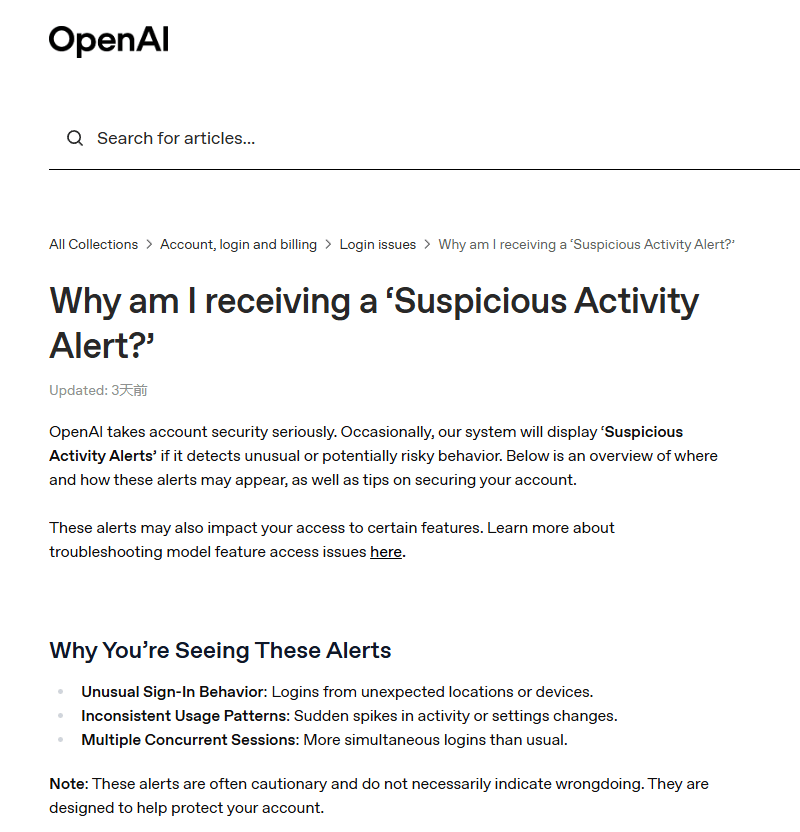
OpenAI enforces its own set of restrictions through account-level controls. You may face temporary or permanent suspensions for violating terms of service, exceeding rate limits (which could be related to service limits), or engaging in prohibited activities.
Payment issues, suspicious activity patterns, or multiple failed login attempts can also trigger account restrictions that prevent you from accessing the platform. In such cases, using an anti-detect browser can help maintain cleaner session isolation and more consistent browser fingerprints, reducing the risk of false positives caused by unstable or conflicting login environments.
How Does ChatGPT Get Blocked?
Understanding the chatgpt blocked methods helps you identify what you're up against when access is denied. Organizations and governments deploy sophisticated chatgpt restriction mechanisms that work at different network layers.
1. IP Blacklisting
IP Blacklisting represents the most straightforward blocking technique. Network administrators maintain lists of OpenAI's server IP addresses and configure firewalls to reject any connection attempts to these addresses. When you try accessing ChatGPT, your request never reaches OpenAI's servers, it gets dropped at the network perimeter.
2. DNS Filtering
DNS Filtering operates at a different level. Instead of blocking the IP address directly, this method prevents your device from resolving "chatgpt.com" to its actual IP address. Your browser receives an error message or gets redirected to a block page because the DNS query returns no valid result or points to a dummy address.
3. Deep Packet Inspection (DPI)
Deep Packet Inspection (DPI) represents a more advanced method for controlling network access. ISPs and institutional networks deploy DPI to examine traffic patterns and metadata in real time, rather than relying solely on IP addresses or ports. This technology can identify ChatGPT traffic by analyzing characteristics such as:
· TLS/SSL handshake fingerprints and server certificate information
· Domain names (via SNI) and connection initiation patterns
· Traffic volume, timing, and behavior typical of AI chatbot interactions
Even when using non-standard ports or simple obfuscation methods, DPI can recognize the traffic signature and block or limit access. Understanding this helps explain why chatgpt unblocked access may fail on some networks, and why more advanced solutions, such as anti-detect browsers or secure VPNs, may be needed for reliable use.
Effective Methods to Access ChatGPT When It's Blocked
When you need to access ChatGPT but it's blocked, there are several technical solutions you can try. Each method has its own strengths and weaknesses in terms of security, speed, and reliability based on your specific situation.
| Method | Difficulty | Stability | Best For |
|---|---|---|---|
| Change DNS | Low | Low | Light restrictions |
| Web Proxies | Low | Low | Temporary access |
| VPN Services | Medium | Medium | Privacy & bypass |
| Tor | Medium | Low | Anonymity-focused users |
| Browser Extensions | Low | Low | Quick setup |
| Mobile Hotspot | Low | Medium | School networks |
| Cloud Devices | Medium | High | Isolated environments |
| Anti-Detect Browsers (like BitBrowser) | Medium | High | Long-term, controlled access |
The effectiveness of each method depends on the type of blocking in place. VPNs are usually reliable solution for unblocking ChatGPT across different types of restrictions. However, if traditional methods fail, you can also use antidetect browser technology which offers advanced fingerprint masking to prevent detection.
You can access this resource for detailed step-by-step guides on these eight methods: How to Get Unblocked ChatGPT for School in 2026: A Complete Guide
Best Alternatives to ChatGPT When It's Still Blocked
When you can't access ChatGPT, you need reliable chatgpt alternatives that deliver similar capabilities. I've tested these ai tools like chatgpt extensively, and each brings unique strengths to the table. Here's what you need to know about the top options.
1. Google Gemini
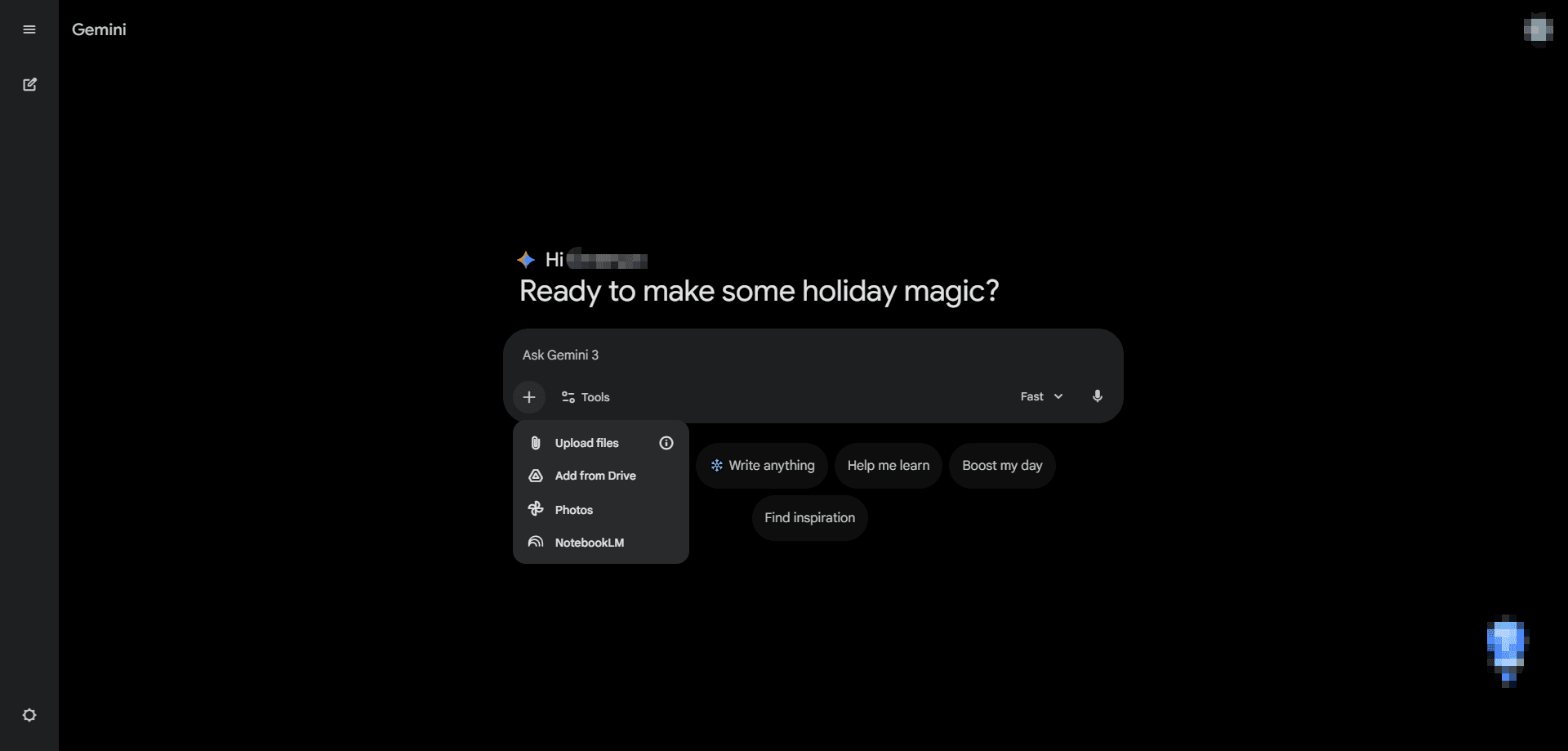
Google Gemini integrates seamlessly with your existing Google ecosystem, making it a natural choice if you already use Gmail, Docs, or Sheets regularly.
Key Features:
· Real-time Google Search integration for current information
· Multimodal capabilities handling text, images, voice, and even video
· Direct integration with Google Workspace apps
· YouTube video analysis and summarization
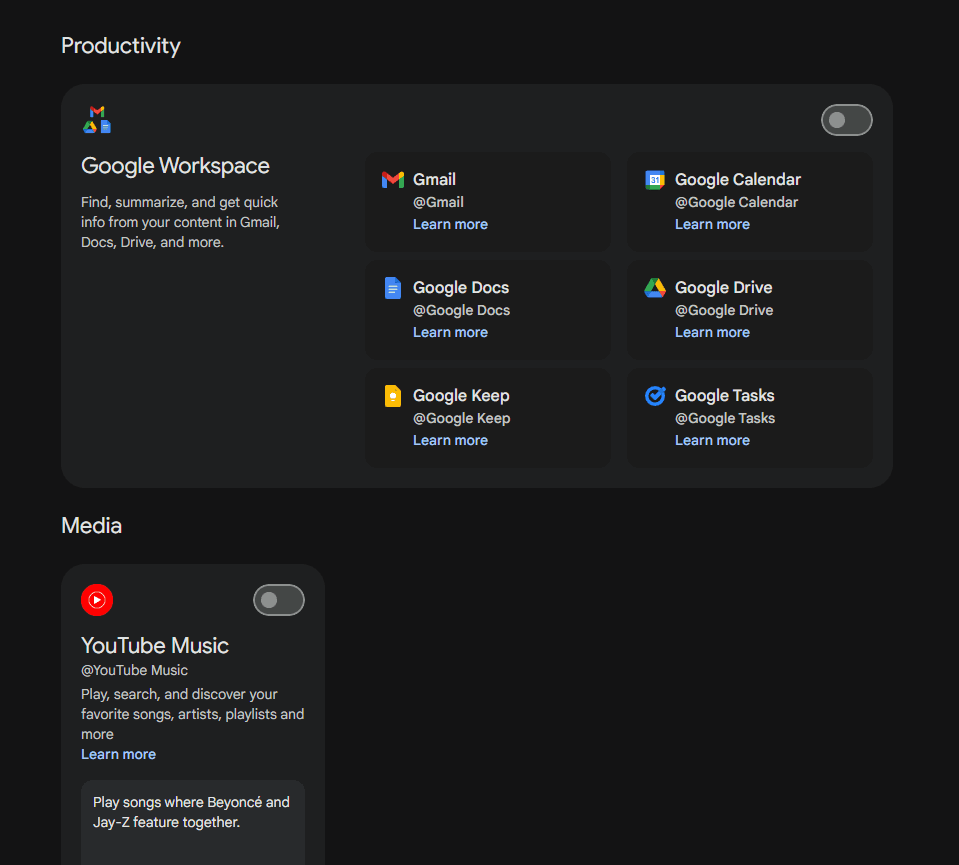
Pros:
· Access to up-to-date information through live search
· Works directly within familiar Google applications
· Handles multiple content types in a single conversation
· Free tier offers generous usage limits and surprisingly powerful features
Cons:
· Privacy concerns due to Google's data collection practices
· Responses sometimes prioritize Google sources
· Limited customization options
· Its upgrade plan is not available in certain countries or regions.

Best Use Cases:
Gemini works best when you need current information, want to analyze visual content, or need an AI assistant that works within your Google Workspace workflow.
2. Claude by Anthropic

Claude stands out with its natural, human-like writing style and strong ethical guardrails. You'll notice the difference immediately in how it handles nuanced conversations and complex reasoning tasks.
Key Features:
· Extended Context Window: Supports a context window of up to 1 million tokens, allowing it to process entire codebases or lengthy documents like The Lord of the Rings trilogy in a single request.
· Document and Data Processing: Can summarize, analyze, and extract information from large text files.
· Code Generation: Supports multiple programming languages for coding, debugging, and explanation tasks.
· Safety Measures: Includes built-in guardrails to reduce harmful or unsafe outputs.
Pros:
· Produces thoughtful, well-structured, and accurate responses, with a strong adherence to provided facts.
· Excels at understanding context and maintaining conversation flow over very long interactions.
· Handles professional tasks excellently, now including complex, multi-step projects like application development from start to finish.
· Transparent about limitations and can be more cautious in its reasoning style compared to other models.
Cons:
· The free tier has daily usage limits, while a Pro subscription is available for approximately $20 per month.
· Its strong safety design can sometimes make it overly cautious or restrictive on certain topics.
· Response times can vary, though features like "Context Editing" are designed to optimize performance in long tasks.
Best Use Cases:
You'll find Claude ideal for professional writing, research assistance, code debugging, and any task requiring careful reasoning and ethical considerations.
3. Microsoft Copilot
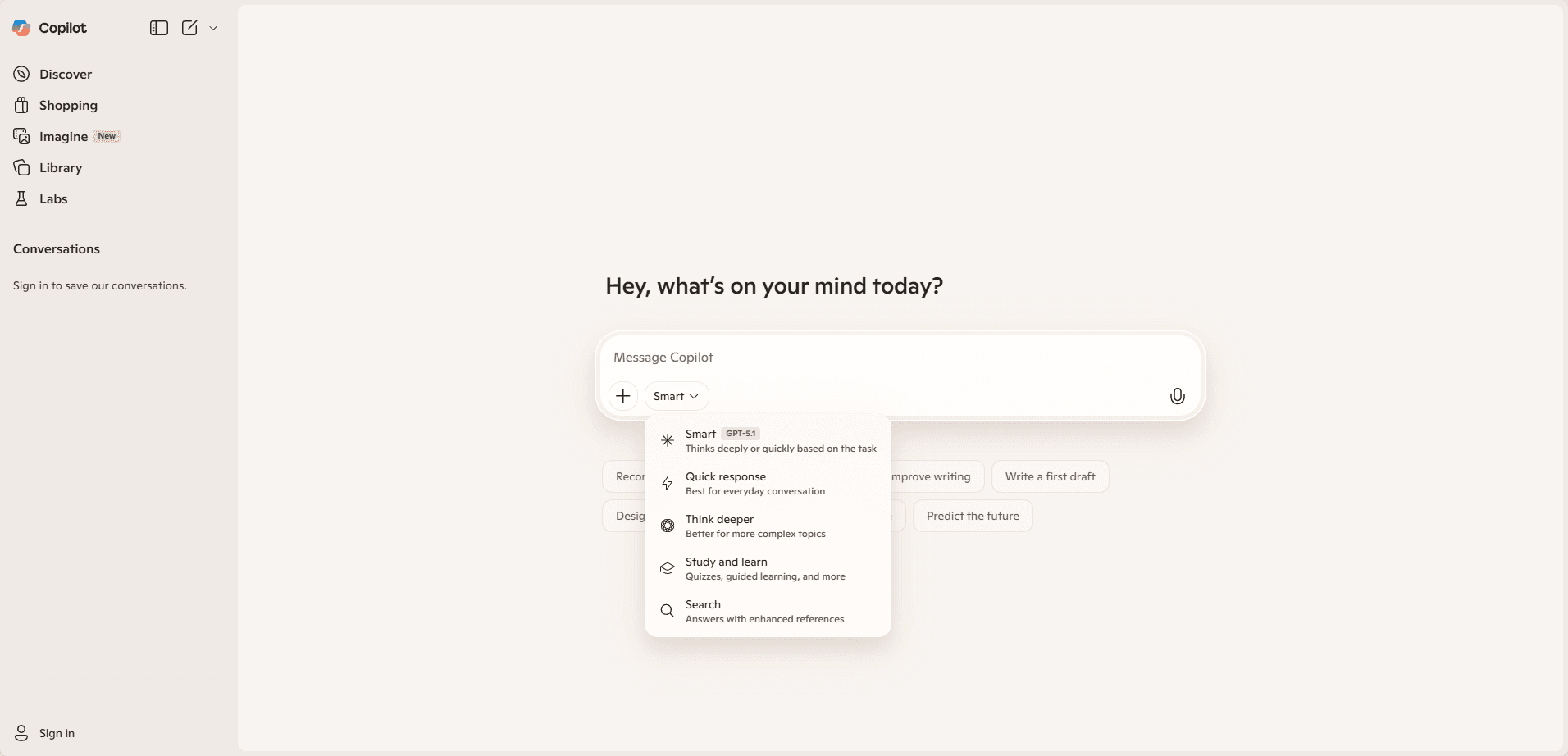
Microsoft Copilot is an AI-powered assistant integrated into Microsoft 365, Azure, and Dynamics 365, designed to boost productivity, automate tasks, and provide intelligent insights across business workflows.
Key Features:
· Natural Language AI: Executes tasks and generates content based on plain English prompts.
· Microsoft 365 Integration: Works seamlessly with Word, Excel, PowerPoint, Outlook, and Teams.
· Task Automation & Data Analysis: Summarizes data, generates reports, and provides actionable insights.
· Copilot Studio & Custom AI Agents: Enables tailored automation and intelligent workflows.
· Predictive Insights: Offers trend analysis, recommendations, and decision support.
Pros:
· Enhances productivity and reduces repetitive work.
· Maintains context across long documents and workflows.
· Multi-modal support: text, voice, and limited visual inputs.
· Enterprise-grade security and compliance integration.
· Continuously updated with new features and improvements.
Cons:
· May require a learning curve for complex setups.
· While a basic version is available, the most powerful capabilities for businesses require a Microsoft 365 Copilot subscription (commercial plans start around $21 per user/month).
· Data privacy concerns in sensitive environments.
· Response times can vary depending on task complexity and system load.
Best Use Cases
Microsoft Copilot is best suited for boosting office productivity, delivering business insights, improving team collaboration, automating IT and enterprise workflows, and supporting education and training through AI-powered content generation and analysis.
4. DeepSeek
DeepSeek is an AI model family focused on strong reasoning, mathematics, and code generation, offering high performance at a relatively low cost. It is widely used for technical tasks, research, and developer-oriented workflows.
Key Features
· Advanced Reasoning Capabilities: Strong performance in logical reasoning, mathematics, and problem-solving tasks.
· Code Generation & Debugging: Supports multiple programming languages with a focus on accuracy and efficiency.
· Large Context Handling: Capable of processing long prompts and complex instructions.
· Open and Cost-Efficient Models: Many DeepSeek models are open-source or low-cost compared to mainstream alternatives.
· Research-Oriented Design: Optimized for academic, engineering, and analytical use cases.
Pros
· Excellent performance in math, logic, and technical reasoning.
· Cost-effective compared to many commercial AI models.
· Strong coding assistance for development and debugging tasks.
· Suitable for research, experimentation, and custom deployments.
· Transparent model availability and growing open-source ecosystem.
Cons
· Weaker performance in creative writing and conversational tone.
· Limited native integrations with productivity tools.
· Smaller ecosystem compared to ChatGPT or Microsoft Copilot.
· Safety and content moderation may be less conservative.
· Less optimized for non-technical or casual users.
Best Use Cases
DeepSeek is ideal for advanced reasoning, mathematical analysis, code generation and debugging, academic research, technical problem-solving, and cost-sensitive AI deployments requiring strong analytical performance.
5. Perplexity
Perplexity AI is an AI-powered answer engine focused on real-time information retrieval and source-backed responses, making it especially useful for research, fact-checking, and up-to-date content discovery.
Key Features:
· Real-Time Web Search: Retrieves and analyzes current information from the internet.
· Source Citations: Provides references and links to improve transparency and credibility.
· Natural Language Q&A: Delivers concise, direct answers to user queries.
· Follow-Up Query Support: Allows iterative questioning for deeper exploration.
· Multi-Model Access (Pro): Supports different AI models for varied reasoning needs.
Pros:
· Excellent for up-to-date research and current events.
· Clear source attribution enhances trust and SEO value.
· Fast, concise answers optimized for information retrieval.
· Easy to use with minimal learning curve.
· Strong performance in factual and exploratory queries.
Cons:
· Less suitable for long-form creative writing.
· Limited productivity tool integrations.
· Advanced features require a paid plan.
· Reasoning depth may be weaker than reasoning-focused models.
· Not ideal for complex workflow automation.
Best Use Cases:
Perplexity AI is ideal for real-time research, fact-checking, content ideation with sources, SEO research, market analysis, and any task that requires accurate, up-to-date, and verifiable information.
6. Grok
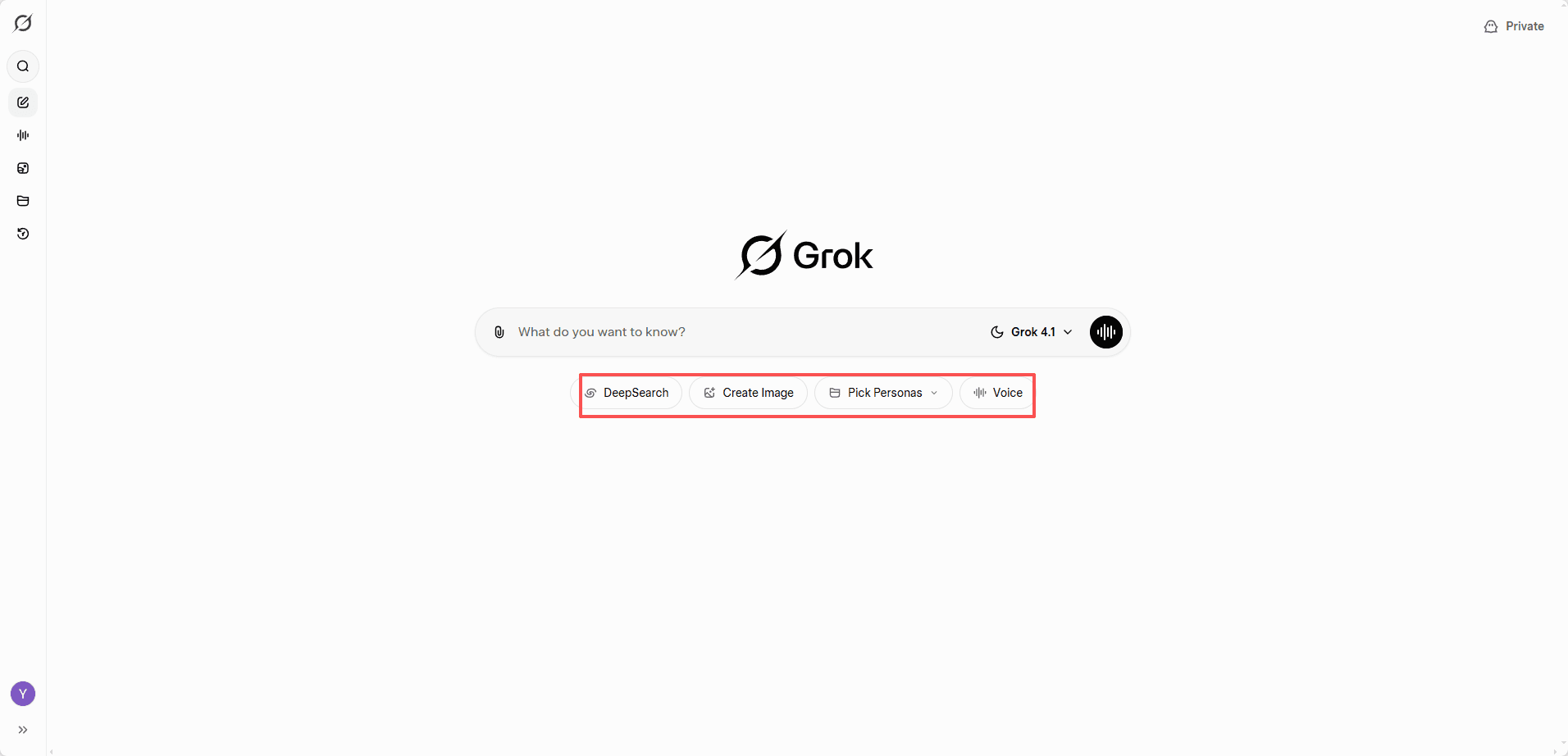
Grok is an AI assistant developed by xAI and deeply integrated with the X (formerly Twitter) platform, designed to provide real-time insights, trend analysis, and conversational responses with a more informal and opinionated tone.
Key Features:
· Real-Time X Data Access: Analyzes live public posts and trends on X for up-to-date insights.
· Conversational & Opinionated Style: Delivers responses with a more direct, informal tone compared to traditional assistants.
· Natural Language Understanding: Handles questions, summaries, and explanations across various topics.
· Trend & Sentiment Analysis: Identifies emerging topics and public sentiment from social data.
· Integrated X Experience: Works natively within the X ecosystem.
Pros:
· Strong real-time awareness of social trends and breaking topics.
· Fast responses to current events and online discussions.
· Engaging, less formal conversational style.
· Useful for social media analysis and content ideation.
· Seamless integration for X users.
Cons:
· Limited usefulness outside the X platform.
· Less suited for structured professional writing.
· Reasoning depth and technical accuracy may vary.
· Fewer productivity and enterprise integrations.
· Access may require a paid X subscription.
Best Use Cases:
Grok is best suited for real-time trend monitoring, social media analysis, breaking news exploration, content ideation based on public sentiment, and interactive conversations within the X ecosystem.
Why Antidetect Browsers are a Long-Term Solution?
When ChatGPT is blocked, VPNs and basic proxies may offer short-term access, but they often fail against modern detection systems. For users seeking stable, long-term chatgpt unblocked access, antidetect browsers provide a more reliable solution.
Unlike traditional tools that only mask IP addresses, antidetect browsers operate at the application layer. They create isolated browser environments with unique fingerprints, making each session appear as a separate, real device. This reduces the risk of detection caused by fingerprint mismatches, shared IPs, or repeated access patterns.
Professional antidetect browsers such as BitBrowser combine fingerprint isolation, dedicated proxy integration, and profile management in one platform. Each browser profile can be bound to a clean, independent IP, effectively preventing account linkage and systemic bans.
How Antidetect Browsers Boost AI Platform Performance
Antidetect browsers, like BitBrowser, are more than just a tool to get chatgpt unblocked, they significantly improve efficiency, stability, and control when using AI platforms. Traditional methods like VPNs or proxies may temporarily bypass restrictions, but they often fail to maintain session stability or prevent account conflicts. Antidetect browsers address these challenges systematically.
Key Performance Advantages:
· Stable and Isolated Sessions: Each browser profile functions as an independent digital identity, reducing unexpected logouts, captcha prompts, or session interruptions, ensuring uninterrupted AI workflows.
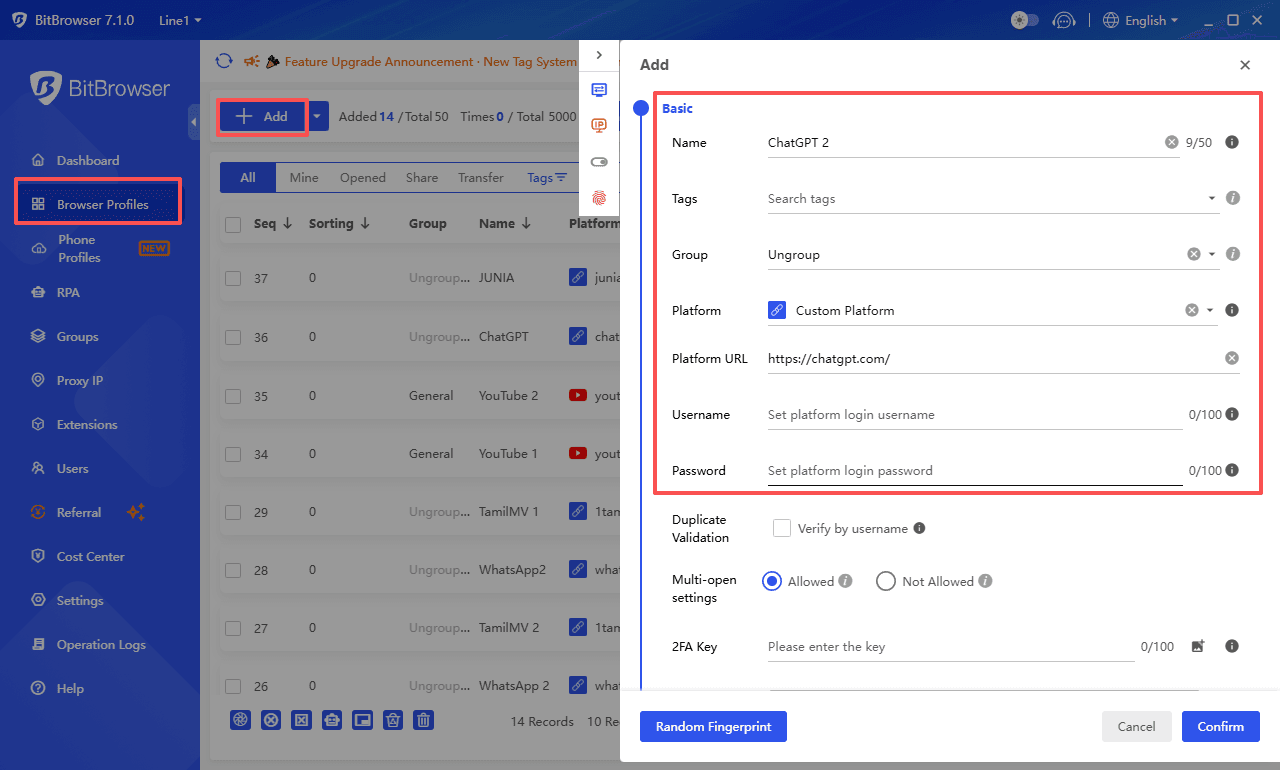
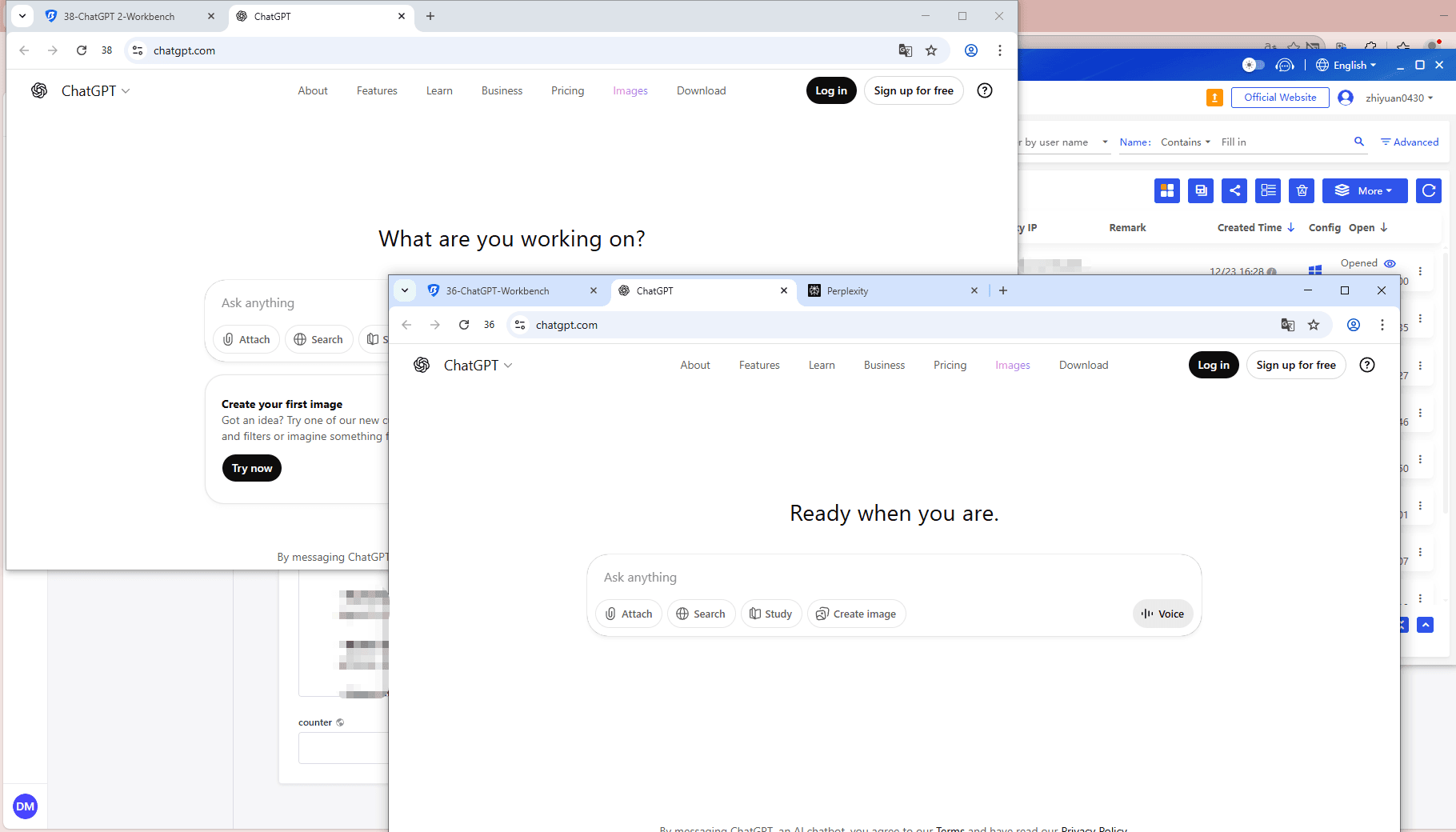
· Multi-Account Management: Run multiple ChatGPT or AI accounts simultaneously without risk of detection or cross-account interference, ideal for content creation, research, or testing.
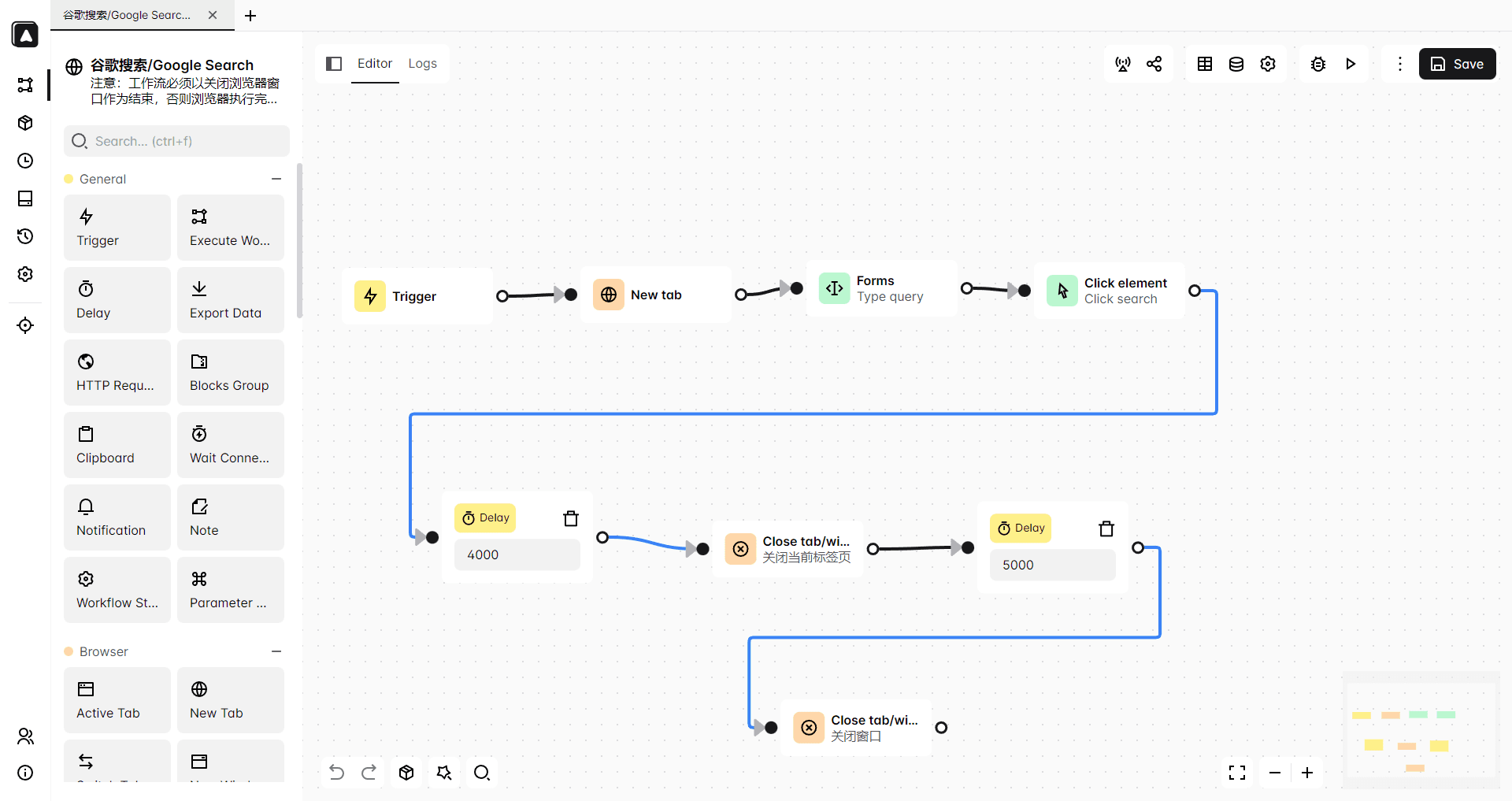
· Automation with RPA: Built-in robotic process automation allows scheduling prompts, automatic logins, batch content generation, and result exports, simulating human behavior to reduce platform restrictions.
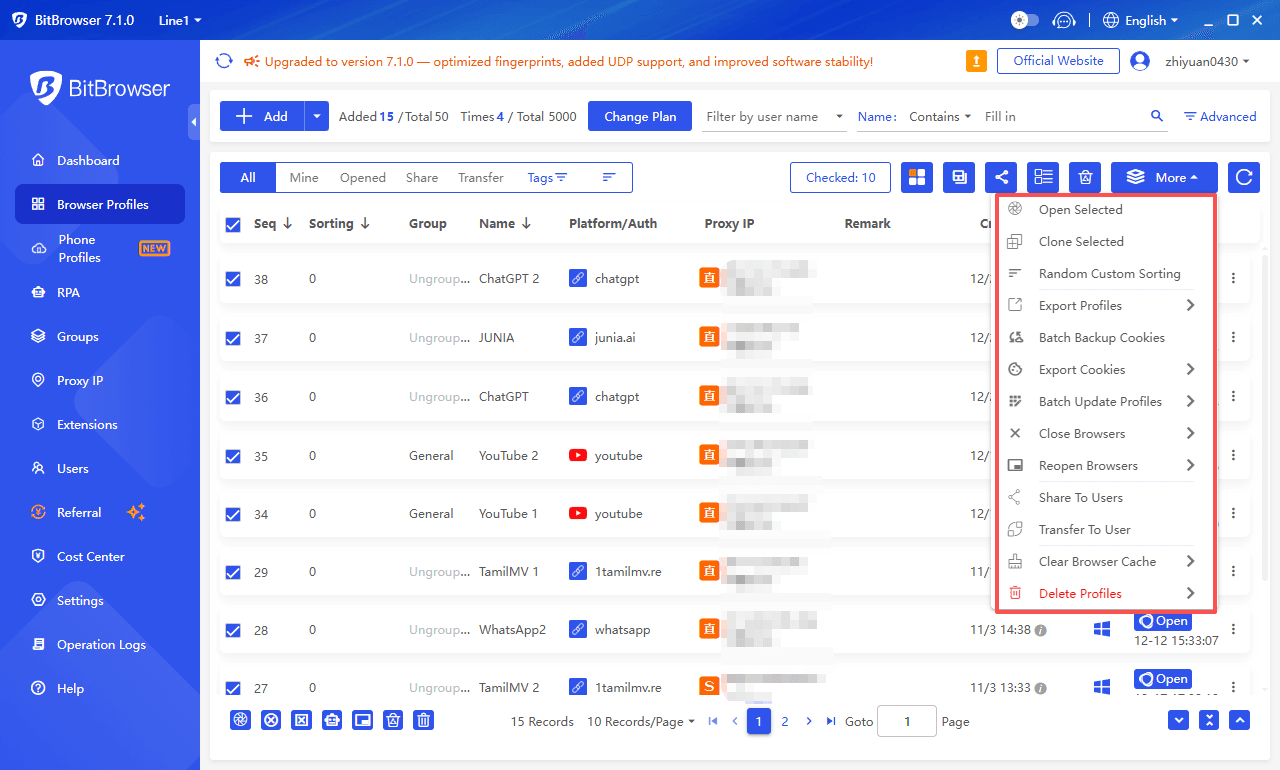
· Batch Operations and Window Management: Manage multiple projects efficiently with grouped windows, bulk profile creation, and synchronized actions, improving productivity for high-volume AI tasks.
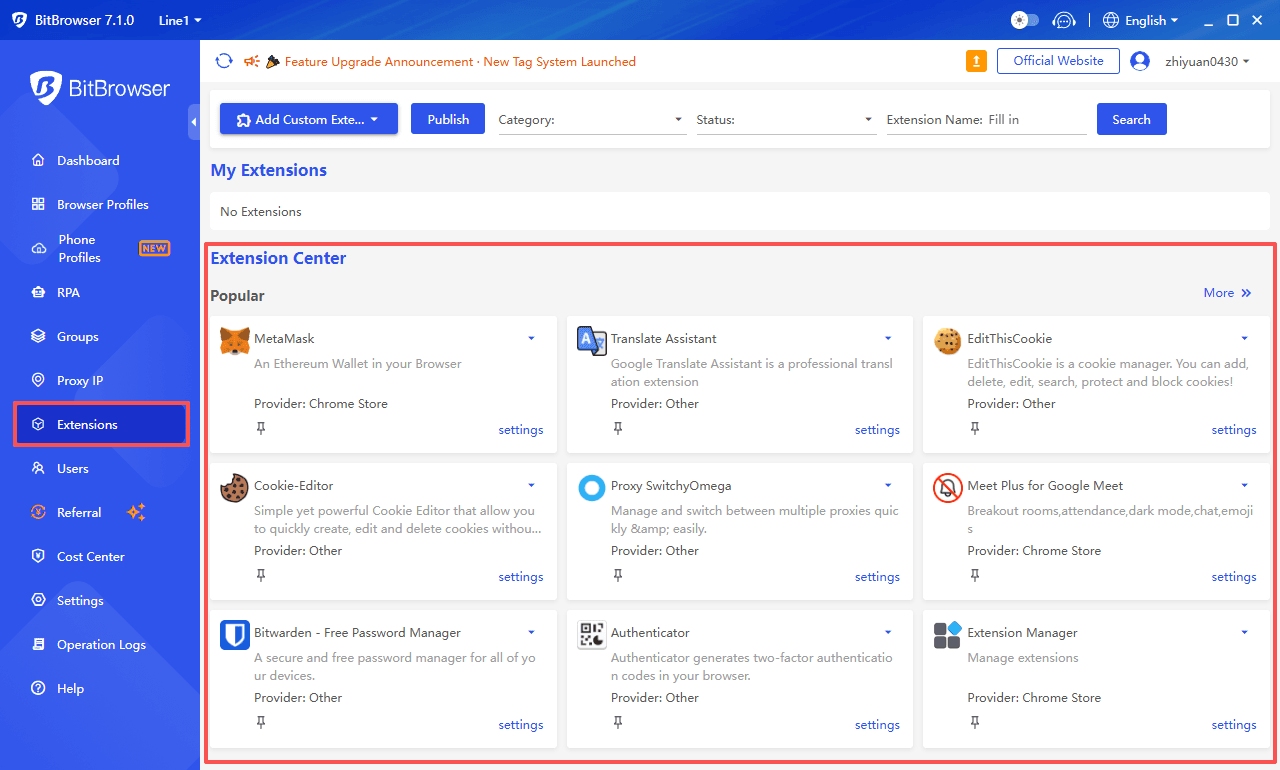
· Integration and Extensibility: Support for browser extensions and API access allows users to integrate AI-assisted writing, translation, data analysis, or CRM workflows directly within isolated environments.
· Reduced Risk of Blocking: Combined with dedicated proxies and fingerprint customization, each profile presents a unique, consistent digital identity, lowering the chance of IP bans or account restrictions.
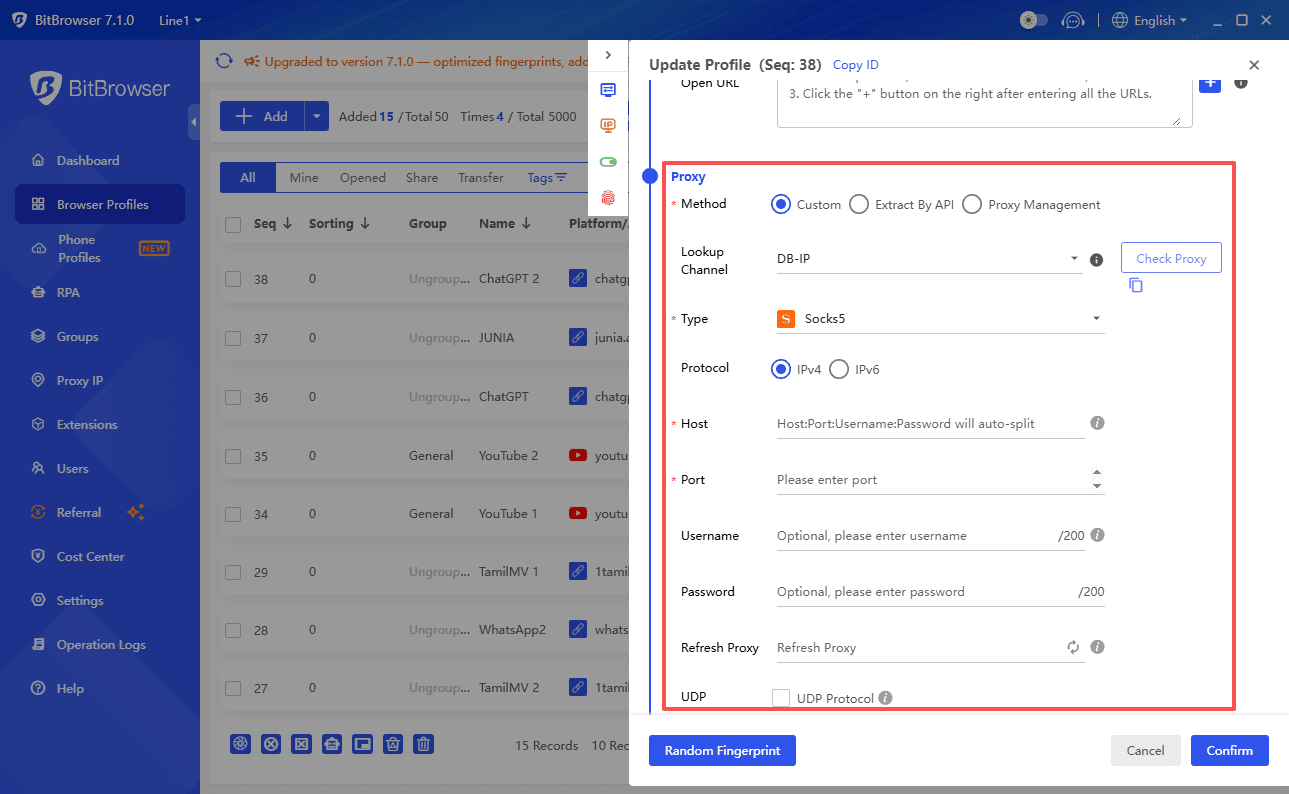
Using an antidetect browser transforms AI access from a temporary workaround into a long-term, reliable solution. For professionals and teams relying on ChatGPT or other AI tools, it ensures both secure access and enhanced performance, while maintaining operational flexibility and minimizing risks.
BitBrowser offers 10 free personal profiles for life. Try it free.
Conclusion
Accessing ChatGPT when it’s blocked doesn’t have to be frustrating or risky. From understanding why and how restrictions occur, to exploring practical unblock methods, reliable alternatives, and long-term solutions like antidetect browsers, users now have multiple strategies to regain seamless access.
Using tools such as BitBrowser not only helps you get chatgpt unblocked but also ensures stable, secure, and efficient interactions with AI platforms for the long term. By combining safe practices, advanced technology, and thoughtful workflow management, you can maintain uninterrupted AI-powered productivity no matter where or how restrictions are applied.
Frequently Asked Questions (FAQs)
1. What does “chatgpt unblocked” mean?
It refers to accessing ChatGPT even when network restrictions, firewalls, or account limitations prevent standard usage, often through VPNs, proxies, or antidetect browsers.
2. Why is ChatGPT blocked in some locations?
Blocks are usually due to geographic regulations, institutional firewalls, or OpenAI account suspensions, often driven by content control, security, or compliance concerns.
3. Are VPNs enough to get ChatGPT unblocked?
VPNs may work for temporary access, but they often fail against advanced detection systems like deep packet inspection or browser fingerprinting, making long-term stability unreliable.
4. How do antidetect browsers like BitBrowser help?
They create isolated browser environments with unique fingerprints, manage multiple accounts securely, and integrate dedicated proxies, reducing detection risk and enabling consistent, long-term AI platform access.
5. What are good alternatives if ChatGPT remains inaccessible?
Top alternatives include Google Gemini, Claude, Microsoft Copilot, DeepSeek, Perplexity, and Grok—each offering AI capabilities such as research assistance, content generation, coding help, and real-time insights.