How to Download GIFs from Twitter (X) in 2026: Top Tools & Pro Methods
 2026.03.31 13:44
 YT.Shi
In the fast-evolving landscape of X (formerly Twitter), GIFs remain the lifeblood of digital communication. Whether it’s a viral meme, a reaction clip, or a brand asset, knowing how to capture these looping visuals is essential.
This guide covers everything from quick manual saves to professional-grade extraction methods using BitBrowser. If you're accessing X from a desktop browser, you may also want to check out this complete guide to Twitter Web Login to ensure a secure and smooth experience.
Why Do People Download GIFs from Twitter?
Beyond personal entertainment, there are several professional reasons for downloading these files:
● Content Creation: Repurposing viral trends for multi-channel marketing.
● Social Media Management: Building a local library of reaction assets for quick community engagement.
● UGC & Ad Creatives: Collecting inspiration or raw material for User-Generated Content (UGC) campaigns.
● Archiving: Preserving specific cultural moments or brand interactions that might otherwise be deleted.
Why Do You Need a Twitter GIF Downloader?
Many users are surprised to find that they cannot simply "Right-Click > Save As" a GIF on X. This is because X technically converts all uploaded GIFs into looped MP4 video files to save bandwidth and ensure faster loading times. A dedicated downloader is necessary to:
● Convert the MP4 back into a high-quality .gif format.
● Bypass the platform's native restrictions on direct media saving.
● Ensure the animation remains intact across different devices.
How to Find Specific GIFs on Twitter
Before you can download, you need to find the right content. In 2026, X's search capabilities have become more robust:
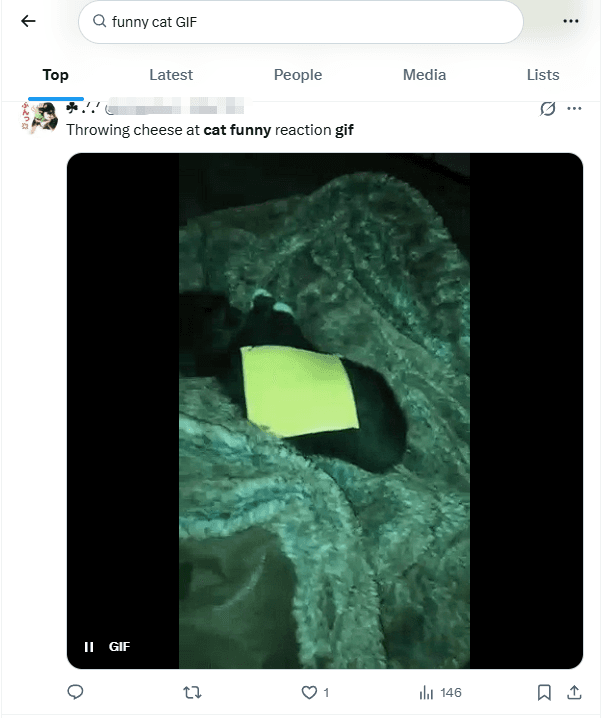
1. Keyword Search: Use the search bar with specific terms (e.g., "funny cat GIF").
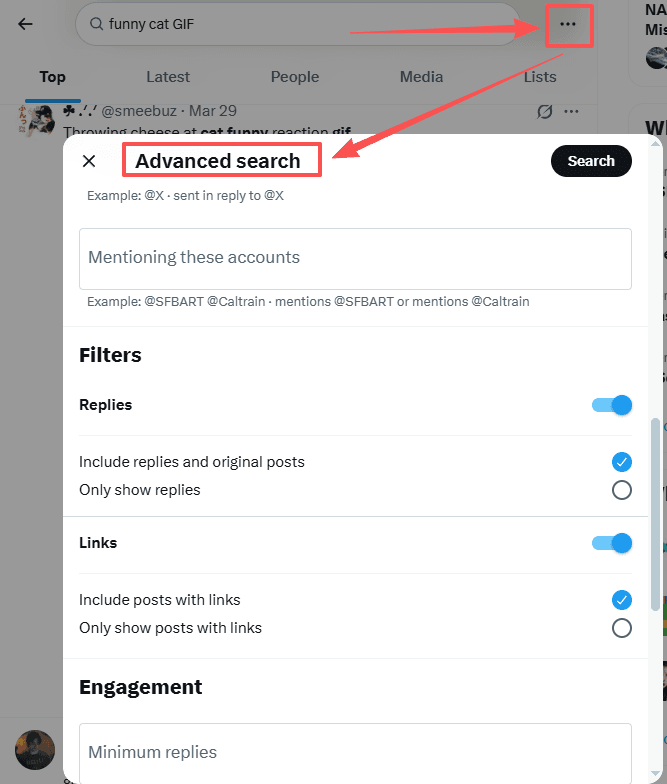
2. Advanced Search: Click the three dots next to the search bar to filter by date, account, or engagement levels.
3. Search Operators: Use the filter:images or filter:links operators to narrow down media-heavy tweets.


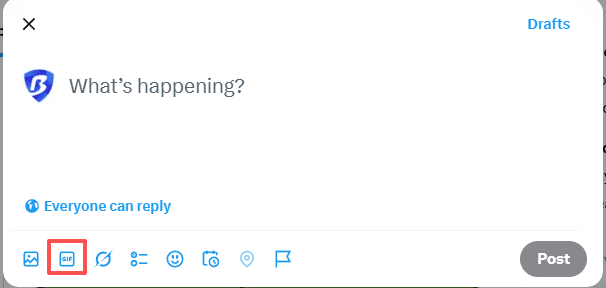
4. GIF Keyboard: Use the native GIF button in the tweet composer to browse trending categories.
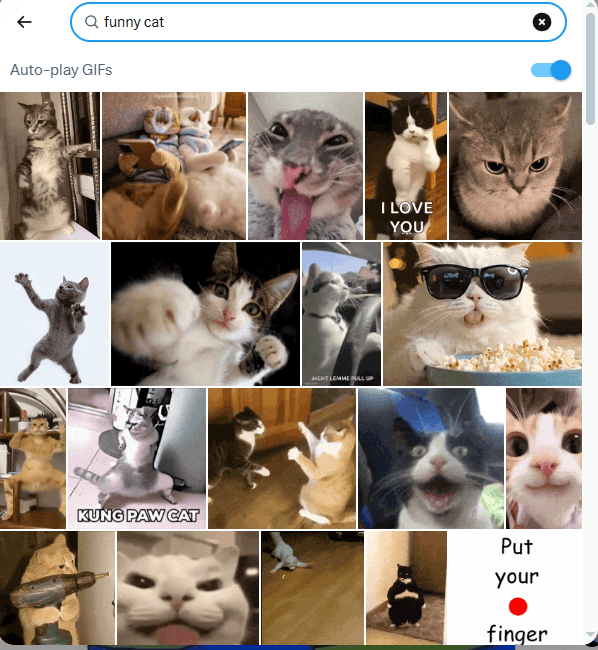
Note that GIFs here are pulled from external sources (like Tenor or Giphy) and don’t have a Twitter URL until they’re posted.
To get a Twitter link, you must post this tweet or find it in an existing tweet.
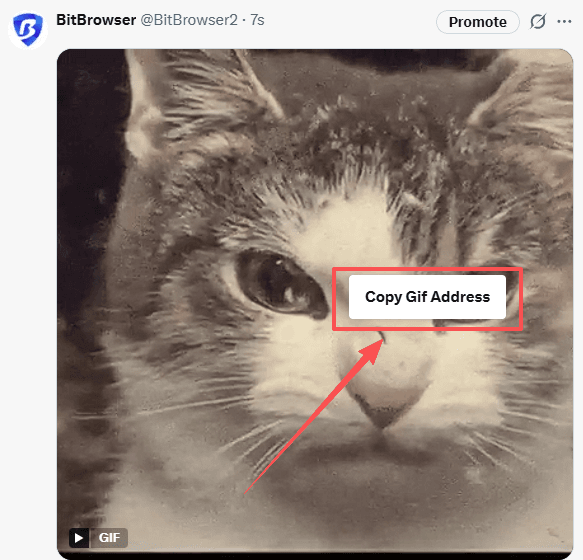
In this method, you can retrieve the link to the original tweet containing this GIF: https://x.com/i/status/……
How to Download GIFs from Twitter: Step-by-Step
Depending on your device and workflow, here are the most reliable methods in 2026:
1. Using Online Web Tools (Desktop & Mobile)
This is the quickest method for most users.
Step 1: Copy the URL of the tweet containing the GIF or right-click to get the URL for this GIF.
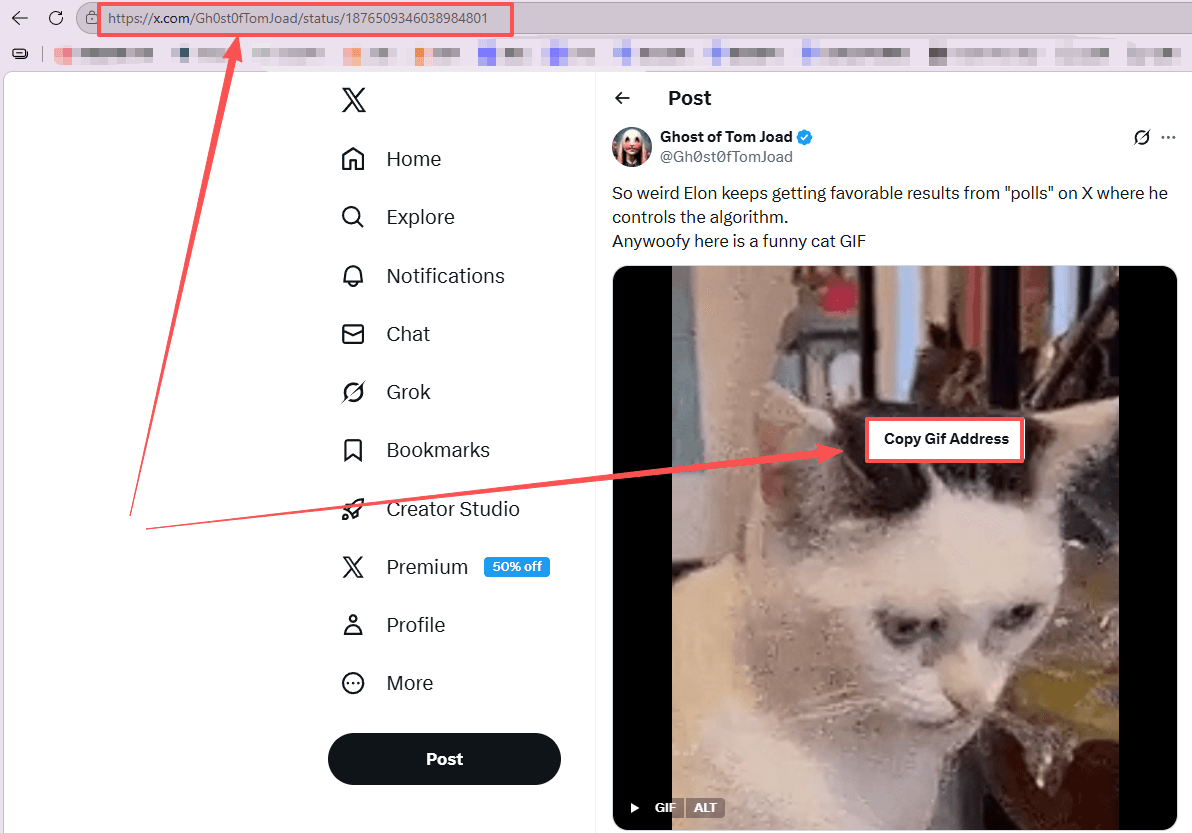
Step 2: Visit a trusted tool like twittervideodownloader.com or ssstwitter.com.
Step 3: Paste the link and choose your preferred format (MP4 is original quality, GIF is converted).
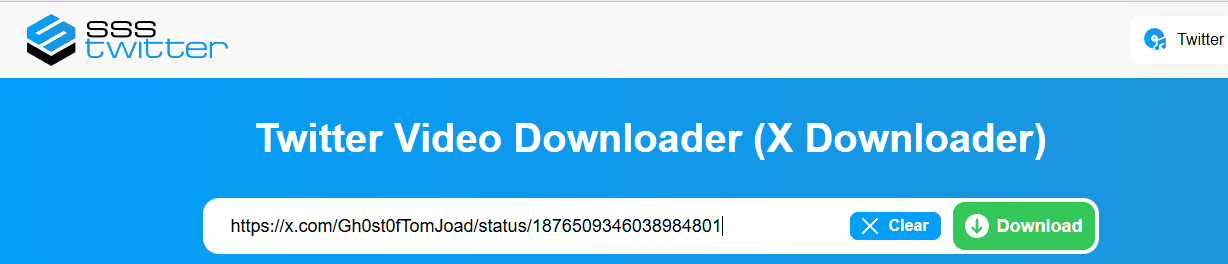
Step 4: Download the file to your device.

Tip: Always download MP4 first if you care about quality. GIF versions are usually compressed.
2. Using Browser Extensions (Best for Frequent Use)
If you download GIFs regularly, extensions can save a lot of time.
1. Install a media downloader extension (e.g., Video DownloadHelper).
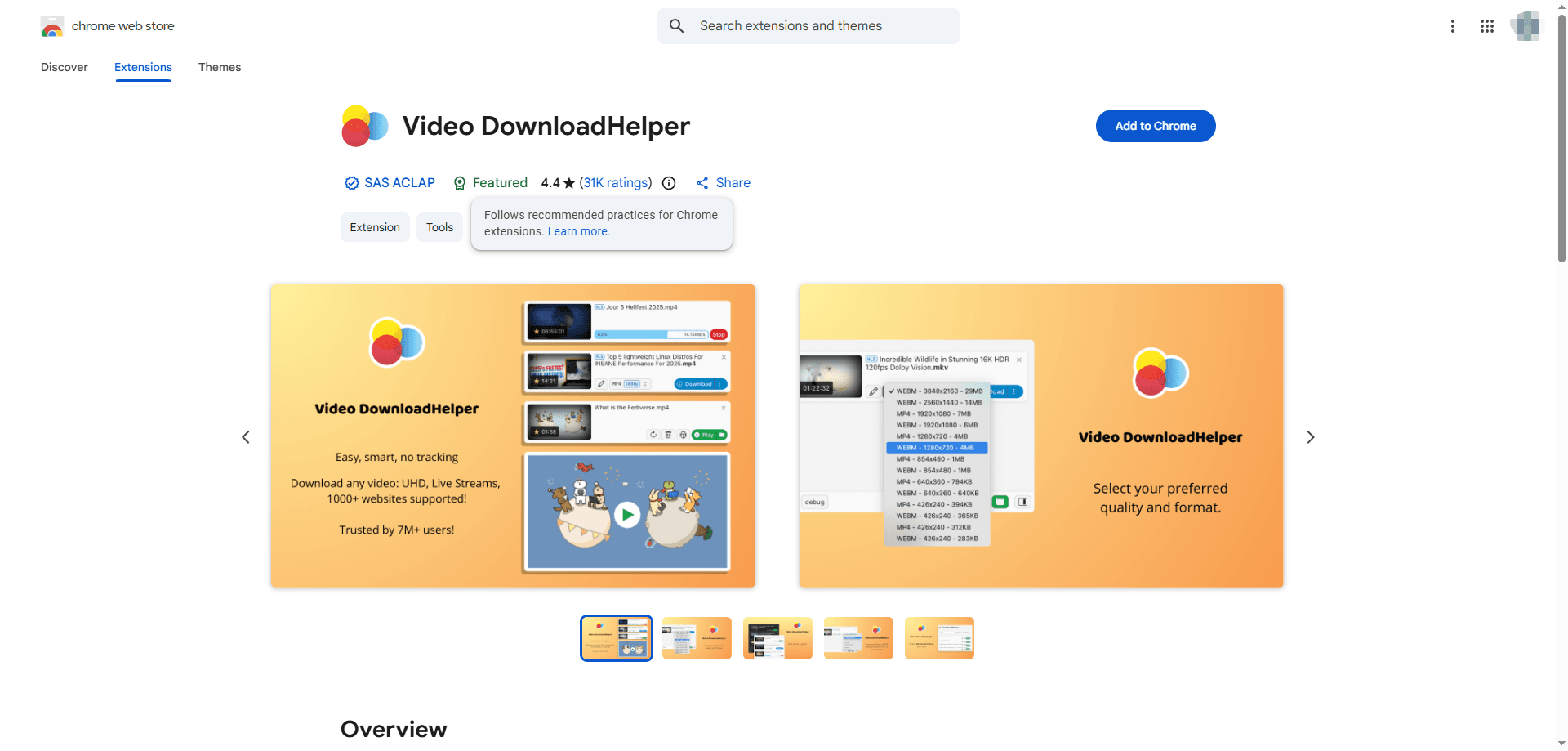
2. Open the tweet with the GIF.

3. Click the extension icon. It will detect the MP4 stream automatically.

4. Download the file directly.
This avoids constantly copying and pasting links into external tools.
3. Manual Method (No Tools Required)
If you prefer not to rely on any third-party tools, you can extract the file manually.
1. Open the tweet in your browser
2. Press F12 to open Developer Tools
3. Go to the Network tab and filter by “media”
4. Find the .mp4 file, open it in a new tab
5. Right-click and save
This is the raw source file that Twitter uses internally.
For mobile users in 2026, saving media needs to be fast and integrated into your scrolling routine. Here are the detailed steps for both major mobile platforms.
4. Android: Using the Share to Download Method
Android allows for the most direct workflow because apps can talk to each other through the share menu.
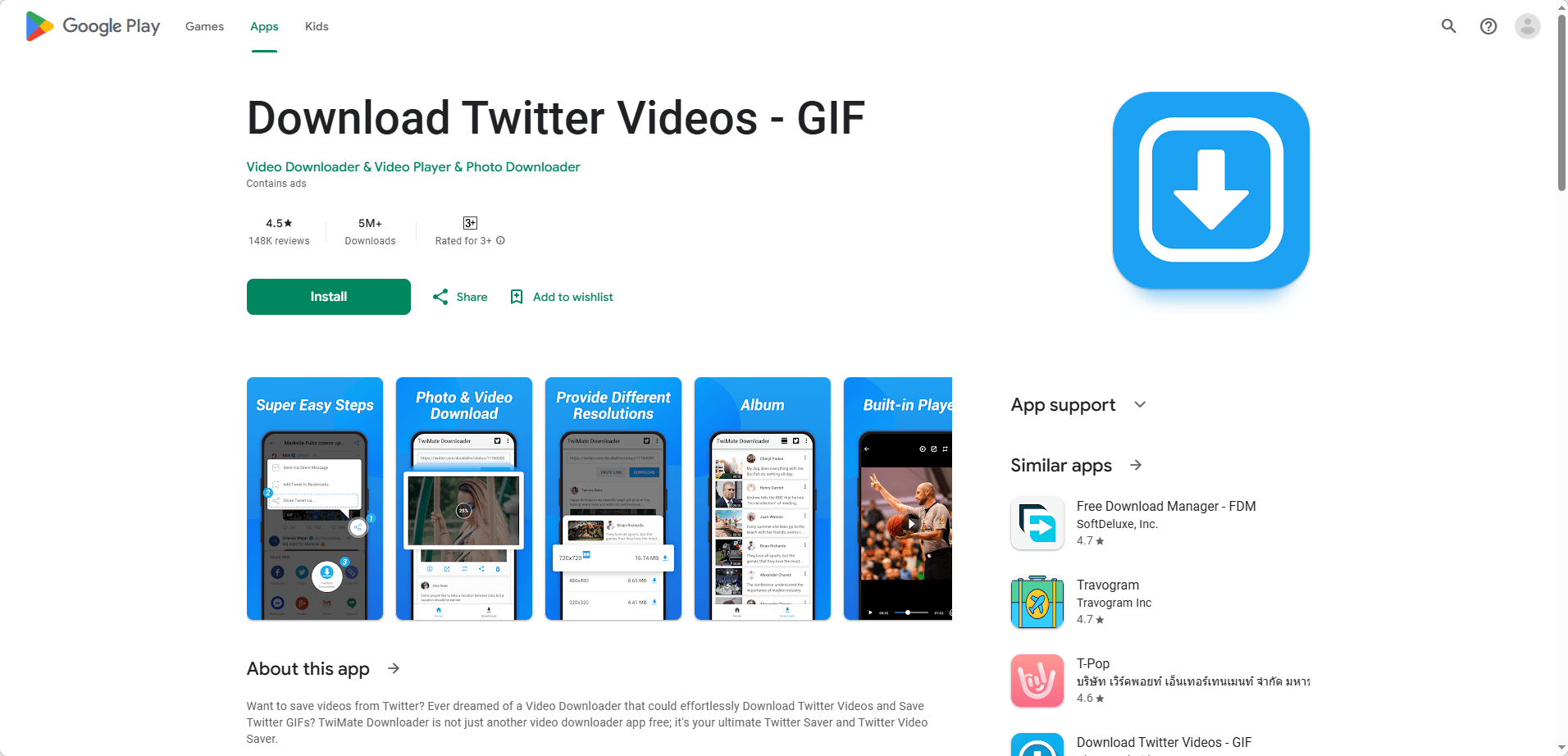
Step 1: Install a dedicated downloader
Search for a reliable tool like Video Downloader & GIF Saver or Download Twitter Videos - GIF in the Google Play Store. These apps are specifically designed to catch media links from X.
Step 2: Use the Share via feature
Find the tweet with the GIF you want to save. Tap the share icon at the bottom of the post and select the option labeled Share via.
Step 3: Choose your downloader
Select your downloader app from the list of available apps. The app will open automatically and parse the tweet link for you.
Step 4: Save the file
Click the download button. Most apps will give you a choice between the original MP4 or a converted GIF. Select your preference and the file will appear in your gallery under a dedicated folder.
5. iOS: Using GIFwrapped or Apple Shortcuts
Apple users have two great options depending on whether they want a separate app or a native experience.
Option A: Using the GIFwrapped App
This is the best choice if you want to build a searchable library of GIFs on your iPhone.
1. Copy the link of the tweet containing the GIF.
2. Open the GIFwrapped app. It will detect the link in your clipboard and ask if you want to search for it.
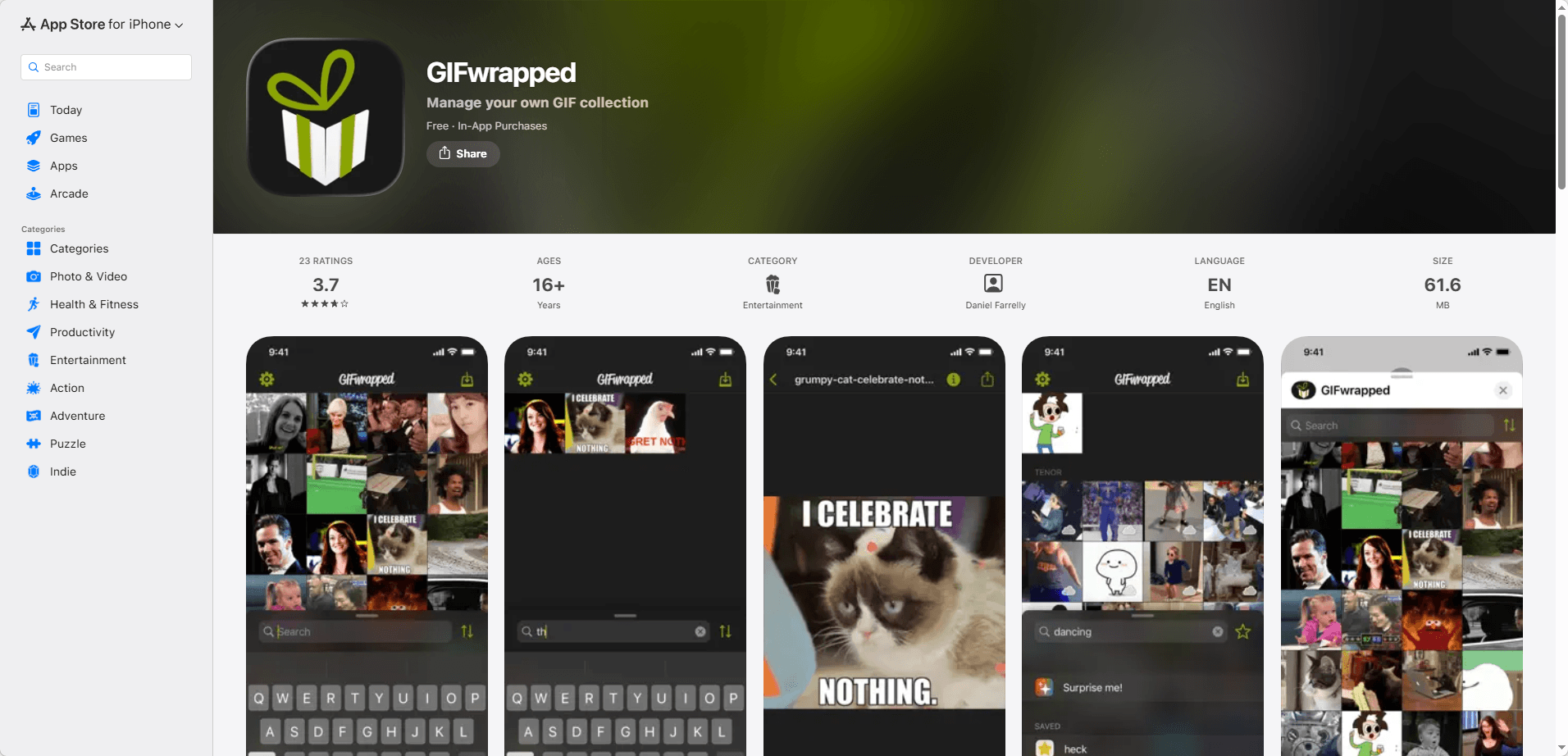
3. Once the GIF appears, tap it to open the preview.
4. Tap the share icon within the app and select Save to Library or Save to Photos.
Option B: Using Apple Shortcuts (No App Required)
If you prefer not to install extra apps, you can use a custom Shortcut.
1. Download a trusted Twitter Downloader shortcut from a community site like RoutineHub.

2. When you see a GIF on X, tap the share icon and select Share via.
3. Scroll down and tap the name of your shortcut.
4. The shortcut will run in the background and save the MP4 directly to your Photos app.
Pro Tip for Mobile Users
Mobile versions of X often use highly compressed video streams to save your data. If the GIF looks blurry on your phone, try opening the tweet in a mobile browser like Safari or Chrome and use a web based tool like EZGIF.
If you encounter login errors while switching between devices, refer to this guide on fixing X login issues to avoid interruptions.
Pro Methods: Enhancing Efficiency and Security with BitBrowser
For digital marketers and SEO strategists managing dozens of accounts, manual downloading is not a viable strategy. This is where BitBrowser provides a professional edge.
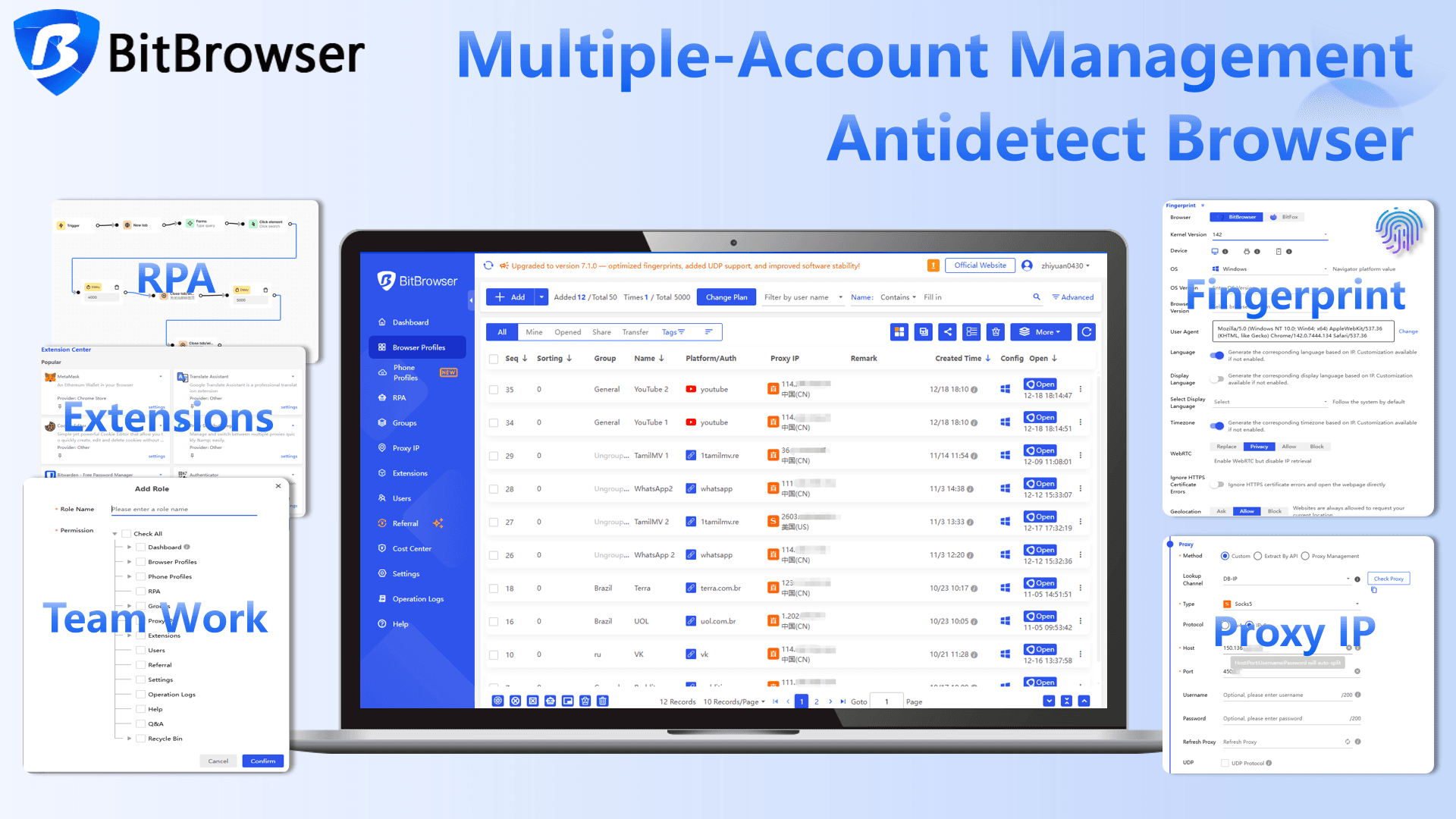
Scaling Efficiency with BitBrowser
● Multi-Account Management: BitBrowser allows you to operate multiple X profiles in isolated environments. You can browse and collect media from different niche feeds simultaneously without cross-account contamination.
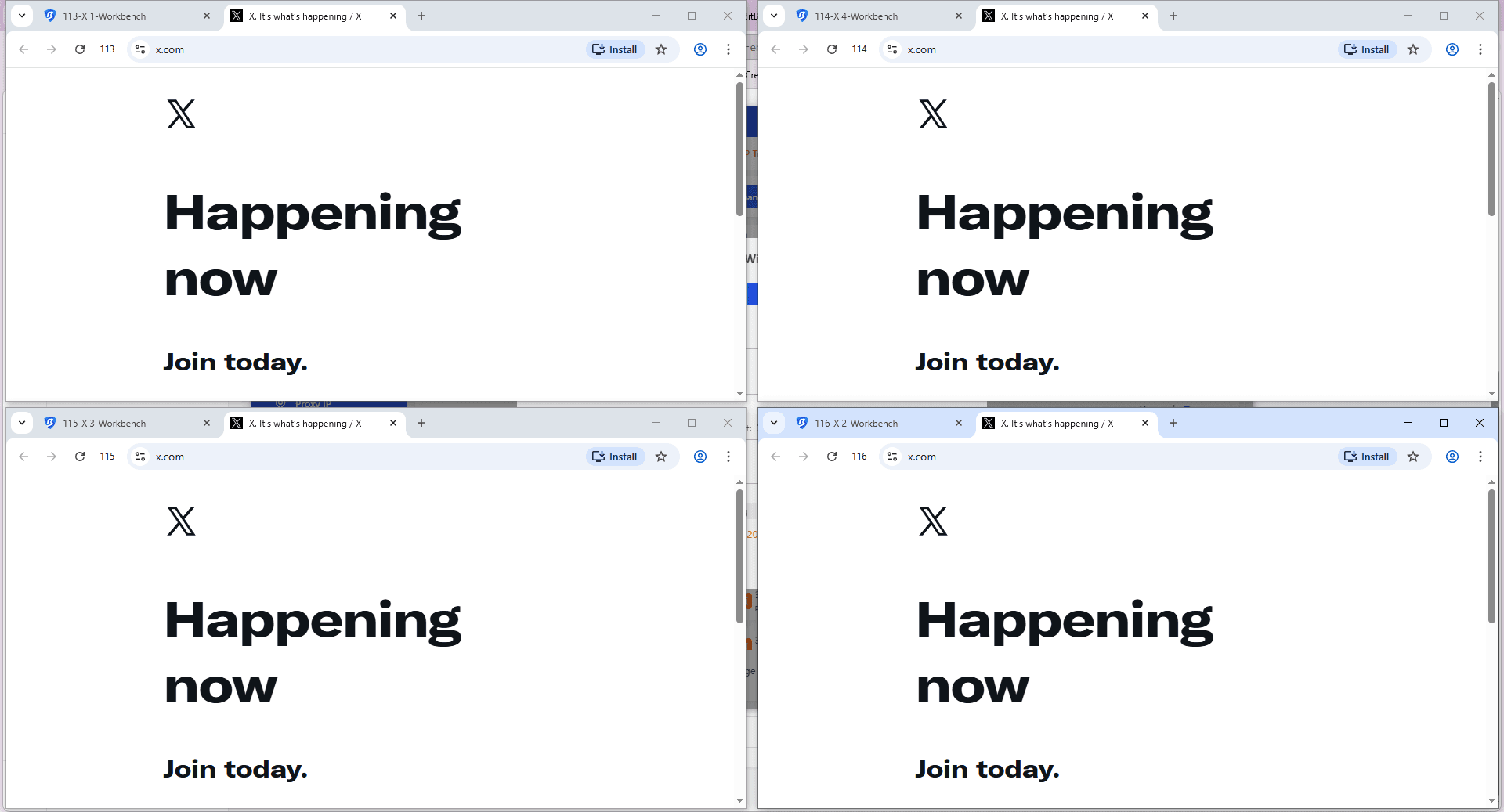
● Automation Compatibility: BitBrowser supports integration with RPA and automation frameworks (like Selenium or Playwright). You can automate the "Find > Copy Link > Download" workflow across hundreds of tweets.
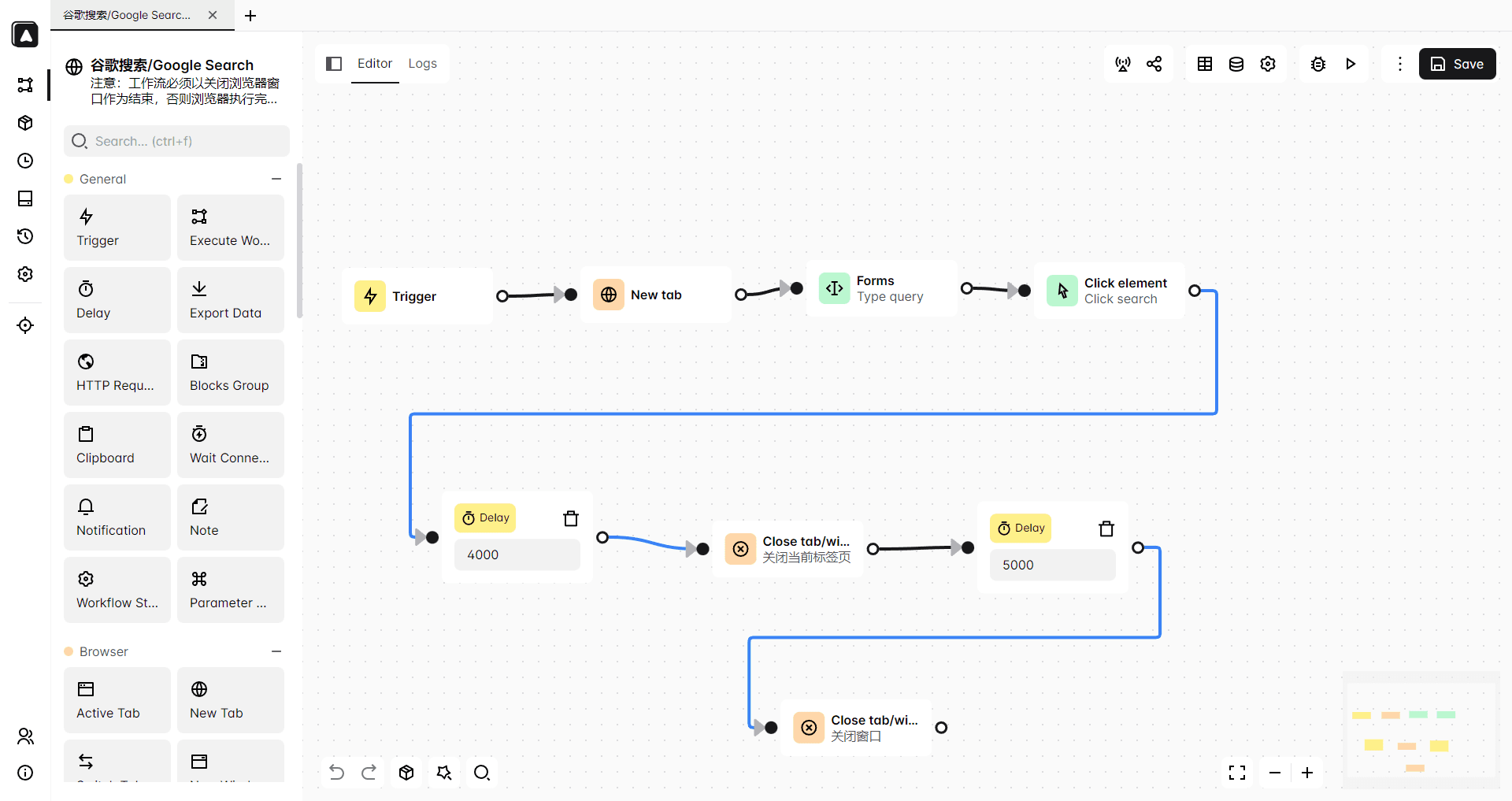
Ensuring Security and Account Safety
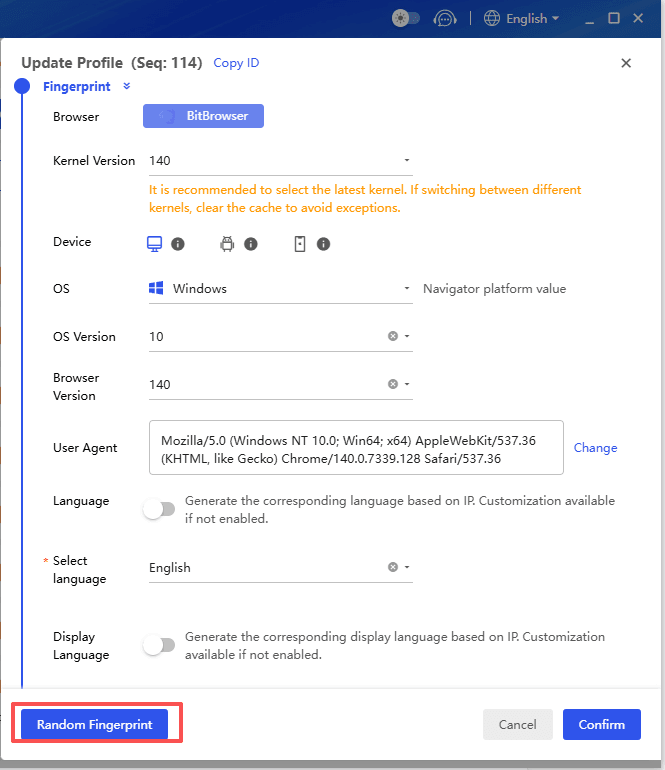
● Digital Fingerprint Protection: X's security systems in 2026 are highly sensitive to "bot-like" behavior. BitBrowser provides unique browser fingerprints for each window, making your automated downloads appear as organic human activity. New users can select "Random Fingerprint" to generate a realistic and consistent browser fingerprint combination with a single click.
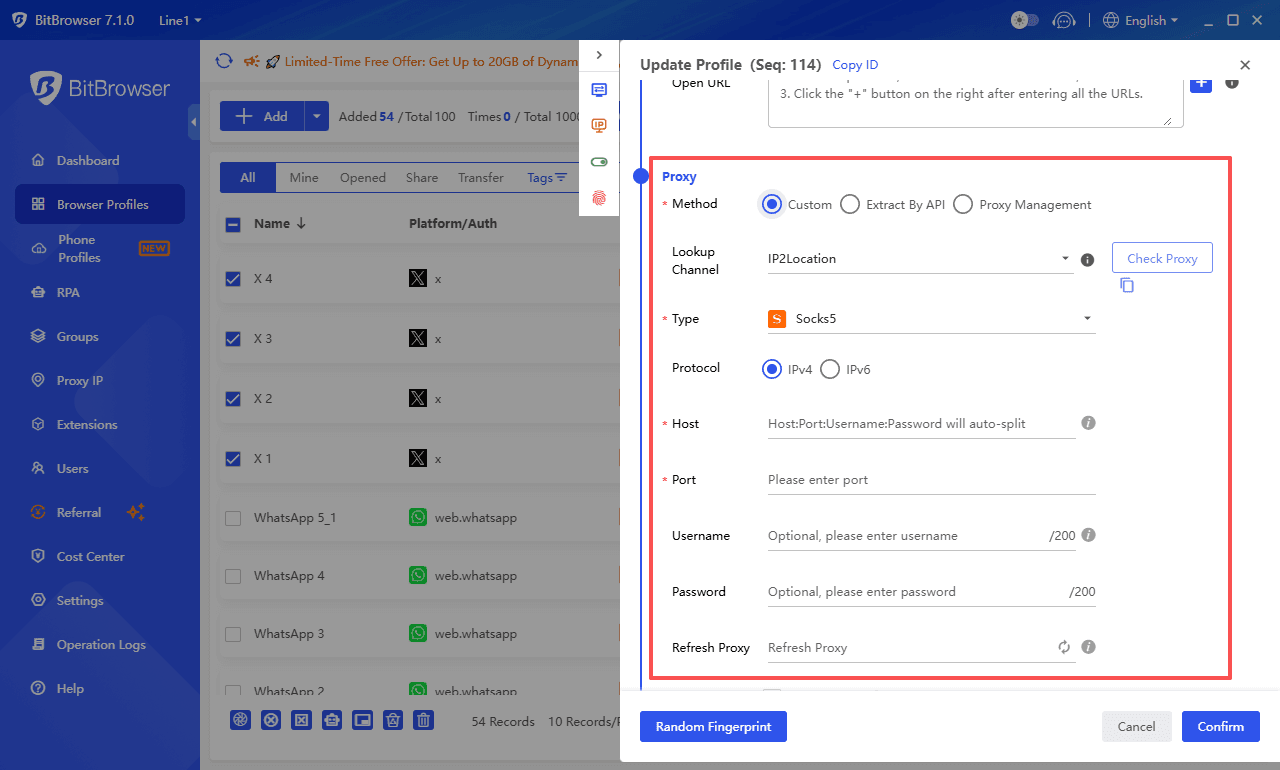
● Proxy Integration: By assigning different proxies to each profile, you avoid IP-based rate limits. This ensures that mass media collection doesn't lead to your accounts being flagged or suspended.
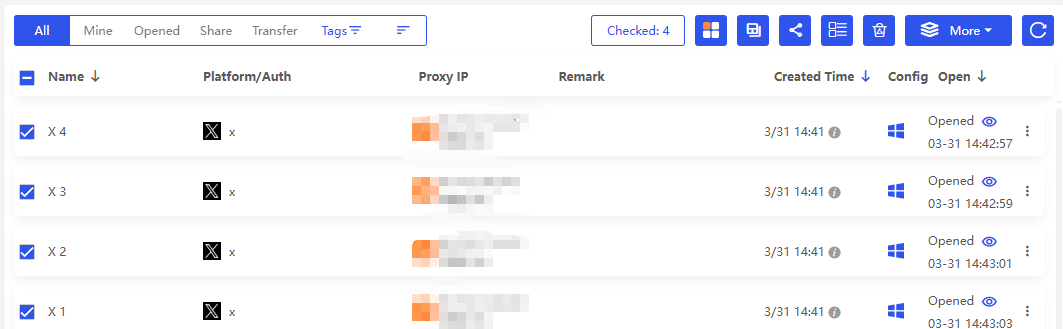
● Environment Isolation: Keep your professional research and media scraping entirely separate from your personal data, ensuring a clean and secure operational environment.
Get 10 free BitBrowser profiles now
Conclusion
Whether you are saving a single meme or building a massive library for a 2026 marketing campaign, the right tools make all the difference. While basic web tools are great for occasional use, professionals rely on BitBrowser to handle media extraction with the efficiency, security, and scale required for modern digital marketing.
Pro Tip: Always respect copyright and platform terms of service when downloading and repurposing media from X.
FAQs
1. Why do people download GIFs from Twitter?
People download GIFs from Twitter for more than just entertainment. Common use cases include content creation, social media management, collecting UGC inspiration, and archiving valuable or viral moments that may be deleted later.
2. Why do you need a Twitter GIF downloader?
Twitter automatically converts GIFs into MP4 videos, which means you can’t save them directly as GIF files. A dedicated downloader helps you extract the media, convert it back to GIF if needed, and bypass platform restrictions.
3. How can you find specific GIFs on Twitter?
You can find GIFs by using keyword search, advanced search filters, or search operators like “filter:images.” You can also browse GIFs through the built-in GIF keyboard, though those require posting or locating a tweet to get a downloadable link.
4. How do you download GIFs from Twitter?
To download a GIF, copy the tweet link and paste it into an online downloader, use a browser extension, or manually extract the MP4 file via Developer Tools. Most methods allow you to choose between MP4 (higher quality) and GIF formats.
5. How can BitBrowser improve GIF downloading efficiency and security?
BitBrowser allows you to manage multiple accounts in isolated environments, automate the download process, and avoid detection through fingerprint and proxy protection. This makes it ideal for large-scale media collection and professional workflows.