Incogniton Browser Review 2025: Features, Pricing, and Performance
 2025.12.08 14:37
 YT.Shi
Introduction
Managing multiple online accounts without triggering platform detection systems has become a critical challenge in 2025. Antidetect browsers solve this problem by creating unique digital fingerprints for each browsing session, allowing you to operate multiple accounts simultaneously while maintaining complete anonymity. These specialized tools have evolved from niche software into essential business infrastructure for anyone serious about multi-account operations.
Incogniton Browser is a Chromium-based antidetect solution developed by a team in the Amsterdam region. First released in early 2020, it is designed to provide accessible, scalable multi-profile and fingerprint-management capabilities for both individual users and teams. This Incogniton browser review examines what the platform offers in 2025 (five years after its initial launch). You'll discover:
· The specific features that differentiate Incogniton from standard browsers
· How its pricing structure compares to competing solutions
· Real-world performance metrics and potential limitations
· Whether the technical complexity matches your skill level
The antidetect browser market has matured significantly since 2020. Understanding where Incogniton fits within this ecosystem helps you make informed decisions about your multi-account management strategy.
Incogniton's Product Positioning
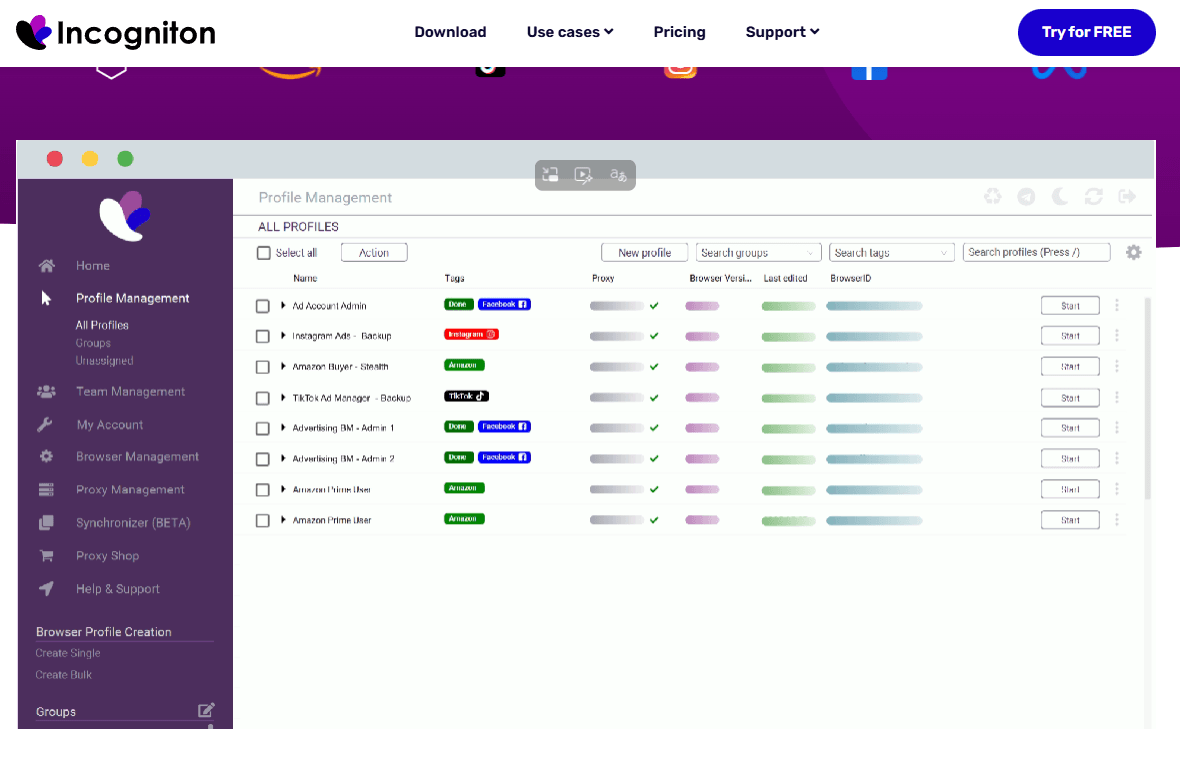
Incogniton Browser emerged from Amsterdam in 2020, developed by a team focused on addressing the growing need for secure multi-account management in an increasingly privacy-conscious digital landscape. The development team built Incogniton around four core design principles that shape every aspect of the platform:
· Multi-account management: Enables users to run multiple accounts in parallel while minimizing security triggers.
· Anonymity: Uses advanced fingerprinting controls to disguise digital identity across sessions.
· User-friendliness: Aims for an accessible workflow, though effective use may still require some technical understanding.
· Scalability: Supports growth from individual setups to larger team environments handling high volumes of profiles.
Who Benefits from Incogniton?
The browser serves distinct professional categories, each with specific requirements:
· Digital Marketers managing multiple client accounts across social media platforms need to avoid account linking and platform bans. Incogniton allows you to maintain separate identities for each client, preventing cross-contamination that could compromise entire campaigns.
· E-commerce Sellers operating multiple storefronts on platforms like Amazon, eBay, or Shopify face strict policies against multi-accounting. The browser's fingerprinting technology creates unique digital identities for each store, reducing detection risks while scaling operations.
· SEO Professionals conducting competitor research, managing multiple client websites, or operating private blog networks require anonymity to gather accurate data without revealing their identity or skewing results through repeated visits.
· Affiliate Marketers running campaigns across different networks benefit from profile isolation that prevents platforms from connecting multiple accounts to a single operator, protecting revenue streams.
Core Features of Incogniton Browser
Incogniton offers a suite of powerful features that make it a competitive antidetect browser:
User Interface
The Incogniton interface is powerful, but it may present a challenge to beginners. As shown in the figure, even the updated version 4.8.9.0 of Incogniton released in In October 2025 still employs a relatively outdated user interface, which may compromise the user experience for newcomers.
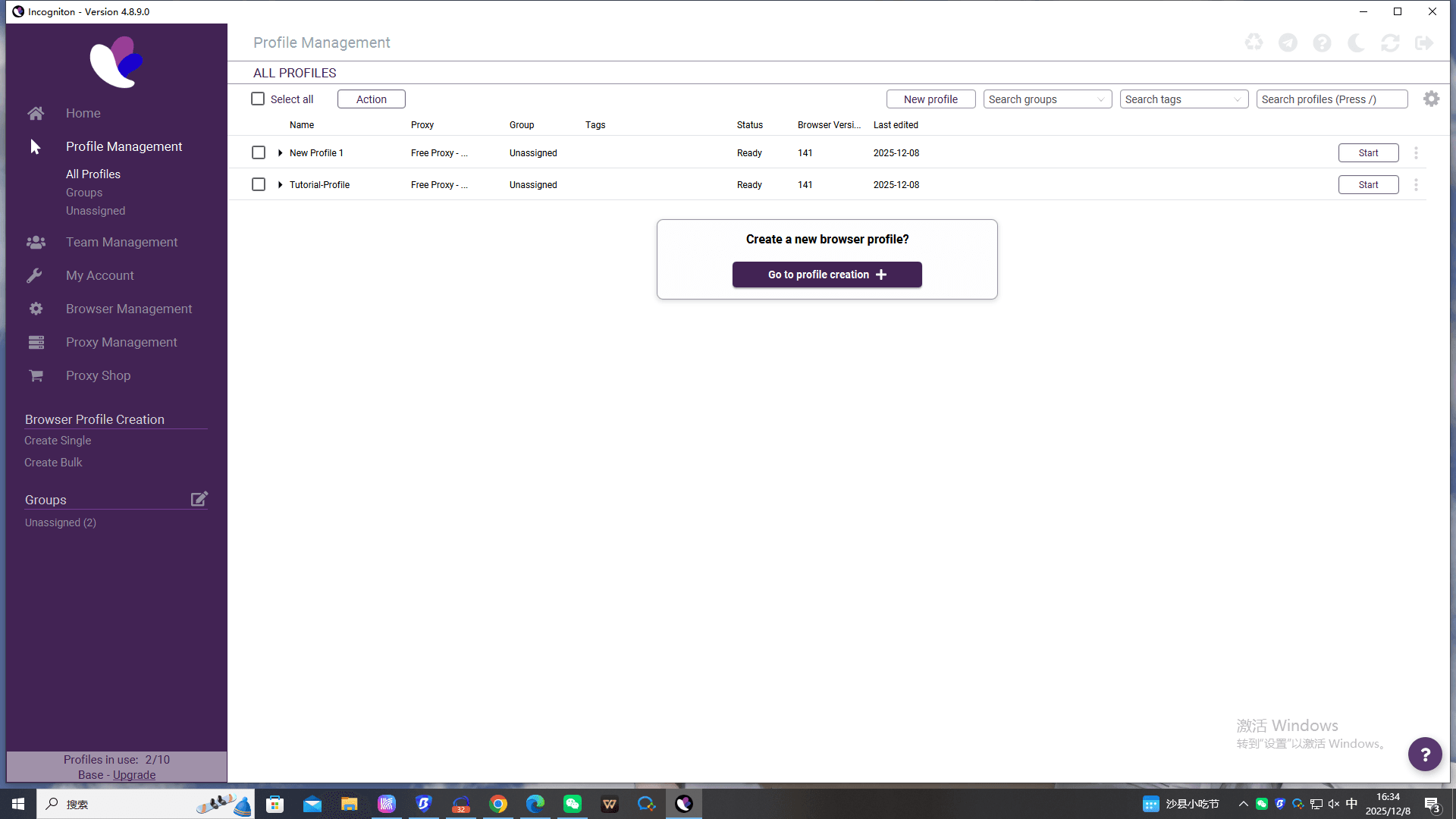
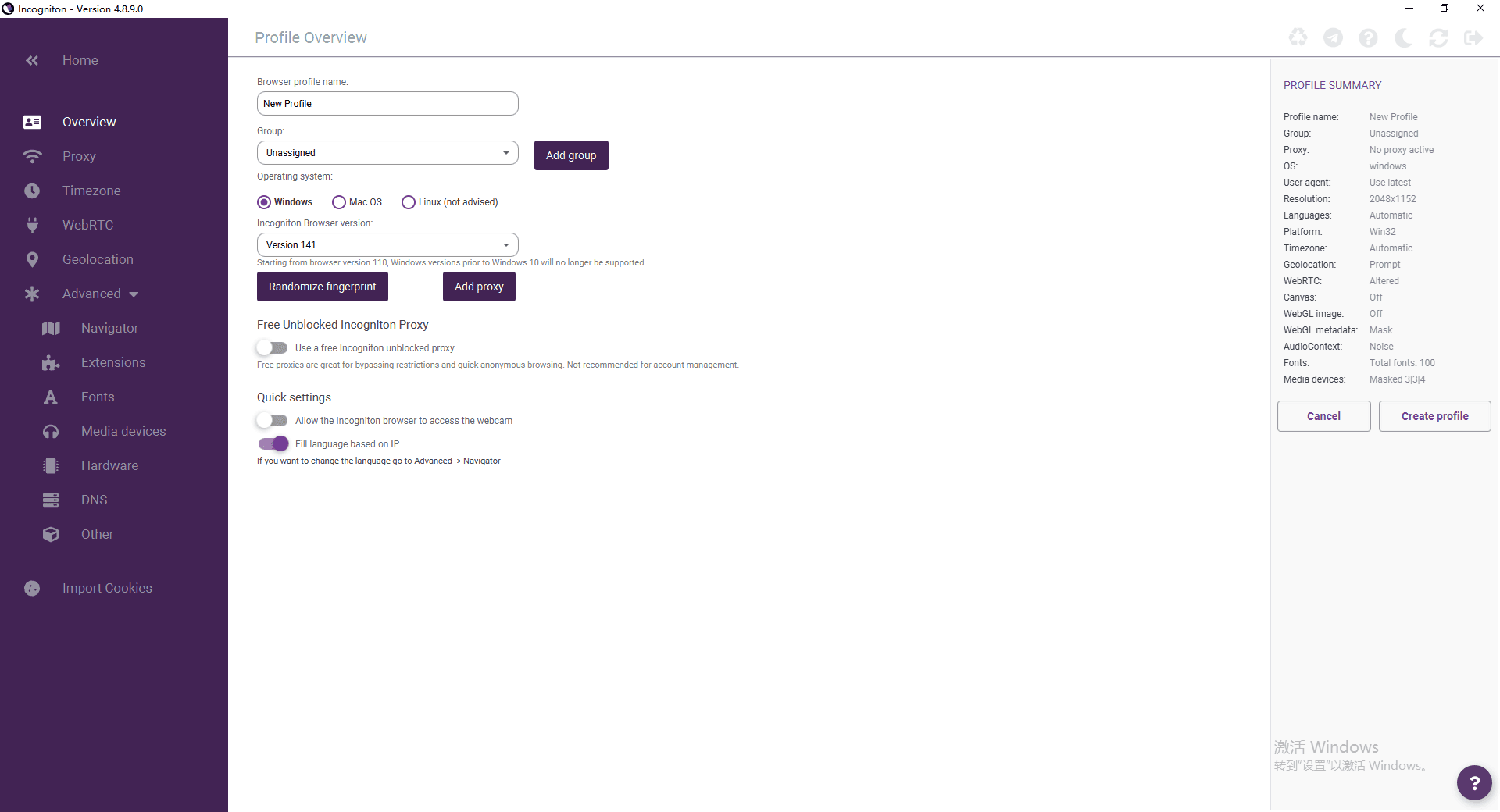
Incogniton offers extensive customization and granular fingerprint controls, allowing users to adjust elements such as GEO, proxy, time zones, WebGL, and other key parameters to mask their digital footprint.
However, for complete beginners, despite official claims of user-friendliness, the interface's abundance of specialized options, such as fingerprint parameters and advanced proxy settings, still introduces a degree of technical complexity. Mastering these features requires a certain learning curve.
Team Collaboration
Incogniton allows users to collaborate with team members by sharing and managing profiles, making it an excellent choice for businesses that need to handle multiple accounts or tasks simultaneously. Incogniton supports creating teams, where administrators can assign different roles and permissions to members, allowing them to securely access and collaborate on specific browser profiles. This is highly practical for marketing agencies or e-commerce teams.
Automation Functionalities
The browser also supports automated actions, which are particularly useful for tasks like auto-filling forms, logging into multiple accounts, or managing web-based campaigns. By leveraging Incogniton's automation capabilities, users can streamline their online operations and save time.
It offers two automation paths. The first is through the Synchronizer tool, which allows users to record browser actions and automatically repeat them across other profiles without requiring programming knowledge. The second provides advanced users with Selenium or REST API interfaces to accomplish more complex and customized automation tasks.
Integrated Proxy Store
Incogniton supports proxy protocols including HTTP, HTTPS, SOCKS4, and SOCKS5. The platform includes a proxy marketplace where you can purchase proxies directly without leaving the browser interface. You can pair proxies with profiles immediately after purchase, eliminating the need to manually configure connection settings. The integrated system supports various proxy types, including residential, datacenter, and mobile proxies from multiple providers.
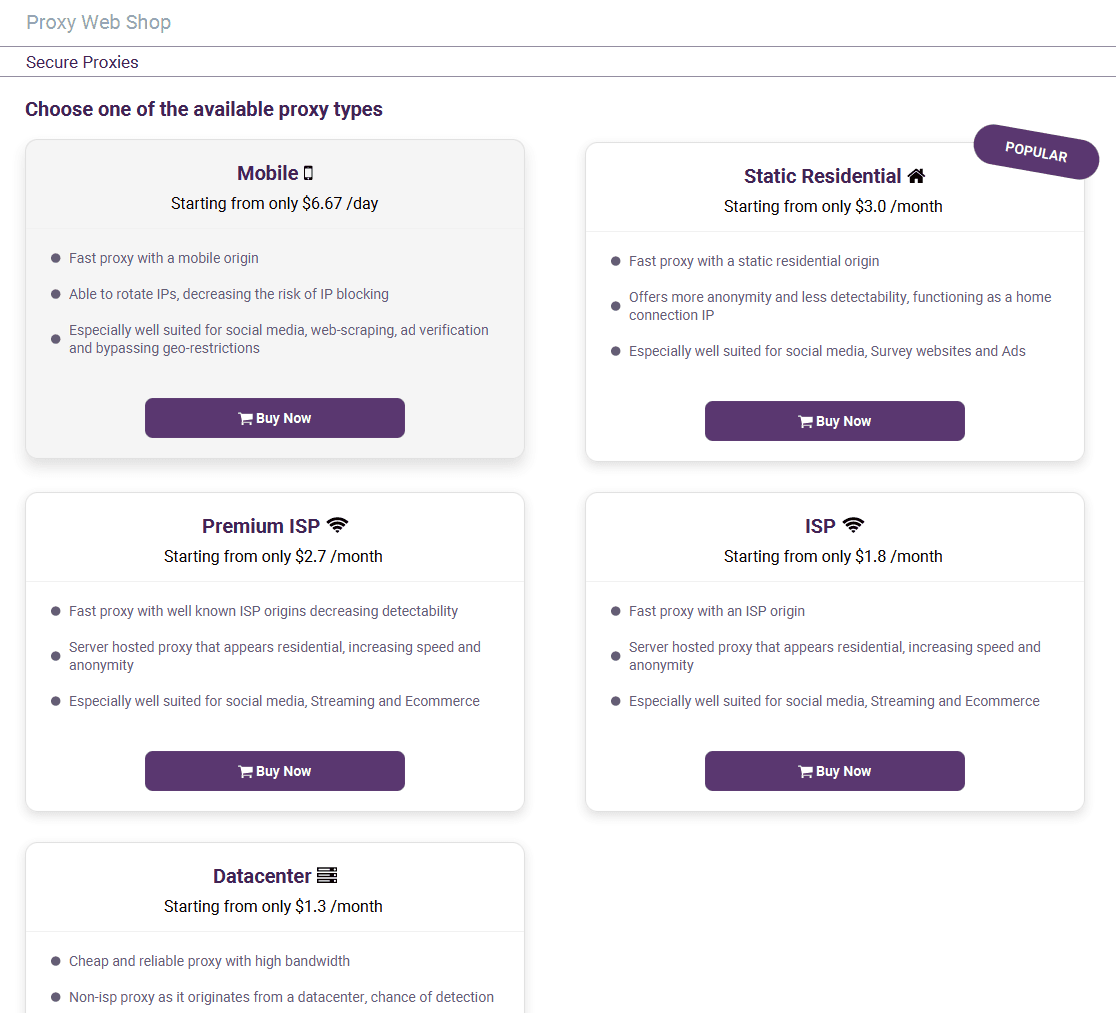
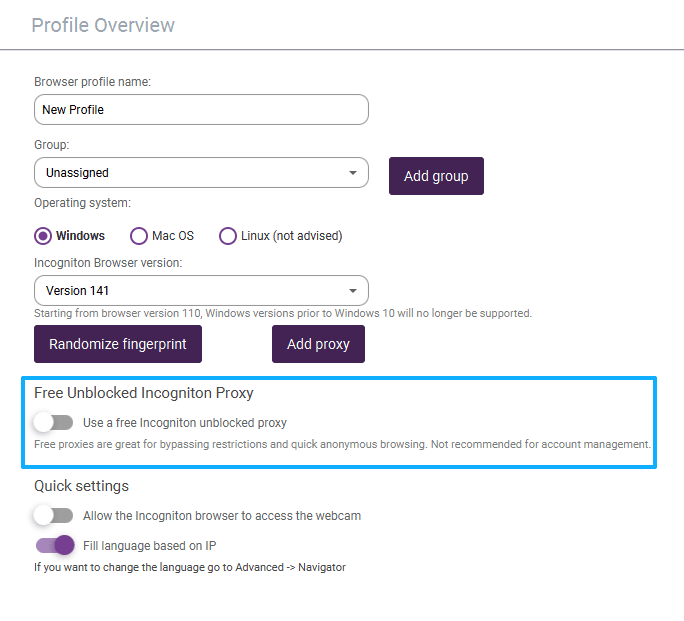
Additionally, Incogniton offers free proxies, but it's important to note that these free proxies are only suitable for general browsing and bypassing restrictions. For serious business applications, such as managing multiple accounts, ad verification, or data scraping, paid residential proxies are a safer, more stable, and more anonymous option.
Securely configuring proxies in Incogniton: Regardless of the proxy type used, ensure the proxy settings are correctly filled in when creating a browser profile. Be sure to click "Check Proxy" to test the connection.
Actual Performance of Incogniton Browser
Incogniton allows users to create multiple browser profiles, each with its own unique fingerprint and settings. The process of creating a new browser profile is intuitive: users can customize basic parameters (such as user agent and screen resolution) and bind a proxy.
User Interface
Incogniton's interface design prioritizes clarity and structured overviews to facilitate the management of numerous profiles. It offers features such as bulk creation and tag-based categorization to enhance efficiency. While creating a configuration, Incogniton provides an intuitive interface to adjust settings like IP, User-Agent, and browser configuration parameters. However, the complexity of the user interface can make it harder for beginners to navigate effectively.
Privacy Protection Effectiveness Testing
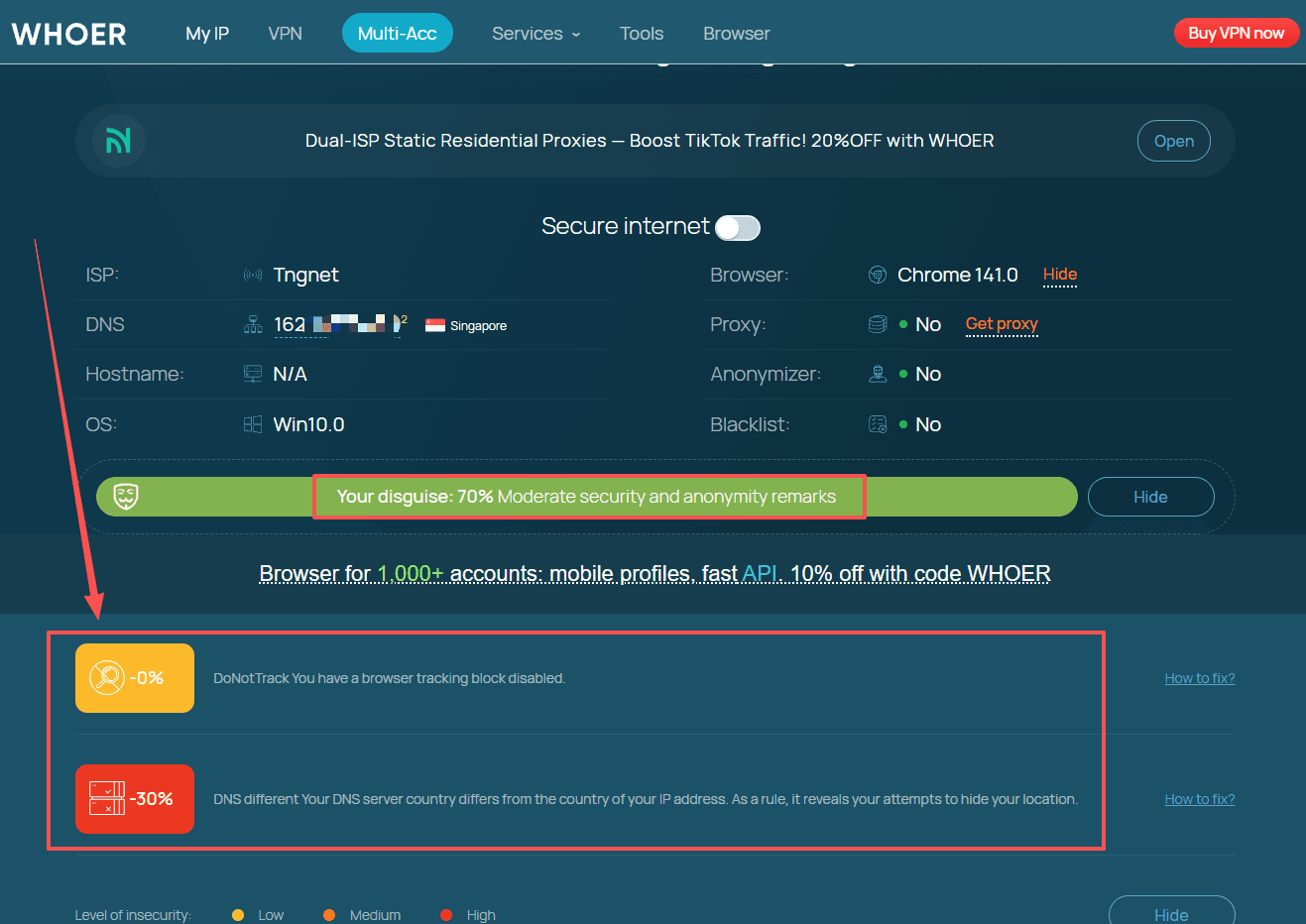
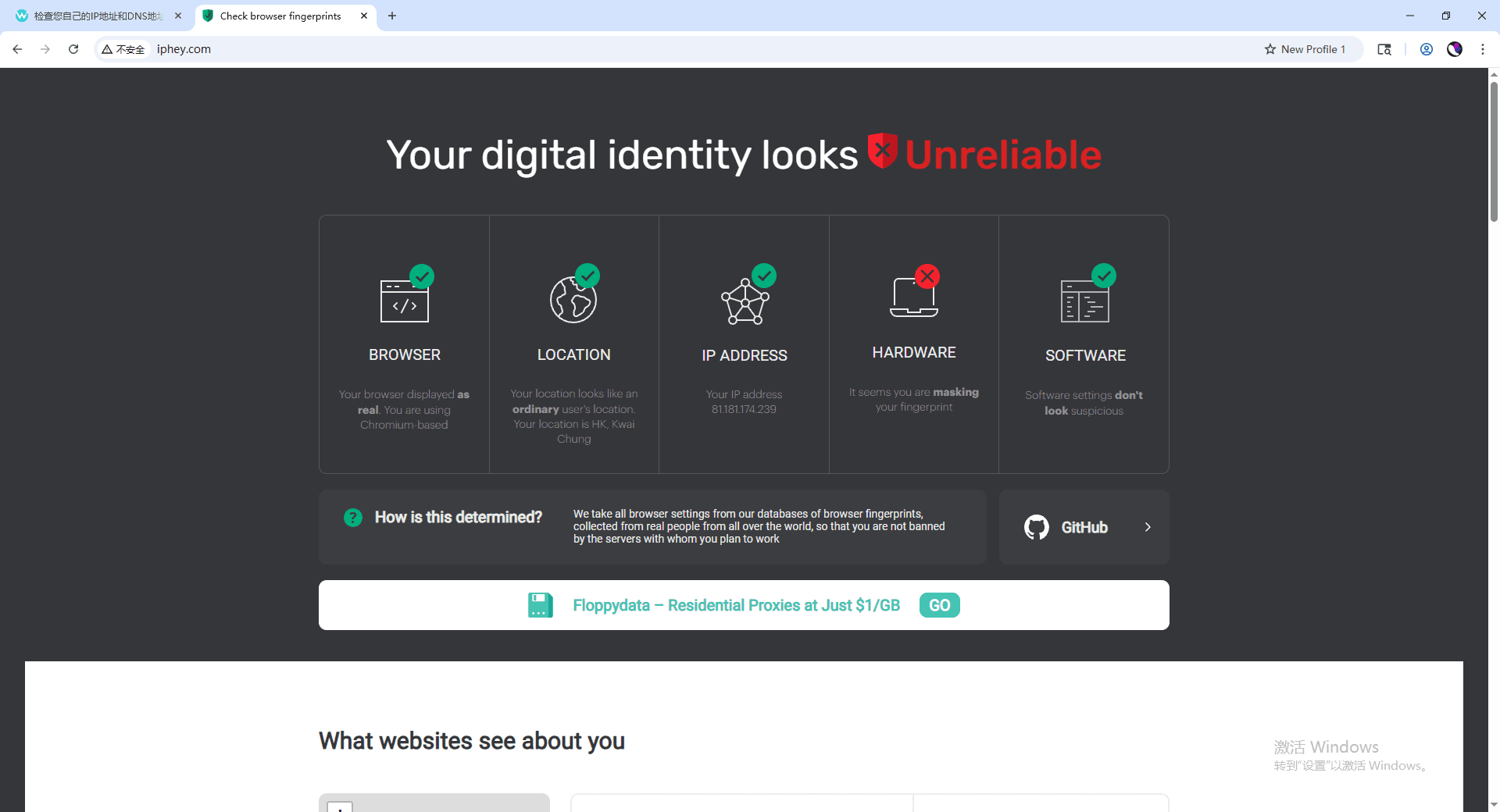
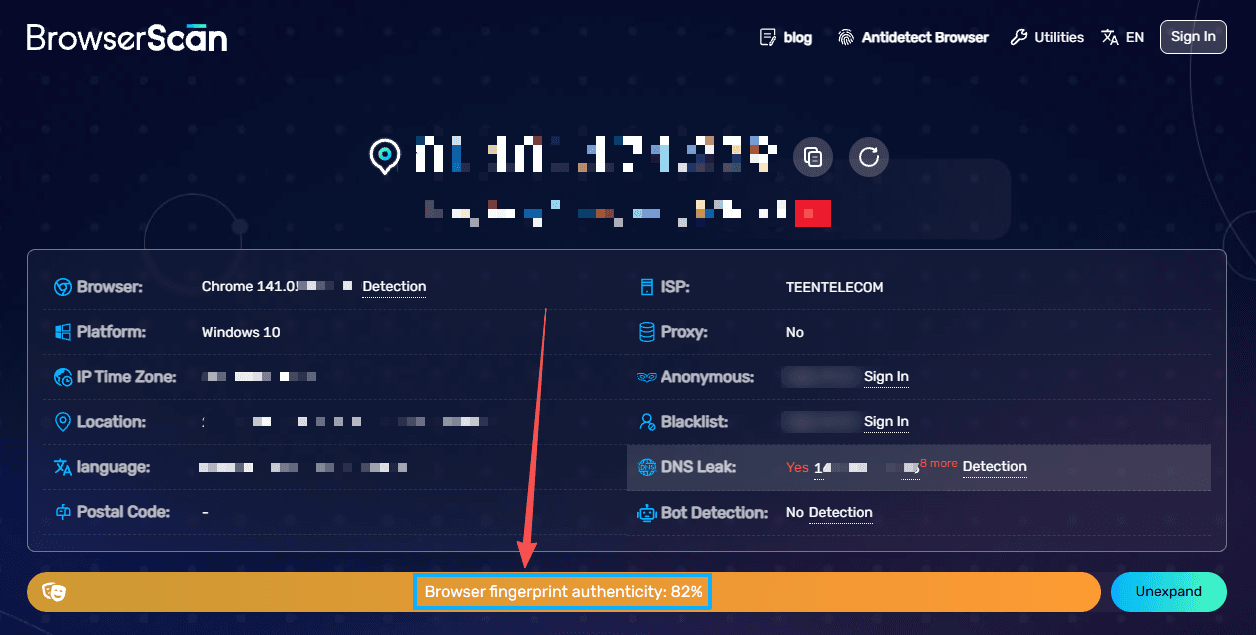
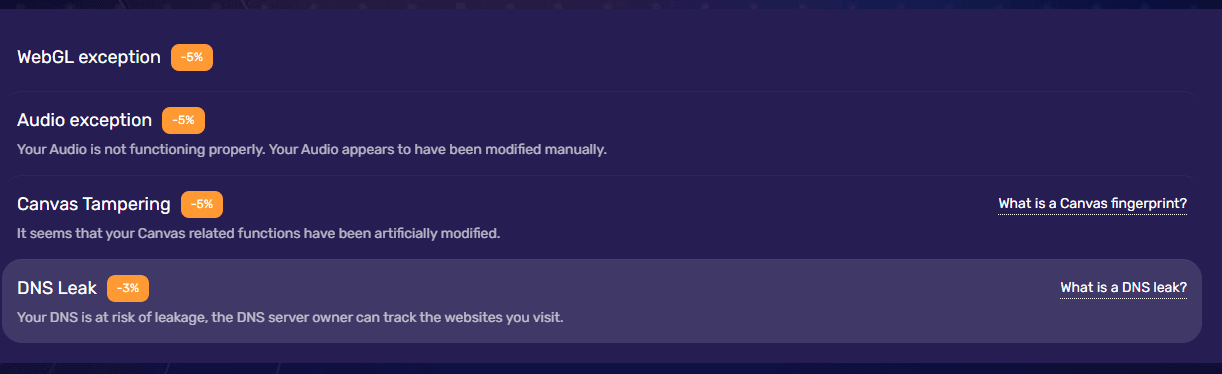
Incogniton provides guidelines for testing using tools like IPHey. However, it's important to note that based on extensive user practice and test feedback, browser environments created solely with its standard configuration (without deep custom tuning) may fail certain privacy test items, such as DNS leak detection, when accessed via comprehensive detection sites like whoer.net.
Similarly, specialized fingerprinting tests like browserscan.net may indicate potential association risks for certain fingerprint parameters. This implies that achieving optimal stealth requires users to go beyond default settings, necessitating meticulous manual adjustments and pairing with high-quality proxy IPs.
Security
Compared with other long-established enterprise-grade solutions, Incogniton provides limited public audit information and lacks detailed security whitepapers, meaning its “no activity logging” claims rely largely on company self-regulation.
It is also important to note that Incogniton previously experienced a concerning user data breach incident, in which malware led to the theft of some users’ encrypted wallets. The Incogniton team attributed the incident to the theft of users' personal login credentials and did not provide compensation to affected users.This serves as a reminder that antidetect browser users should take additional measures to protect their personal data.

Updates and Maintenance
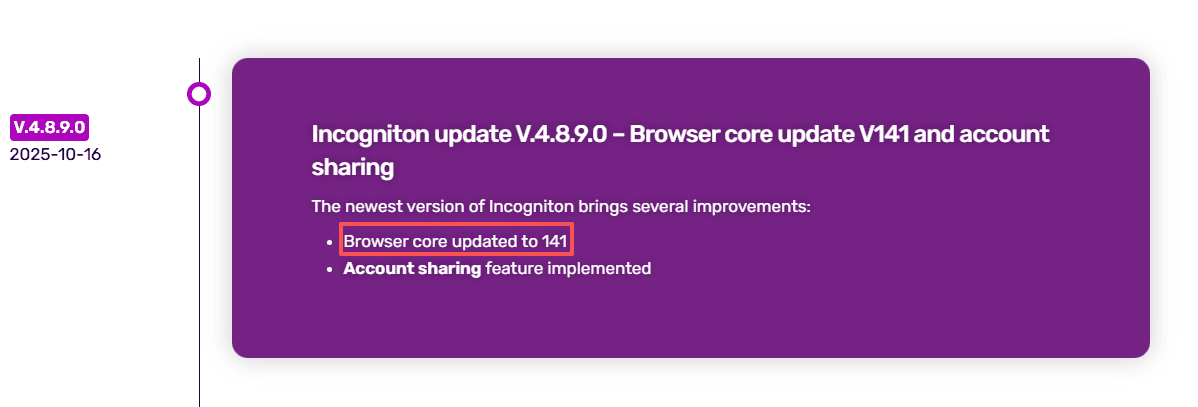
Incogniton is built on Chromium, meaning its core security updates depend on Chromium's release cycle, which may result in delays. For instance, its current core version is Chromium 141, while some competitors (e.g., BitBrowser) have already updated to 142. This lag can cause minor delays in patching security vulnerabilities or adapting to the latest web technologies.
Furthermore, software updates typically require manual user intervention, increasing maintenance overhead. Additionally, some advanced features are initially released as beta versions, which may lack stability.

Incogniton's Pricing Strategy
Incogniton pricing plans follow a tiered structure designed to accommodate users at different operational scales. The pricing model starts with a Free plan and extends through several paid tiers, each offering increased profile limits and capabilities. However, users should pay particular attention to the long-term limitations of its free tier.
Monthly Pricing Tiers
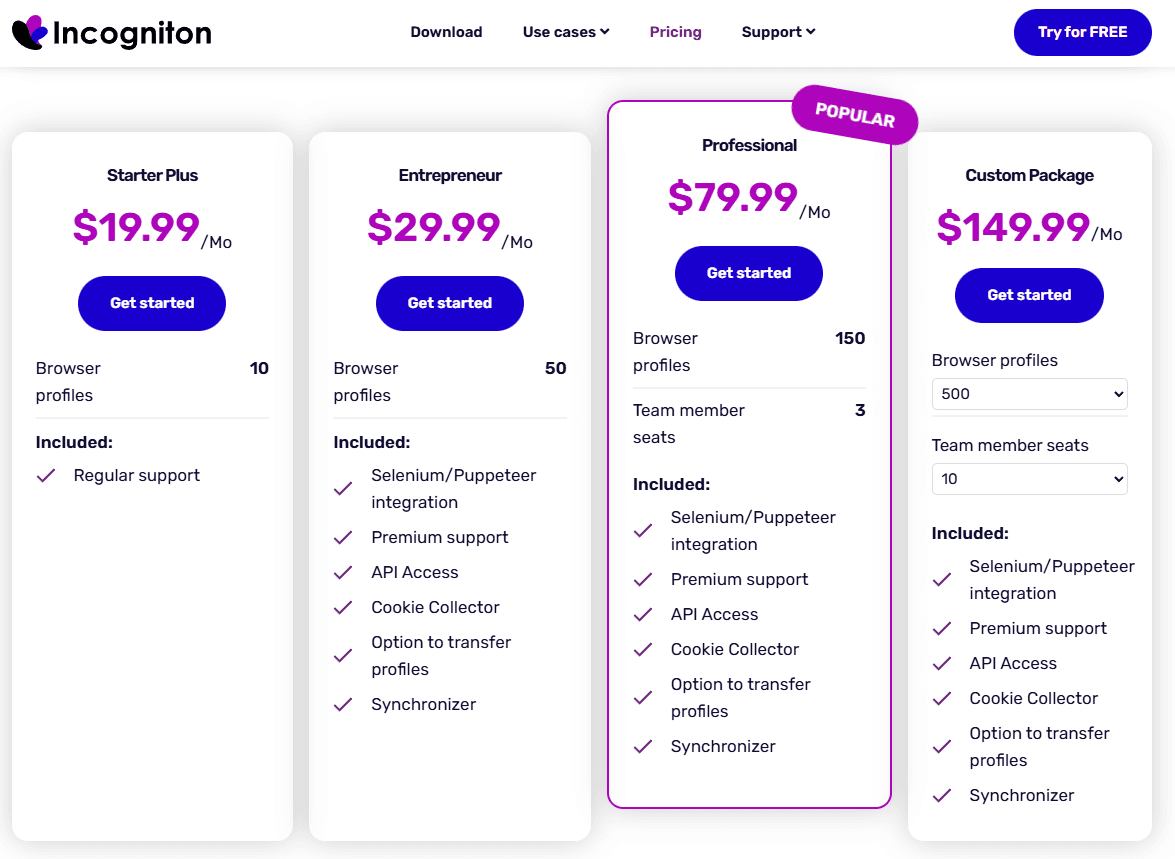
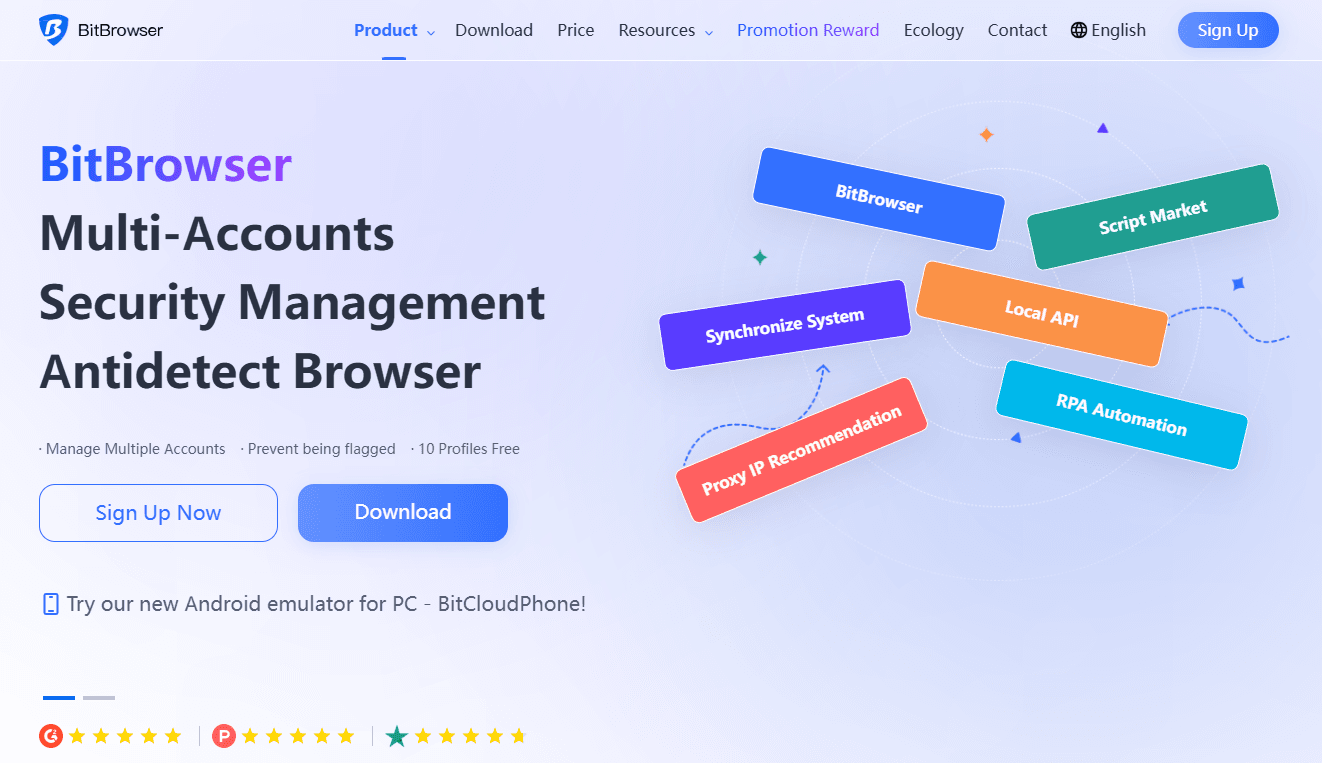
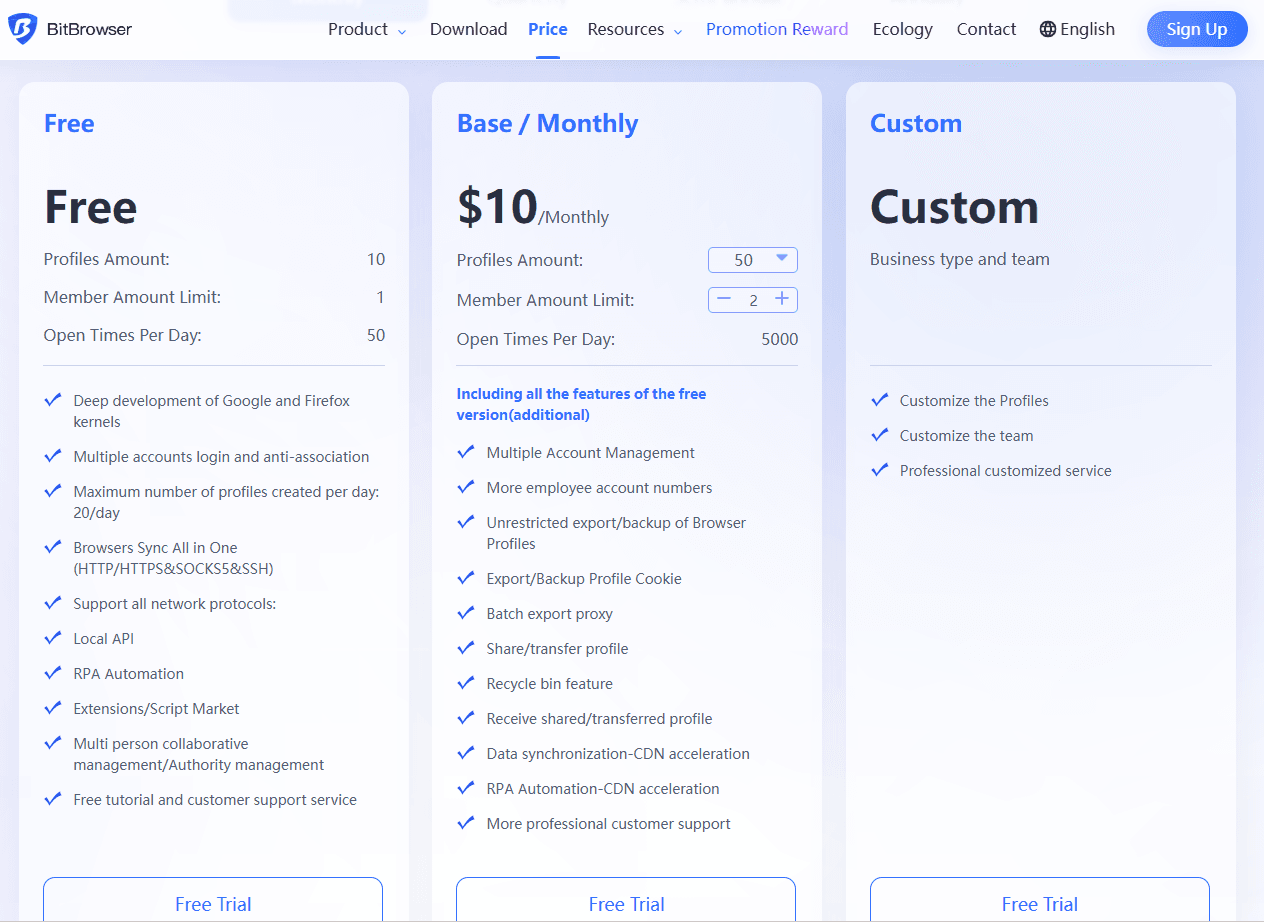
Free Plan: Up to 10 profiles (with important limitations)
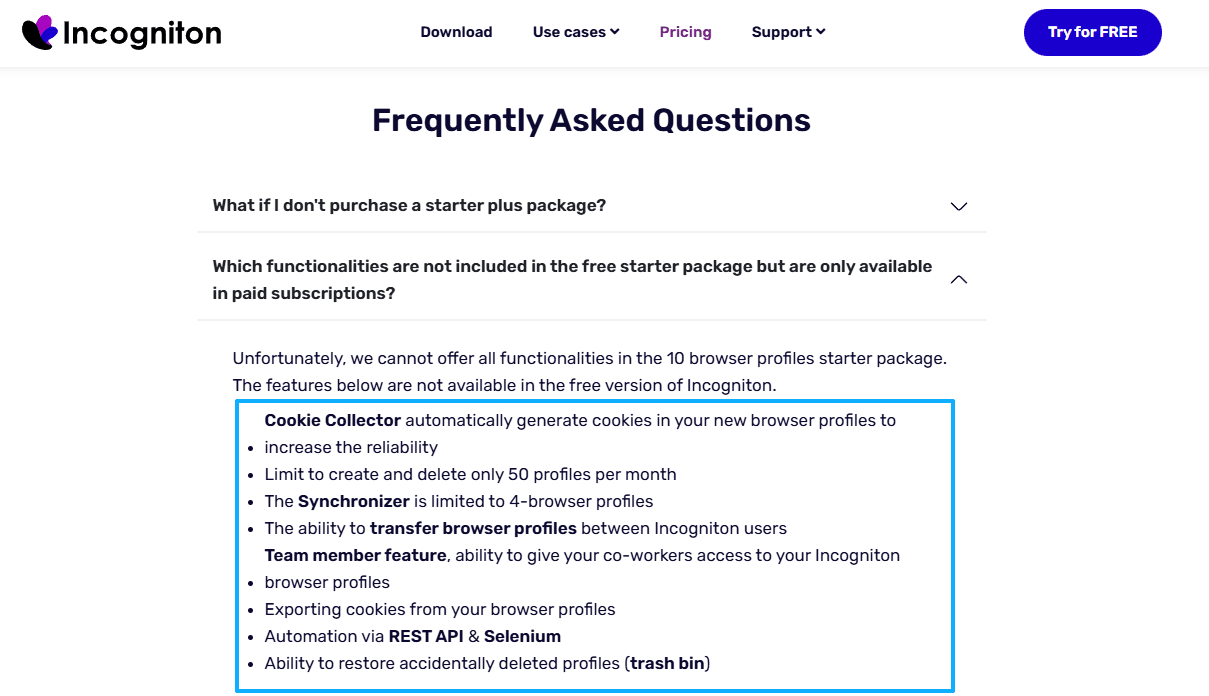
Starter Plus: $19.99 for 10 profiles
Entrepreneur: $29.99 for 50 profiles
Professional: $79.99 for 150 profiles
Custom: $149.99 for 500+ profiles
Note: Team collaboration features are only unlocked in the premium plan starting at $79.99 per month, adding unnecessary costs for some small and medium-sized teams requiring collaboration.
Key time limits for the free plan
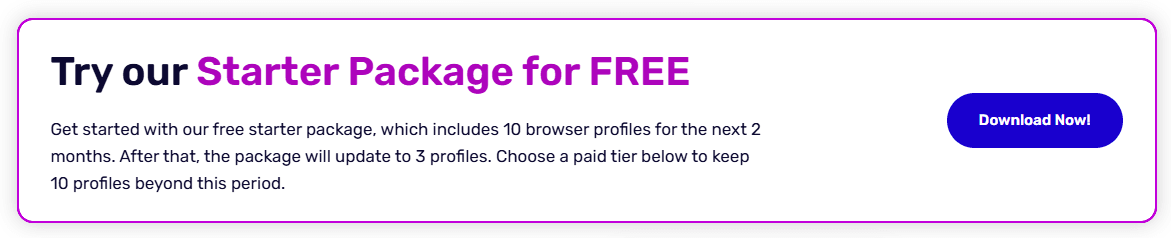
The Incogniton free plan limit requires careful attention. While you initially receive access to 10 profiles, this generous allowance only lasts for two months. After this trial period expires, your profile limit drops to just 3 profiles. You'll need to either upgrade to a paid plan or delete excess profiles to continue using the browser. This restriction catches many users off guard, so plan your workflow accordingly if you're testing the platform.
Free version lacks features
The free version (including the 3-profile plan after the trial period) does not support many advanced features such as team collaboration, Sync (limited to syncing 4 profiles), Cookie Collector, API access, etc.
Review: The Pros and Cons of Incogniton
Incogniton is a well-rounded anti-detect browser whose core strength lies in offering a complete suite of tools for multi-account management, including fingerprint spoofing, proxy integration, team collaboration, and automation. Its structured interface, convenient built-in proxy store, and free trial period make it a practical entry-level choice for small to medium-sized teams or individual users who need to manage multiple desktop-based web accounts.
However, the tool has several key limitations. It only supports the Chrome kernel and lacks mobile device emulation, restricting its technical breadth. Its interface and default configurations present a learning curve for beginners, often requiring manual tuning for optimal stealth. More importantly, its free plan is significantly reduced after two months, and past security incidents raise concerns about long-term cost-effectiveness, security transparency, and advanced automation capabilities compared to some competitors.
| Dimension | Pros | Cons |
|---|---|---|
| Core Features | 1. Comprehensive antidetect features (fingerprint spoofing, proxy integration, team collaboration, automation). 2. Easy proxy integration. | 1. Only supports Chrome, limiting flexibility. 2. High automation threshold, relies on APIs and coding. |
| Usage & Experience | 1. Structured interface for managing profiles. 2. Beginner-friendly setup. | 1. Complex interface, steep learning curve. 2. Privacy needs manual optimization. 3. No mobile app. 4. Slow updates. |
| Security & Reliability | 1. Stable Chromium-based infrastructure. | 1. Lack of independent security audits. 2. Past security breaches, no compensation for affected users. |
| Pricing & Cost-Effectiveness | 1. Free trial for testing. 2. Affordable entry-level pricing. | 1. Free plan limitations after 2 months. 2. Expensive team features ($79.99/month). 3. Cost-per-profile increases with scale. |
Why BitBrowser is the Superior Alternative?
Following the in-depth analysis of Incogniton's strengths and weaknesses, finding a more advantageous alternative in terms of features, cost, and long-term value becomes crucial. For many users, especially teams frustrated by Incogniton's trial limitations, functional gaps, or lack of mobile support, BitBrowser demonstrates stronger overall competitiveness and is emerging as a high-performance choice in the market.
The comparison table below clearly outlines the core differences between the two tools:
| Comparison Dimension | Incogniton | BitBrowser | Advantages |
|---|---|---|---|
| Free Strategy & Long-Term Cost | 10 profiles for 2 months, then downgraded to 3 profiles; requires payment for long-term use. | 10 free browser profiles permanently; more competitive pricing for paid plans (e.g., 100 profiles). | BitBrowser offers true zero-cost testing and a lower long-term cost with better cost-performance ratio. |
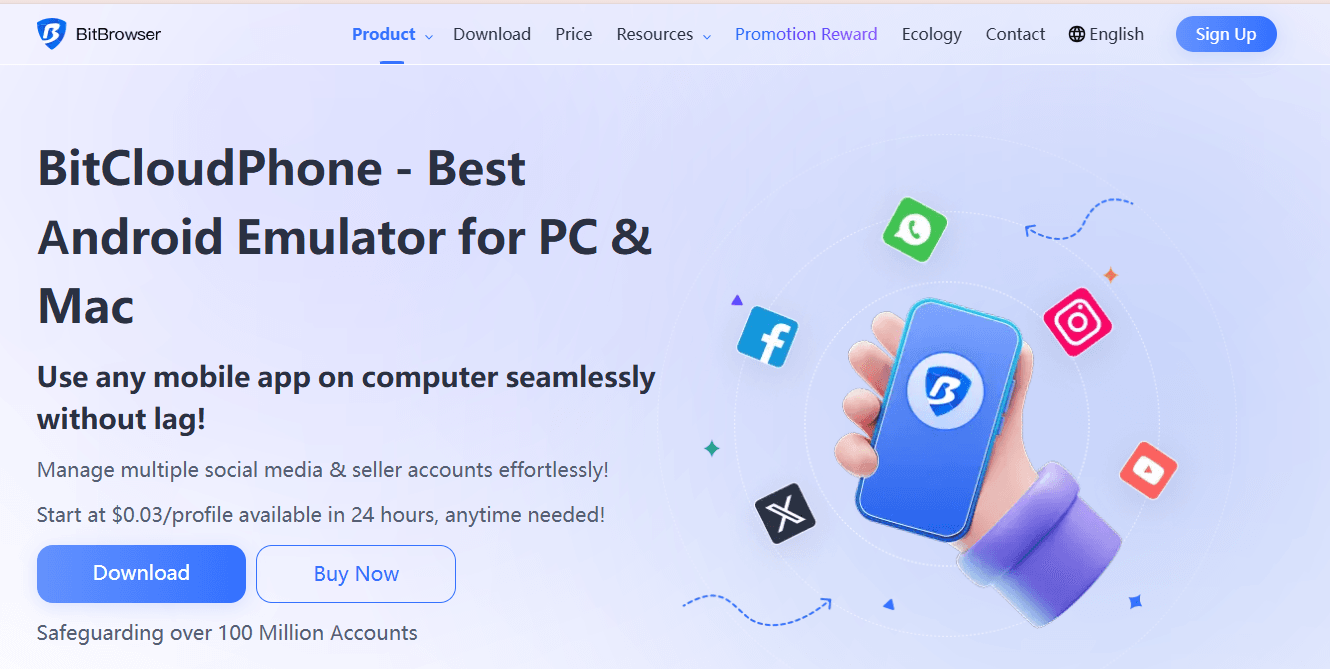
| Core Technology Scope | Uses only the Chrome browser core. | Dual-core (Chrome & Firefox), supports mobile (Android) fingerprint simulation. | Dual-core provides better website compatibility and fingerprint diversity; mobile support is a key feature lacking in Incogniton. |
| Automation & Efficiency Tools | Relies on Selenium API and beta syncer; lacks built-in graphical RPA. | Built-in powerful RPA, browser automation, sync system, and script market; supports mouse/keyboard sync. | BitBrowser offers a more complete automation ecosystem, allowing efficient, complex operations without coding, boosting operational efficiency. |
| Mobile Solutions | No native mobile solution. | Provides "BitBrowser + Cloud Phone" ecosystem, simulating real Android devices running mobile apps. | Cloud phone is essential for platforms like TikTok and Instagram, offering solutions for anti-association needs. |
| Team & Bulk Management | Supports basic team features. | Advanced team collaboration, role-based permissions, activity logs, account recovery, and bulk actions. | BitBrowser is better for medium-to-large teams with refined operations, enhanced permission management, and asset security. |
1. Truly User-Friendly Free Model & High Cost-Effectiveness
BitBrowser's most immediate advantage is its permanent 10 free profiles. This provides users with a stress-free testing and long-term small-scale use option, in stark contrast to Incogniton's time-limited offer. At the paid tier, for managing 100 profiles, BitBrowser's monthly fee is more competitive. This "low cost, high functionality" characteristic makes it a favored cost-effective choice for many SMBs and individual sellers in 2025.
2. Broader Technical Compatibility & Mobile Coverage
BitBrowser's Chrome + Firefox dual-engine architecture allows it to handle more complex website detection environments. More importantly, its standalone BitCloudPhone feature completely addresses the mobile operation (shortcoming) of anti-detect browsers. Users can install and log into apps like TikTok or Instagram directly within a cloud phone environment, simulating real mobile device parameters for secure account management—a capability Incogniton entirely lacks.
3. Powerful Built-in Automation Ecosystem
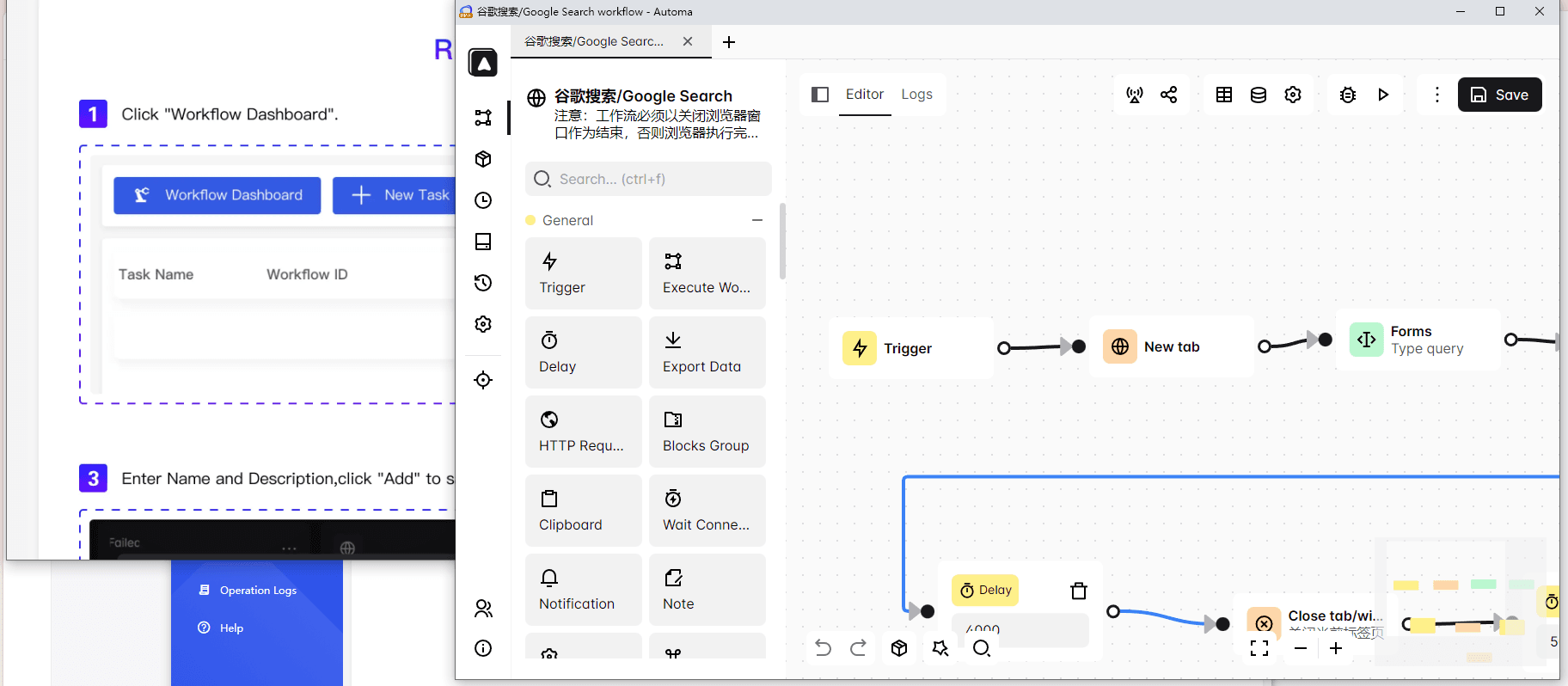
Unlike Incogniton's reliance on programming knowledge, BitBrowser includes a complete built-in automation solution. Its RPA functionality allows users to create automated workflows visually for repetitive tasks like logging in or posting content. Simultaneously, its synchronization system enables one master window to control multiple slave windows in real-time, significantly enhancing group control efficiency.
4. Designed for Team Collaboration & Scale
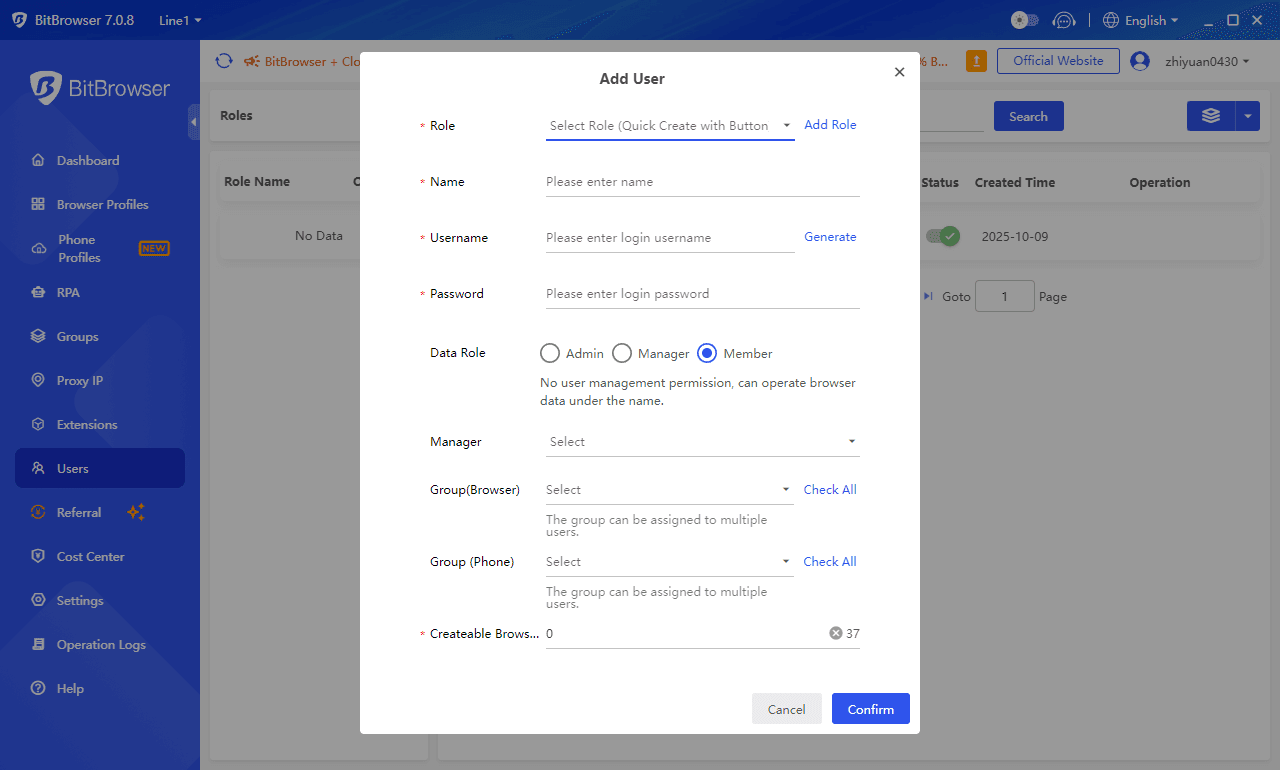
BitBrowser's team management is more comprehensive. Beyond basic sharing, it offers detailed role permissions, comprehensive operation logs, and one-click account recovery for departing employees. Combined with its powerful batch import, management, and proxy matching capabilities, it makes managing hundreds or thousands of account environments orderly and efficient, ideal for fast-growing e-commerce or marketing teams.
Conclusion
Selecting an anti-detect browser ultimately depends on aligning the tool with your specific operational scale, technical requirements, and budget. Incogniton serves as a well-rounded and reliable entry-point, offering a solid balance of core features, usability, and accessible entry-level pricing. It is a suitable choice for small to medium-sized teams or individual professionals managing a moderate number of desktop-based web accounts.
However, if your priorities include superior long-term cost-effectiveness (particularly regarding free tiers), powerful built-in no-code automation, support for mobile app operations, or more granular features for scalable team collaboration, then BitBrowser presents a more compelling overall value proposition. By addressing key limitations of Incogniton through innovations like dual-browser engines, cloud phone integration, and built-in RPA, BitBrowser positions itself as a high-performance and forward-looking alternative in the current market.
The most reliable approach is to leverage the free offerings of both tools, Incogniton's 2-month trial and BitBrowser's permanent free plan, to conduct practical tests with your actual target platforms before making a final decision.

 Multi-Account Management
 Prevent Account Association
 Multi-Employee Management
Recommended
See More 



