Is CroxyProxy Safe to Use? Privacy Risks, How It Works & Alternatives
 2026.09.22 03:03
 YT.Shi
CroxyProxy is a web proxy that lets you open websites through an intermediary server instead of connecting to them directly. It is simple to use, works in a regular browser, and does not require you to configure your operating system for basic browsing.
That simplicity is also why people often ask, “Is CroxyProxy safe?” A proxy can change how a website sees your network connection, but that does not automatically make every part of your online activity private or secure.
In this guide, we will look at how CroxyProxy works, what it can protect, where its privacy limits are, and what to consider if you need something beyond a basic web proxy.
CroxyProxy Explained in Simple Terms
A web proxy acts as a middle layer between your browser and the website you want to visit. Instead of asking the destination server for a page directly, your browser sends the request to the proxy, and the proxy handles the connection to the destination.
For CroxyProxy, the basic idea is straightforward. You open the service, enter a website address or search query, and browse the requested content through the proxy. CroxyProxy describes its service as a browser-based proxy that does not require system-level configuration for basic use.

This makes a web proxy different from software that changes the network configuration of your entire computer. You can use the proxy for a particular browsing session without sending every application on your device through the same connection.
What Happens When You Browse Through CroxyProxy?
The easiest way to understand the privacy side of CroxyProxy is to follow a request from your browser to the website.
1. You enter a website address into CroxyProxy.

2. Your browser sends the request to the CroxyProxy service.

3. CroxyProxy connects to the requested website on your behalf.
4. The requested content is returned through the proxy to your browser.
One immediate consequence is that the destination website does not receive your connection in exactly the same way as it would when you connect directly. CroxyProxy's own terms state that the target server does not see the user's IP address when the connection is made through its proxy servers.
But there is an important distinction between changing the IP address visible to a website and creating a completely anonymous browsing environment. Those are not the same thing.
What Does CroxyProxy Actually Hide?
The most obvious reason to use a proxy is IP address privacy. When a website receives a request through a proxy, the destination can see the proxy's network address rather than your normal public IP address.
That can be useful for some browsing and testing scenarios. However, your IP address is only one piece of information that can identify or distinguish a browser.
▸ Cookies: websites can use cookies to remember previous sessions and preferences.
▸ Login sessions: signing into an account can directly associate activity with that account regardless of the IP address being used.
▸ Browser characteristics: websites can collect various browser and device signals that contribute to browser fingerprinting.
▸ Local browser data: cached information, local storage, and other browser data can remain relevant to a browsing session.
So if your question is “Does CroxyProxy hide my IP?”, the answer is generally yes when the request is successfully routed through the proxy. If the question is “Does CroxyProxy make me completely anonymous?”, that is a much broader claim and should not be assumed.
Use BitBrowser to Mask Your Browser Fingerprint
Is CroxyProxy Safe for Everyday Browsing?
For simple, low-risk browsing, CroxyProxy can be a convenient option. It works directly in your browser and can be useful when you want to:
▸ Open a public website without changing your usual network settings.
▸ Check how a website looks from another IP location.
▸ Browse public content occasionally.
However, CroxyProxy does not make you completely anonymous. Its privacy policy says it may collect information such as your IP address, browser type, and usage data, with some information potentially retained for up to 60 days for legitimate law-enforcement requests.
For occasional public browsing, CroxyProxy may be enough. For sensitive information or more advanced needs, consider a more trusted or specialized solution.
How to Use CroxyProxy More Carefully
If you decide to use CroxyProxy, a few basic precautions can make the experience more predictable.
1. Use the official service. Check the domain before entering a URL or using any proxy-related feature. Lookalike websites can create unnecessary security risks.
2. Prefer HTTPS websites. HTTPS provides encryption between your browser and the destination website. A proxy does not make an HTTP website equivalent to an HTTPS website.
3. Keep sensitive credentials out of casual proxy sessions. There is little upside to using a free web proxy for highly sensitive accounts when you can connect directly or use a trusted security solution instead.
4. Be careful with downloaded files. A proxy does not make an unknown file trustworthy. Scan downloads and avoid opening files you did not expect.
5. Read the privacy policy. If privacy is the reason you are using a proxy, check what the provider says it collects and how that information is handled.
When CroxyProxy Is Not Enough
CroxyProxy works well for simple browsing, but it may not be enough if you need more control or use the browser for work.
You may need another solution if you:
▸ Want to protect traffic from multiple apps, not just browser activity.
▸ Need separate browser profiles for different accounts.
▸ Manage several social media, email, or other online accounts and want to keep them separate.
▸ Need to use different proxies for different accounts or browser profiles.
In short, CroxyProxy is mainly for quick and simple web browsing. If you need separate accounts, more control over proxies, or a more organized way to manage multiple browser profiles, a specialized browser may be a better fit.
Why Browser Profile Isolation Matters
Suppose you manage three social media accounts. Changing the IP address for each session does not automatically separate the browser data associated with those accounts.
Cookies, local storage, login sessions, browser settings, and other data can still live inside the same browser environment. That is where browser profile isolation becomes relevant.
BitBrowser is designed around separate browser profiles. Each profile can maintain its own browser environment, cookies, local storage, and network configuration.
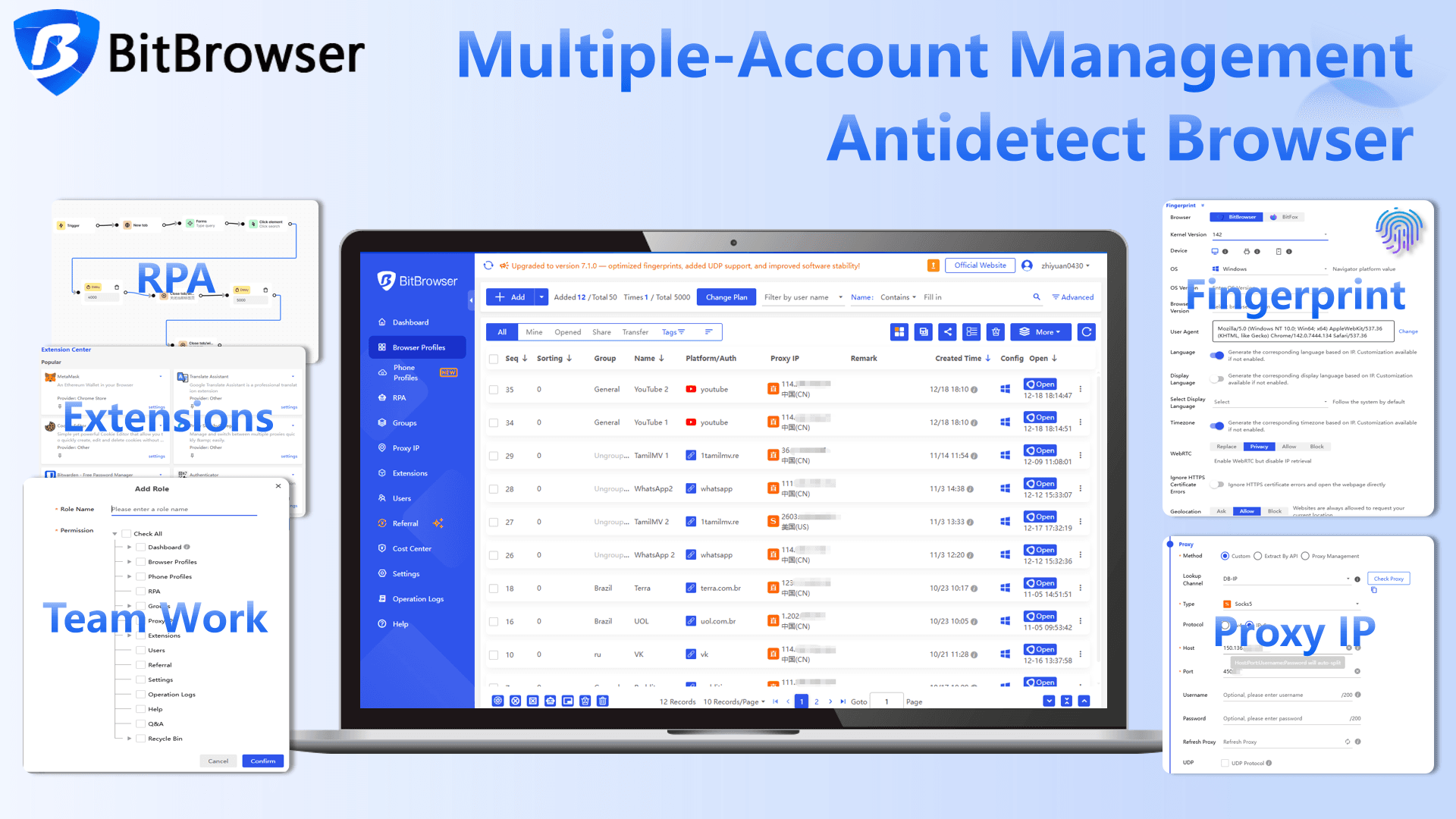
That makes it a different type of tool from CroxyProxy. CroxyProxy is primarily about accessing websites through a web proxy, while BitBrowser is focused on managing multiple isolated browser environments from one computer.
CroxyProxy Alternatives
There is no single alternative that replaces CroxyProxy for every situation. The better question is what you want the alternative to accomplish.
For Broader Network Coverage: VPN
A VPN is designed to establish a broader network connection rather than simply opening a website through a proxy page. It can be a better fit when multiple applications on a device need to use the same VPN connection.
For Flexible Proxy Routing: SOCKS5
A SOCKS5 proxy can be useful when an application supports proxy configuration and you want more direct control over which connections use the proxy.
For Multiple Browser Accounts: BitBrowser
If the actual problem is keeping several browser accounts and sessions separate, an anti-detect browser is designed around that workflow. BitBrowser supports separate browser profiles and profile-level proxy configuration, making it possible to manage different browser environments from one interface.
The Bottom Line
Is CroxyProxy safe? It can be a useful option for casual web browsing, but it should not be treated as an all-purpose privacy solution.
The service can route your browser requests through a proxy and prevent the destination website from seeing your normal public IP address. At the same time, CroxyProxy's own privacy policy explains that the service uses logs, cookies, and other analytics-related technologies.
So the safest way to think about CroxyProxy is as a convenient web proxy for specific browsing tasks, not as a guarantee of complete anonymity. Once your requirements involve sensitive information, multiple accounts, isolated browser environments, or more advanced proxy management, a different tool may be more appropriate.
Frequently Asked Questions
Is CroxyProxy safe?
CroxyProxy can be used for ordinary, low-risk browsing, but it should not be considered a complete anonymity or security solution. Its privacy policy describes the use of logs, cookies, and analytics-related technologies, so users should understand what information the service may process.
Does CroxyProxy hide your IP address?
When a request is successfully routed through CroxyProxy, the destination website does not see your normal IP address directly. CroxyProxy's terms specifically state that the target server does not see the user's IP when the connection is made through its proxy servers.
Is CroxyProxy a VPN?
No. CroxyProxy is a web proxy service. It is designed to handle web browsing through a proxy rather than provide the same type of broader device or network connection offered by a VPN.
Can CroxyProxy protect my passwords?
You should not rely on a free web proxy as a password-security solution. HTTPS remains important for protecting data between your browser and an HTTPS destination, but the proxy is still part of the connection path. For highly sensitive accounts, connecting through a trusted setup is preferable.
Can CroxyProxy make me completely anonymous?
No tool should be assumed to provide complete anonymity simply because it changes your IP address. Cookies, account logins, browser characteristics, and other signals can still contribute to identification or tracking. CroxyProxy itself also states in its terms that it does not guarantee complete anonymity.
What is a good CroxyProxy alternative?
It depends on what you need. A VPN is designed for broader network routing, a SOCKS5 proxy provides flexible application-level proxying, and an anti-detect browser is designed for separate browser environments and multi-account workflows.
Is an anti-detect browser the same as a web proxy?
No. A web proxy primarily changes how web requests are routed. An anti-detect browser focuses on browser profile isolation and management. A proxy can be used as part of an anti-detect browser setup, but the two tools solve different problems.

 Multi-Account Management
 Prevent Account Association
 Multi-Employee Management
Recommended
See More 



