How to Share a MidJourney Account Safely: Step-by-Step Guide
 2026.05.13 08:02
 YT.Shi
Have you ever wished you could split a MidJourney subscription with your creative partner or let your team members jump into the same fast GPU queue? The idea of sharing a MidJourney account is tempting, especially when the Pro and Mega plans come with plenty of relaxed generation time. At the same time, you have probably heard horror stories about accounts being permanently banned for suspicious activity.
The truth is, there are a handful of safe, legitimate ways to share a MidJourney subscription that Midjourney itself provides. And yes, there is also one particularly clever technical workaround using an antidetect browser, which we will explain step by step. This guide walks through everything you need to know, from how a Midjourney account works to the best methods for collaborating without losing your investment.
A Quick Look at Midjourney, Your Account, and Your Subscription
Before you even think about account sharing, it helps to understand what you are actually working with. Midjourney is an independent research lab that offers powerful text to image AI models through its website and through Discord.
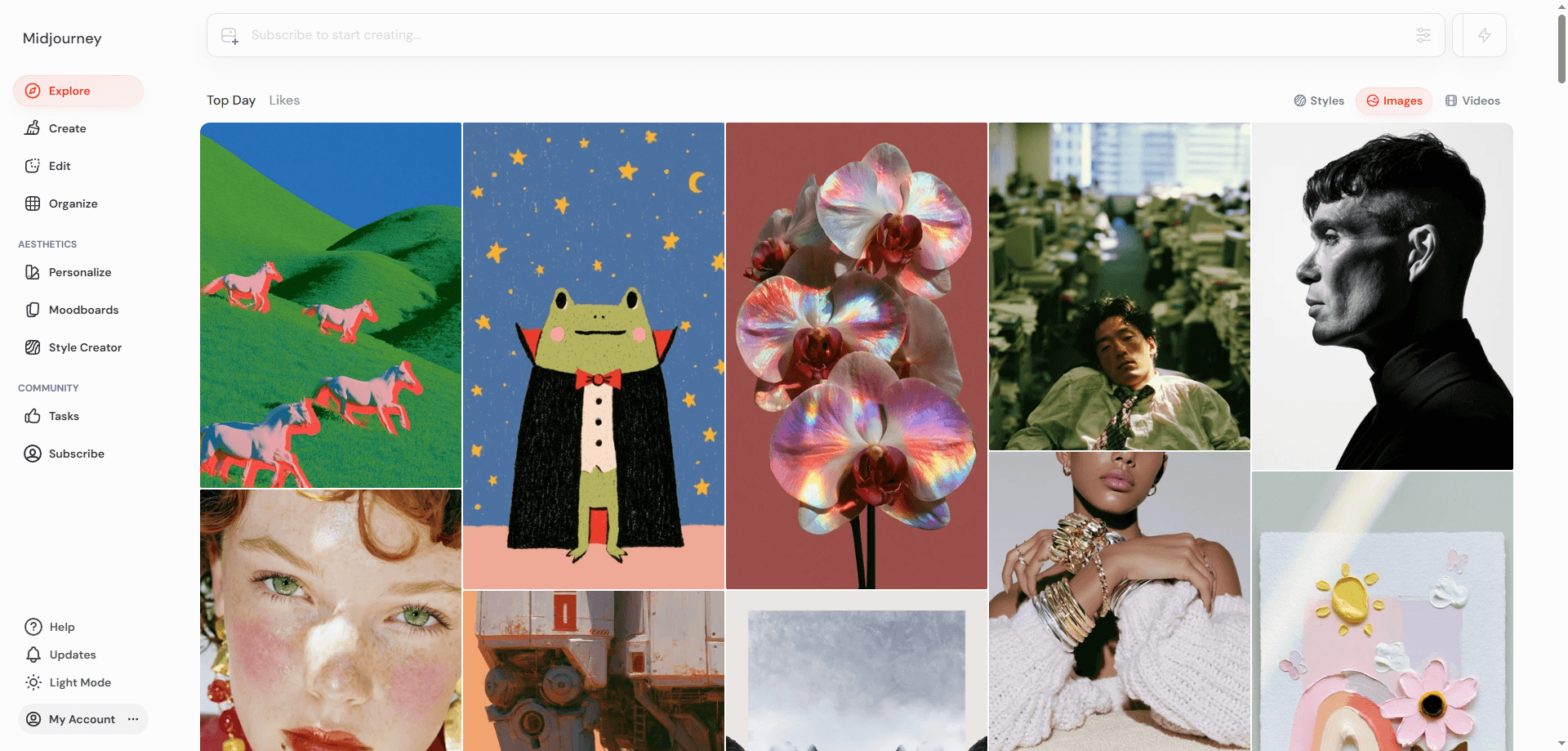
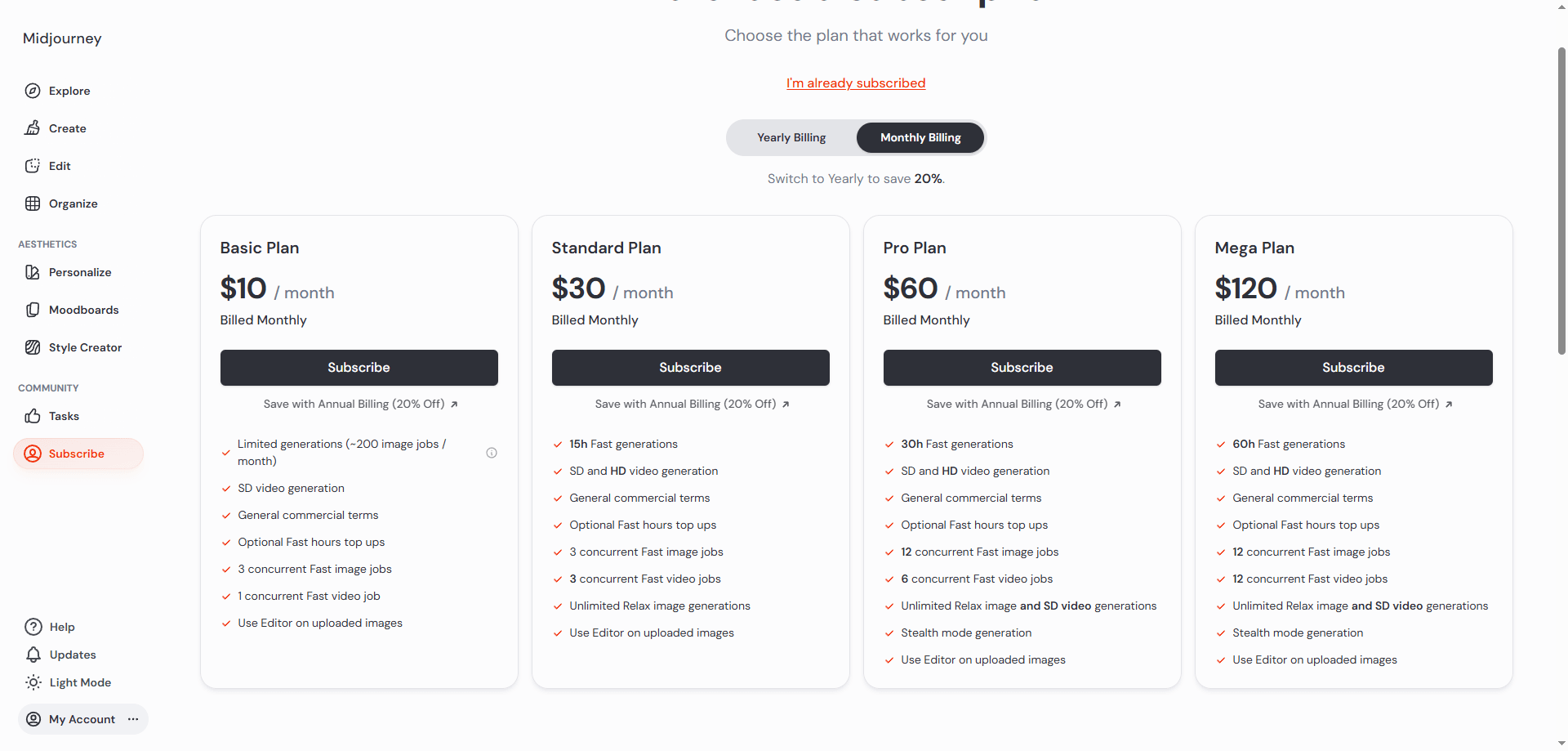
You sign up for a subscription plan, Basic, Standard, Pro, or Mega, which is tied to a single login account. That account holds your entire generation history, your job queue, your community gallery preferences, and your billing information. When you pay for a subscription, you get a fixed amount of Fast GPU hours per month (or unlimited Relaxed time on the higher tiers).
The moment you share a MidJourney account directly by handing over your email and password, you are not just giving away image generation access. You are giving away your billing details, private Discord conversations, and the entire profile. This is why a careless approach almost always leads to trouble.
Why People Want to Share a MidJourney Subscription
The motivation behind sharing a MidJourney account is easy to understand:
● Creative teams need to iterate on concepts together, yet buying a separate Pro plan for every junior designer can quickly drain the budget.
● Friends and small studios intend to split the cost of a Mega plan, so all members can access unlimited Relaxed generations.
● Some users hope to let their family or friends try out the tool without purchasing an extra subscription separately.
In all these cases, the core goal stays the same: allowing multiple people to generate images without paying for multiple full-price subscriptions. The real question lies in whether there is a safe and officially supported way to share a MidJourney subscription while staying compliant with the Terms of Service.
Can You Legally Share a MidJourney Account?
Midjourney’s Terms of Service strictly forbid sharing login credentials, reselling access, or letting multiple people use one account as a group license. There is no standard family plan or simple team add‑on. Sharing your email and password can trigger unusual login flags, risking a permanent ban with no refund.
That doesn’t mean collaboration is impossible. Midjourney offers official tools like Rooms and a corporate billing path for larger teams. These are the only completely safe ways to share a subscription without breaking the rules. If you still need a more direct shared‑access method, one unofficial workaround can dramatically lower the detection risk.
The Official Ways to Share a MidJourney Subscription
Midjourney currently provides three legitimate paths for sharing access. Neither of them involves giving out your password, and both are fully within the Terms of Service.
Method 1: Midjourney Rooms (Removed February 2026)
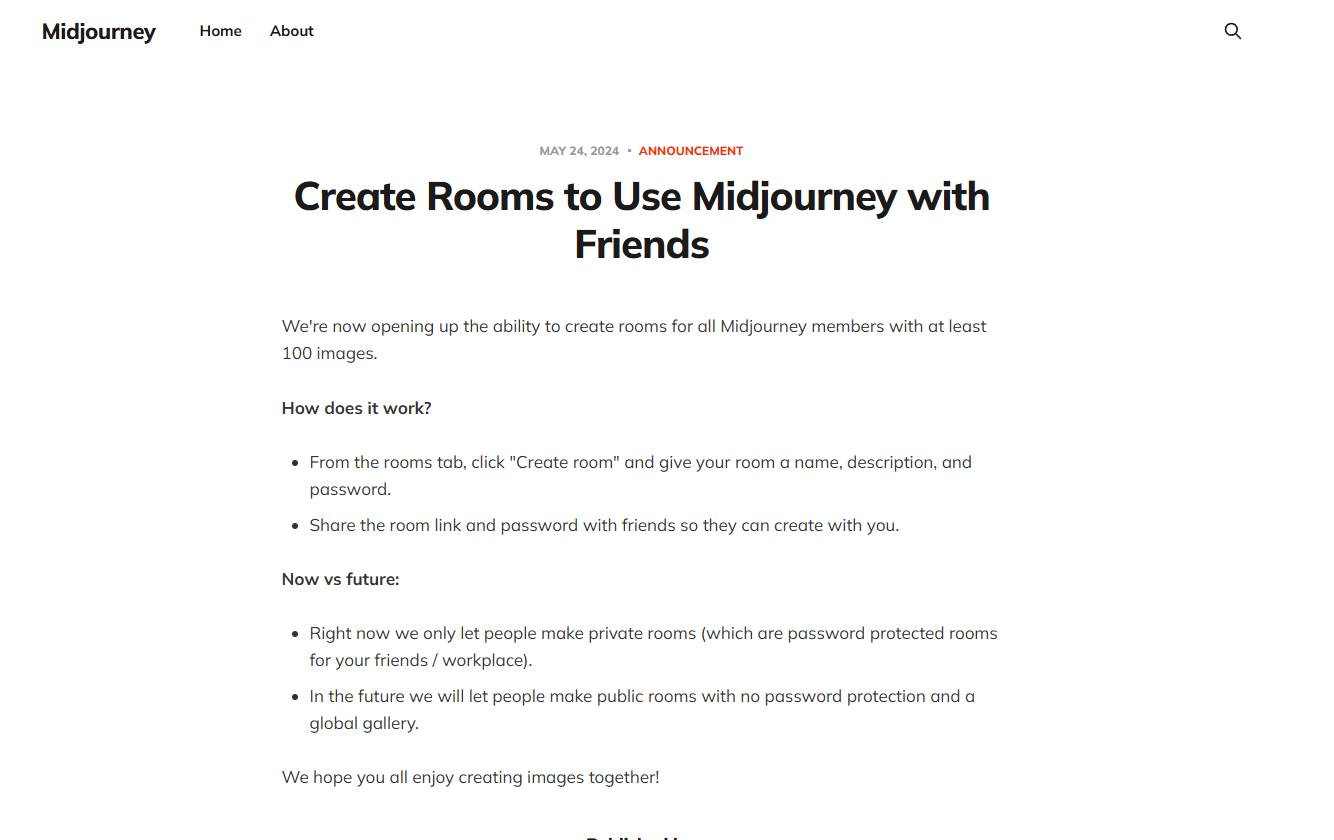
Midjourney Rooms is a built in feature that lets you create a private space where friends, clients, or team members can generate images using your subscription benefits. The key detail here is that you need to have created at least 100 images on your account before the Room creation option unlocks.
📌 Important Update Reminder: Please note that Midjourney removed the "Rooms" feature from its website in February 2026.
Method 2: Enterprise Group Plans (For Organizations Only)
If you run a studio or a large company and you need to equip many people with Midjourney access, you can contact Midjourney sales about their corporate billing program.
This is not a shared login. Instead, Midjourney sets up individual accounts for each team member under a single billing arrangement.
To qualify, you need to commit to at least 50 yearly Pro or Mega plan seats. It is a heavyweight solution intended for enterprise teams, and each user still manages their own account and queue. For most small groups, this is far too large a commitment.
Alternative Method 3: Private Discord Server (Subscription restrictions apply)
Beyond enterprise plans, you can also work together in a private Discord server. But there’s a strict rule: every person you invite must have their own active Midjourney subscription to use the bot. This is not shared access. It is a “pay your own way” collaboration model. All generations stay in your private channels, making it great for teams or study groups where everyone already has a plan.
Steps:
1. Create a private Discord server (set to invite only).
2. Add the Midjourney Bot from the official server.
3. Invite friends or clients who already subscribe to Midjourney.
4. Each person uses /imagine in any channel. Usage is billed to their own account.
Why BitBrowser Is the Most Secure Way to Share a MidJourney Account
When you log into a website, the website sees much more than your IP address. It sees your operating system, browser version, screen resolution, WebRTC configuration, installed fonts, canvas fingerprint, and a dozen other subtle factors.
If three people share a MidJourney account directly, Midjourney sees three completely different device fingerprints popping up around the globe, which is an instant red flag.
BitBrowser is a antidetect browser that creates a fully isolated virtual browser profile. For each profile, you can set a consistent digital identity that never changes, no matter who opens it.
You can also lock this profile to a dedicated residential proxy IP address. When your whole team opens this same BitBrowser profile to use Midjourney, Midjourney’s security system sees only one device fingerprint and one geographic location, exactly as if a single person were logging in each time.
This drastically reduces the chance of an account flag. BitBrowser also includes team collaboration features that let you share browser profiles securely without ever exposing the raw password.
Step by step: how to share a MidJourney subscription using BitBrowser
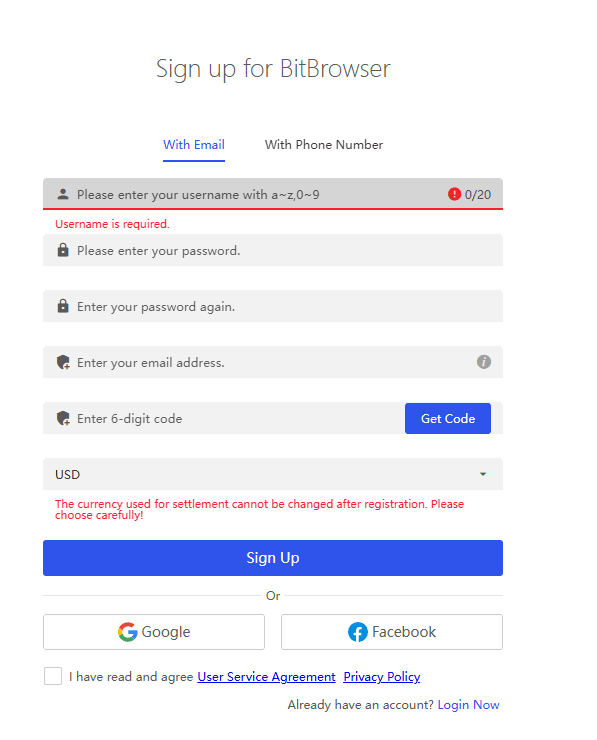
1. Download and install BitBrowser
Visit the official BitBrowser website and get the desktop client. Create your BitBrowser account and log in.
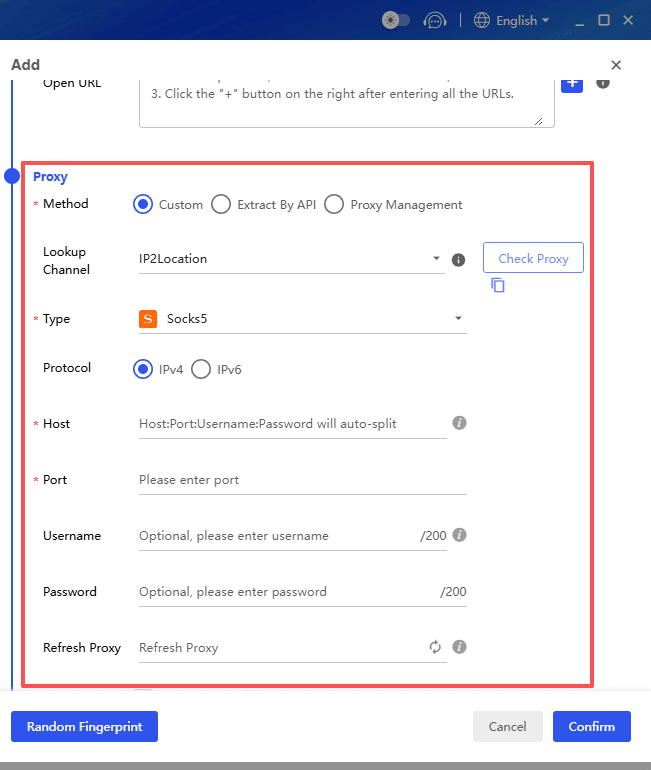
2. Get a stable residential proxy
Choose a trusted proxy provider and purchase an IP in the same country where your Midjourney account was created. Consistency of location is extremely important.
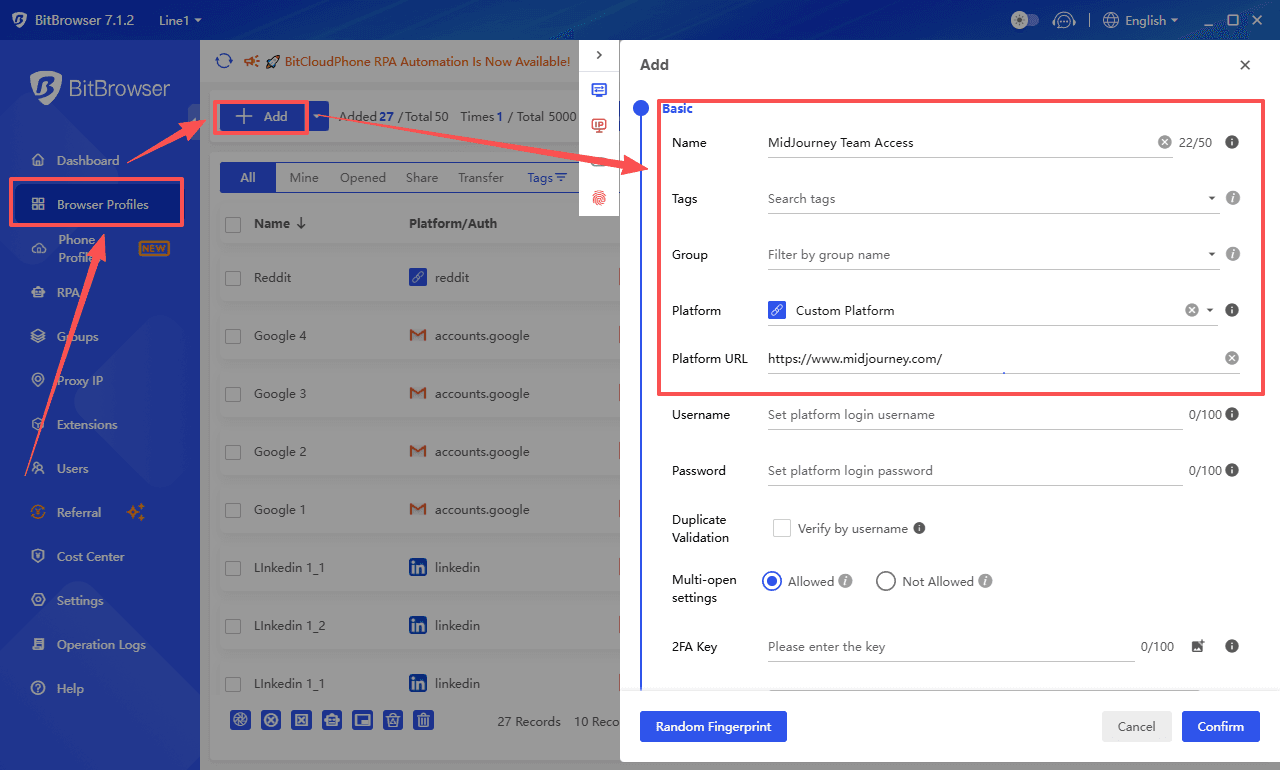
3. Create a new browser profile
Inside BitBrowser, click “Borwser Profiles - Add.” Give it a name like “MidJourney Team Access.”
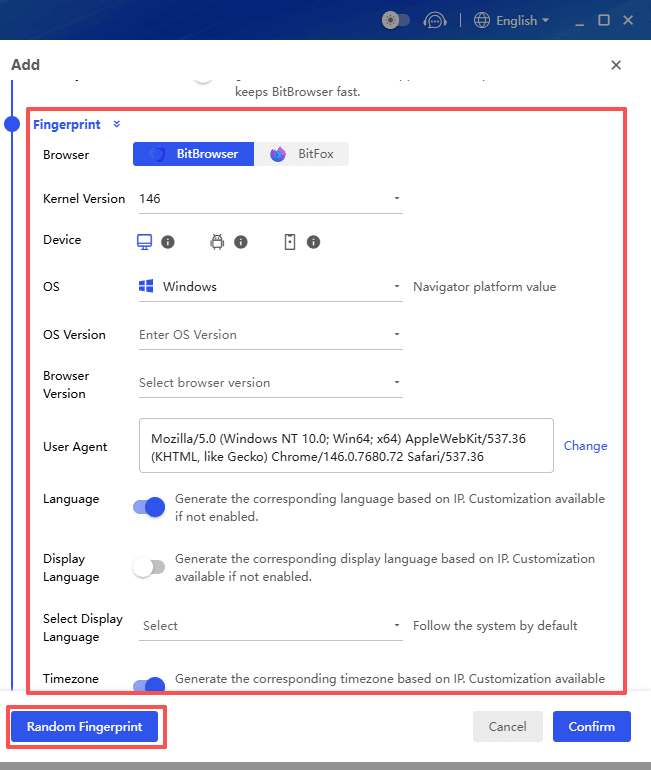
4. Configure a persistent fingerprint
Go to the fingerprint settings. Randomize the fingerprint once to get a realistic base, then save this exact fingerprint permanently. Make sure the time zone matches your proxy IP.
Paste your proxy details in the network configuration tab.
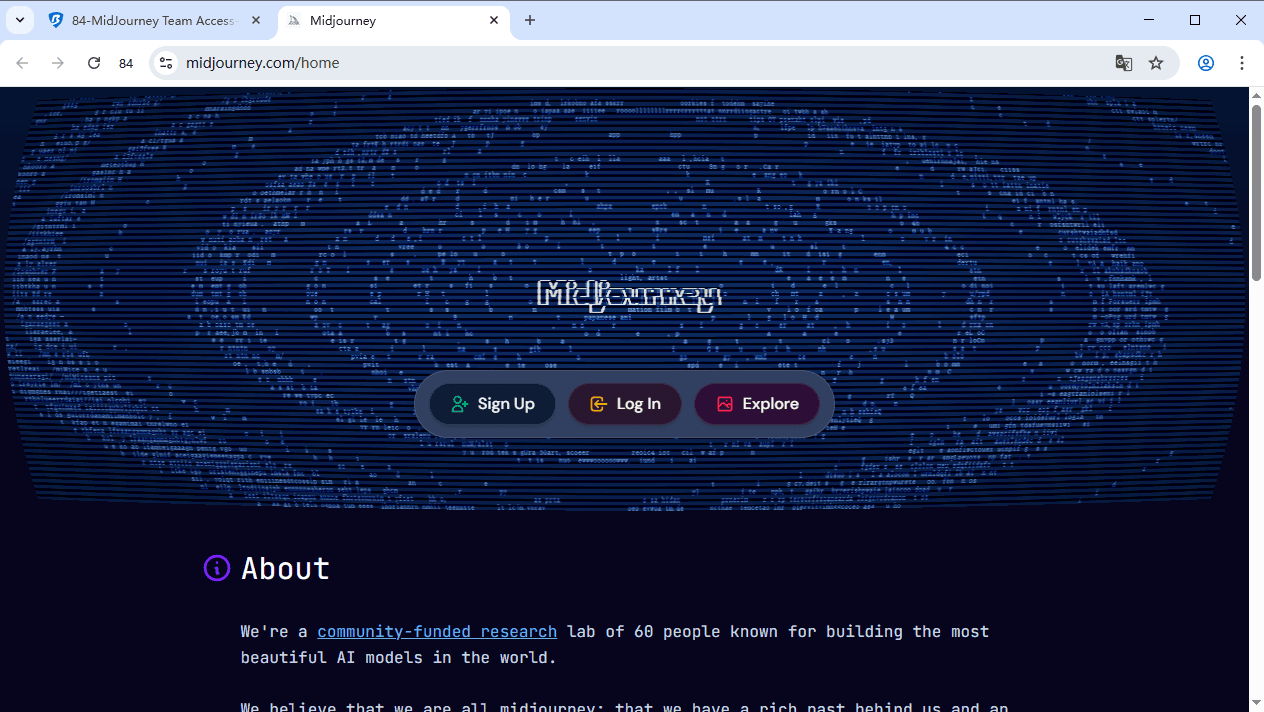
5. Launch the profile and log in to Midjourney
Click “Open” to start the isolated browser. Navigate to the Midjourney website or the Discord web version. Log into your account, complete any email verification steps, and let the session cookies establish.
6. Share the profile with your team
Close the browser window. In the BitBrowser main panel, use the profile sharing or transfer feature to give your teammate access. They will also need a BitBrowser account. You can set permissions so they can open the profile but cannot see or export the password.
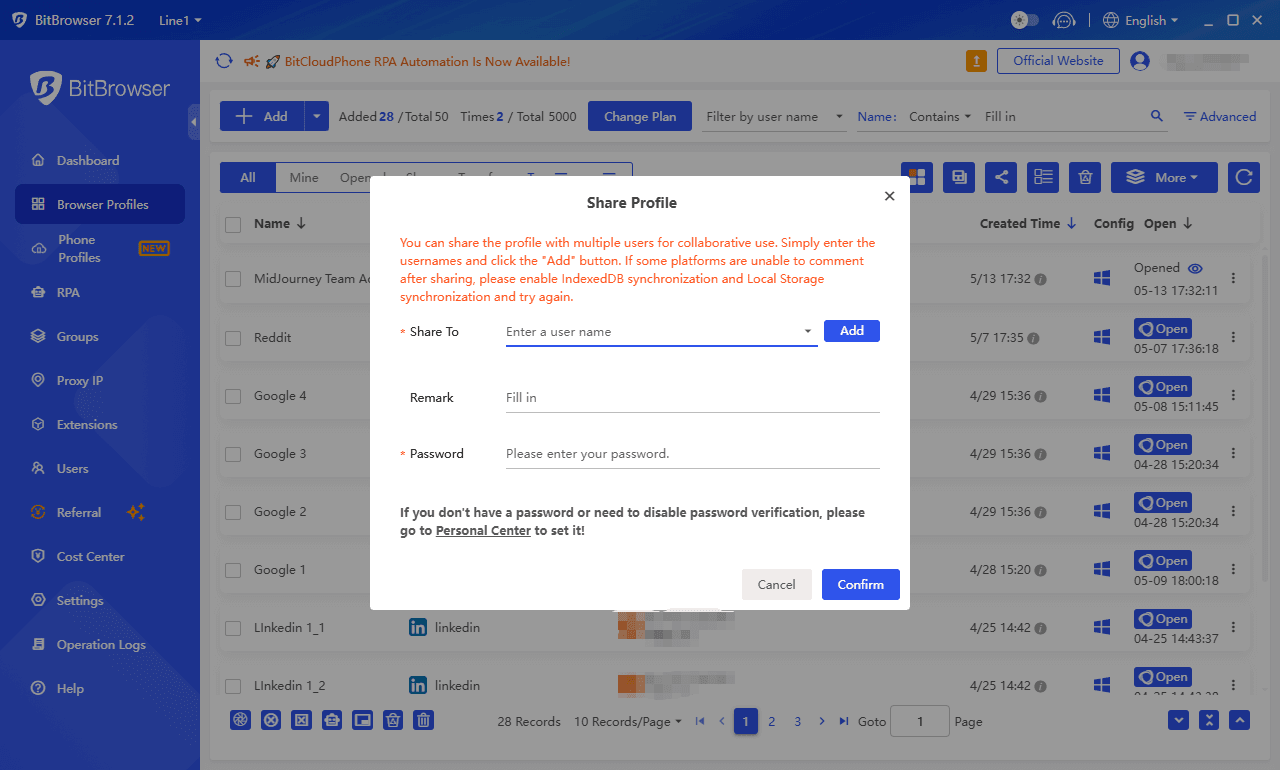
Establish a usage schedule. The single most important rule is to never have two people using the shared profile at the same time. One simultaneous session overlap can trigger a safety lock. Agree on clear time slots or use a shared status message to coordinate.
Sign Up
Important cautions for sharing a MidJourney account via BitBrowser
Always keep your billing and payment location consistent with the proxy location. A payment from a different country while the profile logs in from another can reveal the setup.
Avoid aggressive behavior like generating thousands of images in a single hour right after sharing the profile. Mimic human usage patterns.
Make sure your proxy has high uptime. If the proxy fails and BitBrowser falls back to your real IP even once, the account history will show a location leap.
Conclusion
Sharing a Midjourney account does not have to be risky. The safest approach is always the official path. If your organization can commit to 50 yearly seats, the enterprise group plan gives each member their own account under one billing arrangement.
For smaller teams where everyone already has a subscription, a private Discord server keeps collaboration simple while each person pays for their own usage.
When neither option fits, a properly configured BitBrowser profile offers the strongest technical protection for a shared login, as long as you stick to a clear usage schedule and keep the proxy and billing location consistent.
Whichever method you choose, the golden rule is to make the account look like one person, in one place, on one device. Try the official options first, and if you go the fingerprinting route, use it carefully and with common sense.
Sign Up

 Multi-Account Management
 Prevent Account Association
 Multi-Employee Management
Recommended
See More 



