2026.11.12 07:16
 YT.Shi
Looking for a quick game between classes? You probably want a game you can open in your browser and get straight into.
Here’s where to find 9 best Classroom 6x sites, which games to try, and how to play unblocked games in BitBrowser during school breaks.
What Makes Classroom “Unblocked Games 6x” So Popular?
Classroom 6x isn't just one game. It's a collection of browser games, from racing and arcade challenges to platformers and puzzles. Perfect when you've got a few minutes to spare between classes.
No downloads, no accounts, no waiting around. Just open a game and hit play on your Chromebook, laptop, or phone.
And here's why students often look for Classroom 6x: school filters like GoGuardian and Securly block known gaming sites, but some Classroom 6x pages may still work because their domains haven't been flagged.
Access Classroom 6x with a Proxy in BitBrowser
School Wi-Fi blocking your favorite game site?
On your own computer, BitBrowser lets you set up a proxy and a separate browser fingerprint for your gaming profile.
Setting up a proxy may help with network-level restrictions, while fingerprint settings control the browser and device information websites see.
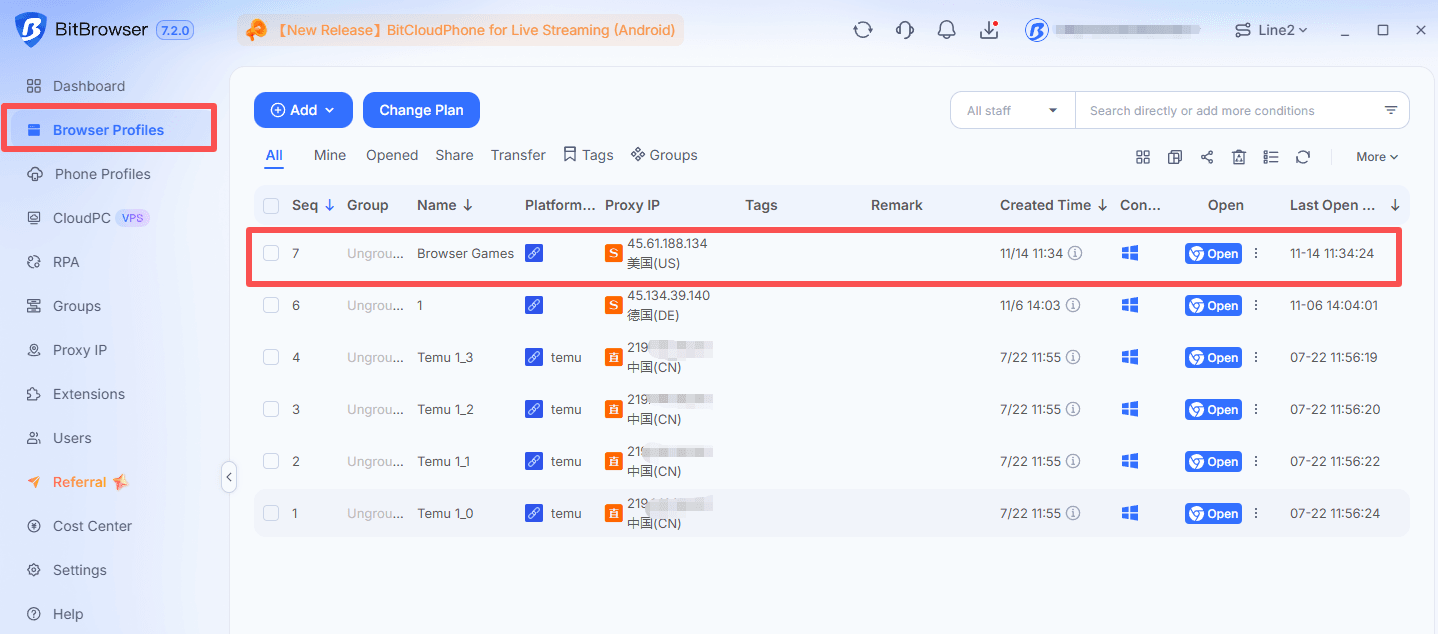
▸ Create a profile and name it “Browser Games.”
▸ Configure its browser fingerprint and add your proxy details.
▸ Check the proxy connection, launch the profile, and open a Classroom 6x link above.
▸ Bookmark your favorites for your next break.
Quickly create a dedicated browser window for your unlocked games
Classroom 6x Sites: Where to Find Unblocked Games 6x
| Website | Games / highlights | Ads observed | Loading & gameplay | Extra features |
|---|---|---|---|---|
| 01 · Classroom 6x ↗ Google Sites · /view/classroom6x/ | Cut and Dunk Slope Run Rooftop Shooters | Ad-free homepage; occasional 5-second pre-game ads | Mostly playable Most tested games worked in-browser | Search Clean layout |
| 02 · Unblocked Games 6X ↗ Google Sites · /site/unblockedgames6x/ | Kingdom Rush Sugar, Sugar Madalin Stunt Cars 2 | Occasional 5-second pre-game ads | Mostly playable Most tested games worked in-page | In-page player Fullscreen |
| 03 · Classroom 6x ↗ classroom6xonline.github.io | Drift Hunters Moto X3M Basketball Stars | Closable overlays and page ads; no pre-game ads | Mostly fast Some slow loads, 404s and connection errors | Categories Larger player Fullscreen |
| 04 · Classroom 6x ↗ classroom6x-games.bitbucket.io | Level Devil Basket Random Bloons TD 3 | Occasional redirects; no pre-game ads | Smooth once loaded Fast games; occasional page rate-limit errors | Search & categories Fullscreen |
| 05 · Class 6x ↗ class6x.gitlab.io | Soccer Skills Champions League A Dance of Fire and Ice Drive Mad | Light page ads; no redirects | Mixed reliability Most loaded; some games refused to connect | Search & categories Fullscreen |
| 06 · 6X Games ↗ 6xgames.com | Smash Karts OvO Cookie Clicker | Light page ads and occasional redirects; no pre-game ads | Not recorded No speed assessment in our notes | Search; Best/Newest lists Large player; fullscreen Play counts; comments; XP leaderboard |
| 07 · Classroom6x.gg ↗ classroom6x.gg | Jumping Shell Tiny Fishing Crossy Road | Light page ads | Fast loading Tested games opened quickly | Search & categories Fullscreen Optional account |
| 08 · Classroom X6 ↗ Google Sites · /view/classroomx6 | Action & arcade Retro games Two-player games | Ad-free homepage; very light game-page ads; no pre-game ads | Not recorded No speed assessment in our notes | Search & categories Links to other collections |
| 09 · Classroom-6x ↗ classroom-6x.bitbucket.io | Racing & sports Puzzles Strategy games | Light page ads; overlay required manual closing | Fast & smooth Tested games ran smoothly after closing the ad | Categories No search box spotted |
1. Classroom 6x on Google Sites
▸ Game types: Sports, puzzles, action, shooting, reflex challenges and idle management.
▸ Ads: None observed on the homepage; occasional five-second pre-game ads.
▸ Best for: Finding a game quickly and playing between classes.
Want to get straight into a game? This Classroom 6x site keeps things simple. The homepage was clean and ad-free in our test, and the built-in search made it easy to find a specific title.
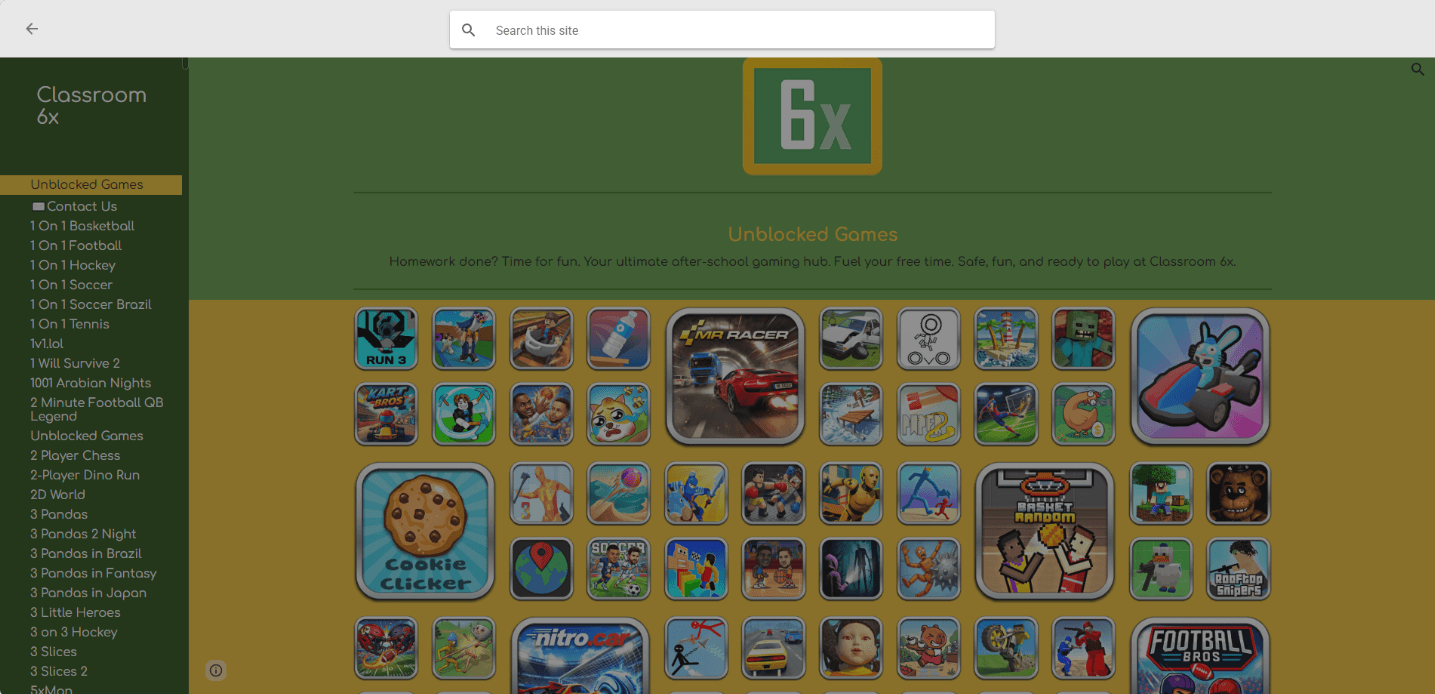
The collection covers sports, physics puzzles, action, shooting, reflex challenges and idle games. Try Cut and Dunk for a quick puzzle, Slope Run to test your reactions, or Rooftop Shooters for a two-player match. Prefer something slower? Give Idle Zoo a go.
Most games we tried were playable directly in the browser. Some occasionally showed a mandatory five-second ad before play, but overall, the site was easy to use and offered plenty of variety for a quick break.
2. Unblocked Games 6X on Google Sites
▸ Game types: Action, sports, driving, puzzles, tower defense and idle games.
▸ Ads: Similar to the first site; some games may show a mandatory five-second pre-game ad.
▸ Best for: Playing directly on the page or switching to fullscreen.
If you liked the first site’s simple layout, this one will feel familiar. In our test, most games could be played inside the page, with a fullscreen option when we wanted a larger view.
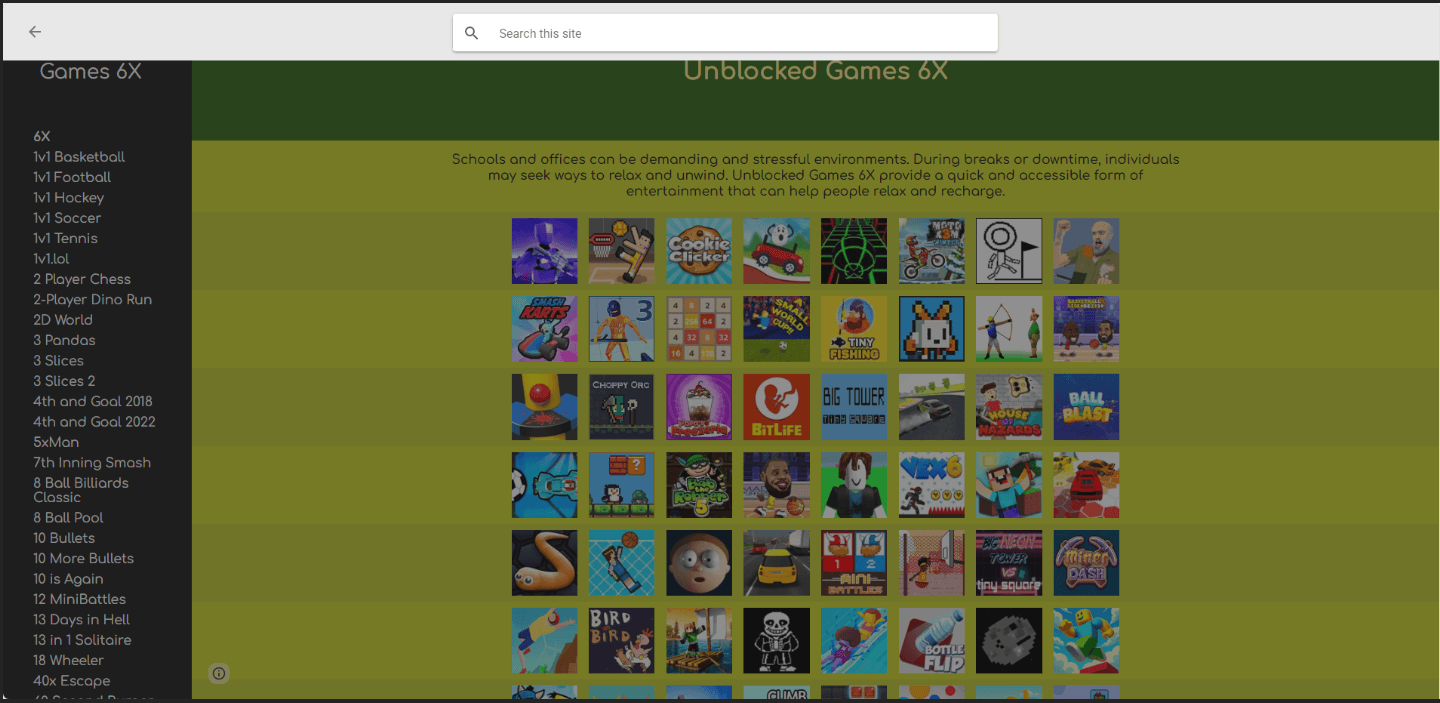
There’s plenty of overlap with the first collection, but a few titles make this one worth exploring. Try Kingdom Rush for tower defense, draw paths to fill cups in Sugar, Sugar, or check out Madalin Stunt Cars 2 for driving and stunts. The directory also includes Kingdom Rush Frontiers and several Sugar, Sugar games if you want more of the same style.
Some games may start with a mandatory five-second ad. Otherwise, the experience felt straightforward, and being able to choose between the embedded player and fullscreen was a useful touch.
3. Classroom 6x on GitHub Pages
▸ Game types: Racing, puzzles, shooting, sports, adventure, skill and multiplayer games.
▸ Ads: Closable page ads; no mandatory pre-game ads observed.
▸ Best for: Browsing by category and playing in a larger window or fullscreen.
Clear categories make it easy to find games like Drift Hunters, Moto X3M, Basketball Stars and Stickman Hook. The embedded player is larger than on the previous two sites, with a fullscreen option for an even bigger view.
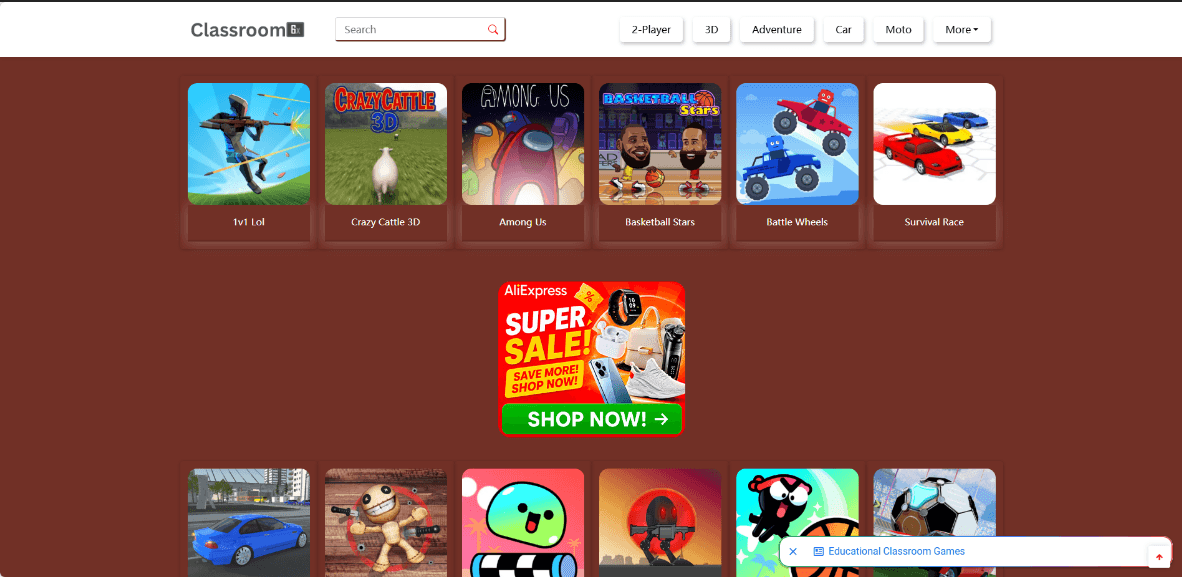
Most games we tried loaded quickly, but some were slow or showed 404 or connection errors. Some page ads partially covered the view but could be closed immediately, while smaller ads appeared beside the player. We encountered no ad redirects during testing.
4. Classroom 6x on Bitbucket
▸ Game types: Action, adventure, racing, puzzles, strategy, sports, idle, horror and multiplayer games.
▸ Ads: Occasional redirect ads when browsing; no pre-game ads observed.
▸ Best for: Browsing by category and playing in-page or fullscreen.
The site has a clean layout, categories and a search box, with a fullscreen option for games. The collection includes Level Devil, Subway Surfers, Basket Random, Cut the Rope and Bloons Tower Defense 3.
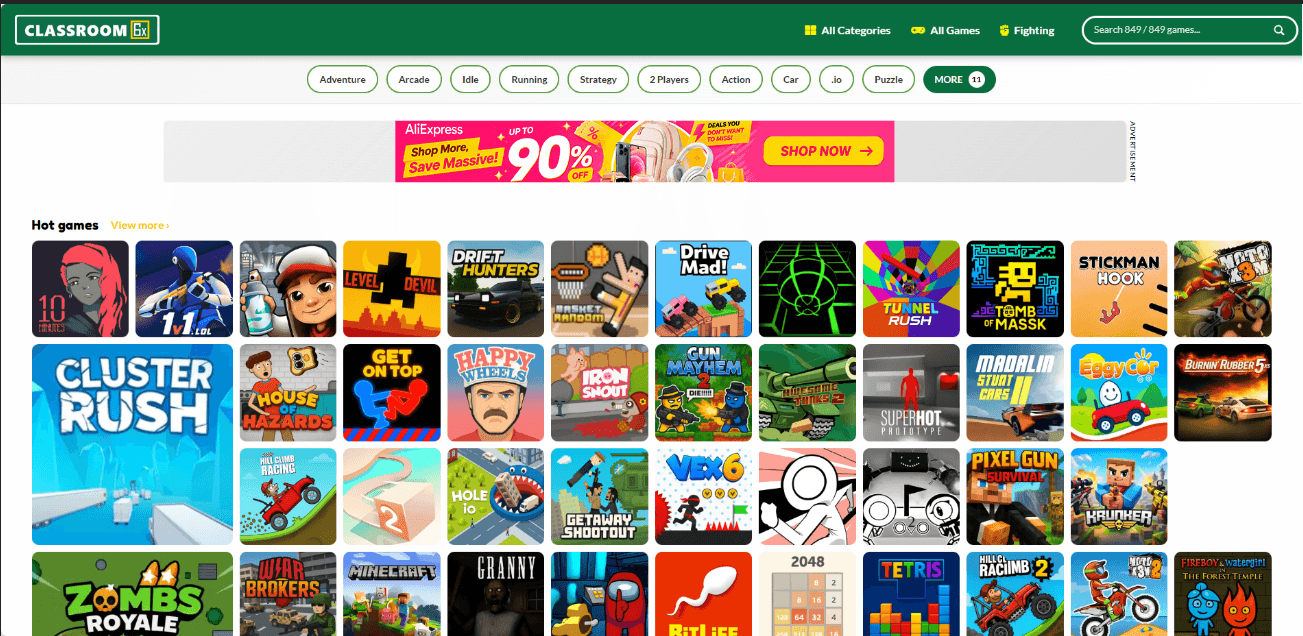
The games we tested loaded quickly, without a pre-game ad countdown. Browsing was less consistent: clicking some buttons triggered redirect ads, requiring us to go back. A few pages also displayed “Rate limit for this resource has been exceeded,” temporarily interrupting access.
Once in a game, the experience was enjoyable and ran very smoothly with a good connection.
5. Class 6x on GitLab
▸ Game types: Action, racing, sports, puzzles, shooting, rhythm and idle games.
▸ Ads: Light page ads; no redirects observed.
▸ Best for: Exploring a varied collection with in-page and fullscreen play.
Categories and search make browsing straightforward. The collection includes Soccer Skills Champions League, A Dance of Fire and Ice, Idle Mining Empire and Drive Mad.
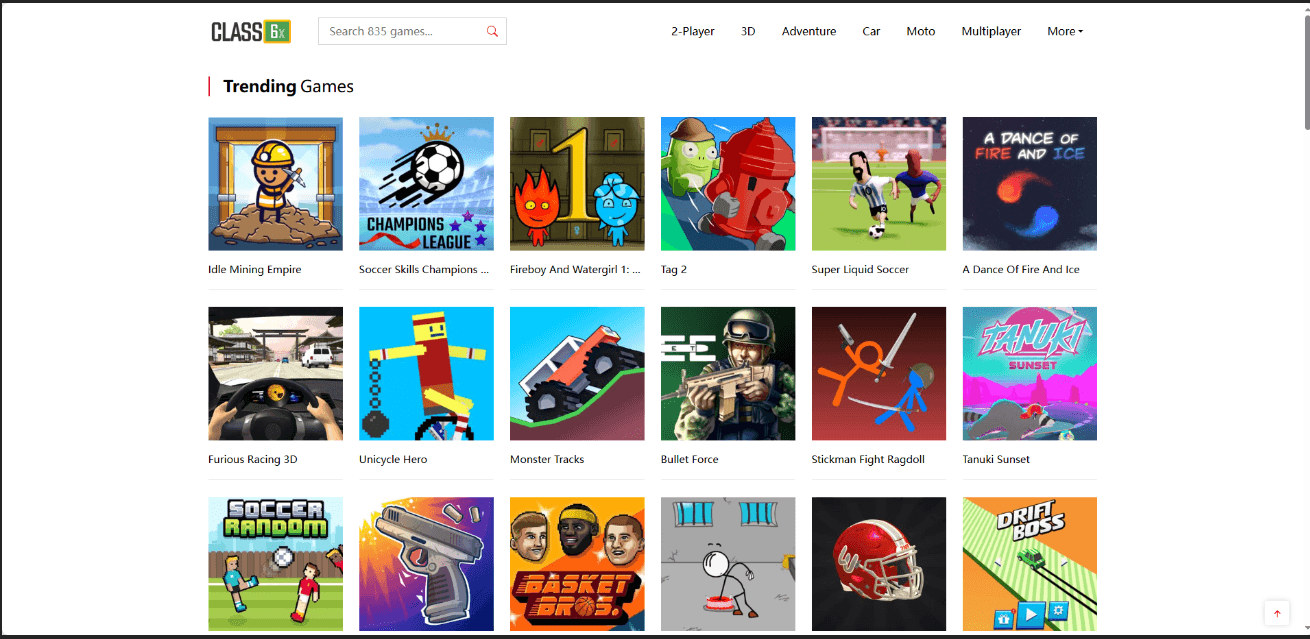
Most games loaded normally, but reliability was less consistent than on the previous sites. Super Fowlst 2 and Zooplop, for example, displayed a “gitlab.com refused to connect” message during our test. Light page ads caused little distraction, and games could be played in the browser window or fullscreen.
6. 6X Games
▸ Game types: Action, driving, sports, puzzles, platformers, shooting and idle games.
▸ Ads: Light page ads and occasional redirects; no mandatory pre-game ads observed.
▸ Best for: Finding popular games and playing in a large window or fullscreen.
Browse the Best and Newest sections or use the search box to find titles such as Drive Mad, Smash Karts, OvO and Cookie Clicker. Game pages display play counts, and the player fills most of the browser window, with a fullscreen option too.
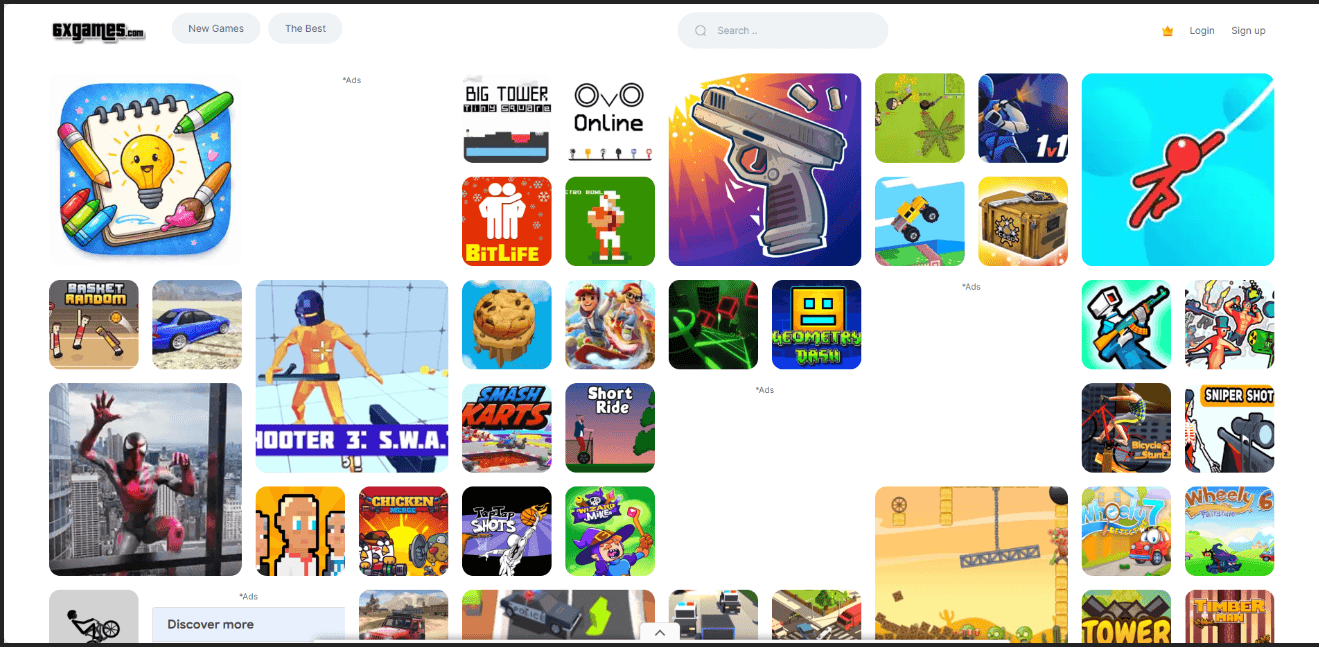
Signing in unlocks game comments, and player accounts appear on an XP leaderboard. If you register, use a nickname and avoid sharing personal details. Ads were mostly light during testing, but some buttons triggered redirects. Watch for game promotions that lead to downloads rather than browser play.
7. Classroom6x.gg
▸ Game types: Action, racing, puzzles, sports, simulation, idle and multiplayer games.
▸ Ads: Light page ads.
▸ Best for: Finding games through search, categories and popular or new listings.
The site offers plenty to browse, including Jumping Shell, Tiny Fishing, Crossy Road and Brain Test. Categories and a search box make finding a game straightforward.
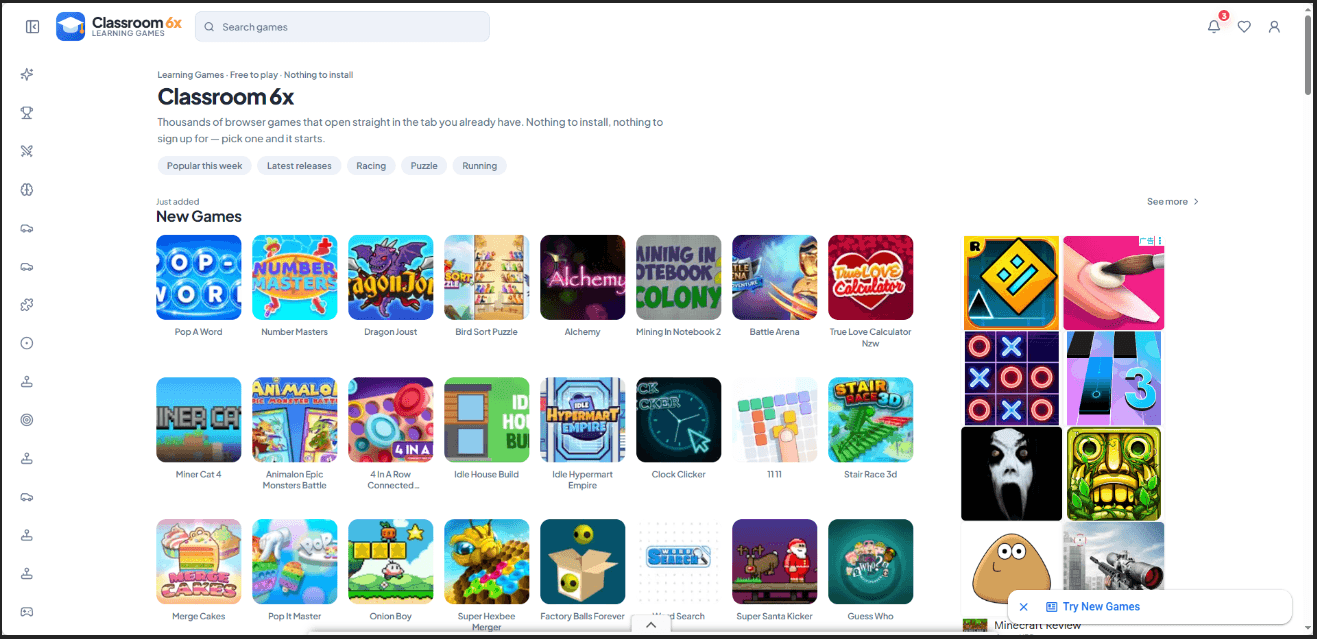
Games loaded quickly in our test. The default player is fairly small, but fullscreen gives you more room. Registration is optional, so you can play without linking your Google account.
8. Classroom X6 on Google Sites
▸ Game types: Action, arcade, adventure, car, retro and two-player games.
▸ Ads: No homepage ads observed; very light game-page ads and no mandatory pre-game ads.
▸ Best for: Simple browsing with minimal ad interruptions.
The homepage keeps things clean, with built-in search and game categories. It also links to other collections, including Classroom 80x, Classroom 66 and Classroom 15x, if you want more options.
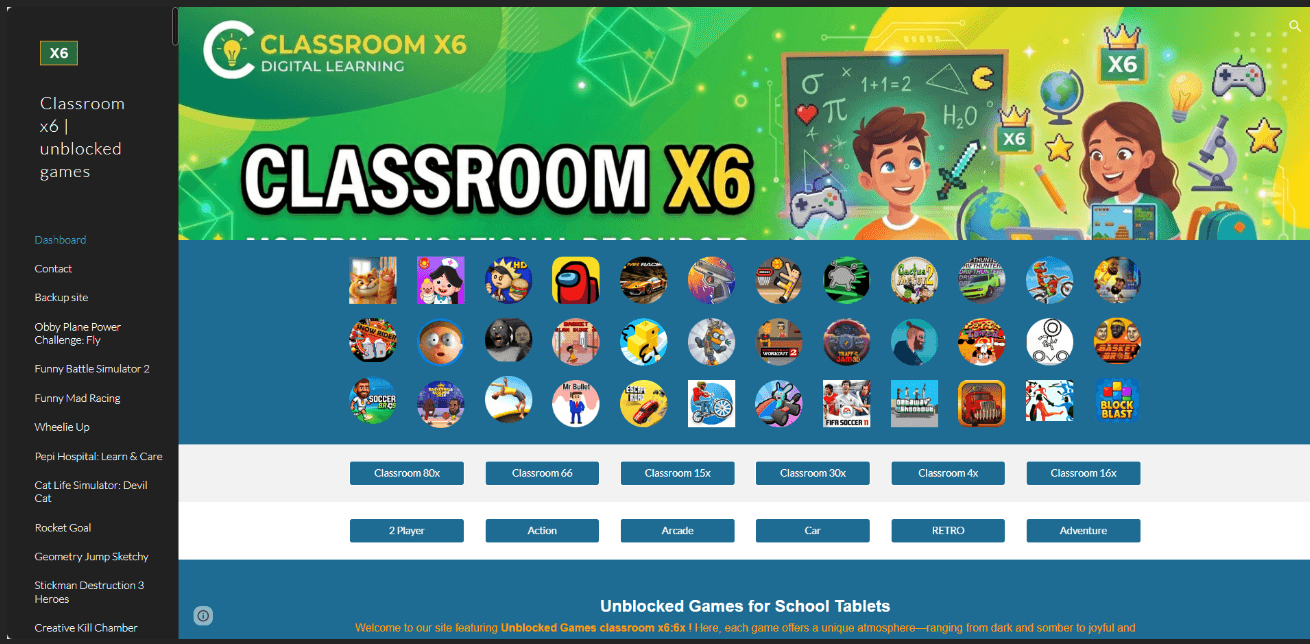
Ads were barely noticeable on the game pages we tested, with no forced ad countdown before play. Some game links may lead to downloads, so check where they take you before installing anything.
9. Classroom-6x on Bitbucket
▸ Game types: Racing, sports, puzzles, shooting, adventure, simulation, strategy and multiplayer games.
▸ Ads: Light page ads plus an overlay that required manual closing.
▸ Best for: Browsing by category and enjoying smooth gameplay once ads are closed.
The site offers plenty of categories, though we didn’t spot a search box during testing. The layout felt slightly more cluttered than the previous sites.
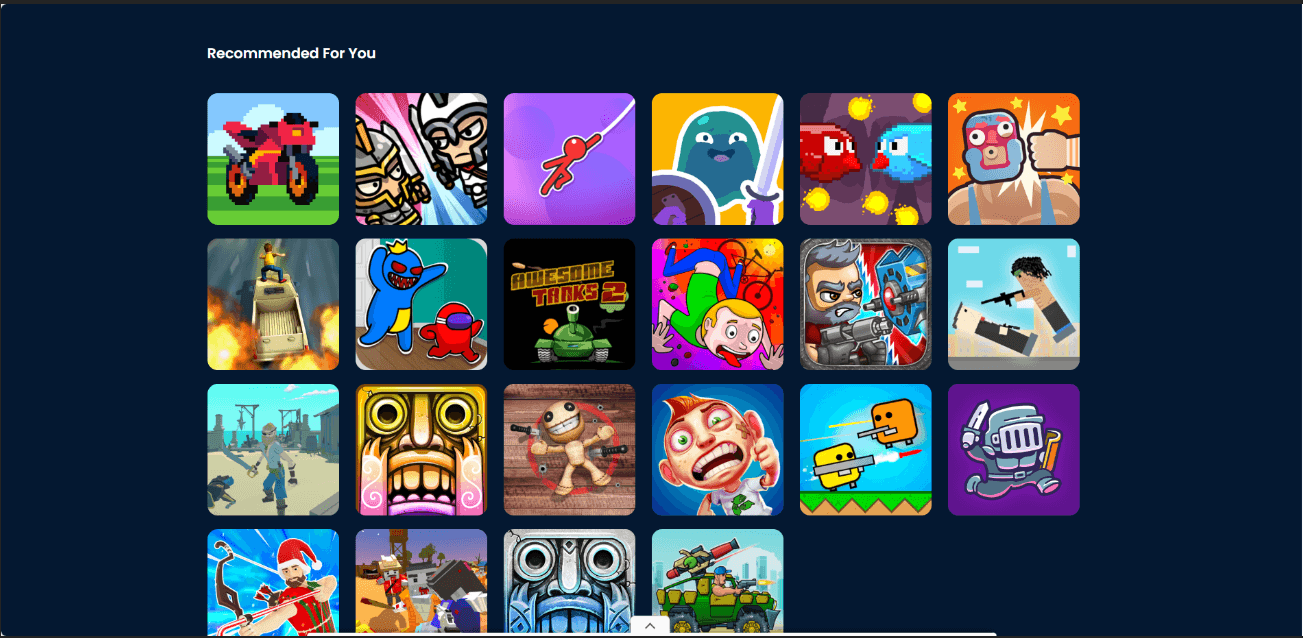
Opening a game from the homepage triggered an ad overlay that blocked the view until we closed it. Once past that interruption, the games we tried loaded quickly and ran smoothly.
How to Play Games on Classroom 6x Smoothly and Safely
Got a few minutes between classes? Pick a site above and try these quick tips.
1. Give Your Games Their Own Space
On your own computer, create a “Browser Games” profile in BitBrowser to keep gaming cookies and sessions separate from schoolwork. Bookmark your favorites and return to the same profile and site to keep local saves.
2. Pick a Game and Get Comfortable
Find a game, hit Play, and click inside the player to activate keyboard controls. Switch to fullscreen for more room, choose touch-friendly games on phones, or try lighter 2D games on slower laptops.
3. Fix Loading Issues
▸ Close unused tabs and other games.
▸ Try another title if one won’t load.
▸ Test a fresh BitBrowser profile for settings or extension issues, keeping your usual profile and saves intact.
▸ Seeing a 404 or rate-limit error? Try another site or return later.
4. Skip the Extras
You came to play, not install a mystery app. Skip download prompts, close redirect tabs, and decline unnecessary permissions.
Play without registering when possible. Otherwise, use a nickname and unique password instead of linking your main Google account. Keep gaming to permitted breaks.
6 Games to Try on Classroom 6x and 6X Sites
| Game | What you do | Pick it if you want... |
|---|---|---|
| Moto X3M | Ride a motorbike through obstacle courses while managing speed and balance. | Short levels and plenty of retries. |
| Drive Mad | Get a vehicle across awkward tracks without flipping it. | A driving challenge where careful timing matters. |
| Stickman Hook | Swing between attachment points and release at the right moment. | Simple input with satisfying momentum. |
| Cookie Clicker | Produce cookies and buy upgrades that increase production. | A slower game built around gradual progress. |
| Slope | Steer a rolling ball along a course while avoiding obstacles and edges. | A quick reflex challenge and another attempt at your score. |
| Geometry Dash Lite | Time jumps through obstacle-filled platforming levels. | Learning a route and improving with each attempt. |
More Unblocked Games for School

 Multi-Account Management
 Prevent Account Association
 Multi-Employee Management