2026.09.29 20:48
 petro
Cloud infrastructure guide · 2026
VPS vs RDP: What Is the Difference?
A practical comparison of virtual servers, remote desktop access and Windows cloud workspaces.
Short answer: A VPS is a virtual server you rent. RDP (Remote Desktop Protocol) is Microsoft's technology for viewing and controlling a remote Windows desktop. They are different layers of the same setup: you can use RDP to connect to a Windows VPS. When a seller advertises an “RDP server,” it usually means a remote Windows machine with desktop access, so check what computing resources and permissions the plan actually includes.
If your main goal is a ready-to-use Windows workspace, a cloud desktop such as BitCloudPC may be easier to evaluate than building a desktop workflow on a general-purpose VPS. If you need to host a website, API or database, the VPS remains the more direct starting point.
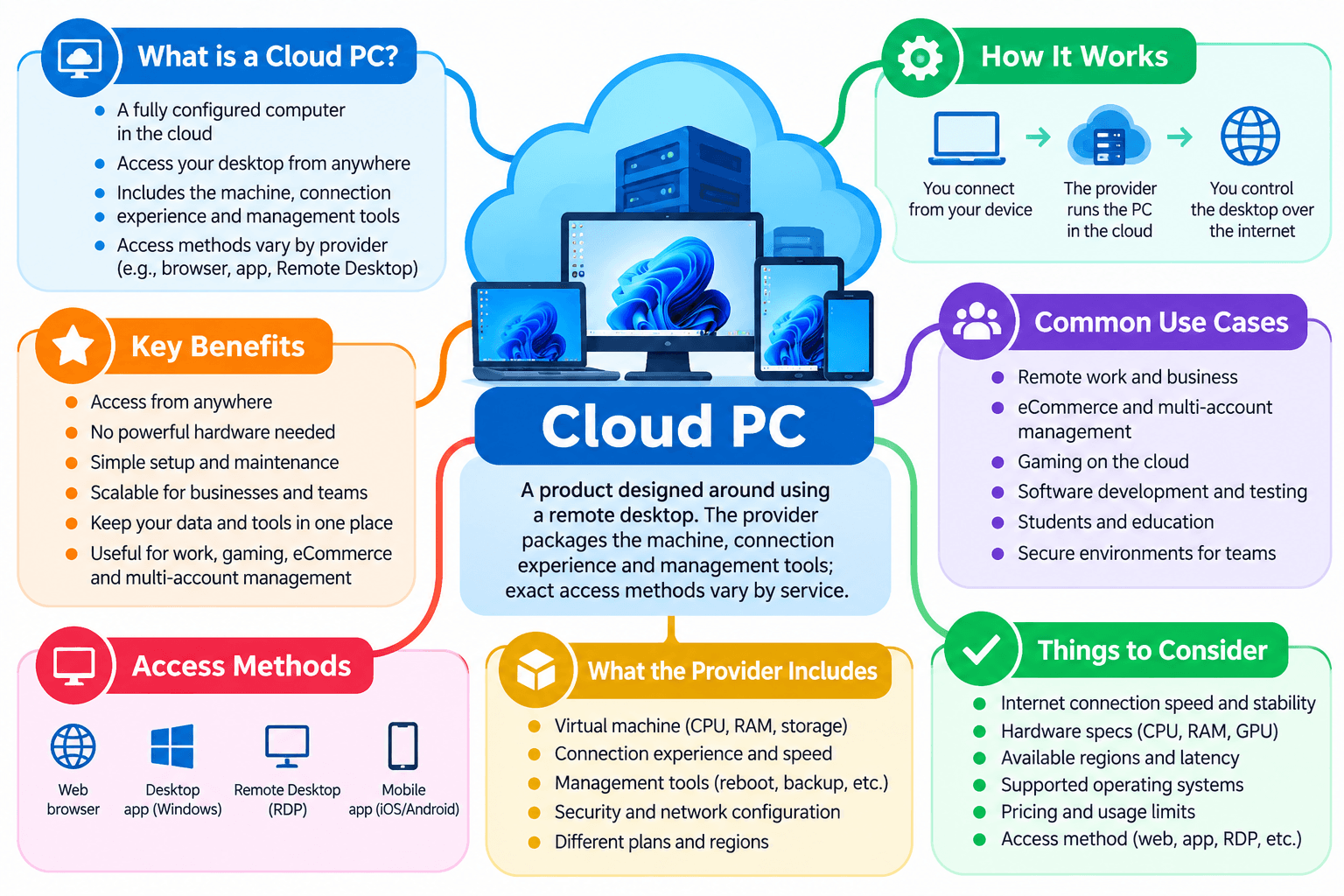
VPS, RDP and Cloud PC at a glance
VPS
A virtual machine with CPU, memory, storage and networking. You choose an OS and typically manage software, updates and access. It can run continuously for server tasks.
RDP
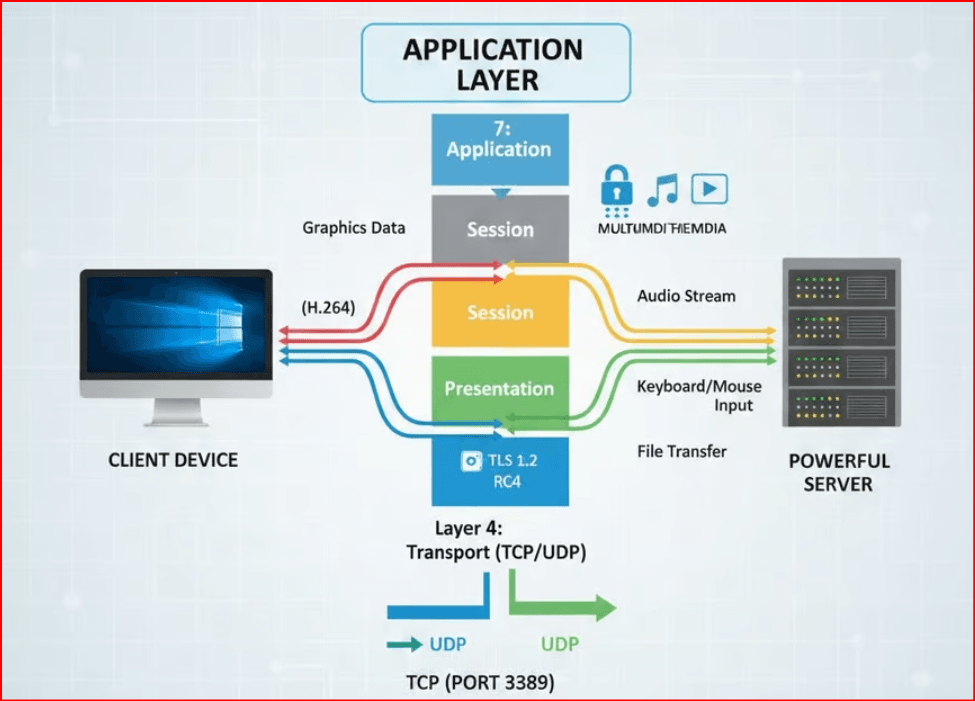
A connection protocol that carries the remote Windows display and your keyboard and mouse input. It does not, by itself, supply a server or a cloud subscription.
Cloud PC
A product designed around using a remote desktop. The provider packages the machine, connection experience and management tools; exact access methods vary by service.
Microsoft defines RDP as a remote display and input protocol; AWS describes an EC2 instance as a virtual server and documents RDP access to Windows instances. Microsoft RDP documentation · AWS virtual server documentation · AWS Windows RDP guide
VPS vs RDP comparison table
| Question | VPS | RDP / remote Windows desktop |
|---|---|---|
| What are you buying? | A virtual server and its allocated resources. | RDP itself is a protocol. An “RDP plan” usually bundles a Windows machine plus remote access. |
| Main purpose | Host applications, sites, databases, development environments or automation. | Use a remote graphical Windows desktop and its installed programs. |
| Typical connection | SSH for Linux; RDP or other approved tools for Windows. | Remote Desktop client, or another method supplied by the desktop provider. |
| Administrative work | Often more: OS setup, patching, firewall, backups and application maintenance. | Varies by provider; a managed desktop generally reduces initial setup. |
| Costs to inspect | Compute, storage, bandwidth, OS licensing, backups and public IPs. | Plan or usage fee, storage, licensing, session limits and optional network features. |
| Best first question | What service must this machine host? | Which Windows programs must someone use interactively? |
A Windows VPS can appear in both columns: it is the machine, while RDP can be the connection method.
What changes in real work?
1. Server control and responsibilities
A VPS gives you a server environment to configure. That is useful when you need to install a web stack, choose system services, schedule jobs or control networking. The tradeoff is operational work: someone must maintain the OS, access controls, backups and applications unless those services are explicitly managed. A basic RDP connection does none of that work for you. If the RDP offering is a fully managed desktop, the provider may handle more of the starting configuration, but the contract determines where its responsibilities end.
2. User experience
A Linux VPS is commonly administered through a command line and can run without a graphical desktop. A Windows VPS can provide a desktop over RDP, but you still need to select a suitable image, confirm licensing and configure secure access. A cloud PC starts from the expectation that someone will log in and use software visually. For document work, browser-based operations and team workstations, that difference in setup can be more important than the marketing name.
3. Performance and location
For a server-side website, measure how the application performs where its users are. For an interactive remote desktop, also test how quickly the screen responds where the operator sits. A nearby data center and stable network path can matter more to daily usability than a higher advertised CPU tier. Confirm memory, storage speed, the region, the connection method and any graphics requirement with the exact plan you intend to purchase.
Where BitCloudPC fits
A Windows cloud desktop for everyday remote work
BitCloudPC is presented as a Windows 10/11 cloud desktop for remote work rather than a general-purpose server hosting plan. Its product page lists configurable CPU, memory, disks and IP options, hourly or monthly billing, remote desktop network acceleration and team-management features. Those are practical points to compare when the goal is a repeatable Windows workspace for business tasks.
The provider says compute charges stop after its cloud PC is shut down while storage remains; confirm the current fees for disks, IPs and any additional options before comparing total costs with a VPS. BitCloudPC also describes browser-based access. Its product guide discusses connecting through its client or remote desktop software, so confirm the connection methods offered with your chosen configuration.
Which option should you choose?
Choose a VPS when...
you need to host a website, application, API, game server or database; require system-level configuration; or have someone who can maintain the server. For a graphical Windows VPS, you can still connect using an appropriately configured remote desktop method.
Choose a Cloud PC when...
people mainly need to open Windows applications, work with files and use a desktop from different locations. Compare BitCloudPC if flexible resources, hourly or monthly billing and remote desktop access match your workflow.
If a provider sells an “RDP account”
Ask whether the machine is dedicated or shared, which OS edition and license are included, whether you receive administrator rights, what CPU and RAM are allocated, how files are retained, how backups work, and what happens when the session ends. “RDP” alone does not answer any of those questions.
Security and cost checklist
- Define the workload: a hosted service, an interactive Windows desktop or both.
- Confirm access: SSH, RDP, browser, provider client, VPN or a gateway, as appropriate.
- Limit exposure: use the provider's supported secure access method and restrict who can sign in. Microsoft recommends considering VPN access for remote PCs outside the local network.
- Price the whole environment: include storage, backups, traffic, IPs, Windows licensing and idle-time charges.
- Test with real work: check application compatibility, responsiveness, file persistence and recovery before committing to a long plan.
See Microsoft's remote access guidance for the network options involved in reaching a Windows desktop outside its local network.
Frequently asked questions
Can a VPS be accessed through RDP?
Yes. A Windows VPS can be configured for RDP access, subject to the provider's image, licensing and access rules. A Linux VPS is usually managed with SSH, although graphical access can be configured separately.
Is RDP cheaper than a VPS?
RDP is a protocol, so it has no stand-alone server price. Compare the actual Windows desktop subscription or “RDP server” plan with a VPS of similar CPU, RAM, storage, license and support. Billing terms differ by provider.
Is BitCloudPC a VPS?
BitCloudPC is marketed as a cloud desktop for using Windows remotely. It uses cloud resources, but its product focus is an interactive workstation. If your main goal is server hosting, compare a conventional VPS plan against your specific workload.
Do I need administrator access?
It depends on your software. Installing system services or changing security settings may require it. Ask before buying a remote desktop plan; a provider may give a full private Windows machine, a restricted user session or something in between.
Final verdict
A VPS is the computing resource; RDP is one possible route into a Windows desktop. Start with the job you need done. Use a VPS for hosting and server-level control. Choose a remote Windows desktop for people who need to work inside applications every day. BitCloudPC belongs in the latter comparison because it packages a configurable Windows cloud workspace and remote access features.
Review current plan specifications and prices on the provider's official page before purchasing. If you are choosing infrastructure for multiplayer hosting, this guide to game servers and hosting covers a different server-side use case.

 Multi-Account Management
 Prevent Account Association
 Multi-Employee Management