Using a Cloud Phone for Anonymous Facebook Browsing: What Actually Changes
 2026.02.06 14:40
 YT.Shi
Spending time on Facebook without logging in sounds straightforward. You open a private window, clear cookies, maybe turn on a VPN, and move on. That does remove your account from the picture, but after testing this setup repeatedly, it becomes clear that Facebook still recognizes familiar patterns surprisingly fast.
This article does not rehash every anonymous browsing trick again. Instead, it looks at what happens when browser-based methods stop being reliable and why shifting the environment itself, using a cloud phone, changes how anonymous Facebook browsing actually works.
Common Ways to Browse Facebook Anonymously in 2026
| Method | What People Expect | What Actually Happens | Anonymity Level | Notes |
|---|---|---|---|---|
| Incognito / Private Window | Facebook won’t know who you are | Cookies are cleared, but device fingerprint and IP are still visible | Very low | Works only for basic logout browsing |
| VPN only | IP is hidden, so activity stays anonymous | IP changes, but browser fingerprint stays the same | Low | Repeated use can still trigger tracking |
| Logged-out browsing | No account means no tracking | Facebook still tracks behavior and device signals | Low | Pages and profiles remain traceable |
| Secondary Facebook account | Separate identity, safer access | Account is still linked to the same device | Medium | High risk of account linkage |
| Browser extensions | Extra privacy protection | Many extensions leak data or conflict | Unstable | Depends heavily on the tool quality |
| Virtual machine | Isolated environment | Setup is complex and performance is limited | Medium | Not very user-friendly |
| Cloud phone (BitCloudPhone) | Real mobile environment with isolation | Independent device, clean fingerprint, separate IP | High | Closest to using a real phone |
After testing most of these methods to browse Facebook anonymously myself, one thing became obvious. Clearing cookies or switching IPs only solves part of the problem. Facebook looks at the whole environment, not just whether you are logged in.
That's where cloud phones start to make sense, especially for anyone who needs consistent anonymous access rather than a one-off visit.
Where browser-based anonymity starts to fall short
I used to rely on the usual tricks: logging out, opening a private window, maybe throwing a VPN on top. For quick checks or casual browsing, it usually works fine. You can see public Pages, skim posts, and move on without much hassle. At first, it feels like you’re invisible.
The trouble comes when you start browsing more than once or try to do a few pages in a row. Even if you clear cookies, Facebook still notices the same browser environment popping up again and again. System settings like your language, screen size, and rendering behavior are surprisingly consistent. And your scrolling, clicking, and navigation patterns can make your sessions feel familiar to the platform.
After a few rounds, login walls start appearing more often. Some content won’t load fully, and suddenly the “simple tricks” feel like constant busywork. Switching browsers, creating new profiles, or clearing data repeatedly becomes more of a chore than a solution. You realize quickly that hiding an account alone isn’t enough: your browser leaves a footprint that adds up, even when you’re logged out.
Why Facebook treats mobile environments differently
Facebook is a mobile-first platform. Most real users access it through the app, not a desktop browser, and Facebook’s systems reflect that reality.
Mobile environments tend to look more stable. App storage persists, system parameters remain consistent, and behavior patterns align more closely with how everyday users interact. Because of this, Facebook often places more trust in mobile signals than in browser sessions that reset frequently.
This is why browsing Facebook through a mobile context often feels smoother. Fewer interruptions, fewer forced logins, and a more natural flow, even when the user is not signed in.
What changes when you browse through a cloud phone
A cloud phone provides a full Android environment that runs independently from your personal devices. You control it remotely, but Facebook interacts with it as if it were a normal smartphone.
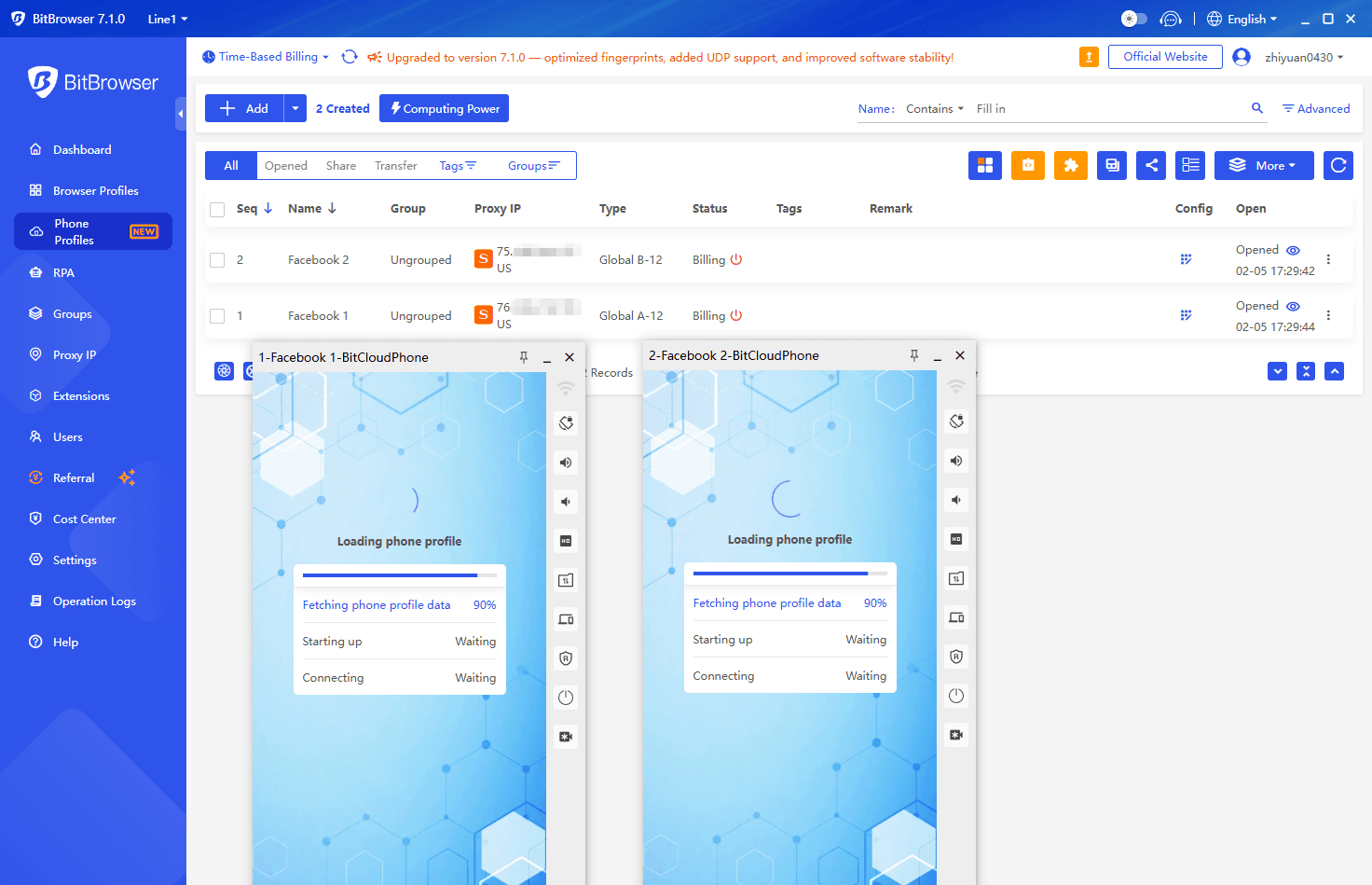
With BitCloudPhone, each instance functions as a separate Android device. That means:
● The system identity belongs entirely to that cloud phone
● App data and storage are isolated from your local machine
● Facebook sees a mobile environment it has not interacted with before
This changes the dynamic of anonymous browsing. Instead of trying to minimize traces within the same device, you are browsing from an environment that has no direct relationship with your personal setup.
Sign Up
How anonymous Facebook browsing feels on a cloud phone
In everyday use, browsing Facebook on a cloud phone feels calmer and more predictable. You can open public Pages, read posts and comments, and explore public Marketplace listings without being pushed toward login screens as aggressively.
It also becomes easier to stay organized. If you are researching multiple Pages or topics, everything happens within one contained environment. When the task is finished, closing or resetting the cloud phone cleanly ends that session.
There are still clear limits. Cloud phones do not unlock private profiles, closed groups, or restricted content. Anything that requires login remains protected. Anonymous browsing here applies only to what Facebook already makes public.
How to Use BitCloudPhone to Browse Facebook Anonymously: Step-by-Step Guide
Getting started with a cloud phone like BitCloudPhone is surprisingly straightforward. Unlike browser tricks that require constant cleaning and switching, a cloud phone gives you a fresh Android environment every time. Here’s how I usually approach it:
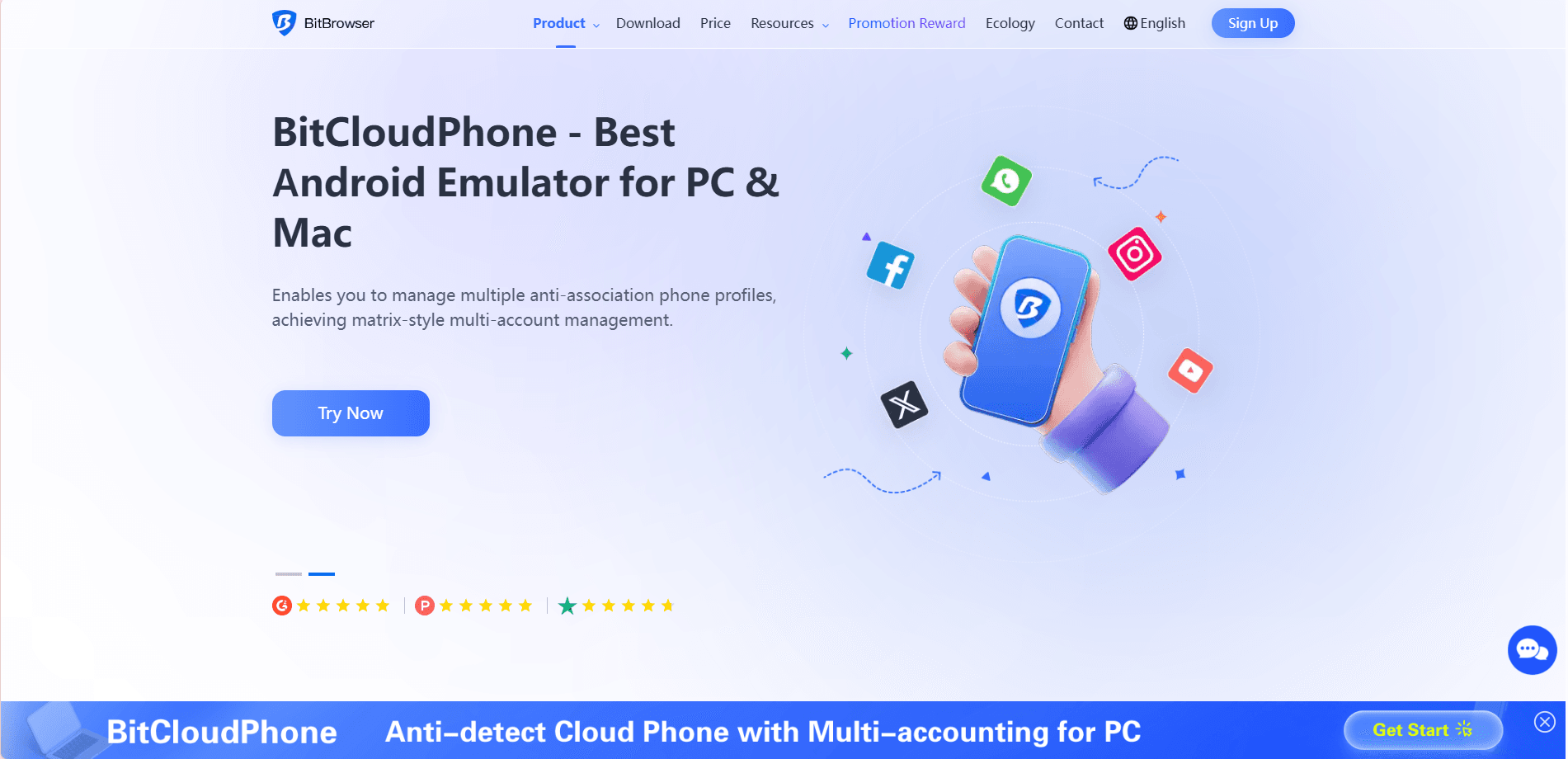
1. Get a free BitBrowser account
Visit the BitBrowser official website (www.bitbrowser.net) and register for a free account, then download and install the BitBrowser client.
New users can obtain 10 free profiles for BitBrowser (PC) and trial credits for BitCloudPhone.
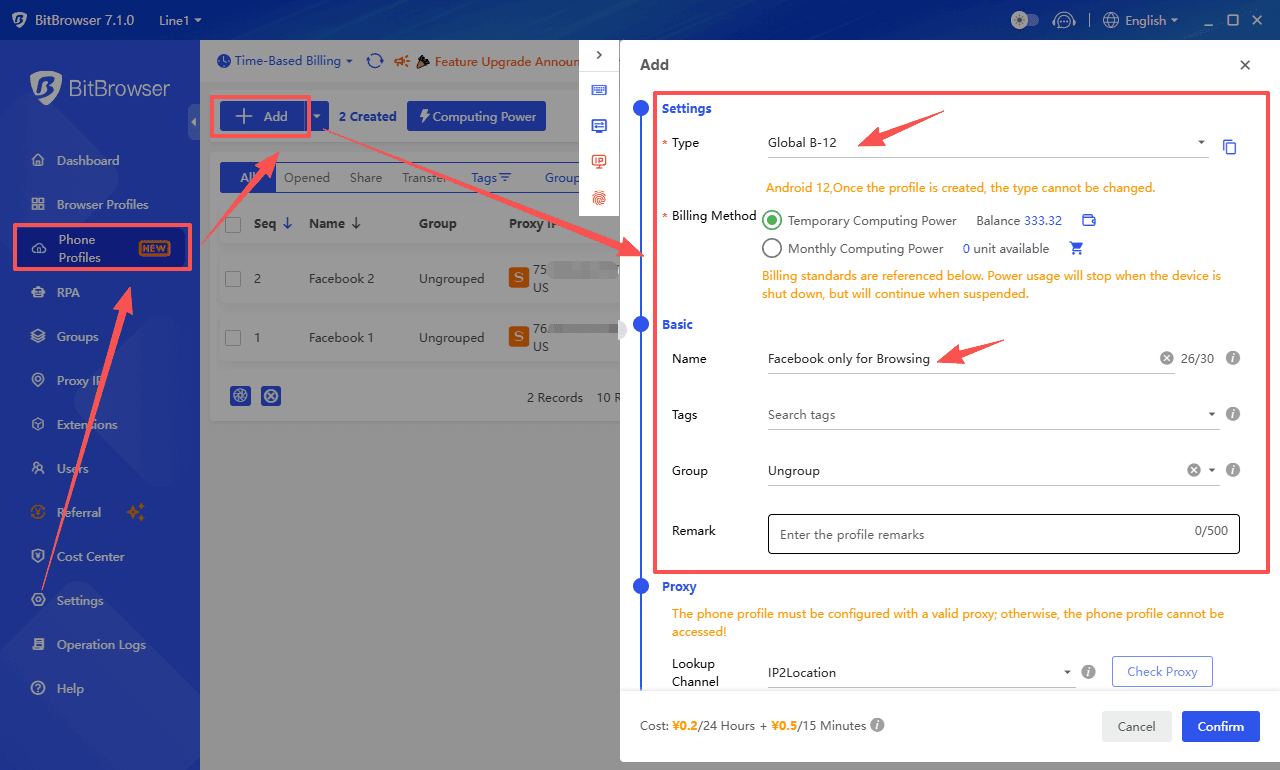
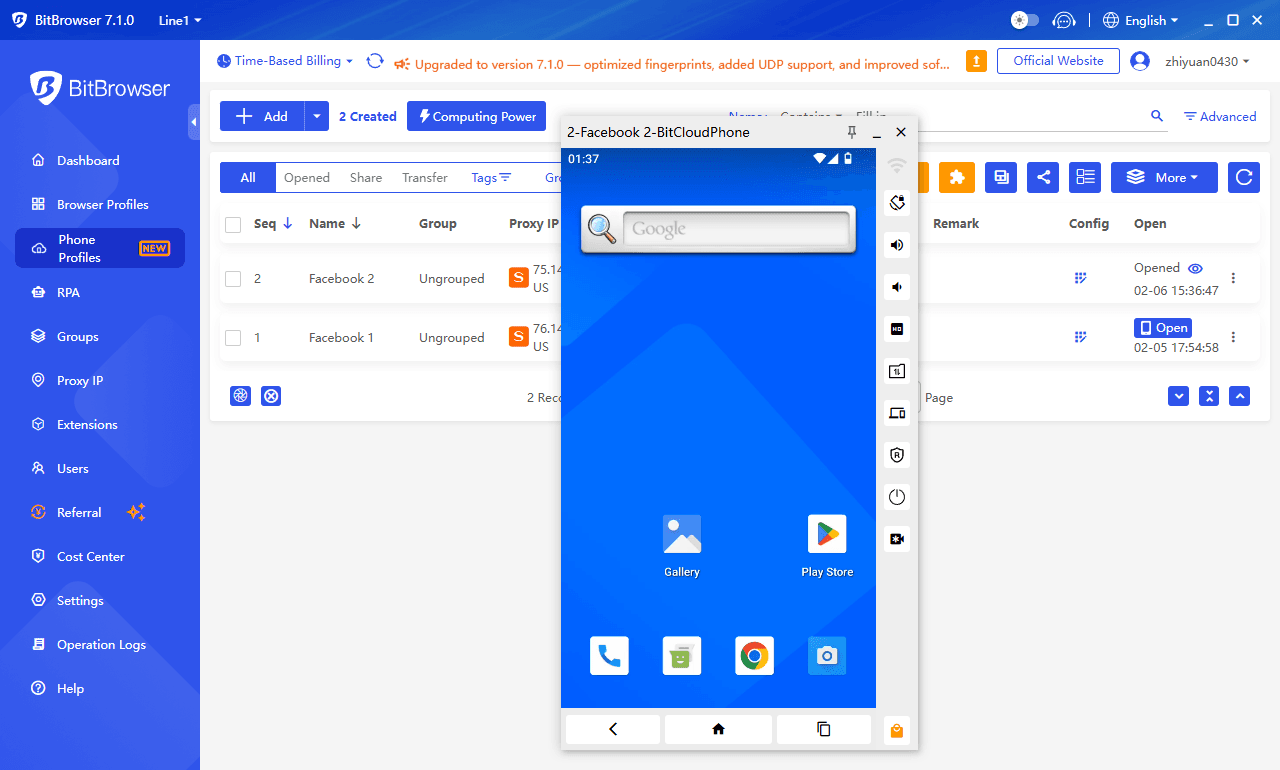
2. Create a new cloud phone instance
I start by launching a fresh BitCloudPhone instance. Each one is a fully independent Android device, so it has its own system identity, app storage, and settings. This alone removes a lot of the repeated patterns that browsers leave behind.
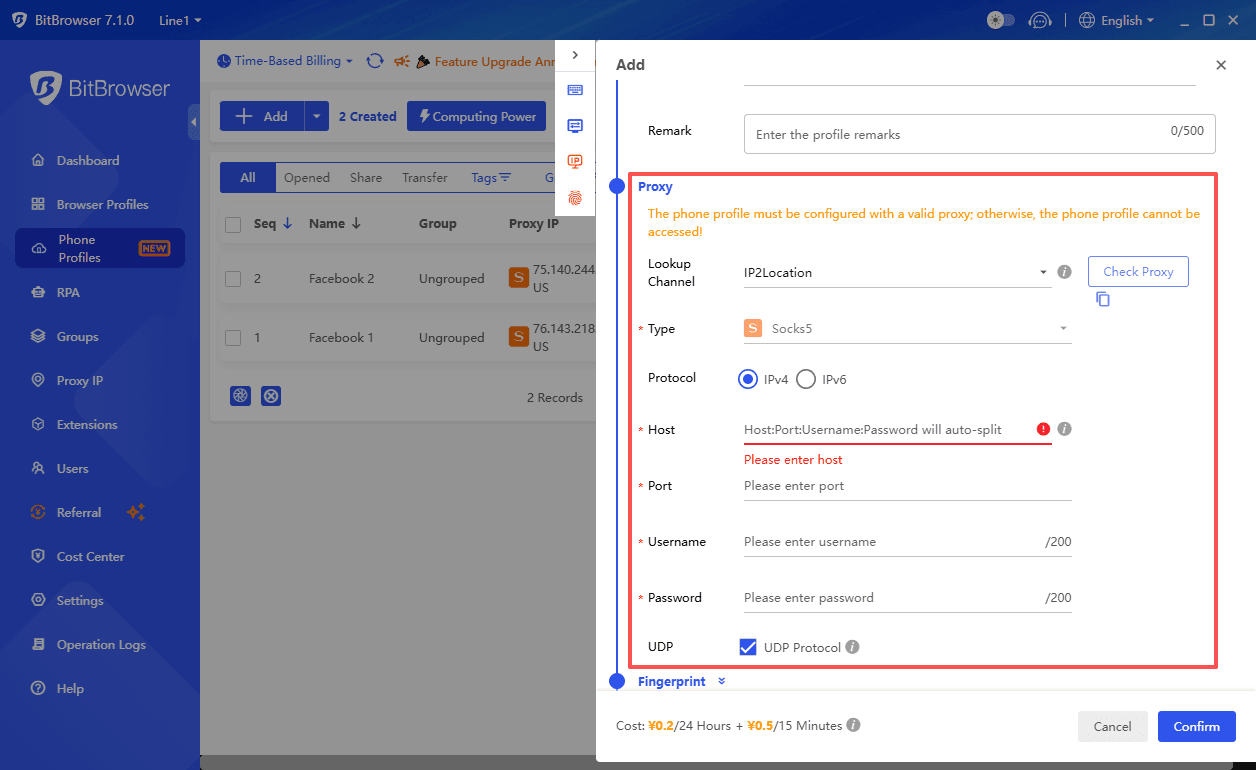
Then quickly set up a proxy for your new cloud phone instance. This helps hide your real IP and keeps your browsing activity anonymous and private.
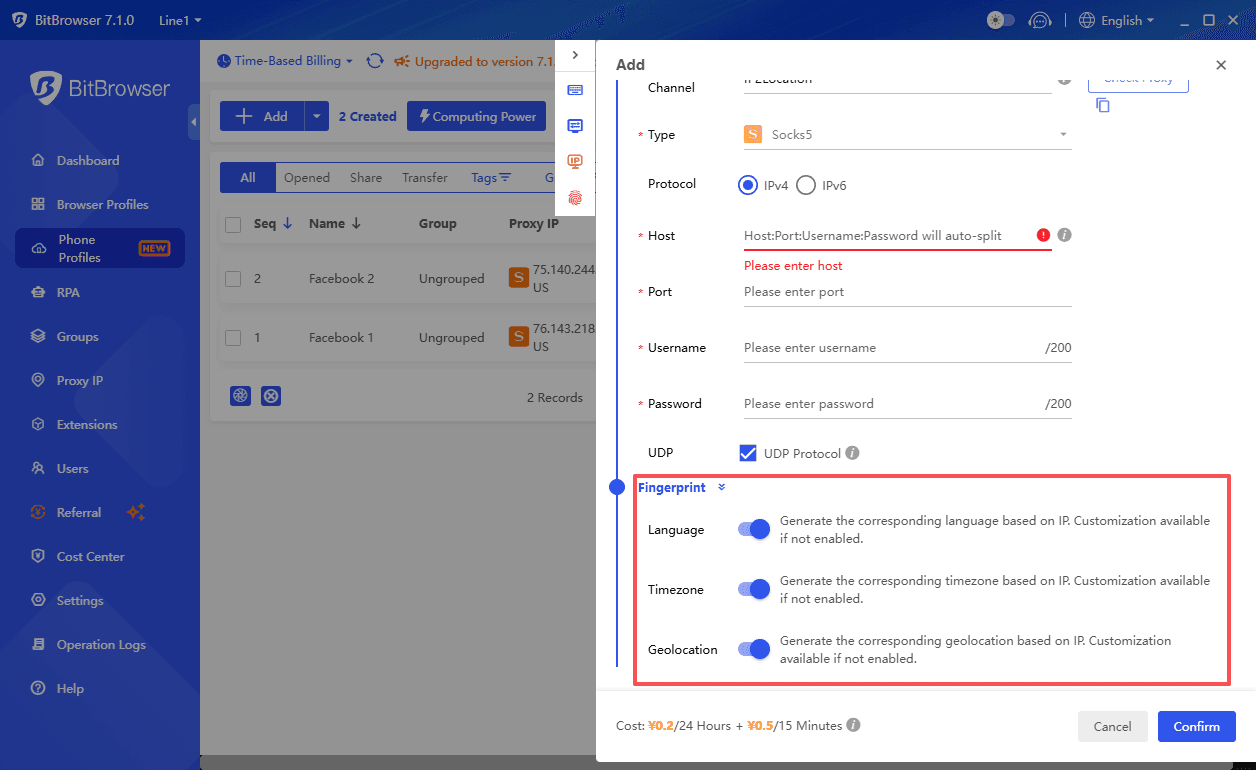
Finally, the cloud phone generates realistic and consistent Android device parameters based on the proxy you configured.
3. Install the Facebook app
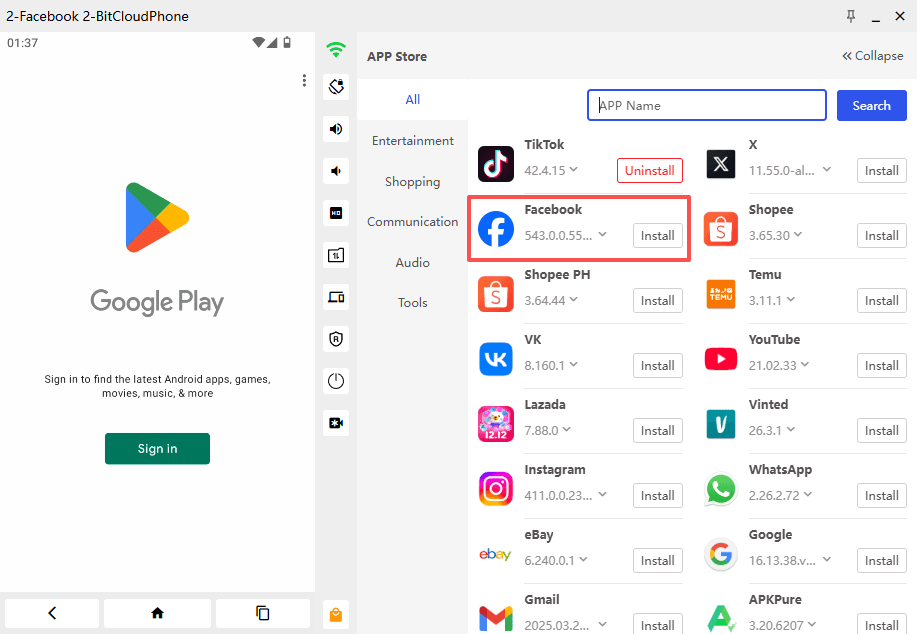
Once the instance is ready, I install the official Facebook app, just like I would on a normal phone. You can also open Facebook in a mobile browser inside the cloud phone, but the app feels more natural and reduces random login prompts.
4. Keep the session clean
I stay logged out for purely anonymous browsing. That means no likes, comments, or any interaction that could link the session back to a real identity. The key is treating the cloud phone as a completely separate “viewer,” not a personal device.
5. Navigate public content
With the cloud phone ready, I visit public Pages, scroll posts, and check Marketplace listings. Everything behaves like a normal mobile session, and Facebook treats it as a real device. I don’t have to constantly clear cookies or switch profiles—the environment is already isolated.
6. Reset or close when done
Once I finish, I either close the instance or reset it. BitCloudPhone makes this simple. A clean reset removes all app data and browsing history, so the next session starts completely fresh.
Using this setup makes a big difference if you browse multiple Pages, research competitors, or check several accounts in one go. Unlike browser-based tricks, the cloud phone handles isolation automatically, which means less maintenance and more consistent results.
It’s worth remembering that cloud phones do not bypass Facebook’s privacy rules. Private profiles, restricted groups, and content behind login remain inaccessible. The benefit is purely in keeping your sessions separate, reducing linkability, and maintaining a smooth anonymous experience.
Things to Keep in Mind
● Stay logged out. Once you sign in, the session is tied to an account rather than just the device.
● Keep interactions minimal. Browsing and reading are fine, but liking, commenting, or rapid navigation can draw attention.
● Use one cloud phone consistently. Constantly switching or resetting devices can look less natural than letting one session age normally.
● Reset only when needed. A reset works best as a clean break, not something done after every visit.
● Respect content limits. Cloud phones do not grant access to private profiles, closed groups, or login-only content.
Final Thoughts
Anonymous Facebook browsing is less about hiding an account and more about controlling the environment. Browser tricks work briefly, but they wear out fast once patterns repeat.
Cloud phones offer a cleaner way to browse by separating the device itself. You stay within public content, avoid unnecessary exposure, and keep sessions consistent without constant resets.
It does not make you invisible, but it makes anonymous browsing far more stable and predictable.
FAQ (Frequently Asked Questions)
Can I browse Facebook anonymously without an account?
Yes. Public Pages, posts, and Marketplace listings are accessible without logging in. However, Facebook may still prompt for login over time, especially in browser-based sessions.
Is incognito mode enough for anonymous browsing?
For quick checks, it can work. Over repeated sessions, the browser environment remains recognizable, even when cookies are cleared.
Does using a VPN guarantee anonymity on Facebook?
A VPN hides your IP, but it does not change your browser or device fingerprint. Facebook looks at multiple signals, not just location.
Is browsing Facebook on a cloud phone legal?
Yes. Cloud phones are simply remote Android devices. As long as you access only public content and follow Facebook’s terms, browsing remains within normal use.
Can BitCloudPhone unlock private profiles or closed groups?
No. Cloud phones do not bypass privacy settings. They only help isolate environments and make anonymous browsing more stable.
Is a cloud phone better for long-term anonymous browsing?
For repeated or structured browsing, yes. A consistent mobile environment tends to face fewer interruptions than browser sessions that reset frequently.

 Multi-Account Management
 Prevent Account Association
 Multi-Employee Management
Recommended
See More