BitCloudPhone vs GeeLark: Which Cloud Phone Actually Works for Long Term Multi Account Operations
 2026.03.28 16:35
 YT.Shi
Managing multiple mobile accounts (like TikTok) has become a challenge for marketers, e-commerce teams, and social media managers. Simple emulators or lightweight virtual tools may work at first, but once the number of accounts grows, instability, account bans, and workflow complexity start to appear.
Tools like GeeLark promise to simplify this process by combining cloud phones, AI tools, and automation. BitCloudPhone, on the other hand, focuses on realistic device simulation, stability, and scalable multi-account management. This article examines both platforms, highlighting differences that matter for long term operations.
BitCloudPhone vs GeeLark: Quick Comparison
| Aspect | GeeLark | BitCloudPhone |
|---|---|---|
| Core Positioning | Cloud phone plus AI automation | Cloud phone for scaling multi-account operations |
| Device Environment | Full Android OS hosted in cloud | Full Android with deep hardware-level fingerprinting |
| Automation | Built-in marketplace with scripts | Optimized sync and scripts with low detection risk |
| Pricing | Subscription plus per-minute usage, task fees | Daily flat cost per device, predictable at scale |
| Stability | Occasional lag, connection drops under heavy use | High uptime, smooth performance with 20+ devices |
| Best Fit | Small teams, short-term content workflows | Medium to large teams, long-running multi-account setups |
What GeeLark Tries to Solve
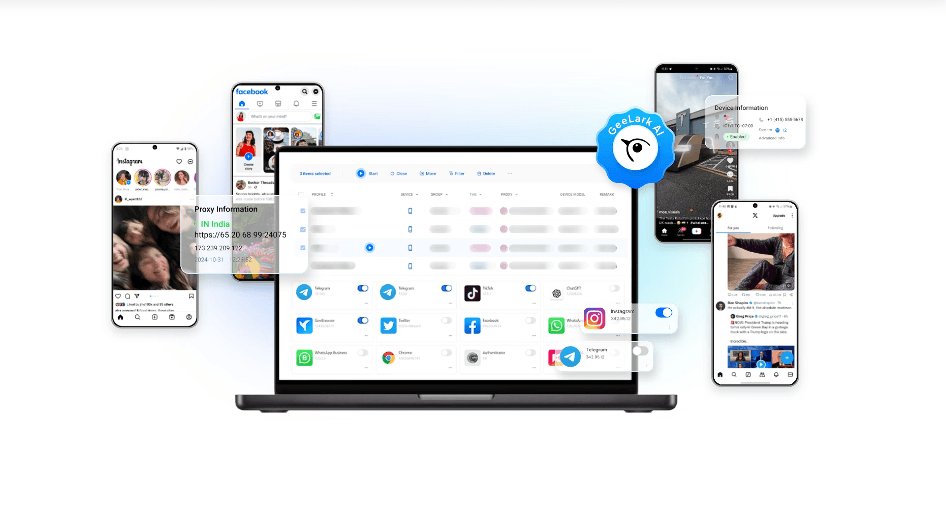
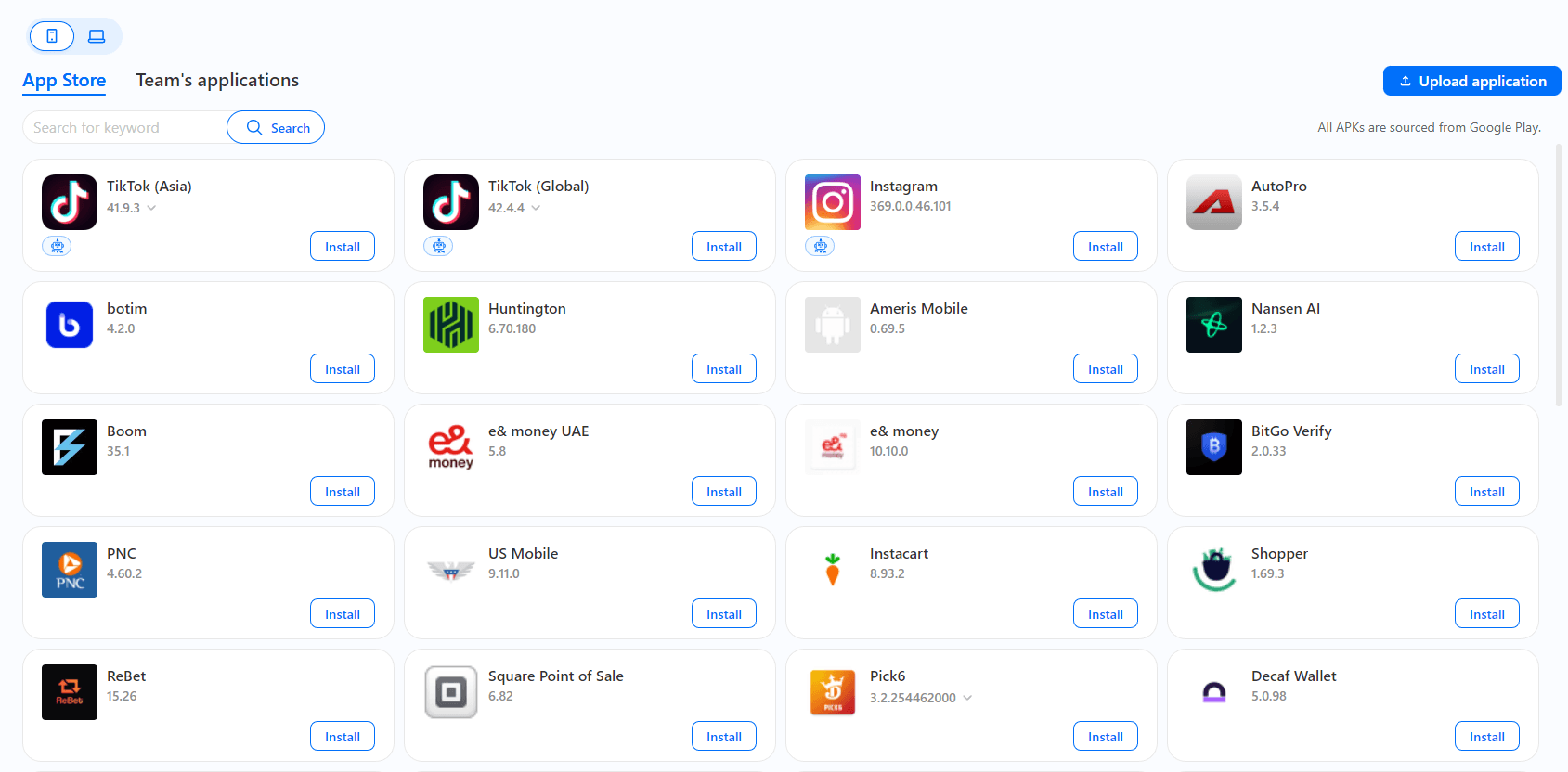
GeeLark provides full Android environments in the cloud, allowing users to operate hundreds of virtual smartphones from a single computer. The platform integrates AI tools for content creation, video editing, multilingual copywriting, and automation scripts.
Teams can manage both mobile apps and web accounts in a unified workspace, using GeeLark’s synchronizer to mirror actions across multiple devices. For small campaigns or short-term tasks, this setup can save time and simplify operations.
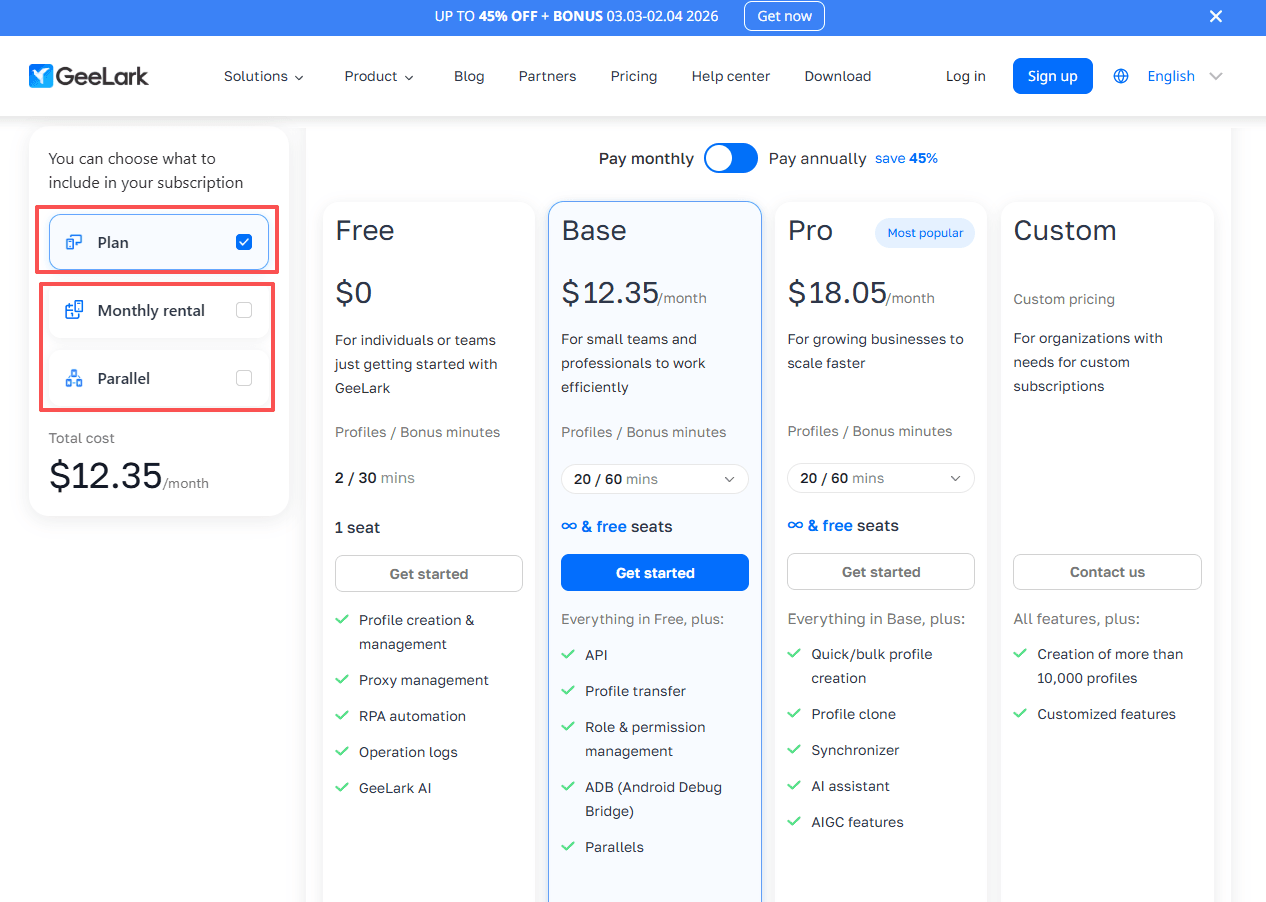
Note: Geelark's Synchronizer feature is only unlocked after upgrading to the Pro plan ($19 per month).
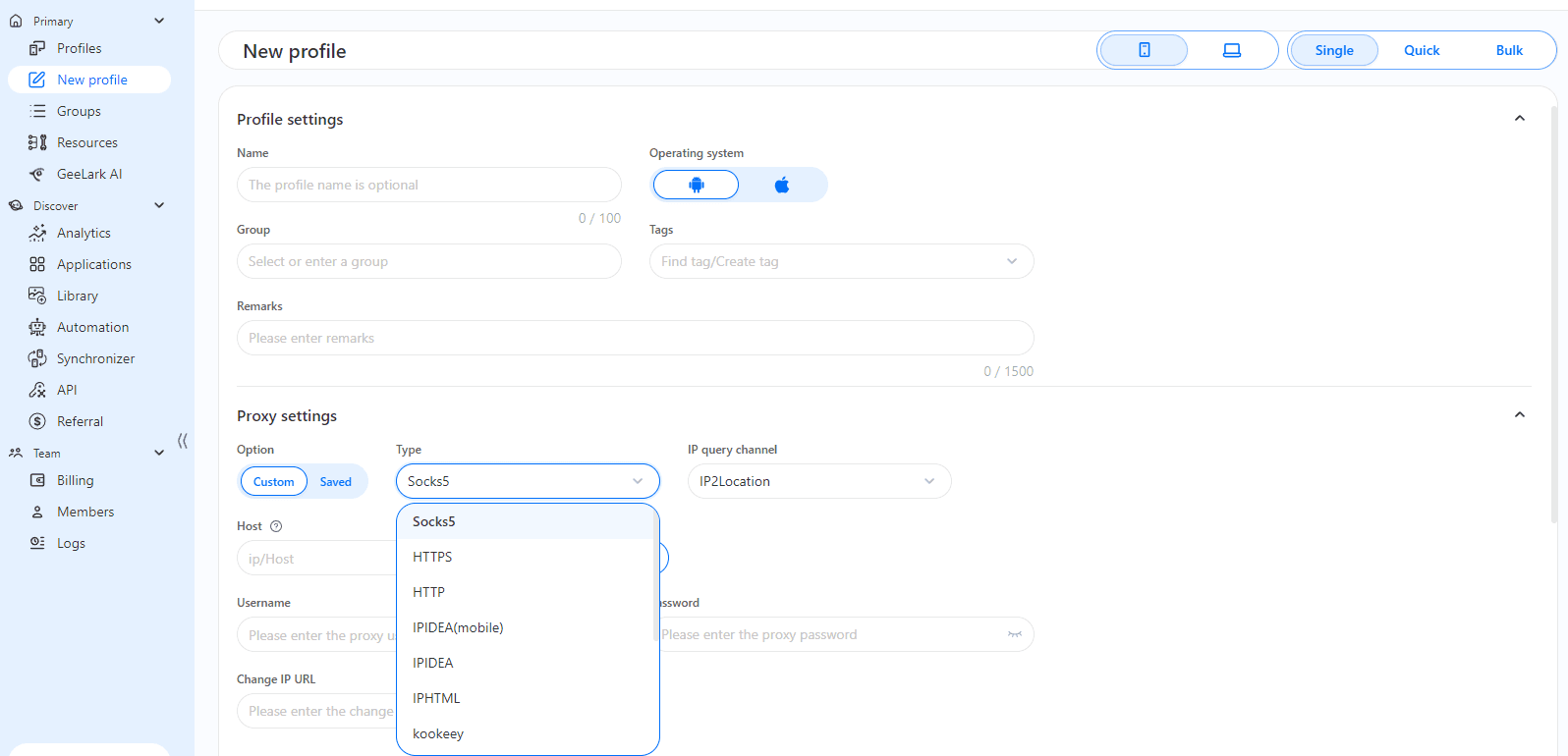
Free users can create a limited number of profiles, while Pro-level plans unlock bulk profile creation, team collaboration, and full synchronizer functionality. GeeLark also supports HTTP, HTTPS, and SOCKS5 proxies for each cloud phone profile, allowing separate IP addresses for better account isolation.
Note: GeeLark's free trial version supports adding only one additional team member.
Where GeeLark Starts to Feel Complicated
While GeeLark offers a range of useful features, its complexity becomes apparent when usage increases.
Pricing becomes harder to predict
GeeLark combines subscription tiers with pay-as-you-go usage fees and automation task costs. This covers platform access, number of profiles, team seats, and feature access (like the Synchronizer). Plans range from a Free Trial (limited profiles/minutes) up to Base and Pro tiers.
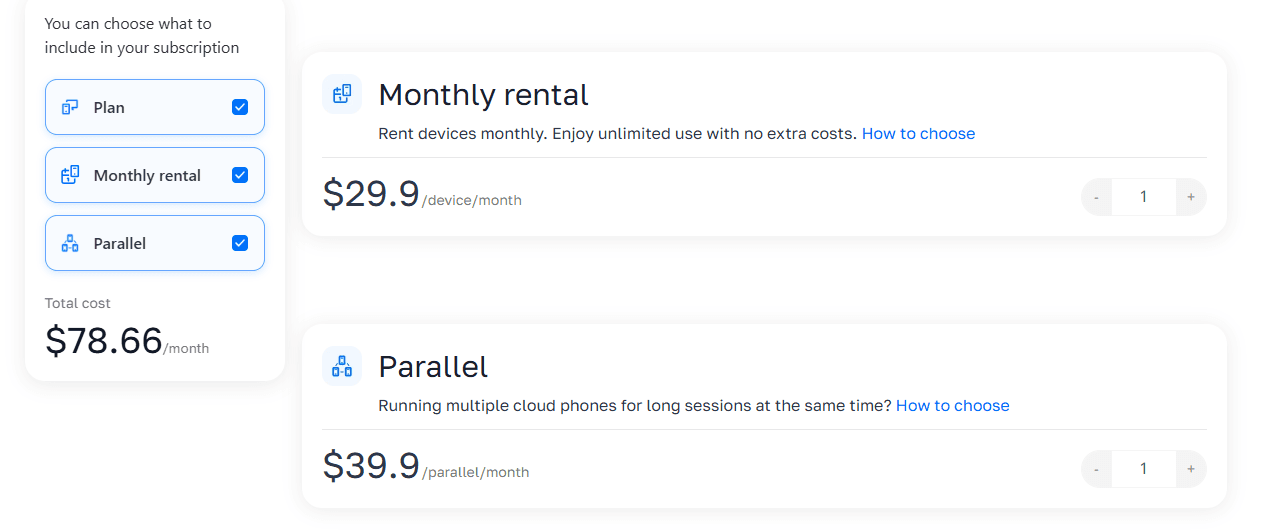
In addition, the cost of using GeeLark includes the resource costs associated with cloud telephony, as well as separate charges for automation tasks. Overall, its billing model is quite complex.
For teams running multiple cloud phones continuously, expenses can escalate quickly. Minute-based billing requires careful monitoring, especially when several accounts are running automation scripts simultaneously.
Automation is not always safe for new accounts
Scripts from the built-in marketplace can speed up posting, liking, or commenting, but new accounts risk detection as bots. Heavy automation requires careful pacing and manual oversight to avoid penalties.
Performance depends on usage intensity
Feedback from users shows that GeeLark can lag or temporarily disconnect when many virtual phones are running at the same time. Teams relying on long-running sessions may encounter instability, which can interrupt workflows or cause lost progress.
Interface and workflow can confuse beginners
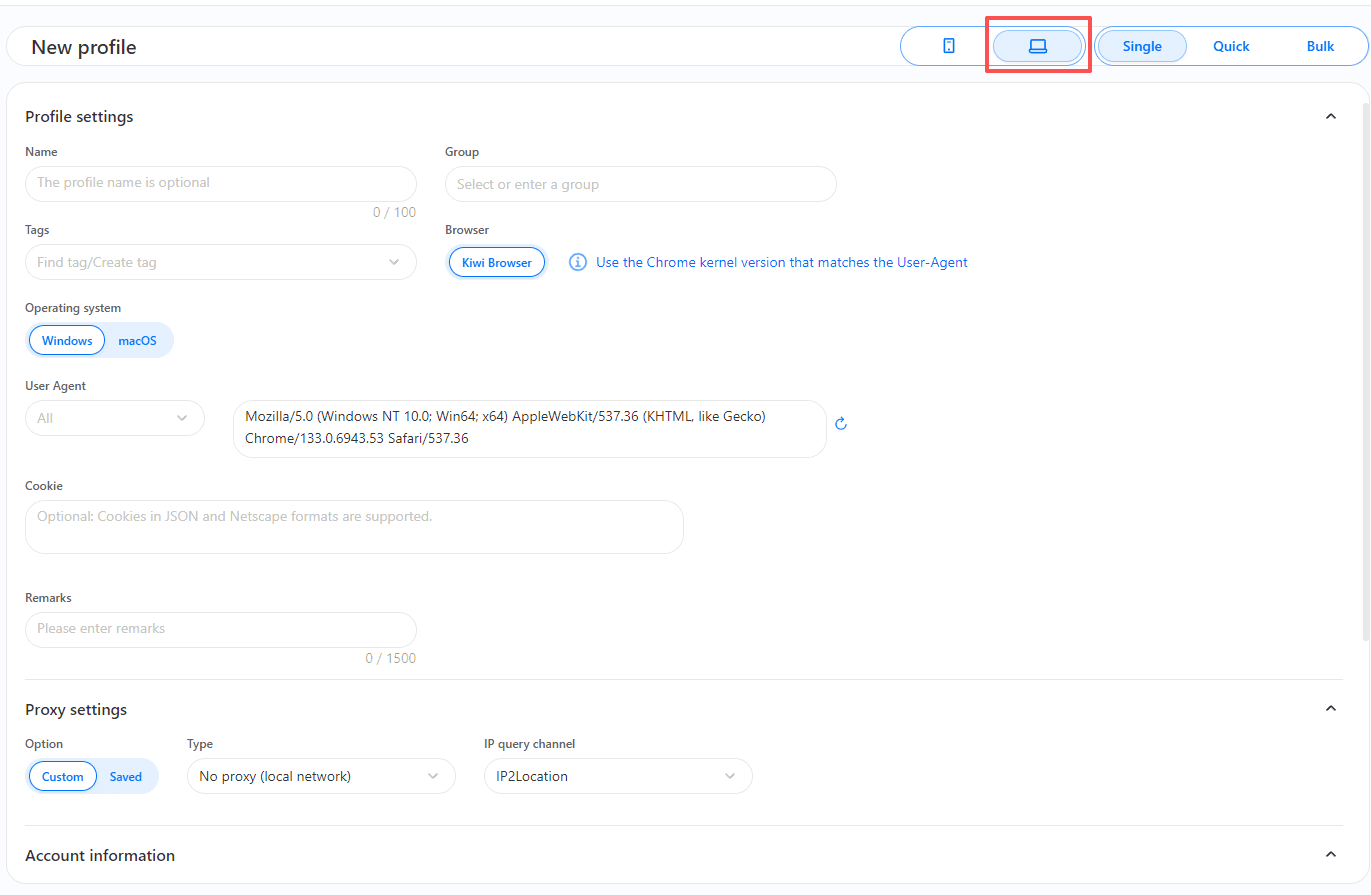
Cloud phone profiles and browser profiles are created through separate buttons. For new users, it can be unclear which type of profile to select, increasing the chance of mistakes or misconfigured setups.
BitCloudPhone: Built Around Stability and Control
BitCloudPhone, from BitBrowser, approaches multi-account management from a different perspective. The platform emphasizes realistic device fingerprints, stable long-term performance, and batch management for teams.
BitCloudPhone has recently passed Google's full series of certifications (SafetyNet, PlayIntegrity, WidevineL1), and has become the industry's first GMS ecosystem-compatible "real phone in the cloud". It incorporates a chip fingerprint equivalent to the Qualcomm 8Gen2's ISP and dynamically matches parameters for 600+ global carriers, achieving hardware-level real-device simulation.
Device identity comes first
Every virtual phone simulates hardware identifiers such as IMEI, serial numbers, SIM details, carrier information, and sensors.
One-click new phone feature allows instant creation of fresh device identities, reducing the risk of bans or account linking.
Long running sessions are the default
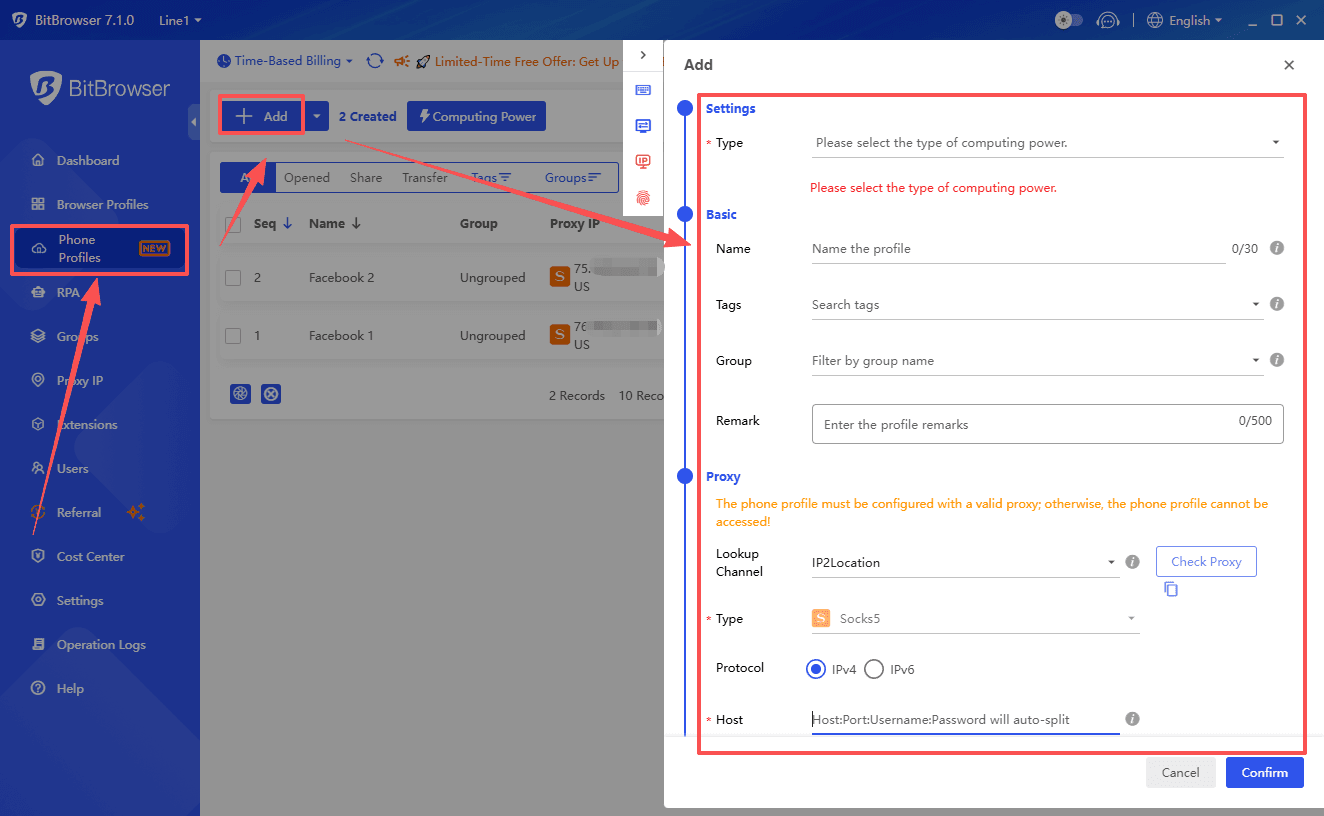
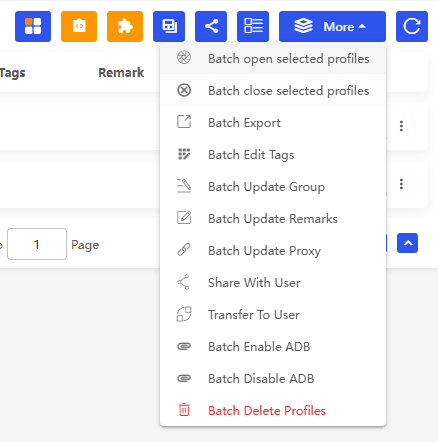
BitCloudPhone supports the collaborative operation of up to 2000 devices. Through the BitBrowser console, users can simultaneously control a large number of cloud phones, performing group label management, batch APK installation, and mass ADB command sending. Stability remains consistent even during prolonged operations, making it reliable for daily or ongoing campaigns.
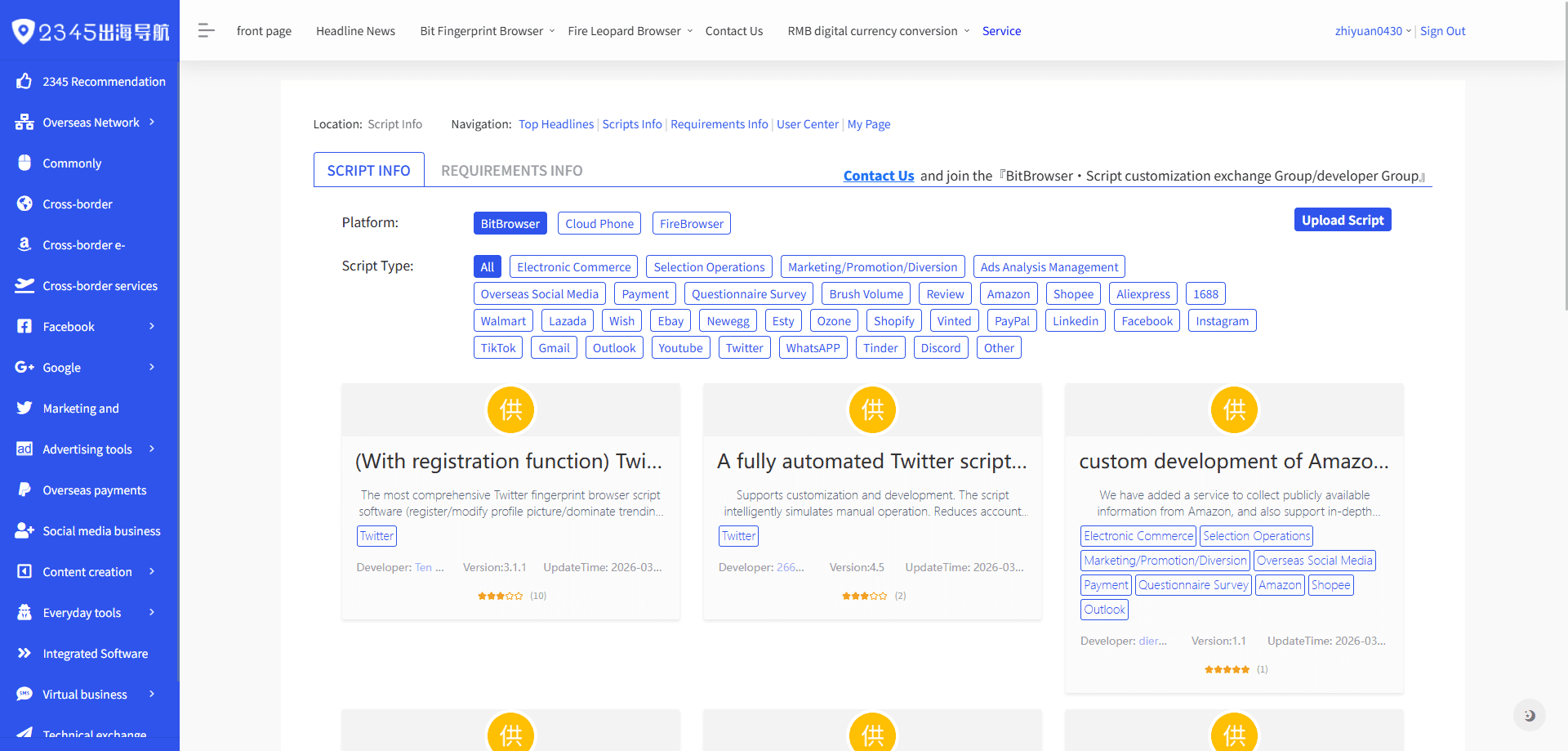
BitCloudPhone significantly improves multi account management efficiency through its built in automation system, which includes a library of over 7,000 scripts. These scripts help automate repetitive actions such as account setup, content posting, interaction tasks, and routine maintenance, making it easier to manage large numbers of accounts consistently and at scale.
Through the synchronizer function, users can control multiple cloud phones with single-click operations, batch install applications, and synchronize inputs across devices
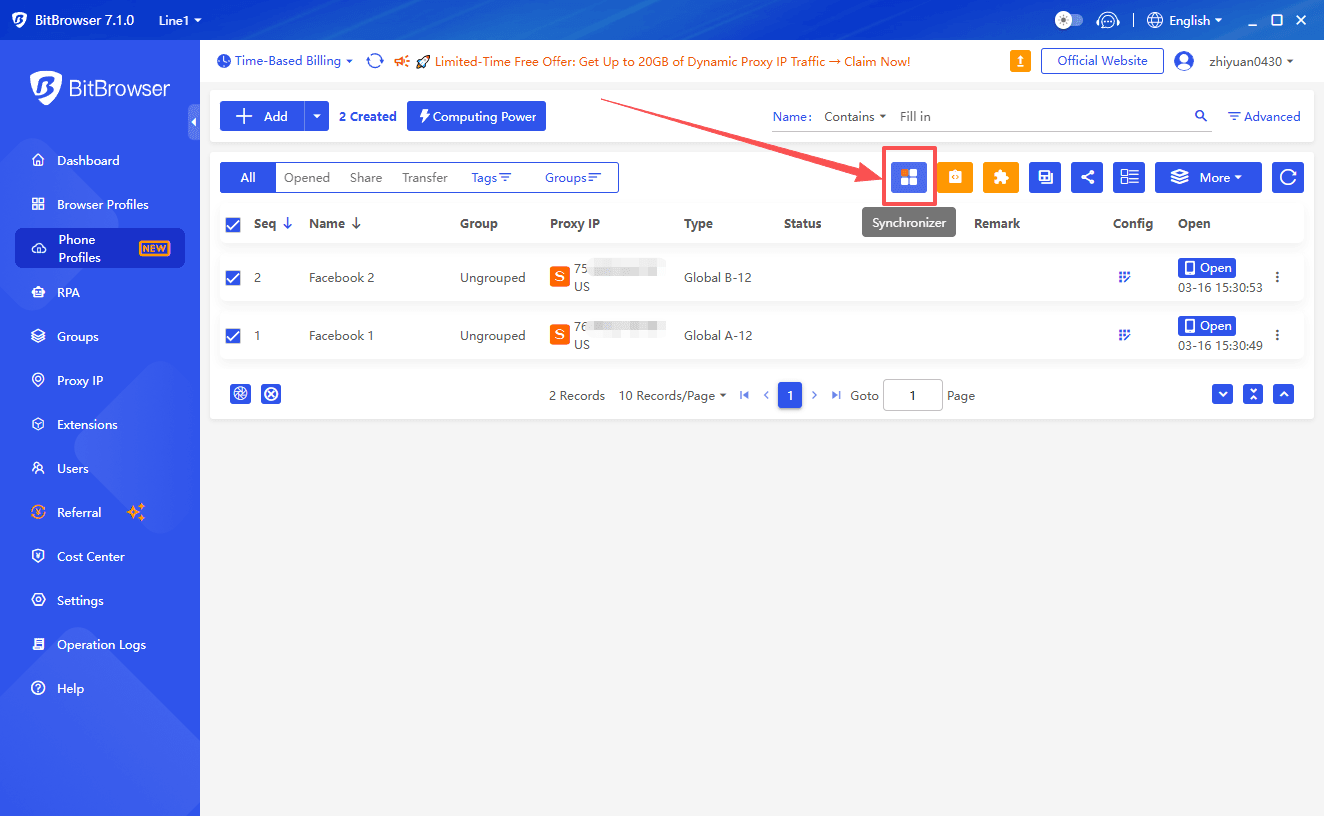
Batch import/export tools and mass operations further simplify management of large account sets.
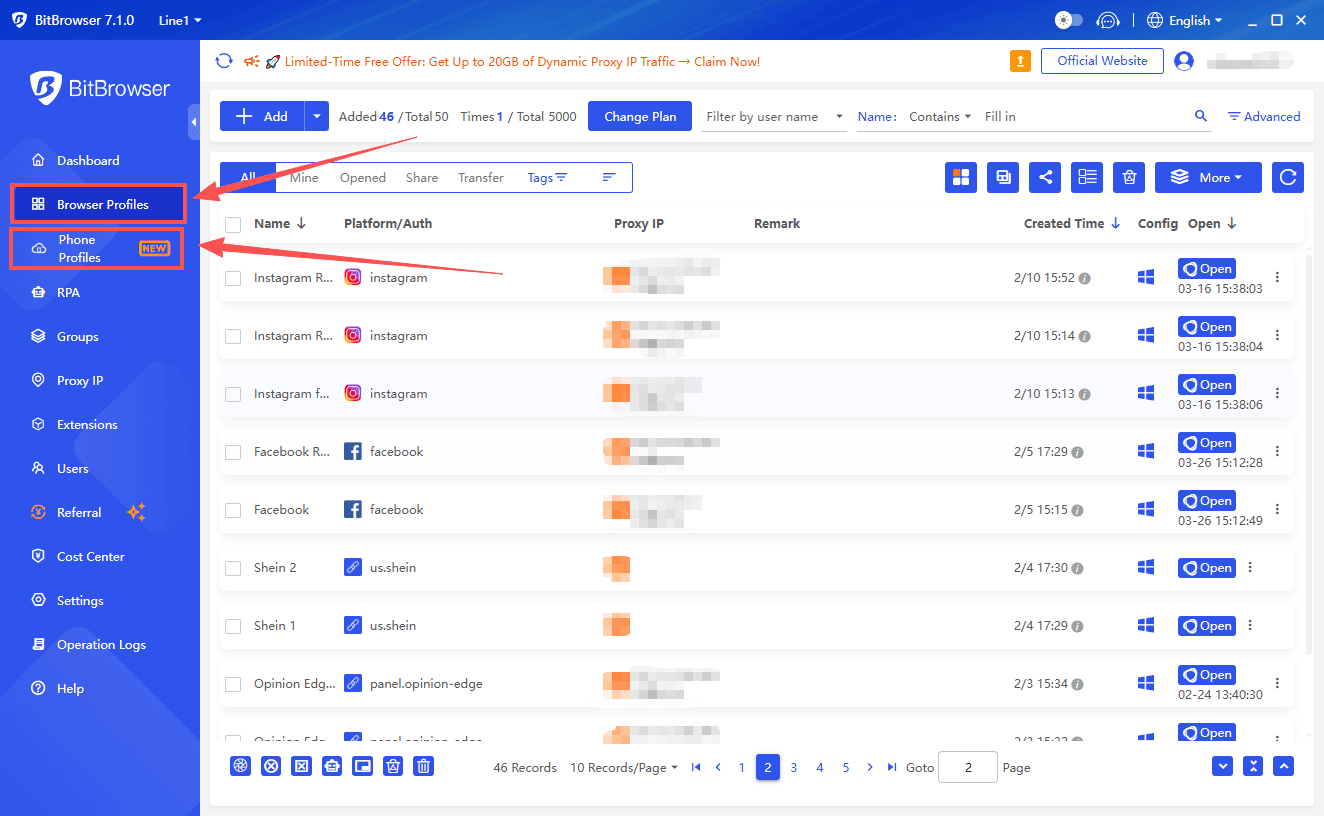
Integration with BitBrowser unifies cloud phone and anti-detect browser workflows, centralizing fingerprint profiles, proxy settings, and automation in a single ecosystem.
Flexible Pay-As-You-Go Pricing
BitCloudPhone offers highly cost efficient pricing for multi account management, starting at around $0.02 per device per day, with billing paused immediately when devices are offline.
This on demand model helps teams control costs when managing multiple accounts, while monthly plans provide even better value for long running setups, keeping daily costs low and predictable as operations scale.
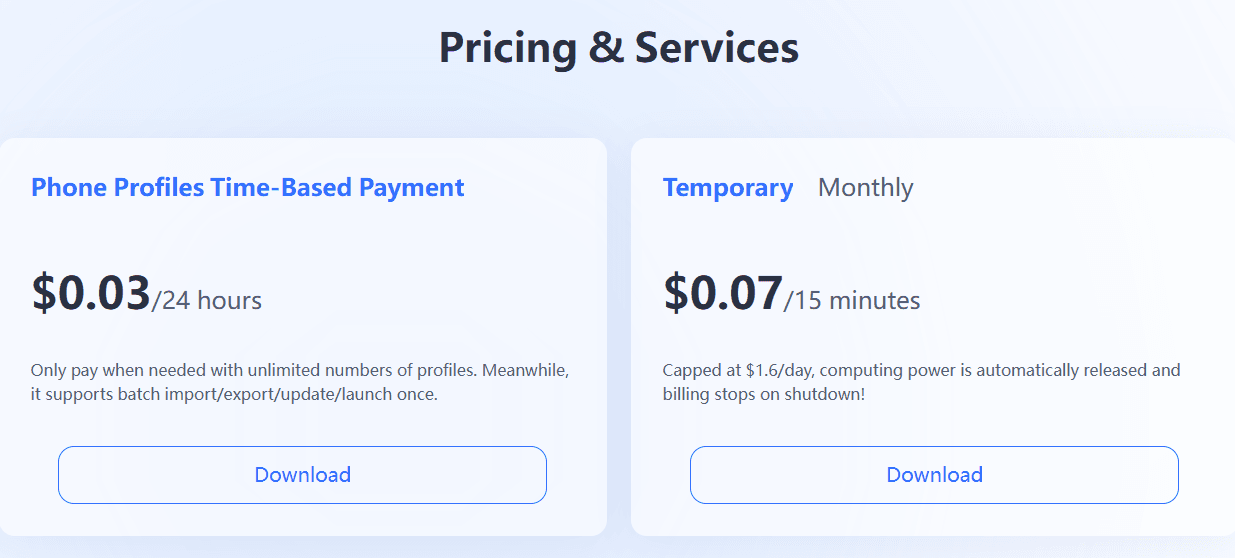
Profile Fee: After creating a Cloud Phone, thefirst 24-hour fee will be charged immediately.Subsequently, a fee of ¥0.2 per environment willbe charged every 24 hours. Charges will stoponce the Cloud Phone is deleted. If the balanceis insufficient, the Cloud Phone will beautomatically deleted.
Computing Power Fee: Once the device ispowered on, the first 15 minutes of computingpower usage fee will be charged, and then ¥0.5will be charged every 15 minutes. Billing stopswhen powered off, but will continue ifsuspended. Any time less than 15 minutes willbe charged as 15 minutes.(capped at ¥10/day)
The Real Difference: Workflow vs Infrastructure
GeeLark works well for content-focused workflows and short-term tasks. Its AI tools, automation marketplace, and unified workspace make it convenient for small teams handling posting or engagement campaigns.
BitCloudPhone is structured for long-term multi-account operations. Its deeper device fingerprinting, stability under load, and predictable pricing model make it suitable for teams managing a large number of accounts simultaneously.
| Scenario | GeeLark | BitCloudPhone |
|---|---|---|
| Short-term content posting | Strong | Adequate |
| Account nurturing and long-term operation | Risk of bans, requires oversight | Stable, low detection risk |
| Multiple account matrices | Can become confusing | Clear and manageable |
| Scaling to 20+ devices | Limited by performance | Designed for high-volume use |
Pricing Breakdown: Why Costs Diverge Over Time
GeeLark’s hybrid model may appear affordable initially, but costs increase with usage. Subscription tiers unlock features and allow a certain number of profiles. Additional charges are billed per-minute for cloud phone usage and per task for automation. Teams running ten devices full-time could see costs rise faster than anticipated.
BitCloudPhone keeps multi account costs low and predictable, starting at around $0.02 per device per day. Billing pauses when devices are offline, and monthly plans reduce costs further for long term scaling.
Which One Fits Your Use Case
GeeLark is better if
● You manage a small number of accounts
● Tasks are short-term or content-focused
● You want integrated AI tools for posting and copywriting
BitCloudPhone is better if
● You operate large account matrices
● Sessions run continuously over long periods
● Automation workflows need to be safe and repeatable
● Teams need a unified and predictable management environment
Final Thoughts: Tools Matter More as You Scale
When managing a few accounts, the differences between GeeLark and BitCloudPhone may seem minor. As usage scales, stability, cost predictability, and workflow integration become critical. GeeLark offers a sophisticated set of features for small teams and content-driven workflows, but long-running multi-account operations are better handled with BitCloudPhone paired with BitBrowser.

 Multi-Account Management
 Prevent Account Association
 Multi-Employee Management
Recommended
See More