Cloud Phone vs Emulator: Why the Hardware Difference Matters in 2026
 2026.04.16 17:28
 YT.Shi
You open ten accounts. Two days later, six of them ask for phone verification. By the end of the week, three are permanently locked.
This happens because you used an emulator. And the platform knew.
Most people think an emulator and a cloud phone do the same job. They both let you run Android apps on a computer. They both help you manage multiple accounts. But under the surface, they operate on completely different technical foundations.
Here is the real distinction. An emulator is software pretending to be a phone. A cloud phone is a phone you access remotely. Platforms can tell the difference.
This guide breaks down what separates the two, why detection systems spot emulators so easily, and why a service like BitCloudPhone solves the underlying problem.
What You Actually Need to Know About Emulators
An Android emulator is software that creates a virtual phone environment on your computer. Bluestacks, LDPlayer, Nox. These are the names most people know.
The emulator takes your computer's hardware and translates it into something Android apps can understand. This translation process is the root of the problem.
Real Android phones use ARM processors. Your computer uses x86 architecture. The emulator has to bridge this gap. It converts ARM instructions to x86 instructions in real time. This conversion is never perfect. Small inconsistencies accumulate. Platforms notice.
Emulators are convenient for casual use. You want to play a mobile game on a bigger screen. You want to test an app before installing it on your phone. These are fine use cases. The problems start when you try to scale.
Open five emulator instances on one computer. Performance drops. Fingerprints overlap. The system becomes fragile. One crash takes down everything.
What a Cloud Phone Actually Is
A cloud phone is a real mobile device hosted in a data center. You connect to it remotely through a browser or desktop application. The hardware is physical. The operating system is native Android. The experience is identical to holding a phone in your hand.
The key word is real. Cloud phones use ARM based processors. They have genuine IMEI numbers and MAC addresses. They run the same Android builds as consumer devices. There is no translation layer. There is no simulation.
BitCloudPhone operates on this principle. It uses actual mobile chipsets to generate independent device environments. When you create a profile, the system automatically matches core settings based on the IP address you provide. Language, time zone, location, carrier information, and SIM card data all align with real world parameters.
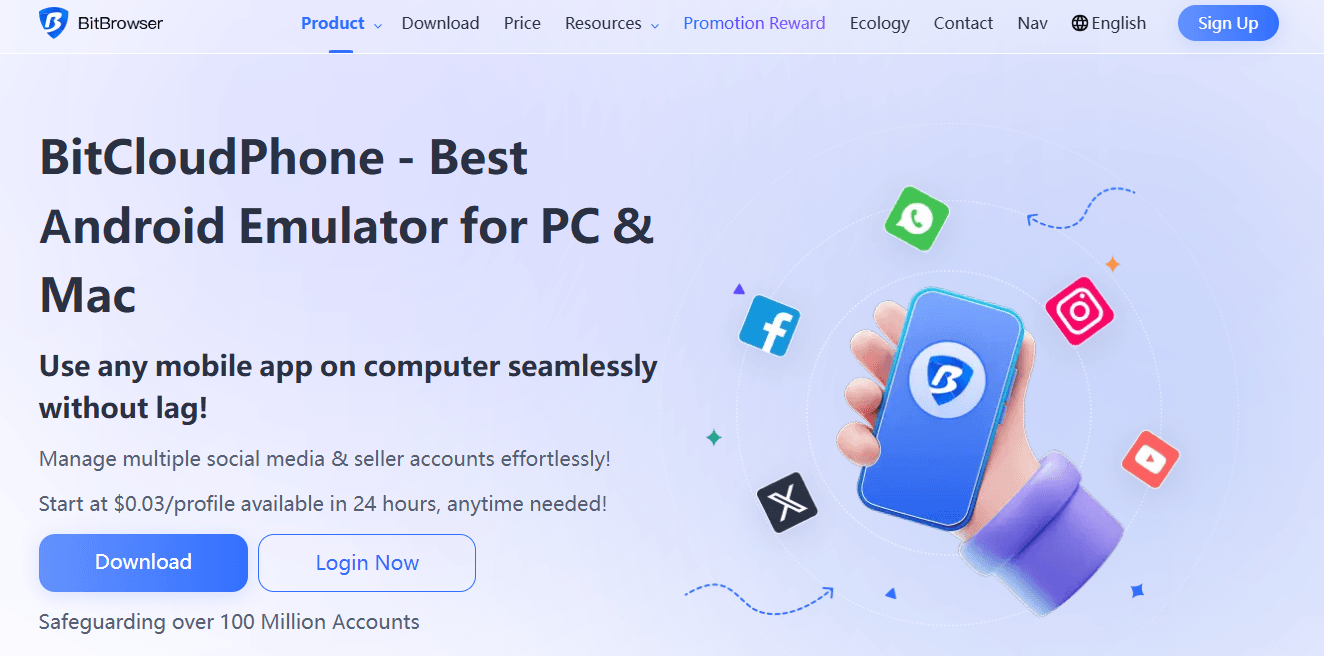
This is not a virtual machine pretending to be a Samsung. It is a complete Android environment with hardware level identity. To any app running on it, the environment is indistinguishable from a physical smartphone.
Sign Up
Why Platforms Know What You Are Running
Social platforms and apps do not rely on a single check to identify emulators. They analyze dozens of signals simultaneously. The detection model looks for patterns that real hardware never produces.
CPU instruction traces
ARM processors use a specific instruction set. x86 processors use a different one. When an emulator translates ARM instructions to x86, small anomalies appear in the execution stream. Platforms can identify these traces. This is not something an emulator can hide through software masking. It exists at the hardware execution level.
Sensor data inconsistencies
Real phones have physical sensors. Accelerometers measure movement. Gyroscopes track orientation. GPS chips provide location data with natural noise and drift. Emulators simulate these sensors algorithmically. The data looks too clean. Too consistent. The small variations that real hardware produces are absent.
System level fingerprinting
A real Android device reports hundreds of system properties. Build fingerprints. Hardware serial numbers. Radio firmware versions. Emulators populate many of these fields with generic values. Even advanced emulators that customize these fields still operate on x86 architecture. The underlying platform remains detectable.
Platforms have become efficient at spotting these patterns. What worked two years ago no longer works today. The detection models evolve constantly.
How BitCloudPhone Stands Out from Emulators
BitCloudPhone combines several technical capabilities into a single platform. Each one addresses a specific limitation of traditional emulators.
Hardware level fingerprint generation
The system uses real mobile chipsets to produce device fingerprints that include IMEI numbers, serial identifiers, SIM card parameters, and carrier configurations. These are not placeholders. They are full hardware profiles that match real device specifications.
The platform supports over 600 mobile carriers worldwide. Each profile can be configured to match the network environment of a specific region. This matters for account isolation at the geo level.
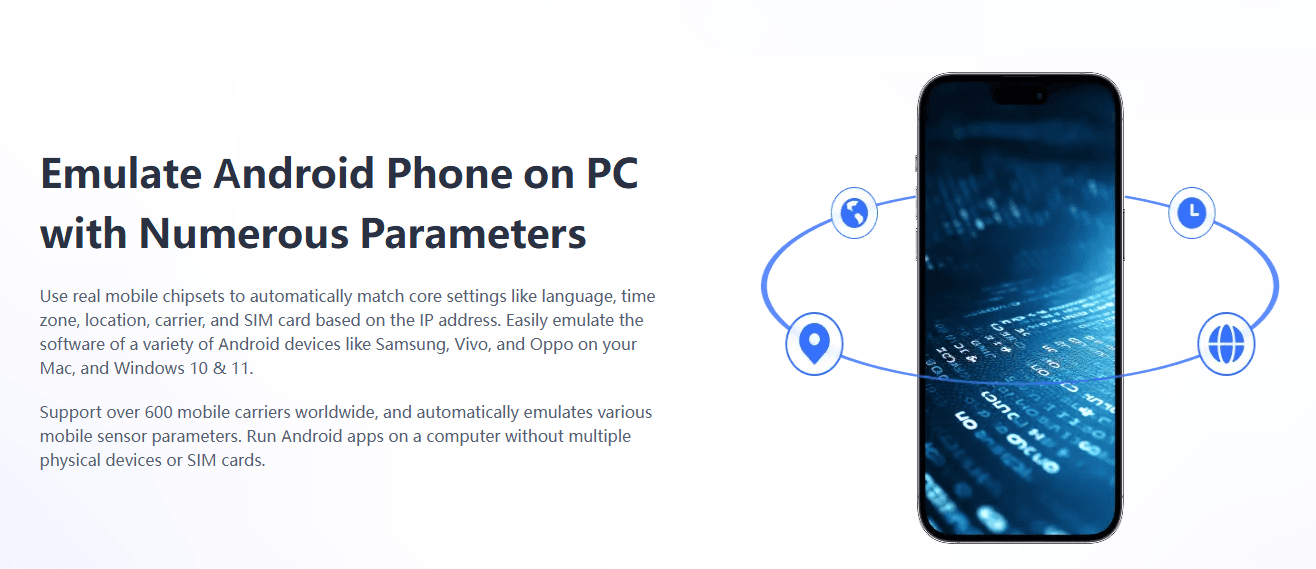
Independent environments per profile
Every cloud phone profile operates in its own sandbox. There is no shared system state between profiles. One account getting flagged does not affect the others. This isolation extends to network settings. Each profile can use a different proxy.
Batch operations at scale
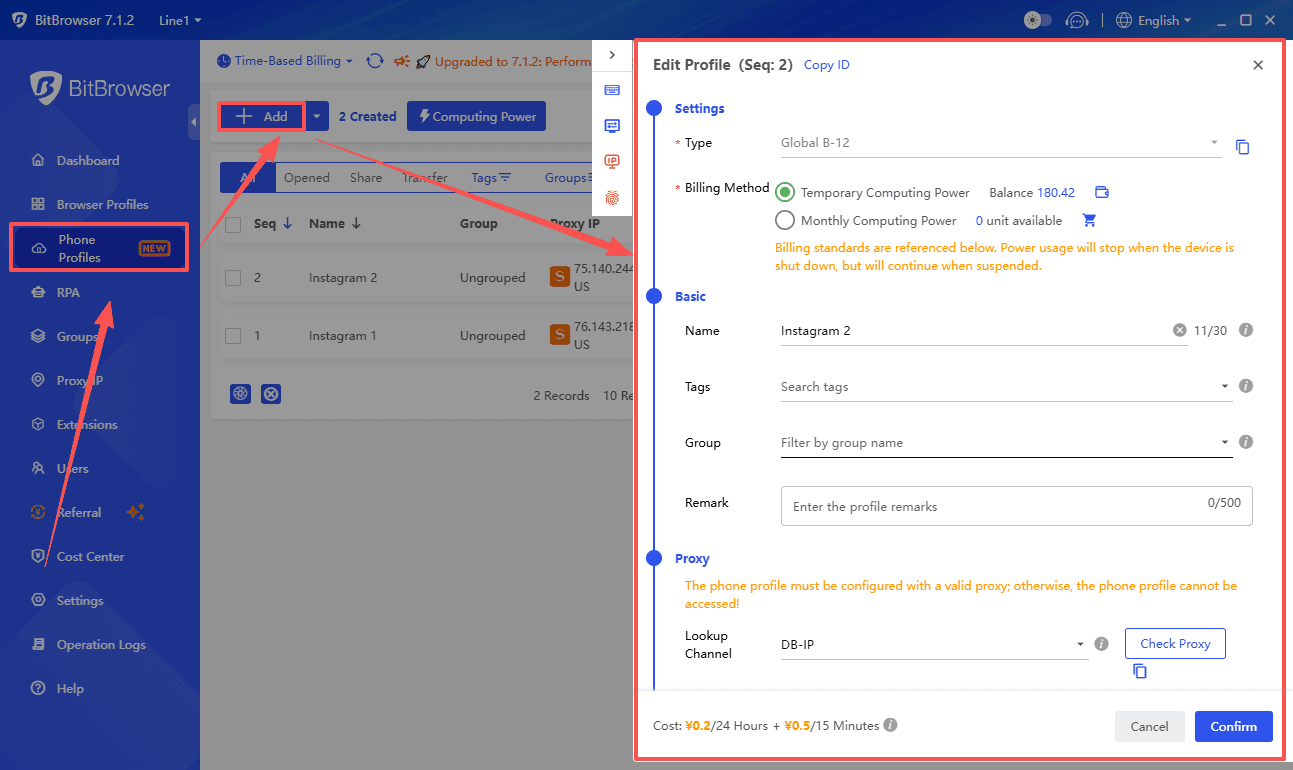
Managing one account is simple. Managing fifty accounts manually is not. BitCloudPhone includes batch operation tools that let you control multiple devices simultaneously. You can select a group of profiles and perform the same action across all of them with one click.
This is where local emulators hit their limit. A single computer can only run so many instances before performance collapses. BitCloudPhone runs on cloud infrastructure. The local machine only needs to display the interface. You can manage hundreds of profiles from a standard laptop.
Automation and script support
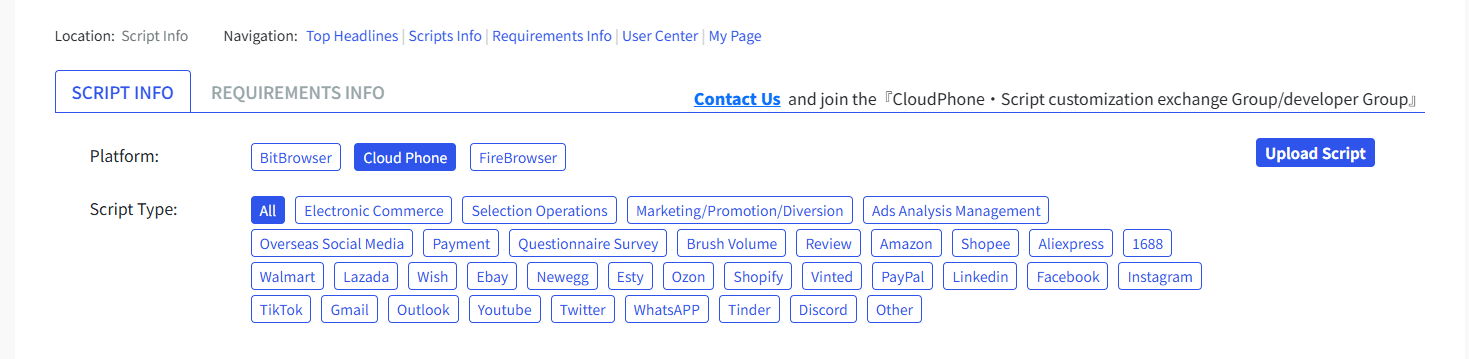
BitCloudPhone provides ADB access and ROOT permissions. If you write scripts, you have full control over the device environment. There is also a built in script marketplace with ready to use automation tools. You can upload your own scripts or use what others have built.
Team collaboration without friction
Sharing access to a physical phone means handing over the device. Sharing access to a cloud phone means assigning permissions. BitCloudPhone lets you create sub accounts with specific access levels.
You can share profiles with team members or transfer ownership entirely. Each person works from their own dashboard. The device stays in the cloud.
Sign Up
Emulators vs BitCloudPhone: Performance and Stability
Emulators run on your computer. This sounds like an advantage. No internet required. No latency. Everything is local.
The tradeoff is resource consumption. Each emulator instance demands CPU cycles, memory, and graphics processing. Running ten instances requires a powerful machine. Running twenty requires a dedicated workstation with high end components. Running fifty is not realistic for most setups.
BitCloudPhone runs on remote servers. Your computer only streams the display. The processing happens in the cloud. This means you can run dozens or even hundreds of profiles from a standard laptop. The local hardware becomes irrelevant.
The other difference is uptime. Emulators stop when your computer shuts down. BitCloudPhone profiles continue running. You can close your laptop and the cloud phones keep operating. Apps stay logged in. Automation scripts continue executing. This persistence matters for long running workflows.
When to Use Emulators vs BitCloudPhone: A Simple Comparison
| Emulators | BitCloudPhone |
|---|---|
| Playing mobile games casually on a larger screen | Managing multiple social media accounts across platforms |
| Testing an app quickly before deploying to a physical device | Running e-commerce stores that require separate device identities |
| Running a single account that does not require high security | Operating TikTok or Instagram accounts with long-term stability |
| Learning Android development without buying hardware | Scaling affiliate marketing campaigns with isolated environments |
| Short-term convenience tasks | Automating workflows with persistent device sessions |
| Basic solo usage | Collaborating with remote teams on shared mobile accounts |
Questions Worth Asking
Does BitCloudPhone run on my computer?
Yes. It runs in a browser on Windows and Mac. No special hardware required.
What happens if one of my accounts gets banned?
Each profile is isolated at the hardware level. A ban on one account does not affect others. The profiles do not share device fingerprints or network identities.
Can I use my own proxies?
Yes. BitCloudPhone supports SOCKS5 and HTTP/S proxies. You can assign a different proxy to each profile. The system automatically matches device parameters to the proxy location.
How many profiles can I run at once?
The platform supports over 1000 concurrent devices. Practical limits depend on your subscription plan and operational needs.
What does it cost?
Time based billing starts at $0.03 per profile per 24 hours. Short term access costs $0.07 per 15 minutes with a daily cap. You only pay for what you use. There is no long term commitment required.