Set Up Profile Configuration with One Click

Set Up Profile Configuration with One Click

Automatically match real phone parameters for overseas profile configuration, making it possible to manage social media accounts across different regions.

With one click, configure proxy IP with a high-speed, stable, and secure network environment. Let you manage social media platforms without hassle.

Support apps from Google Play or self-developed APK. Install Android applications, including Facebook, YouTube, Google, Twitter, etc., on Windows & Mac.

Emulate Android Phone on PC with Numerous Parameters

Emulate Android Phone on PC with Numerous Parameters

Use real mobile chipsets to automatically match core settings like language, time zone, location, carrier, and SIM card based on the IP address. Easily emulate the software of a variety of Android devices like Samsung, Vivo, and Oppo on your Mac, and Windows 10 & 11.

Support over 600 mobile carriers worldwide, and automatically emulates various mobile sensor parameters. Run Android apps on a computer without multiple physical devices or SIM cards.

RPA Automation Feature

Supports Computing Power 12/15 Models
BitCloudPhone RPA Automation Features intelligently simulate real-user operations, providing stable 24/7 cloud-based unattended running to automatically complete repetitive tasks such as account nurturing, product listing, and batch operations, saving time and effort while significantly improving operational efficiency.

Open API Interface

Open API Interface

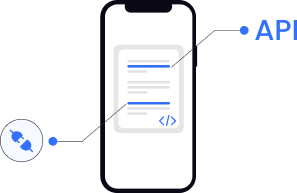
BitCloudPhone fully opens its professional API Interfaces, supporting common API calls such as Cloud Device creation, startup, One-Click New Device, file upload, and application installation. It can independently integrate with business systems, enable customized secondary development, and flexibly expand more automated business scenarios.

View API Documentation

Powerful features, secure and efficient

Powerful computing power

Compatible with high-performance devices. Run smoothly without lag.

Easy Bulk Operation

Simultaneously manage multiple Cloud Phones to improve efficiency.

Resourceful Script Market

Install useful scripts to streamline workflow or upload your scripts.

Supports ADB scripts

Open ADB and ROOT permissions to meet custom script needs.

Why Use Android Simulator

Bypass Device and regional restrictions

Simply configure the proxy IP to easily operate multiple accounts across different countries and regions, enabling flexible management of global business and convenient cross-regional operations.

Easily Manage Social Media Platforms with Team

With many team members, it's challenging to effectively manage account permissions. Using BitCloudPhone not only allows for easy control of employee account permissions but also simplifies operations and processes, enabling flexible addition or removal of employee accounts and reducing communication costs.

Reduce Costs of Physical Devices & High Hardware

Traditional global businesses require a large number of physical phones, resulting in high hardware costs, complicated configurations, and substantial maintenance expenses. With our phone emulator, you can have multiple phone profiles and make profile configurations more flexible. This significantly reduces hardware and operational costs.

Operate Short Video Ecommerce Profiles in bulk

Traditional smartphones make it impossible to manage multiple accounts or post content simultaneously in TikTok and other short video platforms, which hinders views and engagement.
With the android emulator on browser, you can easily manage multiple short video accounts on a browser in bulk, schedule posts on different accounts simultaneously, and boost views and interaction rates, quickly increasing brand exposure.

Pricing & Services

Phone Profiles Time-Based Payment

$0.03/24 hours
Only pay when needed with unlimited numbers of profiles. Meanwhile, it supports batch import/export/update/launch once.
Temporary
Monthly
$0.07/15 minutes
Capped at $1.6/day, computing power is automatically released and billing stops on shutdown!

Activate Subscription Plan to Unlock All Services

  • Multiple windows for efficient operation. Multiple windows for efficient operation.
  • Integrate multiple browser profiles to enhance your business efficiency. Integrate multiple browser profiles to enhance your business efficiency.
  • Hundreds of parameters to simulate a real phone profile on computer. Hundreds of parameters to simulate a real phone profile on computer.
  • Automatically configure real phone fingerprint parameters. Automatically configure real phone fingerprint parameters.
  • Smooth operation & experience. Smooth operation & experience.
  • Easy and quick network environment configuration. Easy and quick network environment configuration.

FAQ

  • What is the computing power of the BitCloudPhone?

    The computing power of the BitCloudPhone is equivalent to the configuration of the phone. Bit Cloud Phones are configured with computing power 12 and 15. They simulate the model, configuration, and running kernel of Android phones, allowing for customized configurations!
  • What are the requirements for using the BitCloudPhone?

    Using the BitCloudPhone requires phone profiles, computing power, and proxies. The number of phone profile is equivalent to the number of cloud phones. Assigning different computing power to the phone is equivalent to assigning different configurations, and configuring different proxies in the cloud phone. You can open the cloud phone interface for the desired scenario.
  • Does the BitCloudPhone support one-click ROOT?

    The BitCloudPhone supports batch import and export, and also features one-click rooting, allowing you to create new phones in batches and prevent multiple phones from being linked.
  • How do I batch synchronize and manage the BitCloudPhone?

    To batch manage the BitCloudPhone, you must configure different cloud phones. When you click the batch synchronization button, select the cloud phone in the desired Profile and you're ready to proceed.
  • Can I create a new phone in one click on the BitCloudPhone?

    The BitCloudPhone supports one-click rooting. Cloud phones can be imported and exported in batches, and hundreds of cloud phones support remote one-click new devices.