BitBrowser Update (Nov 20, 2026): Browser Profile Management and Usability Improvements
 2026.11.20 05:59
 YT.Shi
The November 20 BitBrowser update adds three shortcuts for everyday tasks. You can now copy your MCP configuration in one click, find a browser profile by its sequence number, and clear its local cache during a transfer. The update also adds two profile counts and fixes interface issues in advanced search and user management.
MCP Configuration
1. Copy the MCP Configuration in One Click
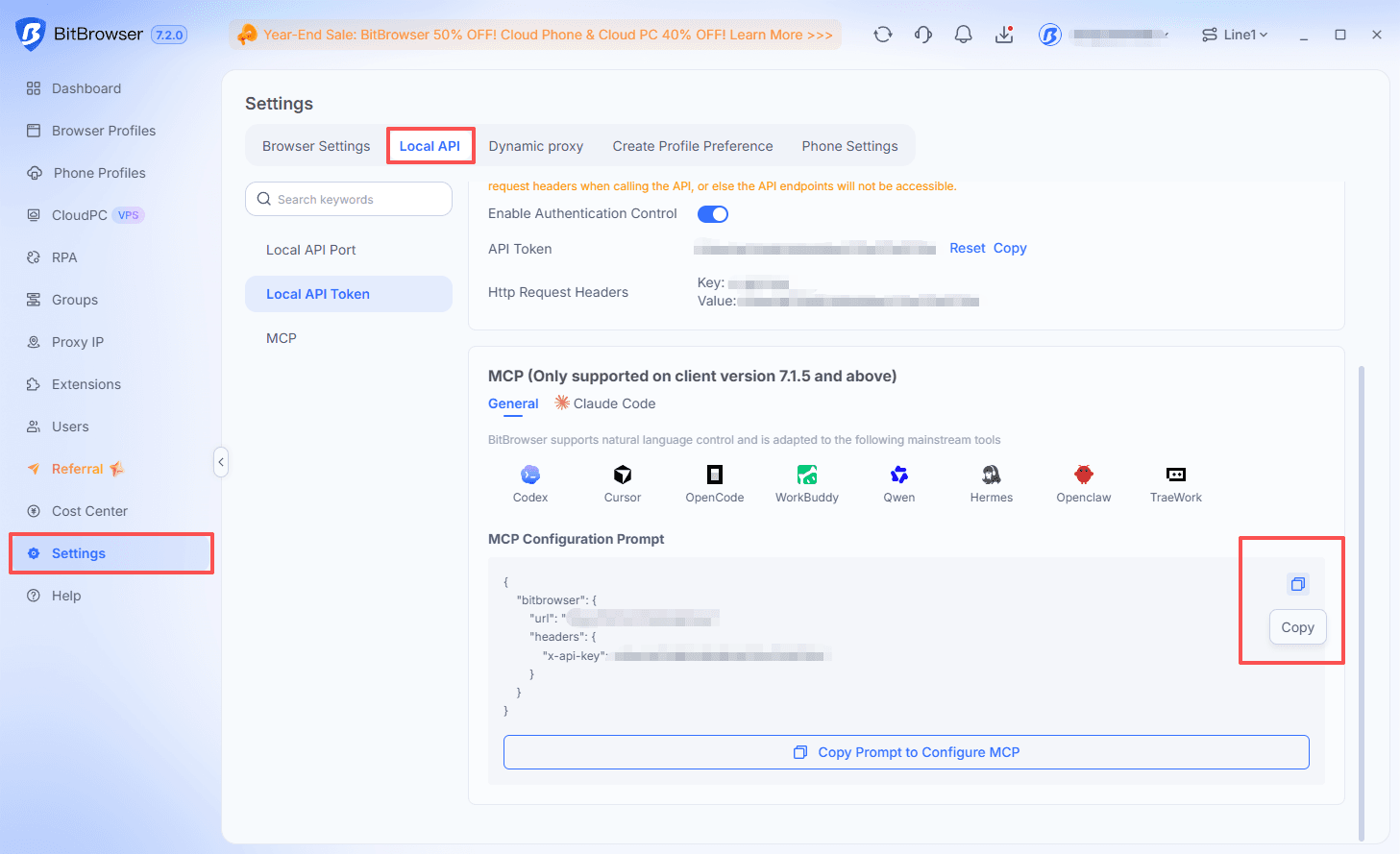
When setting up BitBrowser in an MCP client such as Cursor or Codex, you can now copy the entire configuration block in one click. Go to Settings → Local API → MCP. Under General, find MCP Configuration Prompt and click the Copy icon in the upper-right corner of the code block.
Browser Profile Management
2. Find Profiles by Sequence Number
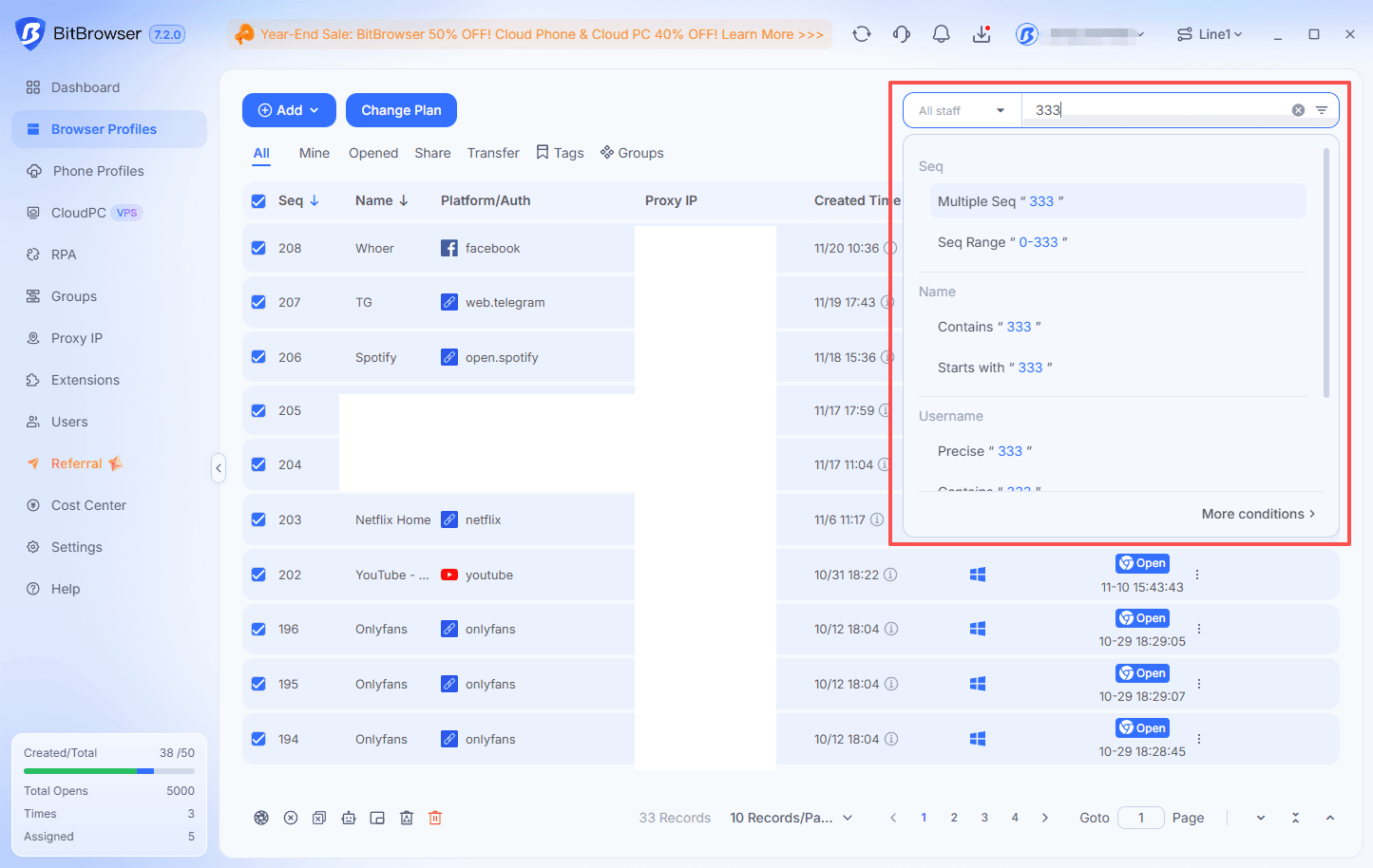
Quick search now recognizes the sequence numbers shown in the Seq column on the Browser Profiles page. Enter a number in the search box at the upper right, then choose an option under Seq.
For example, if you enter 333, select Multiple Seq “333” to look for that specific profile, or Seq Range “0–333” to search the displayed range. A future update will let you choose which other search conditions appear in quick search.
3. Keep Advanced Search Open While Scrolling
Previously, scrolling the page could close the advanced search dropdown before you finished choosing a filter. The dropdown now stays open as you scroll.
4. Clear Local Cache When Transferring Profiles
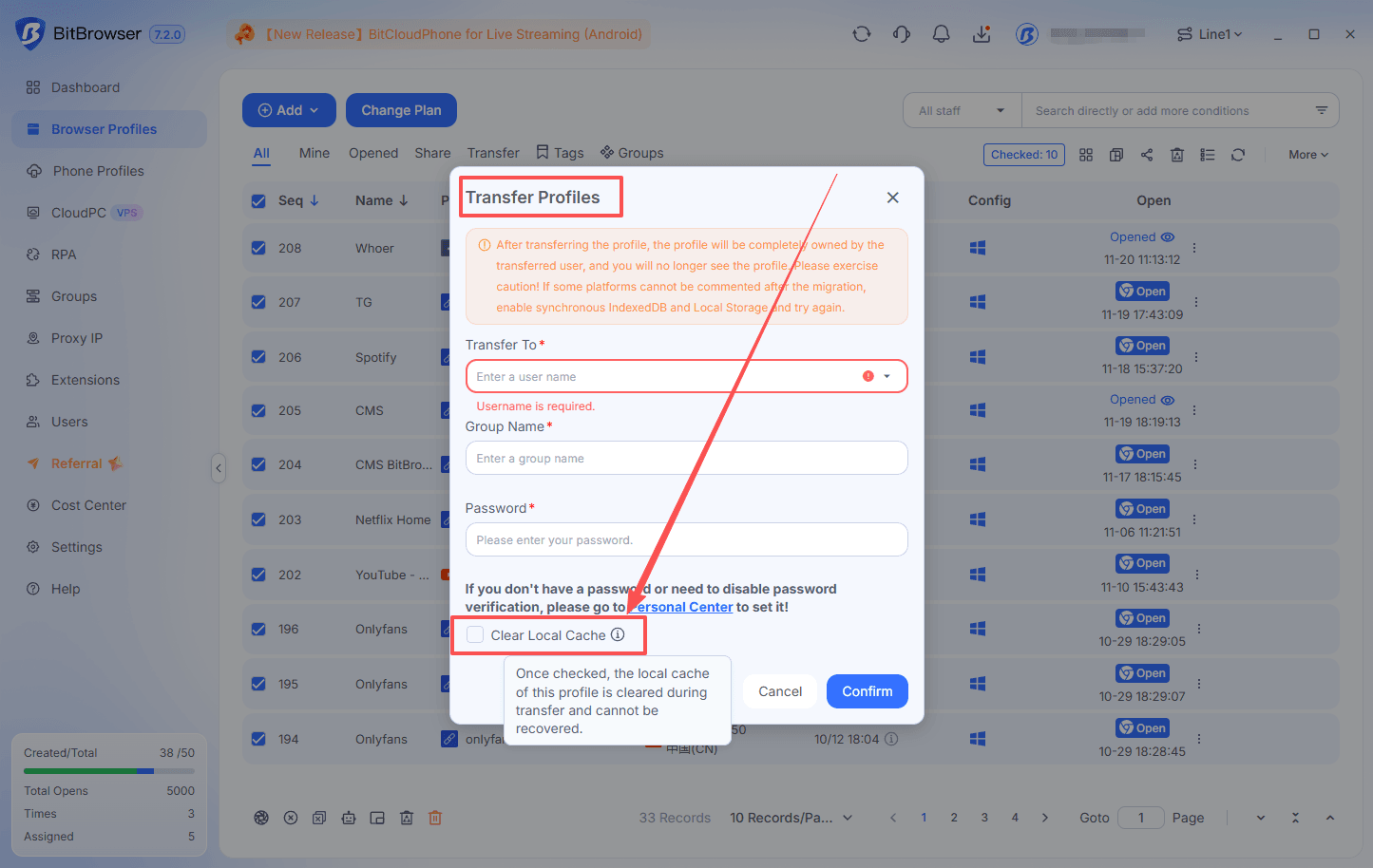
The Transfer Profiles confirmation dialog now includes a Clear Local Cache checkbox. It is unchecked by default. To remove the selected profiles’ cached data from your computer, check the box before clicking Confirm. BitBrowser clears the local cache during the transfer, and the deletion is permanent.
5. Check Assigned Profiles and Profiles Created by Disabled Users
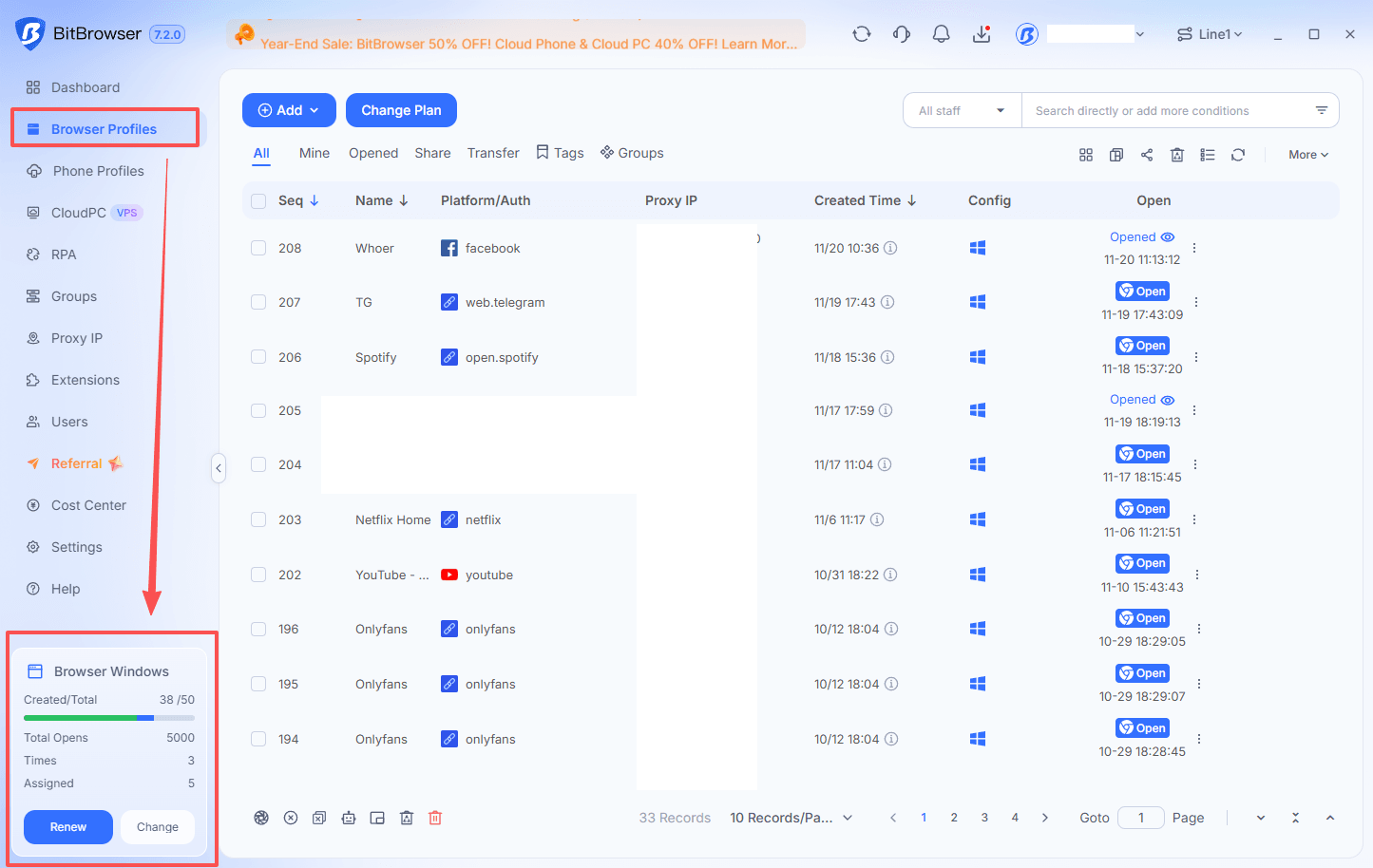
On the Browser Profiles page, open the Browser Windows panel in the lower-left corner. Alongside the existing usage figures, you can now see how many profiles are assigned and how many were created by users whose accounts are now disabled.
6. Fewer Spelling Flags in Profile Remarks
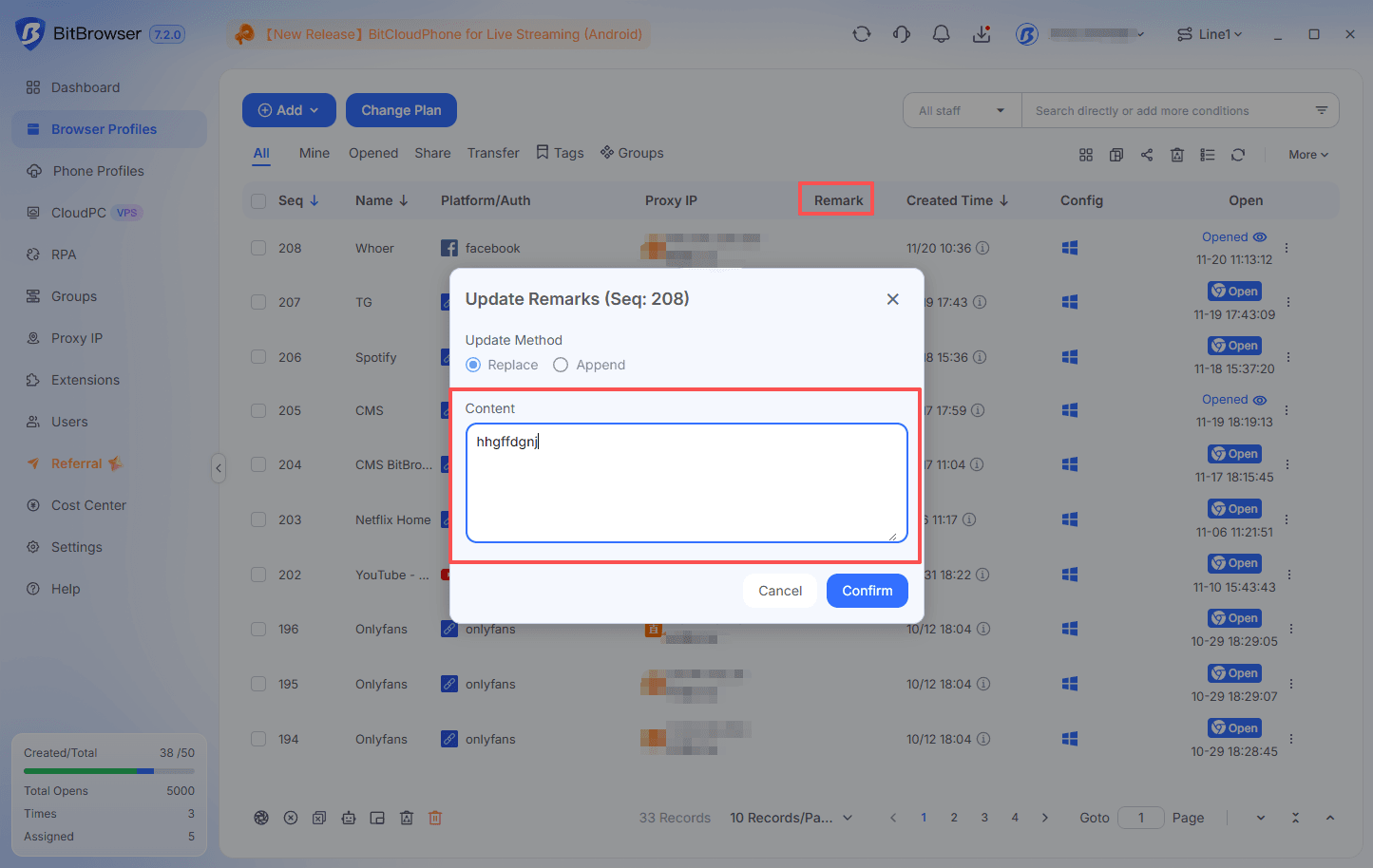
If you use client names, internal project codes, or pinyin in profile remarks, those entries could previously appear with red spelling underlines. The Update Remarks field now accepts proper names, nonstandard spellings, and other strings outside the dictionary without marking them as suspected spelling errors.
User Management
7. Fixed the Manager Role Layout for Larger Teams
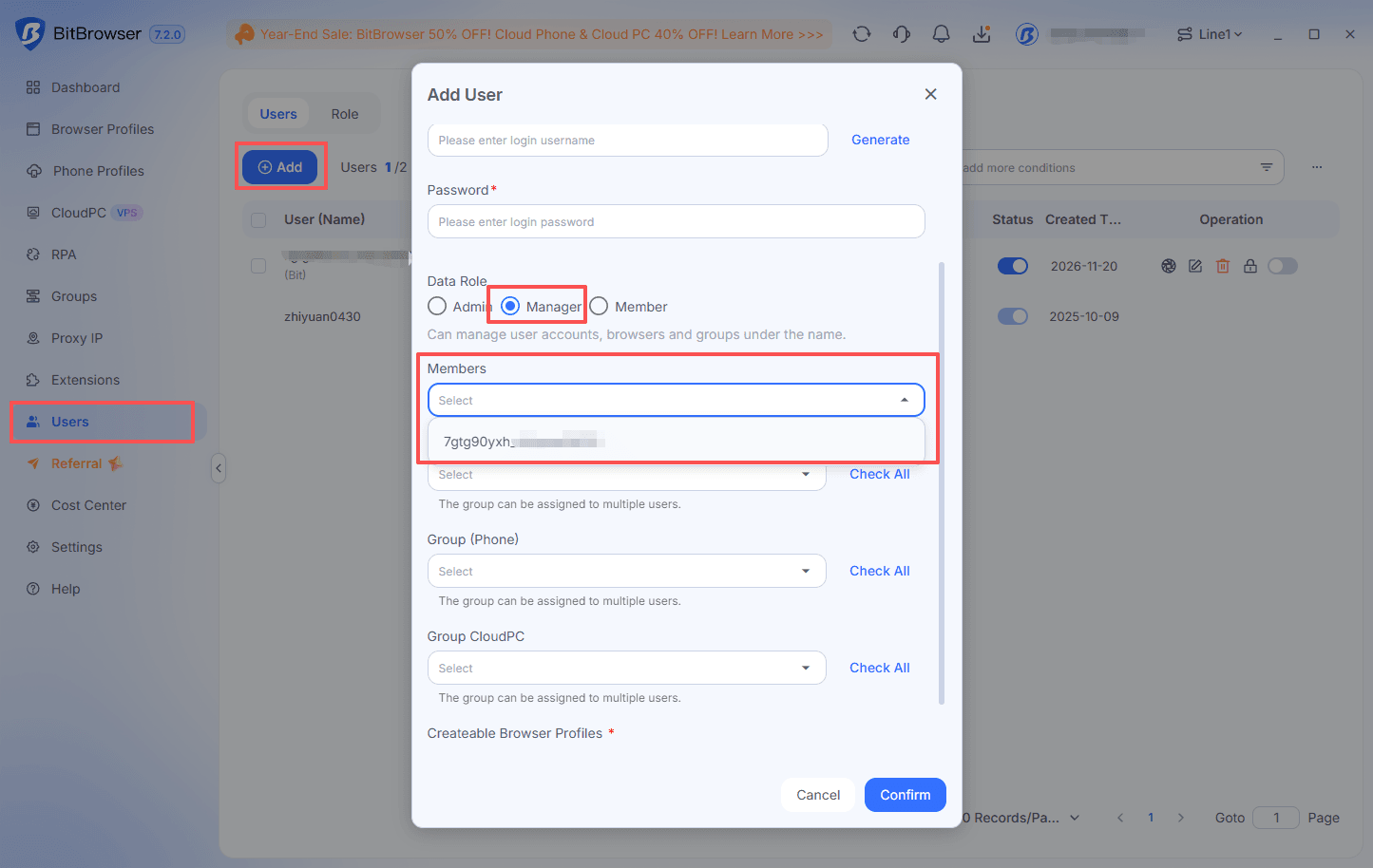
Under Users, selecting Manager as the Data Role while editing a user could disrupt the layout if the team had many members. The Members selector now displays correctly when you choose which users the manager can oversee.
Get the Latest BitBrowser
Download BitBrowser for Windows or macOS to use the new profile search, transfer options, and MCP configuration shortcut.

 Multi-Account Management
 Prevent Account Association
 Multi-Employee Management
Recommended
See More