BitBrowser Update: Cloud Phone Management and Cookie Cleanup
 2026.11.17 08:37
 YT.Shi
The November 17 BitBrowser update introduces clearer Cloud Phone activity records, creation times, computing power billing icons, and a new browser profile cookie cleanup option. These improvements make everyday details easier to check when managing cloud phones and browser profiles.
Cloud Phone Management
1. Deletion Records for Received Shared Cloud Phones
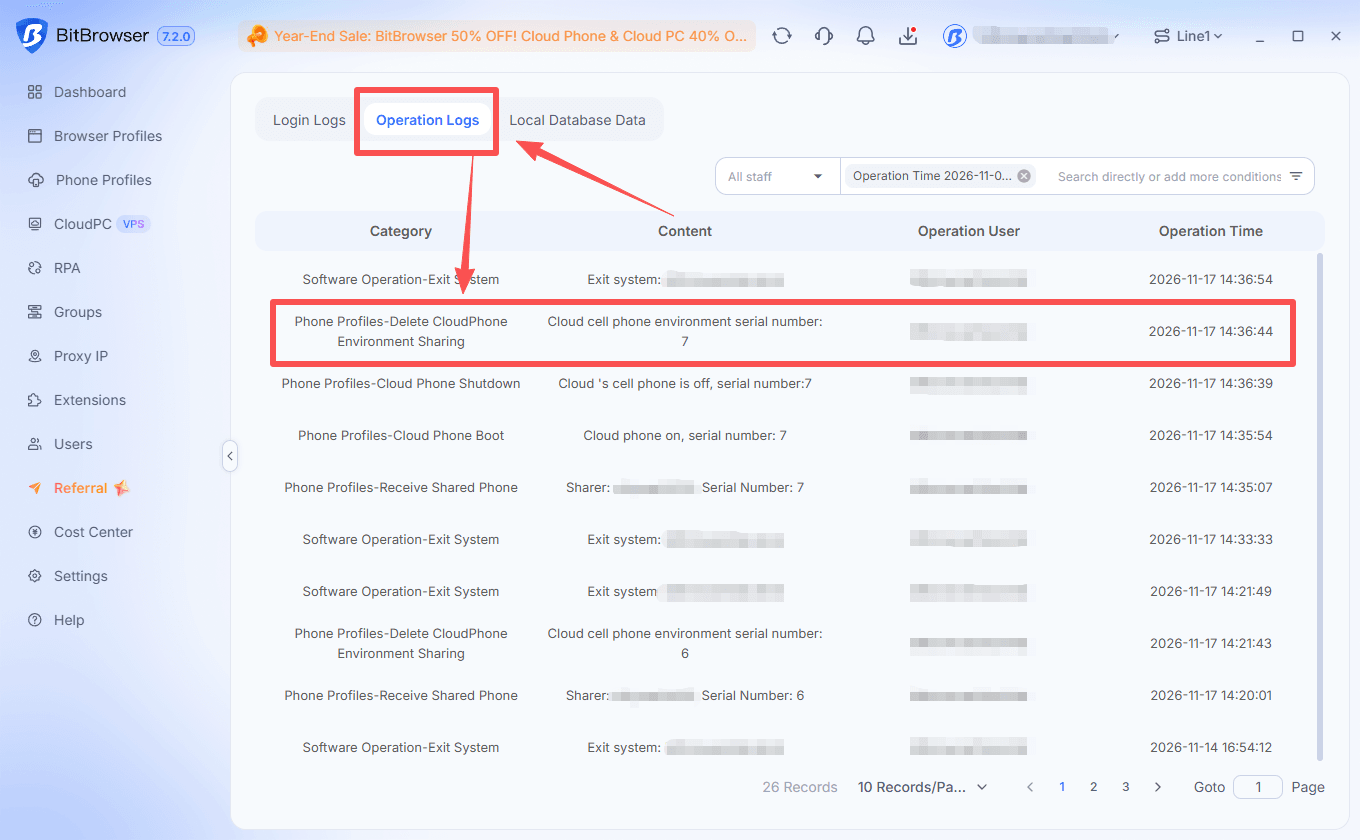
When a recipient deletes a cloud phone that has been shared with them, the action now appears in the recipient’s Operation Logs. This provides a record of when the shared cloud phone was removed from their list.
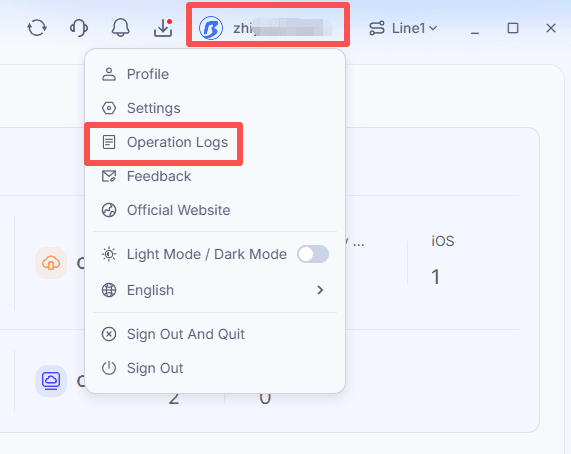
To review the record, open the account menu in the upper-right corner, select Operation Logs, and open the Operation Logs tab. The entry includes the cloud phone’s serial number, the operation user, and the operation time.
2. Creation Times in Android and iOS Cloud Phone Lists
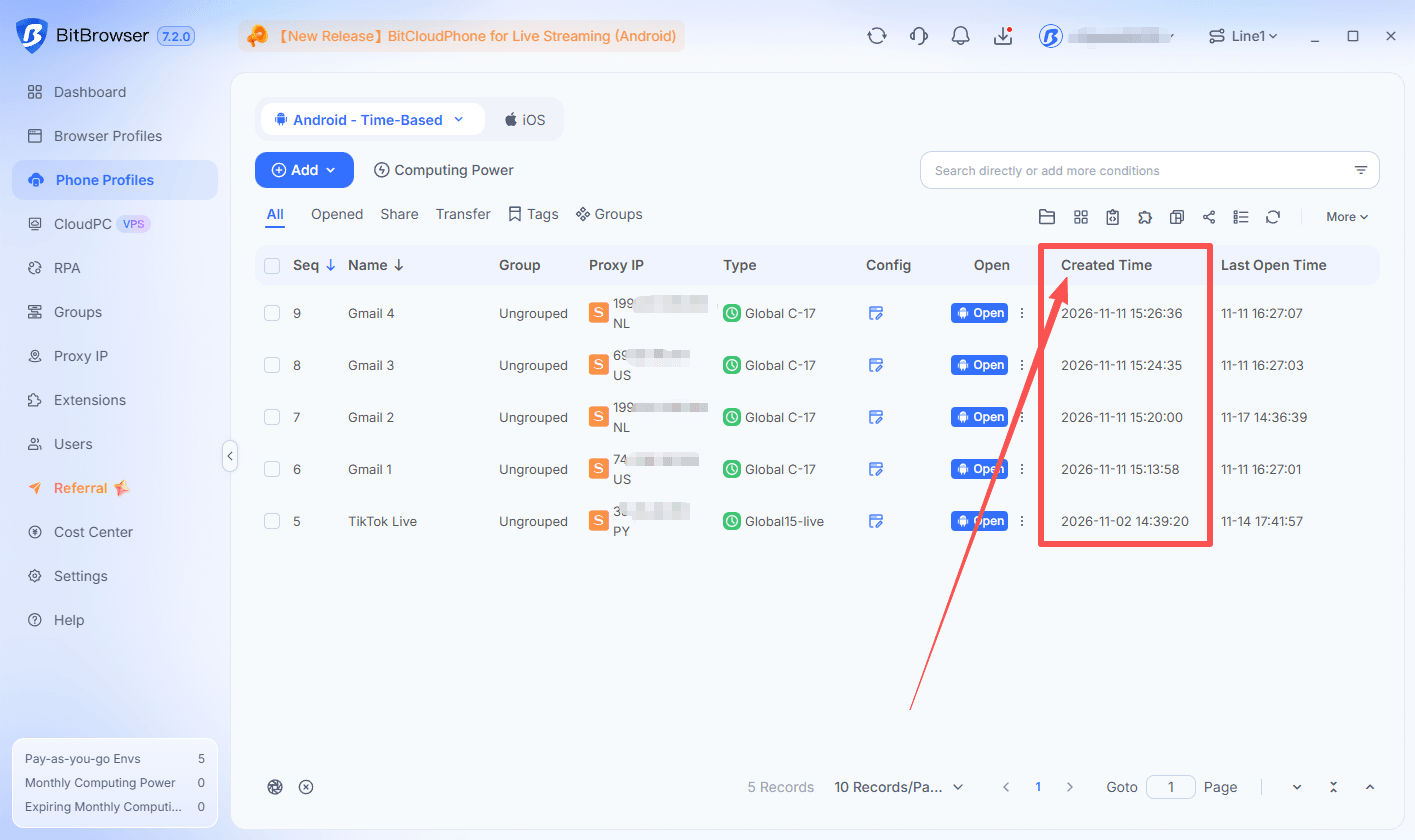
The cloud phone lists for both Android and iOS now include a Created Time column. Users can see the date and time each cloud phone was created directly in the list.
This makes it easier to distinguish recently created phones from older ones and check when a particular environment was set up.
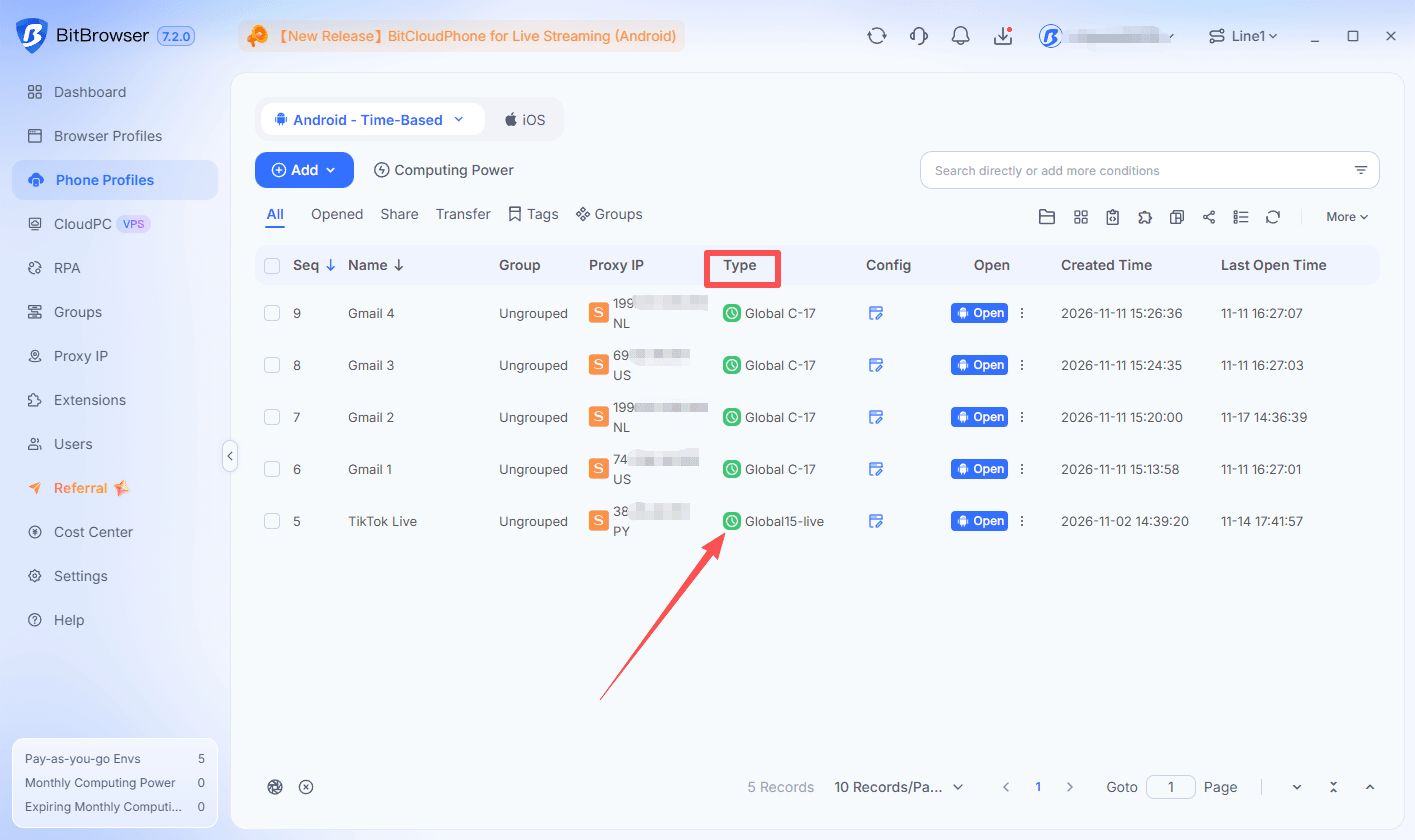
3. Icons for Hourly and Monthly Computing Power
New icons in the cloud phone list distinguish computing power with hourly billing from computing power with monthly billing. The icons appear alongside the computing power type, making the billing model easier to identify at a glance.
This is especially useful when managing cloud phones that use different billing options in the same list.
Browser Profile Management
4. Clear Profile Cookies from the More Menu
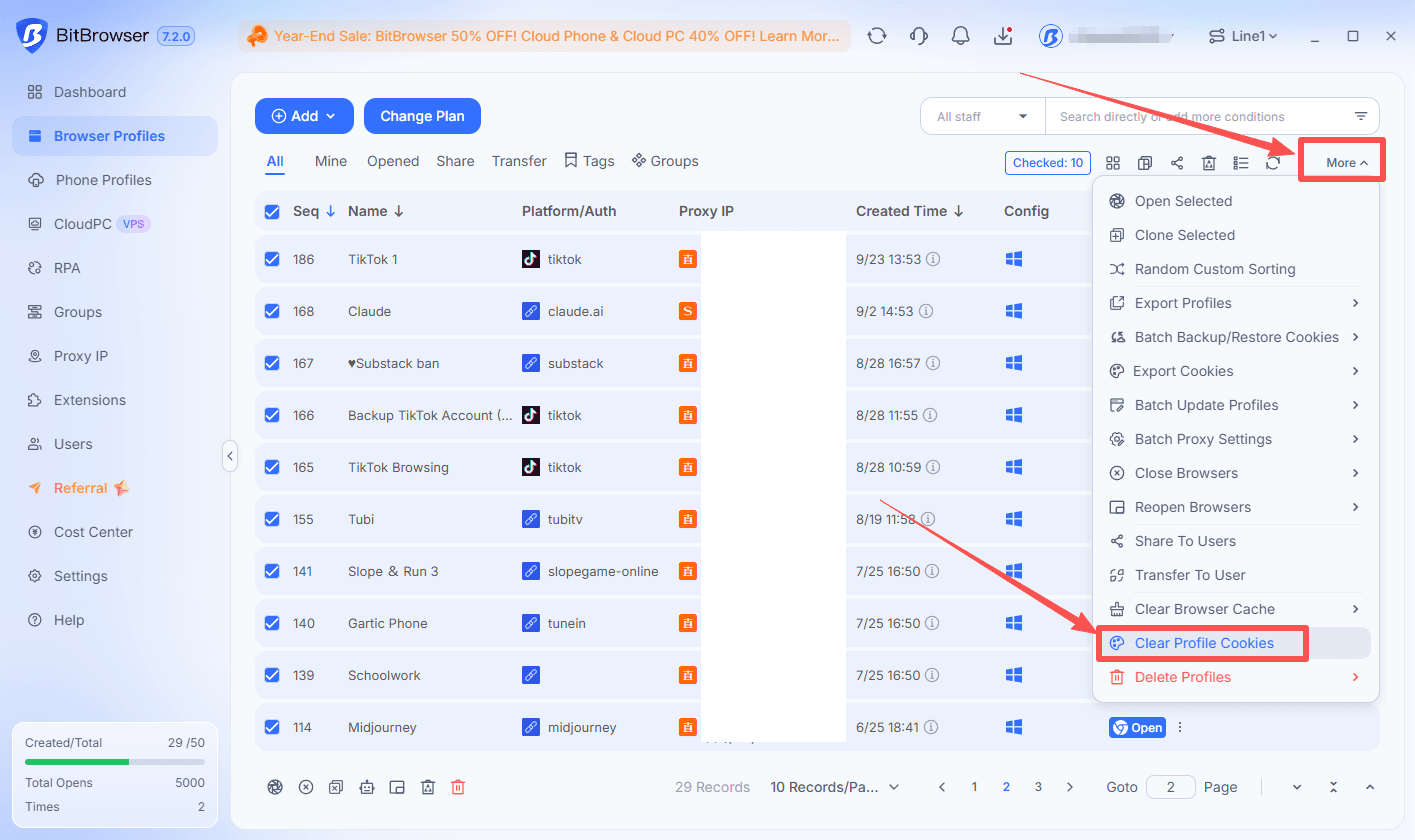
A new Clear Profile Cookies option is now available in the More menu on the Browser Profiles page. Users can select the profiles they want to manage and access cookie cleanup directly from the list.
To use it:
■ Open Browser Profiles.
■ Select the profiles whose cookies you want to clear.
■ Click More → Clear Profile Cookies.
Get the Latest BitBrowser
Explore the latest improvements to Cloud Phone activity tracking, list details, and browser profile cookie management in BitBrowser.

 Multi-Account Management
 Prevent Account Association
 Multi-Employee Management
Recommended
See More