Best Telegram Proxy in 2026: Complete Setup Guide and Multi Account Management
 2026.07.22 10:04
 YT.Shi
Telegram remains one of the most popular messaging platforms for personal communication, business networking, community management, and marketing. However, not everyone can access Telegram smoothly. In some regions, the platform may be restricted, while in other cases users experience slow connections or unstable performance.
This is where a Telegram proxy becomes useful. A proxy can help improve access, stabilize connections, and support users who manage multiple Telegram accounts.
In this guide, you'll learn how Telegram proxies work, which proxy type is best for your needs, how to set up a proxy on different devices, and why multi account users often need more than just a proxy.
What Is a Telegram Proxy?
A Telegram proxy is an intermediary server that routes your Telegram traffic through a different IP address before it reaches Telegram's servers.
Instead of connecting directly to Telegram, your device first connects to the proxy server. Telegram then sees the proxy IP rather than your original network address.
People use Telegram proxies for several reasons:
● Accessing Telegram in restricted regions
● Improving connection reliability
● Reducing network interruptions
● Managing multiple Telegram accounts
● Keeping work and personal accounts separate
Unlike a VPN, a Telegram proxy usually affects only Telegram traffic rather than your entire internet connection.
Why Use a Proxy for Telegram?
1. Bypass regional access restrictions
Telegram is fully banned or temporarily blocked in some areas. A proxy offers an alternate channel to stable access.
2. Boost connection stability
Even in accessible regions, unstable links are common. Reliable proxies cut disconnections, speed up message sending, sustain long login sessions and optimize Telegram Web for work users.
3. Handle multiple accounts easily
Enterprises, support teams and community admins run multiple Telegram accounts. Proxies assign unique IPs to each account, simplifying multi-project management without conflicts.
Telegram Proxy Types Explained
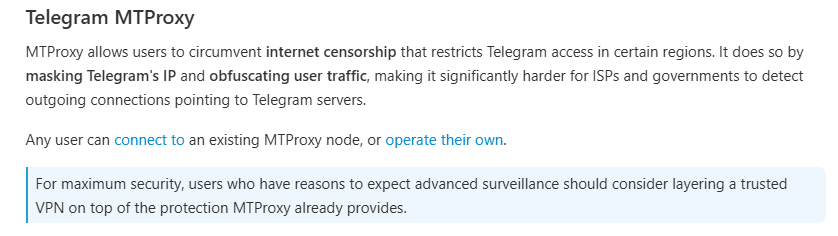
Telegram officially supports two primary proxy protocols for client connections, each serving distinct purposes.
1. SOCKS5 Proxy
Nature: A standard, universal network protocol that forwards TCP/UDP traffic without encryption (plain data transmission).
Pros:
● Extremely fast performance (minimal overhead).
● Broad compatibility across all Telegram clients (Mobile, Desktop, excluding the Web client).
● Simple manual configuration (IP + Port + Auth).
Cons: Lacks obfuscation; easily detected and blocked by Deep Packet Inspection (DPI) in restricted regions.
Best for: Scenarios prioritizing stable, long-term connections and maximum speed in open networks (e.g., personal servers in unrestricted areas).
2. MTProto Proxy
Nature: Telegram's proprietary protocol designed specifically for its API, featuring built-in encryption and traffic obfuscation (often masquerading as normal TLS/HTTPS traffic).
Pros:
● Highly effective at bypassing network firewalls and censorship in restricted regions.
● Seamless one-click setup via tg:// links or bot-generated secrets directly within the app.
Cons: Slightly slower than SOCKS5 due to the encryption/decryption overhead.
Best for: Primary goal of restoring access to Telegram in heavily censored environments.
Additional Notes:
Telegram Desktop also supports HTTP/HTTPS proxies, though it is less common.

Important: Neither SOCKS5 nor MTProto encrypts the data between you and the proxy server if the SOCKS5 lacks TLS (which standard Telegram SOCKS5 doesn't have). For end-to-end encryption of message content, always rely on Telegram's native Secret Chats.
SOCKS5 vs MTProto: Which Proxy Is Better for Telegram?
The answer depends on how you use Telegram.
| Feature | SOCKS5 Proxy | MTProto Proxy |
|---|---|---|
| Telegram Support | Yes | Yes |
| Speed | Fast | Fast |
| Multi Account Use | Excellent | Good |
| Flexibility | High | Telegram Only |
| Restriction Bypass | Good | Excellent |
| Long Term Use | Excellent | Good |
If you manage multiple accounts, use Telegram Web, or need compatibility with other tools, SOCKS5 is usually the better choice.
If your primary goal is accessing Telegram in a restricted environment, MTProto may be the better option.
Check out the best browser for easily accessing any website
Proxy Types by IP
Beyond proxy protocols, the type of IP address also matters.
| IP Type | Advantages | Best For |
|---|---|---|
| Datacenter Proxies | Low cost, high speed, widely accessible | Daily Telegram use, testing, budget users |
| Residential Proxies | Natural traffic, good IP reputation, stable connections | Long-term Telegram access, multi-account management, business tasks |
| Mobile Proxies | Highest trust level, top reputation, superior stability | Sensitive operations, large-scale account management, professional workflows |
If you need to manage multiple accounts on a daily basis, please read:
ISP Proxies vs Residential Proxies
Best Telegram Proxy Providers in 2026
When picking a proxy for Telegram, you first need to decide: are you trying to circumvent censorship (go with MTProto) or manage multiple accounts (go with residential/SOCKS5)?
For business‑grade multi‑account operations, these four providers stand out:
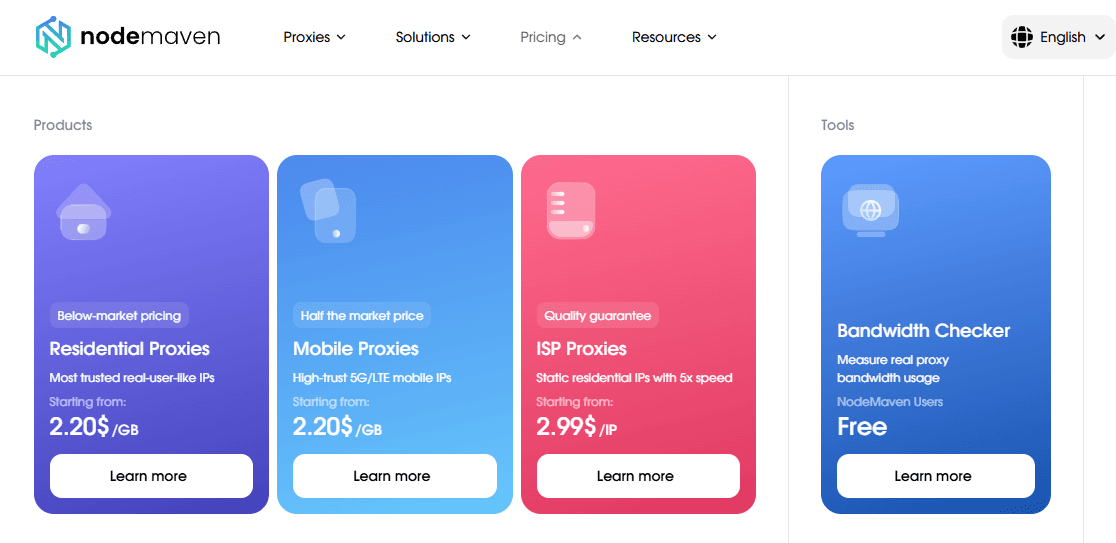
1. NodeMaven – Best for long‑term stability
● Static residential IPs with strong sticky session support (keep the same IP for days).
● Ideal for: managing multiple accounts, persistent sessions, and automated business workflows.
2. Bright Data – Best for enterprise‑scale needs
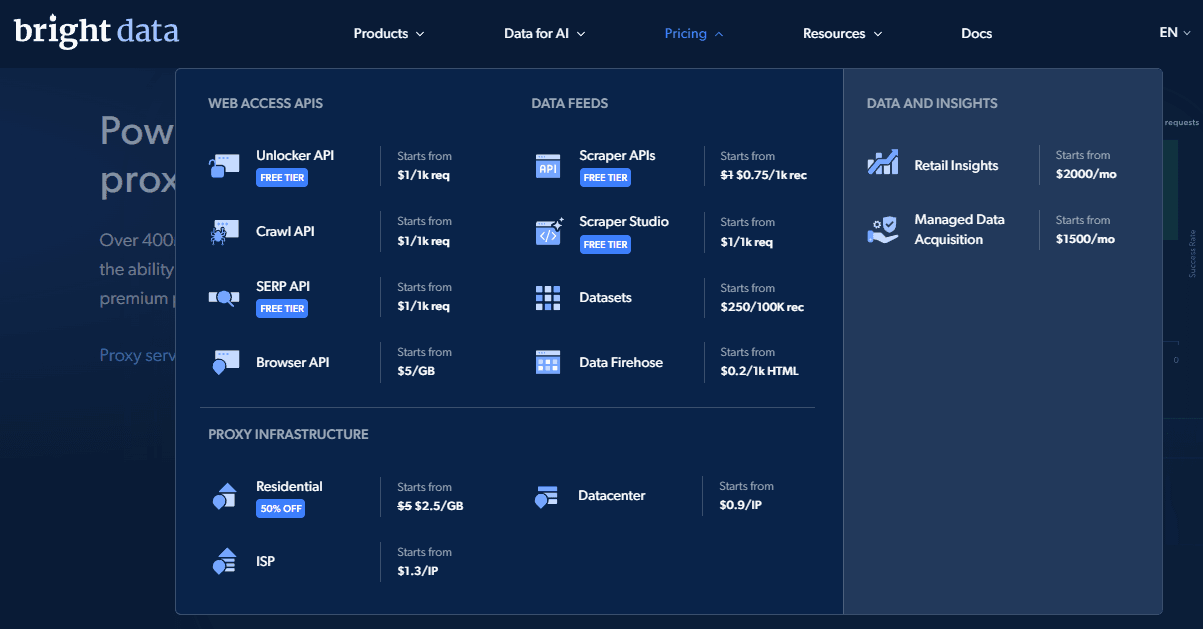
● World’s largest ethically sourced proxy pool with top‑tier IP cleanliness to dodge Telegram spam filters.
● Ideal for: enterprise deployments, large‑scale scraping, and global team access.
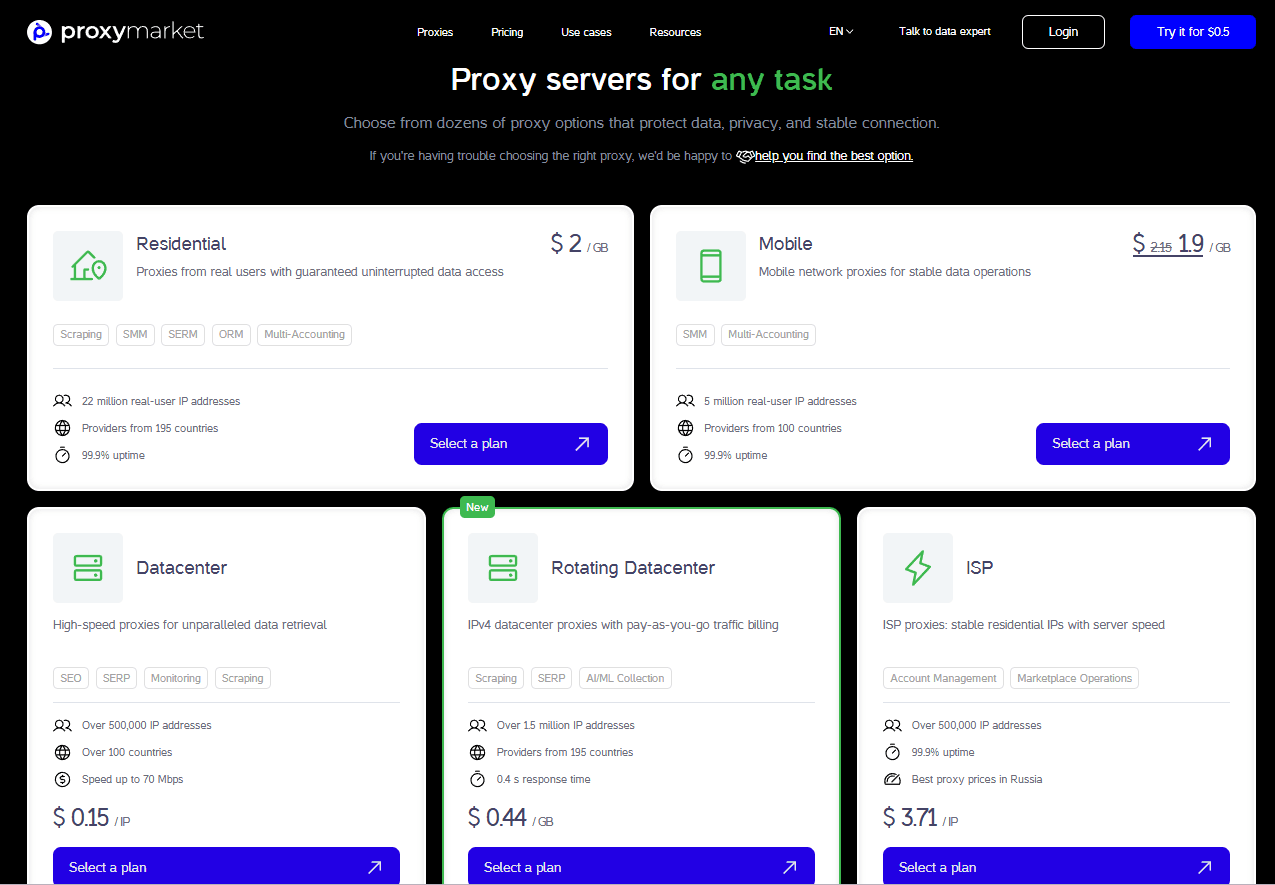
3. Proxy.Market – Best for high‑volume, budget‑friendly operations
Generous traffic allowances with a flexible mix of datacenter, residential, and mobile IPs.
● Ideal for: bulk messaging, heavy workloads, and adaptable budget planning.
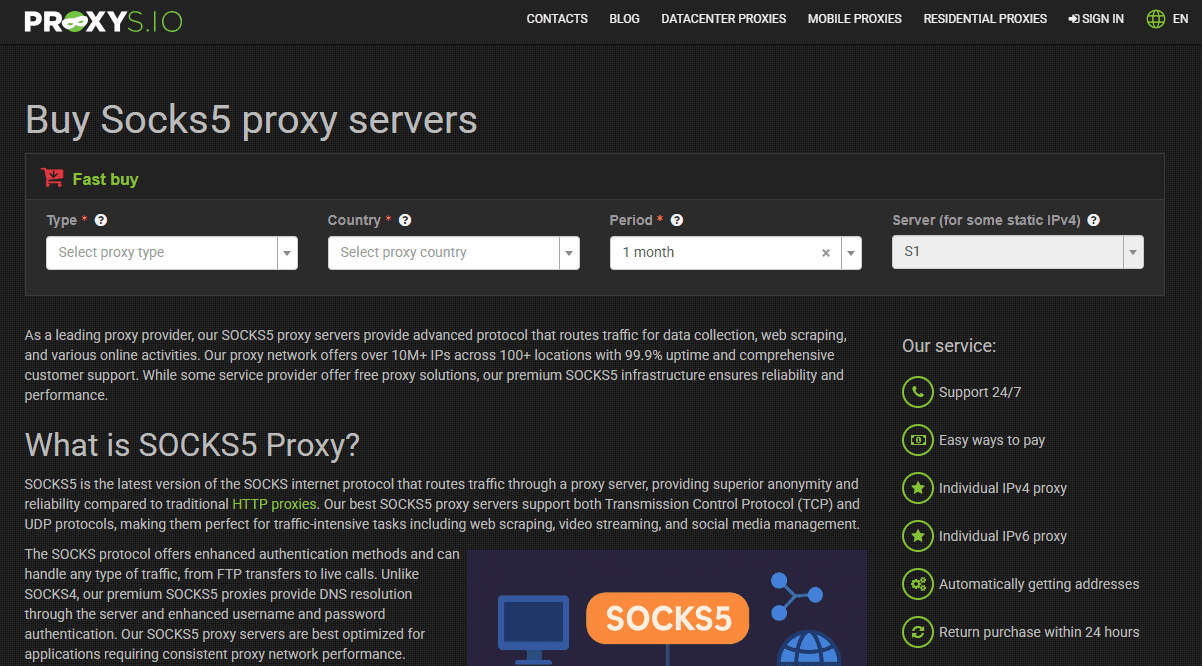
4. Proxys.io – Best for small‑to‑medium teams
● Supports SOCKS5, HTTP, and residential pools with scalable pricing.
● Ideal for: testing, moderate workloads, and teams that need diverse proxy formats.
Critical Selection Tips for 2026
● Sticky sessions matter – Telegram flags accounts that frequently switch IPs. Always choose a provider that guarantees at least 24‑hour session persistence.
● Check concurrent connection limits – If you run multiple accounts, ensure the proxy allows enough parallel sessions.
● Avoid cheap datacenter IPs for new registrations – Use residential or mobile IPs when creating fresh accounts to avoid instant bans; save datacenter IPs for aged, established accounts.
How to Set Up a Proxy on Telegram (Android, iOS, Desktop, & Web)
Telegram Proxy Setup on Android
1. Open Telegram.
2. Go to Settings.
3. Open Data and Storage.
4. Select Proxy Settings.
5. Tap Add Proxy.
6. Choose SOCKS5 or MTProto.
7. Enter the server address and port.
8. Add authentication details if required.
9. Save and enable the proxy.
Telegram Proxy Setup on iPhone
1. Open Telegram.
2. Go to Settings.
3. Select Data and Storage.
4. Open Proxy.
5. Tap Add Proxy.
6. Choose the proxy type.
7. Enter the required information.
8. Save and activate the proxy.
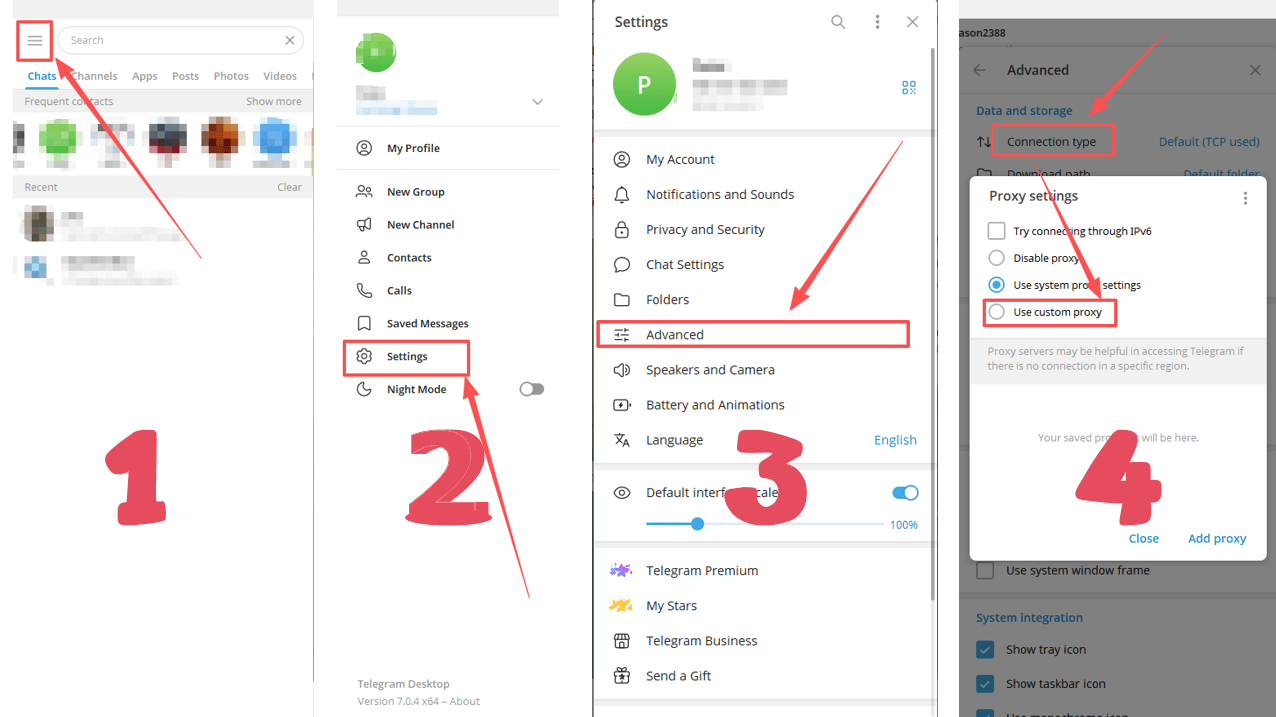
Telegram Proxy Setup on Desktop
1. Open Telegram Desktop.
2. Go to Settings.
3. Open Advanced.
4. Locate Connection Type.
5. Select Use Custom Proxy.
6. Choose SOCKS5 or MTProto.
7. Enter the proxy details.
8. Save the configuration.
If you're used to managing your Telegram account on your desktop, check out Telegram Web Login and Desktop Setup Guide.
Telegram Web Proxy Setup
Telegram Web does not include built in proxy settings.
To use a proxy with Telegram Web, you can:
● Configure a proxy at the browser level
● Use a proxy extension
● Configure a system wide proxy
● Use a browser profile that supports individual proxy settings (like BitBrowser)
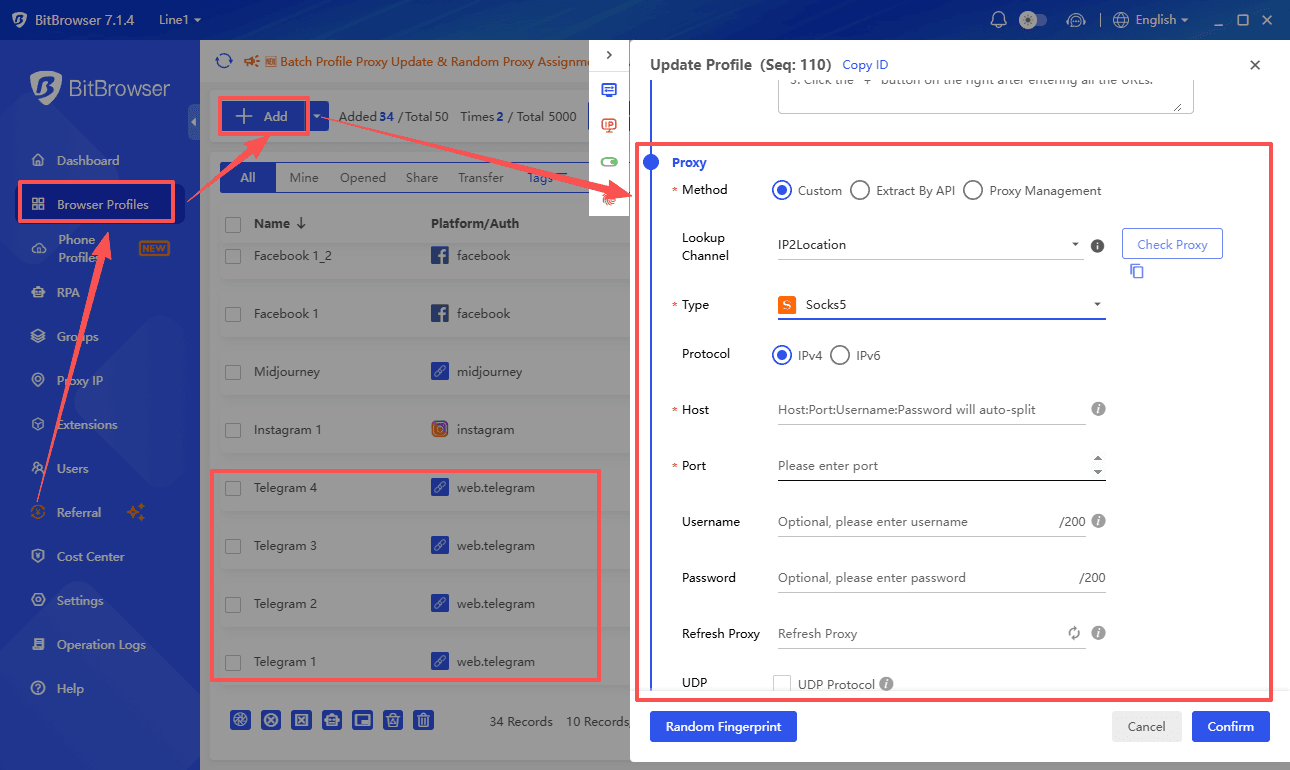
Many users prefer browser based proxy management because it allows different Telegram accounts to use different proxy connections.
Best Practices for Using Telegram Proxies
1. Use One Proxy Per Account
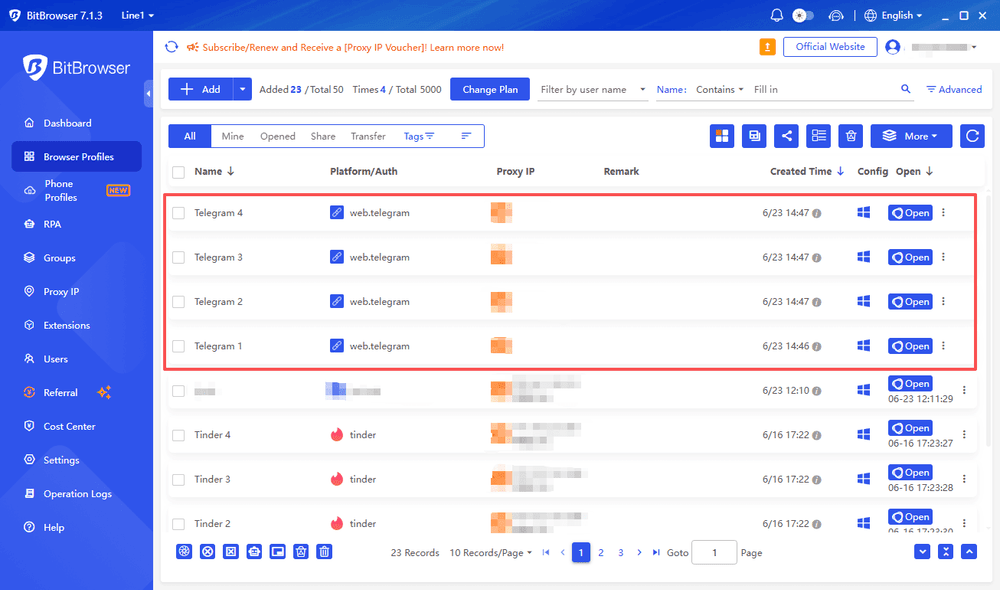
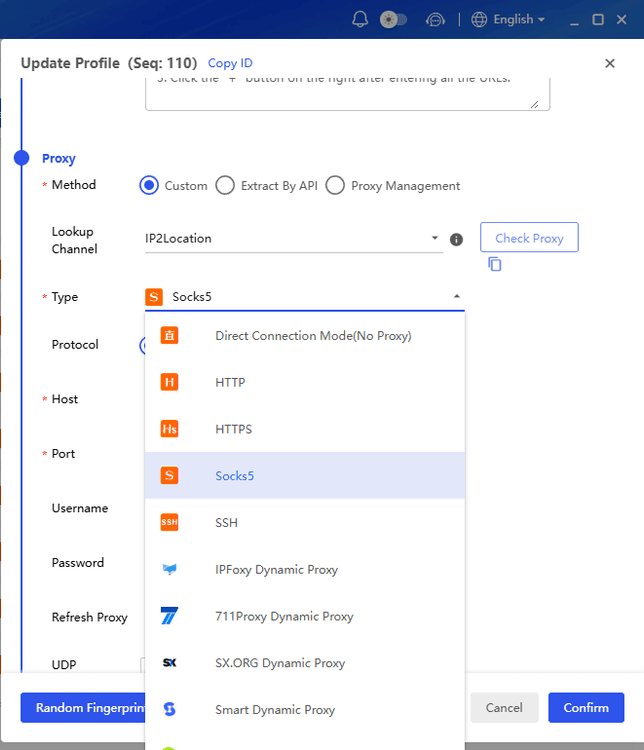
Assign a dedicated proxy to each important account. For Telegram Web users, pair your proxy with an anti‑detect browser like BitBrowser – it creates separate browser environments for each account, with isolated fingerprints, cookies, and cache. This makes Telegram treat each web session as a completely different user.
2. Avoid Free Public Proxies
Free proxies are often unstable, overcrowded, and risky. Common problems include slow speeds, frequent disconnections, poor uptime, and potential security threats. Paid proxies offer far better reliability and performance.
3. Maintain Stable IP Sessions
Frequent IP switching increases the risk of triggering Telegram's security flags. Stick to stable sessions with persistent IPs. With BitBrowser, you can bind a static proxy IP to each browser profile, ensuring that your Telegram Web sessions always appear from the same IP and location.
4. Enable Telegram Security Features
Always turn on two‑step verification, use a strong password, and set up a recovery email. A proxy improves connectivity, but account security remains your responsibility.
How BitBrowser Helps Manage Multiple Telegram Accounts
For users managing multiple Telegram Web accounts, combining proxies with isolated browser environments can make account management easier and more organized.
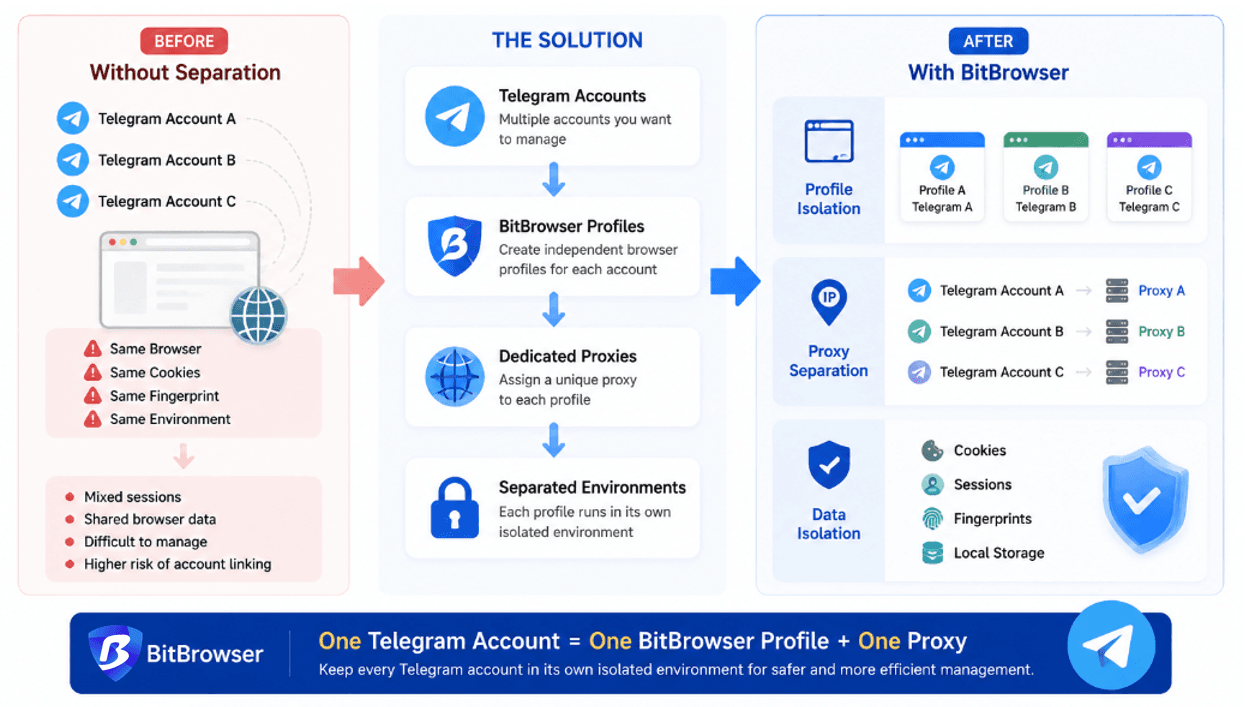
BitBrowser helps create separate browser profiles, allowing each Telegram account to run in its own environment with separate cookies, sessions, and fingerprints.
Create Separate Browser Profiles
Each BitBrowser profile works as an independent browser environment. You can assign one Telegram account to one profile to keep sessions and account data separated.
Assign Different Proxies to Each Profile
Each profile can use a different proxy connection:
● Telegram Account A → BitBrowser Profile A → Proxy A
● Telegram Account B → BitBrowser Profile B → Proxy B
This helps keep account activities separated and easier to manage.
Team Collaboration and Automation
BitBrowser also supports team features and automation workflows, including profile sharing, permission management, and API integration, making it suitable for businesses, agencies, and teams managing multiple Telegram accounts.
Final Thoughts
The best Telegram proxy in 2026 depends on how you use Telegram.
For general access and stable connections, SOCKS5 is a popular choice because of its speed and compatibility. MTProto can be useful for users who mainly need to access Telegram in restricted regions.
For users with only one account, a reliable proxy may be enough. However, managing multiple Telegram accounts requires more than just changing IP addresses. Browser data, sessions, and fingerprints can also affect how accounts are separated.
In these cases, combining proxies with isolated browser profiles can make account management more organized. Tools like BitBrowser help users keep different Telegram Web accounts separated with independent profiles, proxy settings, and browser environments.
FAQ
Is a Telegram proxy safe to use?
A Telegram proxy can be safe if you use a reliable provider. Avoid free public proxies, as they may be unstable or insecure. A proxy improves connection routing, but you should still enable Telegram security features like two step verification.
Which proxy is better for Telegram, SOCKS5 or MTProto?
It depends on your needs. SOCKS5 is usually better for users who need flexibility, stable connections, or multiple account management. MTProto is a good choice for users who mainly need to access Telegram in restricted regions.
Can I use one proxy for multiple Telegram accounts?
You can, but it is not recommended for important accounts. Using a separate proxy for each account helps keep connections more consistent. For Telegram Web users managing multiple accounts, separate browser profiles can provide better session separation.
Does a Telegram proxy hide my browser fingerprint?
No. A proxy only changes your IP address and network route. It does not change browser fingerprints, cookies, or session data. Users managing multiple Telegram accounts often combine proxies with isolated browser profiles to keep each account environment separate.

 Multi-Account Management
 Prevent Account Association
 Multi-Employee Management
Recommended
See More 



