BitBrowser vs Incogniton: Which Antidetect Browser Is Better in 2026?
 2026.03.17 11:48
 YT.Shi
Antidetect browsers have quietly become the standard setup for anyone serious about multi-account operations. Whether you’re running affiliate campaigns, managing client accounts, or operating multiple stores, you need a way to keep everything separated and stable.
Two tools that come up often are BitBrowser and Incogniton. On paper, they look similar. In practice, they feel quite different once you start using them.
This article walks through both, not just in terms of features, but how they actually perform in real workflows.
What Actually Matters in an Antidetect Browser
Before comparing tools, it helps to know what really matters.
Most people focus on fingerprint settings, but that’s only one part of the picture. In daily use, these factors matter more:
● How fast you can create and manage profiles
● Whether the default setup is usable or needs constant tweaking
● How easy it is to automate repetitive tasks
● Whether the tool can support scaling without breaking your workflow
This is where differences between tools become obvious.
First Impressions: Setup and Usability
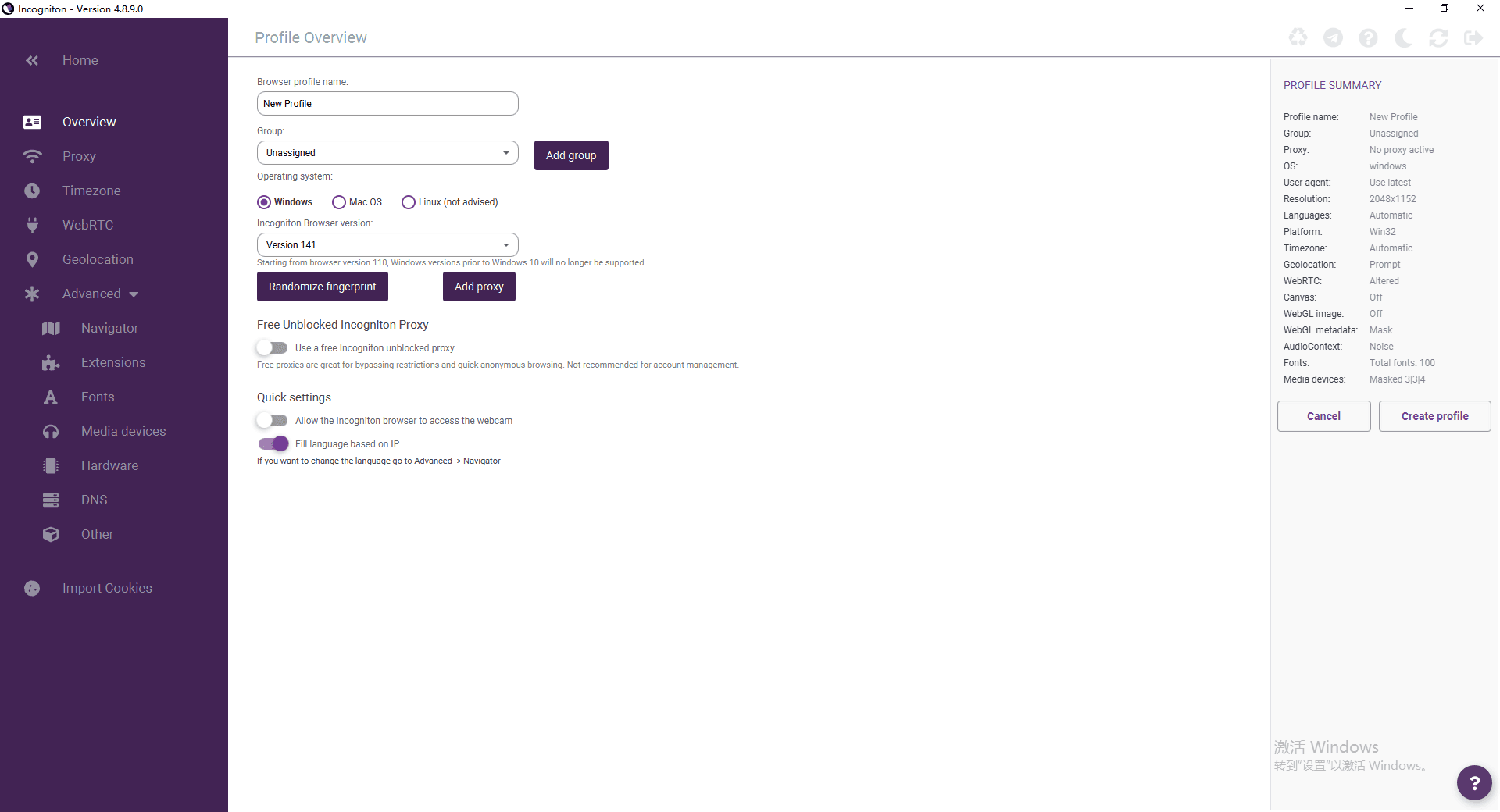
Incogniton feels like a traditional antidetect browser. You open it, and you see a structured dashboard with lots of configuration options.
At first, that seems powerful. You can control GEO, WebGL, timezone, proxy settings, and more. But once you start creating profiles, especially in bulk, it becomes clear that a lot of things need manual attention.
Even though it’s labeled as beginner-friendly, the number of parameters can be overwhelming. If you just use default settings, there’s a chance some environments won’t pass stricter detection checks unless you fine-tune them.
BitBrowser takes a slightly different approach. It still gives you control, but the workflow feels more streamlined. Creating profiles, assigning proxies, and launching environments is faster and more consistent.
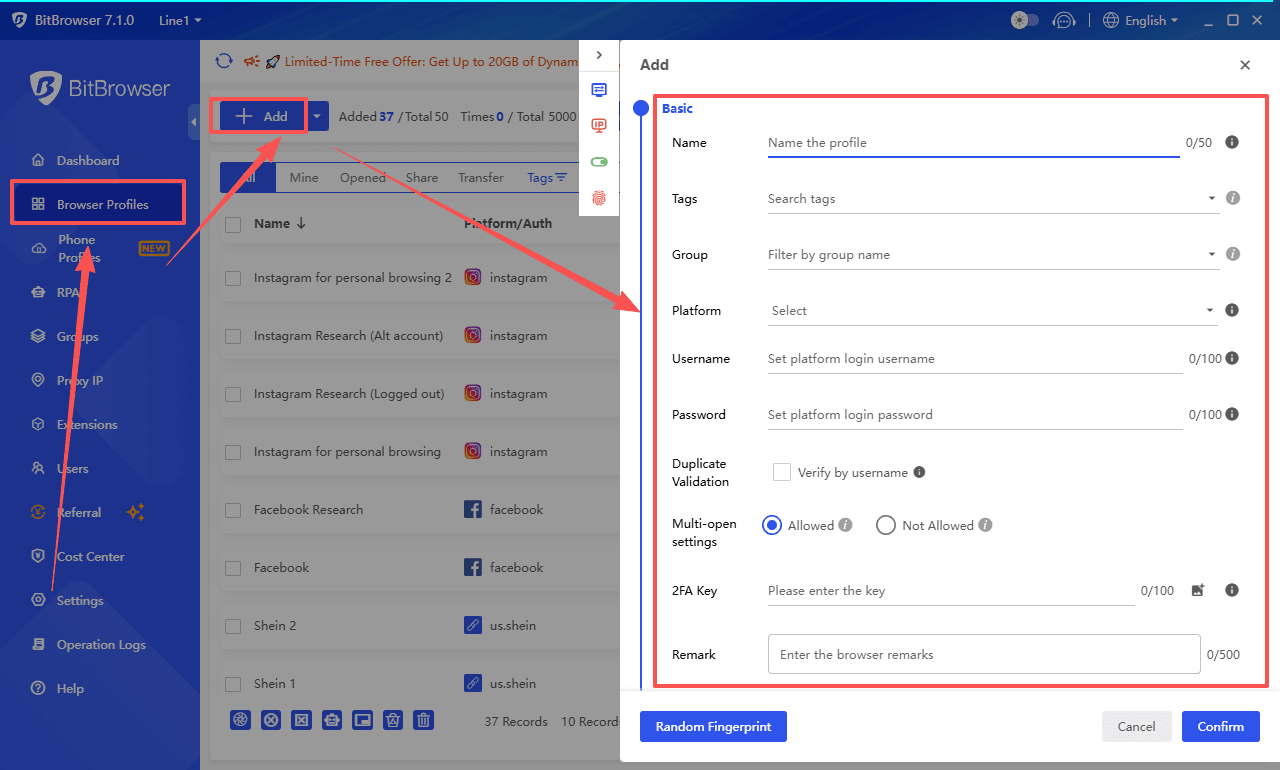
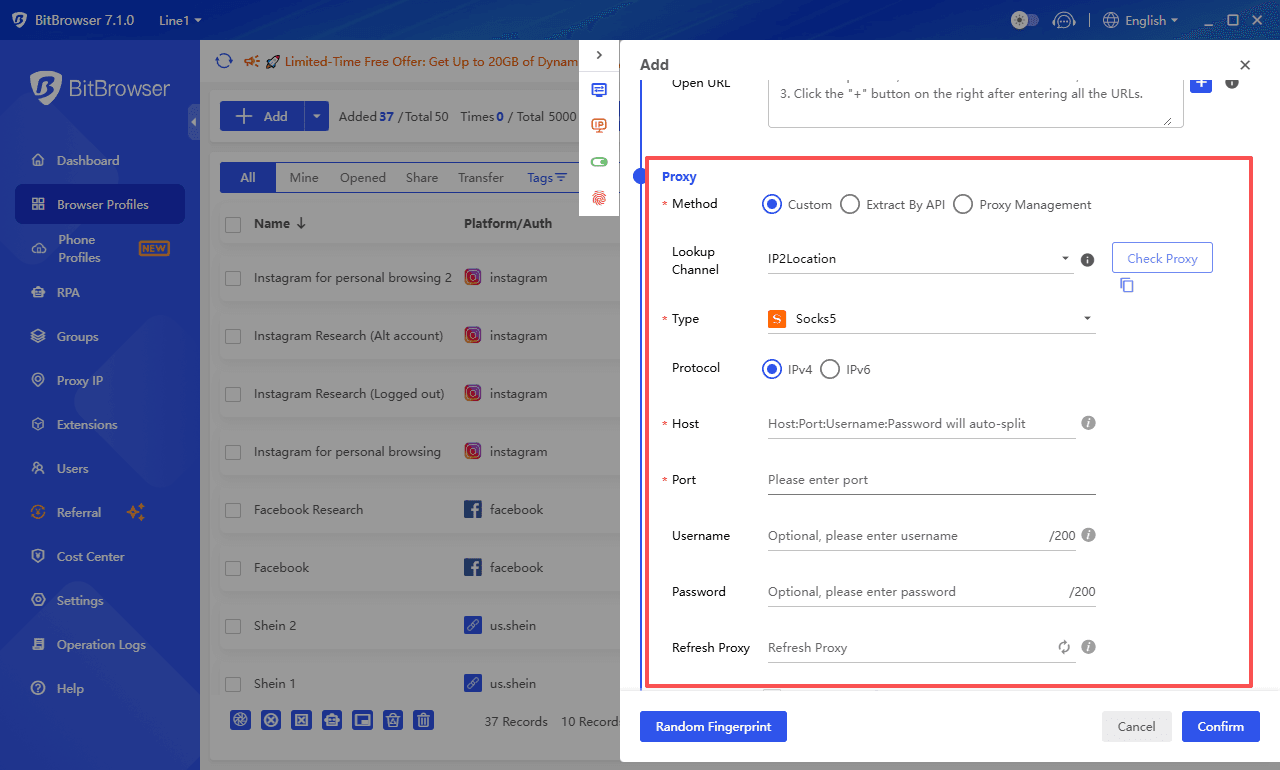
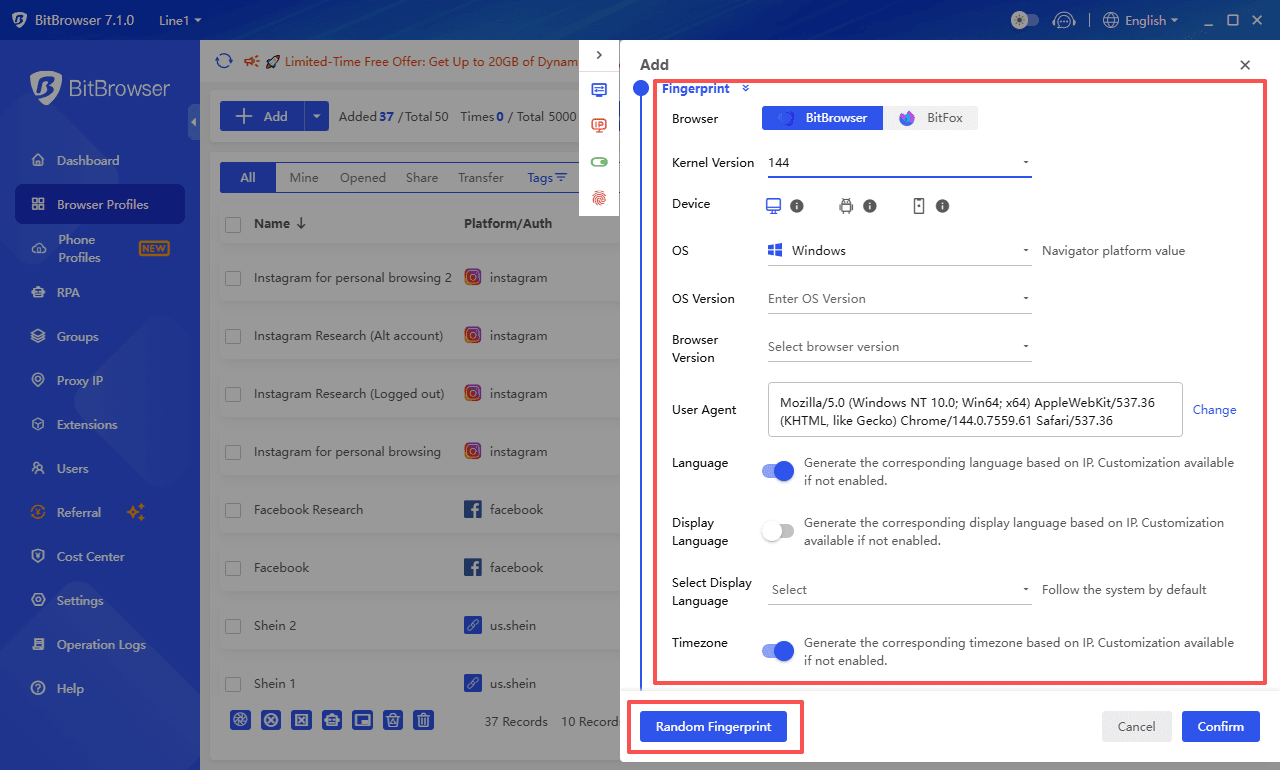
The simple process of creating a browser profile can be completed within a single window, with all settings and features clearly laid out.
Moreover, since beginners are unlikely to manually configure dozens of browser fingerprint options, they can simply select "Random Fingerprint" to generate a consistent and authentic fingerprint combination with a single click—it’s that easy.
You spend less time adjusting settings and more time actually using the accounts.
Feature Comparison
1. Fingerprint and Profile Management
Both tools handle the basics well. You can create isolated profiles, assign proxies, and simulate different environments.
The difference shows up when you scale.
| Aspect | Incogniton | BitBrowser |
|---|---|---|
| Profile creation | Flexible but manual-heavy | Faster and more batch-friendly |
| Default fingerprint quality | May need manual tuning | More ready-to-use |
| Bulk operations | Available | More efficient |
With Incogniton, achieving a “clean” setup often depends on how well you configure each profile. That’s fine for a few accounts, but it slows things down when you’re dealing with dozens or hundreds.
BitBrowser is clearly designed for volume. The workflow is smoother, especially when managing large batches.
2. Automation: Where the Real Gap Appears
This is probably the biggest difference between the two.
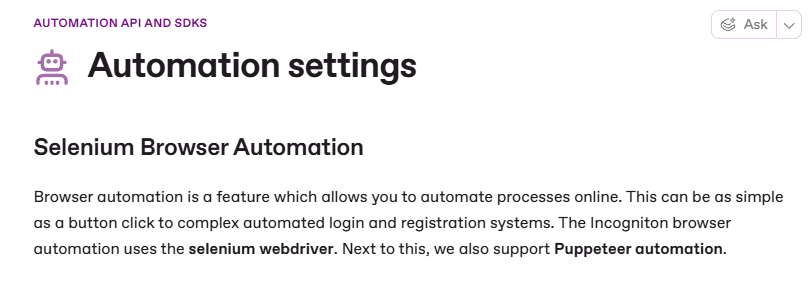
Incogniton does support automation, but it comes in two forms:
● A synchronizer that records actions
● API or Selenium for advanced use
The synchronizer works for simple repetition. The API option is powerful, but it assumes you’re comfortable with coding or technical setups.
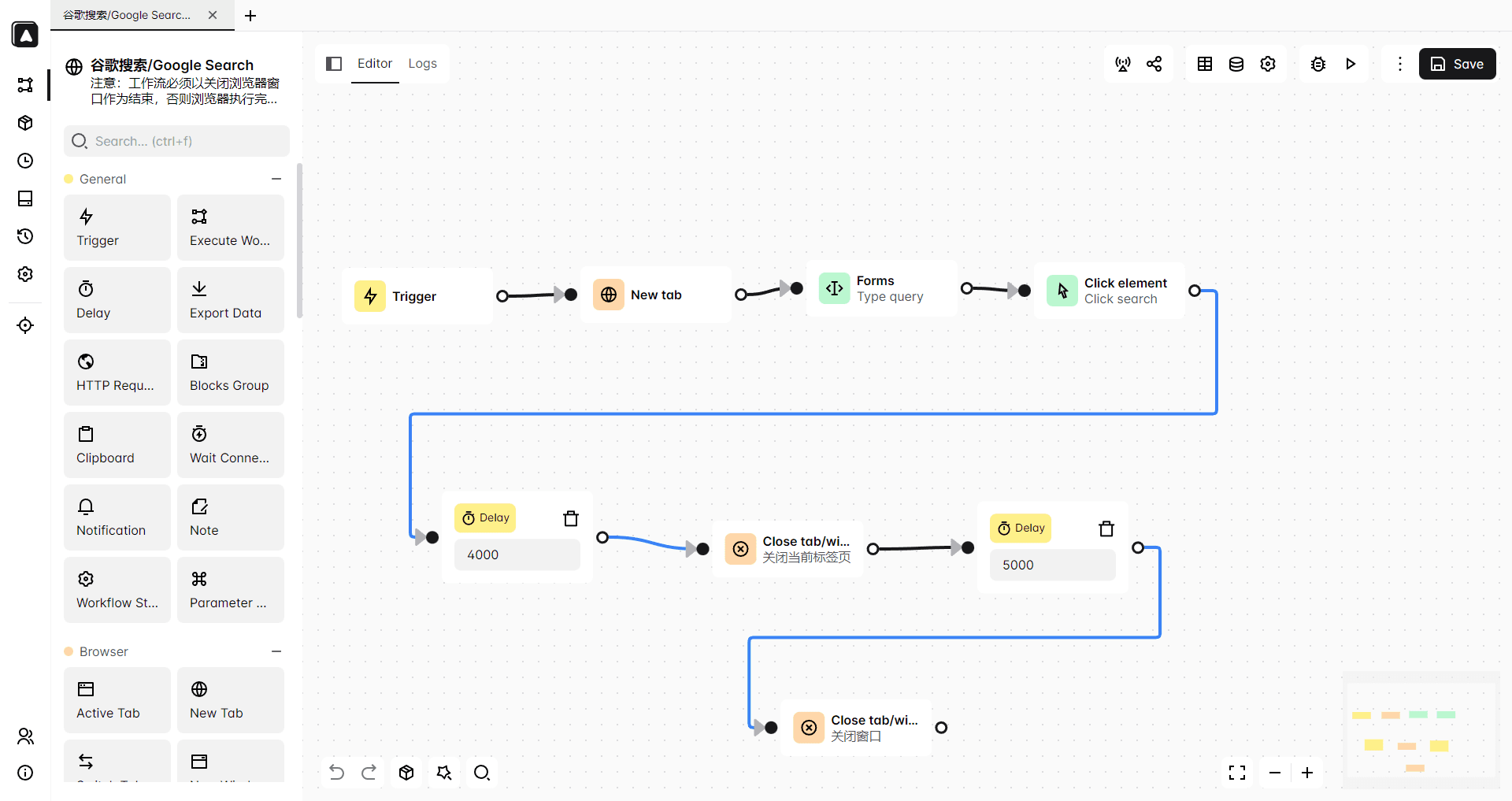
BitBrowser goes further by building automation directly into the product. BitBrowser integrates with Selenium and Puppeteer, but it also includes built in RPA tools.
With BitBrowser, you can create automation flows visually. Tasks like logging in, scrolling, posting, or switching accounts can be handled without writing scripts.
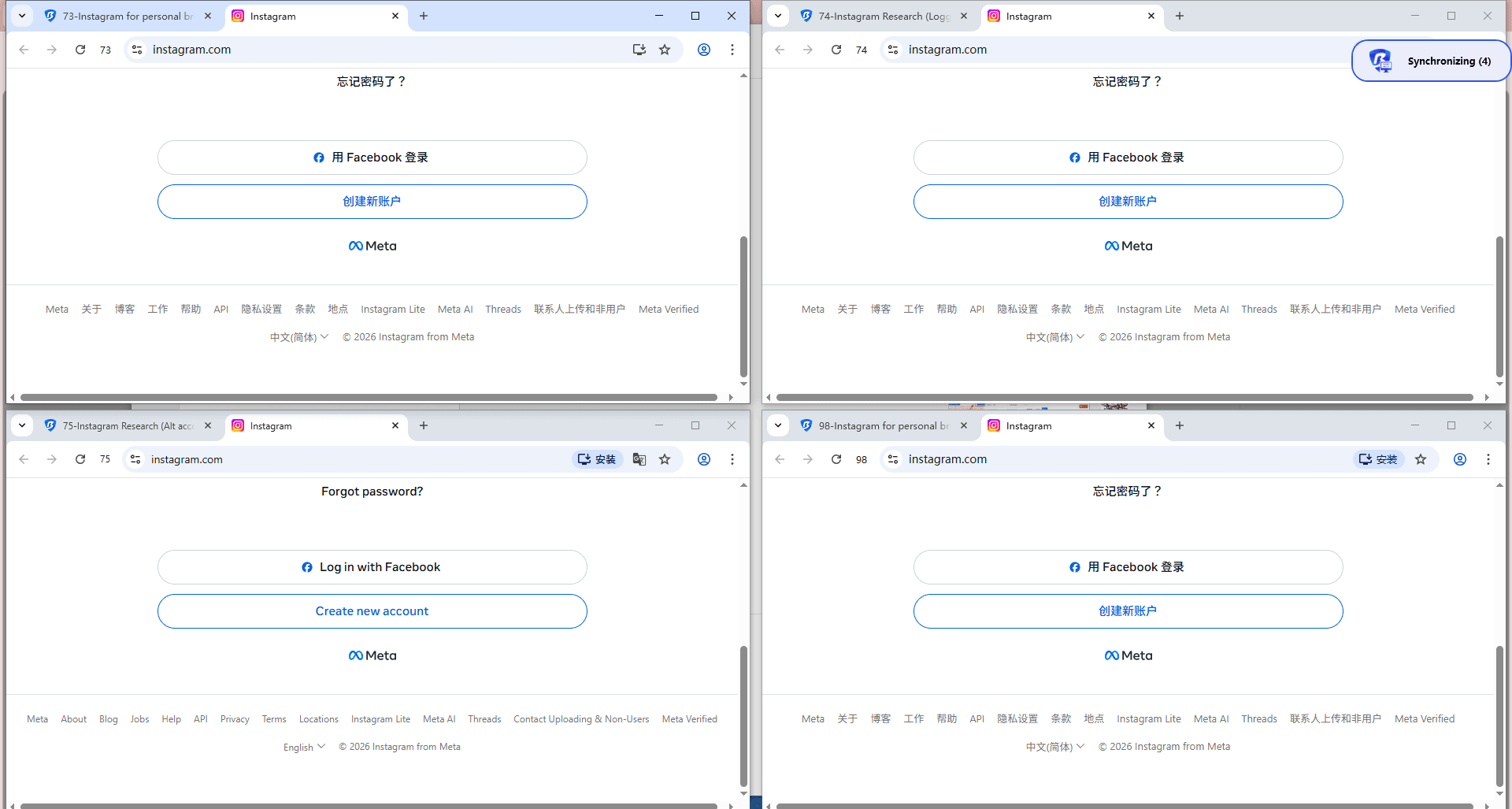
There’s also a window sync feature where one main window controls multiple others in real time. For tasks like account warmup or repetitive actions, this makes a noticeable difference.
In real usage, this is the point where many users switch. Less manual work, fewer errors, and more consistency.
3. Pricing: What You Actually Pay Over Time
At first glance, both tools look affordable. The difference shows up after a few weeks.
| Plan Aspect | Incogniton | BitBrowser |
|---|---|---|
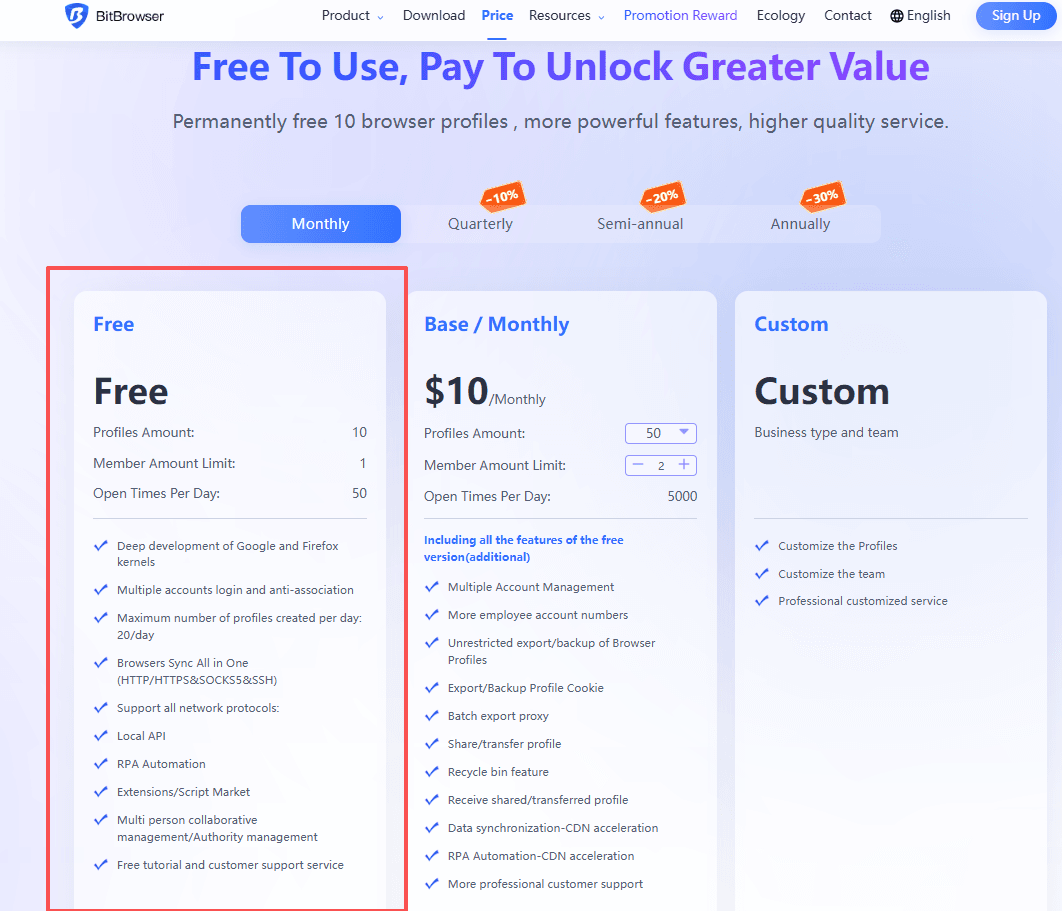
| Free plan | 10 profiles for 2 months, then 3 | 10 profiles permanently |
| Entry pricing | Low | Low |
| Scaling cost | Increases quickly | More stable |
Incogniton’s free plan is generous at the beginning, but it drops to 3 profiles after two months. Many users don’t notice this until they hit the limit.

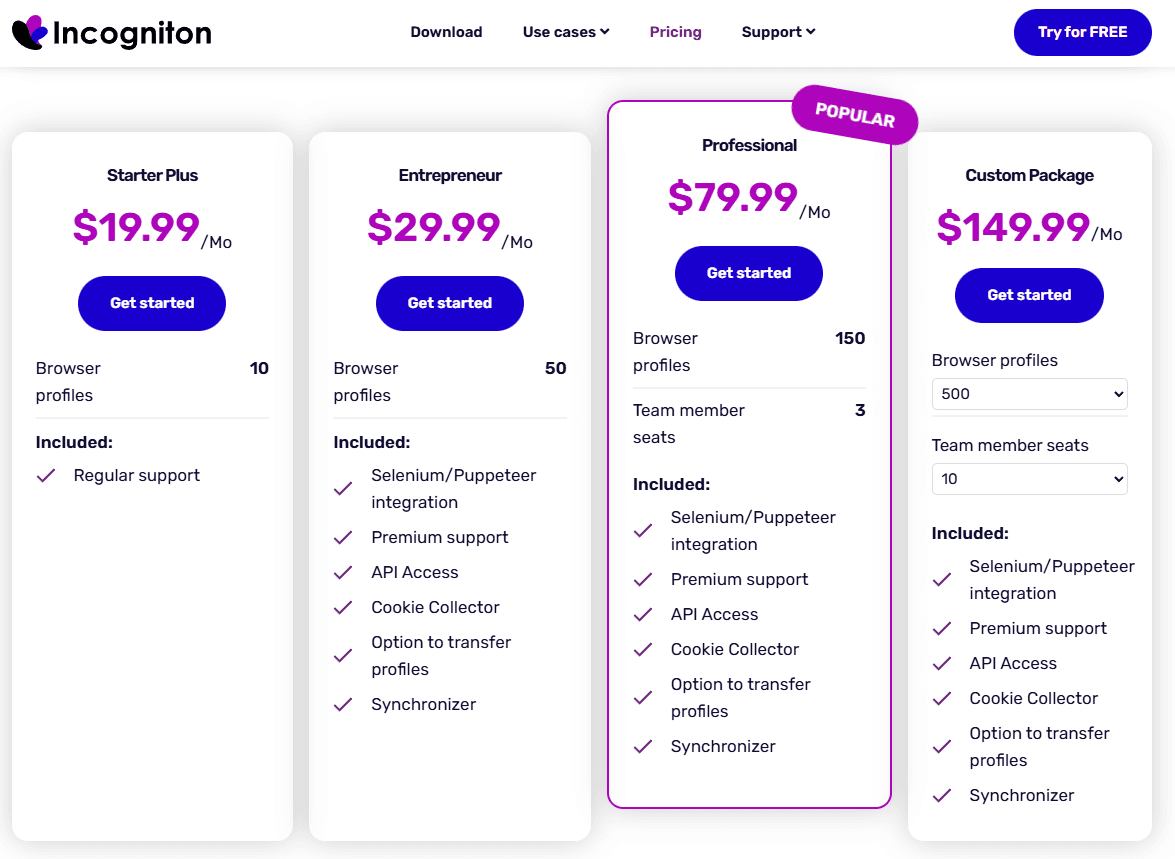
Also, features like team collaboration are only available in higher-tier plans, starting at a relatively high monthly cost ($79.99).
BitBrowser keeps things simpler. The 10 free profiles don’t expire, which makes it easier to test or even run small setups long term.
Even on the free tier, users can still access most core features such as fingerprint customization, proxy configuration, browser extensions, and automation tools.
For larger operations, the cost per profile tends to be lower as well.
4. Mobile Support: A Growing Gap
One limitation that stands out is mobile support.
Incogniton is desktop-focused. It only runs on a Chrome-based environment and doesn’t support mobile device simulation.
BitBrowser is an anti-detection browser deeply developed based on dual kernels from Chrome and Firefox. It also adds a cloud phone solution, which lets you run real mobile environments. This is especially useful for platforms like TikTok or Instagram, where mobile behavior matters more.
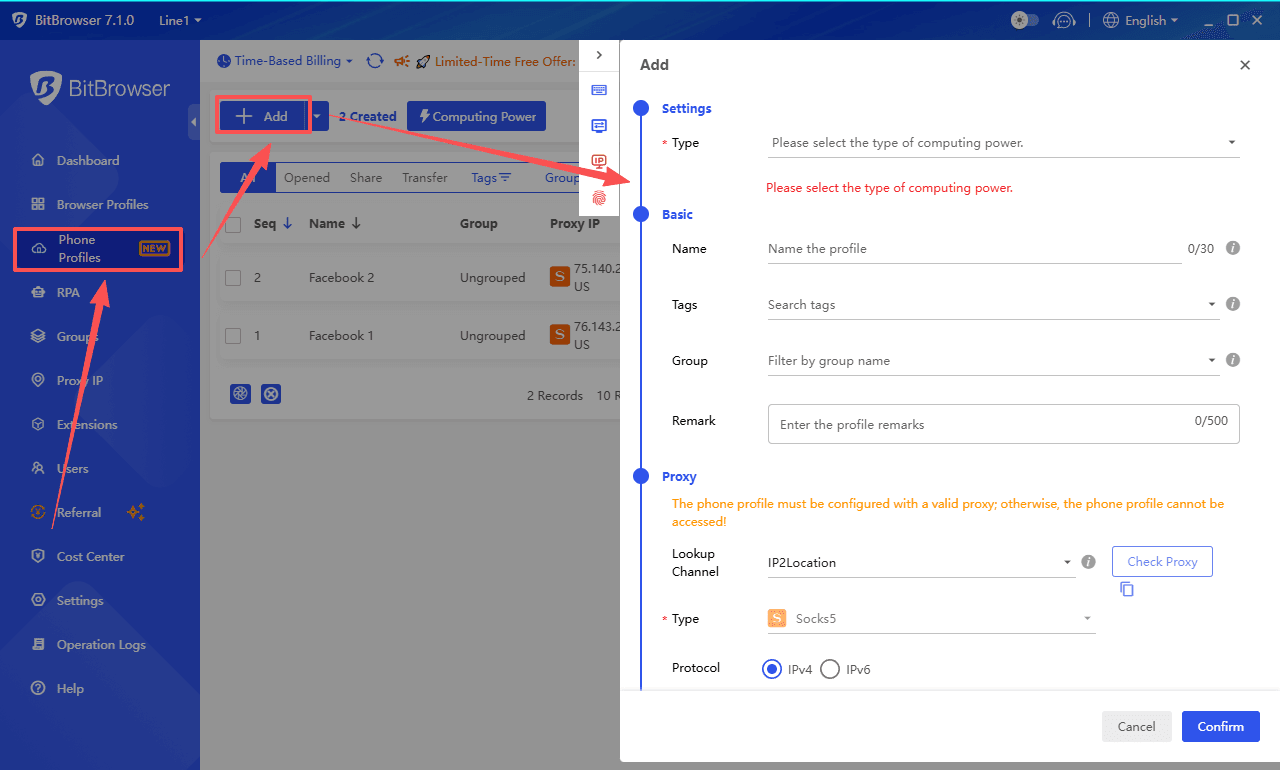
If your workflow includes mobile apps, this alone can be a deciding factor.
I’ve prepared 5 free trial codes for cloud phone, worth a total of $25:
HIPIJKNS5X
8VLC8QN7JL
JXVXKH2JAW
LBJKRZ39QU
V3NO7VN8AH
5. Team Collaboration and Management
If you’re working alone, this might not matter much. But for teams, it quickly becomes important.
| Feature | Incogniton | BitBrowser |
|---|---|---|
| Profile sharing | Yes | Yes |
| Permission control | Basic | Detailed |
| Logs and tracking | Limited | More complete |
| Batch actions | Basic | Strong |
Incogniton covers the basics. You can share profiles and assign roles, but more advanced control is limited unless you upgrade.
BitBrowser feels more complete here. You can assign roles, track actions, manage large batches, and even handle account handovers more safely.
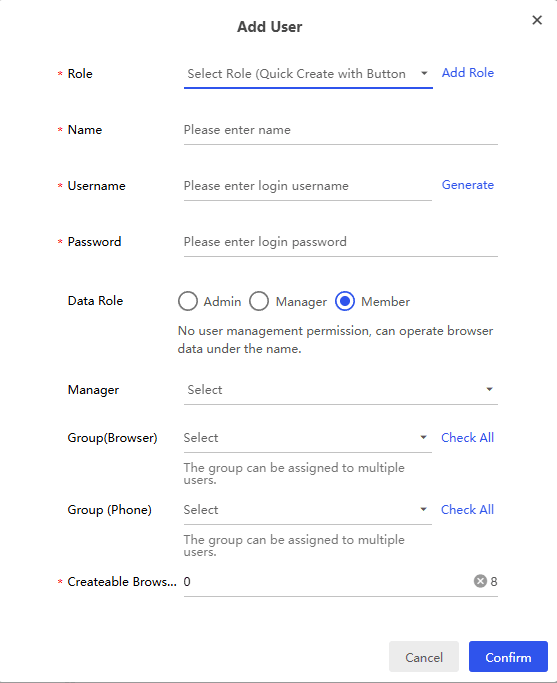
For agencies or growing teams, this reduces a lot of friction.
Security and Updates: Comparison
Security and updates are not always obvious at the beginning, but they tend to matter more over time, especially if you are running multiple accounts daily.
1. Security
Both Incogniton and BitBrowser rely on fingerprint isolation to reduce detection risk, but the way they handle security in real use is slightly different.
| Aspect | Incogniton | BitBrowser |
|---|---|---|
| Fingerprint protection | Strong but depends on manual setup | More stable with default configs |
| Security transparency | Limited public info | More focus on internal controls |
| Team security | Basic permissions | Advanced role management |
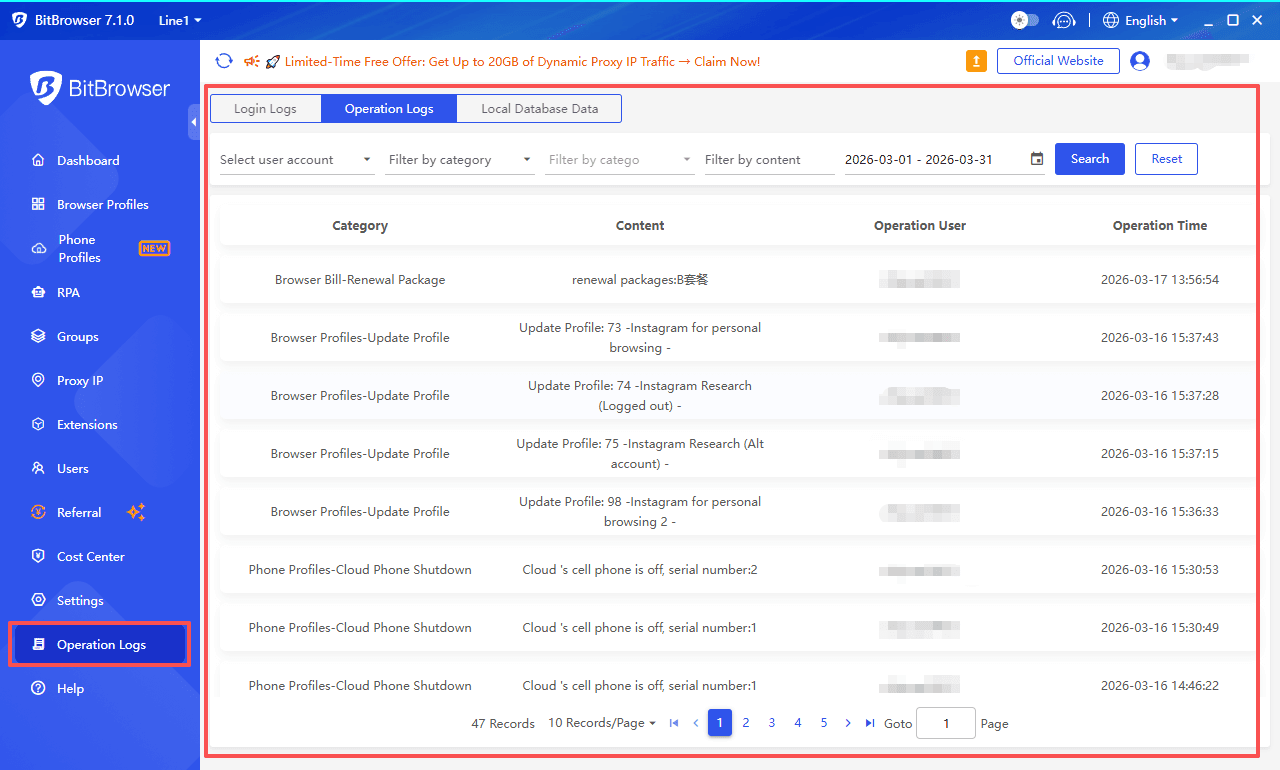
| Activity logs | Limited | Detailed tracking |
Incogniton gives you a lot of control, which is useful, but it also means more room for setup mistakes. In some cases, default profiles may still need manual adjustment to avoid leaks or inconsistencies.
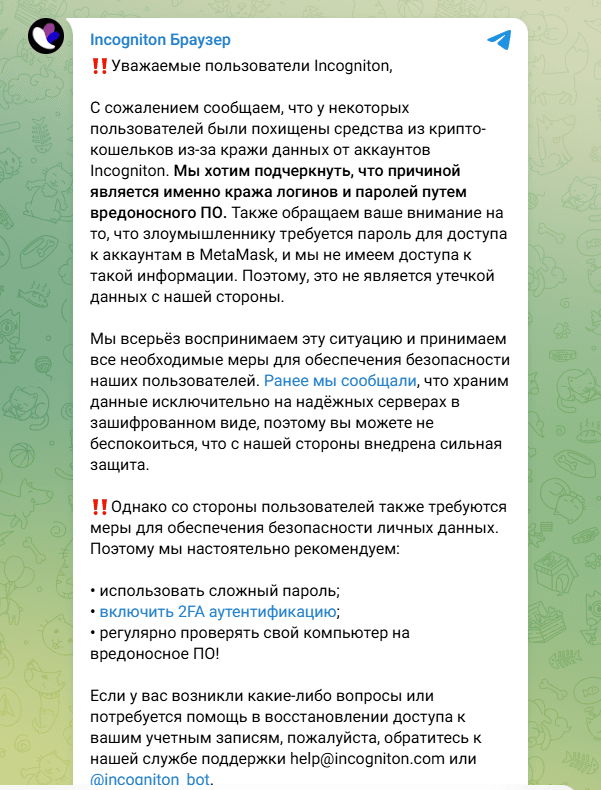
There has also been a past security incident involving user data, which made some users more cautious when handling sensitive accounts.
BitBrowser focuses more on reducing operational risk. With clearer permission control and activity logs, it is easier to manage accounts safely, especially in team environments.
Updates
Both tools are based on Chromium, so staying up to date is important for both security and detection.
| Aspect | Incogniton | BitBrowser |
|---|---|---|
| Update frequency | Sometimes slightly delayed | Closer to latest versions |
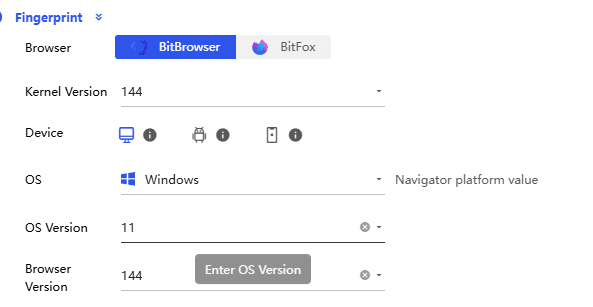
| Core support | Chrome only | Chrome + Firefox |
| Update process | More manual | More streamlined |
| Compatibility | Stable but limited | More flexible |
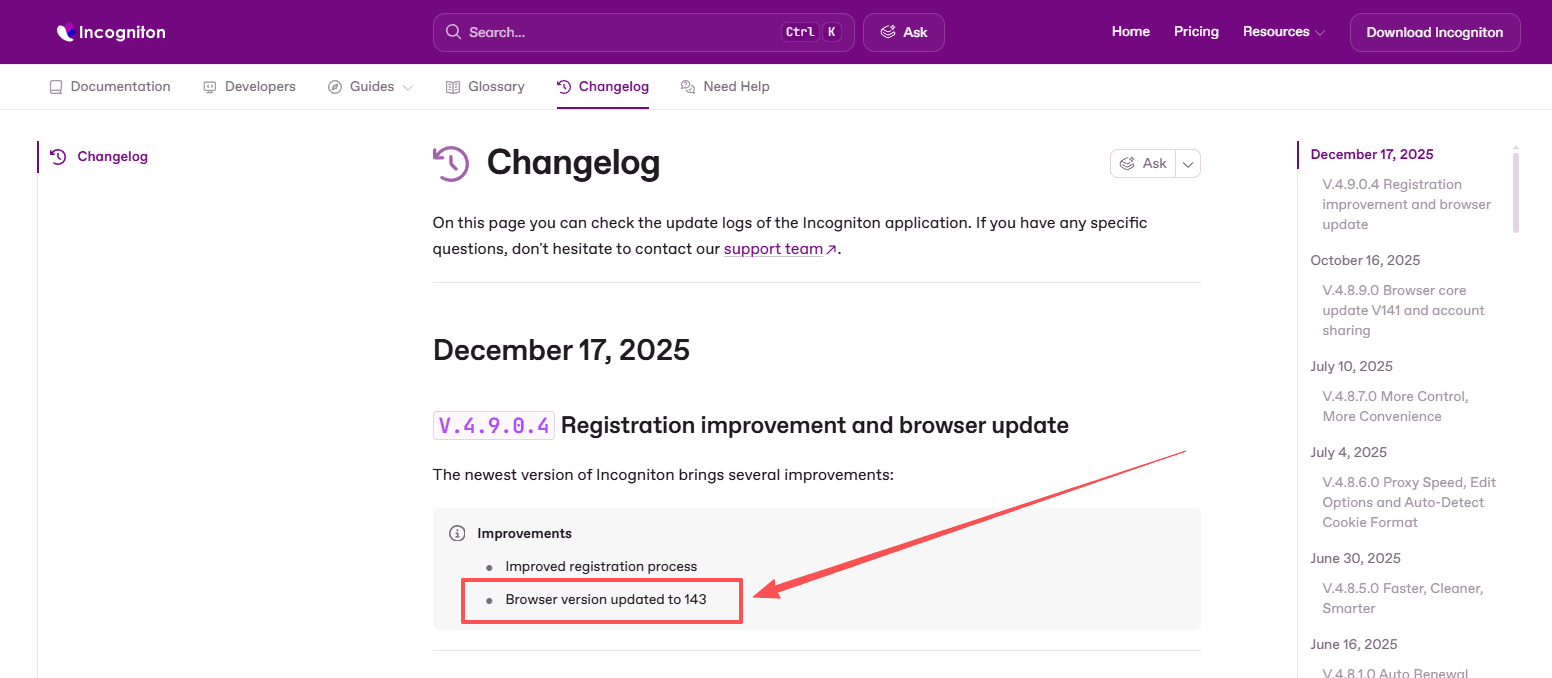
Incogniton can sometimes lag behind newer Chromium versions. This does not always cause immediate issues, but over time it may affect compatibility or how natural the browser environment looks.
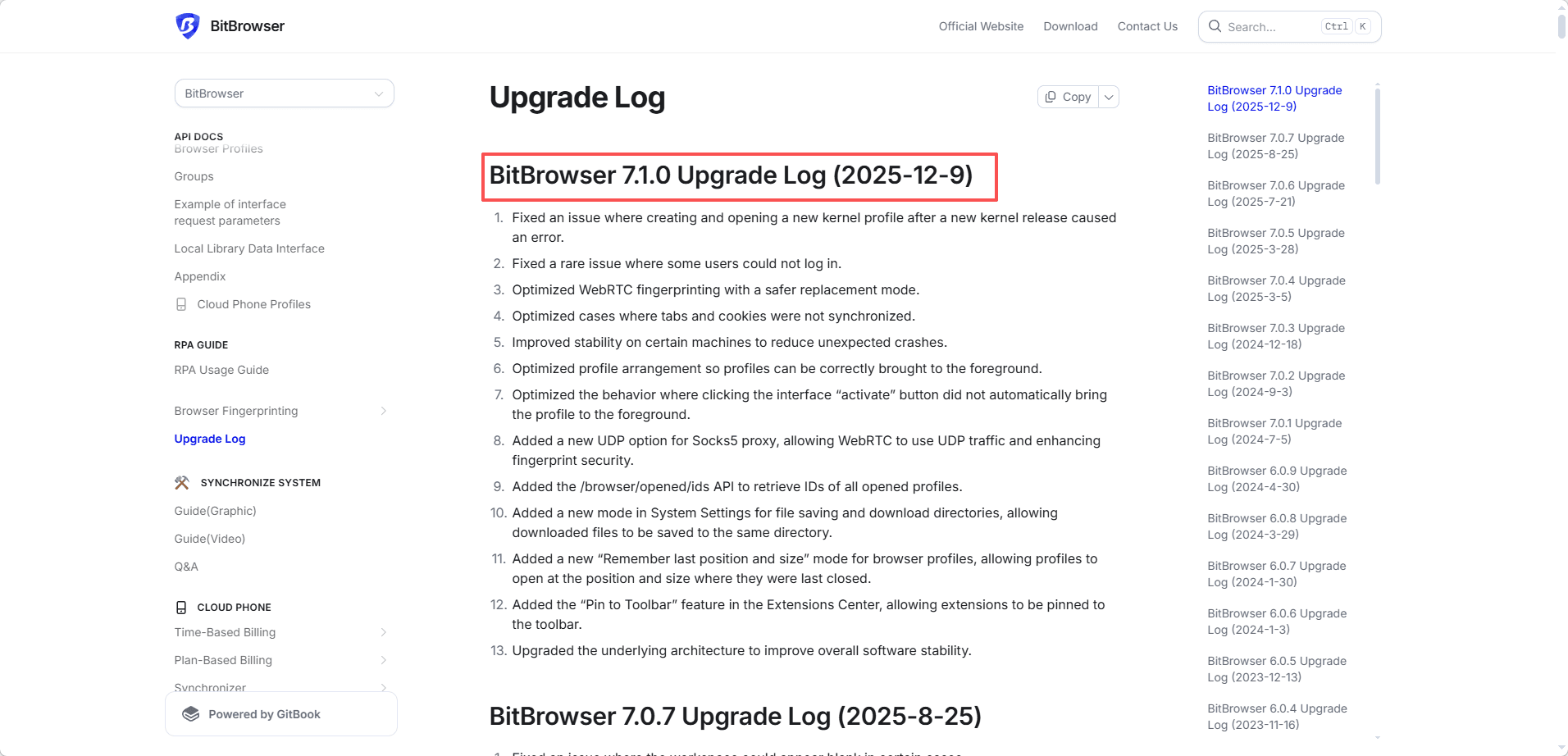
BitBrowser tends to stay more up to date and also supports dual cores, which helps when dealing with different platforms.
Takeaway
● Incogniton offers solid security features, but relies more on manual setup and maintenance
● BitBrowser provides a more consistent experience with less ongoing adjustment
For small setups, the difference is not huge.
For long-term use or team workflows, BitBrowser feels more stable and easier to manage.
BitBrowser vs Incogniton: Full Comparison Table
If you don’t want to go through every section, this table gives you a quick but complete overview.
| Category | Incogniton | BitBrowser |
|---|---|---|
| Ease of Use & Profile Management | Flexible but manual-heavy, bulk operations basic, default fingerprints may need tuning | Streamlined, batch-friendly, default fingerprints ready-to-use |
| Automation & Workflow | Synchronizer + API, limited no-code options, moderate efficiency | Built-in RPA + sync + script market, strong no-code automation, high efficiency |
| Browser & Mobile Support | Chrome only, no mobile support | Chrome + Firefox dual-core, cloud phone for mobile apps |
| Pricing & Free Plan | 10 profiles free for 2 months, then 3; scaling cost increases quickly | 10 profiles free permanently, more cost-efficient long term |
| Team & Collaboration | Basic sharing and permissions, limited logs and batch actions | Advanced role-based permissions, detailed activity logs, strong batch management |
| Security & Updates | Strong fingerprint protection but manual setup; past incident reported; update frequency sometimes delayed | More stable default configs, better team control; no major incidents; updates closer to latest Chromium versions |
Final Thoughts
Both tools do what they are supposed to do. They help you manage multiple accounts without getting flagged.
The difference is how far they can take you.
Incogniton works well if your setup is small and relatively simple. It covers the basics and gives you enough control to get started.
BitBrowser feels more like a tool built for growth. It focuses on saving time, reducing manual work, and making large-scale operations manageable.
If you’re just testing things, either option is fine.
If you’re planning to scale, automate, or work with a team, BitBrowser is the more practical choice.
Frequently Asked Questions (FAQ)
1. Can I use BitBrowser and Incogniton for multiple social media accounts safely?
Yes. Both browsers are designed for multi-account operations and isolate profiles to reduce detection risks. BitBrowser offers additional team controls and built-in automation, making it easier to manage larger numbers of accounts with less manual work.
2. Which browser is easier for beginners to set up?】
Incogniton has a structured dashboard but can feel overwhelming due to manual fingerprint tuning. BitBrowser is more beginner-friendly with ready-to-use fingerprints, streamlined profile creation, and simple “Random Fingerprint” options for fast setup.
3. How do automation features differ between the two browsers?
Incogniton supports a synchronizer tool for simple repetition and API/Selenium for advanced users. BitBrowser goes further, offering built-in RPA, window syncing, and a visual workflow editor—no coding required for most tasks.
4. Can I manage mobile app accounts with these browsers?
Incogniton is desktop-focused and does not support mobile simulation. BitBrowser includes a cloud phone solution that runs real Android environments, ideal for platforms like TikTok or Instagram where mobile behavior matters.
5. Which browser is more cost-effective in the long term?
Incogniton’s free plan drops from 10 profiles to 3 after two months, and team features require a higher-priced tier. BitBrowser offers 10 free profiles permanently and more competitive paid plans, making it better for long-term testing or scaling multi-account workflows.

 Multi-Account Management
 Prevent Account Association
 Multi-Employee Management
Recommended
See More 



