How to Browse Instagram Anonymously in 2026: Stories, Profiles, and Privacy Tips
 2026.02.10 11:58
 YT.Shi
Sometimes you just want to look. Not interact, not follow, not like something by accident, not have the app decide you are now obsessed with a random topic for the next three weeks.
Maybe you are checking a restaurant’s latest menu update. Maybe you are quietly vetting a freelancer. Maybe you are looking at an ex’s public profile at 2am and you would prefer the algorithm not to turn that into a personality trait.
Anonymous Instagram browsing in 2026 is less about doing anything “sneaky” and more about having basic control. Over what you reveal, what gets logged, what shows up in suggestions, and what kind of ad profile gets built around you.
This guide walks through what Instagram can track, who actually needs anonymous browsing, and the practical methods that still work in 2026. Including the messy truth: some “anonymous” methods are only sort of anonymous. And some are sketchy.
What Instagram Tracks in 2026 (Logged in vs Logged out)
Instagram is not unique here. Most major platforms do variations of the same thing. But it helps to be specific, because “I was logged out” does not automatically mean “they learned nothing.”
If you are logged in
When you browse while logged in, Instagram can connect almost everything to your identity, including:
● Activity: profile views, follows, likes, comments, shares
● Searches: names, keywords, hashtags, audio
● Watch time & micro-actions: Reel/Story pauses, carousel taps, hovering, replaying
● Network & device info: IP, location, carrier, Wi-Fi, OS, app version, language, time zone, screen size
● Cross-app/site signals: via Meta services or Pixel
Even if Instagram does not show “who viewed my profile” (it still doesn’t, outside of limited business analytics), your activity is still being stored and used to shape:
● Recommendations, Explore, suggested accounts, ads, “people you may know”
● What content appears and when
To mitigate some of this tracking and regain control over your personal data on platforms like Instagram, it's advisable to disable ad ID tracking on your devices. This simple step can significantly reduce the amount of information these platforms collect about your online behavior.
If you are logged out
Logged out browsing can reduce identity linkage, but in 2026 it’s still not a blank slate.
Instagram can still track and infer through:
● IP address and coarse location
● Browser and device fingerprinting
● Cookies and local storage
● Behavioral patterns
● What you view, what you search, how you scroll, the sequence of actions
And yes, device fingerprinting matters here.
Quick note: what “device fingerprinting” means in plain English
A fingerprint is basically a bundle of signals that, when combined, can look fairly unique. Not your name, but something like “this exact browser + fonts + screen size + time zone + language + GPU + audio stack + WebGL behavior.”
So even if you clear cookies, a fingerprint can still make you “feel” like the same visitor.
And that’s why people who care about anonymity end up looking beyond Incognito Mode.
Who Needs Anonymous Instagram Browsing (Real-life scenarios)
People tend to assume anonymous browsing is only for gossip. Honestly it is often just… normal life.
Here are scenarios I see all the time.
Casual, everyday reasons
● You want to check a public profile without triggering “similar accounts” suggestions
● You are researching travel spots without turning your feed into travel ads
● You do not want Instagram to connect your viewing habits to your real account
Scenario: You are planning a surprise party and keep checking a venue’s page and tagged photos. You’d rather your partner not get served venue ads on the shared iPad the next day.
Professional reasons
● Recruiters reviewing candidates’ public posts without blending it into personal recommendations
● Journalists verifying public information and posts without leaving a trail
● Brand teams monitoring competitors without “accidentally” engaging
Scenario: A small agency is pitching a client and wants to review the client’s competitors. They do not want to follow them from the agency’s main account and create awkward notifications or future DM suggestions.
Research, compliance, and safety reasons
● Researchers collecting public content patterns
● Moderators checking harassment accounts
● People dealing with stalking or harassment who want to reduce digital traces
Scenario: You are being harassed by someone who watches your social activity. You still need to check certain public pages for community updates, but you do not want your normal account anywhere near it.
Method 1: Browse Public Profiles Without Logging In (The simplest option)
If the account is public, you can often view it while logged out. Instagram has tightened this over the years, but in 2026 it still works in many cases.
Steps (basic)
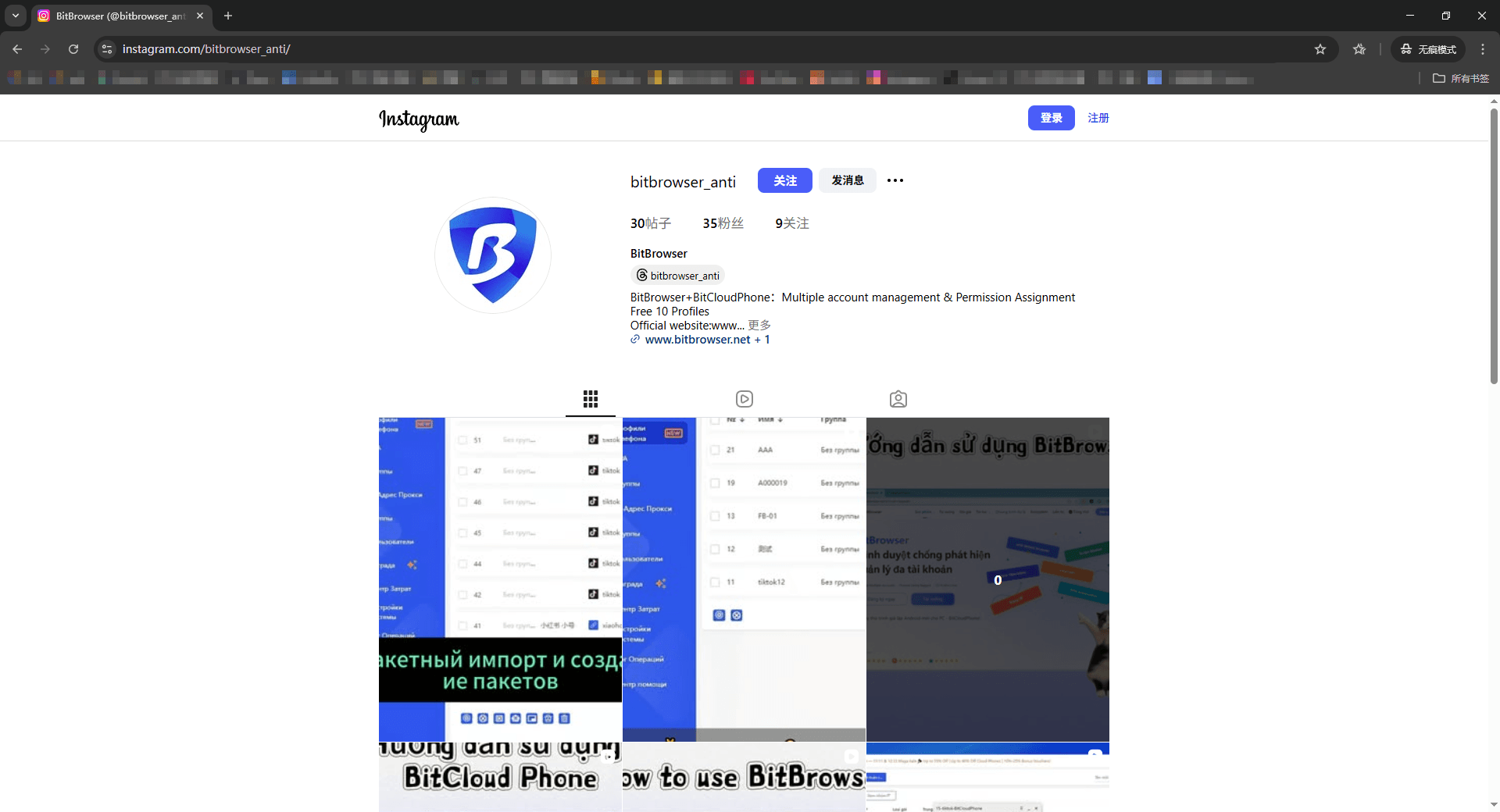
1. Log out of Instagram in your browser (or use a separate browser)
2. Open a private window (Incognito/Private)
3. Paste the profile URL directly
4. Example: instagram.com/username/
5. Avoid logging in when prompted
Incognito/Private Browsing Modes in Popular Web Browsers
| Browser | Method 1 | Method 2 |
|---|---|---|
| Chrome | Press Ctrl + Shift + N (Windows, Linux, Chrome OS) | Click the (┇) in the top-right corner, then select "New Incognito window" |
| Firefox | Press Ctrl + Shift + P (Windows) or Command + Shift + P (Mac) | Click the (☰) menu in the top-right corner, then select "New Private Window" |
| Edge | Press Ctrl + Shift + N (Windows) or Command + Shift + N (Mac) | Click the three dots (•••) in the top-right corner, then select "New InPrivate window" |
| Safari | Press Command + Shift + N (Mac) | Click "File" in the top menu bar, then select "New Private Window" (or "New Private Tab") |
Limitations (important)
Logged-out browsing can be frustrating because Instagram may:
● Block you with “Log in to continue” after a few scrolls
● Limit viewing of posts and comments
● Reduce access to Stories and highlights
● Rate-limit repeated profile views from the same IP/device fingerprint
So yes, it can work. But it’s often partial.
Practical tips to make it work better
● Use direct links, not search inside Instagram while logged out: Search triggers more friction.
● Avoid endless scrolling: Open a few posts, take what you need, leave.
● Separate browsing sessions: Don't use the same browser profile you use for your main Instagram login.
● Don't rely on Incognito alone: It mainly helps with cookies, not fingerprinting.
Method 2: Using Third-party Instagram Profile Viewer (Convenient, but risky)
Third-party Instagram Profile Viewer are websites or tools that claim to show Instagram profiles, posts, or stories anonymously.
Some are legit-ish for public content. Many are not.
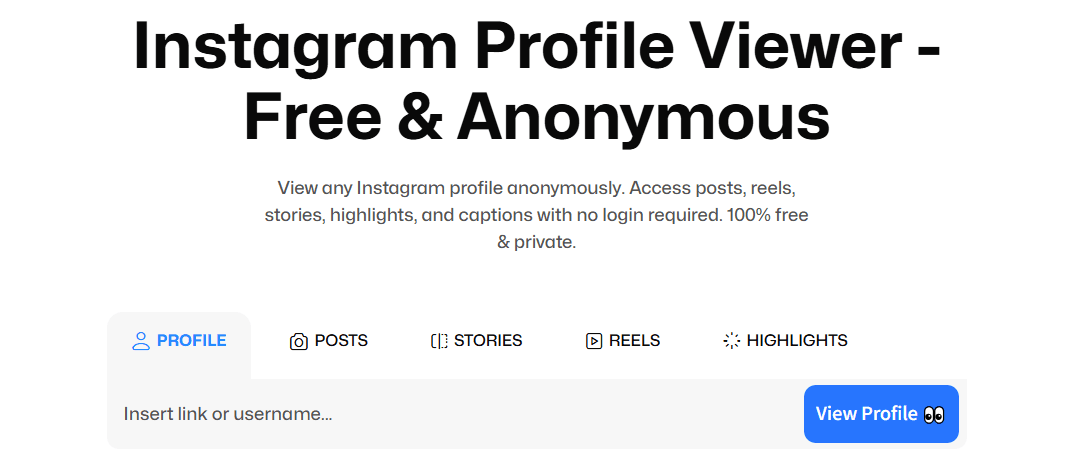
Pros
● Easy, fast, no login
● Often can view Stories (for public accounts)
● Avoids linking activity to your real Instagram account
Cons
● Many are unreliable or break often
● Some show outdated cached content
● Some inject ads, trackers, or worse
● Some try to trick you into logging in (do not)
Safety checklist before using any viewer
If you use one, treat it like you are walking into a sketchy convenience store at night. Quick checks:
● Never enter your Instagram login
● Avoid tools asking to “Sign in with Instagram”
● Skip browser extensions with broad permissions
● Avoid phone number verification for “free access”
● Use a separate browser profile or sandbox
● Watch for popups, fake virus alerts, or forced notifications
● Assume anything you type can be logged
A safer approach if you need this method often
If anonymous viewing is something you do regularly for work, research, or safety, it is usually better to control your environment instead of hopping between random viewer sites.
This is where an anti-detect, multi-profile browser setup can help.
Where BitBrowser fits (natural, not salesy)
As a widely trusted antidetect browser, BitBrowser is useful here because it lets you create separate, isolated browser profiles with distinct fingerprints and storage. So you can:
● Keep your personal browsing separate from research browsing
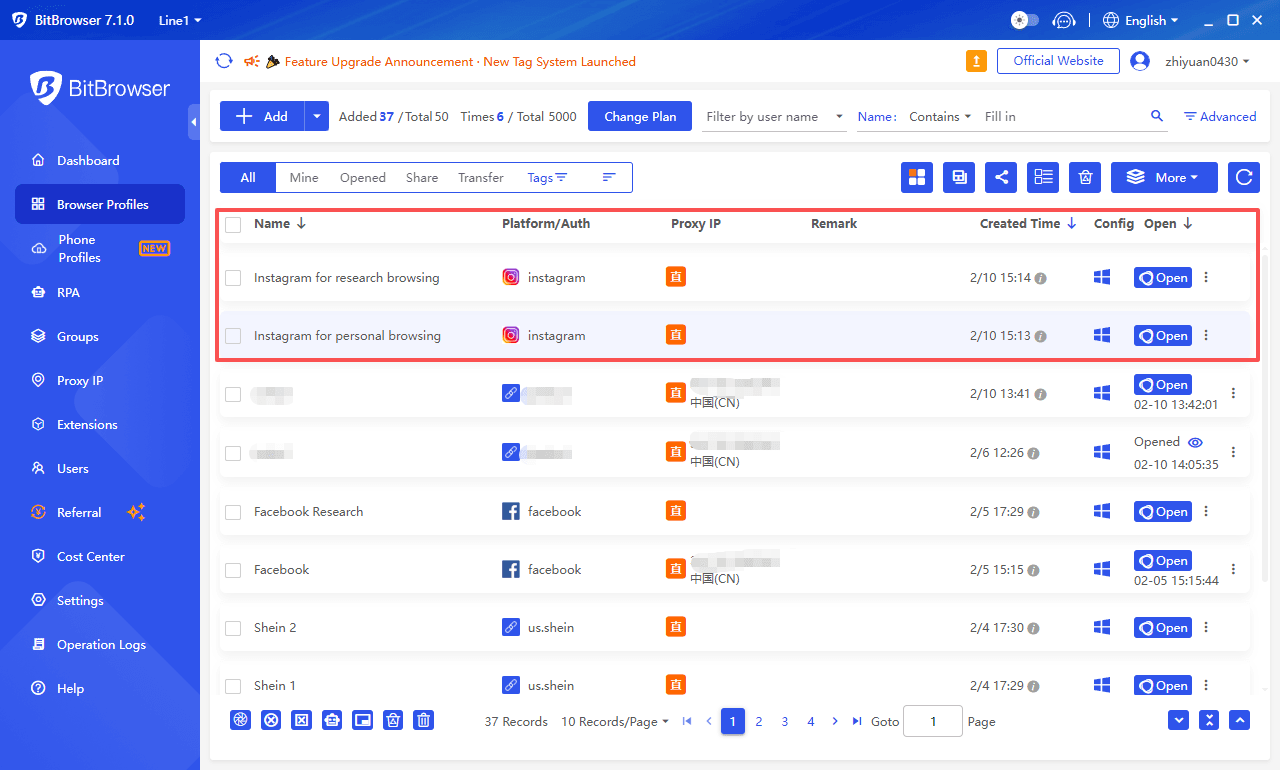
● Reduce cross-session linking
● Manage multiple identities or “personas” without constant manual cleanup
You are basically building clean rooms for browsing. One profile for personal life, one for competitor research, one for checking public pages, that sort of thing.
Not magic invisibility. But a big step up from “Incognito and hope.”
Get 10 free profiles now!
Method 3: Anonymous Story Viewing (What still works, what is shaky)
Stories are where people get nervous, because Instagram shows a viewer list to the account owner. If you watch a Story while logged in, your name can appear there.
So let’s break down the common approaches.
Option A: Third-party Story viewers (public accounts only)
Some third-party viewers can show Stories for public accounts.
Some popular story viewers include Instagram Story Viewer, Dolphin Radar, AnonyIG, and StoryViewer.
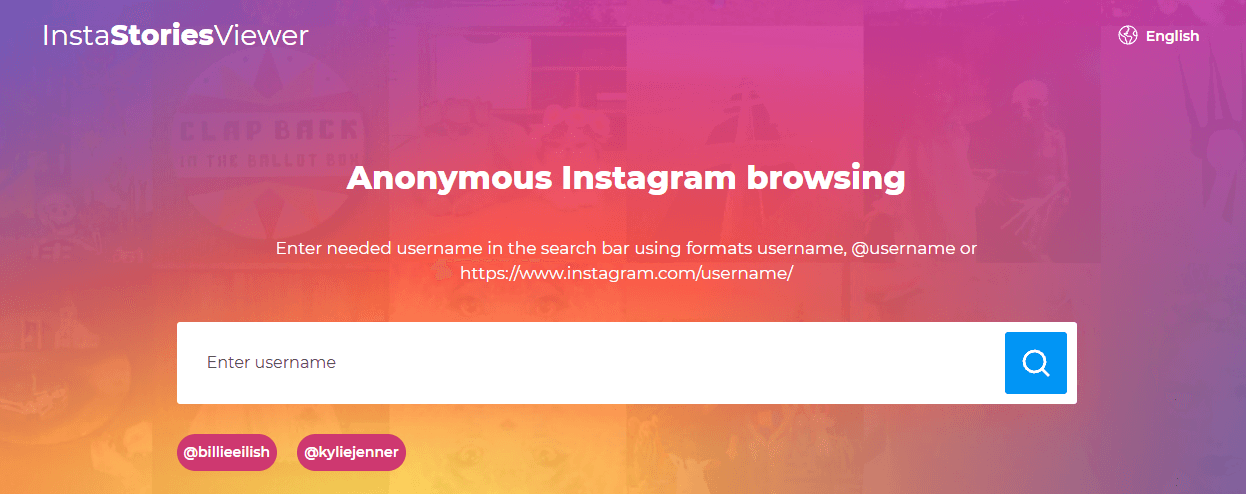
Pros: Usually anonymous (the account won’t see you in the viewer list); No need to log in
Cons: Works only for public accounts; Often delayed, incomplete, or broken; Potential tracking and malware risk
Tip: If you do this, do it from a clean browser profile you don’t use for anything else.
Option B: A dedicated research account (the “boring but stable” method)
This is the method many professionals use because it is predictable.
You create a separate Instagram account used only for viewing. Not connected to your main identity. No contacts sync. No personal photos. Minimal following.
How to do it more safely
● Create the account on a separate browser profile (again, isolation matters)
● Do not connect your phone contacts
● Avoid using the same email/phone as your main account
● Keep behavior “normal”
● Don’t follow 500 accounts in 10 minutes, that gets flagged
Downside: It is not fully anonymous. If you view Stories, you still appear, just as the research account.
But for many people, that is the point. You are separating identity, not becoming invisible.
Option C: The Airplane Mode trick (reliability warning)
This one keeps circulating, so here is the truth.
The idea: load Stories, go Airplane Mode, watch them offline, close app, reopen later.
In 2026, this is inconsistent. Instagram’s caching and sync behavior changes, and the app is good at eventually syncing “viewed” state.
If you attempt it anyway:
● It may work sometimes, especially if you fully force close the app before reconnecting
● It may still register your view later
● You should assume it can fail
So I would not use this for anything high stakes.
Method 4: Using BitBrowser for anonymous style browsing (controlled, repeatable)
If you want something more consistent than random viewers, but you also don’t want to constantly wipe cookies, switch devices, and play guesswork games, then using a managed browser environment becomes the practical middle ground.
What you can do with BitBrowser (in plain terms)
● Create multiple browser profiles that don’t bleed into each other
● Control fingerprints and keep sessions separated
● Reduce the “everything is connected” feeling when you browse
Simple setup idea (works for most people)
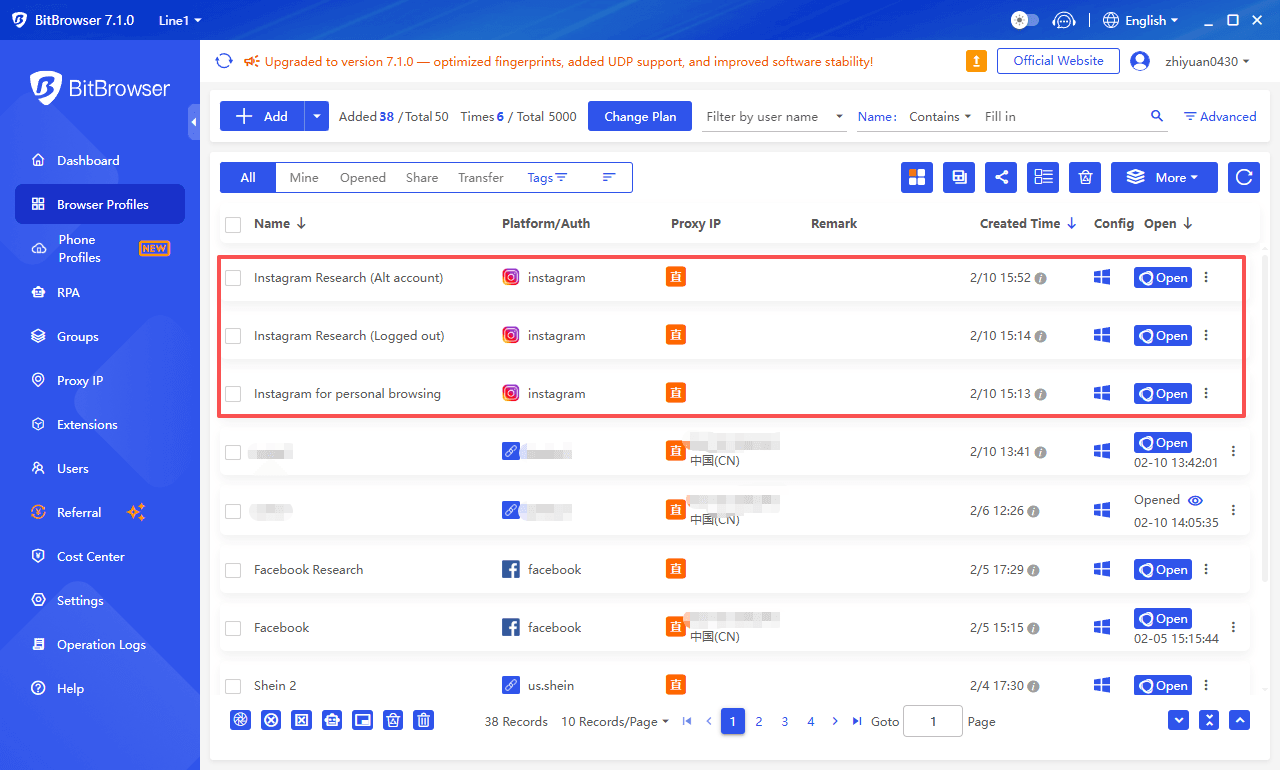
Make 3 profiles:
1. Personal: Your normal logins. No experiments here.
2. Instagram Research (Logged out): For public browsing without logging in.
3. Instagram Research (Alt account): For cases where you must log in, like checking comments, seeing more posts, or using search.
Then set a simple rule for yourself: do not cross the streams. If you slip and log in on the wrong profile, that separation gets weaker.
Why this is safer than typical “Incognito”
Because Incognito is mostly about temporary local storage. It doesn’t fully solve:
● fingerprint consistency
● cross-session linking
● accidental logins in the same environment
● mixed cookies from other sites
A dedicated isolated profile is just cleaner.
Get 10 free profiles now!
Complementary tool: BitCloudPhone (when a separate mobile environment helps)
Some people prefer browsing Instagram via mobile apps, not just web. Or they need to manage an alternate account without mixing it with their personal phone.
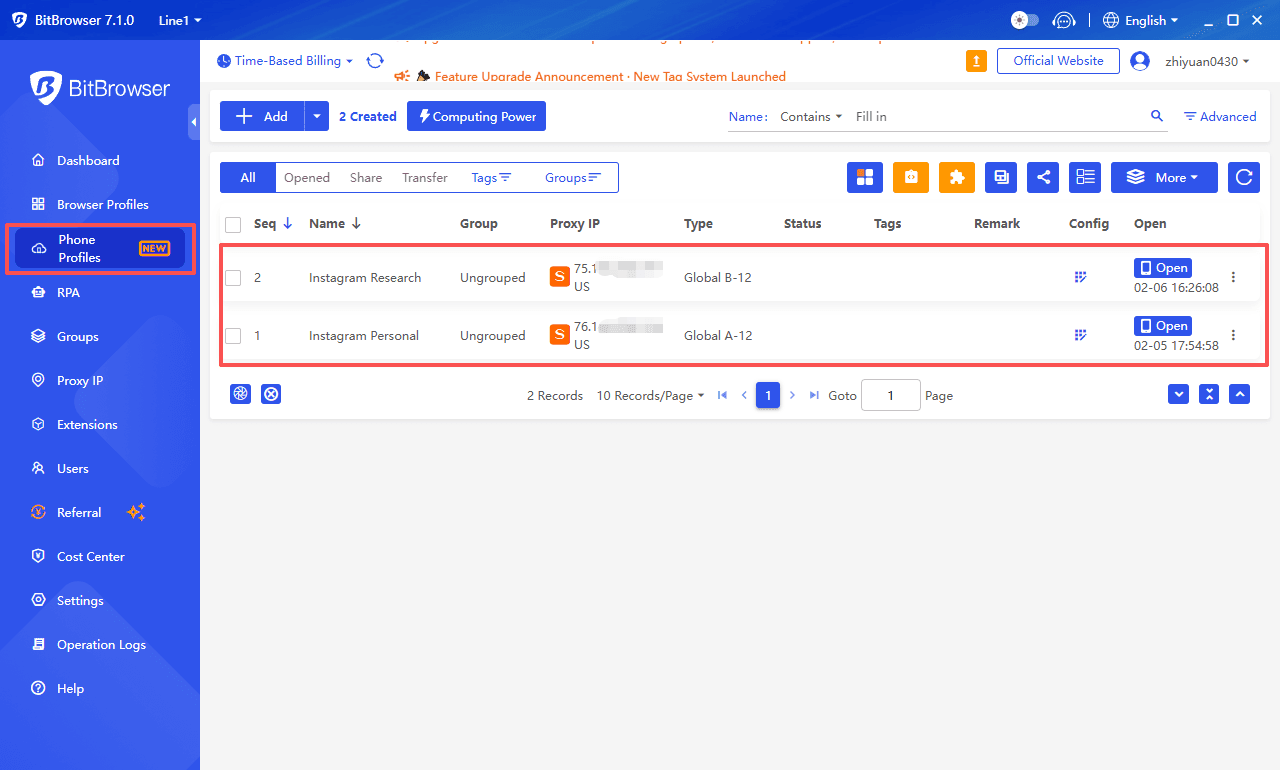
As a modern, professional anti-detect cloud phone, BitCloudPhone can be useful as a complementary setup because it gives you a separate cloud based phone environment. That can help you:
● keep a research account separate from your real device
● avoid mixing contacts and app data
● reduce the “same phone, same everything” linkage
Again, not a cloak of invisibility. More like compartmentalization. Which is what privacy usually looks like in real life.
Get your free trial credit for CloudPhone now!
Safety and privacy tips that actually matter (not just theory)
If you only do three things, do these.
1. Stop linking everything to one identity
● Separate accounts (personal vs research)
● Separate browser profiles
● Separate saved logins
This alone reduces so much accidental exposure.
2. Assume free third-party viewers monetize you
Sometimes through ads. Sometimes through tracking. Sometimes worse.
If you use them:
● never log in
● never install extensions
● use isolated profiles
3. Watch your own behavior
People focus on tools, but behavior is what trips them up:
● accidentally liking a post while "just looking"
● following someone by mistake
● viewing Stories on the wrong account
● clicking "sync contacts" without thinking
Slow down. Instagram is designed for fast taps.
Ethical considerations
Anonymous browsing can be completely reasonable. It can also be used in ways that harm people.
A good rule of thumb:
● Public content is public, but context still matters.
● Do not harass, dox, or stalk.
● Do not use anonymous tools to violate someone's boundaries.
If you are collecting content for research or journalism
● minimize data you store
● avoid personal identifiers
● respect local laws and platform policies
Also, do not share screenshots of private individuals casually. Even if the post is public, your re-share changes the audience.
Platform comparisons (Instagram vs TikTok vs X vs LinkedIn)
Here’s a quick, practical comparison for anonymous browsing vibes in 2026.
| Platform | Logged-out browsing | “Viewer list” risk | Algorithm sensitivity | Notes |
|---|---|---|---|---|
| Medium (often restricted) | High for Stories | High | Stories are the big exposure point | |
| TikTok | High | Low | Very high | You can browse logged out easily, but it learns fast |
| X (Twitter) | Medium | Low | Medium | Logged-out viewing varies by region and content |
| Medium | Medium | Medium | Profile views matter, but there are “private mode” options | |
| Very high | Low | Medium | Most content is fully viewable without an account | |
| Low | High for Stories | High | Logged-out access is limited and pushes login quickly |
Instagram is the one where people most often feel “watched” because of Stories and because the ecosystem is so identity-linked.
You may also want to read:
How to Browse Reddit Anonymously on PC, iOS & Android (Complete Privacy Guide in 2026)
How to Browse Facebook Anonymously in 2026: Methods That Actually Work
How to Browse Anonymously Online in 2026: Tools, Methods, and Best Practices
Conclusion
Anonymous Instagram browsing in 2026 is not about doing anything shady. It is about control. Logged-out browsing, incognito windows, alt accounts, and third-party viewers can help, but none are perfect on their own.
This is where BitBrowser makes a real difference. Its anti-detection technology and isolated profiles keep personal, research, and experimental browsing separate. It reduces cross-session linking and makes your activity much harder to trace. Combine these tools with careful behavior and you can browse Instagram safely, privately, and without leaving a bigger footprint than necessary.
FAQs (Frequently Asked Questions)
Can someone see if I viewed their Instagram profile?
Instagram still does not provide a normal “profile viewer list.” But your activity can show up indirectly (suggestions, interactions, mutuals). Stories are different.
If I watch someone’s Story, will they know?
If you watch while logged in, yes, your account typically appears in their viewer list. To avoid that, you need a method that does not register you as a viewer, like a third-party viewer for public accounts, or you accept appearing via a research account.
Does Incognito mode make me anonymous on Instagram?
Not fully. It mainly clears local cookies after the session. Instagram and the browser can still expose device signals, IP based signals, and fingerprinting signals.
Are third-party Instagram viewers safe?
Some are simply unreliable. Others are risky. Never log in through them, never install random extensions, and assume you are being tracked.
What is the most reliable approach for privacy-conscious browsing?
Separation. Different browser profiles, different accounts when needed, and a controlled environment. Tools like BitBrowser help keep those compartments clean, and BitCloudPhone can extend that separation to mobile.
If you want one simple starting move, it is this: stop doing “private” browsing in the same browser profile where your real Instagram is logged in. That one habit causes most of the accidental exposure. Then level up from there based on how serious your privacy needs are.

 Multi-Account Management
 Prevent Account Association
 Multi-Employee Management
Recommended
See More 



