Identory Antidetect Browser Review: Should You Use It in 2026?
 2025.12.16 14:36
 YT.Shi
Introduction
Antidetect browsers have become essential tools for anyone managing multiple online accounts or prioritizing digital anonymity. These specialized browsers create unique digital fingerprints for each profile, allowing you to bypass sophisticated tracking systems, geo-restrictions, and anti-fraud detection mechanisms that standard browsers can't evade.
Identory is one of the prominent antidetect browsers in 2025. It caters to users who need a reliable tool for multi-account management while maintaining account safety. In this review, we’ll dive into Identory’s features, use cases, strengths, and limitations, and explore why some users may be looking for more advanced alternatives.
Identory's Product Positioning and Application Scenarios
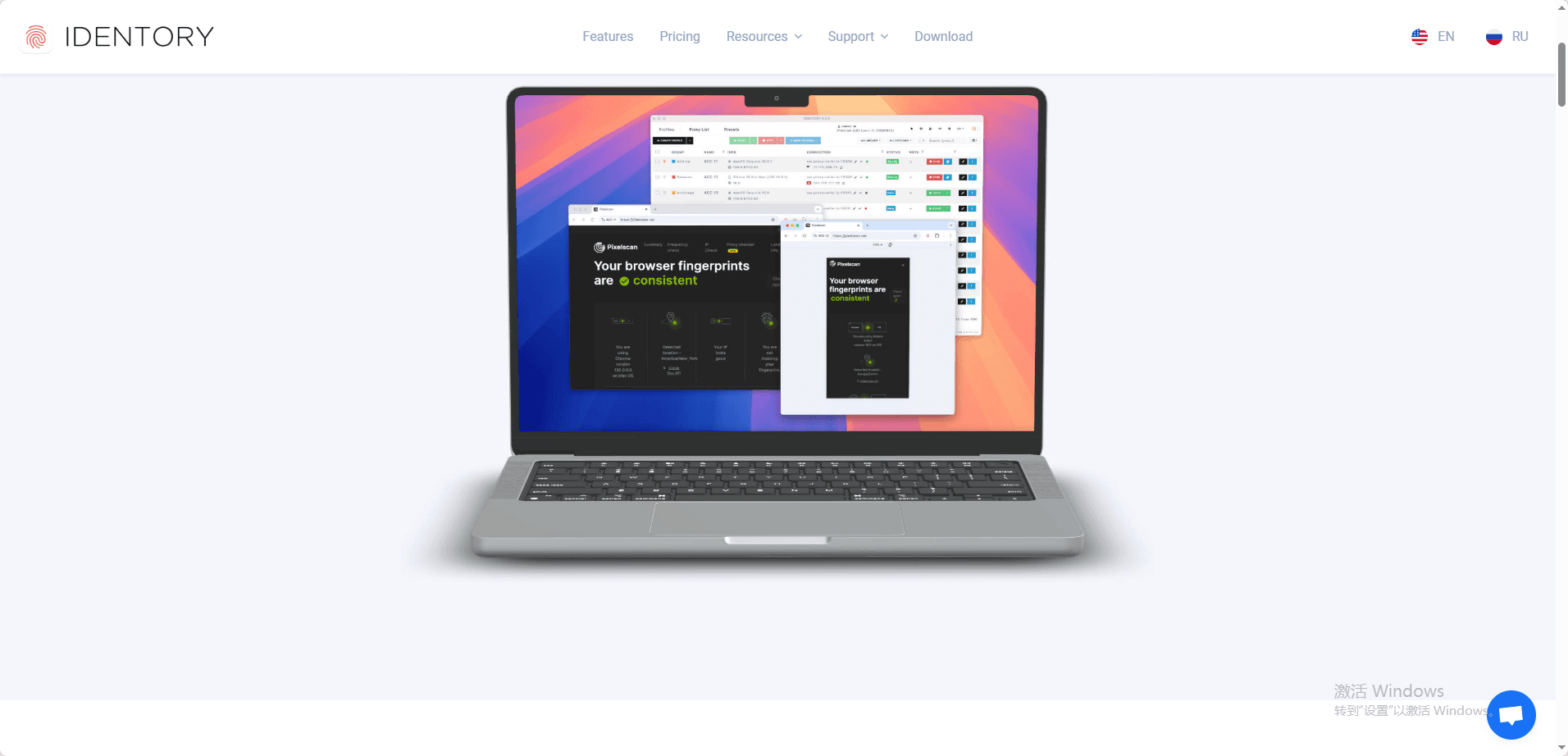
Identory positions itself as a user-friendly antidetect browser primarily aimed at marketers, eCommerce sellers, and affiliate professionals. Its main goal is to provide a secure and isolated environment for multi-account operations, reducing the risk of detection or account bans.
Primary Use Cases
· Social Media Management: Run multiple social media accounts without risk of cross-account detection.
· Traffic Arbitrage: Safely execute campaigns across platforms with reduced risk of fingerprint-based restrictions.
· Affiliate Marketing: Manage multiple campaigns and ad accounts securely.
· eCommerce Stores: Operate several online stores while protecting sensitive account information.
· Web Scraping & Automation: Collect data safely without revealing your real IP or browser fingerprint.
Identory is ideal for small to mid-sized teams who want a manageable, straightforward solution for multi-account operations.
Overview of Identory Anti-Detect Browser Features
Identory is an anti-detect browser designed to provide isolated, unique browsing environments for users managing multiple online accounts. It aims to reduce the risk of account bans due to account linkage detection on platforms. Below is an objective summary of its key features, including their limitations.
Digital Fingerprint Management
Identory allows users to create and customize various browser fingerprint parameters, including operating system, Canvas, WebGL, audio context, and more, to simulate real devices. The fingerprint switcher helps prevent data leaks by switching profiles, ensuring that each profile remains isolated. The software claims to offer over 1,000,000 fingerprint combinations.
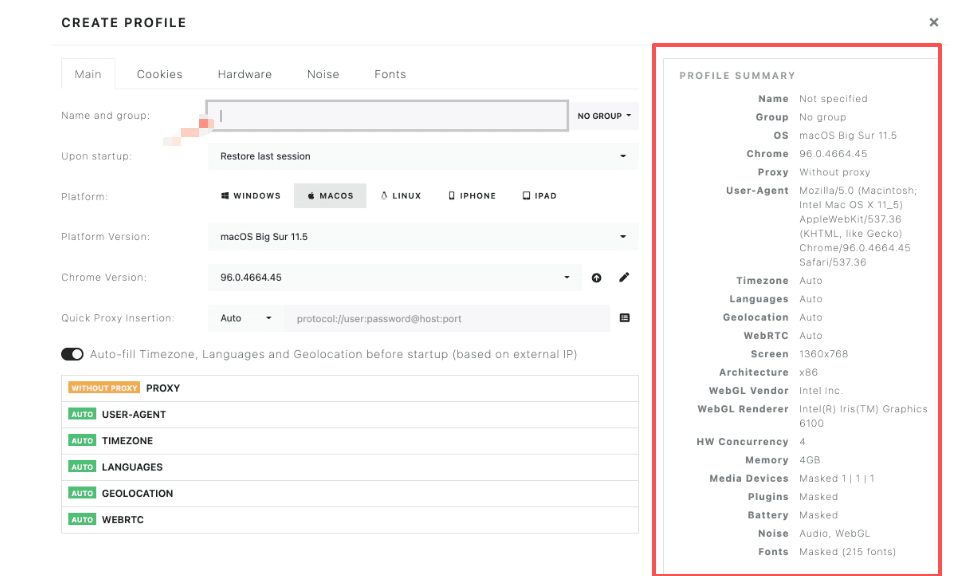
Limitation: While the fingerprinting options are useful for basic customization, they lack deeper control over crucial elements such as WebRTC, Canvas, AudioContext, and WebGL. This may leave users vulnerable to detection by advanced anti-bot systems on platforms like TikTok or Reddit. Compared to more advanced tools, Identory’s fingerprinting features are somewhat limited.
Proxy Management and Network Configuration
Identory supports HTTP, HTTPS, and SOCKS5 proxies. It provides a proxy management panel that allows users to assign independent proxy servers to different browser profiles, enabling IP address isolation and rotation. Additionally, it supports TOR network integration for extra anonymity.
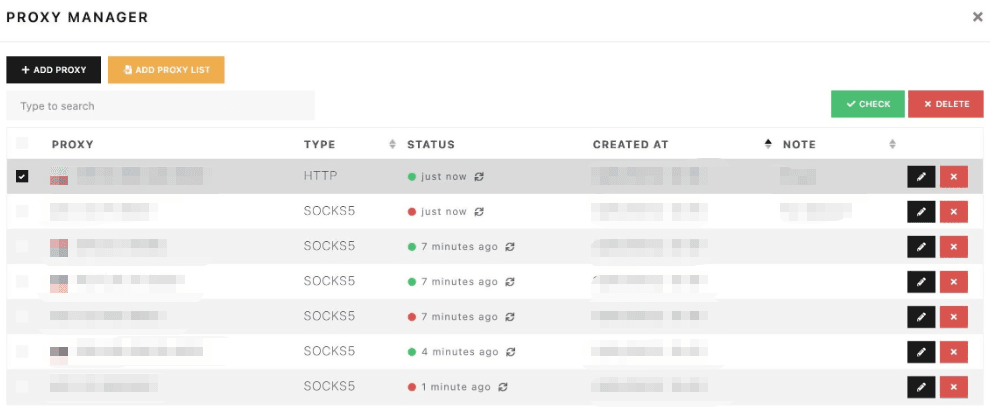
Limitation: Identory does not offer free proxies or built-in proxy solutions. Users need to source and manage their own proxies, which can be time-consuming and costly. This adds an extra layer of setup and may be less convenient for users seeking a streamlined experience.
Performance and and Web Automation
Identory supports stable performance for parallel tasks, allowing users to run multiple profiles simultaneously. It is compatible with popular automation tools like Puppeteer and Playwright, which help automate browsing tasks.
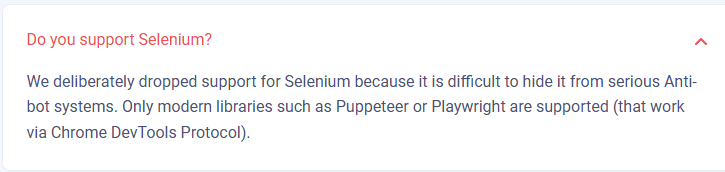
Limitation: While it supports basic automation, Identory lacks built-in support for advanced automation frameworks like Selenium or Postman. This makes it less suitable for users who need complex, script-based automation for large-scale operations. It is more suitable for simpler, predefined tasks rather than flexible, script-driven workflows.
Profile Management and Team Collaboration
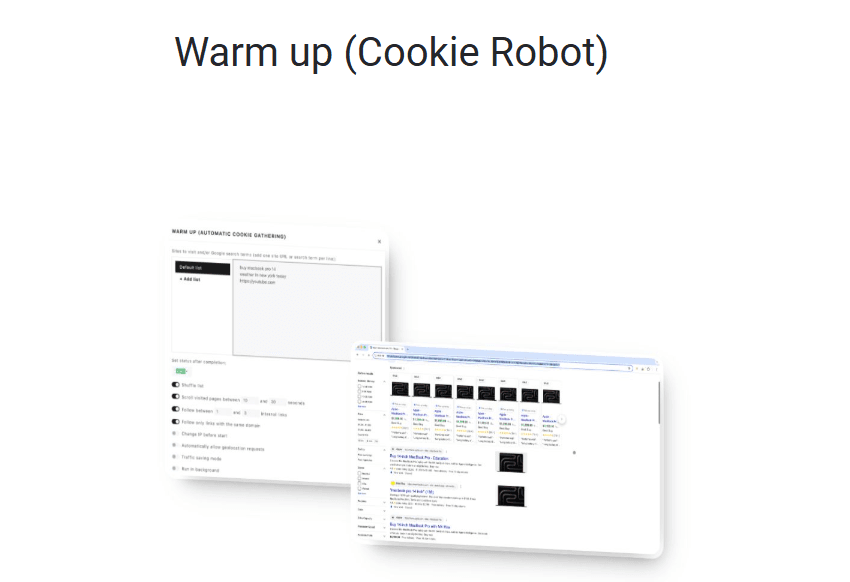
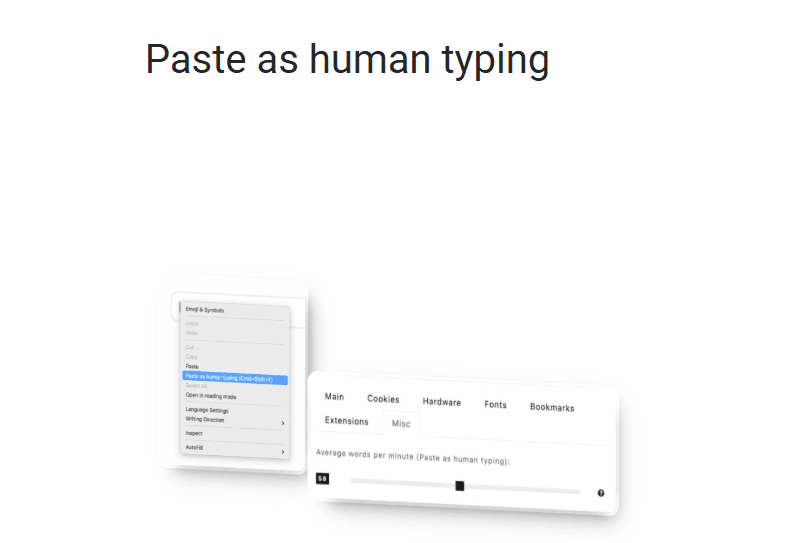
Profiles are managed through three primary panels: “Profiles,” “Proxy List,” and “Presets.” Users can create profiles in bulk and quickly launch them. The browser includes features like Warm up (Cookie Robot) and Paste as human typing to help avoid detection of automated actions.
However, while profile sharing is possible, it is limited to local and manual operations.
Identory’s collaboration features are limited, offering manual profile sharing without cloud syncing, activity logs, or role-based permissions. There is no cloud syncing or role-based permissions, which makes collaboration difficult for teams working across different locations.
Limitation: The lack of cloud synchronization and collaborative tools restricts the scalability and efficiency of teams, especially those working remotely or in agencies that need to manage multiple accounts. This limits the browser's utility in collaborative environments.
Local Architecture and Update Management
Identory is a locally installed software, meaning all profiles and data are stored on your device. It offers faster performance with no cloud synchronization delays, takes up less space, and provides direct access to system resources for optimal efficiency. However, there is no cloud integration, and updates must be manually installed.
Limitation: This lack of cloud integration means users cannot access their profiles from different devices or locations. Additionally, manual updates increase maintenance complexity and may expose profiles to detection risks if updates are delayed.
Browser Engine and Mobile Device Fingerprints
Identory runs on the Chromium engine, which is compatible with most websites, but lacks support for other browsers like Firefox. For users who need to test or manage accounts across different browsers or platforms, Identory’s reliance on a single engine may limit flexibility.
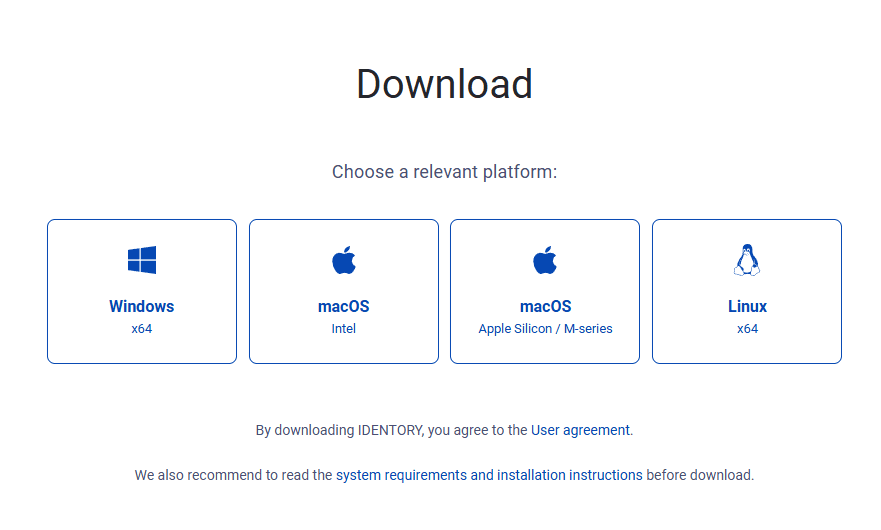
Identory application only works on Windows, macOS, and Linux. For mobile platforms, Identory only supports browser-based emulation of mobile devices, including iPad, iPhone, and Android, making it suitable for websites and web services that require mobile device simulation.
Limitation: While mobile emulation is available, it is not as advanced as some competing tools. Identory does not support native mobile app usage or provide advanced mobile testing capabilities, limiting its use for those who need more detailed mobile app simulation or testing.
Customer Support
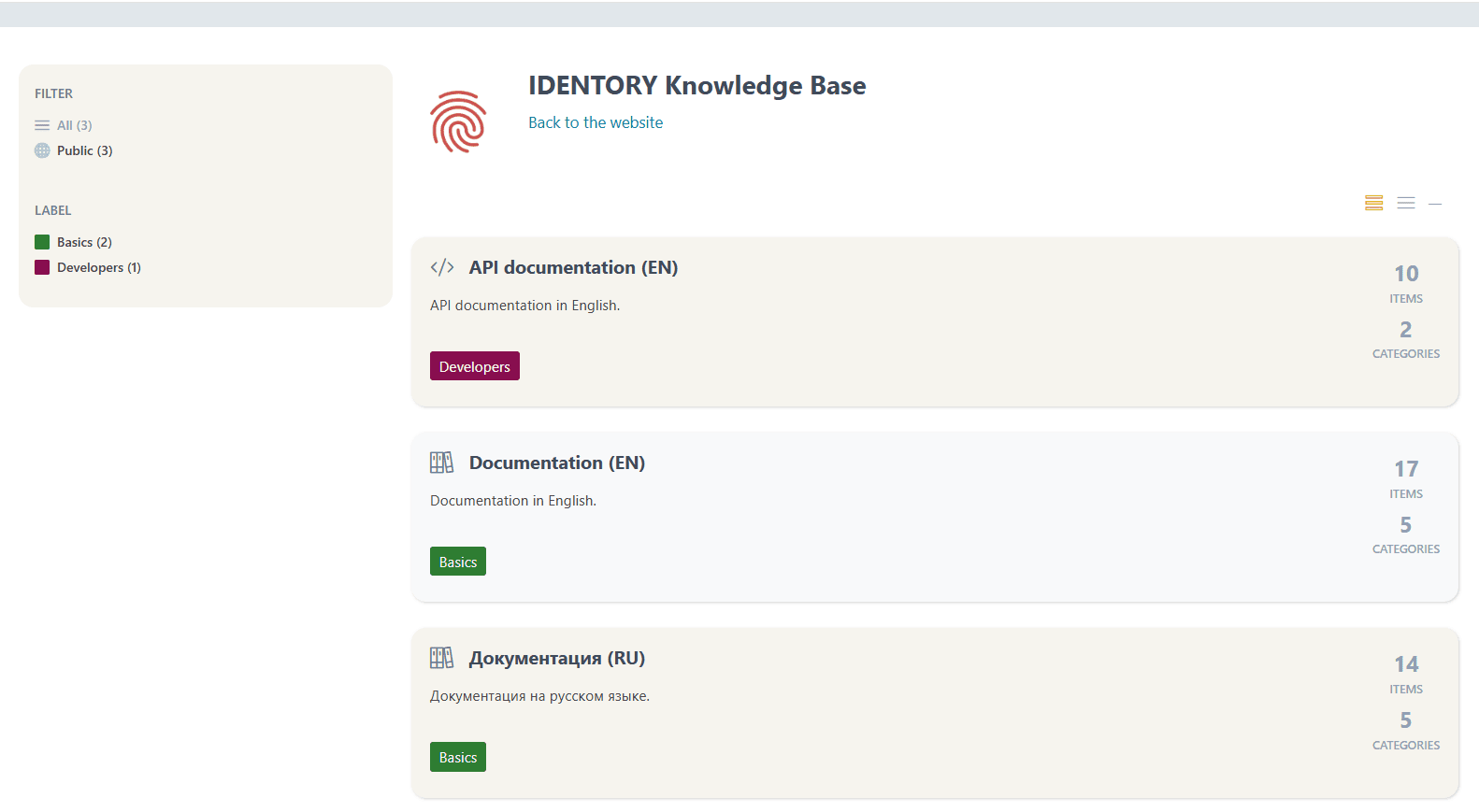
Identory offers live chat and email support, but user feedback suggests that responses can be slow and sometimes unhelpful, especially for technical issues. The platform’s knowledge base is limited, with few step-by-step guides or troubleshooting resources.
Limitation: Compared to other anti-detect tools with more robust customer support systems, Identory’s support may feel insufficient. For users managing large numbers of accounts or facing complex technical problems, slow response times and limited resources could slow down the workflow.
Additional Considerations
The software and community support are available only in English and Russian, which may pose a barrier for non-English and non-Russian users.
Some users have reported encountering security warnings on macOS when launching the browser, requiring manual intervention to bypass.
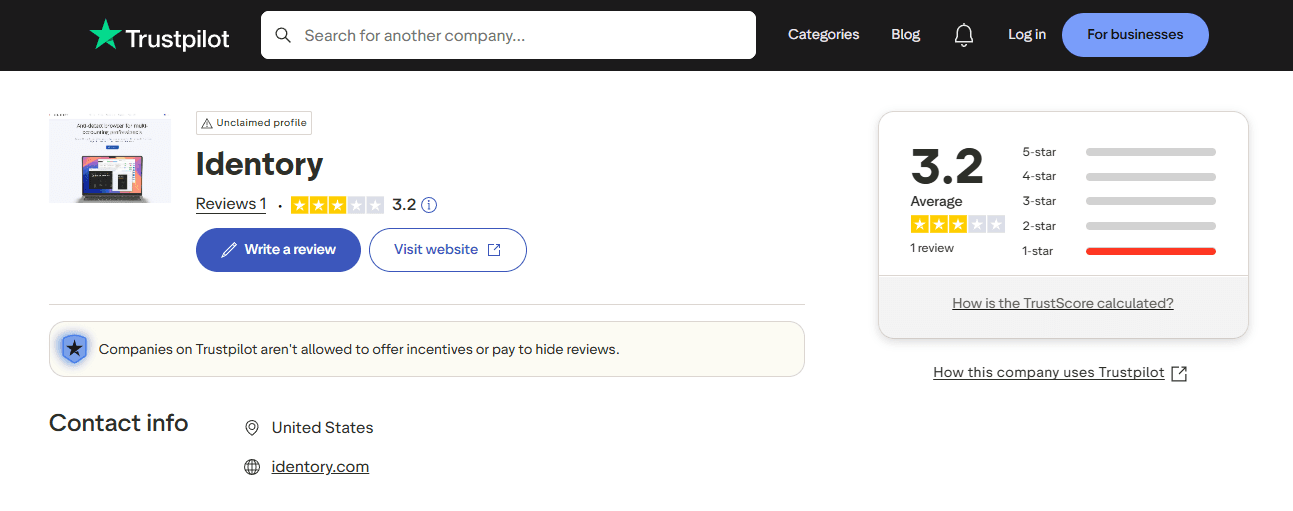
Additionally, the browser has a low rating on TrustPilot (3.2/5), a major product review platform, with relatively few reviews , which does not help boost people's trust in the software.
Identory's Pricing Strategy
Identory does not offer a free plan or free trial period. Its pricing is positioned at the higher end of the market, with a 10-day trial costing $49, and official plans starting at $89 per month. Some users have found its pricing relatively high compared to other alternatives.
The differences between Identory's various pricing plans stem from the number of features that can be unlocked, not the number of profiles that can be saved (all plans include unlimited profiles).
Monthly Pricing Tiers
Paid Trial: $49/ 10 days
Base: $89/ month
Advanced: $119/ month
Premium: $149/ month
Team Collaboration Pricing and Its Limitations
Identory’s team collaboration model is closely tied to its seat-based pricing structure. To allow simultaneous use of the application on multiple devices, users must purchase additional seats, which are required for team members working at the same time.
· The cost of extra seats is calculated as a percentage of the main plan price:
· The first 1–2 additional seats cost 50% of the base plan price each
· The next 3–5 additional seats cost 40% each
· Any 6 or more additional seats cost 30% each
Identory offers flexible billing periods, including 1 month, 3 months, 6 months, and 1 year (with the exception of the Starter plan). Long-term subscriptions receive modest discounts: 5% for 3 months, 10% for 6 months, and 15% for 1 year.
Limitations:
While this tiered pricing may seem reasonable at first glance, it introduces several drawbacks for teams. Collaboration costs increase quickly as more seats are added, especially for small and mid-sized teams that do not yet benefit from the lower percentage tiers.
More importantly, the pricing is focused solely on concurrent access, rather than providing true collaboration features. Despite paying extra for seats, teams still lack cloud synchronization, role-based permissions, shared workspaces, and activity logs.

Review: The Pros and Cons of Identory
Based on the analysis above, Identory is a functional but limited antidetect browser designed mainly for basic multi-account operations. It offers essential fingerprint isolation and profile management features but shows clear weaknesses in scalability, collaboration, and advanced fingerprint control.
Identory may work well for individual users or small teams with straightforward needs. However, for agencies, remote teams, or users operating in high-risk environments, its architectural and feature limitations become increasingly apparent.
| Dimension | Pros | Cons |
|---|---|---|
| Usability & Setup | User-friendly interface and low learning curve | Limited flexibility for advanced or large-scale use |
| Fingerprint & Anti-Detection | Covers essential fingerprint parameters and profile isolation | Lacks deep control over WebRTC, AudioContext, Canvas, and WebGL |
| Profile & Data Management | Unlimited local profiles and stable isolation | No cloud sync or cross-device profile access |
| Proxy & Network Support | Supports HTTP, HTTPS, SOCKS5, and TOR | No built-in proxy services; requires external setup |
| Performance & Automation | Stable for basic parallel tasks; compatible with Puppeteer and Playwright | Not suitable for complex or large-scale automation workflows |
| Team Collaboration | Basic manual profile sharing available | No cloud collaboration, permissions, or activity logs |
| Platform & Device Support | Works on Windows, macOS, and Linux; supports browser-based mobile emulation | No multi-engine support or native mobile app usage |
| Architecture & Maintenance | Local installation offers fast performance and system-level access | Manual updates increase maintenance effort and potential detection risks |
| Pricing & Scalability | Unlimited profiles and flexible billing periods | High entry cost; seat-based pricing adds cost without collaboration benefits |
| Support & Trust | Live chat and email support available | Slow responses, limited documentation, and low TrustPilot rating |
Why Consider Alternatives to Identory in 2026?
As platform detection systems continue to evolve, many of Identory’s structural limitations become more noticeable in 2026. Its local-only architecture, limited fingerprint depth, and lack of cloud-based collaboration make it difficult for growing teams to scale efficiently. For users managing multiple accounts across devices or teams, these constraints often lead to the need for a more flexible and future-ready alternative.
Why BitBrowser Is the Superior Alternative?
BitBrowser is built to address the key limitations of traditional antidetect browsers like Identory, offering a more complete and scalable solution for professional multi-account management.
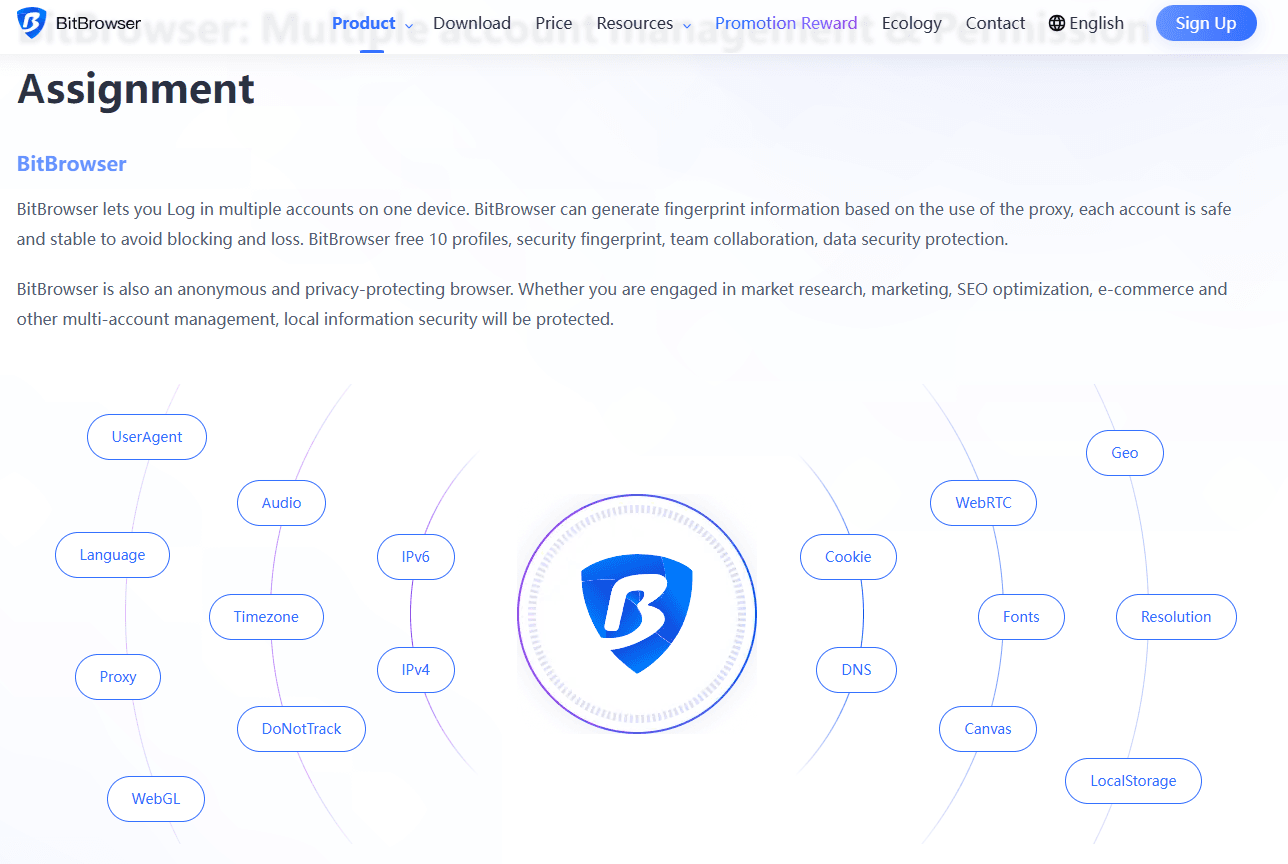
Unlike Identory’s local-only setup, BitBrowser supports cloud-based profile access, allowing teams to securely use the same profiles across different devices and locations without manual transfers. This alone significantly improves efficiency for remote teams and agencies.
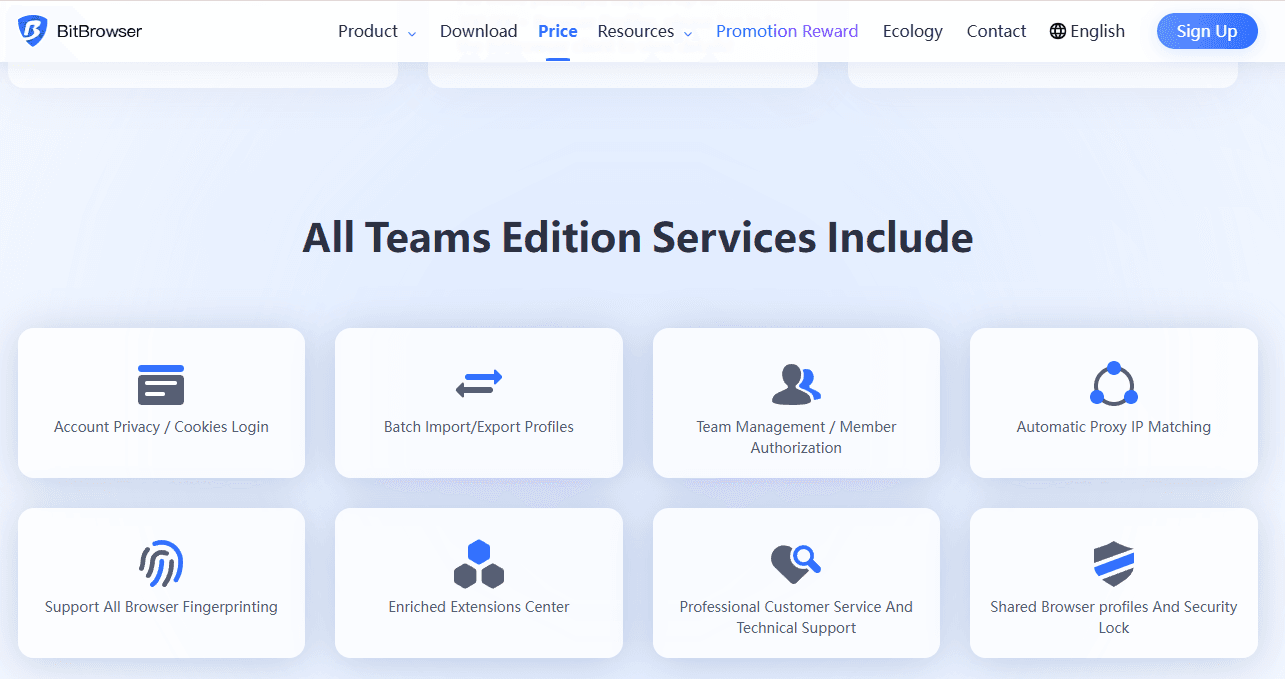
Team collaboration is another major advantage. BitBrowser includes role-based permissions, structured team management, and activity tracking, features that Identory lacks despite its seat-based pricing model. This allows teams to scale without sacrificing security or accountability.
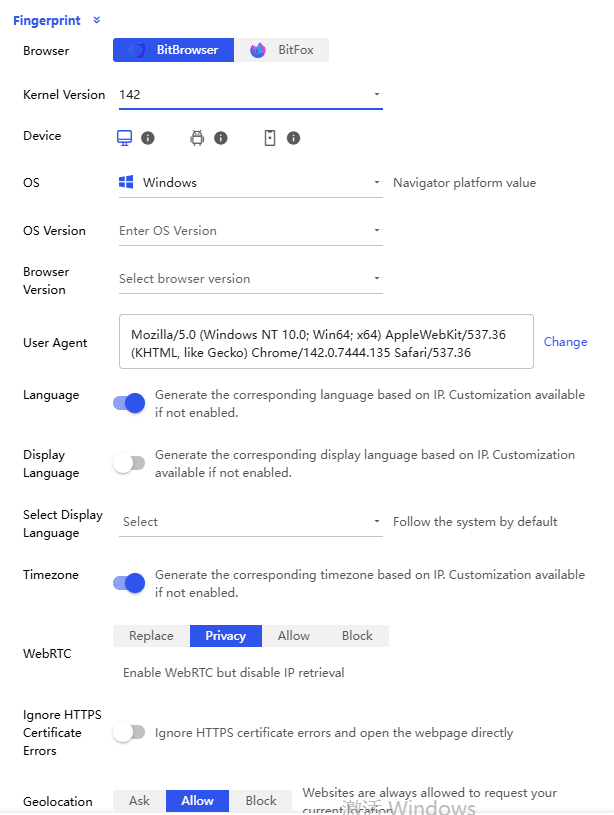
In terms of fingerprint protection, BitBrowser provides deeper and more configurable fingerprint controls, covering critical elements such as WebRTC, Canvas, AudioContext, WebGL, and device-level parameters. This makes browser profiles more consistent and resilient against advanced detection systems.
In the 7.1.0 update released in December 2025, BitBrowser further upgraded its WebRTC fingerprint replacement mode. Websites will only see masked IP addresses or proxy IPs, never your actual device. This significantly reduces the risk of multiple accounts being linked.
BitBrowser also excels in stability and scalability. It is optimized for managing large numbers of profiles over long sessions, making it suitable for high-volume operations in eCommerce, social media, advertising, and affiliate marketing.
Overall, while Identory remains adequate for basic, single-device use, BitBrowser delivers the advanced fingerprint control, cloud collaboration, and scalability required for 2026 and beyond, making it the superior choice for users who plan to grow.
Conclusion
Identory is a capable antidetect browser for basic multi-account management, offering essential fingerprint isolation, local profile control, and stable performance for individual users or small teams. It works well for straightforward use cases where cloud access, deep fingerprint customization, and advanced collaboration are not critical.
However, as platform detection systems become more sophisticated in 2026, Identory’s local-only architecture, limited fingerprint depth, and lack of cloud-based collaboration increasingly restrict its scalability. For agencies, remote teams, and users operating in high-risk or high-volume environments, these limitations can significantly impact efficiency and long-term growth.
In contrast, BitBrowser provides a more future-ready solution with cloud profile access, advanced fingerprint control, and professional team collaboration features. For users planning to scale safely and efficiently, BitBrowser stands out as the stronger and more sustainable alternative moving forward.
FAQ
1. What is an antidetect browser and why is it needed?
An antidetect browser creates isolated browser profiles with unique digital fingerprints, allowing users to manage multiple accounts without triggering platform detection systems or account linkage risks.
2. Is Identory suitable for beginners?
Yes. Identory is relatively easy to use and suitable for beginners or small teams that need basic multi-account management on a single device.
3. What are the main limitations of Identory?
Identory lacks cloud synchronization, advanced fingerprint customization, and real team collaboration features such as role-based permissions and activity logs. These limitations affect scalability and remote teamwork.
4. Why do teams choose BitBrowser over Identory?
Teams prefer BitBrowser because it offers cloud-based profile access, deeper fingerprint protection, structured team management, and better scalability for large or distributed operations.
5. Which browser is better for long-term use in 2026 and beyond?
For simple, local use cases, Identory may be sufficient. For professional users who plan to scale, manage teams, or operate in high-risk environments, BitBrowser is the more future-proof choice.

 Multi-Account Management
 Prevent Account Association
 Multi-Employee Management
Recommended
See More 



