Roblox Unblocked at School 2026 (No VPN): 6 Ways to Play on Computer/iPad
 2026.05.12 06:54
 YT.Shi
If you've been searching for “roblox unblocked at school” or “unblocked roblox games”, you know most simple tricks don't work anymore. School IT filters have gotten smarter. But in 2026, there are still reliable ways to play Roblox unblocked on school computers, iPads, and Chromebooks – including an advanced antidetect browser called BitBrowser that many students are now using.
Best Unblocked Games for School
What Is Roblox? A Quick Introduction
Roblox (roblox.com) is one of the world's most popular online game platforms, with over 200 million monthly active users. Unlike traditional games, Roblox is a user-generated content hub where players can create, share, and play millions of 3D games – from obstacle courses (obby) to role-playing adventures. Its massive library of unblocked roblox games makes it a favorite among students.
owever, many schools restrict access to Roblox due to bandwidth and distraction concerns, which is exactly why you're here: to learn how to play Roblox unblocked at school in 2026.
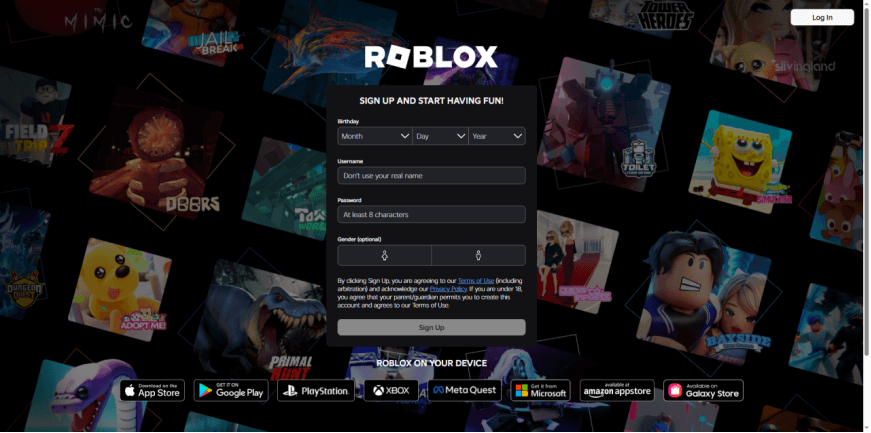
Why Schools Block Roblox
Before diving into the working methods, it helps to understand why Roblox is blocked at school in the first place. Schools use firewalls, content filters, and device management profiles (MDM) to restrict access to certain websites and apps. Roblox is frequently targeted for three main reasons:
● Distraction & Productivity: Roblox is highly engaging. Schools block it to keep students focused on lessons, not games.
● Bandwidth Consumption: Roblox uses real-time network traffic. On shared school WiFi, gaming can slow down internet for everyone, including online testing and research.
● Policy & Legal Compliance: In many countries (e.g., USA under CIPA), schools must filter “harmful” or “non-educational” content. Roblox is classified as entertainment, not educational, by default.
Knowing this helps you choose the right unblocking method. For example, if your school uses deep packet inspection (DPI), a simple proxy may not work – but an anti-detect browser like BitBrowser or a cloud gaming platform like now.gg can bypass these restrictions by disguising traffic as normal video streaming.
Reminder: This guide is shared for educational and informational purposes. Every school has its own rules about internet usage, and we encourage you to respect them. The methods described here work best when used responsibly — for example, during free periods or with permission. Please prioritize your learning and use good judgment. You know your school's policies better than we do.
Method 1 (Best Overall): Play Roblox Unblocked via Now.gg
Now.gg (https://now.gg/) roblox unblocked has become the top solution for students. It's a cloud gaming platform that runs Roblox on remote servers and streams the video to your browser. Schools block Roblox domains, but now.gg traffic looks like a normal video stream – making it very hard to filter.
Step-by-Step (Works on iPad, Chromebook, Windows, Mac):
1. Open any web browser (Chrome, Safari, Edge) on your school device.
2. Go to now.gg (type the full URL).
3. Search for “Roblox” in the game library.
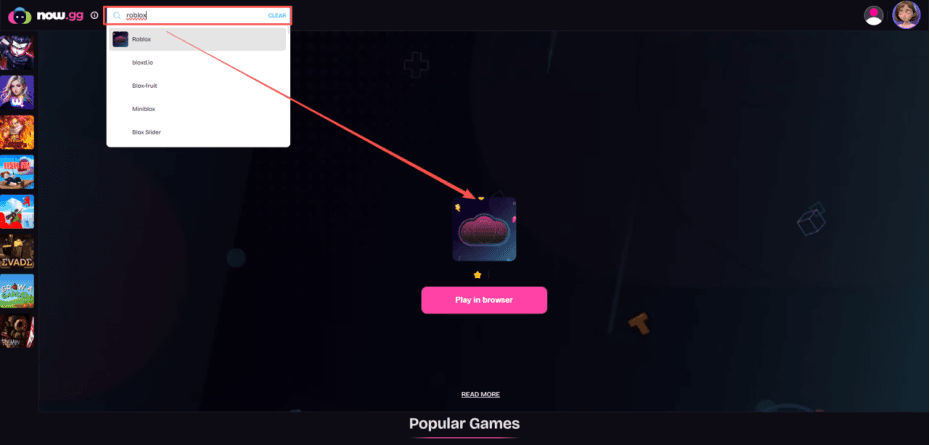
4. Click “Play in browser” – it will launch Roblox in your browser.
5. Log into your Roblox account and enjoy unblocked roblox games.
Pros: No download, works on school iPads, very fast if your school WiFi is decent.
Cons: Requires a stable internet connection. Some schools may block now.gg eventually, but they rarely do because it's used for many educational apps.
✅ Pro tip: Bookmark now.gg so you don't have to type it every time. And use a private browser window (Incognito / InPrivate) to avoid leaving history.
Method 2 (No Download): Roblox Unblocked GitHub Proxies
If now.gg is blocked (unlikely but possible), roblox unblocked github repositories offer alternative proxy websites. Developers create simple web pages that forward your connection to Roblox, bypassing school firewalls.
How to Find a Working GitHub Proxy in 2026:
1. Go to GitHub.com (usually not blocked).
2. Search for: roblox unblocked or unblocked roblox proxy.
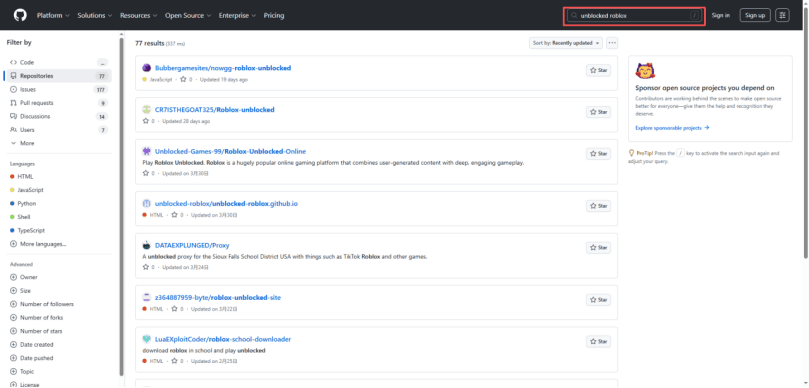
3. Look for repositories updated within the last 3 months.
4. Open the README or the linked demo page (often a “raw” or “pages” URL).
5. Enter your Roblox username and start playing.
Pros: Completely browser-based, no account needed for the proxy.
Cons: Some proxies go offline quickly; you may need to try a few.
Method 3 (Best for Multi-Account & Privacy): BitBrowser
If you need to bypass advanced school filters that even block cloud gaming and proxies, BitBrowser is a powerful antidetect browser. It doesn't just hide your IP – it changes your browser fingerprint, rotates user agents, and makes your traffic look like a normal student browsing educational websites. Many students use BitBrowser to play Roblox unblocked at school on both computers and iPads.
Sign Up
Why BitBrowser Works When Other Methods Fail:
● It creates separate browsing profiles with unique digital fingerprints (canvas, WebGL, fonts, timezone).
● Built-in IP rotation mimics normal network activity, avoiding detection by firewalls like GoGuardian.
● Lightweight and portable – you can install it on a USB or keep it on your school-approved device.
● Supports multiple Roblox accounts simultaneously – great for playing with friends or alt accounts.
Step-by-Step to Play Roblox Using BitBrowser:
1. Download BitBrowser from the official website (it’s free for basic use).
2. Install it on your personal computer or a USB drive (no admin rights needed if you use the portable version).
3. Create a new profile – give it a name like “School Roblox”.
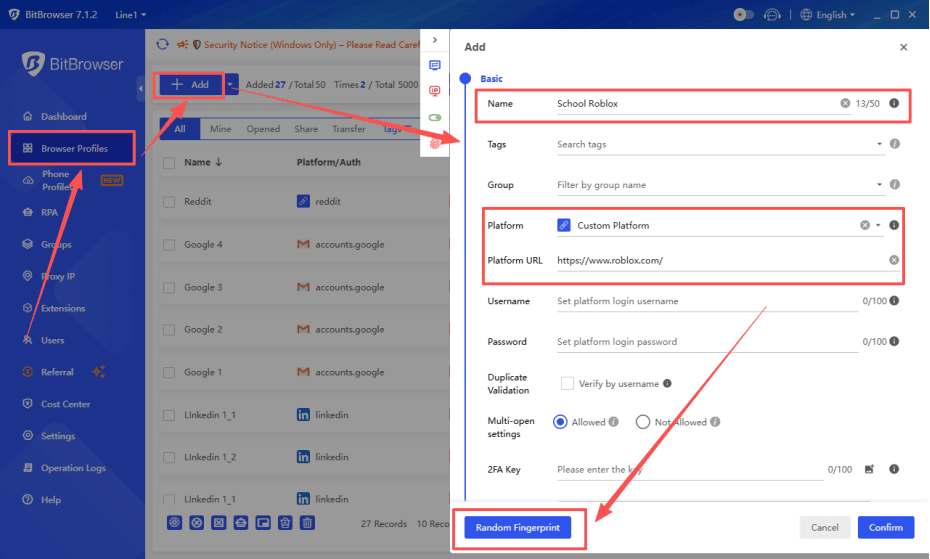
4. Randomise browser fingerprint – BitBrowser offers one-click random generation of consistent fingerprints (OS, screen resolution, language, etc.).
5. Enable proxy / IP rotation (optional but recommended) – BitBrowser can work with free or paid proxies to change your virtual location.
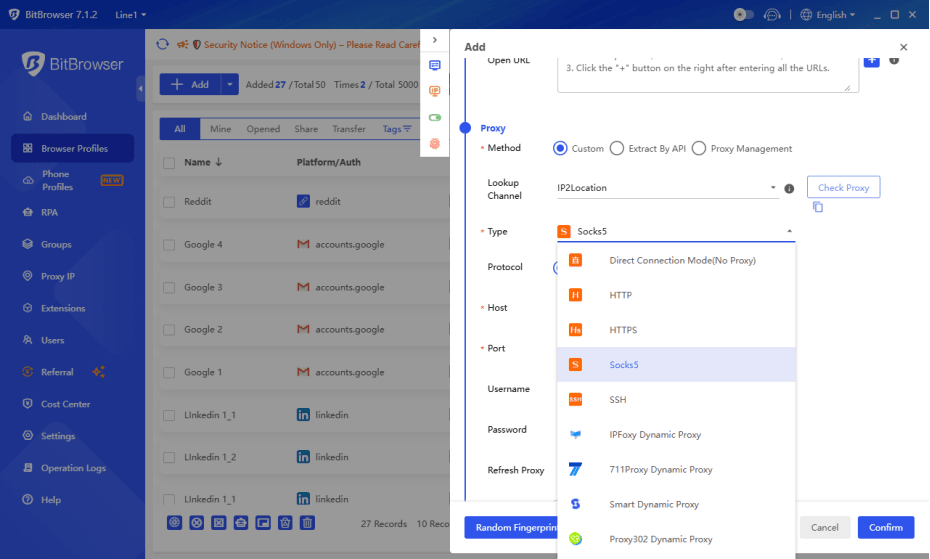
6. Launch the profile – it opens a separate browser window.
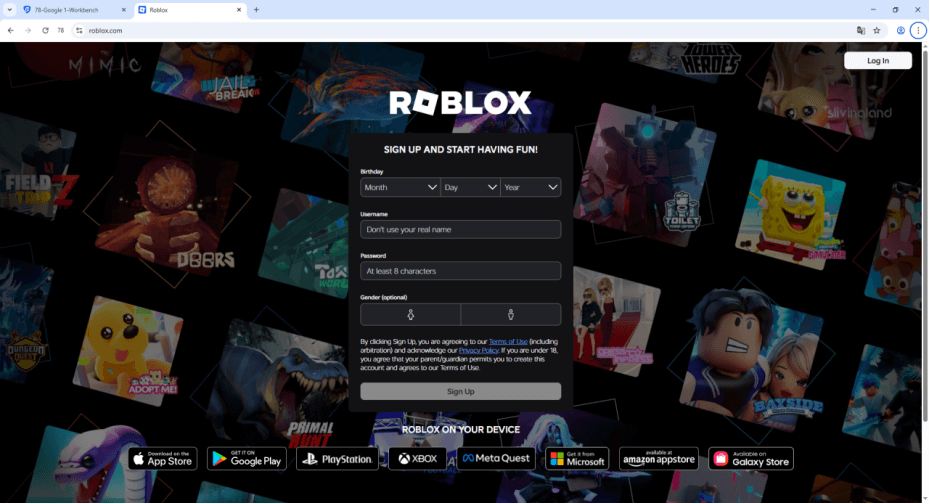
7. Go to Roblox.com and log in. The school firewall will see a generic browsing session, not a Roblox request.
8. Play unblocked Roblox games without interruptions.
Pros: Highly effective against modern school filters; no VPN required; multi-profile support; leaves minimal traces.
Cons: Requires a one-time download and setup; slightly more technical than now.gg but very beginner-friendly.
✅ Pro tip: Use BitBrowser with a free proxy from ProtonVPN’s SOCKS5 or a public residential proxy to increase success rate to nearly 100%.
Sign Up
Method 4 (Backup Cloud Platforms): EasyFun.gg & Plutosphere
If both now.gg and GitHub proxies fail, try these alternatives. They work on the same principle: run Roblox remotely and stream it.
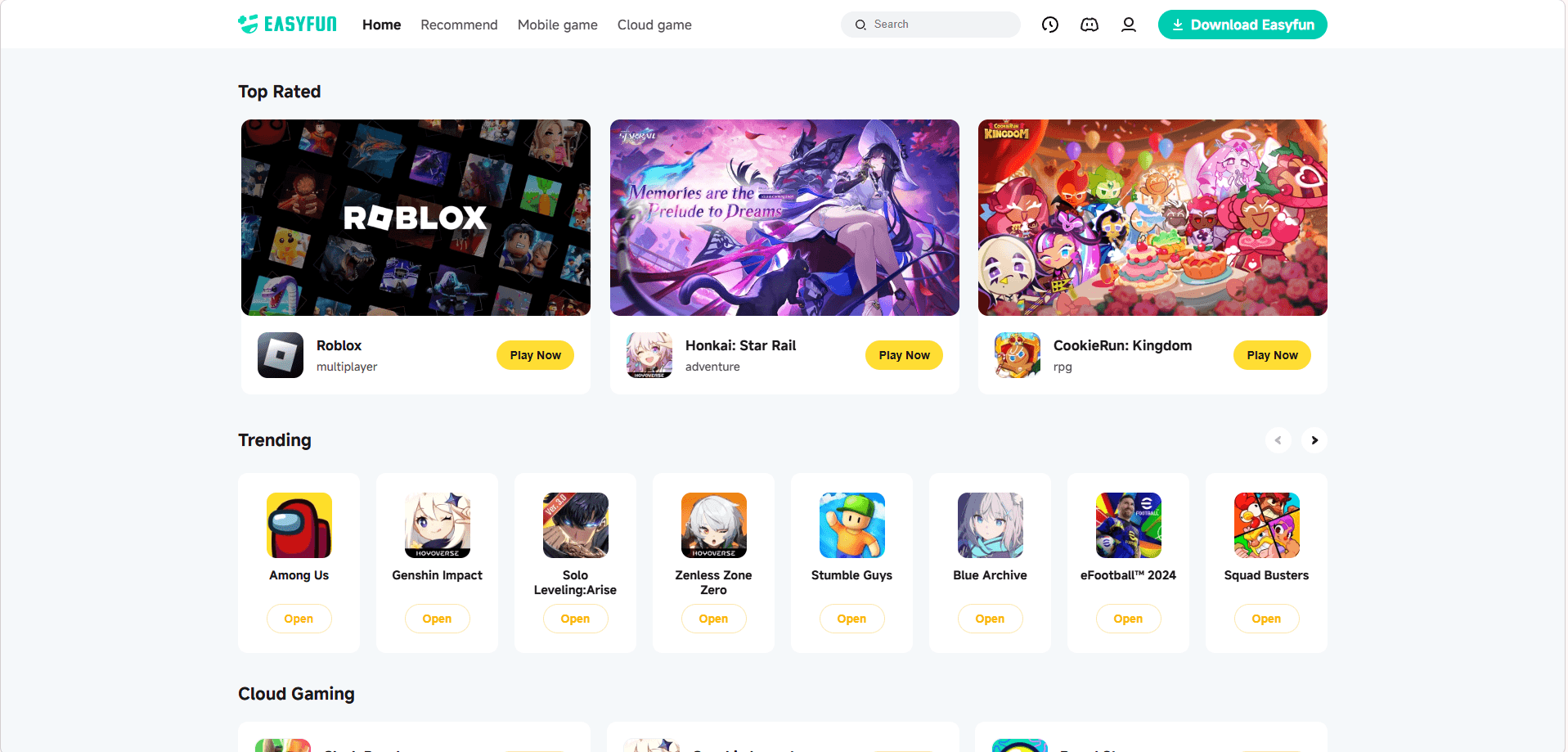
● EasyFun.gg – Similar to now.gg, slightly slower but often unblocked.
● Plutosphere – More advanced (requires account), great for low-end school computers.
Steps: Visit the website → sign up (if needed) → search Roblox → play.
Method 5 (Reliable but Requires App): VPN for Roblox Unblocked
VPNs encrypt your traffic and route it through a different server, hiding what you do from the school network. They do require installing an app, so they work best on personal laptops or phones (or Chromebooks that allow Android apps).
Best Free VPNs That Still Work on School WiFi (2026)
● ProtonVPN (free tier, no ads, good speed)
● Windscribe (10GB/month free)
● TunnelBear (limited but very easy to use)
Steps: Install the VPN app → connect to a server → open your browser → go to Roblox.com → play.
⚠️ Important: Some schools block VPN protocols. If the VPN doesn't connect, switch to “TCP” or “Stealth” mode in settings.
Pros: Also protects your privacy.
Cons: Requires download; free VPNs can be slow.
Method 6 (USB Portable Browser – If USB Ports are Open)
This method only works on school computers that allow USB drives. You run a browser directly from the USB without installing anything on the school computer.
1. On a personal computer, download Firefox Portable or Chromium Portable.
2. Copy the portable folder to a USB drive.
3. Plug the USB into the school computer.
4. Launch the browser from the USB.
5. Type roblox.com and log in.
Why it sometimes works: School software may only block installed browsers, not external ones. However, network-level Roblox blocks still apply – so this method is less reliable than now.gg or BitBrowser. Use it only as a last resort.
Pros: No trace left on the school computer.
Cons: Many schools disable USB ports; won't bypass network filters.
Quick Comparison: 6 Ways to Play Unblocked Roblox in 2026
| Method | Download Required | Best For |
|---|---|---|
| ✅ Now.gg (Cloud Gaming) | ❌ No | iPad / Chromebook / Any browser |
| 🔄 GitHub Proxies | ❌ No | Tech-savvy students |
| 🕵️ BitBrowser (Anti-detect) | ✅ Yes (small setup) | Advanced privacy / multi-account |
| 🔒 VPN (Free/Paid) | ✅ Yes (App) | Personal laptops / phones |
| ☁️ Other Cloud Platforms | ❌ No | Backup when now.gg is blocked |
| 💾 USB Portable Browser | ✅ Yes (USB) | School computers with open USB ports |
Best Practices & Safety Tips for Playing Roblox Unblocked at School
Using any unblocking method comes with responsibility. Follow these SEO-friendly best practices to stay safe, avoid detection, and protect your school account:
● Use incognito / private mode whenever possible – this prevents your browsing history from being stored on shared school computers.
● Never download suspicious “Roblox unlocker” files from unknown websites. Stick to trusted methods like now.gg, GitHub proxies, or BitBrowser (official source).
● Avoid logging into your personal email or social media on school devices while using unblocking tools – it reduces digital footprint.
● Close the browser tab immediately when a teacher walks by – common sense, but it's the best “stealth” technique.
● Don't share your school-bypass method publicly (e.g., on social media or school forums). The more people use a single proxy or now.gg link, the faster IT admins block it.
● Limit gaming time during class – use these methods only during breaks, study halls, or after finishing assignments. Getting caught can lead to stricter filters for everyone.
● Check your school's acceptable use policy (AUP) – in some districts, bypassing filters may result in disciplinary action. Know the risk before you proceed.
By following these tips, you can enjoy roblox unblocked at school without putting your device or network privileges at risk.
FAQ – Roblox Unblocked at School 2026
1. Is now.gg safe to use at school?
Yes, now.gg is a legitimate cloud gaming platform. It doesn't download anything and doesn't modify school network settings. However, check your school's IT policy – use at your own discretion.
2. Can I get banned from Roblox for using these methods?
No. Roblox only bans accounts for cheating, exploiting, or inappropriate behavior. Playing through now.gg, BitBrowser, or a proxy is just changing your network path – it's not against Roblox rules.
3. Why is Roblox blocked at school?
Schools block Roblox to reduce distractions, preserve bandwidth, and comply with content filtering regulations (e.g., CIPA in the US).
4. How to unblock Roblox on a school Chromebook without Linux?
Use now.gg (Method 1) or BitBrowser (Method 3) – both work on standard Chrome browser on Chromebooks. BitBrowser can be installed on Chromebooks that allow Android/Linux apps, or used via the web version of its profile manager.
5. What's the difference between “unblocked Roblox” and “how to unblock someone on Roblox”?
Unblocked Roblox means bypassing school filters to play the game. How to unblock someone on Roblox is a completely different topic – it refers to the social feature inside Roblox (removing a user from your block list). This article covers only the network unblocking methods.
6. Is BitBrowser really better than a VPN for school?
For advanced school networks that detect VPNs, yes. BitBrowser doesn't just change your IP – it changes your browser fingerprint, making it much harder to identify as a gaming session. Many students report BitBrowser works when VPNs are blocked.
Conclusion: Which Method Should You Use in 2026?
School networks are getting stricter, but you still have options. Based on our tests:
● For quick, no-setup play on iPads & Chromebooks: Use now.gg.
● If now.gg is blocked: Find a GitHub proxy (search for recent repositories).
● For maximum privacy, multi-account support, and beating advanced filters: Use BitBrowser (Method 3).
● On your personal laptop: A free VPN like ProtonVPN works well.
● USB portable browser – only if all else fails and USB ports are open.
Remember: Respect your school's rules. Use these methods responsibly, and don't disrupt other students' learning.

 Multi-Account Management
 Prevent Account Association
 Multi-Employee Management
Recommended
See More 



