How to Safely Scrape Amazon Reviews in 2026 with BitBrowser (No-Code)
 2026.05.29 05:58
 YT.Shi
Amazon reviews contain some of the most useful customer insights on the internet. They reveal what buyers actually like, what frustrates them, which product features matter most, and where competitors are falling behind.
For ecommerce sellers, marketers, and product researchers, this information is extremely valuable. The challenge is that Amazon has become much stricter about automated scraping activity in recent years. Basic scraping tools often run into CAPTCHA pages, temporary blocks, rate limits, or unstable sessions after only a short time.
The good news is that you no longer need a complex coding setup to collect review data safely. With an antidetect browser, a residential proxy, and a visual scraping extension, even beginners can build a reliable workflow in less than an hour.
In this guide, you will learn how to scrape Amazon reviews step by step in 2026 using BitBrowser and free no code scraping tools.
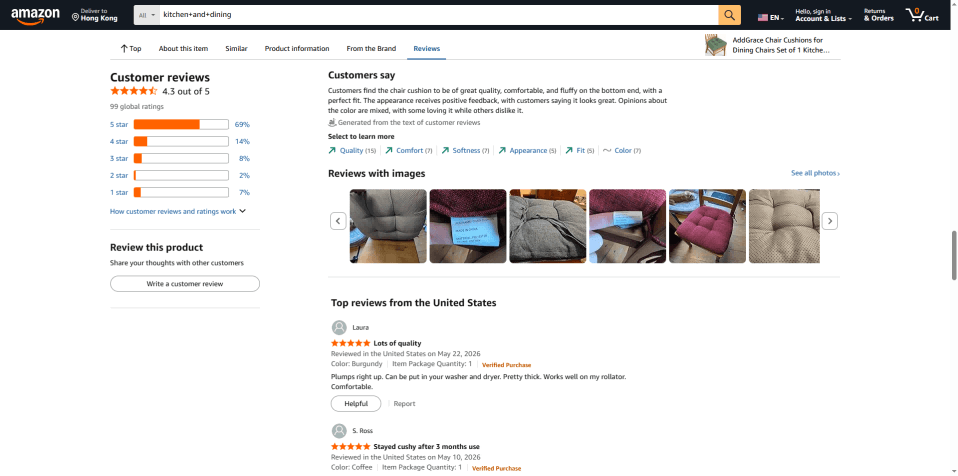
Is It Legal to Scrape Amazon Reviews?
Scraping publicly accessible Amazon review pages for research and analysis is commonly done across ecommerce and SEO industries. However, regulations can vary depending on your region and how the collected data is used.
In general, it is safer to use review data for internal analysis, product research, sentiment analysis, or competitor monitoring rather than republishing large amounts of review content publicly.
You should also avoid excessive scraping activity that may disrupt the platform.
Can You Scrape Amazon Reviews Without Logging In?
Yes. Most public Amazon review pages can be accessed without an Amazon account.
In many cases, scraping while logged out is actually simpler because it reduces account related risk. If you decide to use Amazon accounts inside browser profiles, avoid reusing the same account across multiple scraping environments.
Why Amazon Blocks Scraping Activity
Amazon monitors browsing behavior very closely. Every browser exposes fingerprint related information such as:
● Operating system
● Screen resolution
● Browser version
● Language settings
● Time zone
● Cookies
● WebGL and Canvas data
When many requests repeatedly come from the same browser environment or IP address, Amazon may flag the activity as automated traffic.
This is why basic scraping setups often fail quickly. Even changing your IP alone is usually not enough anymore because browser fingerprints can still remain consistent across sessions.
Amazon also watches for unrealistic behavior patterns. For example:
● Opening dozens of review pages too quickly
● Scrolling at machine like speed
● Repeating identical actions continuously
● Running multiple scraping sessions from one browser profile
In 2026, stable scraping depends on making your browsing behavior look closer to normal human activity.
Why BitBrowser Helps Reduce Detection Risk
An antidetect browser creates isolated browser profiles that behave like separate devices.
Instead of using one browser for every scraping session, you can launch different profiles with unique fingerprints, cookies, storage data, and proxy connections.
This makes each session appear more independent.
BitBrowser simplifies this process with a visual dashboard that works well for beginners. You can create browser profiles, configure fingerprints, attach proxies, and manage sessions without touching code.
For Amazon scraping, this setup helps reduce common detection signals that often appear when people scrape from a normal browser environment.
What You Need Before You Start
You only need four things for this setup.
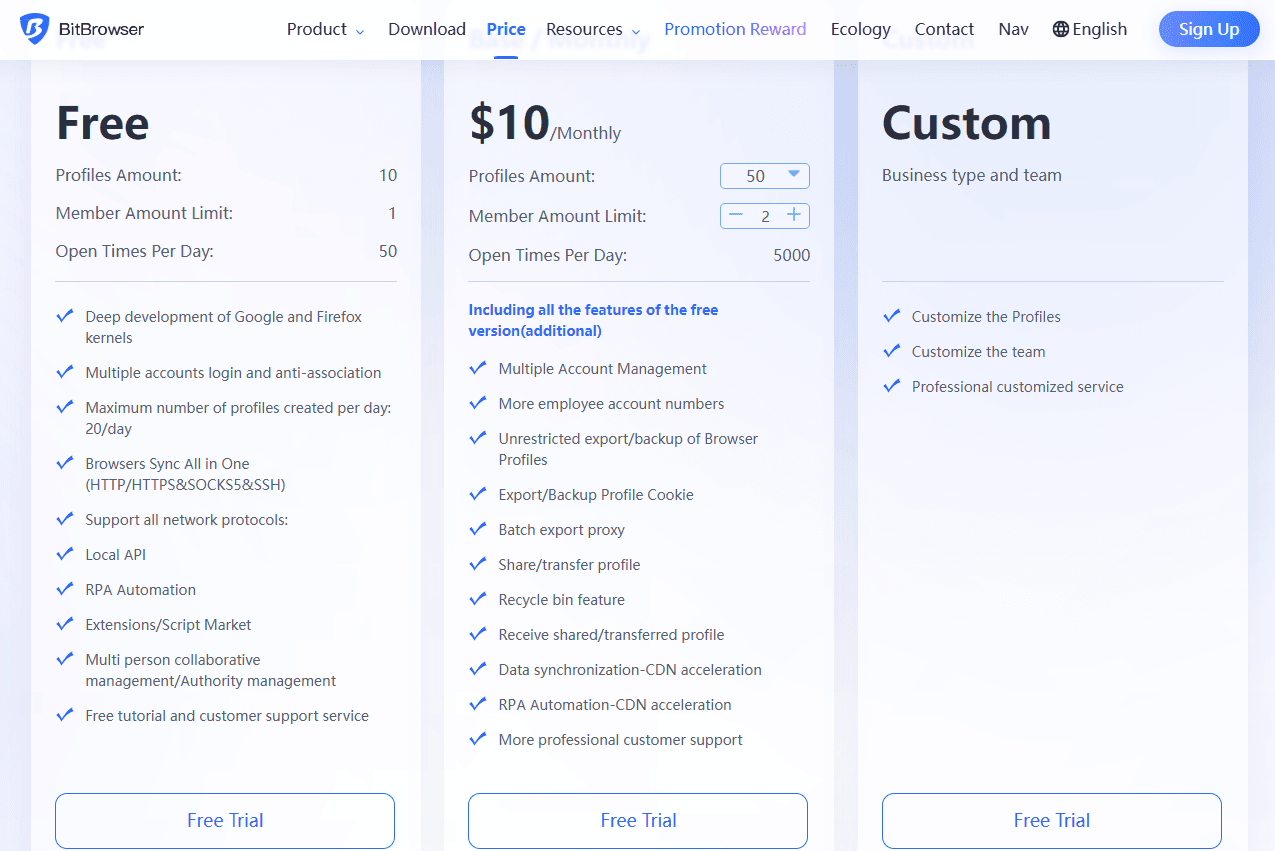
1. BitBrowser
Download BitBrowser and create an account. The free plan is enough for testing and smaller scraping tasks.
2. Residential Proxies
Residential proxies are strongly recommended for Amazon.
Unlike datacenter proxies, residential IPs come from real internet service providers, which usually look more natural to Amazon.
Start with a small pay as you go plan if you are only testing.
3. A No Code Scraper Extension
Two beginner friendly options work especially well:
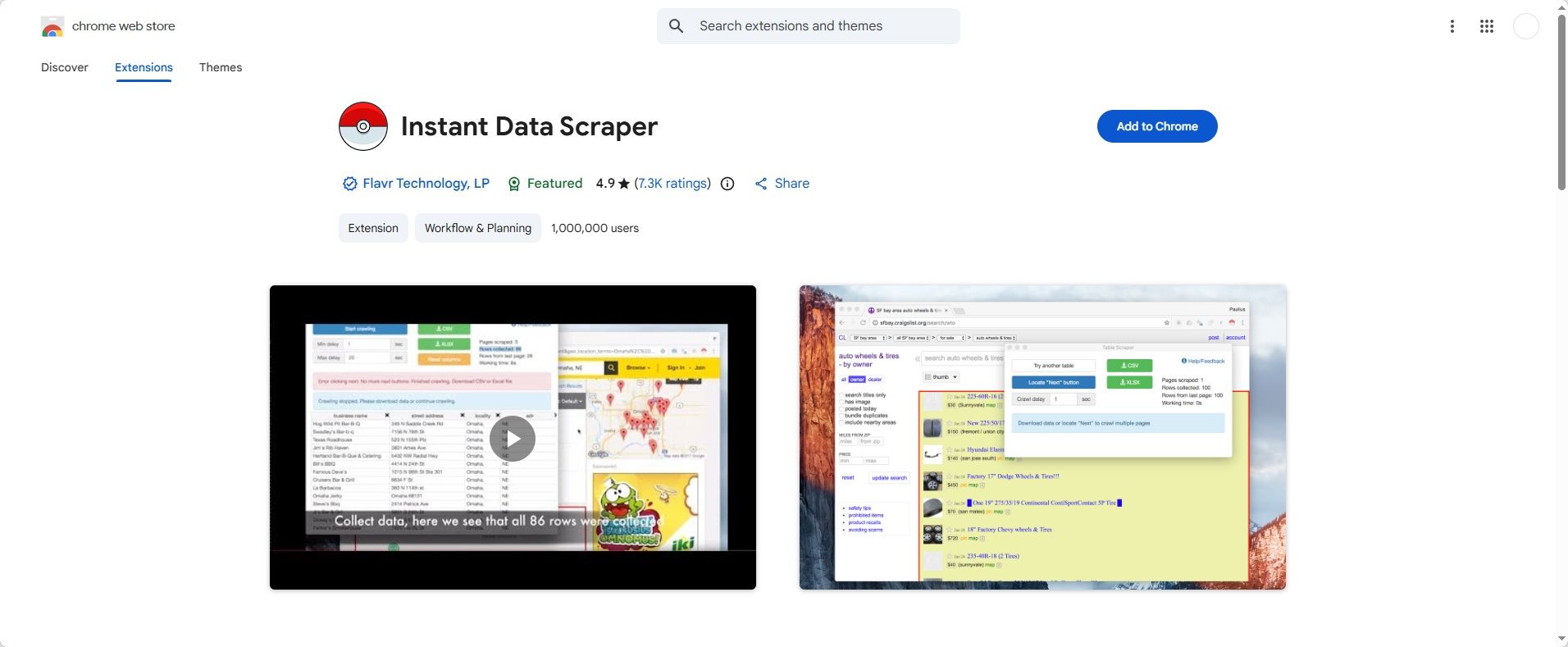
● Web Scraper by webscraper.io
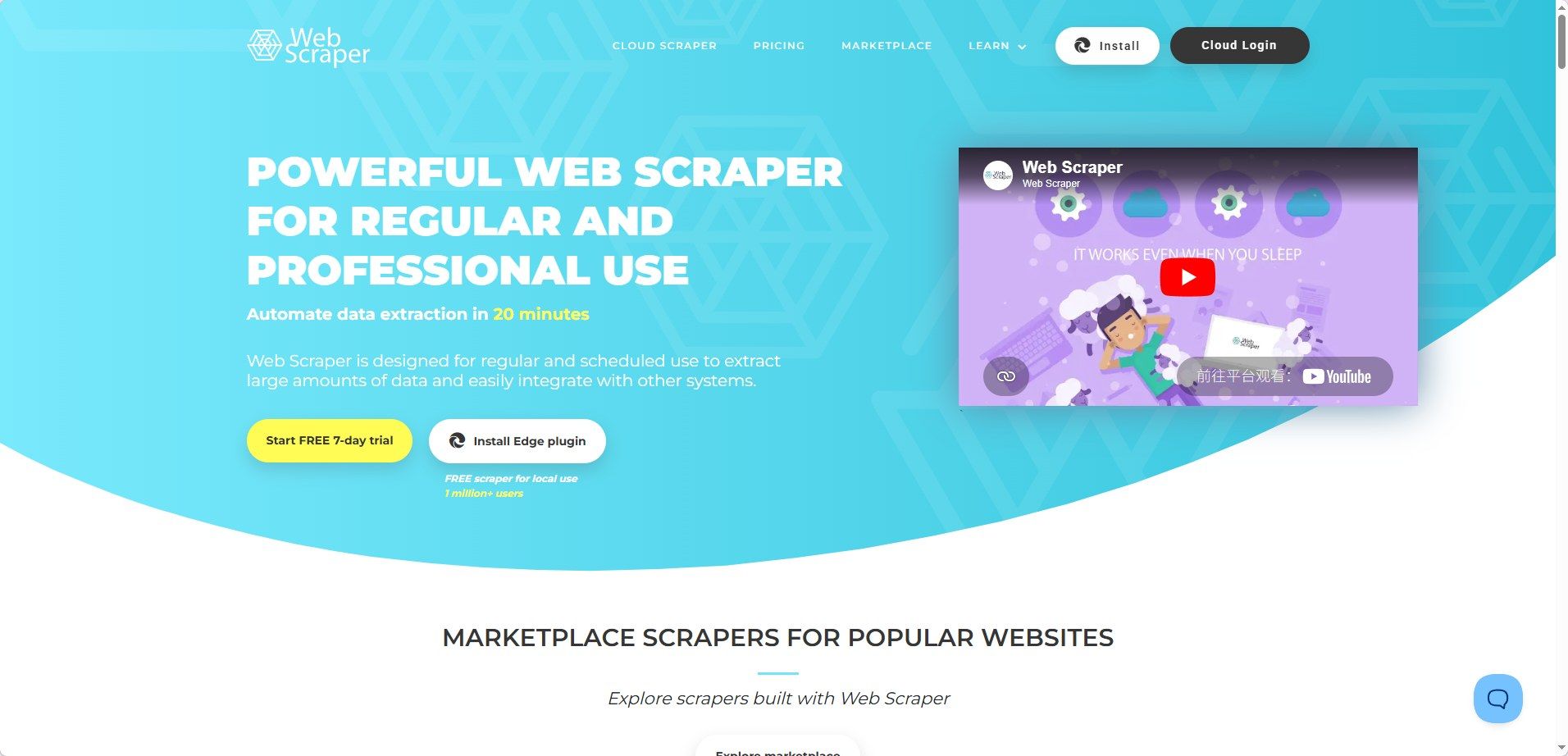
Both run directly inside Chromium browsers and do not require programming knowledge.
4. Spreadsheet Software
You will need Google Sheets or Excel to organize exported review data.
How to Scrape Amazon Reviews With BitBrowser
Step 1: Create an Amazon Scraping Profile
After opening BitBrowser, go to the Browser Profiles section and click Add. Give the profile a simple name related to your target product or marketplace, such as Amazon Reviews US or Kitchen Product Research.
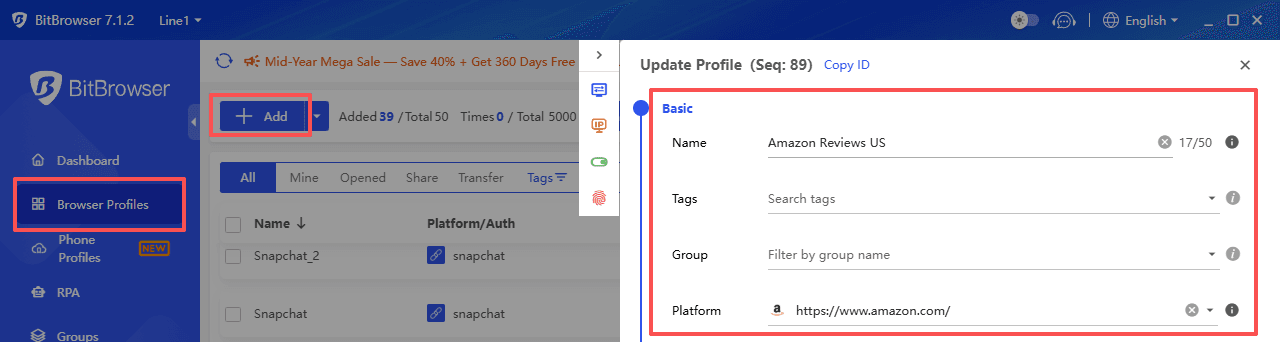
BitBrowser automatically generates browser fingerprint settings for you, which removes most of the technical setup work.
For Amazon scraping, realistic settings usually perform best. Windows 10 or macOS profiles are both good choices, and it helps to match the browser language and time zone to the Amazon region you plan to scrape. For example, use US English and a US time zone for Amazon.com.
Keeping these settings consistent helps the browser environment appear more natural.
Step 2: Attach a Residential Proxy
Inside the profile settings, open the Proxy section and enter the proxy information provided by your proxy service. Most providers give you four details:
● Host
● Port
● Username
● Password
Paste these into BitBrowser and test the connection before saving the profile. Both HTTP and SOCKS5 proxies are supported.
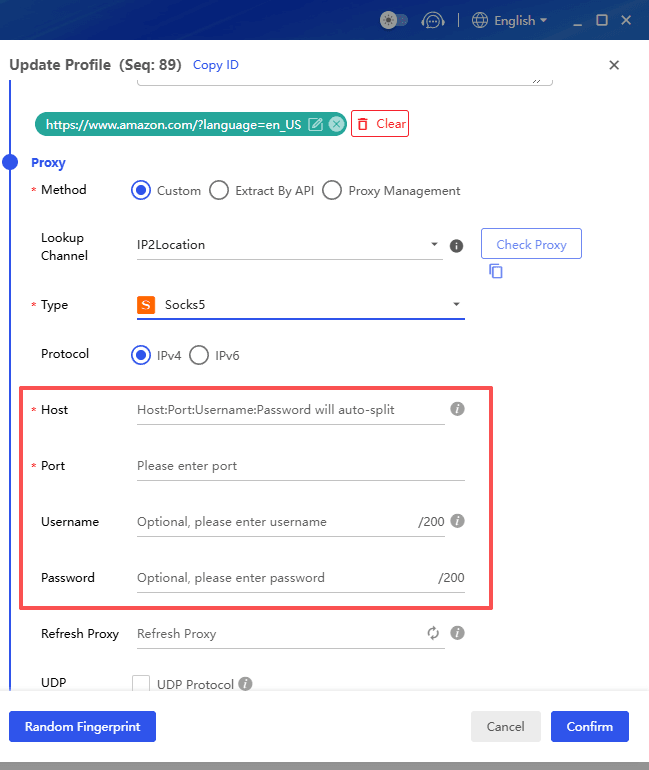
For Amazon scraping, residential proxies are usually much more stable than datacenter proxies. It is also better to avoid reusing the same IP continuously across large scraping sessions.
Step 3: Launch the Browser Session
Click Open next to your profile to open a fresh Chromium browser window inside BitBrowser.
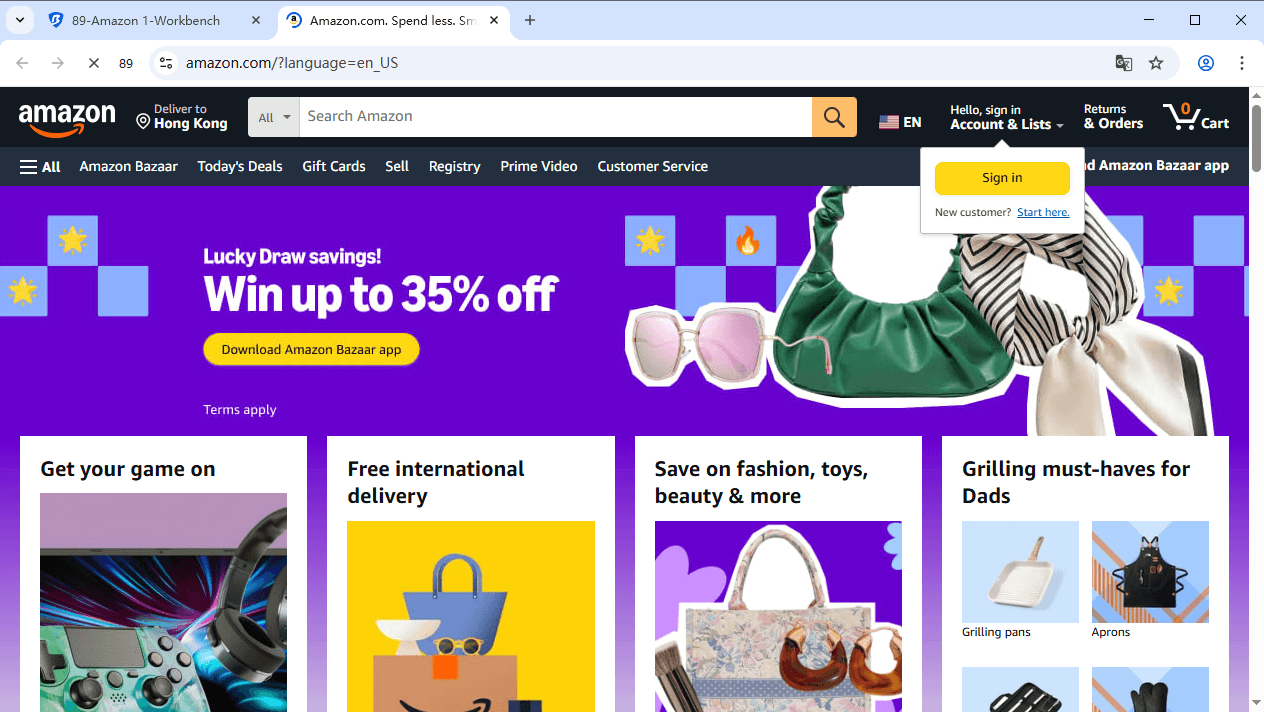
Before scraping immediately, spend a few minutes browsing Amazon normally. Search for products, open several listings, scroll through pages, and read a few reviews. This kind of warm up behavior helps the session appear less automated.
You do not need to log into Amazon for public review pages, and in many cases scraping while logged out is simpler and lower risk.
Step 4: Install a No Code Scraper
Inside the BitBrowser window, open the Chrome Web Store and install a no-code scraper extension.
Next, open your target Amazon product page and scroll down to the review section. Once the page fully loads, click the extension icon. The scraper will usually detect review related fields automatically, including:
● Reviewer names
● Star ratings
● Review titles
● Review dates
● Review text
Carefully check the preview table before starting the crawl.
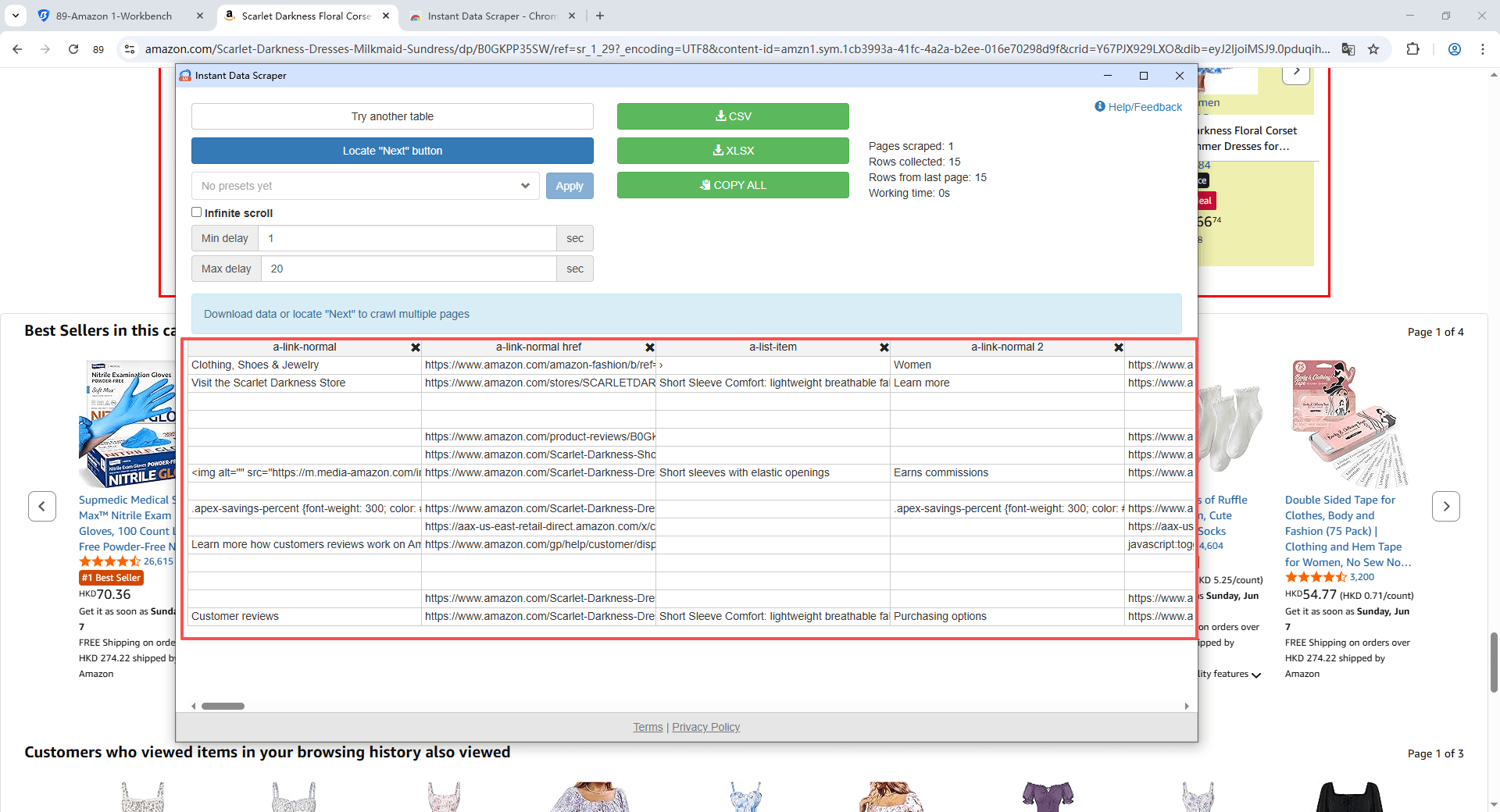
Step 5: Configure Safe Scraping Delays
One of the biggest scraping mistakes in 2026 is moving too quickly.
Inside the scraper settings, configure realistic delays between actions so the browsing behavior looks more natural. For smaller scraping projects, a delay of around 6 to 10 seconds between page actions is usually much safer.
It also helps to:
● Keep scrolling speed moderate
● Avoid running too many sessions at once
● Scrape in smaller batches instead of nonstop crawling
If the product contains many review pages, test the scraper on a few pages first to make sure pagination works correctly before starting the full crawl.
Step 6: Export and Analyze the Review Data
After the crawl finishes, export the review dataset as a CSV file and open it in Google Sheets, Excel, or Airtable.
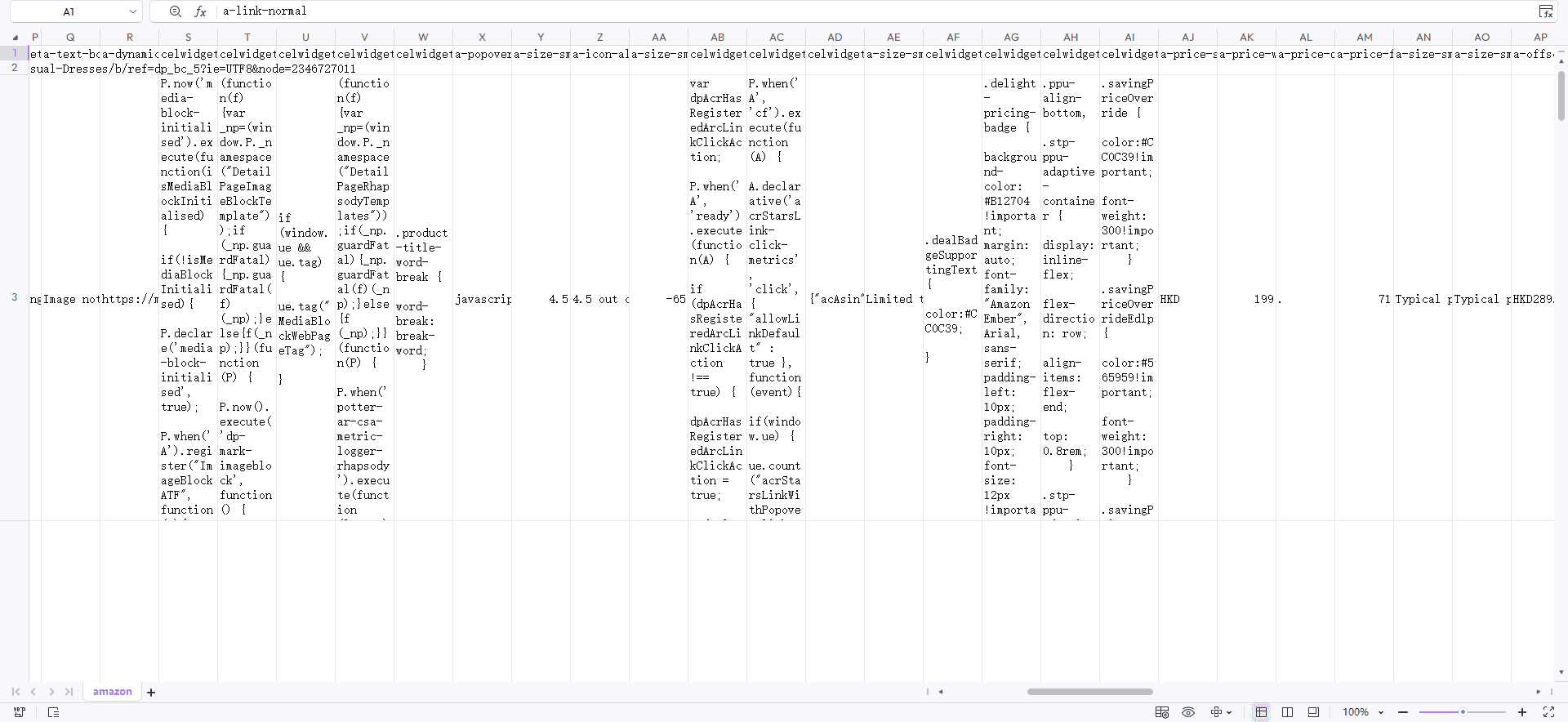
You can then organize the data for:
● Product research
● Competitor analysis
● Keyword research
● Sentiment analysis
● Customer pain point discovery
● Content planning
For larger projects, creating separate BitBrowser profiles with different residential proxies generally leads to more stable long term scraping workflows.
How to Scrape Multiple Amazon Products Safely
If you want to scrape multiple products, avoid running everything from one browser profile.
Instead:
● Create separate BitBrowser profiles
● Use different residential proxies
● Rotate sessions gradually
● Avoid scraping too many pages continuously
BitBrowser also supports batch profile creation, which helps save time for larger projects.
This approach reduces repeated fingerprint patterns across scraping sessions.
In practice, we’ve found that the number of reviews on public pages is limited. You can log in to your Amazon account to view more reviews, so you may need to securely create and manage multiple Amazon accounts.
Common Amazon Scraping Mistakes in 2026
Many beginners get blocked because of avoidable mistakes.
Using Datacenter Proxies
Datacenter IPs are often detected much faster on Amazon.
Residential proxies are usually more stable for long term scraping work.
Scraping Too Fast
Human browsing behavior is naturally inconsistent.
Very fast page switching or nonstop pagination can increase detection risk.
Reusing One Browser Environment
Using the same cookies, fingerprint, and IP repeatedly across large scraping tasks can create obvious patterns.
Running Too Many Sessions at Once
Opening too many scraping windows simultaneously may create unusual traffic behavior.
Start slowly and scale gradually.
Final Thoughts
Amazon review scraping has become more challenging, but it is still very accessible if you use the right setup. BitBrowser helps simplify browser fingerprint management, residential proxies reduce obvious IP related risks.
You do not need a server farm or advanced automation skills to start collecting useful review data. Even a simple laptop setup can handle meaningful scraping projects if you move carefully and keep your workflow realistic.
Start small, test slowly, and focus on consistency instead of speed. That approach usually works much better for long term Amazon scraping in 2026.
Frequently Asked Questions
Is It Legal to Scrape Amazon Reviews?
Scraping publicly accessible Amazon review pages for research and analysis is common in ecommerce and SEO. However, rules can vary by region, so it is best to use the data responsibly and avoid excessive scraping activity.
What Is the Best Way to Scrape Amazon Reviews in 2026?
For most beginners, the simplest setup is using BitBrowser with residential proxies and a no code scraper like Instant Data Scraper. This approach is easier to manage and generally more stable than basic scraping scripts.
Can You Scrape Amazon Reviews Without Logging In?
Yes. Most Amazon review pages are publicly accessible, and scraping while logged out is often simpler because it reduces account related risks.
Can You Scrape Amazon Reviews for Free?
Yes, at a small scale. You can start with the free version of BitBrowser, free scraper extensions, and proxy trial plans before moving to paid residential proxies for larger projects.
How Do People Scrape Amazon Reviews Using Python?
Many developers use Python tools like BeautifulSoup, Selenium, Playwright, and Requests. However, Amazon detection systems are much stricter in 2026, so proxy rotation and browser fingerprint management are usually necessary.