Whoer VPN Review 2026: User-Friendly or Overrated?
 2026.03.09 13:48
 YT.Shi
VPNs are one of those things people say they should use, but most don’t until they’re on sketchy hotel WiFi, or their favorite show suddenly disappears from Netflix. That’s basically where Whoer VPN (WhoX VPN) sits in the conversation. It’s tied to the Whoer.net privacy site, it looks beginner friendly, and it promises the usual stuff like safer browsing and more private internet use.
So the point of this review is simple. In 2026, is Whoer VPN actually a nice, easy VPN you can just turn on and forget about. Or is it one of those tools that sounds better on the website than it feels in real life.
Here’s the quick overview, if you just want the headline version:
● Easy to start, easy to understand. Whoer VPN doesn’t feel like it was built only for network nerds.
● Fine for everyday browsing and basic privacy. It does the core job without making you fight the app.
● Streaming is… mixed. Sometimes it works, sometimes you’ll need patience and a couple of server swaps.
● The free plan is limited. It’s more of a “try it” option than something most people will happily live on.
About Whoer.net
Whoer.net is best known as a privacy and IP checking site. If you’ve ever searched “what’s my IP” or tried a browser privacy test, you’ve probably landed on something like it. Their website focuses on showing you what your browser and connection are revealing, and then nudging you toward tools that reduce that footprint. The VPN is one of those tools.
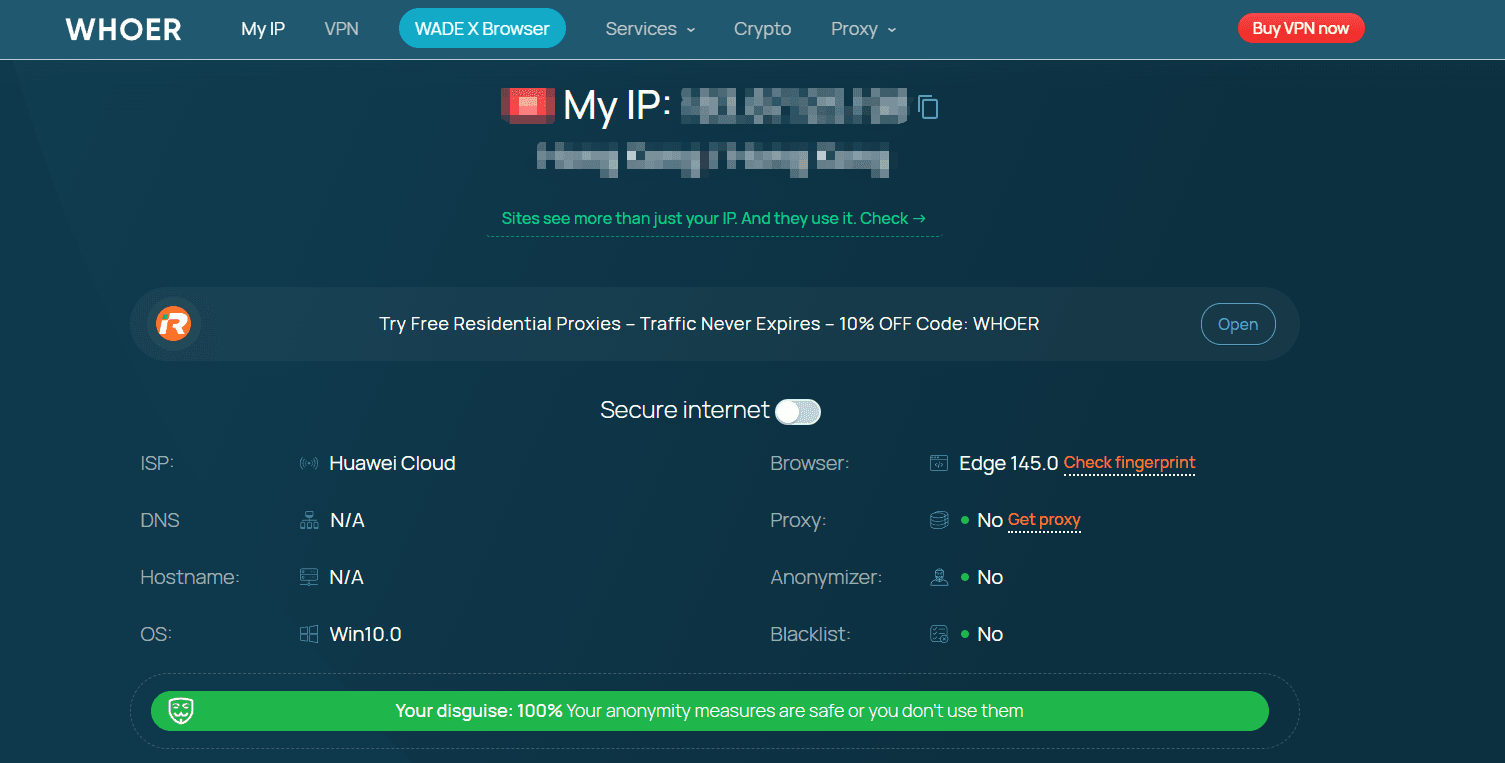
As a brand, Whoer positions itself around privacy and anonymity, but in a pretty straightforward, consumer friendly way. Not overly dramatic, not too technical. Just the general idea that your internet connection leaks more than you think, and you might want a shield.
In terms of credibility, Whoer.net has been around long enough that it doesn’t feel like a brand new VPN popping up out of nowhere. That matters. With VPNs, trust is a huge chunk of the product. You’re literally routing your traffic through someone else’s network, so the company behind it matters almost as much as the app itself.
I’m not going to pretend a nice looking site automatically equals perfect trust. But Whoer at least has an established public presence, a clear “privacy tools” focus, and a recognizable web product outside the VPN. That’s more than you can say for a lot of VPNs with generic names and copy pasted landing pages.
Whoer VPN at a Glance
Whoer VPN is built around a pretty simple promise: connect to a VPN server, hide your real IP, and reduce tracking or snooping on public networks.
Nothing weird. Nothing that requires a tutorial.
Core features for everyday users
Here’s what matters to most normal people using a VPN in 2026, and where Whoer VPN generally fits in:
● One tap connect experience inside the app
● Server location selection (more on that later)
● Basic privacy protection while browsing, especially on public WiFi
● Kill Switch (usually a paid tier expectation, but important either way)
● Auto connect options (useful if you always forget to turn it on)
The overall feature set is not trying to compete with the most advanced “power user” VPNs. It’s aiming for “simple, usable, does the job”.
Free plan vs. paid plan (and what that actually means)
Whoer VPN typically offers a free option plus paid plans. The free plan is best seen as a demo. You can try the experience, see if the app works on your device, see if the connection is stable for your internet. But it is not designed for heavy use.
The paid plan is where the VPN becomes a real daily tool. More servers, better flexibility, and fewer “why can’t I do this” moments.
Supported platforms
Whoer VPN is generally used on the common platforms people actually care about:
● Windows
● macOS
● Android
● iOS

If your life is mostly phone plus laptop, you’re covered. If you want a VPN baked into your router, or you want it on every smart device in your house, that’s where you might start feeling limitations depending on what Whoer currently supports and how hands on you want to get.
Ease of Use / App Experience
This is where Whoer VPN is honestly at its best.
The interface is simple. You open it, you see the connection button, you see your location, and you can pick a server if you want. It doesn’t drown you in toggles. It doesn’t guilt you with warnings every two seconds. It’s basically built for people who don’t want to think about VPN settings.
Setup simplicity
For beginners, setup is pretty painless:
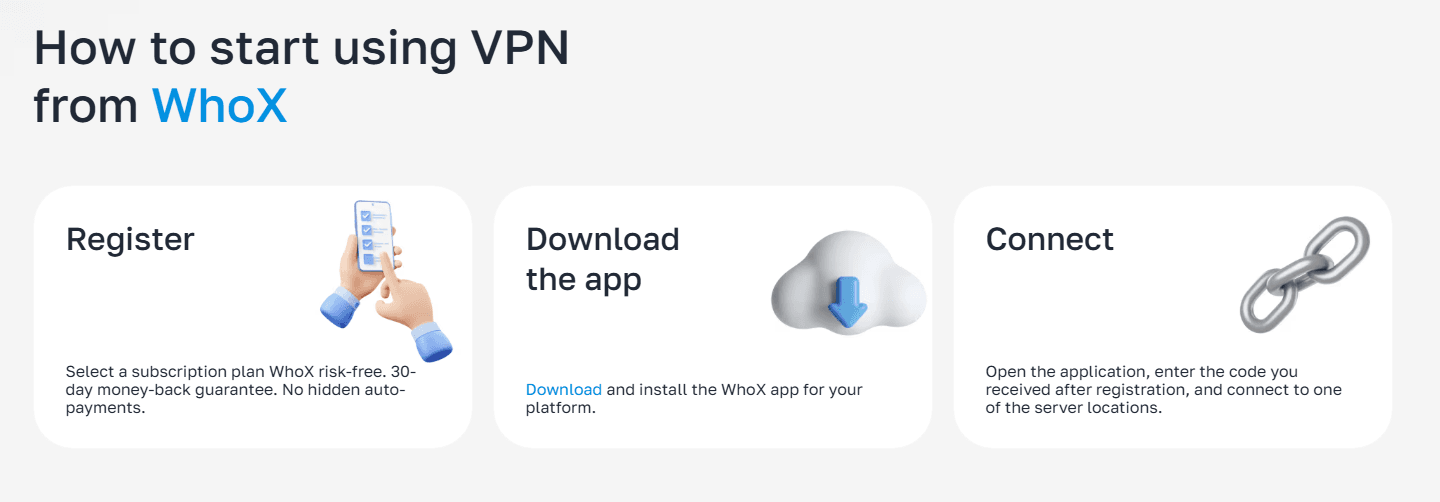
1. Install the app
2. Log in (or use free mode if available)
3. Tap connect
And that’s kind of it.
You do not need to understand protocols. You do not need to know what DNS is. You don’t need to read a guide before you’re “allowed” to use it properly. That alone makes it feel less intimidating than some VPNs that are clearly designed by engineers for engineers.
Connection experience
In daily use, connection feels stable most of the time. It connects quickly enough that you’re not staring at a loading screen thinking it froze. On mobile, it generally behaves like a modern VPN should. Turn it on, it stays on, it reconnects if the network changes.
That said, you can still get occasional hiccups depending on the server you choose. Sometimes a location just feels off that day. It happens with basically every VPN, but it’s worth saying. With Whoer, when something is slow, switching servers usually fixes it. Which is the main thing you want.
Performance in Daily Use
I’m going to keep this in real human terms, because that’s what most people care about. Not charts, not lab tests, not “this server hit 842 Mbps on a Tuesday”.
Everyday browsing
For browsing, email, shopping, reading news, scrolling social media, Whoer VPN is completely fine. Pages load normally. You don’t feel like the internet suddenly became heavy. If you’re the kind of person who just wants privacy on public WiFi, this is the use case where it fits best.
Video calls and remote work
For Zoom, Meet, Slack calls, general work stuff, it’s mostly okay, but this is where your mileage varies based on server choice. If you connect to something far away, you might notice the call feels a tiny bit less snappy. Not always. But enough that if you’re working, you’ll probably want to pick a server closer to you rather than going for some random distant location.
Light gaming
For casual online games, the VPN experience is acceptable if you choose a nearby server. If you’re competitive and sensitive to lag, you probably already know a VPN is rarely your best friend. Whoer isn’t really marketing itself as a “gaming VPN” anyway, and it feels like it. It can work, it’s not the point.
General speed impressions
Overall, Whoer VPN feels like a mid to solid performer. Not shocking fast, not painfully slow. For the price category it often sits in, that’s not a bad place to be.
If you’re the type who downloads huge files constantly, or you want the fastest possible speeds all day long, you may end up comparing it against bigger premium VPN brands. But for normal daily use, it doesn’t get in your way.
Streaming & Access
This is the section most VPNs get judged on, even though it’s kind of unfair because streaming platforms constantly fight VPNs. What works this month might not work next month. Still, people buy VPNs for Netflix. So yeah, let’s talk about it.
Netflix
With Whoer VPN, Netflix access can be hit or miss depending on the server. There are days where you connect and it just works. And there are days where you get the familiar “you seem to be using an unblocker or proxy” message and you sigh and start switching locations.
In real world use, it’s not the smoothest “always works” Netflix VPN I’ve seen. But it’s also not hopeless. It’s more like, if streaming is your main reason for getting a VPN, you might find it a little annoying. If streaming is just an occasional bonus, it’s fine.
You might also be interested in a guide on how to earn online income by watching Netflix.
Disney+, Prime Video, others
Disney+ and Prime Video can be similarly inconsistent. Sometimes you’ll get in immediately, sometimes you’ll need a different server, sometimes you’ll give up and watch something else. That’s the honest experience.

If your goal is reliable, set it once and forget it streaming access across multiple services, Whoer VPN might feel a bit overrated. If your goal is mostly privacy, with streaming as a side benefit, it’s more reasonable.
The practical takeaway
Whoer VPN can work for streaming, but it doesn’t feel like its strongest, most dependable feature. So set expectations correctly and you’ll be less frustrated.
You may also need a secure access guide for streaming sites like tamilmv.
Pricing & Plans
Whoer VPN pricing tends to be positioned as accessible. Not “free forever and amazing”, not “premium luxury VPN pricing”, more like a middle ground aimed at regular users.
Free plan
The free plan is mainly useful for:
● Testing the app on your devices
● Seeing if your network plays nicely with the VPN
● Basic occasional browsing protection
But most people will outgrow it fast, either because of limited server choice, limited speed, or usage restrictions. If you plan to use a VPN daily, you’re probably looking at paid.
Paid plan
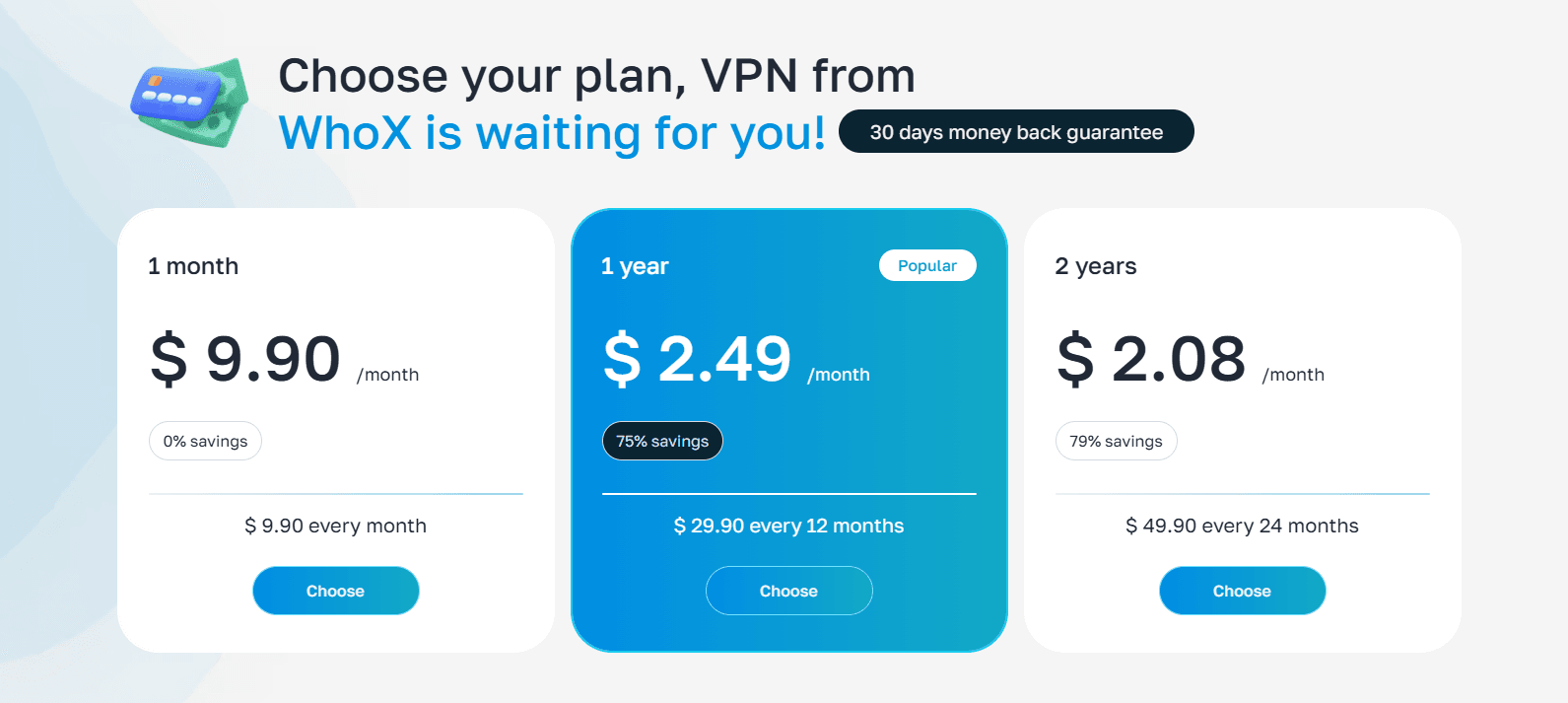
Paid plans are where Whoer VPN becomes a real product instead of a sample. You typically get:
● More server locations
● Better overall performance consistency
● Features like Kill Switch and auto connect (depending on current app version and platform)
● Fewer limits in general
Affordability wise, it’s usually reasonable compared to the biggest names, especially if you choose longer billing periods. Like always, the best value is usually in the longer plans, assuming you’re comfortable committing.
One thing I like, though. The pricing structure is usually easy to understand. No weird add ons, no “streaming package”, no ten different tiers that all sound the same.
Customer Support & Help
Whoer’s support experience is generally simple. You should be able to find basic setup help without digging through ten community threads.
Contacting support
Typically, you’re looking at the usual options:
● Help pages or FAQ
● Support ticket or contact form
● Email based support
In my experience with VPN support in general, live chat is the gold standard because it saves time. If Whoer support is not instant chat in your region or plan, expect the normal back and forth.
Response times and quality
Response time tends to be acceptable, not magical. If you ask a basic question, you get a basic answer. If you ask something complicated, you might get a bit of script reading, and you’ll need to clarify what you mean.
Pros and Cons
Pros
● Beginner friendly app design that doesn’t overwhelm you
● Good for everyday browsing privacy, especially on public WiFi
● Quick setup on typical devices
● Paid plan feels reasonably priced compared to many big VPN brands
● Doesn’t try too hard with gimmicky features most people never use
Cons
● Streaming access is inconsistent, especially if you expect it to always work
● Free plan feels limited beyond basic testing or occasional use
● Server quality can vary by location, meaning sometimes you’ll switch servers to fix a slow day
● Not really aimed at power users, so if you want advanced controls, you might feel boxed in
When a VPN Isn’t Enough: Using an Antidetect Browser
A VPN can hide your real IP address and encrypt your connection, which already improves your online privacy. However, modern websites often track more than just IP addresses. Browser fingerprints, cookies, and device information can still reveal patterns about your activity.
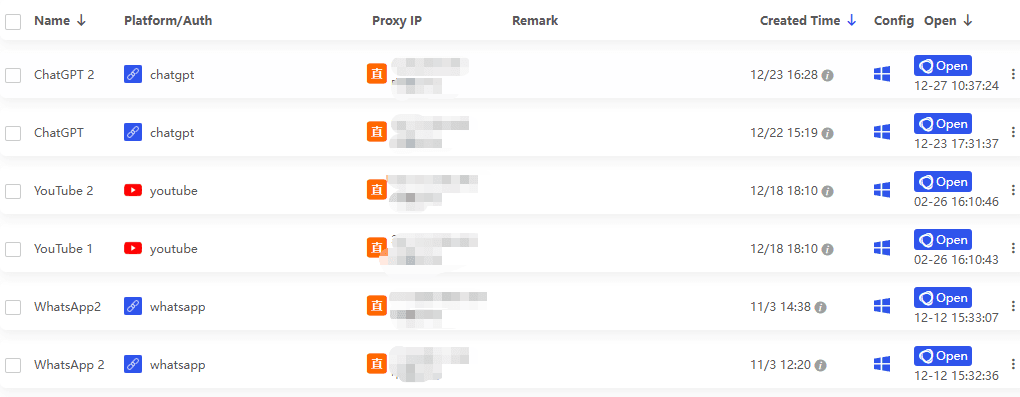
That’s why some users combine a VPN with an antidetect browser for stronger privacy control. An antidetect browser like BitBrowser lets you create separate browser profiles with different fingerprints, cookies, and environments, making each profile appear like a completely different device.
This setup is especially useful for people who manage multiple online accounts, test websites, or want to reduce browser fingerprint tracking. When used together with a VPN, tools like BitBrowser can provide a more complete privacy and account management solution.
Get 10 browser profiles permanently free
Conclusion
Whoer VPN in 2026 feels like a VPN made for normal people. People who want to click one button, feel safer on public WiFi, and not think about it again. On that level, it’s user friendly, it’s straightforward, and it mostly delivers.
Where it can feel overrated is if your main goal is streaming. It can work, but it’s not consistently effortless.
Recommendation: Whoer VPN is good for casual browsing, basic privacy, and simple everyday use. If you want a VPN mainly for reliable streaming access across multiple platforms, you might want to compare it with VPNs that are more explicitly built for that, and known for being stubbornly consistent.
FAQs (Frequently Asked Questions)
What is Whoer VPN and who is it designed for?
Whoer VPN is a user-friendly virtual private network service connected to the Whoer.net privacy site. It’s designed for everyday users who want simple, effective privacy protection without complex settings or technical knowledge.
How easy is it to set up and use Whoer VPN?
Setting up Whoer VPN is straightforward: install the app, log in or use the free mode, and tap connect. The interface is simple with one-tap connect and optional server selection, making it ideal for beginners who don't want to deal with complicated VPN protocols or configurations.
What features does Whoer VPN offer for basic privacy and security?
Whoer VPN provides core features such as IP masking, safer browsing especially on public WiFi, a kill switch to prevent data leaks if the connection drops, and auto-connect options to ensure continuous protection without user intervention.
Is Whoer VPN suitable for streaming content like Netflix?
Streaming with Whoer VPN can be hit or miss. Sometimes it works smoothly, but other times you might need patience and try switching between different servers to find one that allows access to your favorite streaming content.
What are the differences between Whoer VPN's free and paid plans?
The free plan acts mainly as a trial option with limited server access and usage, allowing users to test the app's functionality. The paid plans offer more servers, greater flexibility, improved connection stability, and overall a better experience suitable for daily use.
Which platforms support Whoer VPN?
Whoer VPN supports major platforms including Windows, macOS, Android, and iOS. This covers most common devices like laptops and smartphones. However, advanced setups like router integration or smart home devices may have limitations depending on current support.

 Multi-Account Management
 Prevent Account Association
 Multi-Employee Management
Recommended
See More 



