10 Best iOS Emulators & Cloud iPhones for PC in 2026: Run iOS Apps on Windows
 2026.07.24 04:02
 YT.Shi
If you have ever wanted to run iPhone apps on your Windows PC, you are not alone. The demand for an iOS emulator for PC has been growing for years. Developers want to test their apps without buying multiple devices. Social media managers need to run iOS accounts at scale. And regular users simply want to try iOS apps without switching to a Mac.
But here is the reality check. Apple does not provide an official iOS emulator for Windows, and iOS is tightly linked to Apple hardware and macOS. Most tools marketed as iOS emulators are actually simulators, cloud services, or UI skins rather than full replacements for an iPhone.
That said, there are still practical ways to run iOS apps on a Windows PC in 2026. This guide covers the best options available, what each tool is good for, and how to choose the right one for your needs.
What Is an iOS Emulator for PC?
An iOS emulator for PC is software that tries to replicate the iPhone or iPad experience on a Windows computer. It lets you run, test, or interact with iOS apps without owning a physical Apple device.
But there is an important distinction to understand. A true emulator replicates both the hardware and software of a device. With iOS, that is extremely difficult because Apple's mobile operating system is closed and designed to run on Apple controlled hardware.
Most tools you will find fall into one of these categories:
● Simulators that mimic the iOS software environment using your computer's hardware
● Cloud based real device services that let you access physical iPhones through a browser
● UI skins that look like iOS but cannot run actual apps
● Remote Mac setups where you rent access to a Mac to run Xcode
Understanding this distinction matters because it affects what you can actually do with each tool.
The Best iOS Emulators and Cloud iPhones for PC in 2026
Here are the top tools for running iOS apps on Windows, ranked by what they do best.
👑1. BitCloudPhone-iOS — Best for Real iOS on Windows (Editor's Choice)
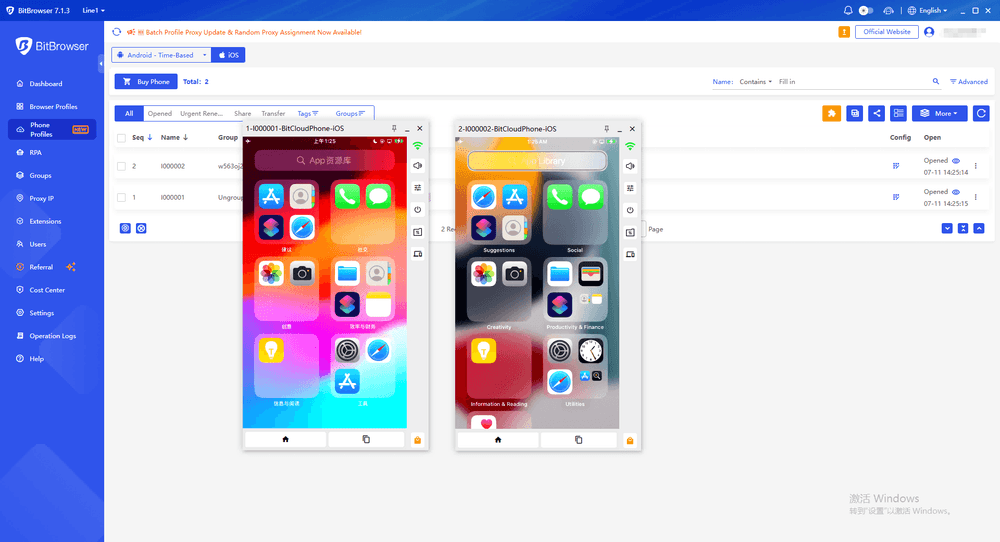
BitCloudPhone-iOS is the top choice for running real iOS apps on Windows. Unlike simulators or virtual iOS environments, it provides access to actual iPhones hosted in the cloud.
How It Works
BitCloudPhone-iOS uses real-device cluster technology with physical iPhone SE2/SE3 devices running native iOS. Each device includes dedicated A-series chips, real device identifiers, and hardware sensors like GPS, accelerometer, and gyroscope.
Apps such as TikTok, Instagram, and Facebook see it as a real iPhone because it is one.
Key Features
| Feature | Description |
|---|---|
| Native iOS System | Runs genuine iOS, not an emulator |
| App Installation | Supports App Store and one-click app installation |
| Multiple Devices | Manage hundreds of iOS cloud phones from one PC |
| Proxy Support | SOCKS5 proxy setup with one-click configuration |
| Device Transfer | Move sessions to a physical iPhone via QR code |
| Batch Management | Manage groups, tags, transfers, and renewals |
| Auto-Renewal | Optional renewal before checkout |
Who It's For
| User | Use Case |
|---|---|
| Social Media Managers | Run TikTok, Instagram, Facebook, and X accounts on separate devices |
| E-commerce Operators | Manage TikTok Shop, Shopify, and marketplace accounts |
| Affiliate Marketers | Access mobile-only platforms and tools |
| App Testers | Test apps on real iOS hardware |
| Temporary iPhone Users | Use an iPhone without buying hardware |
Verdict
BitCloudPhone-iOS is one of the best solutions for running real iOS apps on Windows. Its biggest advantage is simple: it uses actual iPhones instead of simulated environments, making it suitable for social media management, e-commerce, testing, and multi-account workflows.
Get Started with BitCloudPhone-iOS
2. BrowserStack — Best for Cross-Platform Web & App Testing
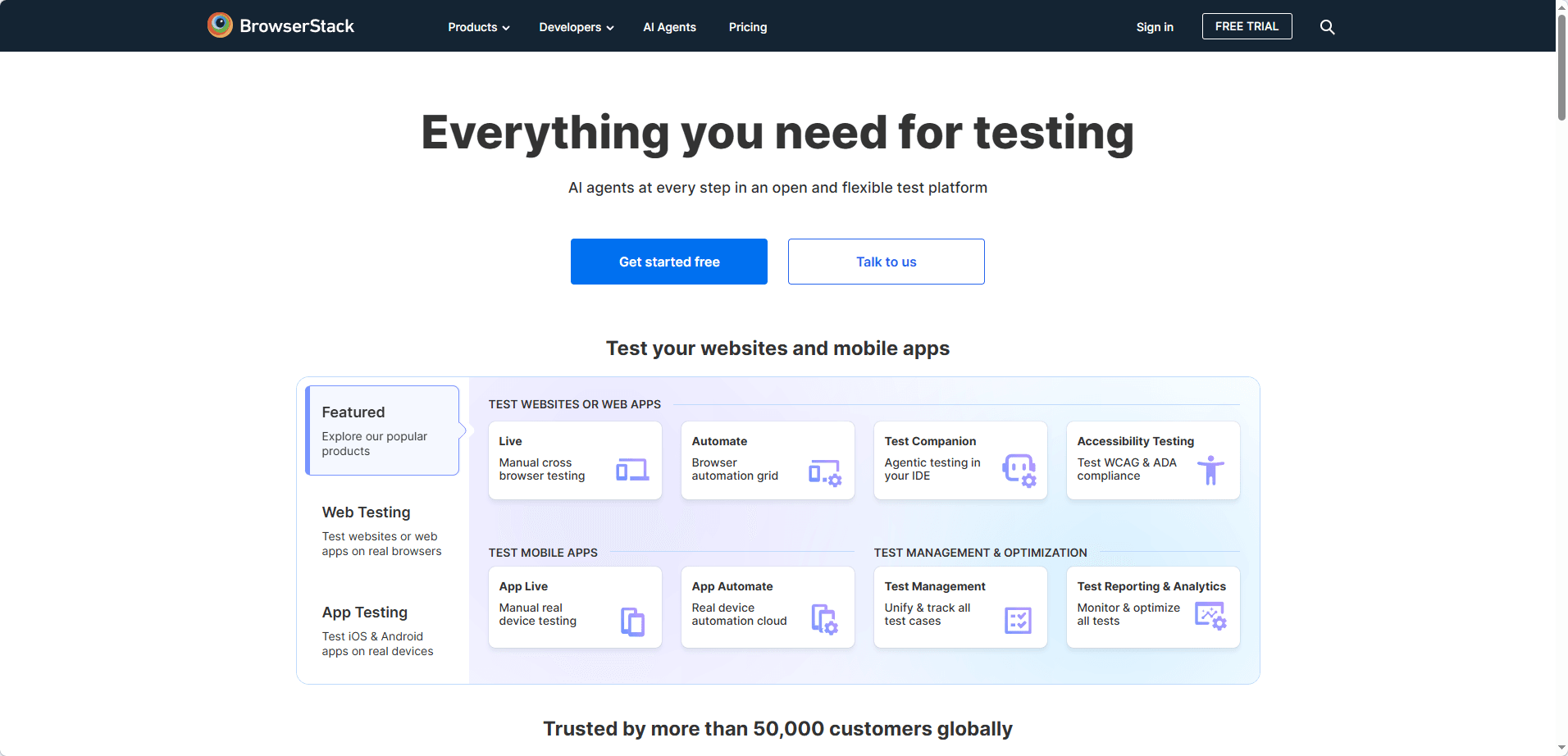
BrowserStack is one of the most popular real-device testing platforms, providing access to 3,000+ real iOS and Android devices. Unlike simulators, it allows teams to test apps and websites on actual iPhones and iPads directly from a Windows browser.
How It Works
BrowserStack provides real-time access to physical iOS devices through its cloud platform. Its App Live feature supports manual testing, while App Automate works with tools like Appium and XCUITest for automated testing.
Key Features
| Feature | Description |
|---|---|
| Real Device Testing | Test on 3,000+ real iOS and Android devices |
| Manual Testing | Interactive testing with rotation and device controls |
| Automation Support | Works with Appium, XCUITest, and CI/CD tools |
| Network Testing | Simulate different network conditions |
| Location Testing | Test apps with custom GPS locations |
Who It's For
| User | Use Case |
|---|---|
| QA Engineers | Test native apps across multiple devices |
| Web Developers | Check mobile website compatibility |
| Product Teams | Validate user experience before release |
Pricing
| Plan | Price | Includes |
|---|---|---|
| Basic | From $39/month (annual billing) | Real device testing with free trial |
| Enterprise | Custom | Advanced testing and team features |
Pros
✅ Large device library with legacy models
✅ Strong testing tools and documentation
✅ Supports automated and manual testing
✅ Reliable enterprise platform
Cons
❌ Built for testing, not multi-account operations
❌ Costs increase with parallel testing needs
❌ Performance may vary by region
3. Sauce Labs — Best for Enterprise Automated Testing
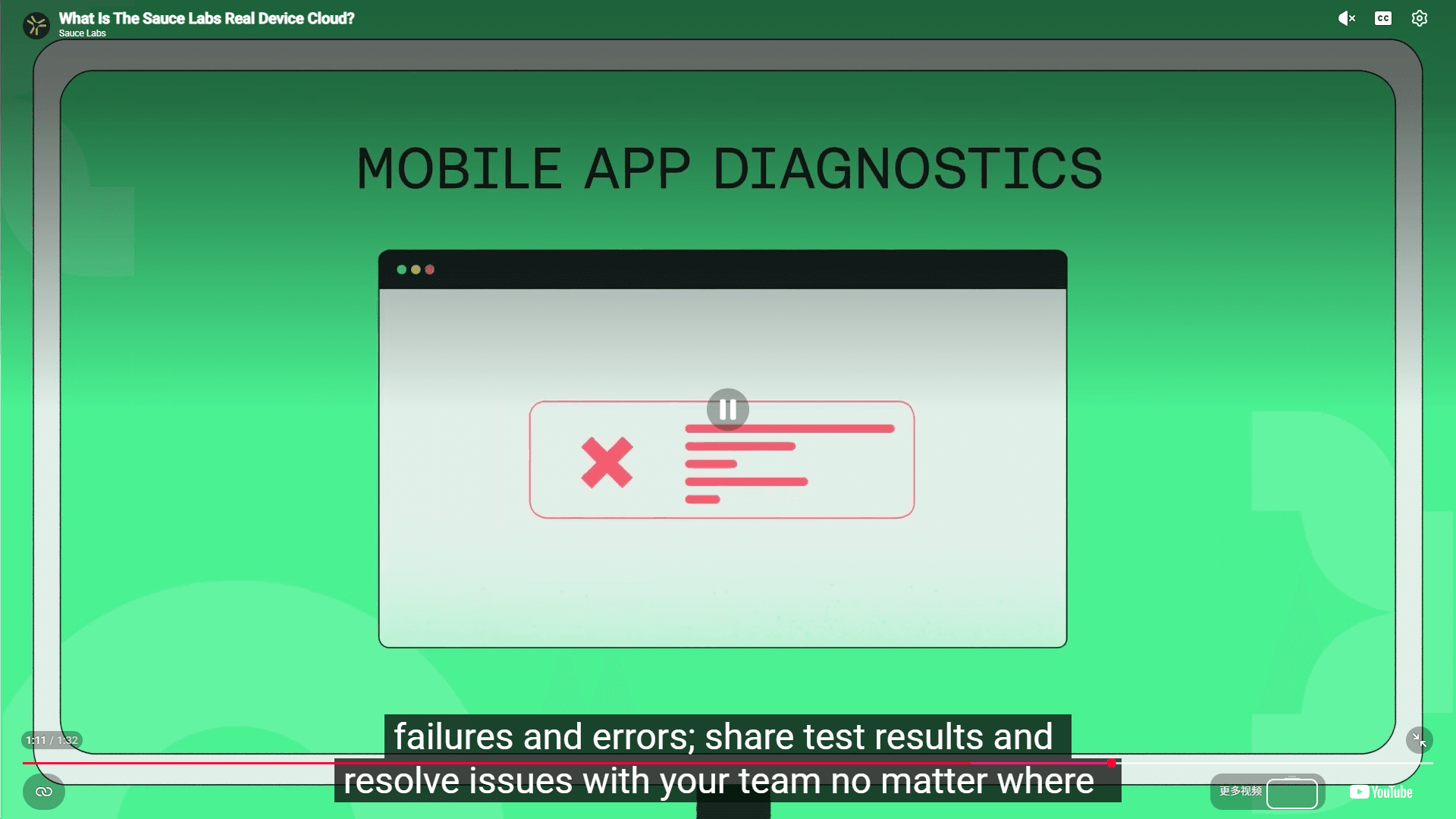
Sauce Labs is an enterprise-focused mobile testing platform that provides real iOS devices in the cloud. Its main advantage is automated testing at scale, with strong security and compliance features.
How It Works
Sauce Labs supports popular testing frameworks like Appium and XCUITest, allowing teams to run thousands of automated tests across real devices. It also provides analytics, error reports, and private device cloud options for enterprise users.
Key Features
| Feature | Description |
|---|---|
| Parallel Testing | Run thousands of tests across multiple devices |
| Automation Support | Works with Appium, XCUITest, Espresso, and more |
| AI Analytics | Detect unstable tests and performance issues |
| Error Reports | Includes videos, logs, and device data |
| Enterprise Security | Supports SOC 2, ISO 27001, and HIPAA compliance |
Who It's For
| User | Use Case |
|---|---|
| Enterprise Teams | Large-scale automated testing |
| DevOps Teams | Continuous integration and deployment testing |
| Regulated Industries | Secure testing environments with compliance needs |
Pricing
| Plan | Price | Includes |
|---|---|---|
| Free | Available | Basic access for small teams |
| Enterprise | Custom | Advanced features and private device cloud |
Pros
✅ Excellent automation capabilities
✅ Strong security and compliance features
✅ Built for large-scale testing workflows
✅ Detailed test reports and analytics
Cons
❌ Too complex for individual users
❌ Requires technical knowledge
❌ Enterprise pricing is not publicly listed
4. Kobiton — Best for AI-Powered Scriptless Testing
Kobiton focuses on AI-assisted mobile testing, helping teams create automated tests without writing complex scripts. Its scriptless automation can record actions on real iOS devices and generate reusable test cases.
How It Works
Kobiton uses AI to analyze user interactions and create automated test scripts. Its self-healing technology can adjust tests when app interfaces change, reducing maintenance work.
Key Features
| Feature | Description |
|---|---|
| Scriptless Automation | Create tests by recording actions on real devices |
| AI Self-Healing | Automatically adapts scripts to UI changes |
| Real Device Testing | Test apps on physical iOS devices |
| Integration | Works with Jira, Jenkins, and CI/CD tools |
| Performance Monitoring | Tracks crashes, logs, and device data |
Who It's For
| User | Use Case |
|---|---|
| QA Teams | Build automation without advanced scripting skills |
| Manual Testers | Move from manual testing to automation |
| Product Teams | Monitor app performance and stability |
Pricing
| Plan | Price | Includes |
|---|---|---|
| Subscription | Custom | Device access and testing features |
| Trial | Available | Test platform capabilities |
Pros
✅ Easy entry into automated testing
✅ AI reduces script maintenance
✅ Friendly interface for non-programmers
✅ Supports real device testing
Cons
❌ Less suitable for complex testing logic
❌ Smaller device library than BrowserStack or Sauce Labs
❌ Automated tests may run slower than custom scripts
5. HeadSpin — Best for Network Performance Testing
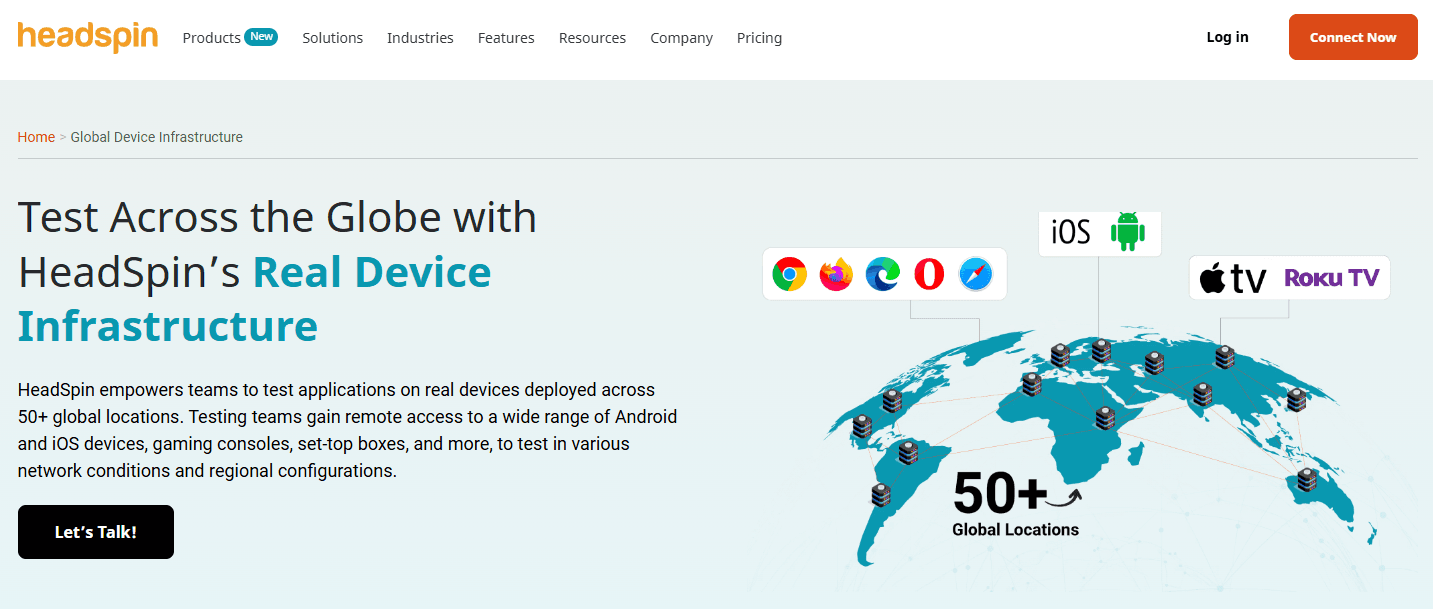
HeadSpin is a real-device testing platform focused on network performance and real-world mobile conditions. It allows teams to test iOS apps on physical devices while analyzing how different network environments affect user experience.
How It Works
HeadSpin combines real iOS devices with network simulation and QoE analytics. Teams can measure video loading, buffering, audio/video performance, latency, and other factors that impact app experience.
Key Features
| Feature | Description |
|---|---|
| Real iOS Devices | Test apps on physical iPhones from global locations |
| Network Simulation | Simulate different network conditions, latency, and packet loss |
| QoE Analytics | Analyze video, audio, and interactive performance |
| Testing Tools | Support manual and automated testing workflows |
| Performance Reports | Provide detailed performance insights |
Who It's For
| User | Use Case |
|---|---|
| Streaming Teams | Test video and media performance |
| Gaming Companies | Analyze app performance under different networks |
| Communication Apps | Improve real-time user experience |
Pricing
| Plan | Price | Includes |
|---|---|---|
| Enterprise | Custom | Device access and advanced testing features |
| Demo | Available | Platform evaluation |
Pros
✅ Strong network performance analysis
✅ Global real-device testing locations
✅ Detailed QoE insights
✅ Useful for complex mobile experiences
Cons
❌ Too specialized for basic app testing
❌ Enterprise pricing may not suit individuals
❌ More technical than beginner-focused tools
6. Corellium — Best for iOS Security Research
Corellium is an advanced ARM virtualization platform that allows researchers to run virtual iOS devices in the cloud. Unlike regular simulators, Corellium provides deep system access for security analysis and debugging.
How It Works
Corellium virtualizes ARM-based iOS environments, giving researchers access to kernel-level tools, memory inspection, and system debugging features. It is designed for security research rather than everyday iOS usage.
Key Features
| Feature | Description |
|---|---|
| ARM Virtualization | Run virtual iOS devices with deep system access |
| Kernel Debugging | Analyze system behavior and security issues |
| Developer Tools | Supports debugging with GDB and Xcode |
| Sensor Simulation | Test GPS, battery, and motion-related behaviors |
| Privacy Focus | Designed for secure research environments |
Who It's For
| User | Use Case |
|---|---|
| Security Researchers | Analyze iOS vulnerabilities |
| Penetration Testers | Perform mobile security testing |
| iOS Analysts | Debug system-level behavior |
Pricing
| Plan | Price | Includes |
|---|---|---|
| Enterprise | Custom | Virtual iOS devices and advanced research features |
Pros
✅ Deep ARM virtualization capabilities
✅ Kernel-level access for security research
✅ Powerful debugging and analysis tools
✅ Widely used in mobile security research
Cons
❌ Too advanced for general users
❌ Requires iOS and security expertise
❌ Virtualized environment, not real iPhone hardware
7. Xcode Simulator — Best for Native iOS Development (Mac Only)
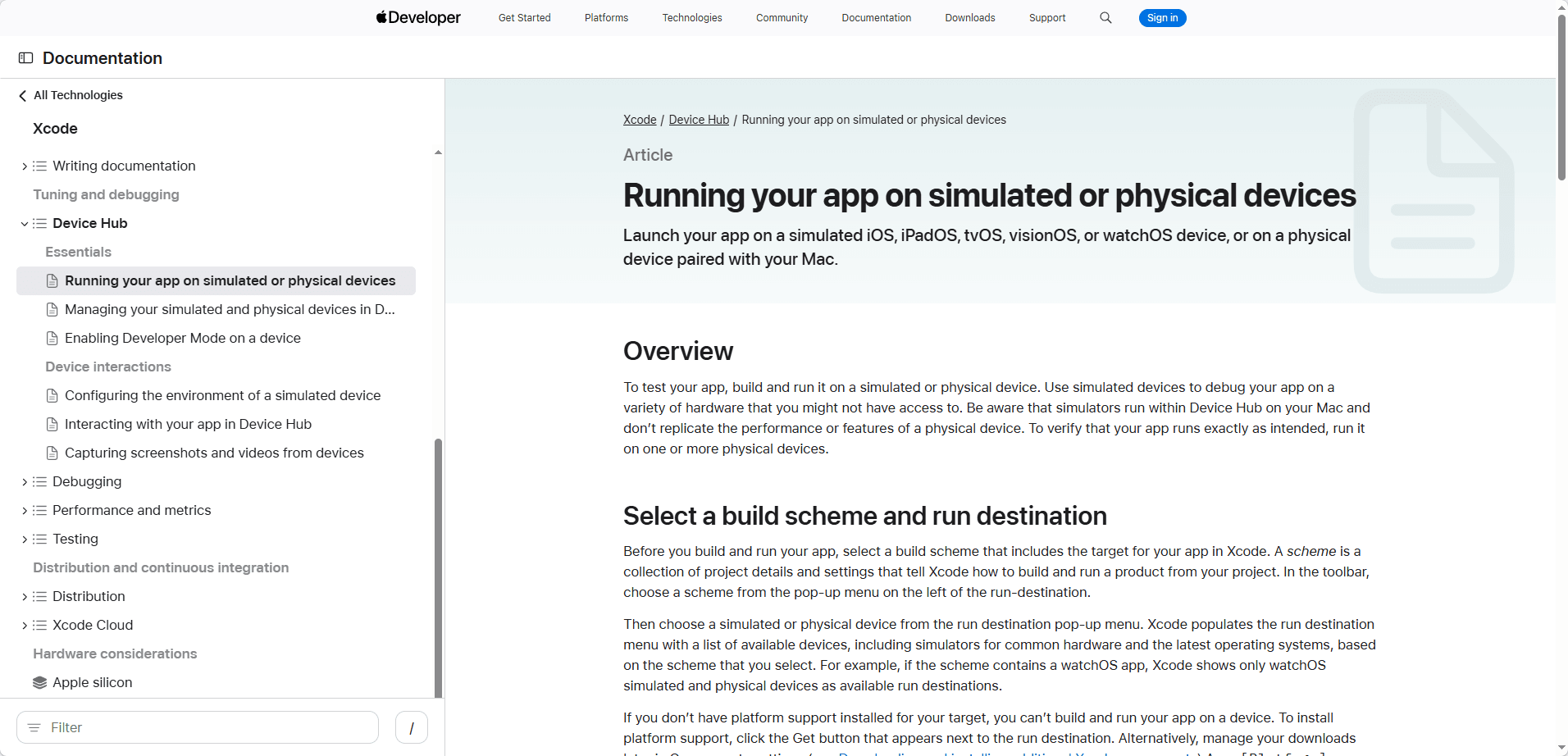
Xcode Simulator is Apple's official iOS simulation environment included with Xcode. It provides a fast way for developers to test iOS apps, preview interfaces, and debug Swift code on macOS.
How It Works
Xcode Simulator runs a simulated iOS environment on Mac. It is highly optimized for app development but cannot fully replace testing on physical iPhones, especially for hardware-dependent features.
Key Features
| Feature | Description |
|---|---|
| Official iOS Tool | Apple's built-in development simulator |
| UI Testing | Quickly test layouts and app behavior |
| Xcode Integration | Works with debugging and profiling tools |
| Multiple Devices | Simulate different iPhone and iPad models |
| Free Access | Included with Xcode |
Who It's For
| User | Use Case |
|---|---|
| iOS Developers | Build and debug native apps |
| App Teams | Test UI and software behavior |
| Students | Learn iOS development without extra tools |
Pricing
| Plan | Price | Includes |
|---|---|---|
| Simulator | Free | Requires a Mac and Xcode |
Pros
✅ Official Apple development tool
✅ Free and deeply integrated with Xcode
✅ Fast for UI testing and debugging
✅ Supports multiple iOS device profiles
Cons
❌ macOS only, unavailable on Windows
❌ Cannot fully replicate real hardware behavior
❌ Requires a Mac with enough resources
8. AWS Device Farm — Best for AWS-Based Development Teams
AWS Device Farm is Amazon’s real-device testing service, allowing developers to test iOS and Android apps on physical devices through the AWS platform.
How It Works
AWS Device Farm connects real mobile devices with AWS development workflows. Teams can run automated tests, access test reports, and integrate results with services like CodePipeline, CloudWatch, and S3.
Key Features
| Feature | Description |
|---|---|
| Real Devices | Test apps on physical iOS and Android devices |
| AWS Integration | Works with CodePipeline, CloudWatch, and S3 |
| Test Automation | Supports Appium, XCUITest, and other frameworks |
| Remote Testing | Interact with devices and review test results |
| Pay-As-You-Go | Flexible usage-based pricing |
Who It's For
| User | Use Case |
|---|---|
| AWS Teams | Add mobile testing to existing AWS workflows |
| Developers | Validate apps on real devices |
| DevOps Teams | Automate testing in CI/CD pipelines |
Pricing
| Plan | Price | Includes |
|---|---|---|
| Pay-As-You-Go | Usage-based | Device testing without long-term contracts |
| Free Tier | Available | Limited monthly testing time |
Pros
✅ Strong AWS ecosystem integration
✅ Flexible usage-based pricing
✅ Reliable cloud infrastructure
✅ Supports automated testing workflows
Cons
❌ Not designed for daily device usage
❌ Interface is less specialized than dedicated testing tools
❌ Performance depends on region availability
9. MacInCloud — Best for Remote macOS Access
MacInCloud is a Mac-as-a-service platform that provides remote access to real Mac computers. Instead of running iOS directly on Windows, users can access macOS remotely, install Xcode, and use the iOS Simulator.
How It Works
MacInCloud provides cloud-based Mac environments where users can run native macOS tools, including Xcode, Swift development tools, and iOS Simulator. It is essentially a rented Mac accessible from Windows.
Key Features
| Feature | Description |
|---|---|
| Remote Mac Access | Use real Mac environments from Windows |
| Xcode Support | Build iOS apps and run iOS Simulator |
| Development Tools | Access Swift and Apple developer tools |
| Automation Support | Supports remote development workflows |
| Flexible Plans | Shared and dedicated Mac options |
Who It's For
| User | Use Case |
|---|---|
| Windows Developers | Build iOS apps without owning a Mac |
| iOS Developers | Access Xcode remotely |
| Teams | Provide temporary Mac environments |
Pricing
| Plan | Price | Includes |
|---|---|---|
| Shared Plans | From around $25/month | Remote Mac access |
| Dedicated Plans | Custom | Private Mac resources |
Pros
✅ Full macOS environment from Windows
✅ Supports Xcode and iOS Simulator
✅ Lower cost than buying a Mac for occasional use
✅ Useful for remote development
Cons
❌ Does not run iOS directly on Windows
❌ Remote desktop latency may affect workflow
❌ Not suitable as a replacement for real iPhone devices
10. Smartface — Best for Cross-Platform App Development
Smartface is a cloud-based mobile development platform that helps developers build iOS and Android apps from Windows. It focuses on cross-platform development rather than running iOS apps directly on a PC.
How It Works
Smartface provides a browser-based development environment with tools for building, debugging, and testing mobile applications. Developers can create native-like apps for multiple platforms without switching between different development environments.
Key Features
| Feature | Description |
|---|---|
| Cross-Platform Development | Build iOS and Android apps from one environment |
| Cloud IDE | Develop through a browser-based workspace |
| Debugging Tools | Test and troubleshoot mobile apps |
| iOS Support | Develop apps targeting Apple platforms |
| Regular Updates | Keeps compatibility with newer mobile systems |
Who It's For
| User | Use Case |
|---|---|
| App Developers | Build cross-platform mobile apps |
| Development Teams | Simplify multi-platform workflows |
| Businesses | Create and maintain mobile applications |
Pricing
| Plan | Price | Includes |
|---|---|---|
| Subscription | Custom | Development and platform features |
Pros
✅ Supports iOS and Android development
✅ Works from Windows through cloud tools
✅ Reduces cross-platform development effort
✅ Includes debugging features
Cons
❌ Not a replacement for a real iPhone
❌ Requires Apple tools/accounts for final iOS publishing
❌ Mainly designed for developers
The Best iOS Emulators and Cloud iPhones for PC in 2026: Quick Comparison
iOS Emulator vs Simulator vs Cloud iPhone: What’s the Difference in 2026?
| Aspect | Emulator | Simulator | Real Device Cloud |
|---|---|---|---|
| Hardware Replication | Virtualizes or mimics device hardware | Simulates iOS behavior using host system resources | Uses physical iOS hardware |
| Performance Accuracy | Close, but may differ from real devices | Faster, but less hardware accurate | Highest accuracy |
| System Resource Usage | Higher CPU/RAM usage | Lower resource usage | Minimal local resource usage |
| App Store Access | Limited or unavailable | Limited | Full access on supported services |
| Platform Detection | May appear as virtual device | Identified as simulator | Appears as physical device |
| Use Case | Security research and advanced testing | UI testing and app development | Real-world usage and production validation |
| Example | Corellium | Xcode Simulator | BitCloudPhone-iOS |
BitCloudPhone-iOS belongs to the Real Device Cloud category, combining physical iPhone hardware with remote access. Unlike simulators or virtualized environments, it is designed for real-world app usage scenarios such as social media management, e-commerce operations, testing, and multi-account workflows.
How to Set Up BitCloudPhone-iOS on Windows
Setting up BitCloudPhone-iOS only takes a few steps:
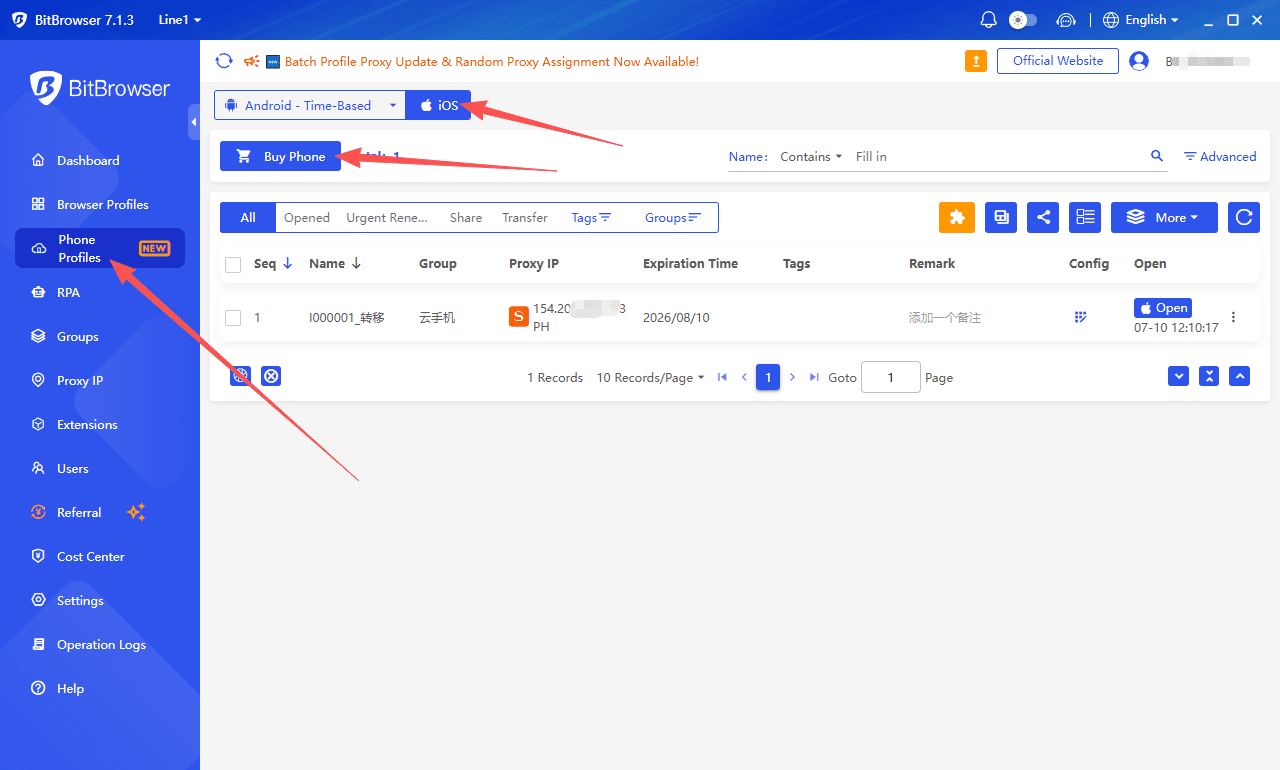
1. Install the BitBrowser client and sign in to your account
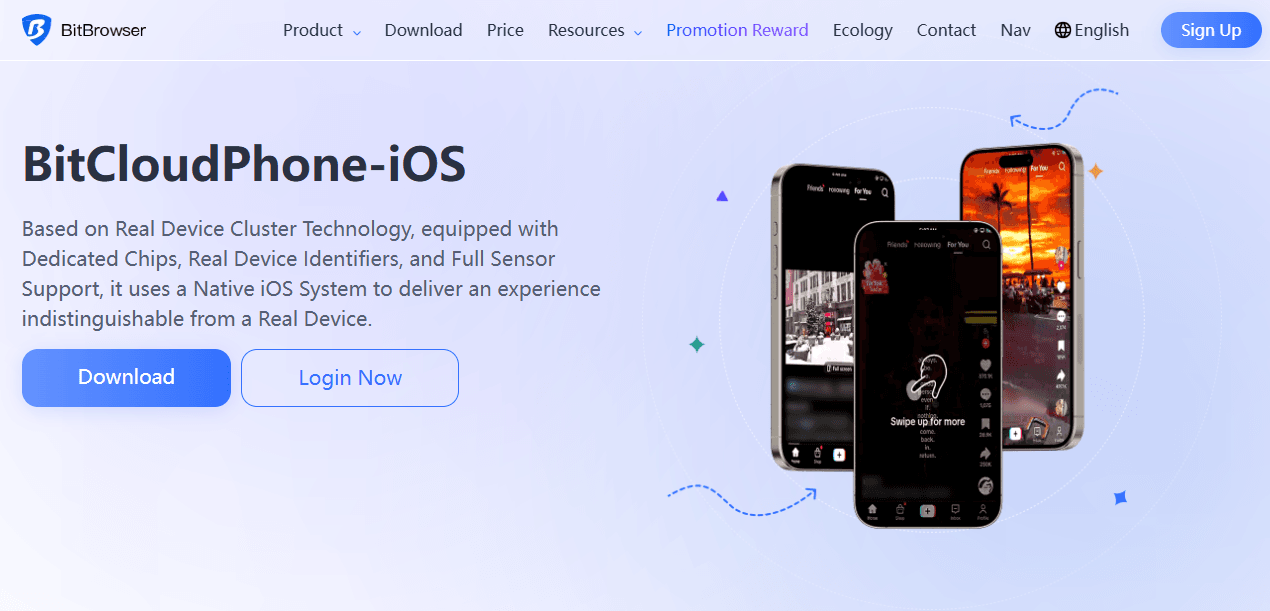
2. Open Phone Profiles → iOS and purchase a cloud phone
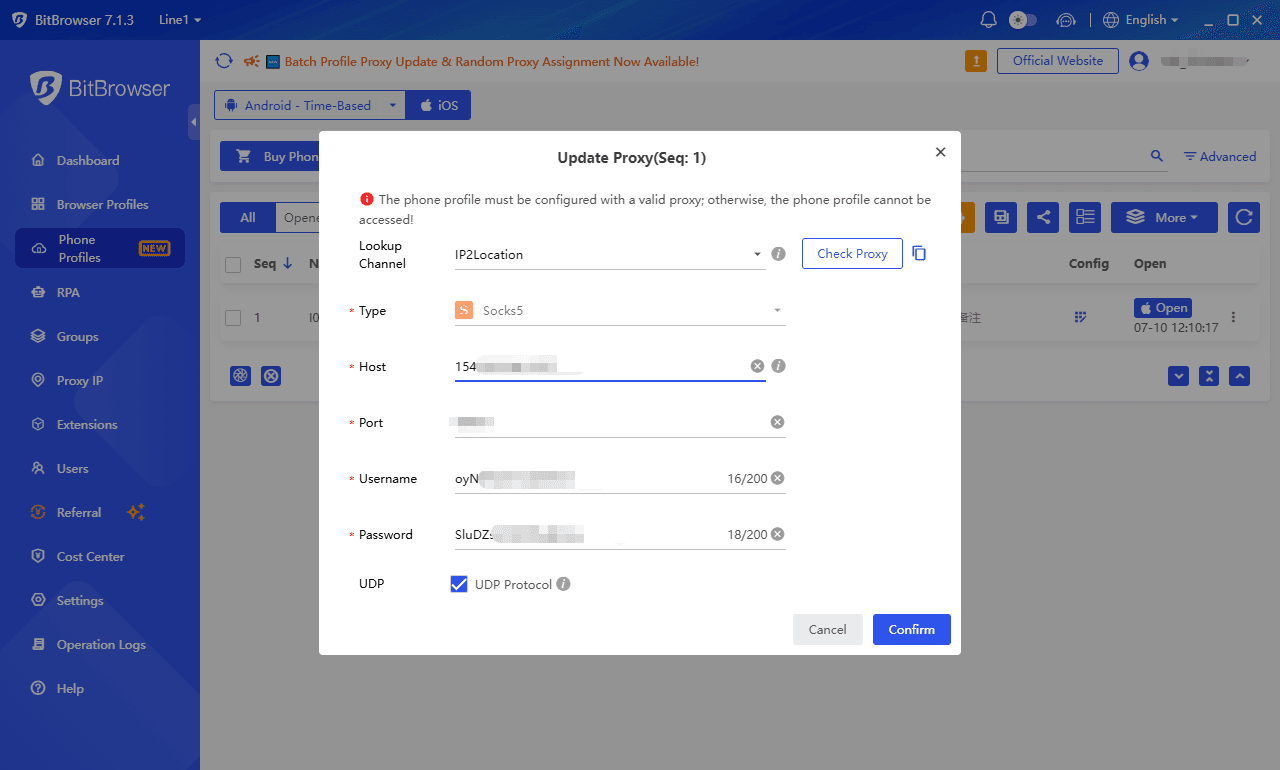
3. Configure a SOCKS5 proxy before the first boot
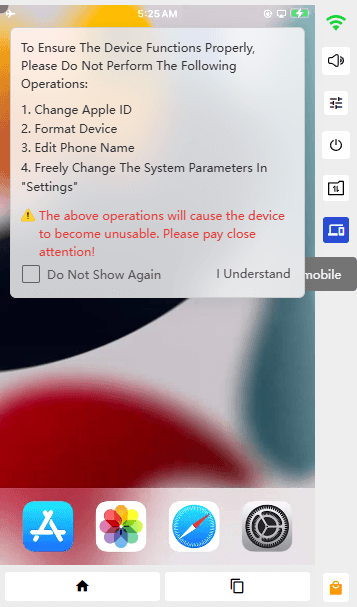
4. Start the device and wait for initialization
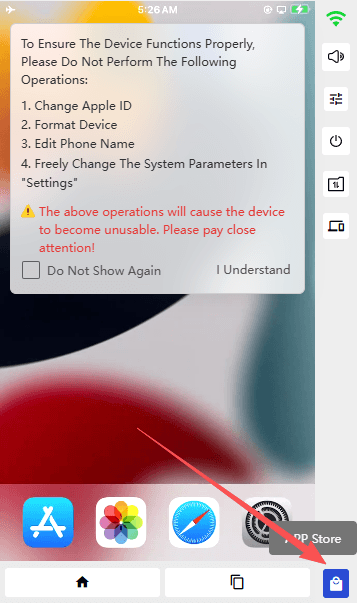
5. Install apps from the App Store and use your iOS environment from Windows
For detailed instructions, including proxy setup and troubleshooting, check the complete guide:
👉 How to Set Up BitCloudPhone-iOS on Windows
Conclusion
Choosing the right way to run iOS apps on Windows depends on what you actually need. If you need a real iPhone environment with full iOS support, cloud access, and multi-account workflows, BitCloudPhone-iOS is the most suitable option.
For developers and QA teams, tools like BrowserStack, Sauce Labs, Kobiton, and AWS Device Farm provide powerful real-device testing environments. If your goal is iOS development, Xcode Simulator, MacInCloud, and Smartface offer better development-focused solutions.
There is no single “best iOS emulator” for everyone. The right choice depends on whether you need real hardware access, app testing, security research, or mobile app development.
Frequently Asked Questions (FAQ)
Can I run iOS apps on Windows?
Yes. You can run iOS apps on Windows through several methods, including real device cloud services, remote Mac access, simulators, and testing platforms. A real device cloud like BitCloudPhone-iOS provides access to an actual iPhone environment remotely.
Is there a real iOS emulator for Windows?
Most iOS “emulators” for Windows are actually simulators, remote testing platforms, or virtualized environments. True iOS emulation is difficult because Apple tightly controls the iOS ecosystem.
What is the best way to run iOS apps on Windows in 2026?
It depends on your purpose. For using real iOS apps from Windows, a cloud iPhone service is the most practical option. For app testing, platforms like BrowserStack and AWS Device Farm are better suited.
Can I access the App Store on Windows?
Traditional iOS simulators usually do not provide full App Store access. Real iOS device cloud services can offer a genuine iPhone environment with App Store support.
Can I use iOS apps like TikTok, Instagram, and Facebook on Windows?
Yes. A real iOS cloud device allows you to access mobile apps from Windows without purchasing a physical iPhone.
Which is better: an iOS emulator or a cloud iPhone?
For development and testing, simulators and testing platforms may be enough. For real app usage, account management, and full iOS compatibility, a cloud iPhone provides a closer experience to using a physical device.

 Multi-Account Management
 Prevent Account Association
 Multi-Employee Management
Recommended
See More