BitCloudPhone Adds New Computing Power Options: Android 15 & 16 Live Computing Power and Global C-17
 2026.11.02 06:49
 YT.Shi
BitCloudPhone has introduced two new computing power options: Live Computing Power for Android 15 and Android 16, and the new Global C-17 option.
Alongside these additions, this update brings several improvements to cloud phone and cloud PC management, including Custom Sorting, resizable Android cloud phone windows, and a fix for an account cancellation issue.
Here's what's new and how these changes work.
1. New Live Computing Power for Android 15 & 16
BitCloudPhone now supports Live Computing Power, designed for users who need cloud phone environments for live streaming workflows.
Two versions are available:
▸ Global15-live: Android 15, For Global
▸ Global16-live: Android 16, General Version
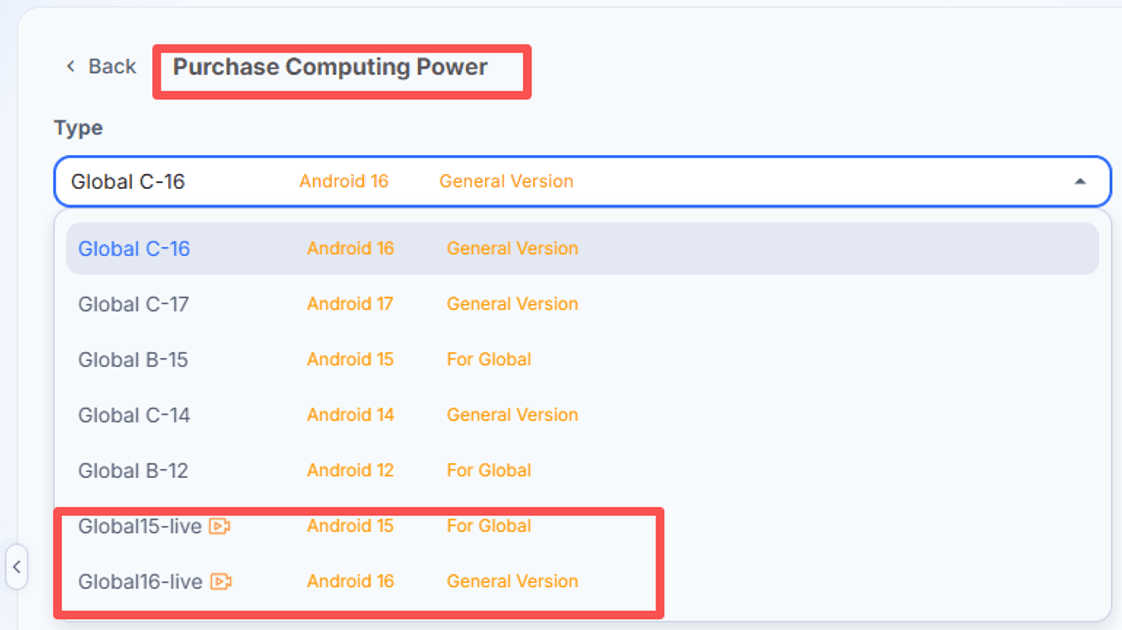
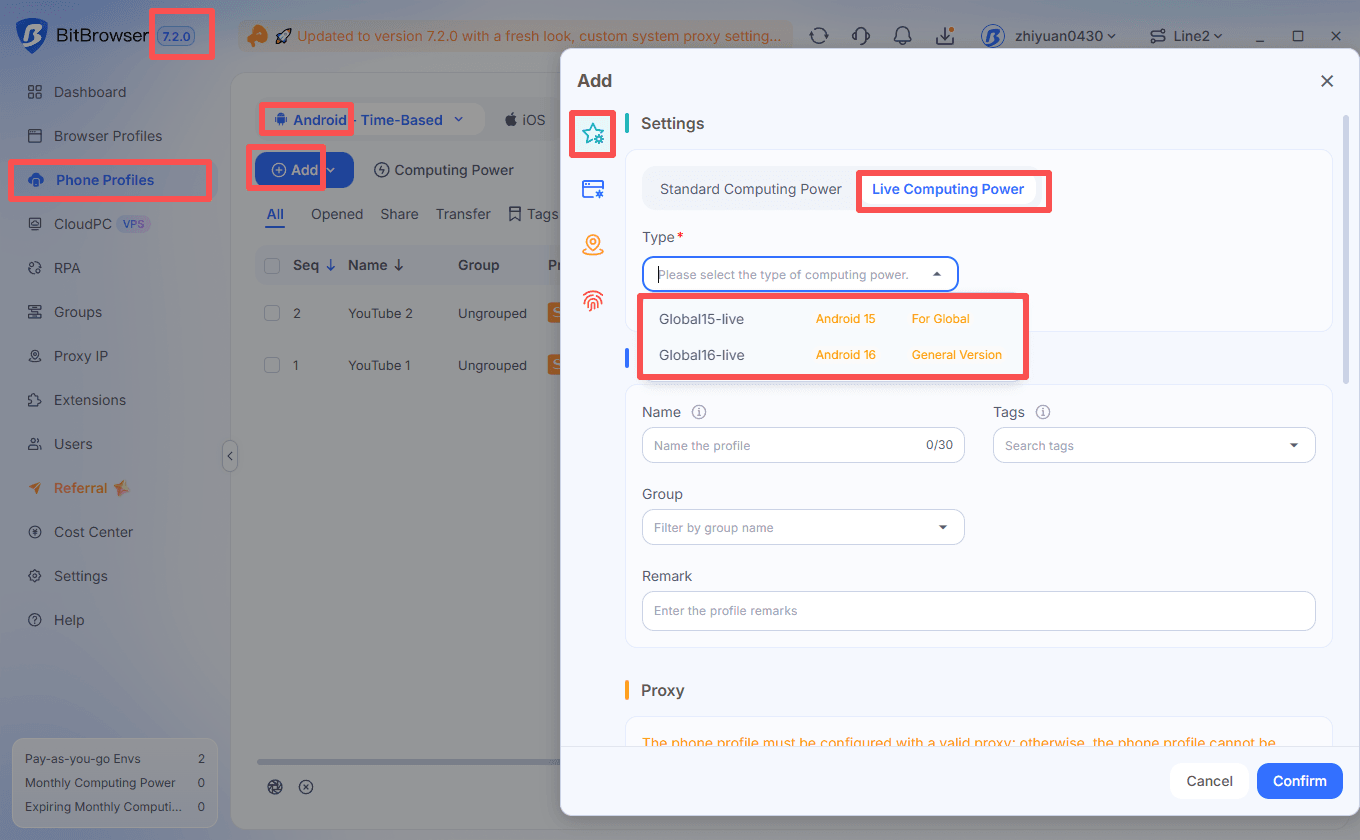
The new computing power also supports two streaming modes:
Camera Live
Use a camera and microphone connected to your local computer as the audio and video source.
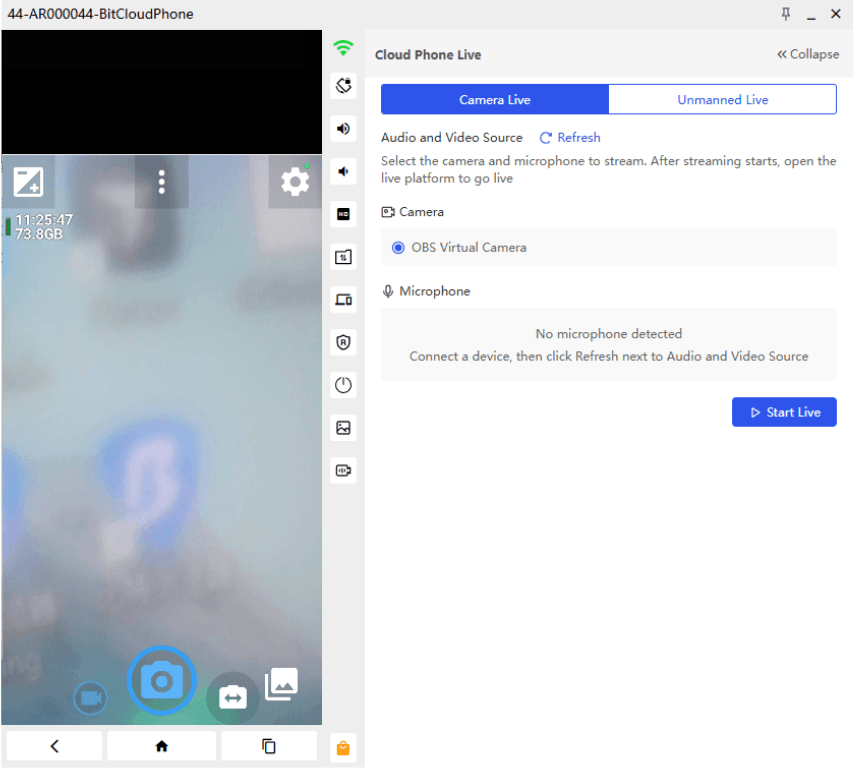
To get started:
1. Connect your camera and microphone.
2. Open Audio and Video Source in the live streaming environment.
3. Select the camera and microphone you want to use.
4. If a device is not detected, click Refresh next to Audio and Video Source.
5. Start streaming, then open your preferred live streaming platform to start the broadcast.
This mode is suitable for real-time broadcasts, product demonstrations, and other live sessions that require camera and microphone input.
Unmanned Live
This mode lets you use a pre-recorded MP4 video as the camera source instead of a connected camera.
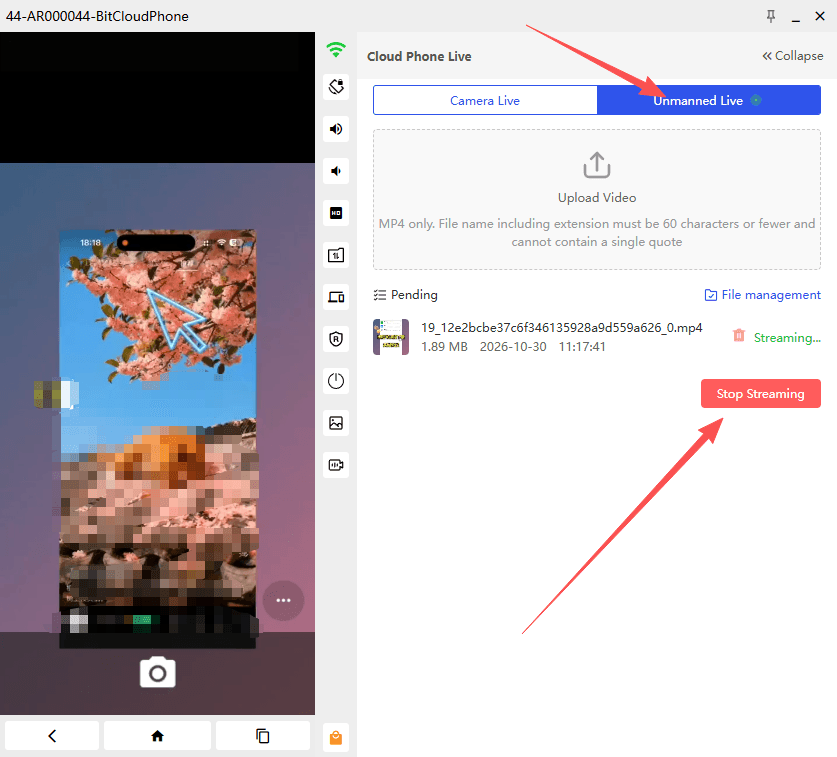
To use it:
1. Open Upload Video in the streaming settings.
2. Upload an MP4 file or select an existing video from File management.
3. Select the video you want to use.
4. Start streaming, then open your live streaming platform to begin the broadcast.
Please note the upload requirements:
▸ MP4 format only.
▸ The filename, including the extension, must be no longer than 60 characters.
▸ The filename cannot contain a single quote (').
This option is useful for video-based streaming workflows, such as prepared product presentations, demonstrations, and promotional content.
2. New Computing Power: Global C-17
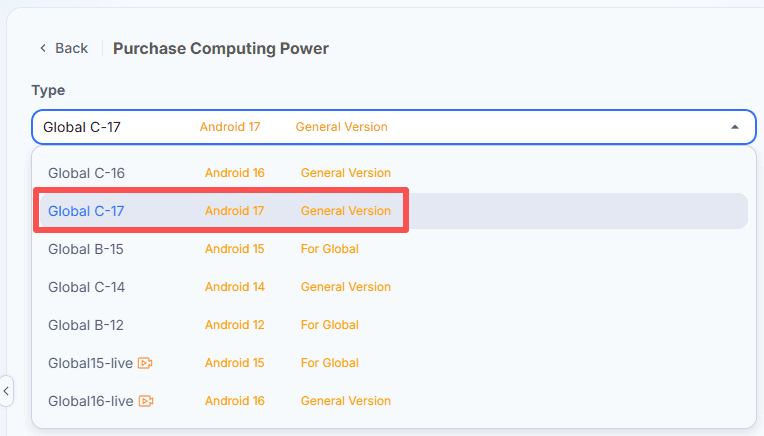
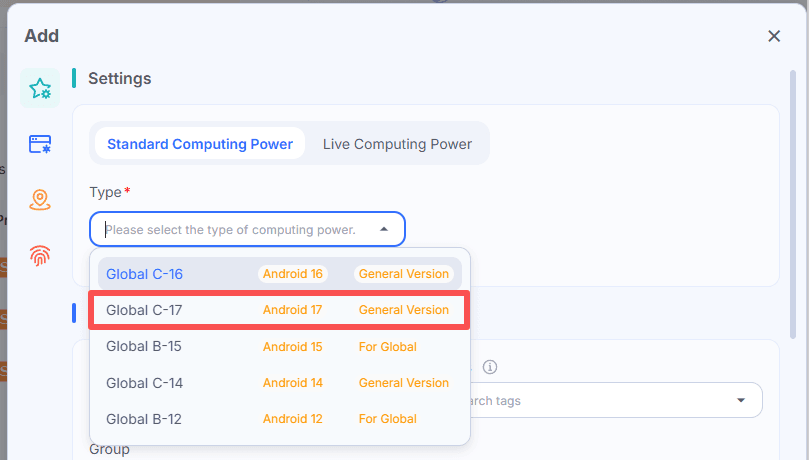
BitCloudPhone has also added Global C-17, an additional computing power option running Android 17 (General Version).
You can check the new C-17 option in the computing power interface when purchasing or configuring an environment.
3. Custom Sorting for Cloud Phones and Cloud PCs
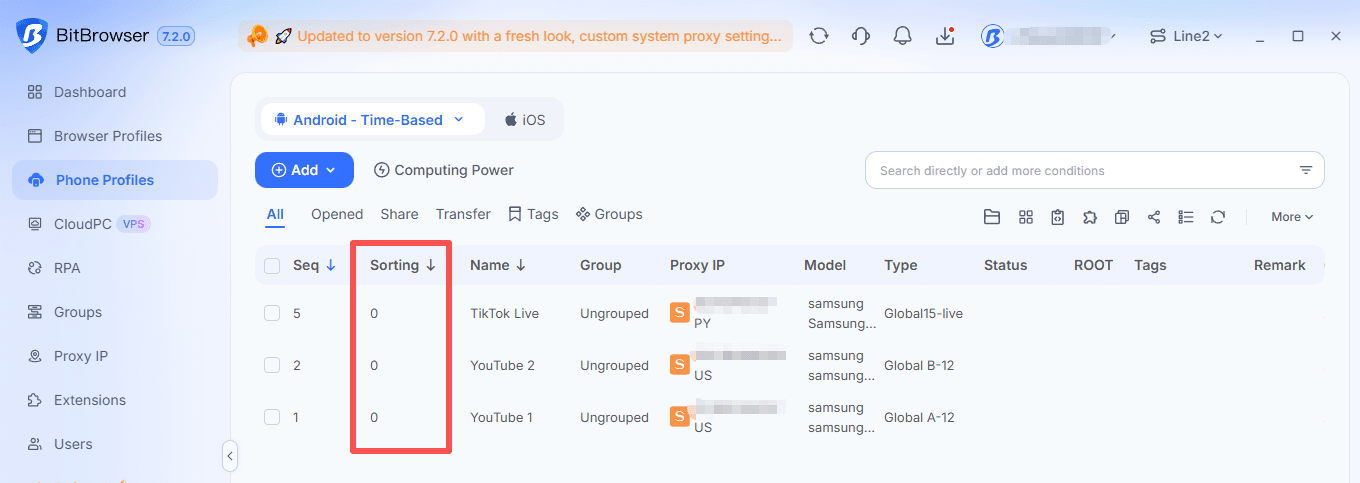
Cloud phones and cloud PCs now support Custom Sorting.
Users can assign custom numbers to their environments to make them easier to identify and organize, especially when managing multiple devices.
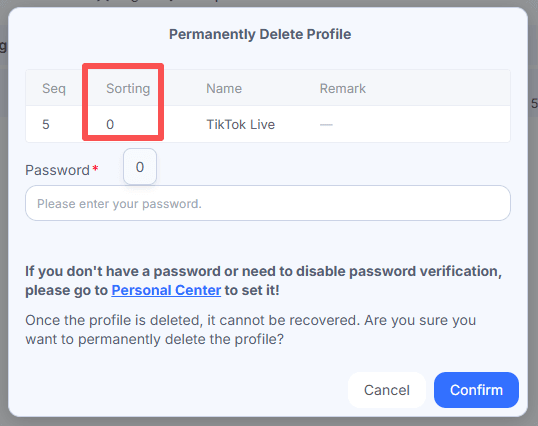
The custom number is also displayed in the deletion confirmation window for browser windows, cloud phones, and cloud PCs.
Before confirming deletion, users can check the number alongside the environment information to help avoid removing the wrong device.
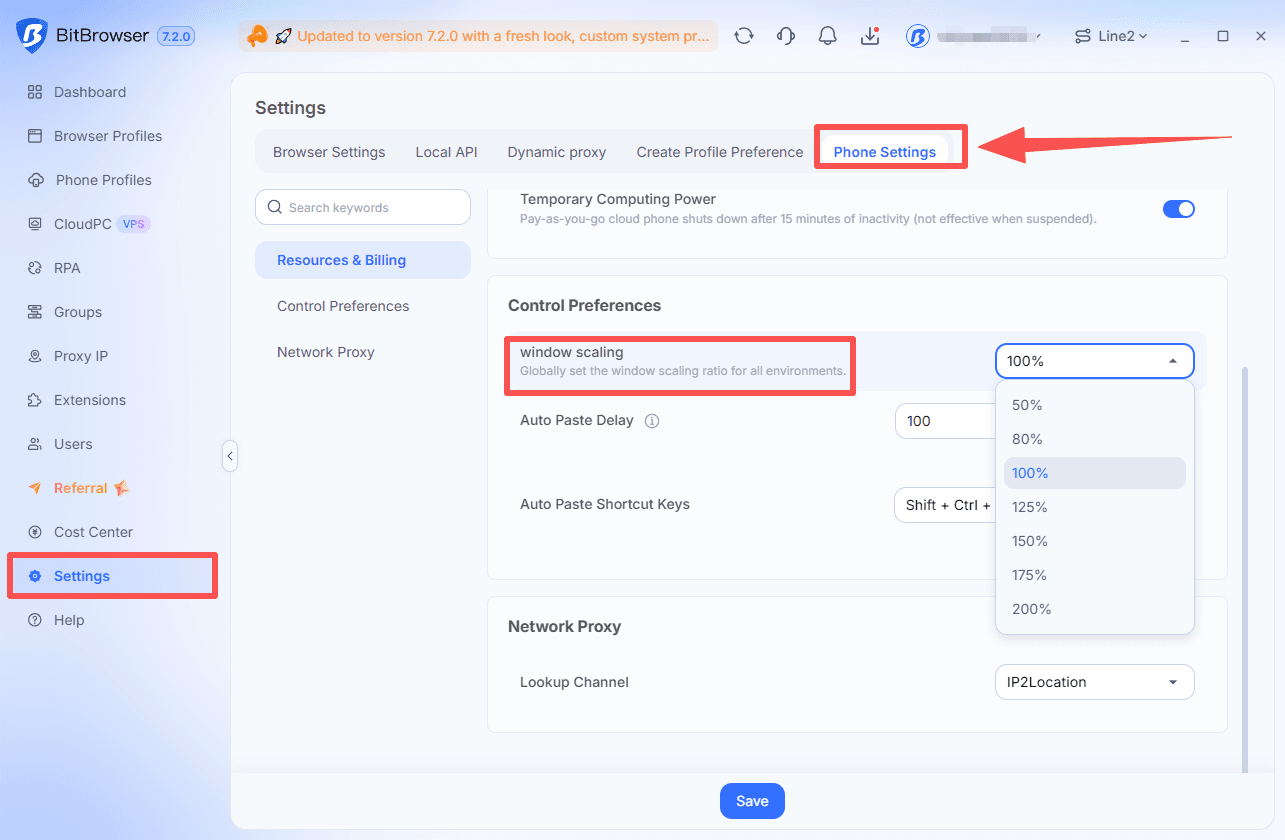
4. Resize Android Cloud Phone Windows
Android cloud phone windows now support scaling down to 50% of their default size.
The default size remains 100%, but users can reduce the window size when working with multiple cloud phones on the same desktop.
This makes it easier to arrange several environments on one screen without constantly switching between windows.
5. Bug Fix: Main Account Cancellation
This update also resolves an issue that could prevent users from canceling their main account.
Previously, after a main account was downgraded to the Free plan, attempting to cancel it could trigger a message stating that subaccounts still existed. At the same time, subaccounts could not clear their data through the Recycle Bin, leaving the cancellation process unable to continue.
The cancellation restriction has now been removed.
When the main account is canceled, all window data in the Recycle Bin is automatically cleared, including data belonging to subaccounts.
Final Thoughts
This update gives BitCloudPhone users more computing power choices, with Android 15 and 16 Live Computing Power and the new Global C-17 option.
The two live streaming modes offer more flexibility for different broadcasting workflows, while Custom Sorting and resizable Android windows make managing multiple cloud environments more convenient.
Try BitCloudPhone today and explore the new features 👉 Get Started

 Multi-Account Management
 Prevent Account Association
 Multi-Employee Management
Recommended
See More