How to Optimize Your X Social Media Marketing with Cloud Phones
 2026.05.25 08:54
 YT.Shi
You have spent weeks building your X accounts. You post great content. You engage with followers. Then one morning you wake up and half your profiles are suspended. No warning, no explanation. It is a frustrating experience that almost every serious marketer faces.
The reason is your setup. X looks at every account and asks one simple question: does this look like a real person using a real phone? If you manage five accounts from the same device and IP address, the answer is no. The platform sees a bot farm, not a business.
Cloud phones fix this problem at its root. A cloud phone is exactly what it sounds like, a real Android phone that lives in a data center instead of your pocket. You access it through your computer browser, but to X, it looks like a physical device sitting in another country. When you give each account its own cloud phone with its own IP address, you are no longer managing fake profiles.
This guide walks you through the entire process. No theory, just the steps I use myself and teach to my clients.
Step 1: Building a Safe Environment for Every X Account
Before you post anything, you need a clean home for each account. Skipping this step is why most people get suspended within the first week.
Start by signing up for a cloud phone service. For this guide I will reference a service called BitCloudPhone because it offers a pay as you go model starting at around three cents per day, which is great for testing without commitment.
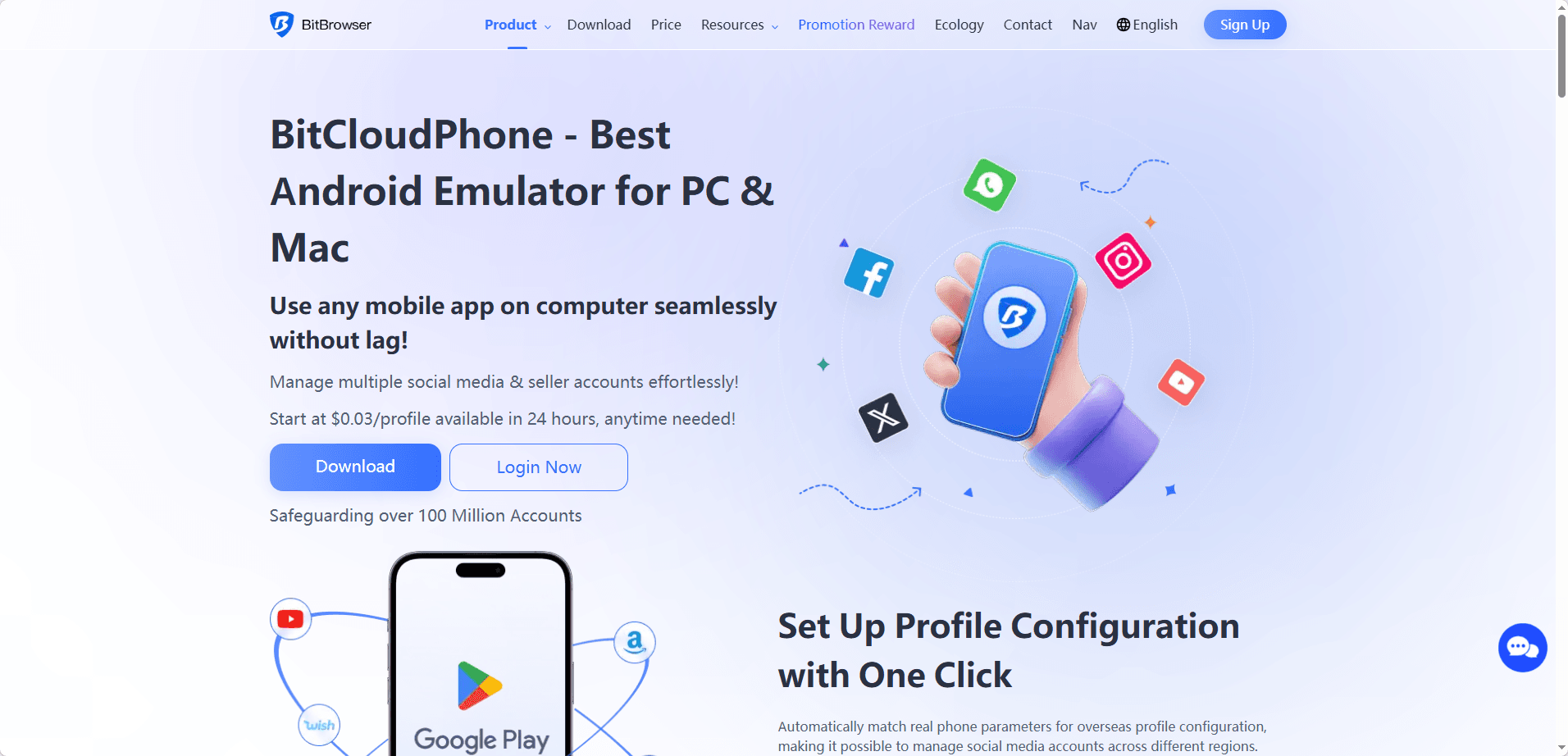
Once you have an account, open the dashboard and click to create a new cloud phone instance. This takes about thirty seconds.
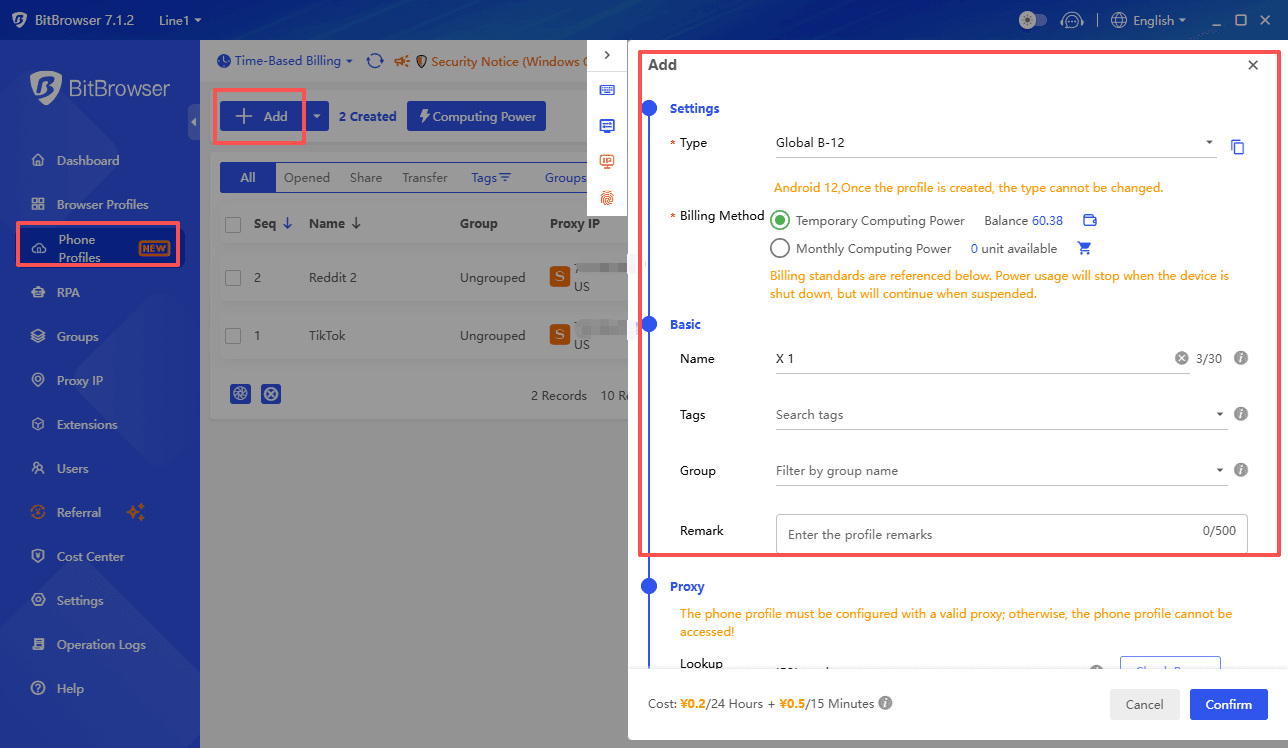
When the phone loads on your screen, it will look like a normal Android home screen. Do not start using it yet. First, you need to configure the device disguise. Every real phone has unique fingerprints like its IMEI number, MAC address, and SIM card data. The cloud phone service lets you customize these.
Set the language to match your target market. Set the timezone to the same region. If your audience is in London, the phone should think it is in London. This consistency is what X looks for when it decides whether an account is legitimate.
Now the most important part: the IP address. Each cloud phone needs its own dedicated proxy IP from the country you are targeting. You can buy these from proxy providers and configure them directly in the cloud phone settings. Once bound, every action from that phone goes through that unique IP. X sees a user in London using a London based phone with London carrier settings. Everything matches. The account looks real because the environment is real.
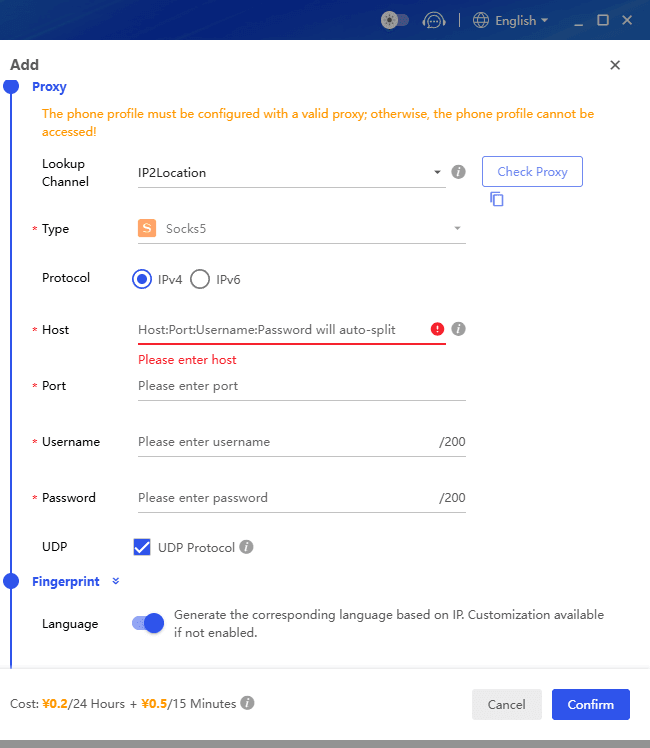
Repeat this process for every X account you plan to run. Yes, it takes time upfront. It also saves you from rebuilding your entire operation every month.
If you prefer the portability of Web Version X for handling your work, please visit the Web Version X Login and Management Guide.
Step 2: How to Warm Up New Accounts
A fresh X account with zero history that suddenly follows fifty people and posts ten times is screaming for suspension. You need to teach the platform that your account belongs to a normal human being.
Days one through three should be pure consumption. Log in, scroll your feed slowly, read some posts, like maybe two or three things per day. That is it. Do not post. Do not follow anyone. You are establishing a behavior pattern that says this is a casual user, not a marketer.
On days four through seven, you can start engaging lightly. Follow five to ten accounts per day, but only from your genuine interest areas. Reply to one or two posts with simple comments like "great point" or "thanks for sharing." Post your first tweet. Make it a question or an observation, something natural, not a link to your product.
This warm up period feels slow, but it is the foundation of account longevity. Accounts that survive their first month tend to last for years if maintained properly.
At this stage, automation can help immensely. BitCloudPhone's RPA automation feature simulate human behavior like reading, pausing, scrolling at varied speeds, and occasionally liking content. The better ones even randomize their activity times to mimic real human patterns. You can set one of these scripts to run for a few hours each day during your warm up period, making the process mostly hands off while still building trust with the platform.
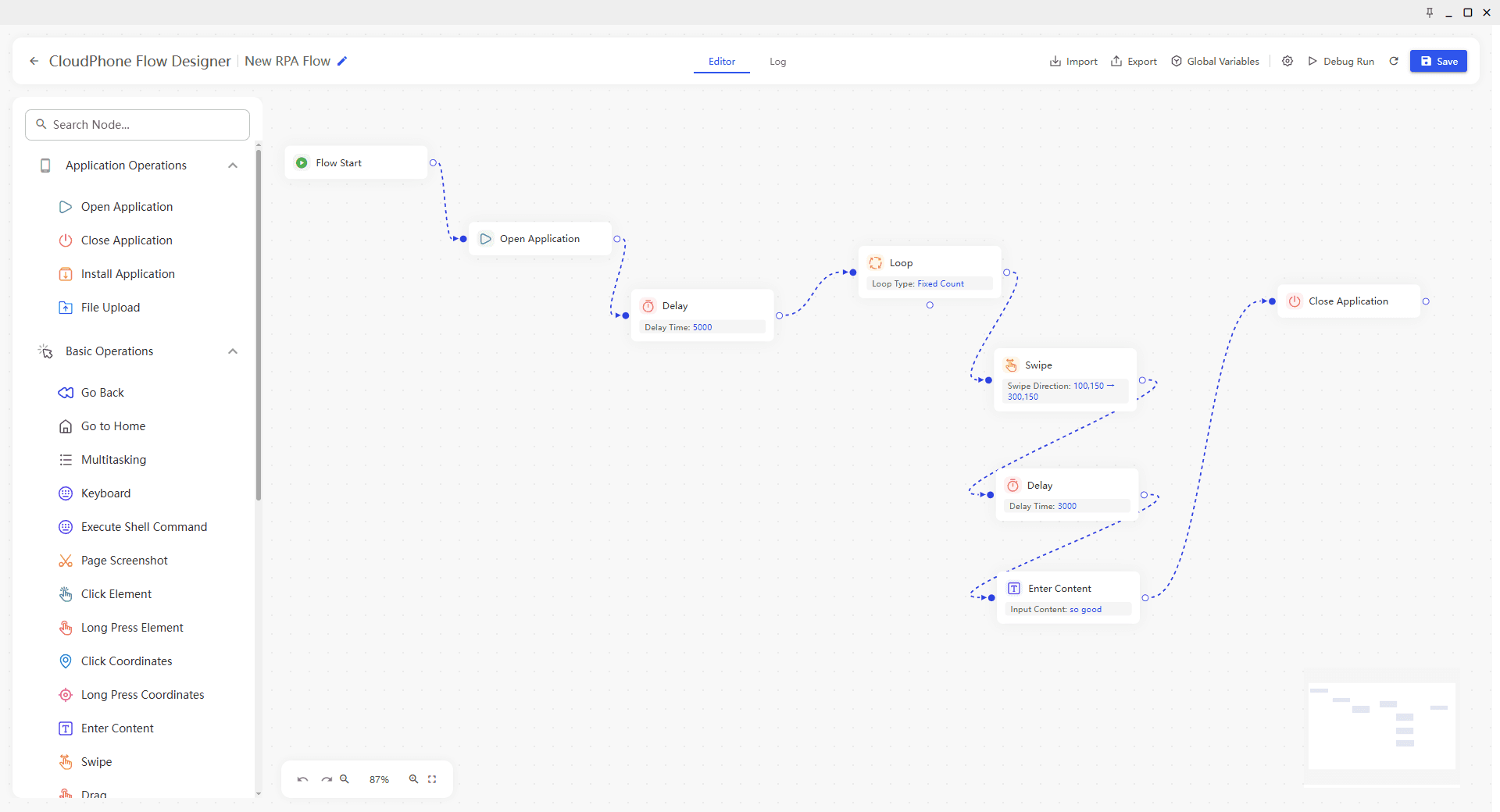
Please refer to the detailed tutorial on creating automated workflows using BitCloudPhone RPA.
Step 3: Scaling With a Multi Account Matrix
Once your accounts are warmed up, the real power of cloud phones becomes clear. You can manage your entire operation from one dashboard.
Open the cloud phone control panel and you will see all your devices listed. Click any one to open it in a new window. You can have dozens open simultaneously, each representing a different X account in a different region with a different IP. This is your matrix.
Organization matters here. Group your accounts with tags. For example, create a group called "US Tech" for accounts that post about technology in the American market. Create another called "UK Finance" for British financial content. This grouping lets you quickly find the right phone when you need to post something.
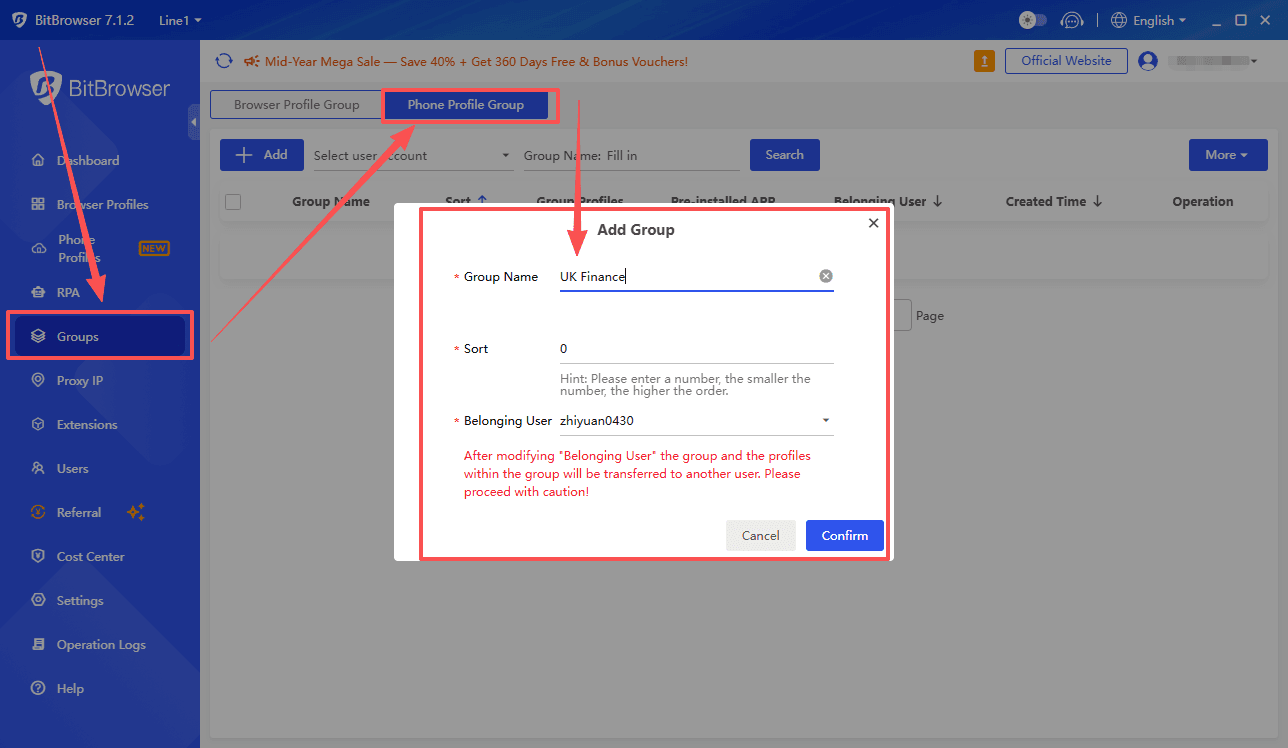
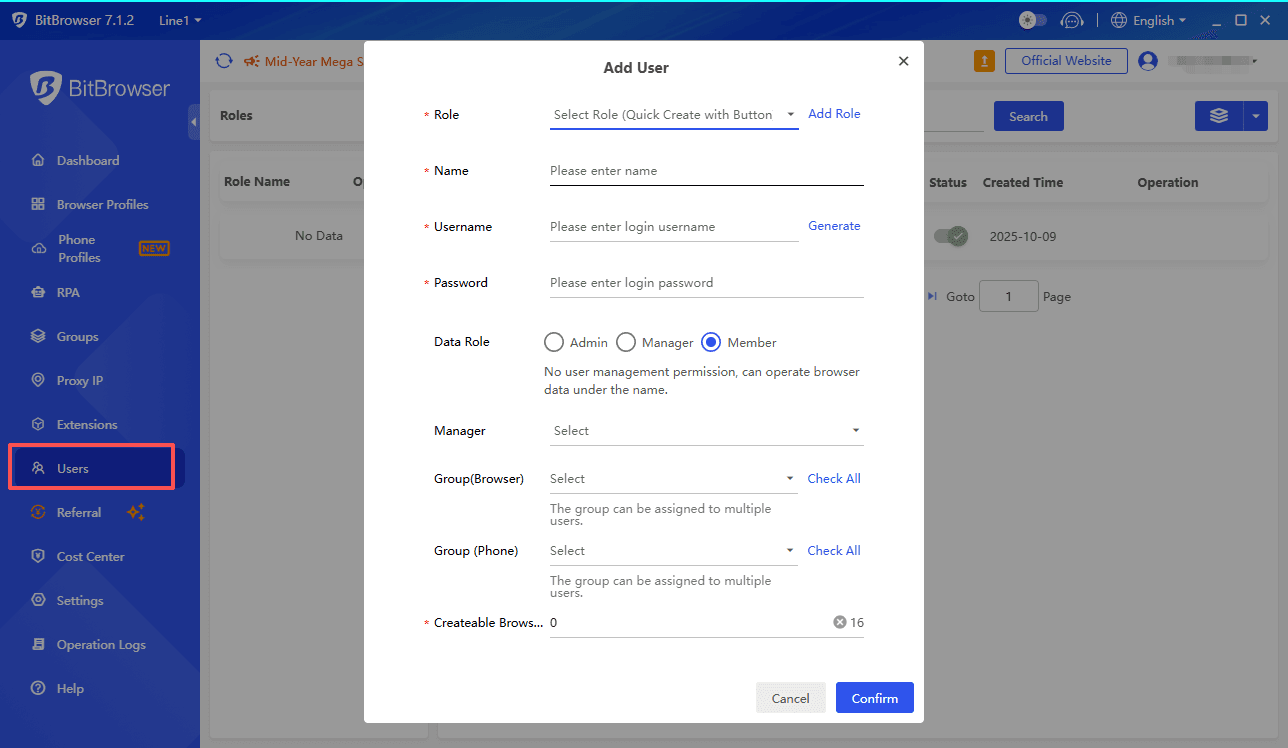
For team operations, BitCloudPhone services support member management. You can create sub accounts for your team members and assign them access to specific device groups only. Your content writer might only see the accounts they need to post on. Your engagement manager sees a different set. This protects your assets while enabling real collaboration.
Now let us talk about batch operations. When you need to install the X app on twenty phones, you do not open each one individually. Cloud phone platforms support ADB commands, which let you send one instruction that executes across all selected devices at once. The same goes for uninstalling apps, clearing caches, or pushing files. What would take an hour manually takes thirty seconds with batch commands.
Step 4: Practical X Marketing Tactics You Can Apply Today
Having the infrastructure is one thing. Using it effectively is another. Here are concrete ways to deploy your cloud phone matrix for real growth.
Vertical Content Strategy
Give each account in your matrix a specific content focus. One account shares product updates. Another shares industry news and analysis. A third shares customer success stories and testimonials. A fourth posts engaging questions and polls. When these accounts interact with each other, retweeting and replying, it creates a halo effect. Followers of one account discover the others naturally. Your brand presence expands without feeling forced.
A/B Testing With One Click New Device
Testing different marketing angles is essential but risky on X because failed experiments can hurt your account metrics. BitCloudPhone solve this with a feature called one click new phone, which generates fresh device parameters in seconds. Create a new phone instance, warm up an account, and test a completely different persona. One account posts humorous content. Another posts serious educational threads. After two weeks, compare engagement metrics. The winning approach becomes your template for future accounts. The losing account can be retired without affecting your main profiles.
Trend Monitoring and Rapid Response
X trends move fast. A topic can explode in the morning and disappear by evening. Set up keyword monitoring scripts on your cloud phones to watch for trending topics relevant to your niche. When a topic surfaces, your scripts notify you. You then quickly deploy posts through several accounts in your matrix, each adding a different angle to the conversation. This multiplies your visibility during the brief window when a trend is peaking. One thoughtful thread from a well positioned account can bring thousands of profile visits in hours.
Scheduled Human Like Activity
Accounts that post at 3 AM local time every day look automated. Smart marketers use the scheduling features on cloud phones to randomize activity. Set your accounts to post between 8 AM and 10 AM on weekdays and between 10 AM and 2 PM on weekends, but let the system pick random exact times within those windows. Do the same for engagement actions. Some days the account likes fifteen posts, some days eight, some days none. This irregularity mimics real human behavior and keeps the platform algorithms comfortable with your presence.
Summary
No single tool does everything perfectly. Your choice depends on how you work. If your entire workflow is web based, using browser automation frameworks like Selenium, then BitBrowser might serve you better than a cloud phone.
If you are exclusively using the X mobile app and value built in AI automation, some cloud phone alternatives specialize in that. If you run X Spaces or other high load features, look for services built on physical ARM chips for better performance stability.
For most marketers focused on mobile app management with tight budgets, pay as you go cloud phone services hit the sweet spot. They combine solid device simulation with costs measured in cents per day.
Sign Up

 Multi-Account Management
 Prevent Account Association
 Multi-Employee Management
Recommended
See More