Incogniton vs MoreLogin: Which Antidetect Browser Fits Your Workflow in 2026?
 2026.03.18 02:23
 YT.Shi
Managing multiple online accounts while avoiding detection remains a key challenge for marketers, e-commerce sellers, and social media managers in 2026. Antidetect browsers help solve this problem by creating isolated browser profiles with unique fingerprints, allowing multiple accounts to operate simultaneously without linking. Two notable options are Incogniton and MoreLogin. This article examines their features, usability, and limitations.
Quick Comparison: Incogniton vs MoreLogin (2026)
| Feature / Aspect | Incogniton | MoreLogin |
|---|---|---|
| Multi-Account Management | Supports isolated multiple accounts; fingerprint customization with 50+ parameters (Canvas, WebGL, fonts, screen resolution, timezone, etc.) | Supports multiple accounts; platform presets (Facebook, Google, Amazon, etc.); fingerprint customization is limited |
| Browser & Device Simulation | Chromium-based, desktop environments only | Chromium + Cloud Phone (virtual Android) for mobile simulation |
| Automation Support | Built-in Synchronizer, API access, compatible with Selenium, Puppeteer, Playwright | Synchronizer for multi-window actions, supports Selenium and Puppeteer; advanced customization is limited |
| Proxy Management | Residential, datacenter, mobile proxies; built-in proxy marketplace; immediate profile assignment | HTTP/HTTPS/SOCKS5; users must provide or buy proxies externally; no free built-in proxies |
| Team Collaboration | Advanced: roles, tags, folders; simultaneous profile editing; available in paid plans | Basic: shared configuration and permission control; limited granularity and occasional sync issues |
| Security & Privacy | Advanced fingerprint customization; Chromium security updates | Six-layer encryption, end-to-end encryption, 2FA; Canvas fingerprinting supported, limited control |
| User Interface | Feature-rich but steeper learning curve; interface slightly dated | Clean and intuitive; beginner-friendly |
| Pricing | Free: 10 profiles for 2 months, then drops to 3; Paid plans from $19.99 | Free: 2 profiles / 2 users; Pro $9/month, expandable; proxies not included |
| Target Users | Advanced users, teams needing deep customization and automation | Small teams, beginners, users needing quick multi-account operations, desktop & mobile |
| Main Limitations | Steep learning curve; team features expensive; no mobile simulation | Limited fingerprint customization; proxy cost extra; team features basic; not ideal for heavy automation |
Incogniton
Profile Management and Customization
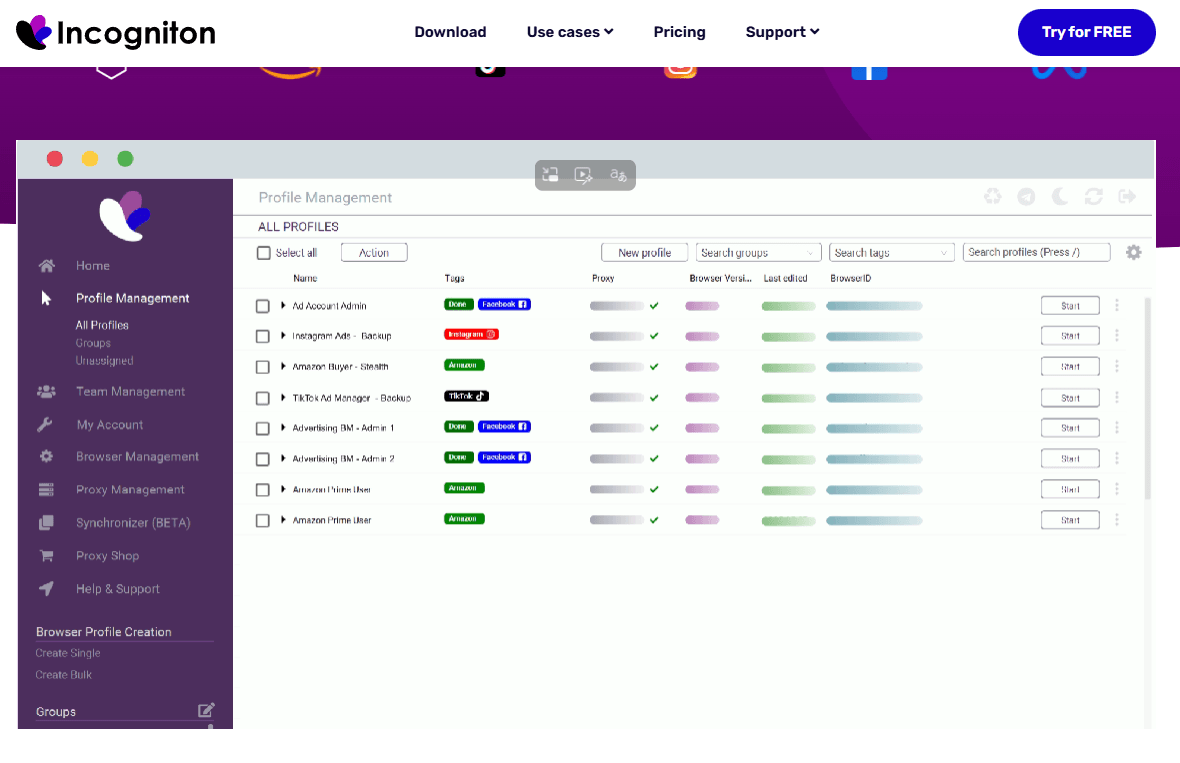
Incogniton allows users to create multiple browser profiles, each with a unique fingerprint. Profiles can be customized extensively, including Canvas, WebGL, fonts, screen resolution, timezone, and other device parameters. This level of control reduces the risk of accounts being flagged for appearing linked. Bulk profile creation and tag-based organization make it easier to manage large numbers of accounts.
Automation and Integration
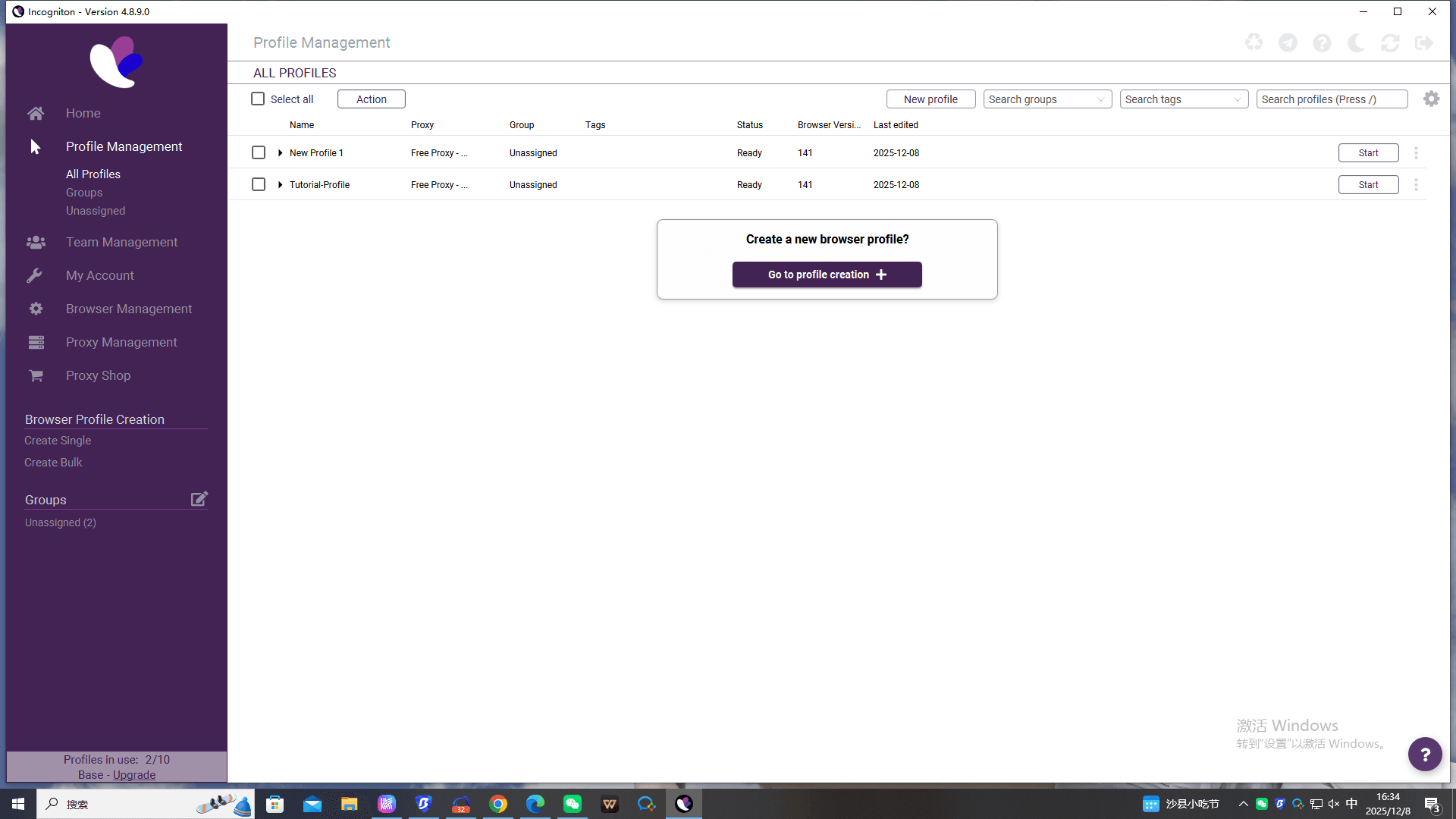
The browser supports automation through Selenium, Puppeteer, and its REST API. The built-in Synchronizer tool allows users to record actions and repeat them across multiple profiles without coding. These features make it suitable for large-scale operations or agencies running complex workflows.
Proxy and Network Support
Incogniton includes a proxy marketplace, supporting residential, datacenter, and mobile proxies. Users can assign proxies to individual profiles and test connectivity within the browser. Free proxies are available but are generally suitable only for basic browsing.
Team Collaboration
The platform supports role-based access and profile sharing, allowing teams to work on the same set of accounts without conflicts. Team features are only available in higher-tier plans.
Pricing and Limitations
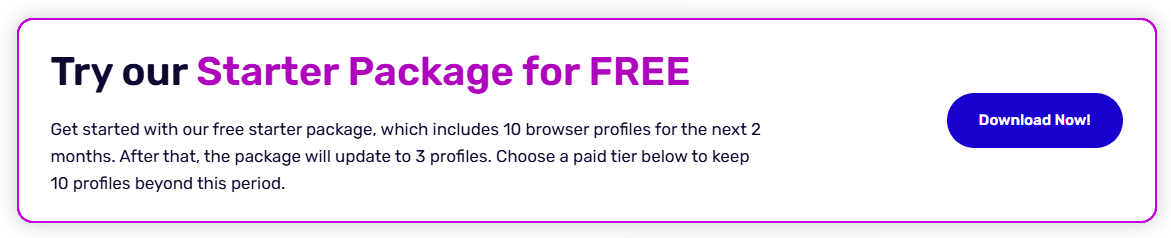
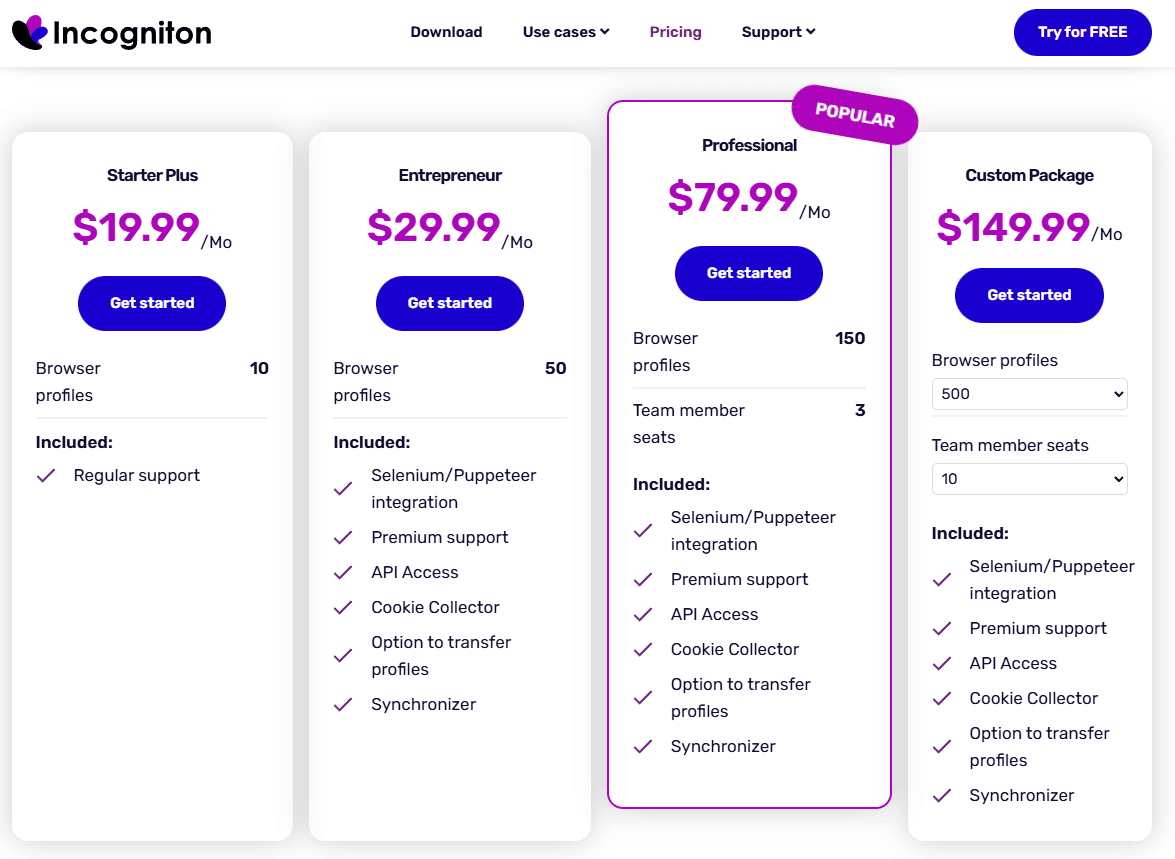
Incogniton offers a free plan with 10 profiles for two months, dropping to 3 profiles afterward. Paid plans start at $19.99/month and scale to custom enterprise pricing. The main limitations are the learning curve for beginners, high cost for advanced team features, and lack of mobile device emulation.
Paid plans
● Starter Plus: $19.99 for 10 profiles
● Entrepreneur: $29.99 for 50 profiles
● Professional: $79.99 for 150 profiles
● Custom: $149.99 for 500+ profiles
Pros
● Extensive fingerprint customization
● Advanced automation and API support
● Team collaboration tools for large operations
● Integrated proxy marketplace
Cons
● Higher cost, especially for team features
● Steep learning curve for new users
● No mobile emulation
● Free plan limited after two months
MoreLogin
Profile Management
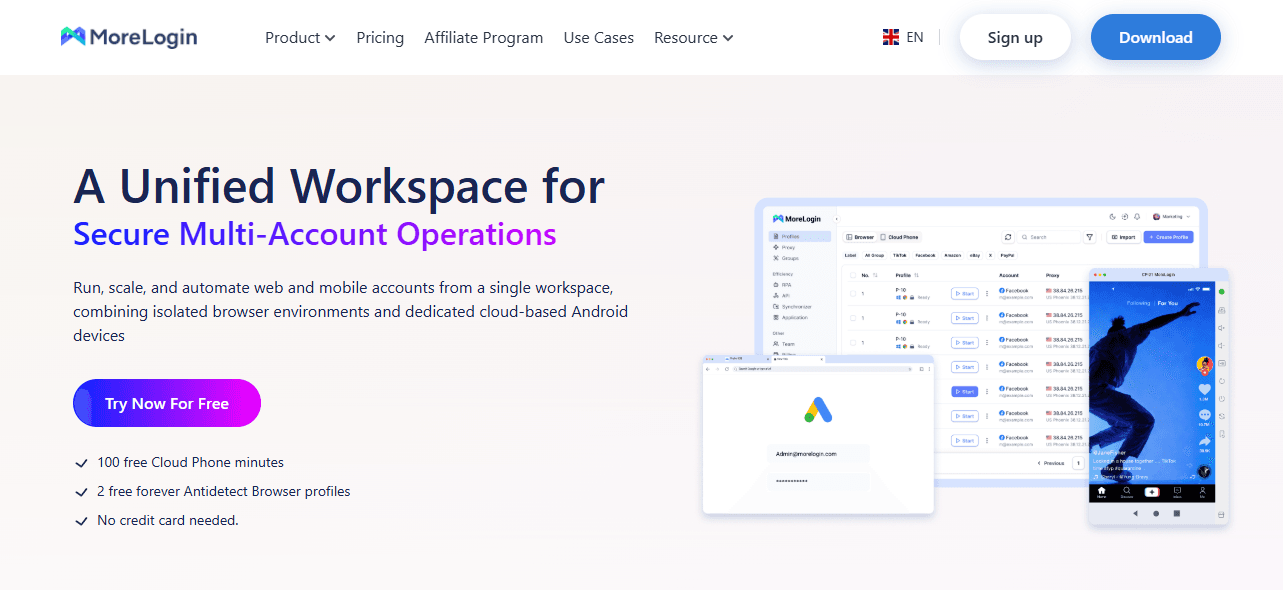
MoreLogin supports multiple browser profiles with unique fingerprints. Users can configure the browser type, OS, and user-agent for each profile. The platform allows pre-configured setups for major platforms like Facebook, Google, Amazon, and Twitter. Profile grouping and tagging help manage multiple accounts, though fingerprint customization is less detailed compared to Incogniton.
Cloud Phone Feature
MoreLogin provides a Cloud Phone option, which creates virtual Android devices in the cloud. Users can manage mobile accounts, customize device specifications, and simulate realistic mobile behavior without physical devices. Timezone and network settings adjust automatically based on IP.
Proxy Management
The browser supports HTTP, HTTPS, and SOCKS5 proxies. Users must provide their own proxies or purchase them externally. While flexible, this adds extra costs for large-scale operations.
Automation and Collaboration
MoreLogin offers the Synchronizer to replicate mouse and keyboard actions across profiles. Selenium and Puppeteer integration allow additional automation. Team collaboration features include shared profiles and permissions, but these are less granular than Incogniton’s system.
Pricing and Limitations
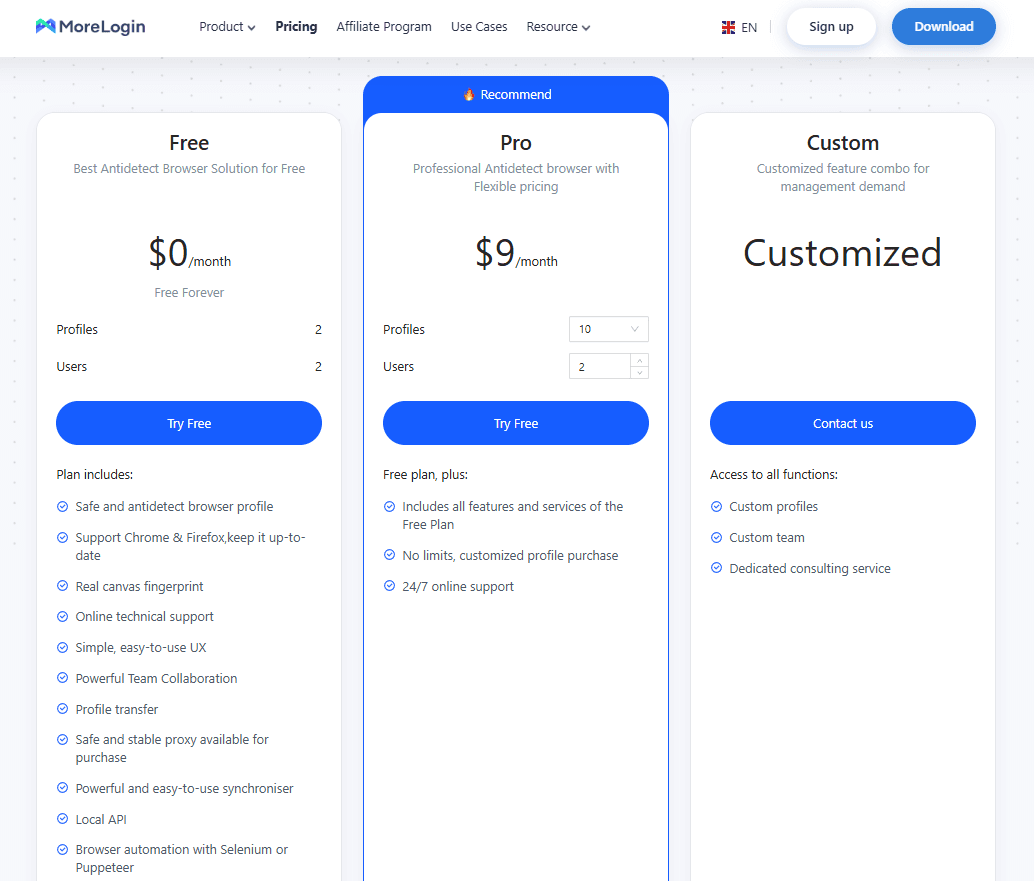
MoreLogin has a free plan supporting 2 profiles and 2 users, a Pro plan at $9/month, and custom enterprise plans. While sufficient for small teams or individual users, advanced automation and large-scale team management may be limited. Proxy costs are not included.
Paid plans
● 10 profiles, 2 users — $9/month
● 50 profiles, 2 users — $25/month
● 100 profiles, 2 users — $35/month
● 200 profiles, 2 users — $55/month
Each package includes only 2 seats for team members; each additional user incurs a $5 fee.
Pros
● Simple and straightforward profile management
● Cloud Phone feature for mobile account management
● Supports automation through APIs and Synchronizer
● Free tier available for entry-level use
Cons
● Limited fingerprint customization
● Proxy costs are additional
● Team management features may not scale for large operations
● Less suitable for high-volume automated workflows
Why BitBrowser Is the Better Choice
While both Incogniton and MoreLogin cover the basics of multi-account management, BitBrowser stands out when you look at long-term reliability, cost efficiency, and overall usability. The differences become more apparent as your operation scales.
Security, Stability, and Continuous Updates
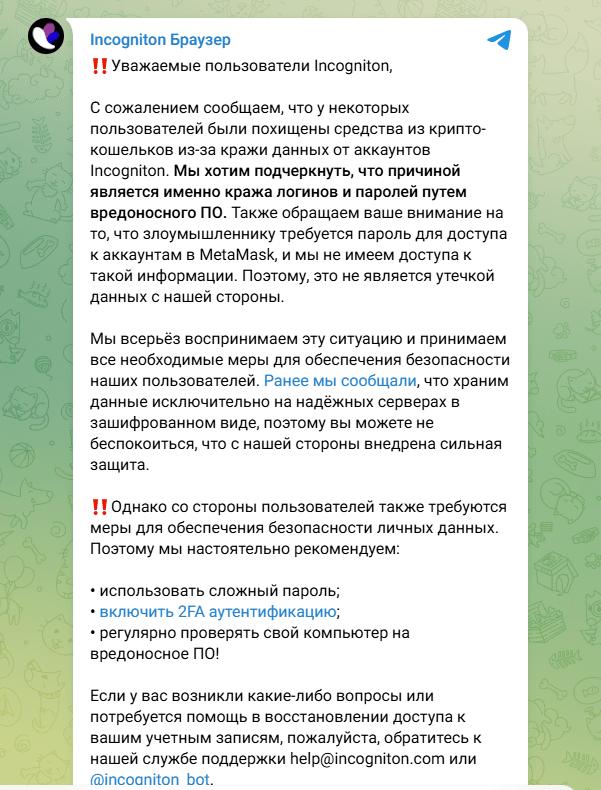
Security is not just about encryption features on paper, but also about how consistently a platform evolves to address new detection methods. In recent years, parts of the antidetect browser market have faced discussions around data exposure incidents and platform-level vulnerabilities. While details and impact vary, these situations highlight the importance of choosing a provider that prioritizes ongoing security maintenance and rapid updates.
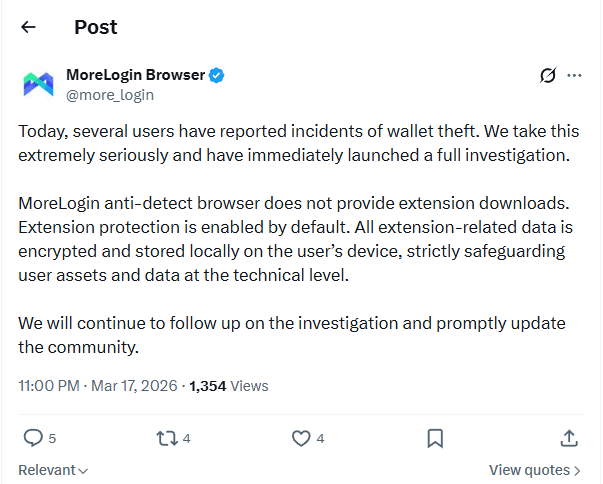
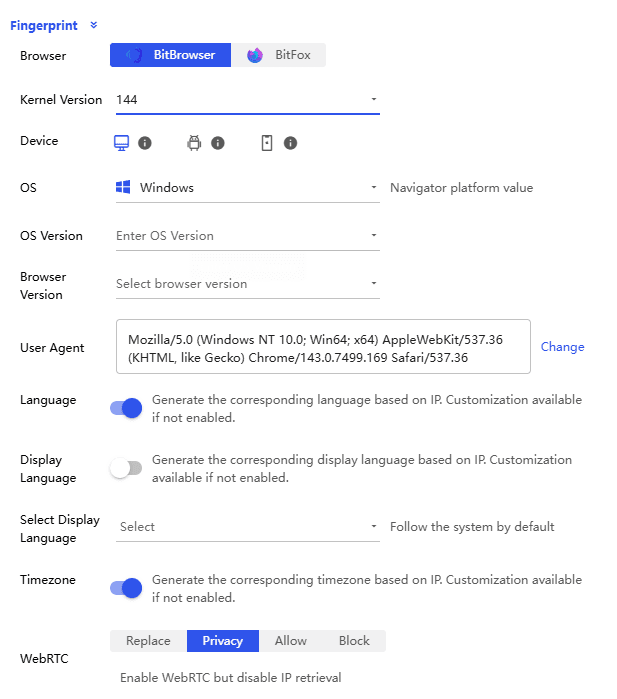
BitBrowser distinguishes itself with a faster update cycle and a more modern browser foundation. It supports both Chromium and Firefox kernels, allowing users to switch environments depending on platform requirements. This dual-kernel approach improves compatibility and reduces fingerprint repetition risks across different ecosystems.
Frequent kernel updates also mean better alignment with real-world browser behavior, which is critical for avoiding detection in 2026. In practice, this results in more stable sessions and fewer unexpected account flags.
Cost Efficiency and Scalable Pricing
Cost becomes a major factor once you move beyond a handful of accounts. BitBrowser offers one of the most accessible entry points in this category.
The free plan includes 10 browser profiles with access to nearly all core features, without aggressive limitations after a short trial period. This makes it practical for testing, learning, and even small-scale operations.
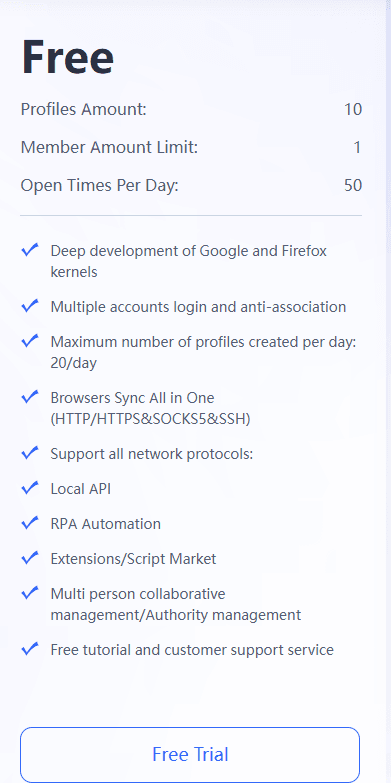
Paid plans start at $10 for 50 profiles, which is significantly more scalable compared to typical pricing structures in this space. As teams grow, this pricing model allows for predictable expansion without sharp cost increases.
Paid plans
● 50 profiles, 2 users — $10/month
● 100 profiles, 4 users — $15/month
● 200 profiles, 8 users — $25/month
● 500 profiles, 12 users — $50/month
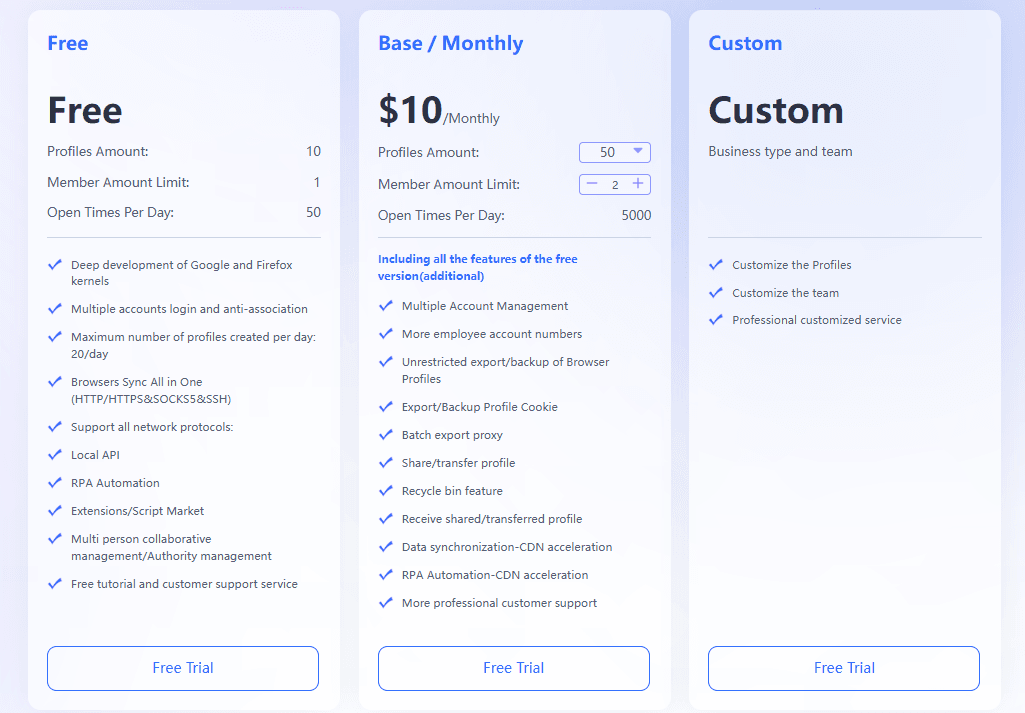
For agencies or long-term projects, this difference compounds quickly.
Practical Features That Improve Daily Workflow
BitBrowser focuses heavily on usability and operational efficiency rather than just technical depth.
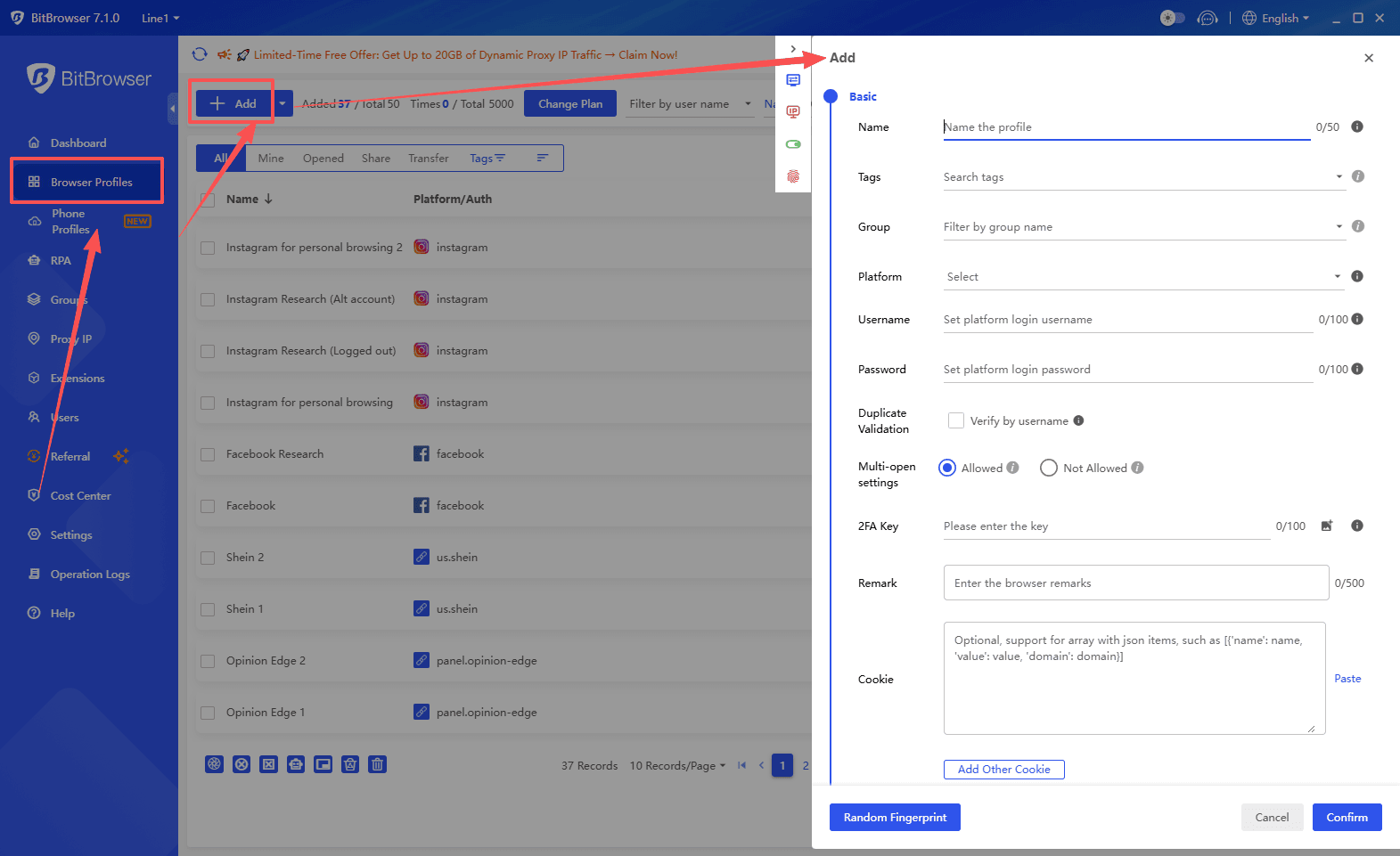
The browser setup process is streamlined and can be completed within a single interface, reducing friction for both beginners and experienced users. Profile creation, proxy assignment, and fingerprint configuration flow naturally without requiring constant switching between menus.
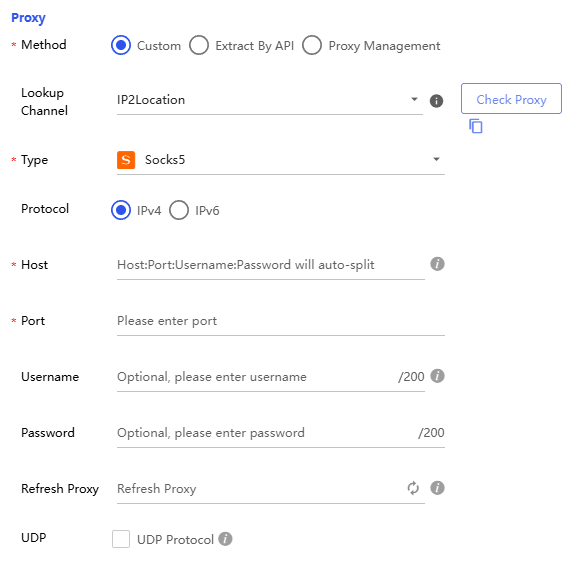
Proxy integration supports multiple types, allowing flexible network setups without locking users into a specific provider.
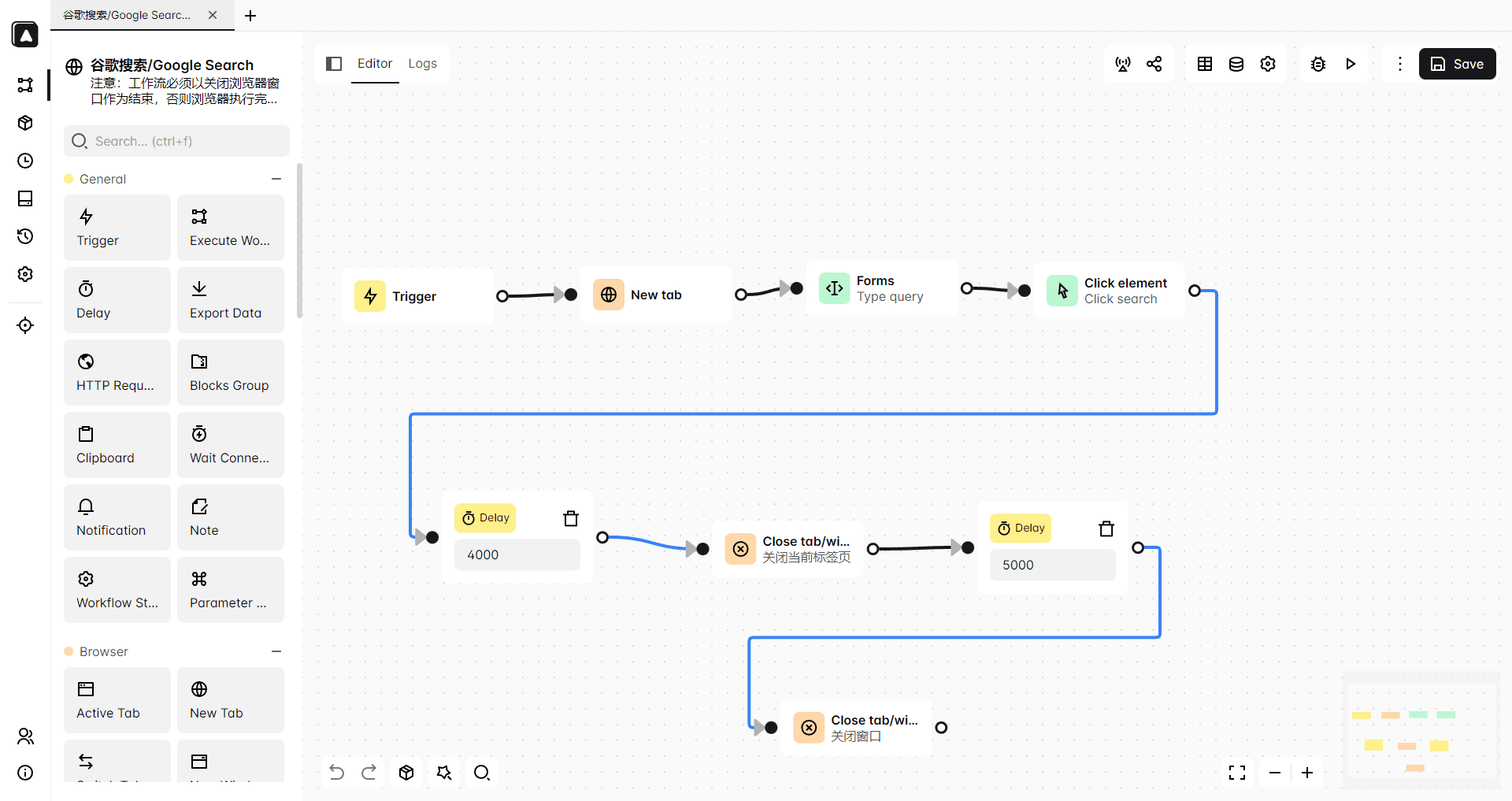
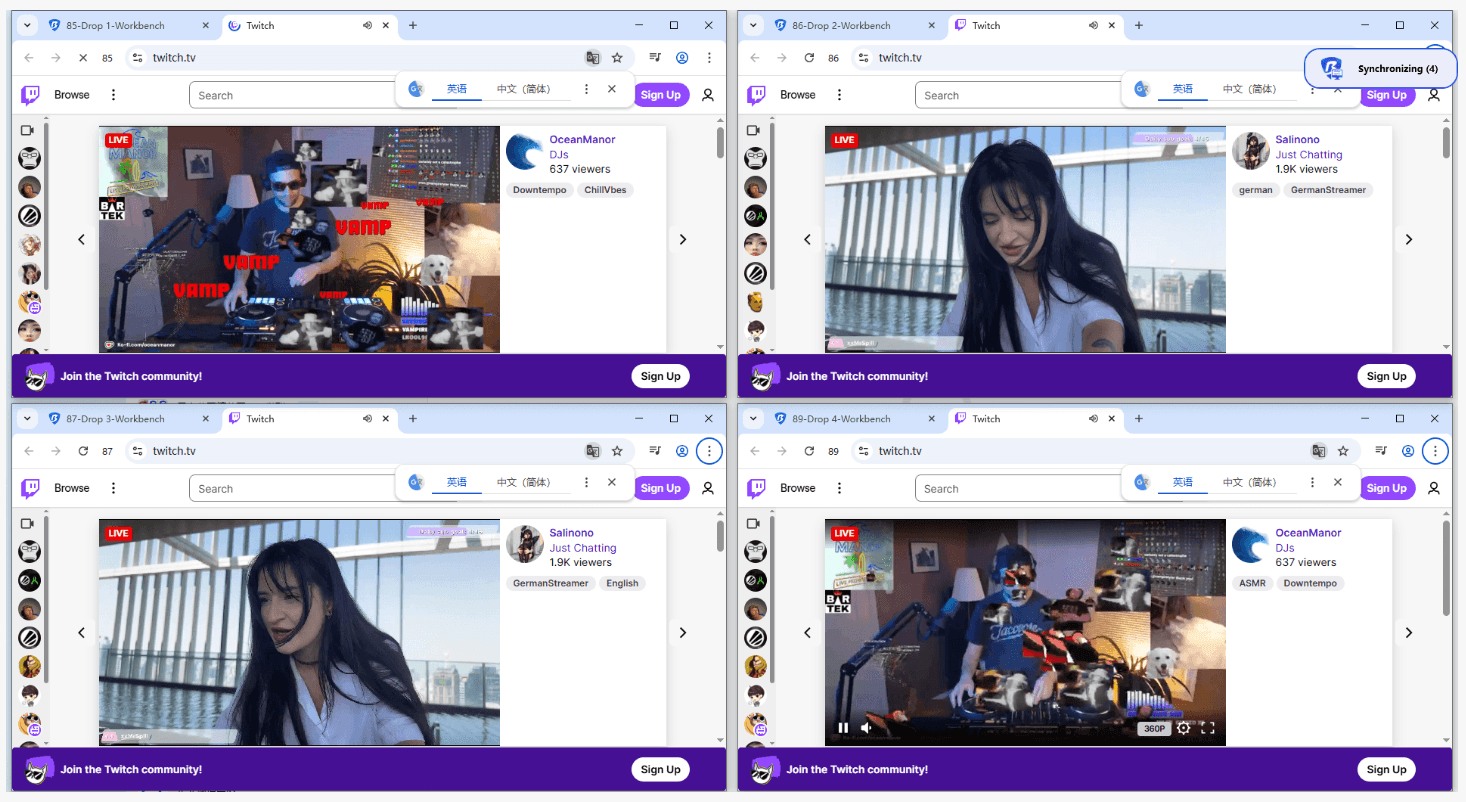
Automation is handled through built-in RPA tools and a Synchronizer, enabling repetitive actions to be executed across multiple profiles with minimal effort. This is particularly useful for social media management, e-commerce operations, and traffic workflows.
Team collaboration is designed for real-world use. It supports role-based permissions, profile sharing, and structured access control, making it easier to coordinate across team members without conflicts.
Another notable advantage is the built-in cloud phone functionality. This allows users to simulate real mobile devices directly within the platform, eliminating the need for external solutions. Combined with the desktop browser environment, it creates a more complete multi-device setup.
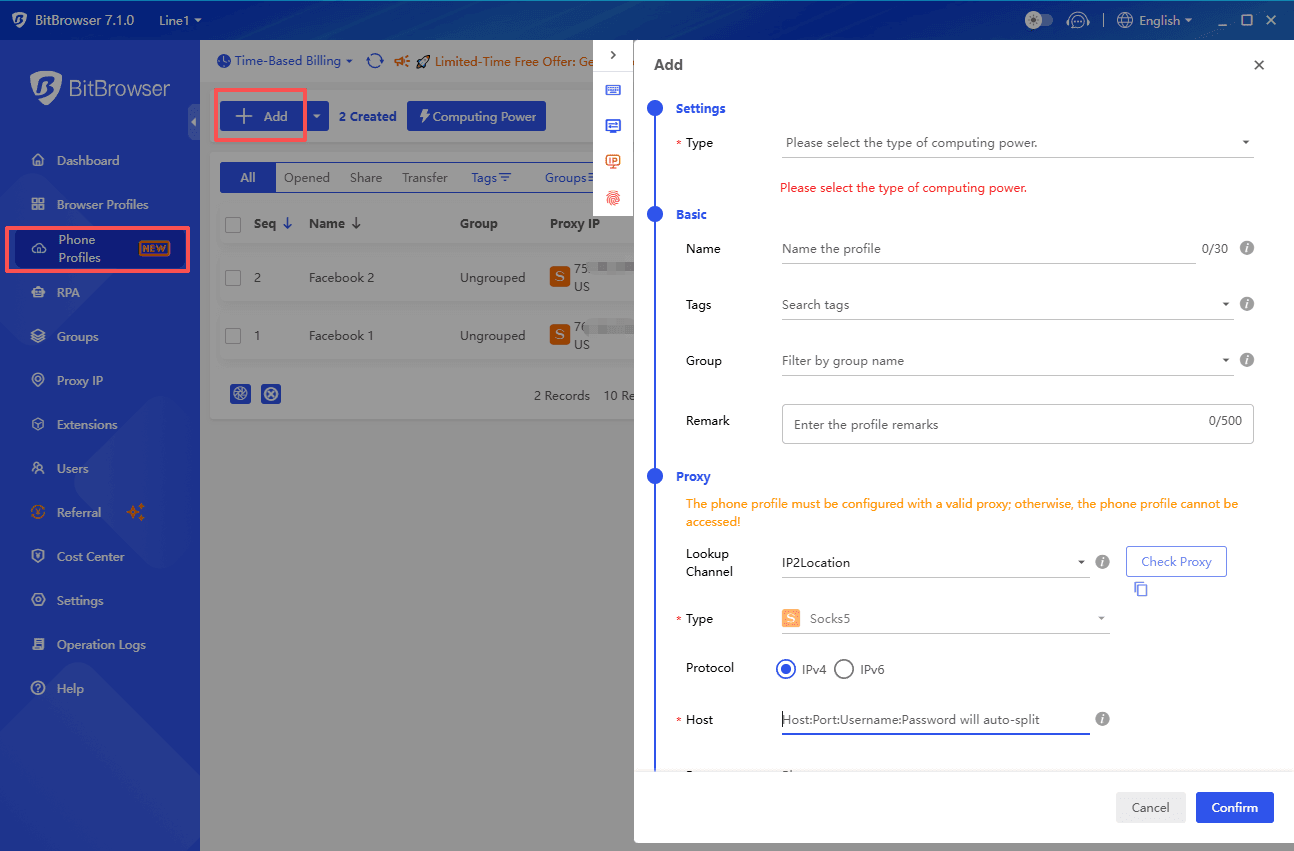
Finally, the extension ecosystem adds flexibility. Users can integrate additional tools as needed, adapting the browser to different workflows without limitations.
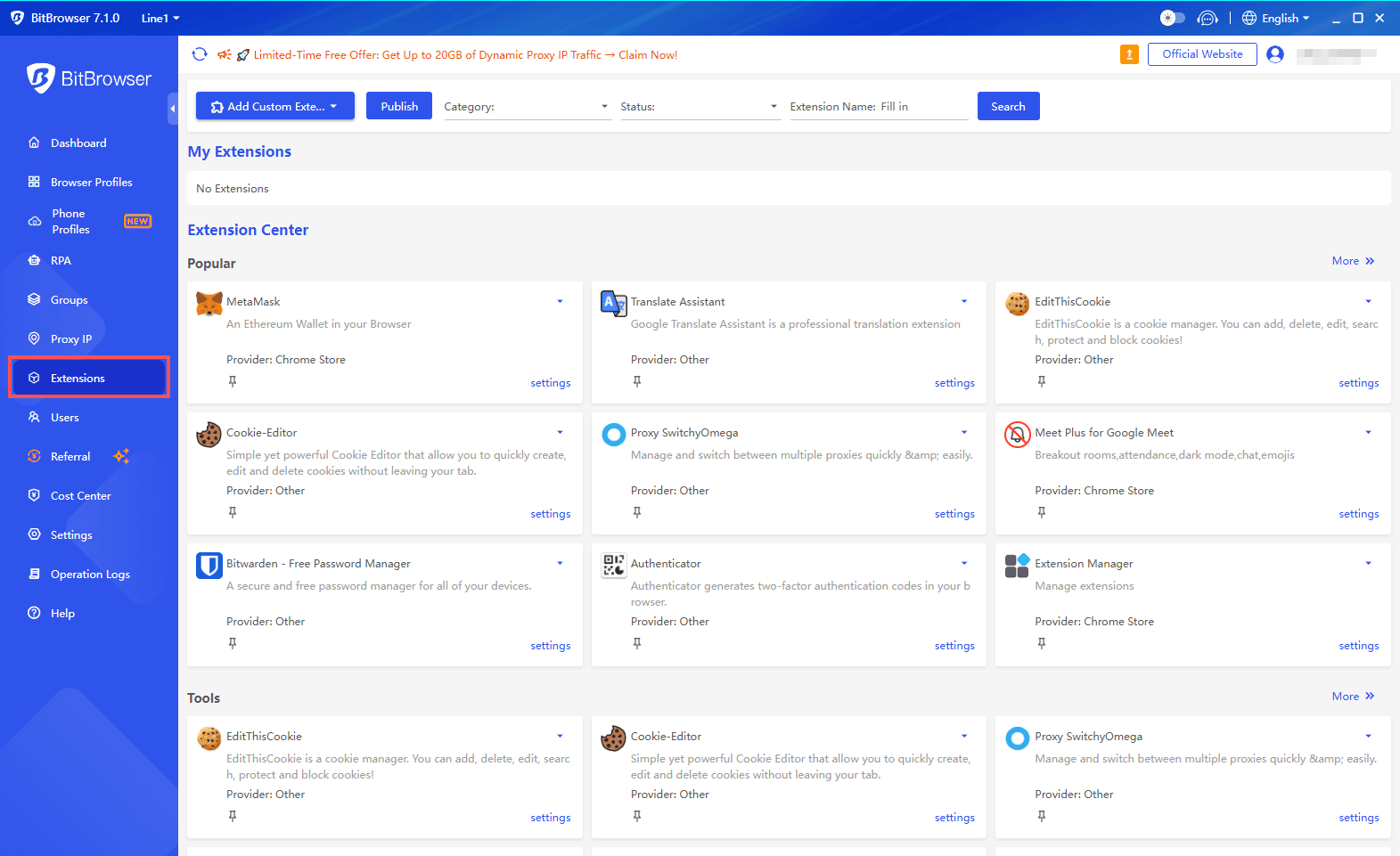
Final Comparison: Incogniton vs MoreLogin vs BitBrowser
| Feature / Aspect | Incogniton | MoreLogin | BitBrowser |
|---|---|---|---|
| Browser Kernel | Chromium | Chromium | Chromium + Firefox |
| Mobile Simulation | Not supported | Cloud Phone | Built-in Cloud Phone |
| Fingerprint Flexibility | Very high | Moderate | High with better real-world alignment |
| Update Frequency | Moderate | Moderate | Faster, more consistent |
| Proxy Integration | Built-in marketplace | External only | Flexible, multi-type support |
| Automation | API + Synchronizer | Synchronizer + API | RPA + Synchronizer |
| Team Collaboration | Advanced (paid tiers) | Basic | Advanced and scalable |
| Ease of Use | Moderate learning curve | Beginner-friendly | Simple and efficient |
| Free Plan | 10 profiles (limited duration) | 2 profiles | 10 profiles with full feature access |
| Entry Pricing | From $19.99/month | From $9/month for 10 profiles | From $10 for 50 profiles |
| Scalability | Cost increases quickly | Limited for large teams | Strong cost-performance ratio |
In practical terms, BitBrowser offers a more balanced solution. It combines solid fingerprinting, modern architecture, and workflow-focused features with a pricing model that supports both beginners and large-scale users.
Get 10 free BitBrowser profiles now
Conclusion
Incogniton and MoreLogin both address the core need of running multiple accounts with isolated browser environments, but they take different approaches. Incogniton focuses on deep fingerprint customization and advanced automation, making it suitable for experienced users and teams that require granular control. MoreLogin prioritizes simplicity and adds a cloud phone feature, which makes it accessible for beginners and small teams managing both desktop and mobile accounts.
BitBrowser positions itself between these two, while resolving several of their limitations. It combines a modern dual-kernel architecture, faster update cycles, and a more balanced fingerprint system with practical workflow features such as built-in RPA, flexible proxy integration, and scalable team collaboration. Its pricing structure also makes it more sustainable for long-term use, especially as the number of accounts grows.
For users looking beyond basic functionality and considering stability, scalability, and cost over time, BitBrowser offers a more complete and efficient solution.
Learn more comparison reviews of anti-detection browsers:
FAQ
1. Which antidetect browser is best for beginners?
MoreLogin is generally the easiest to start with due to its clean interface and simple setup process. However, BitBrowser also offers a streamlined workflow while providing more room to scale, making it a better long-term option.
2. Is fingerprint customization the most important factor?
Not entirely. While fingerprint control is important, real-world browser behavior, update frequency, and IP quality often have a greater impact on account safety. A balanced approach, like the one used in BitBrowser, tends to perform more consistently.
3. Do I need a cloud phone feature?
If you manage mobile-first platforms such as TikTok or Instagram, a cloud phone can be useful. MoreLogin and BitBrowser both offer this capability, but BitBrowser integrates it more directly into a broader workflow.
4. Which tool is more cost-effective for scaling?
BitBrowser is generally more cost-efficient due to its free plan with 10 profiles and lower entry pricing for larger profile volumes. Incogniton becomes more expensive as team features scale, while MoreLogin may require additional proxy expenses.

 Multi-Account Management
 Prevent Account Association
 Multi-Employee Management
Recommended
See More