If your online accounts risk bans from multiple profiles or you struggle to access region-locked content, a proxy browser is the solution. These tools mask your online tracks, manage accounts securely, and bypass restrictions.
After extensive testing, I’ll share the top 2025 proxy browsers—includingBitBrowser, a standout for anti-detection—plus trusted proxy services. Whether you run a business, manage social media, or prioritize privacy, this guide helps you find your solution.
What Is a Proxy Browser? Key Benefits Explained
A proxy browser acts like a stealth upgrade to Chrome or Safari. Unlike standard browsers that expose your real IP and device details, it routes traffic through middleman servers, masking your location and digital fingerprint. This lets you bypass geo-blocks and avoid bans when managing multiple accounts. Each profile appears as a unique user.
5 Must-Have Features for Proxy Browsing in 2025:
1.IP Masking & Geo-Unblocking: Hide your real IP and access restricted content.
Four Fingerprint Browsers for Multi-Account Management
For tasks demanding extreme multi-account security (e.g., e-commerce/social media), proxy browser solutions with advanced fingerprint spoofing are essential. Below are the top 2025 tools—but if you need a proxy browser online to unlock websites, skip to the next sections.
1. BitBrowser: Best for Anti-Detection & Multi-Accounts
Perfect for: E-commerce · Social Media · Global Unblocking
As the best proxy browser app for PC,BitBrowser dominates multi-account management. Unlike most proxy browsers that just mask IP, BitBrowser lets you simulate IPs from virtually any country, while tweaking your device's fingerprint, down to tiny details like screen resolution, fonts, and even WebRTC settings.
What really sold me? Its anti-detection features. I've tested tools like Multilogin and AdsPower, but BitBrowser's ability to isolate profiles—each with unique IPs and fingerprints—feels bulletproof. This allows you to do almost anything, likebypassing IP bans, and so on. Plus, it's shockingly user-friendly.
You don't need to be a tech wizard to set up automated tasks (thanks to its RPA tools) or share profiles securely with teammates. Oh, and did I mention it's free for up to 10 profiles? Most competitors charge $50+/month for half of these features.
Pros
•Military-Grade Anti-Detection: Assign unique IPs + spoof fingerprints to browse with proxy undetected.
Key Features: Fingerprint Spoofing · Dedicated IPs · Team Sharing
Perfect for: Regional Testing · Social Media · E-commerce
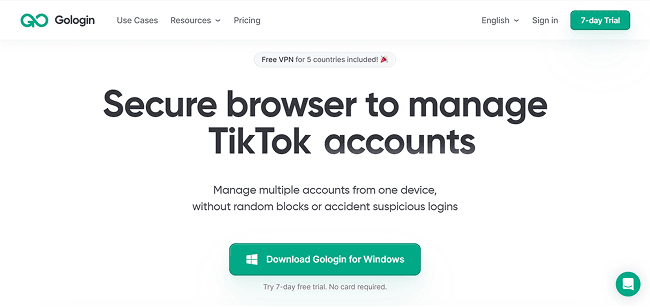
GoLogin excels as a proxy web browser online with granular Chrome fingerprint control—adjusting screen size, fonts, and WebRTC settings to mimic unique devices. Its dedicated IP support safely runs region-specific accounts tomanage multiple Amazon accountsandcreate multiple Facebook accounts, making it a solid choice for localized testing.
However, it struggles against rivals like BitBrowser: pricing starts steeply at $49/month for 100 profiles (vs. free alternatives), and lacks built-in automation. Users must code custom scripts for bulk tasks, a hurdle for non-technical teams.
Pros
•Precise Fingerprint Control: Customize 20+ Chrome params (fonts, time zones) to evade detection.
•Targeted IP Allocation: Assign dedicated IPs to simulate specific regions.
•API Flexibility: Integrate with external tools for custom workflows.
•Team Collaboration: Share profiles with role-based permissions.
Cons
•High Entry Cost: No free tier; starts at $49/month (BitBrowser offers 10 free profiles).
•Zero Automation Tools: Requires coding skills for bulk actions.
3. AdsPower: Affordable Multi-Platform
Key Features: Multi-OS Support · Free Tier · Proxy Integration
Perfect for: Budget Teams · Localized Testing · Social Media
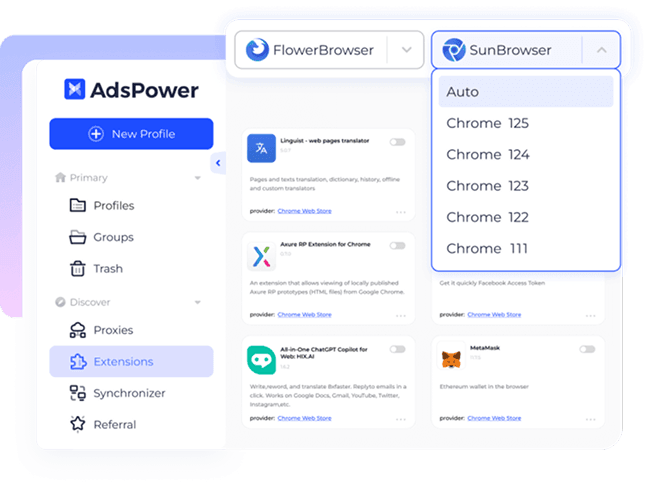
AdsPower delivers robust anonymity as the best anonymous web browsing proxy tool. It spoofs browser fingerprints and IPs across Windows/macOS/Linux, letting each profile mimic unique devices—ideal for regional testing or multi-account operations, such asmanaging multiple LinkedIn accounts andmanaging multiple Twitter accounts. As an unblock proxy web browser, it integrates proxies like Oxylabs/IP2World to bypass restrictions, though complex automation requires paid plans.
Its standout perk? A lifetime free tier (5 profiles)—perfect for testing before upgrading to $5.4/month plans. While encryption and cloud storage boost security, BitBrowser’s free RPA automation outshines its scripting limits.
Pros
•True Multi-Platform: Native support for Windows, macOS, and Linux systems.
•Fingerprint Spoofing: Customize device params (fonts, WebRTC) per profile.
•Proxy Ecosystem: Integrates Oxylabs/Bright Data to browse safely with a proxy.
•Free Forever Tier: 5 profiles + basic features at $0/month.
•Trusted Security: Data encryption + secure cloud storage (Trustpilot 4.9).
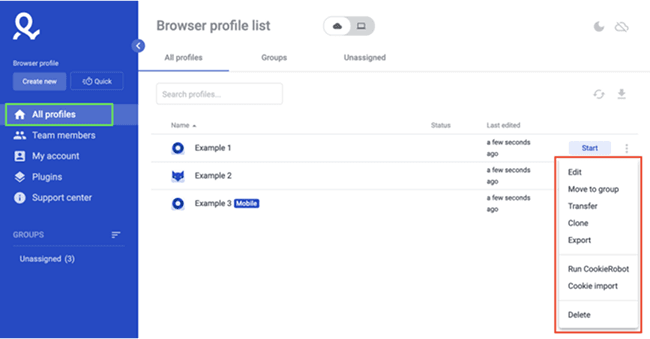
Multilogin stands as the best premium proxy web browser for Windows, engineered for professional teams. Each profile operates in total isolation—unique fingerprints, cookies, and proxies (residential/mobile)—making it ideal for sensitive operations like ad testing or client dashboard management. As a proxy for a browsing powerhouse, it ensures absolute environmental separation, critical for agencies managing 100+ accounts.
However, its enterprise focus brings tradeoffs: Pricing starts steeply at $99/month, and complex features demand technical onboarding. For simpler tasks likeunblocking YouTube, lightweight alternatives often suffice.
Pros
•Military-Grade Isolation: Total separation of cookies/storage/fingerprints per profile.
•Elite Proxy Integration: Supports residential/mobile proxies for geo-specific operations.
•Team Scalability: Granular permissions for agencies/client management.
•Reliability: Enterprise-grade stability for 24/7 scraping/testing.
Cons
•Prohibitive Pricing: Starts at $99/month—overkill for individuals.
Four Privacy-First Browsers for Students/Casual Users
If proxy browsing anonymous web browser tools feel excessive for basic needs (e.g., school research or light privacy), these streamlined alternatives prioritize simplicity. Each web browser anonymous proxy solution below encrypts traffic and masks IPs—no multi-account complexity required.
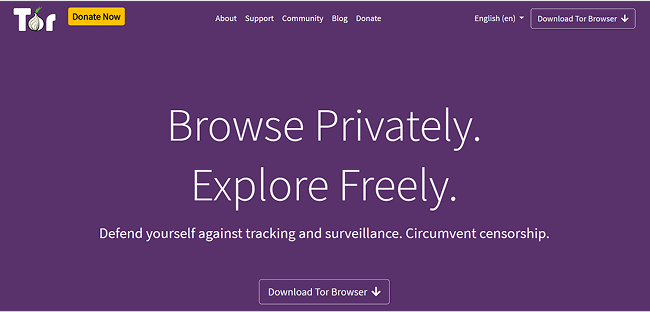
5. Tor Browser: Free Onion Routing Browser
Key Features: Onion Routing · Hidden Web Access · Fingerprint Blocking
Perfect for: Privacy Seekers · Censored Regions · Journalists
Tor Browser is a leading anonymous browsing proxy server, offering unmatched privacy through its unique onion routing system. Your data is wrapped in triple-layer encryption and relayed through volunteer-run servers globally, making it virtually impossible to trace your IP or activity. It's one of the best free tools for anyone needing a proxy in a browser to bypass censorship or explore hidden onion services.
While it's completely free and open-source, Tor comes with tradeoffs. Speeds are significantly slower due to multi-node routing, making it impractical for video streaming or managing social accounts. If you have a need for speed, then you should try BitBrowser. Still, if your goal is tobrowse the internet privately, Tor remains one of the most secure and trusted solutions available.
Pros
•Triple Encryption: Onion routing for anonymity
•Fingerprint Protection: Blocks browser tracking
•Hidden Web Access: Reach onion sites securely
•Open-Source: No ads or tracking
•Free Forever: No cost or subscriptions
Cons
•Slow Speeds: Not ideal for media
•Daily Use Limitation: Overkill for casual browsing
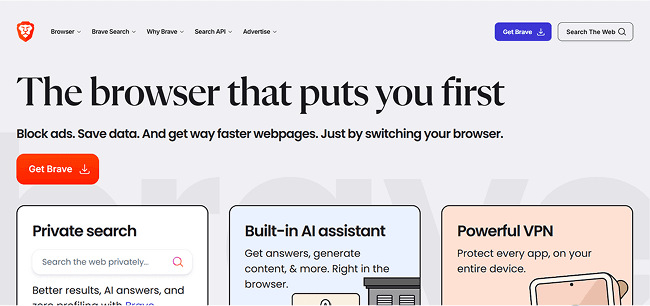
6. Brave Browser: Best Mobile Proxy (Android/iOS)
Key Features: IP Masking · Ad Blocking · HTTPS Everywhere
Perfect for: Mobile Users · Social Media Fans · Privacy Beginners
Let me tell you about Brave—it’s like a shield for privacy nerds. As a multi-proxy browser, Brave has built-in IP masking that helps bypass regional blocks, and it works great with platforms likeFacebook proxy server sites, Instagram, and others. It blocks trackers, pop-ups, and cookie banners by default, giving you a clean and fast experience—perfect if you're looking for the best proxy browser for Android or the best proxy browser for iPhone tounblock YouTube with a proxy.
But here’s the deal: advanced privacy features like Firewall + VPN are only available with Brave Premium ($10/month). If you’re looking for deeper proxy customization, tools like BitBrowser might be a better fit. Still, for casual users who want speed and simplicity, Brave is a solid choice.
Pros
•IP Masking: Hide your real location
•Ad Blocker: No pop-ups or trackers
•Secure Browsing: HTTPS enforced
•Crypto Rewards: Earn while browsing
Cons
•Premium Features Locked: VPN/firewall paid
•Limited Proxy Settings: Less control than BitBrowser
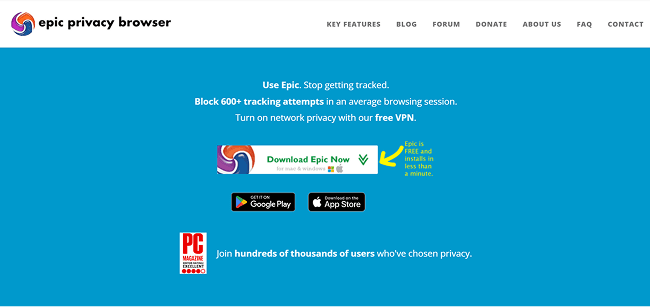
7. Epic Privacy: Built-in Encrypted Proxy
Key Features: Encrypted Proxy · Auto Clean Data · Ad Blocking
The next vpn proxy web browser I recommend is Epic Privacy Browser. I use it for quick, no-nonsense browsing—especially when I don’t want ads or trackers creeping on me. Its one-click encrypted proxy masks your IP instantly, and it auto-blocks cookies, fingerprinting, and scripts without any setup. If you're seeking the best online proxy browser for light, anonymous use, Epic is a great fit. The minimalist interface helps you stay focused, clutter-free.
That said, Epic’s strict privacy approach can break some sites—I’ve had trouble loading banking pages or playing YouTube smoothly. It also lacks advanced features like multi-account support or browser fingerprint control, seen in tools like BitBrowser. For pro use cases, check out thebest anti-detect browser alternatives.
Pros
•Encrypted Proxy: One-click IP masking
•Ad Blocker: Stop trackers and pop-ups
•Cookie Wipe: Deletes data after each session
•Lightweight: Minimalist, fast-loading interface
Cons
•Site Compatibility: Some sites may not load properly
•No Multi-Account Support: Lacks profile separation features
8. Mozilla Firefox: Advanced Privacy Controls & Proxy Flexibility
Perfect for: Researchers · Web Crawlers · Privacy Seekers
Mozilla Firefox is a top-tier open-source browser offering customizable browser proxy settings that Firefox users love. It supports HTTP, HTTPS, SOCKS4, and SOCKS5 proxies—ideal for routing your traffic through a secure proxy server. Whether you want to access geo-blocked content or stay anonymous, Firefox gives you flexible manual or PAC-based proxy control.
Thanks to its robust privacy tools and encrypted proxy compatibility, Firefox is perfect for those needing the best online proxy browser with full customization. From secure research to social media management, Firefox delivers powerful control for serious users. Learn more about choosing thebest anonymous web browser.
Pros
•Proxy Type Support: Compatible with HTTP, HTTPS, SOCKS4/5
•Config Flexibility: Manual and PAC file setup options
•Anti-Tracking: Blocks cookies, scripts, and fingerprinting
As proxy browsers continue to evolve, integrating with reliable IP service providers has become essential for seamless performance. These API-driven services offer dynamic IP rotation, geo-unblocking, and enhanced privacy, often working hand-in-hand with VPN technologies to provide robust anonymity and security for users.
Perfect for: Web Scrapers · eCommerce Users · SEO Analysts
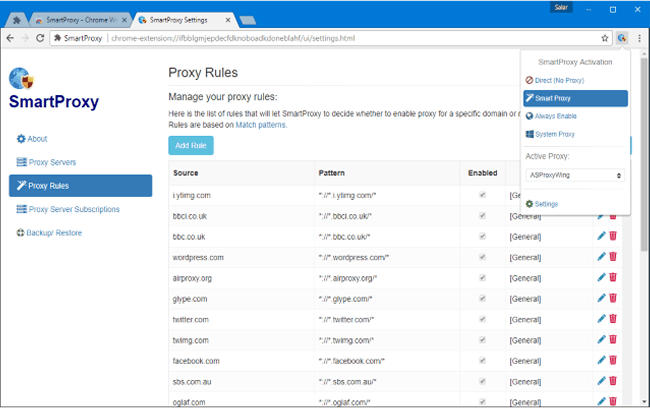
Smartproxy offers one of the most powerful and flexible solutions for anyone seeking the best free proxy browser experience. With over 65 million residential IPs and fast datacenter proxies across 195+ locations, it combines speed, scale, and stealth in a user-friendly interface. Whether you're browsing anonymously or managing multiple accounts, Smartproxy delivers fast and stable connections.
The Chrome extension makes proxy switching effortless—perfect for beginners and pros alike. From ad verification to market research, Smartproxy is a reliable browser-integrated tool built to scale, while still being intuitive enough for casual users testing proxy browsing for the first time. For advanced unblocking, seehow to unblock blocked sites.
Perfect for: Market Analysts · Large Teams · Data Scrapers
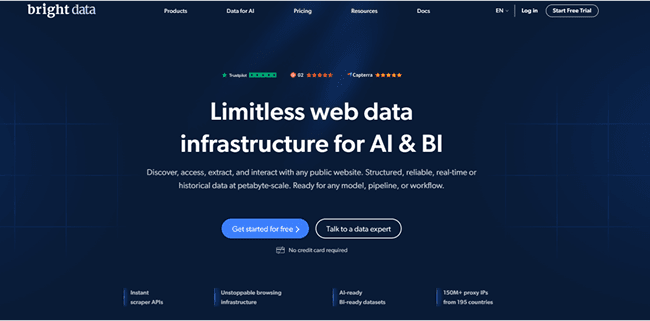
Bright Data stands out among the best proxy sites, offering over 150 million IPs across residential, datacenter, ISP, and mobile proxies. Its infrastructure supports city-level targeting in 195+ countries—ideal for businesses needing ultra-precise localization or high-volume data tasks. Whether you're verifying ads, managing accounts, or running competitive research, Bright Data ensures reliability at scale.
What truly sets it apart is its unmatched speed, success rate, and variety. While it may be overkill for casual users, enterprise users will find it a powerhouse solution with the flexibility and performance they demand. It's a go-to for professional teams running large-scale scraping or localization projects. For true proxy browsing freedom, considerunrestricted web browsers.
NodeMaven Scraping Browser: Best for Cloud Automation & Scalable Workflows Key Features: Cloud Browser · Puppeteer/Selenium Integration · Proxy Integration Perfect for: Automation · Data Collection · Multi-Session Workflows
NodeMavenScraping Browser takes a different approach compared to traditional anti-detect browsers. Instead of running locally, it operates entirely in the cloud, allowing users to launch and control browser sessions at scale without depending on device resources. This makes it especially useful for workflows that require consistency, parallel execution, and stable environments.
What stands out is how simple the setup is for developers. You create browser settings, get a connection link, and plug it directly into Puppeteer or Selenium. From there, sessions run remotely while NodeMaven handles proxy routing and browser environments. It also works seamlessly with residential, mobile, and ISP proxies, giving flexibility in how sessions are managed.
Pros
Cloud-Based Execution: Run thousands of browser sessions without local limitations. Easy Integration: Connect via Puppeteer or Selenium using a simple endpoint. Scalable Workflows: Manage multiple sessions and environments in parallel. Proxy Integration: Works with residential, mobile, and ISP proxies in one setup. No Browser Cost: The browser is free, users pay only for proxy traffic
Cons
Requires Basic Setup: Not a plug-and-play tool for non-technical users. Not for Daily Browsing: Designed for automation, not general use.
Now that you’ve explored the top proxy browsers and services, here’s how to set up proxies inside BitBrowser for secure and efficient multi-account use.
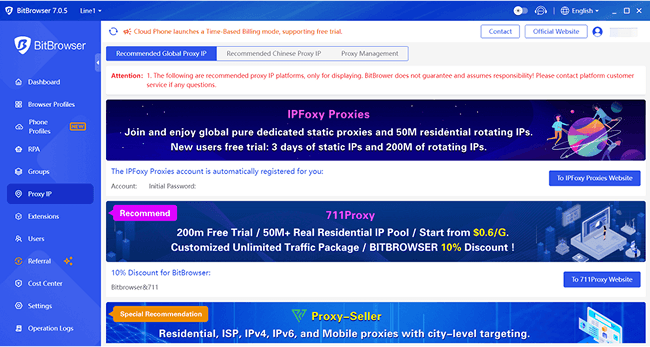
Step 1. Select a Proxy
OpenBitBrowserand head to the "Proxy IP" tab. Select a proxy you prefer in the "Recommended Global Proxy IP" section.
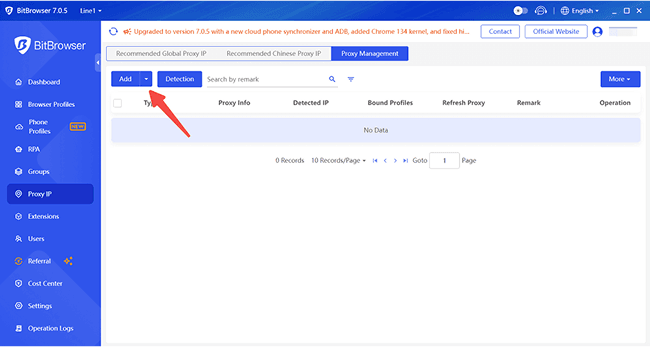
Step 2. Add a New Proxy
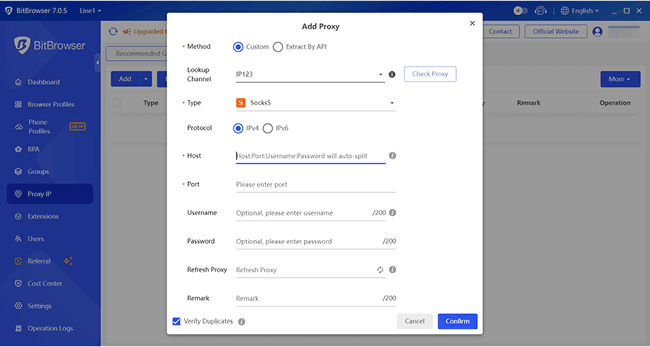
Switch to the "Proxy Management" section. Click "Add" to open the customization window.
Step 3. Enter Proxy Details
Choose your proxy type (HTTP/Socks5), then fill in the IP address, port, and login credentials. Hit "Confirm" to save.
Step 4. Link to a Profile
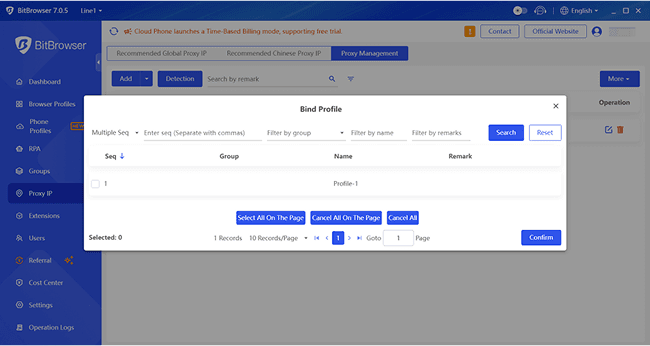
Back in the "Proxy IP" list, click the "Bind" icon, select the YouTube account profile you want to use, and finalize with "Confirm".
Step 5. Visit Any Sites
Now, open the bound profile to visit any sites. With the new proxy IP, you should be able to access its content without any limits. Click the download button below to experience the high performance of BitBrowser!
While tools like BitBrowser handle heavy lifting for multi-account management or advanced anti-detection, sometimes you just need a quick proxy to bypass a firewall or check region-locked content. For these lighter tasks, standalone proxy sites are handy, though I'd avoid using free ones for sensitive logins, as their security can be shaky. After you get a proxy from these sites, you canset it up for Chromeor other embedded browsers on your computer.
Here are my top picks for 2025, balancing reliability and value:
•IPXProxy: With 70 million residential IPs across 230+ countries, it's my go-to for high anonymity and scalability. Their dynamic IPs refresh daily, and at $2/GB, it's a steal for businesses.
•Oxylabs: The heavyweight champ with 100+ million IPs. Ideal for enterprises needing global coverage, though its $6.98/GB pricing leans toward the corporate. Use it for market research or bypassing geo-blocks.
•Brand Monitoring: Track mentions across platforms recommended - Smartproxy, GoLogin
•Marketplace Research: Compare prices across regions recommended - BitBrowser, Bright Data
Proxy browsers are essential for these tasks, especially if you're managing operations at scale. For best results, consider using an antidetect browser like BitBrowser.
FAQs: Best Proxy Browser Solutions
What is the best browser to use with a proxy?
It depends on your needs—Firefox offers flexible manual configs, while Tor ensures anonymity. For managing multiple accounts with anti-detection, BitBrowser is the top choice.
Are web proxies illegal?
No, web proxies are legal for privacy, research, and anonymous browsing. However, using them for criminal activities can lead to legal consequences.
What is the best proxy extension for Chrome?
Looking for the best proxy Chrome extension? Try CyberGhost for speed, or PIA for advanced features. Both are great picks if you need the best proxy add-on for Chrome.
Conclusion
Let's face it: Choosing the right proxy tool is about balancing privacy, convenience, and cost. After testing everything from Tor's ironclad anonymity to Brave's ad-free browsing, I've learned there's no "perfect" tool—it depends on your goals.
If you need the best proxy browser and want to juggle multiple accounts (like a social media manager or e-commerce seller), BitBrowseris the clear winner. It solves the biggest headaches: avoiding bans with bulletproof IP/fingerprint masking, automating repetitive tasks, and letting teams collaborate securely—all while being shockingly affordable (free for 10 profiles!).
For quick, one-off needs, proxy sites like IPXProxy or Oxylabs work, but they lack BitBrowser's all-in-one power. Ready to stop worrying about account bans or slow proxies? Give BitBrowser a spin. It's the only tool I've seen that actually scales with your hustle.
 2025.04.18 17:01
 BitBrowser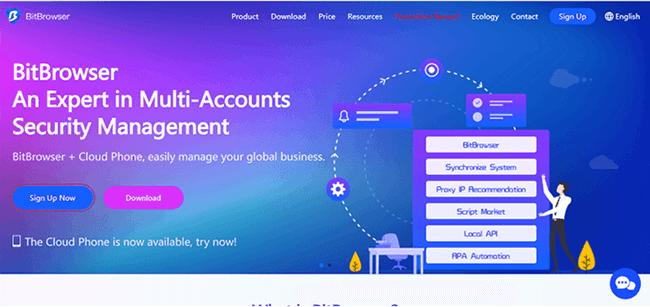

 Multi-Account Management
 Prevent Account Association
 Multi-Employee Management



