9 Best Whoer.net Alternatives 2025: Top IP Check Tools Reviewed
 2025.12.15 10:52
 YT.Shi
What Is Whoer.net and How Does It Work?
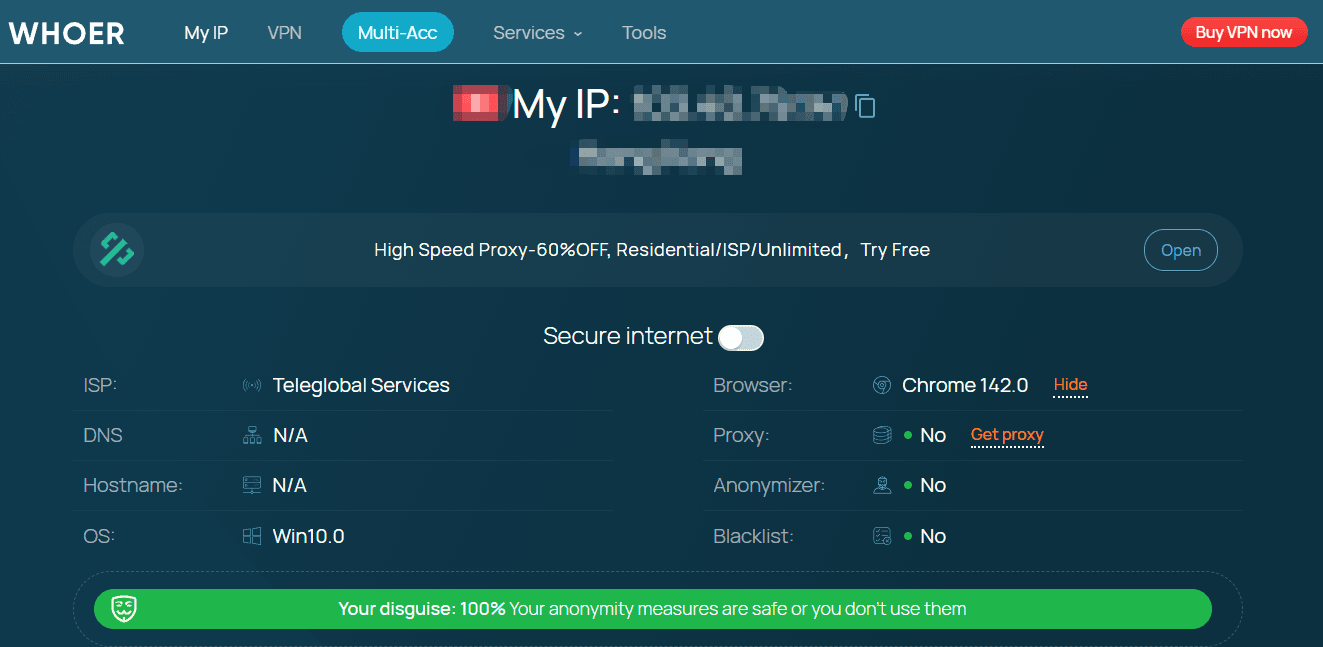
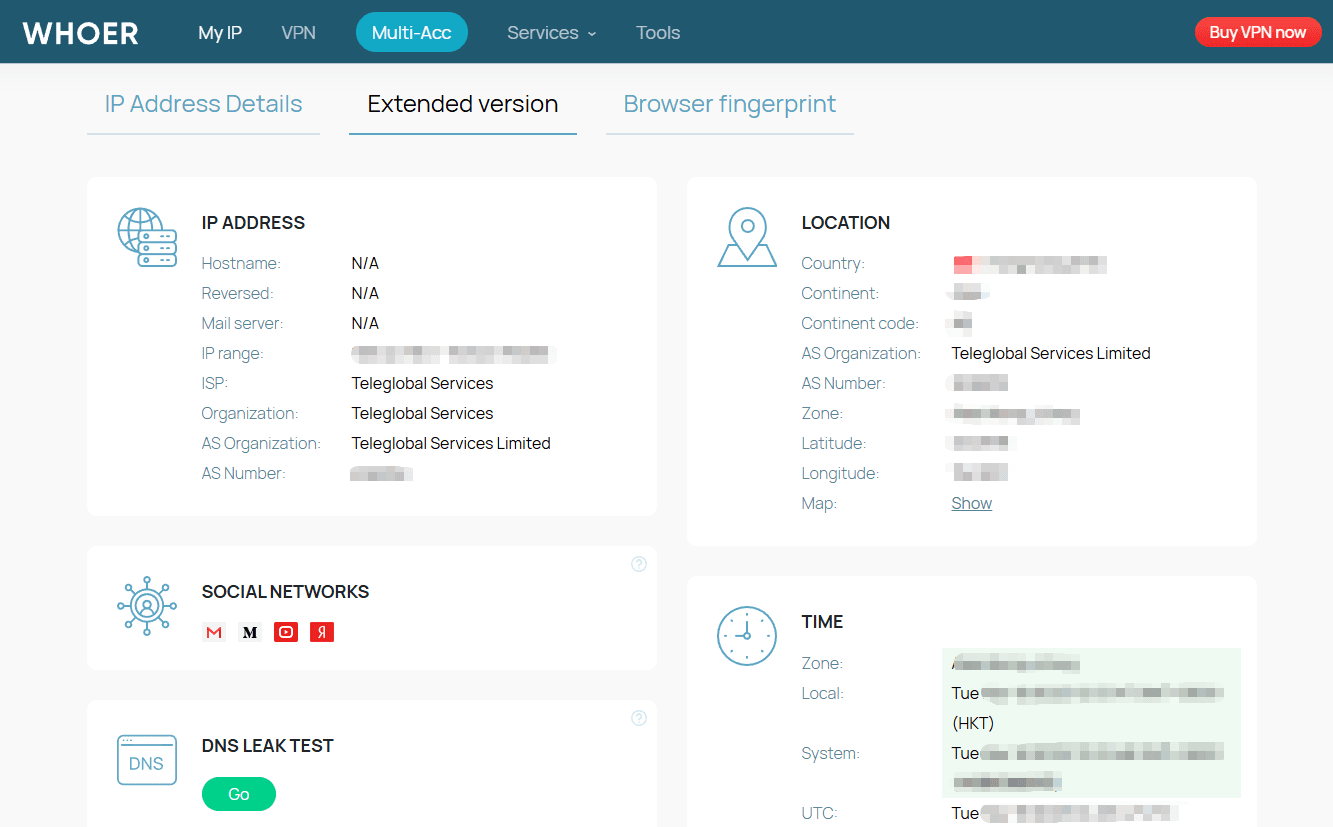
Whoer.net is a well-known online IP and privacy diagnostic tool designed to show users how their internet connection and browser appear to websites. When you visit the site, Whoer.net automatically analyzes a set of basic network and browser signals, including your IP address, IP type (residential or data center), approximate location, ISP, DNS settings, browser user agent, operating system, time zone, and language.
Based on these signals, Whoer.net determines whether you are likely using a VPN, proxy, or anonymization service, and provides a simple anonymity or privacy score. For many users, this makes Whoer.net a convenient first step to check whether a VPN is active, whether an IP looks suspicious, or whether basic information is leaking during a browsing session.
Because of its simplicity and accessibility, Whoer.net has been widely used by VPN users, privacy beginners, and general internet users who want a quick snapshot of their online exposure.
Why Do You Need Whoer.net Alternatives in 2025?
While Whoer.net is useful for basic checks, modern tracking and detection systems have evolved far beyond simple IP analysis. In 2025, most major platforms no longer rely solely on IP addresses or user agents. Instead, they use advanced browser fingerprinting techniques that combine dozens of signals, such as:
· Canvas and WebGL rendering behavior
· Font and plugin enumeration
· WebRTC and media device fingerprints
· Screen resolution and device memory
· TLS and network-level fingerprints
· Consistency between browser, system, and IP data
These techniques allow websites to identify users even when VPNs or proxies are enabled, making basic IP tools insufficient for serious privacy testing.
This is where Whoer.net shows clear limitations:
· It focuses mainly on surface-level network and browser data
· It offers limited insight into fingerprint consistency and detection risk
· It provides no actionable guidance for anti-detect or multi-account setups
· It lacks automation, APIs, and enterprise-grade integrations
As a result, users such as multi-account operators, eCommerce sellers, affiliate marketers, digital marketing agencies, and Internet online Investigator increasingly turn to more advanced Whoer.net alternatives. These tools go beyond simple IP checks and provide deep fingerprint analysis, proxy/VPN detection accuracy, and scalable workflows better suited for today’s web.
Below, we review the 9 best Whoer.net alternatives in 2025, starting with BitBrowser Official Fingerprint Test as the top recommendation.
Quick Summary: Whoer.net Alternatives & Anti-Detect Strategy (2025)
| Tool | Best Use Case | Typical Users | Primary Value |
|---|---|---|---|
| BitBrowser Official Fingerprint Test | Anti-detect setup validation and optimization | Multi-account managers, SMMs, eCommerce sellers | Actionable fingerprint insights tied to real anti-detect environments |
| BitBrowser (Anti-Detect Browser) | Full fingerprint control and multi-account isolation | Professionals running accounts at scale | Create, manage, and protect multiple realistic browser profiles |
| BrowserScan | Final risk check before account deployment | Affiliate marketers, automation users | Detects unnatural or high-risk fingerprint signals |
| Pixelscan | Fast environment mismatch detection | Social media managers, beginners | One-click privacy score and clear inconsistency alerts |
| BrowserLeaks | Deep technical fingerprint diagnostics | Security researchers, advanced users | Raw, modular fingerprint and leak data |
| CreepJS | Fingerprinting research and entropy analysis | Privacy researchers, browser engineers | Reveals how browsers remain identifiable despite spoofing |
| Cover Your Tracks (EFF) | Privacy awareness and tracking education | General users, students | Explains fingerprint uniqueness and tracking risks |
| AmIUnique | Fingerprint uniqueness comparison over time | Academics, advanced users | Measures statistical rarity and stability |
| IPhey | Quick fingerprint visibility assessment | Multi-account operators | Simple risk score for operational decisions |
| IPLeak.net | VPN, proxy, and DNS leak verification | VPN and proxy users | Confirms real IP is not exposed |
1. BitBrowser Official Fingerprint Test
The BitBrowser Official Fingerprint Test assesses how websites and anti-fraud engines perceive your browser fingerprint. It analyzes detailed fingerprint vectors, user agent, canvas, WebGL, fonts, plugins, time zone, screen resolution, WebRTC, and extension traces, and flags any inconsistencies that could trigger detection.
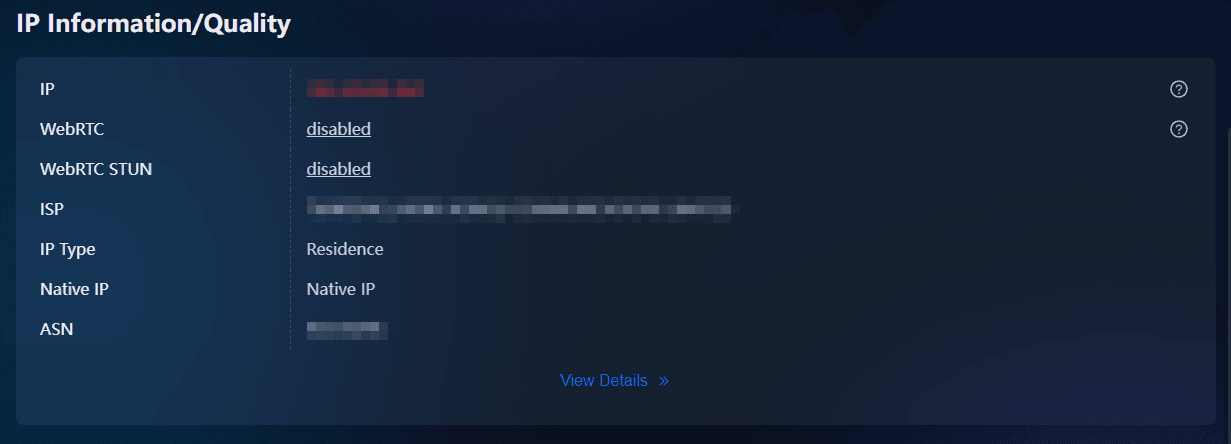
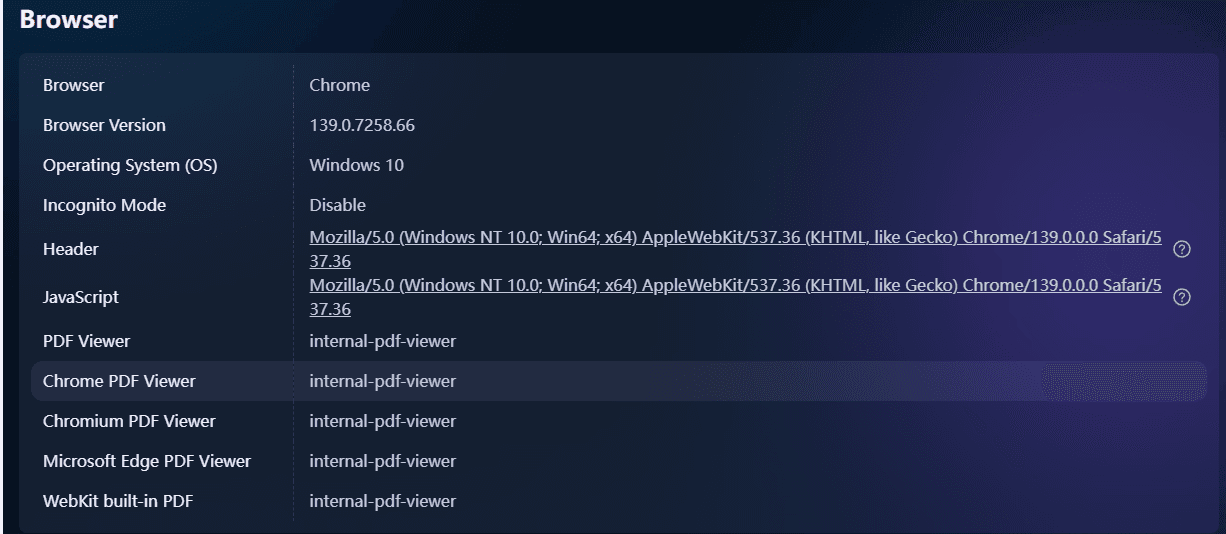
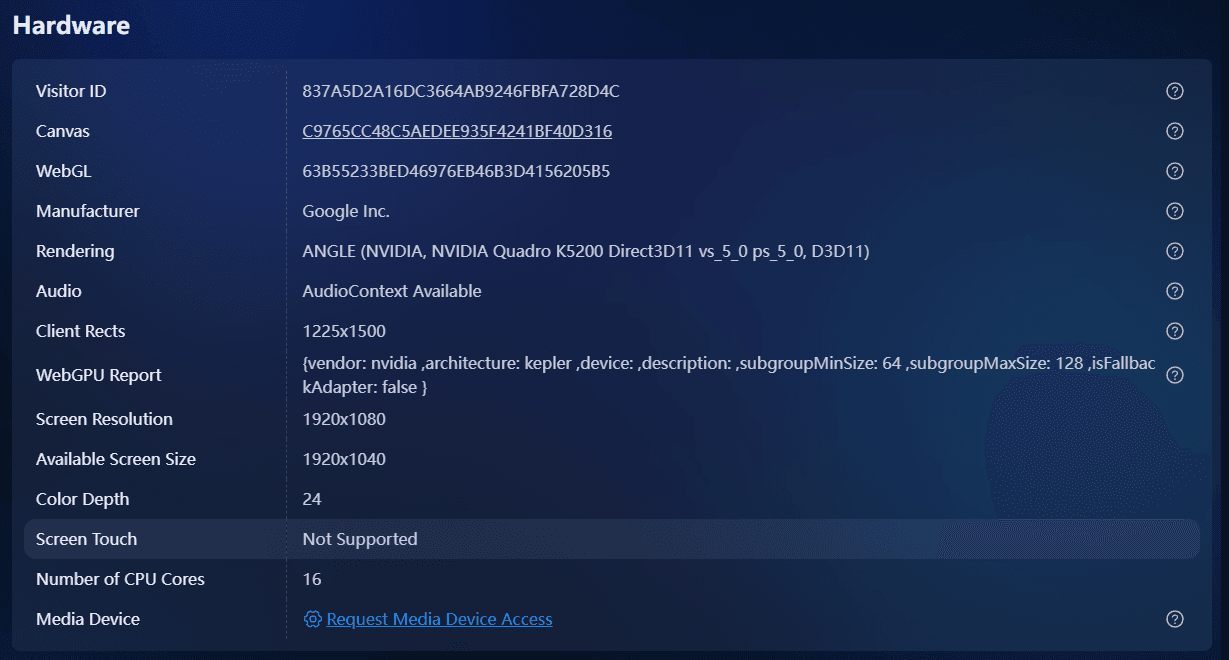
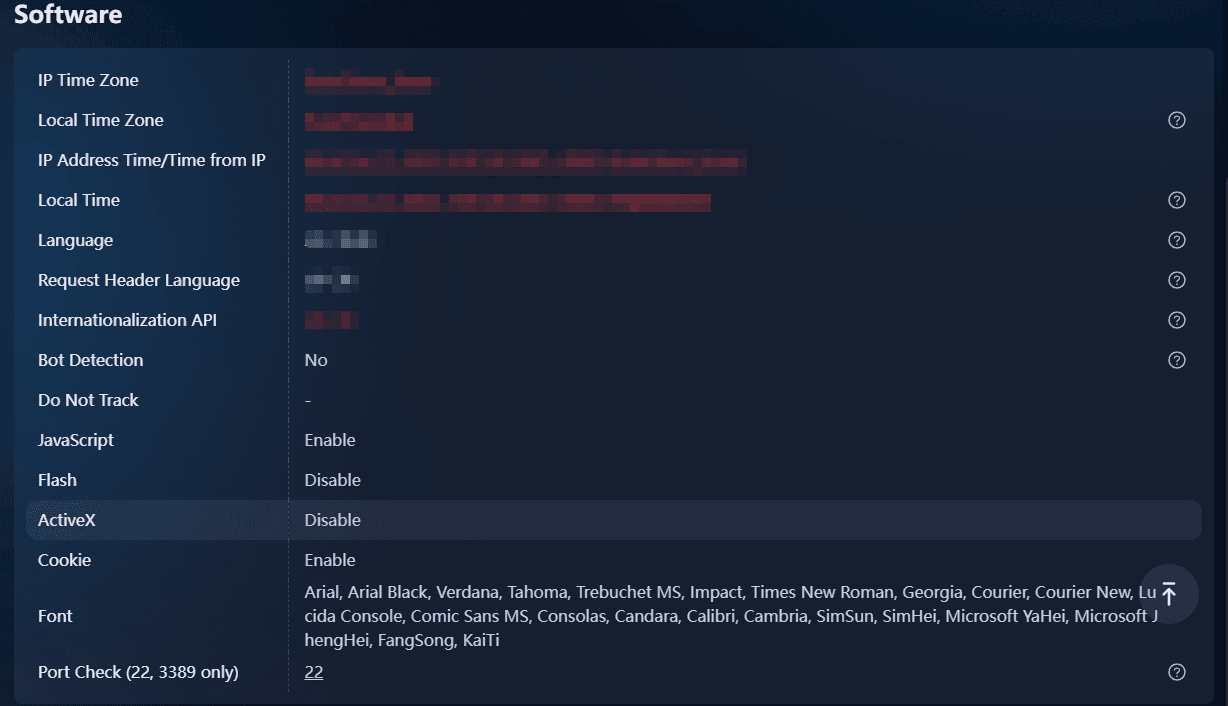
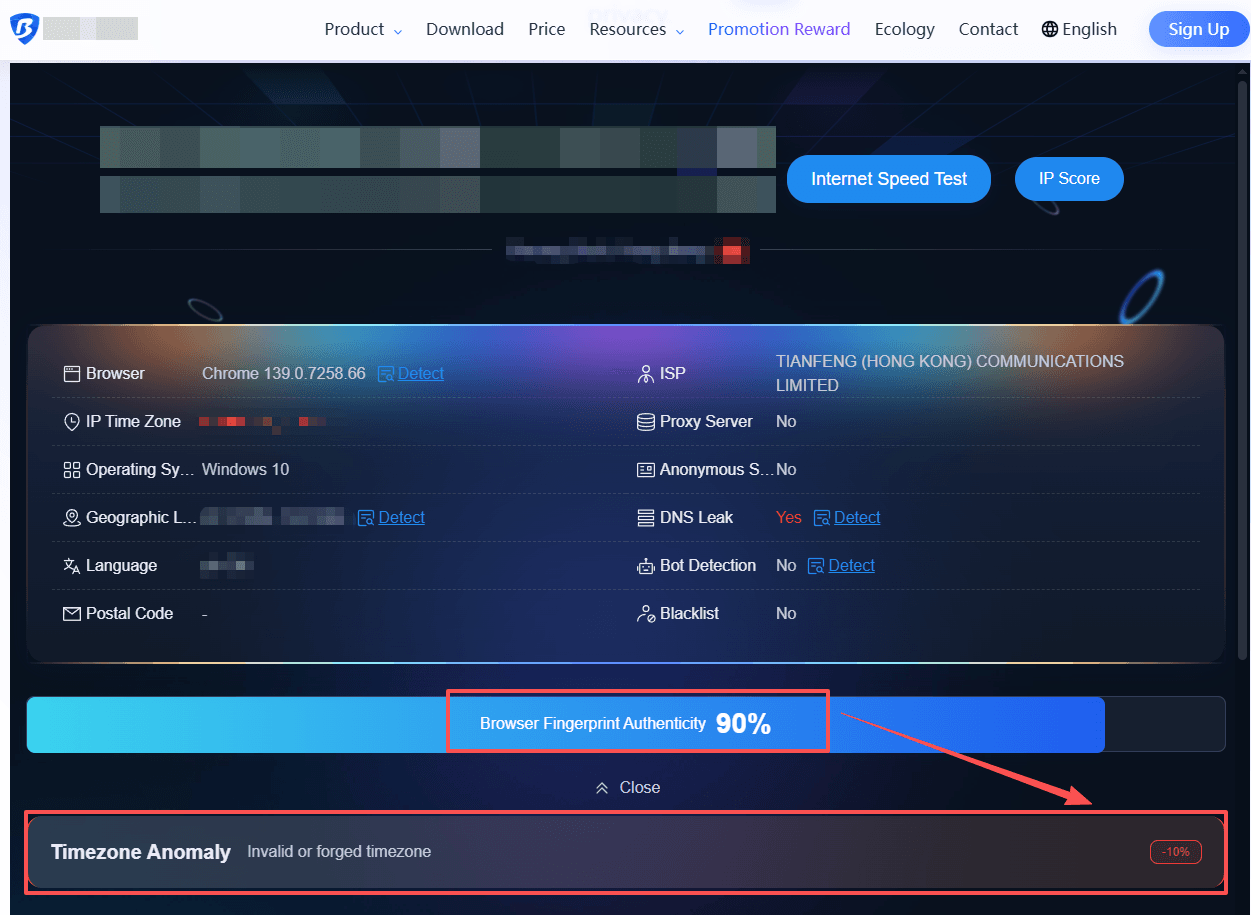
It interprets signals based on anti-detect browser standards and identifies issues that public testers may overlook. In addition to displaying basic network information, it provides a browser fingerprint authenticity score, highlighting critical anomalies such as IP address mismatch, proxy or VPN usage detected, DNS leak and WebRTC exposing real IP address. This allows users to quickly pinpoint and address areas of concern.
Key Strengths:
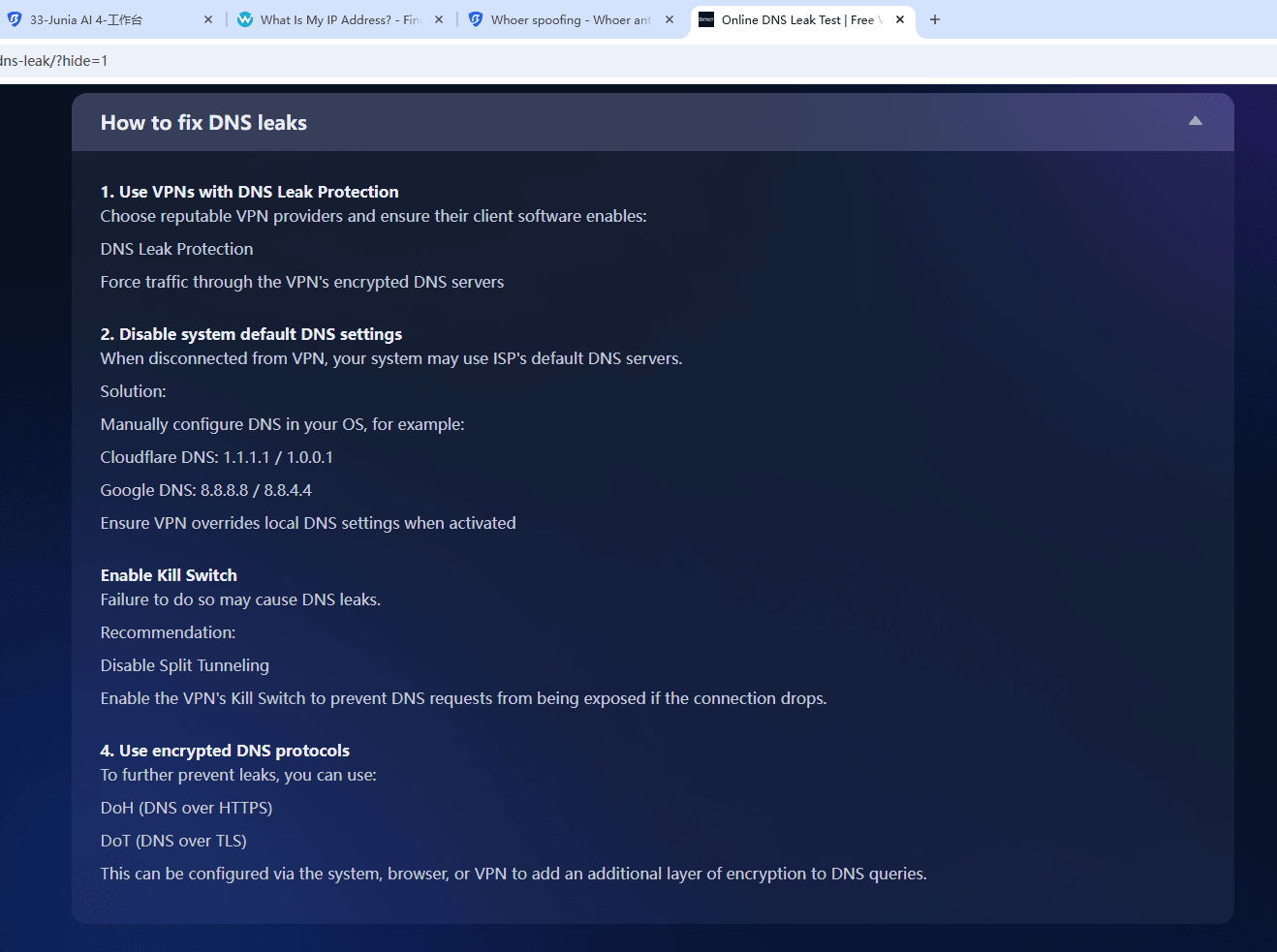
Tailored for BitBrowser users, the test directly reflects the effectiveness of environment spoofing generated by BitBrowser. It provides detailed reports (such as IP type, native IP detection, DNS leaks, etc.), enabling users to make targeted adjustments and optimizations via BitBrowser's configuration interface. The tool is highly actionable, offering clear remediation guidance, and is especially useful for anti-detect scenarios.
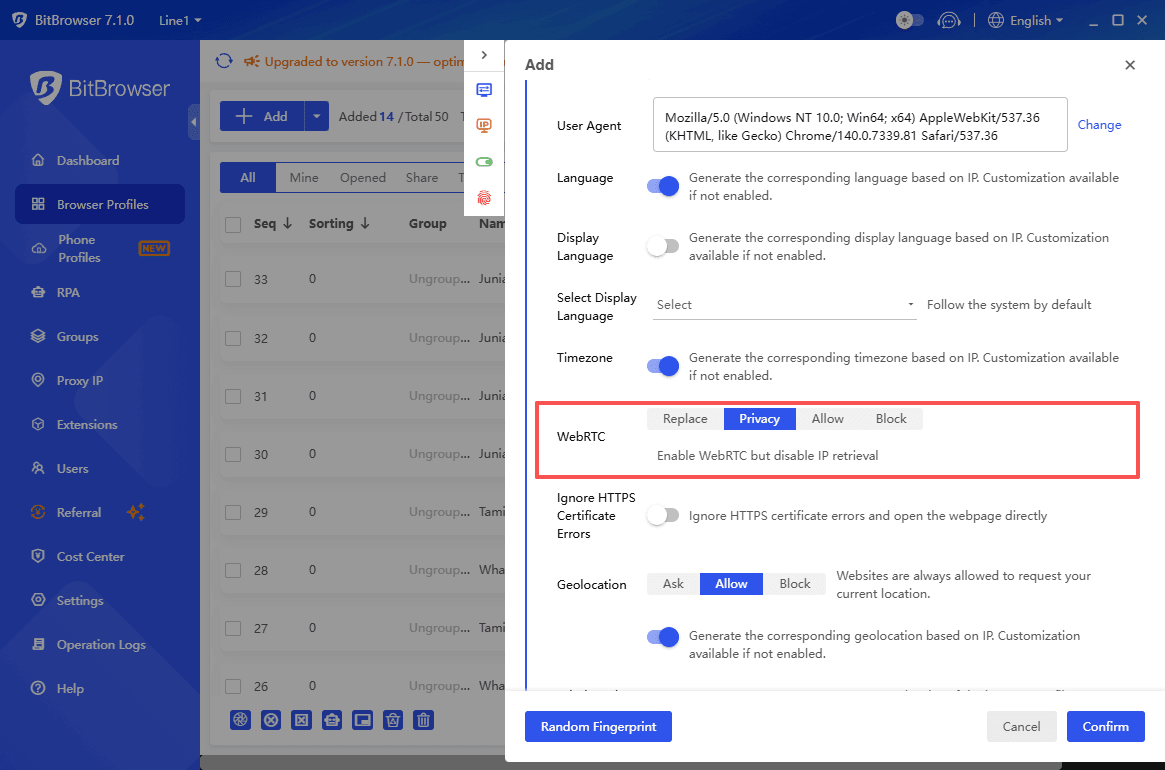
For more guidance, check out our article: How to Protect Your Online Anonymity and Privacy with Whoer and BitBrowser?
Best For:
Multi-account managers
SMM operators
Privacy-conscious users
Developers building anti-detect or multi-session solutions
Cons:
Advanced reports or API access may require a BitBrowser account or subscription
2. BrowserScan
BrowserScan is a browser fingerprint testing tool designed to evaluate how likely a browser environment is to be flagged by anti-fraud and anti-bot systems. Instead of focusing purely on raw fingerprint data, BrowserScan emphasizes risk assessment, helping users understand whether their current setup appears suspicious from the perspective of websites and detection engines.
Its signature feature, the Browser fingerprint authenticity, assesses how “natural” your browser environment looks, extremely valuable for anti-detect users setting up new profiles. It is commonly used as a validation tool to test whether a browser configuration looks natural after using privacy tools, proxies, or anti-detect browsers.
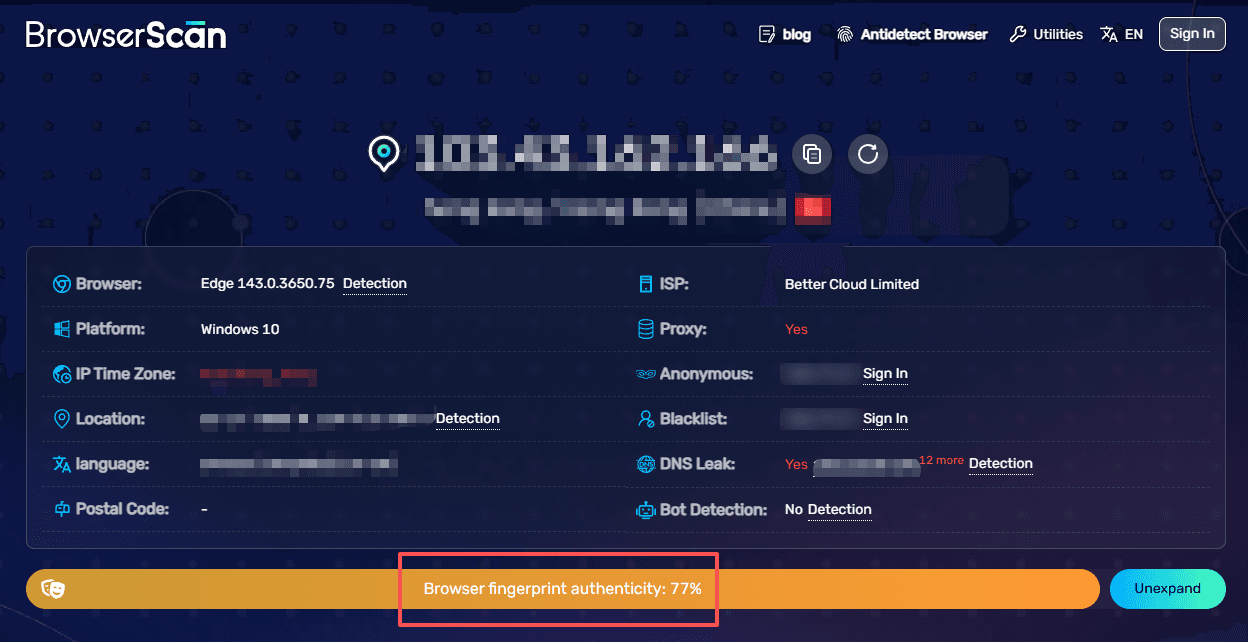
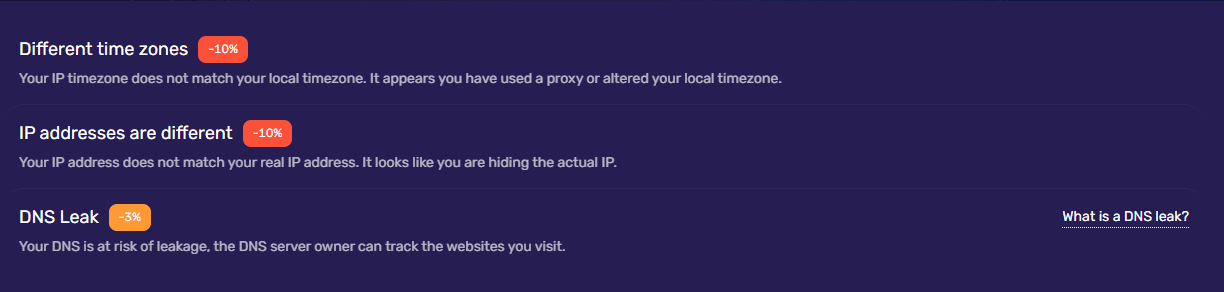
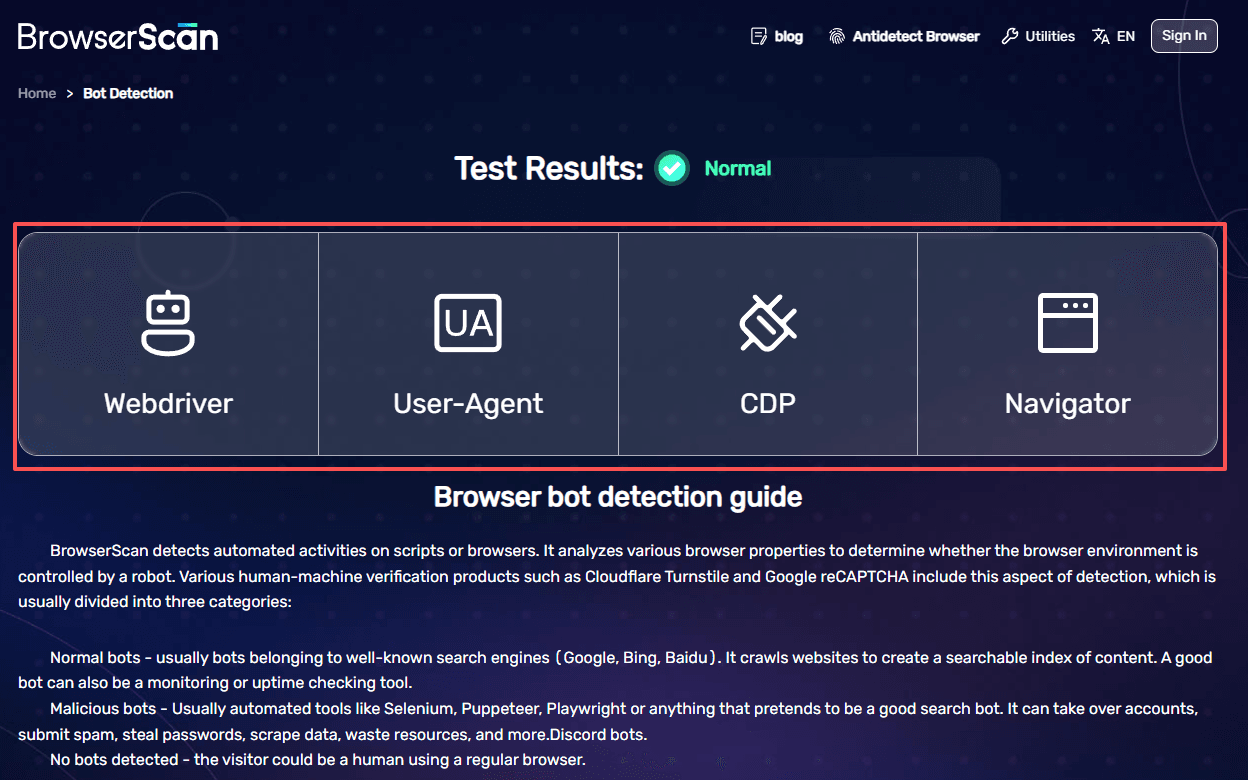
Use case for anti-detect browsers: For users managing multiple accounts with anti-detect browsers, BrowserScan serves as a final checkpoint. It helps verify whether profile configurations, fingerprints, and system parameters align realistically, reducing the likelihood of triggering automated detection or account reviews.
User experience: BrowserScan strikes a balance between technical depth and usability. The interface is cleaner and more guided than highly technical tools like BrowserLeaks, but more analytical than simplified scoring tools. Results are presented with risk-oriented indicators, making it easier to spot potential issues without deep protocol-level knowledge.
Best for: Multi-account operators, affiliate marketers, automation users, and anyone who needs to quickly assess browser fingerprint risk before deploying accounts at scale.
Pros: Focus on detection risk rather than raw data only; Clear presentation of suspicious vs. normal signals; Useful as a validation step in anti-detect workflows
Cons: Less detailed at the network or protocol level than BrowserLeaks; Not designed for enterprise-scale IP intelligence
3. Pixelscan
Pixelscan adopts an all-in-one privacy assessment approach, making it especially suitable for users who want a quick and clear understanding of their online privacy status. Instead of presenting fragmented test results across multiple pages, Pixelscan consolidates its findings into a single, easy-to-read overview, including an overall privacy or anonymity score.
This scoring system allows users to instantly see how exposed or identifiable their setup appears from a website’s perspective, significantly reducing the time needed to interpret technical data.
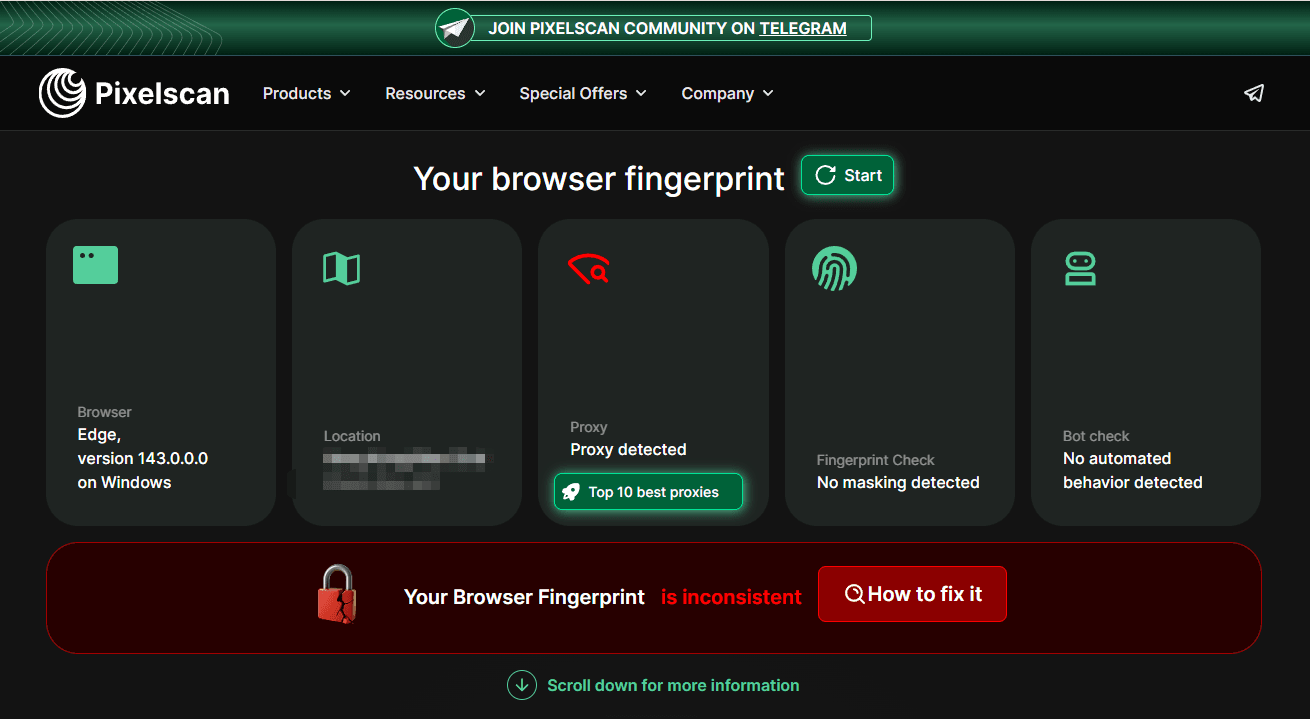
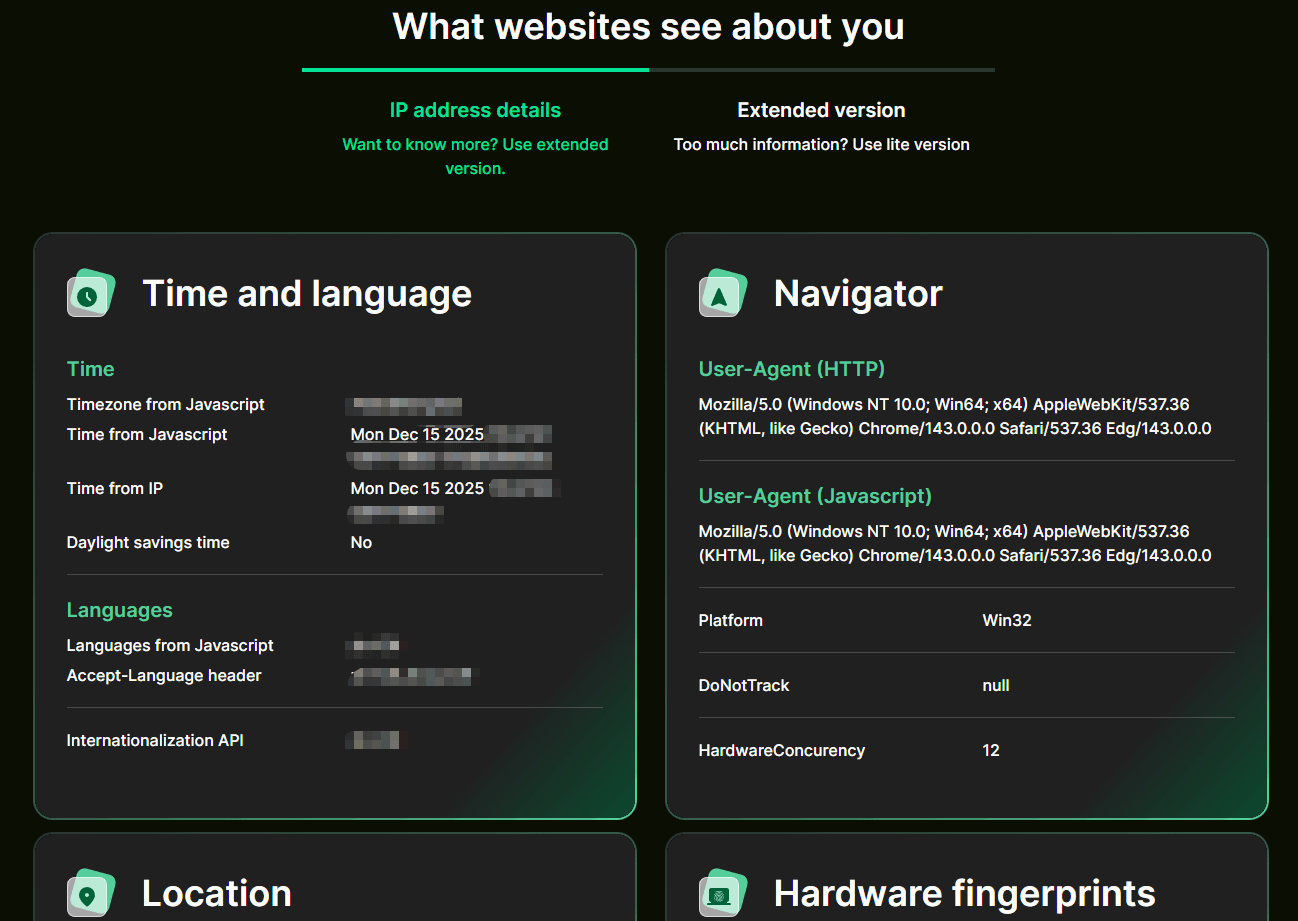
It excels at revealing contradictions such as:
· VPN IP located in Germany
· Browser timezone set to UTC+8
· macOS font list while UA reports Windows
· Screen ratio inconsistent with device model
· Real local IP leaked through WebRTC
These mismatches frequently lead to account bans on platforms like Facebook, TikTok, Google Ads, Amazon, and Instagram.
User experience: The interface is highly intuitive, translating complex fingerprint and IP data into clear visual indicators and simplified explanations. This lowers the entry barrier for privacy testing, making Pixelscan accessible even to users without a strong technical background.
Best for: Multi-account operators, social media managers, eCommerce sellers, and privacy-conscious users who want fast, actionable insights without deep technical analysis.
Pros: Unified dashboard with overall privacy scoring; IP blacklist checks included; Beginner-friendly visualization of complex data
Cons: Less granular than fully technical tools like BrowserLeaks; Advanced reports or features may require payment
4. BrowserLeaks
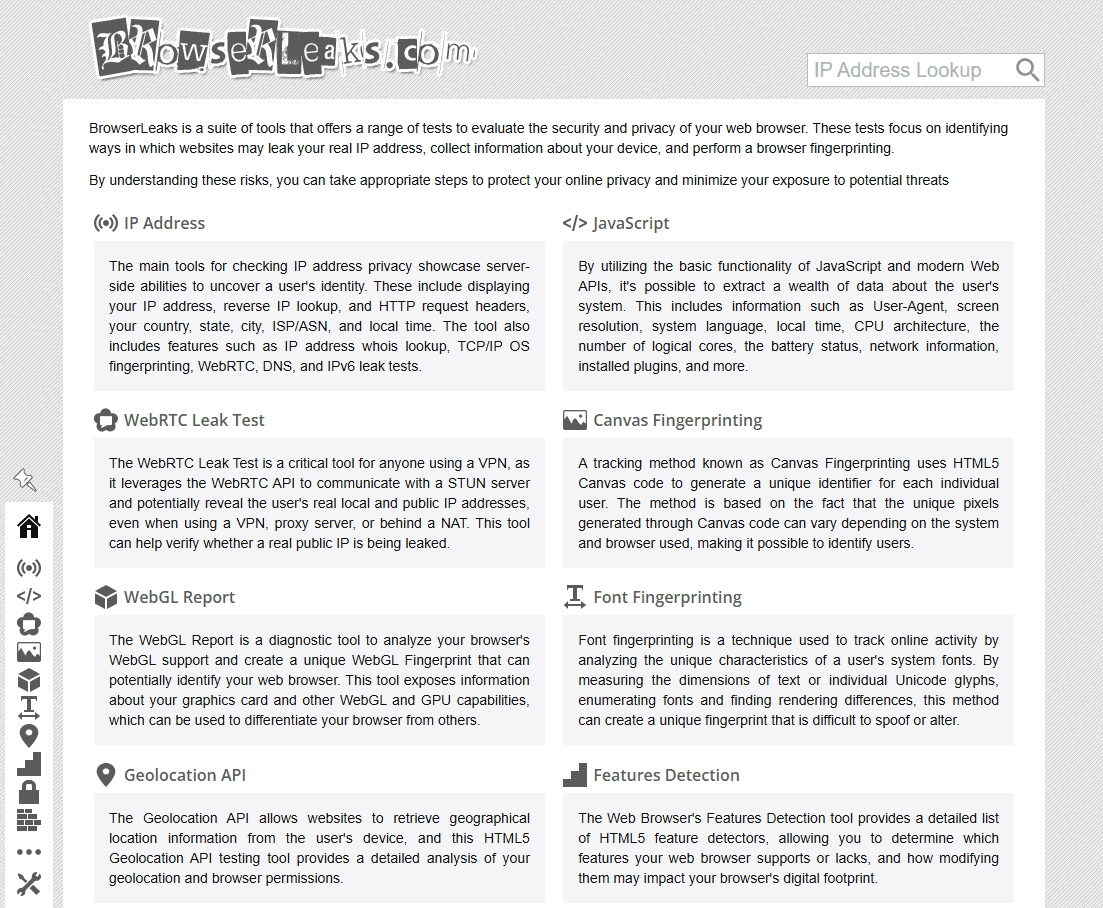
BrowserLeaks is one of the longest-running browser fingerprint and privacy testing websites, widely respected among security researchers and privacy professionals. Unlike many modern tools that present all results on a single summary page, BrowserLeaks follows a modular testing approach, separating each detection category into dedicated test pages.
Instead of aggregating everything into one score, BrowserLeaks allows users to run individual tests for IP information, WebRTC leaks, and specific fingerprint components, offering a clearer and more granular view of how different parts of the browser environment behave.
Technical depth:
BrowserLeaks stands out for covering advanced fingerprinting vectors that many tools overlook, including:
· WebRTC local IP address detection
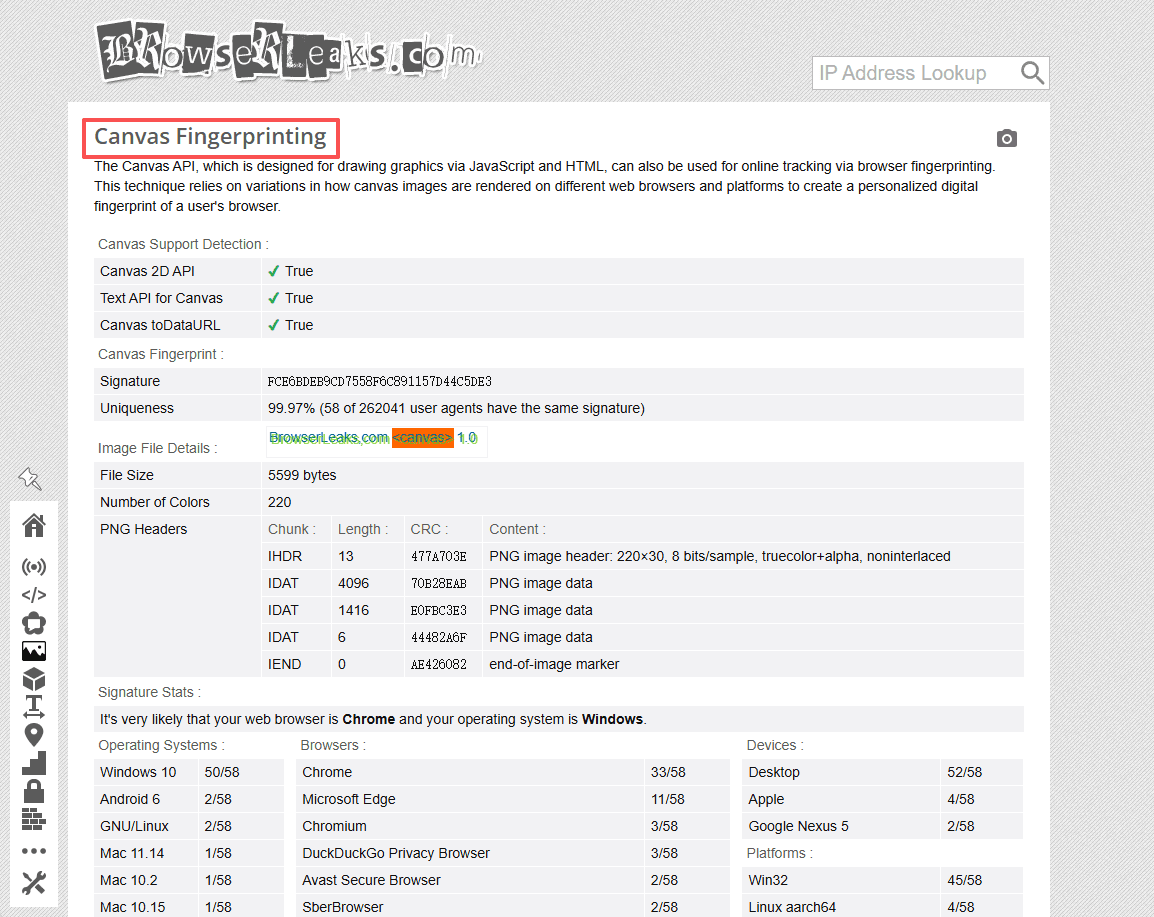
· Canvas fingerprint analysis
· Font enumeration and font fallback behavior
· Detailed HTTP headers and connection data
These tests expose low-level signals that are frequently used by modern tracking and anti-fraud systems but are rarely explained in simplified tools.
User experience:
The interface is intentionally minimal and technical, making it better suited for users with basic to advanced technical knowledge. BrowserLeaks does not automatically flag abnormal values or label results as “safe” or “risky.” Instead, it presents raw, unfiltered data, requiring users to interpret the results themselves.
For professional users, this raw-data approach is a strength rather than a weakness, as it allows precise analysis without abstraction or oversimplification.
Best for: Security researchers, privacy engineers, VPN developers, and advanced users who need full visibility into browser fingerprint components rather than simplified scores.
Pros: Modular testing design for precise diagnostics; Covers rare and advanced fingerprint vectors; Trusted by the privacy and security community
Cons: Steep learning curve for non-technical users; No automatic risk scoring or remediation guidance
5. CreepJS (Creep.js)
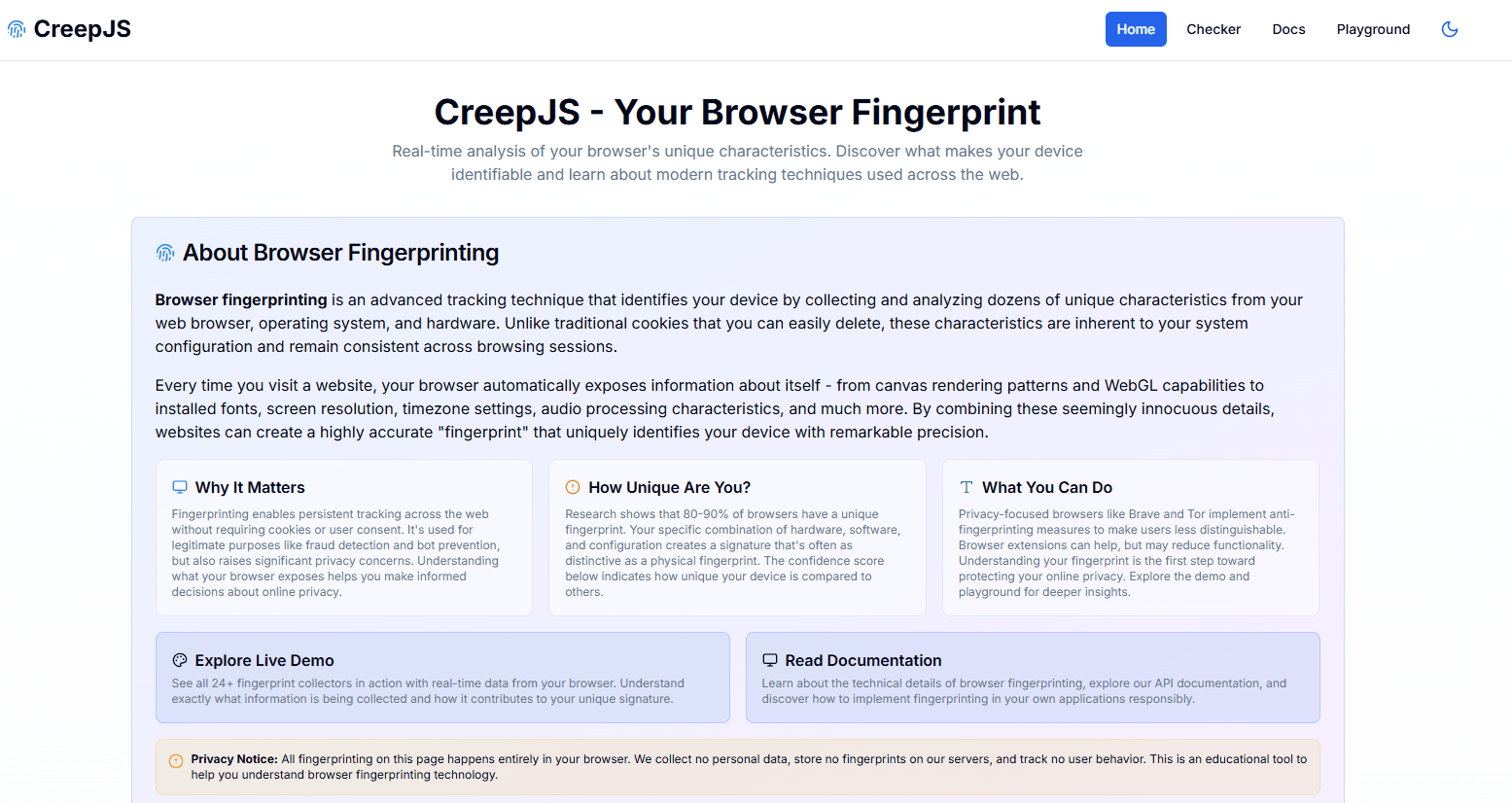
CreepJS (commonly referred to as creep.js) is an open-source browser fingerprinting research project that demonstrates how modern websites can identify users by combining high-entropy browser and system signals. Unlike commercial privacy-check tools, CreepJS is primarily designed as an educational and experimental tool, revealing the true complexity of browser fingerprinting.
It does not aim to simplify results for end users. Instead, it exposes how deeply browsers can be profiled when multiple fingerprint vectors are correlated.
Technical depth:
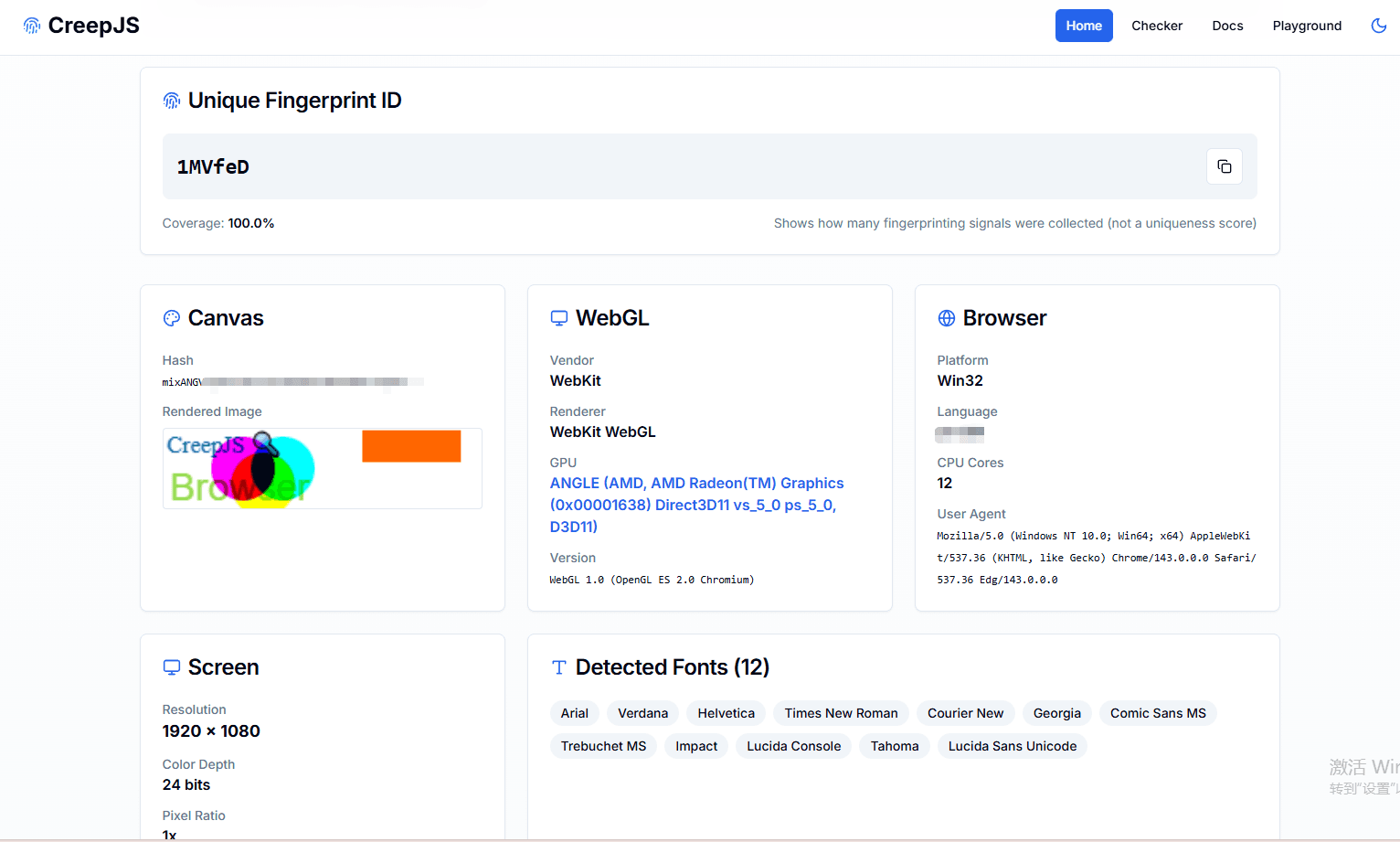
CreepJS is known for its extreme fingerprinting depth. It analyzes and correlates a wide range of signals, including:
· Canvas, WebGL, AudioContext, and WebGPU fingerprints
· Fonts, emojis, and text rendering differences
· JavaScript engine behaviors and performance timing
· Hardware concurrency, device memory, and GPU details
· Cross-session fingerprint stability and entropy
One of CreepJS’s defining features is its ability to show how small variations across sessions can still resolve into a stable identity, even when users attempt to randomize individual signals.
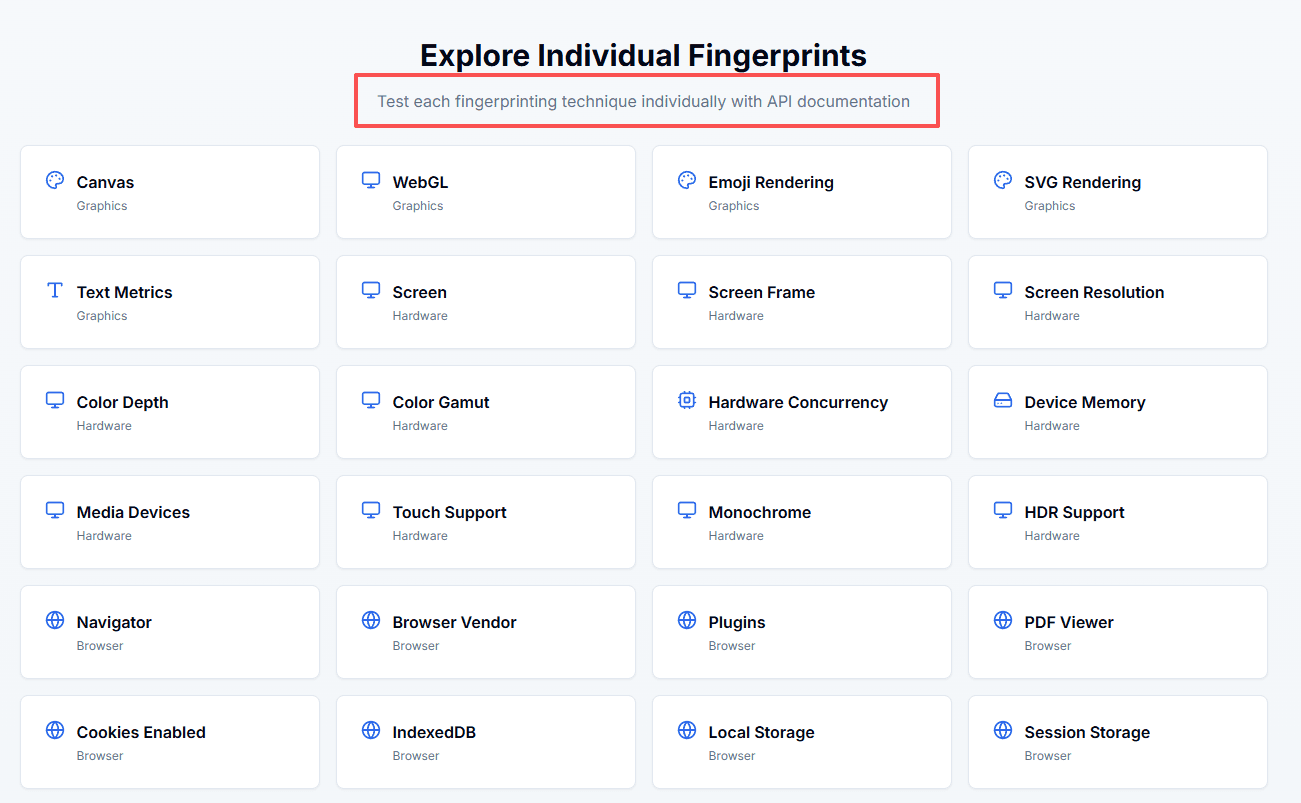
Fingerprint entropy and consistency analysis:
Rather than focusing on pass/fail or risk scores, CreepJS emphasizes entropy and uniqueness. It demonstrates how browsers that appear different on the surface may still be uniquely identifiable when fingerprint vectors are combined, a key insight for understanding why simple spoofing often fails.
User experience:
The interface is highly technical and data-heavy, presenting raw fingerprint outputs, hashes, and entropy calculations. There are no simplified privacy scores or automatic recommendations. As a result, CreepJS is best suited for users with strong technical or research-oriented backgrounds.
Use case relevance:
For users working with anti-detect browsers or privacy tools, CreepJS serves as a reality check. It helps validate whether fingerprint masking strategies genuinely reduce uniqueness or merely shift it across dimensions.
Best for: Privacy researchers, fingerprinting analysts, browser engineers, and advanced users who want to understand how fingerprinting actually works under the hood.
Pros: Extremely deep and transparent fingerprint analysis; Open-source and research-oriented; Highlights fingerprint entropy and stability across sessions
Cons: Not beginner-friendly; No risk scoring, automation, or remediation guidance
6. Cover Your Tracks (EFF)
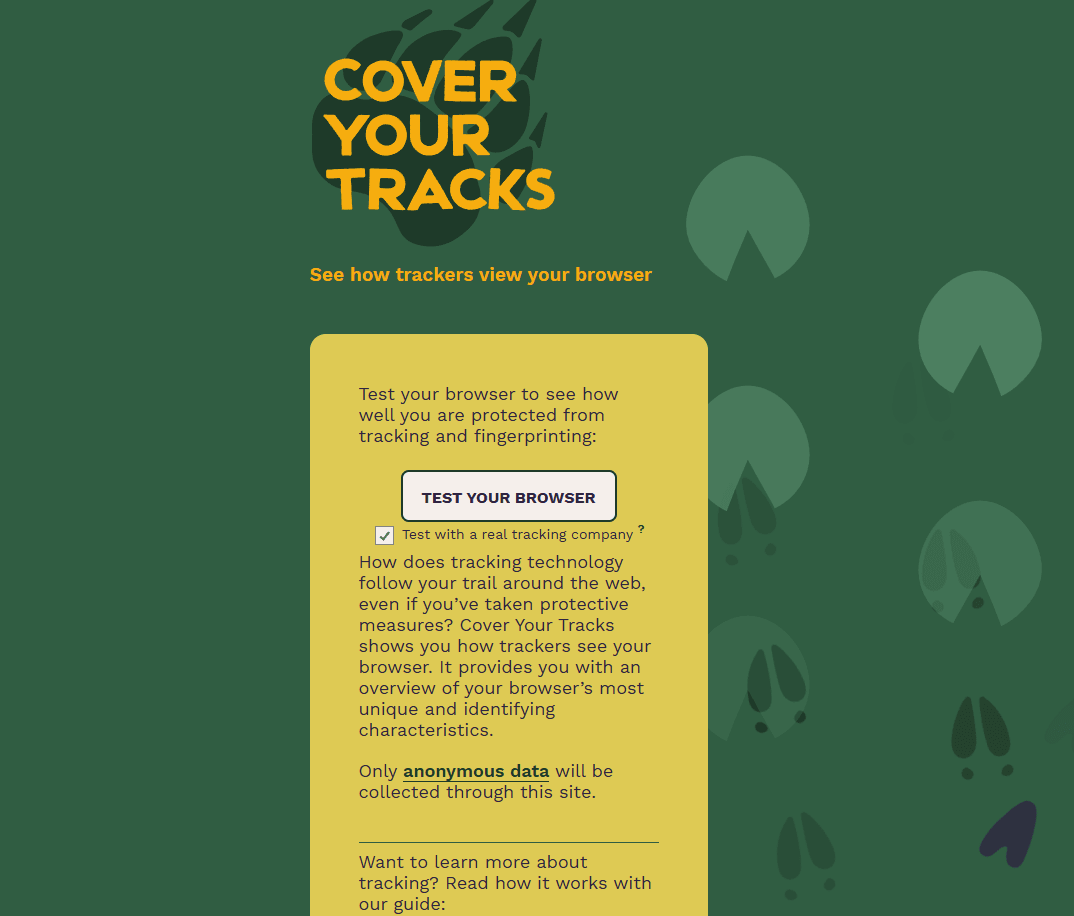
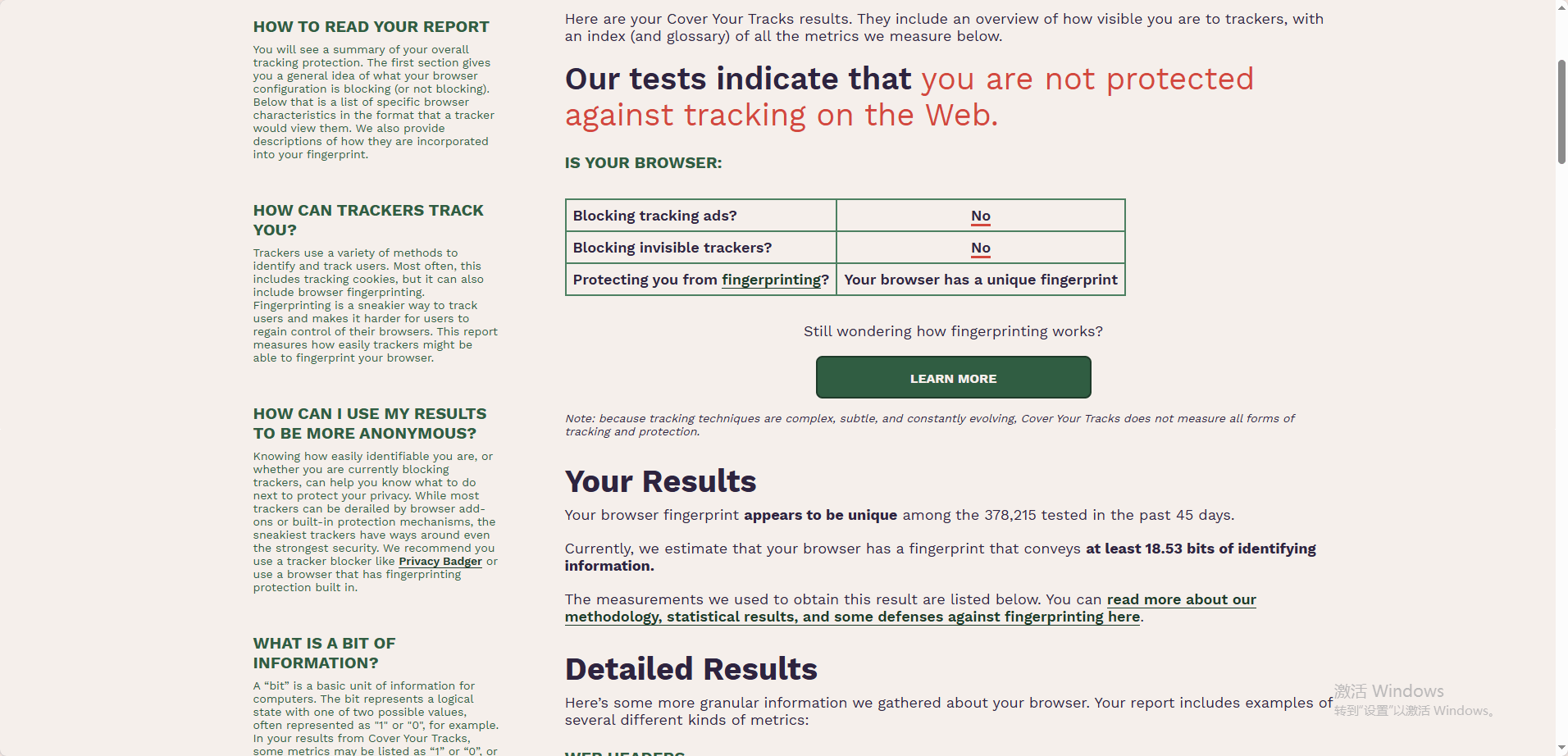
Developed by the Electronic Frontier Foundation (EFF), Cover Your Tracks was created to demonstrate how easily browsers can be tracked using fingerprinting and tracking technologies. Unlike commercial detection tools, Cover Your Tracks focuses on education and awareness, helping users understand how their browser configuration contributes to online tracking.
Testing approach:
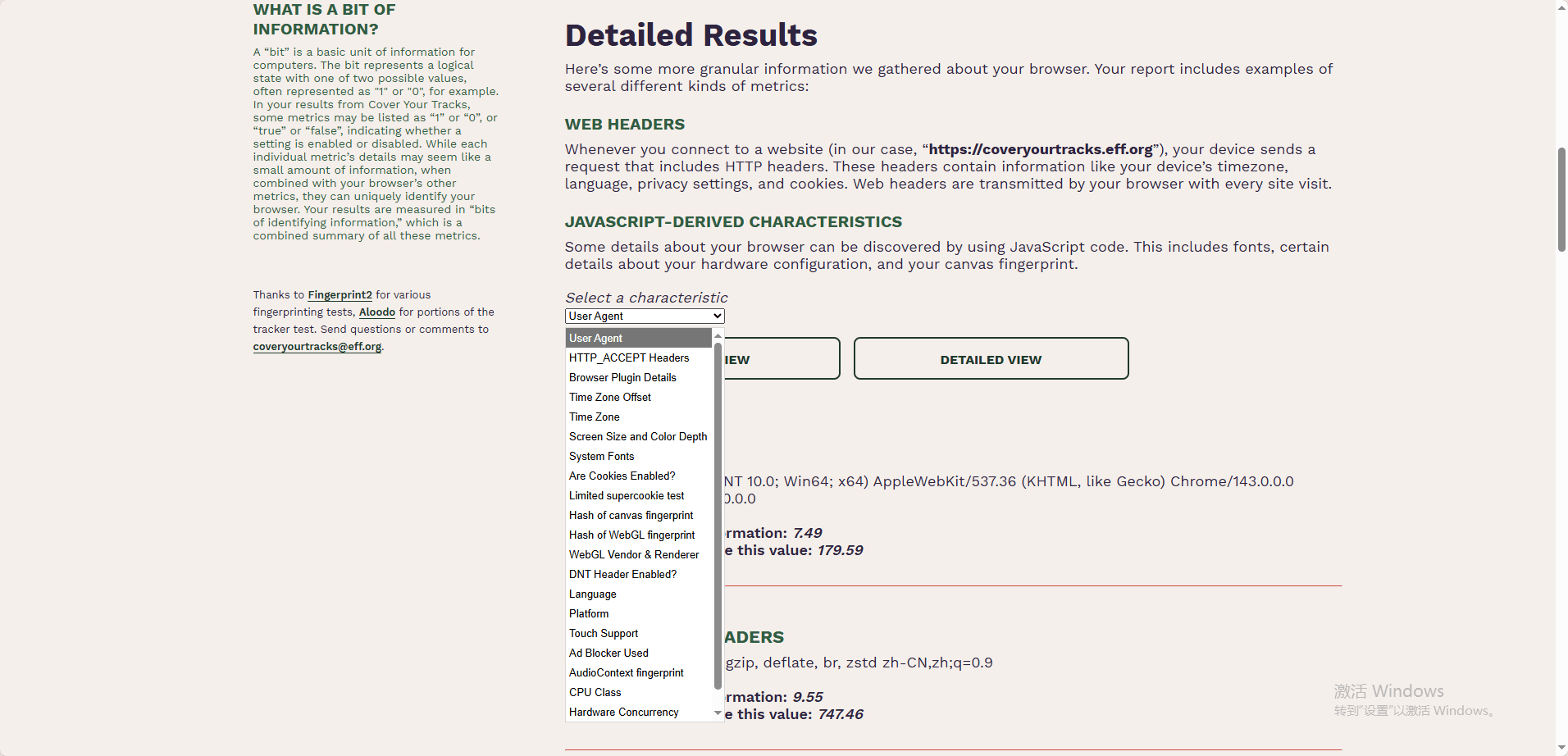
Cover Your Tracks evaluates a combination of fingerprinting and tracking-related factors, including:
· Browser and operating system fingerprints
· Screen resolution and time zone
· Fonts, plugins, and system settings
· Tracker blocking effectiveness
· Resistance to fingerprinting techniques
Rather than analyzing detection risk in anti-fraud systems, the tool measures how unique a browser is among other visitors and whether common tracking defenses are enabled.
Fingerprint uniqueness & privacy focus:
A key strength of Cover Your Tracks is its emphasis on fingerprint uniqueness. It compares your browser’s fingerprint against a large dataset of other visitors and reports whether your setup is unique or common, offering valuable insight into long-term trackability.
However, its results are privacy-oriented rather than operational. It does not assess IP reputation, proxy detection, or whether an account might be flagged by platforms.
User experience:
The interface is clean and explanatory, with clear language aimed at non-technical users. Results are accompanied by educational explanations that help users understand why certain signals increase or reduce trackability.
Use case relevance:
Cover Your Tracks is best viewed as a conceptual and educational benchmark. For users of anti-detect browsers, it provides context on fingerprint uniqueness but should be complemented with tools that evaluate real-world detection risk.
Best for: Privacy advocates, educators, students, and users who want to understand how browser fingerprinting enables cross-site tracking.
Pros: Backed by a trusted nonprofit organization; Clear explanations of fingerprinting and tracking concepts; Excellent for privacy awareness and education
Cons: Not designed for multi-account or anti-detect validation; No IP, proxy, or fraud-risk analysis
7. AmIUnique
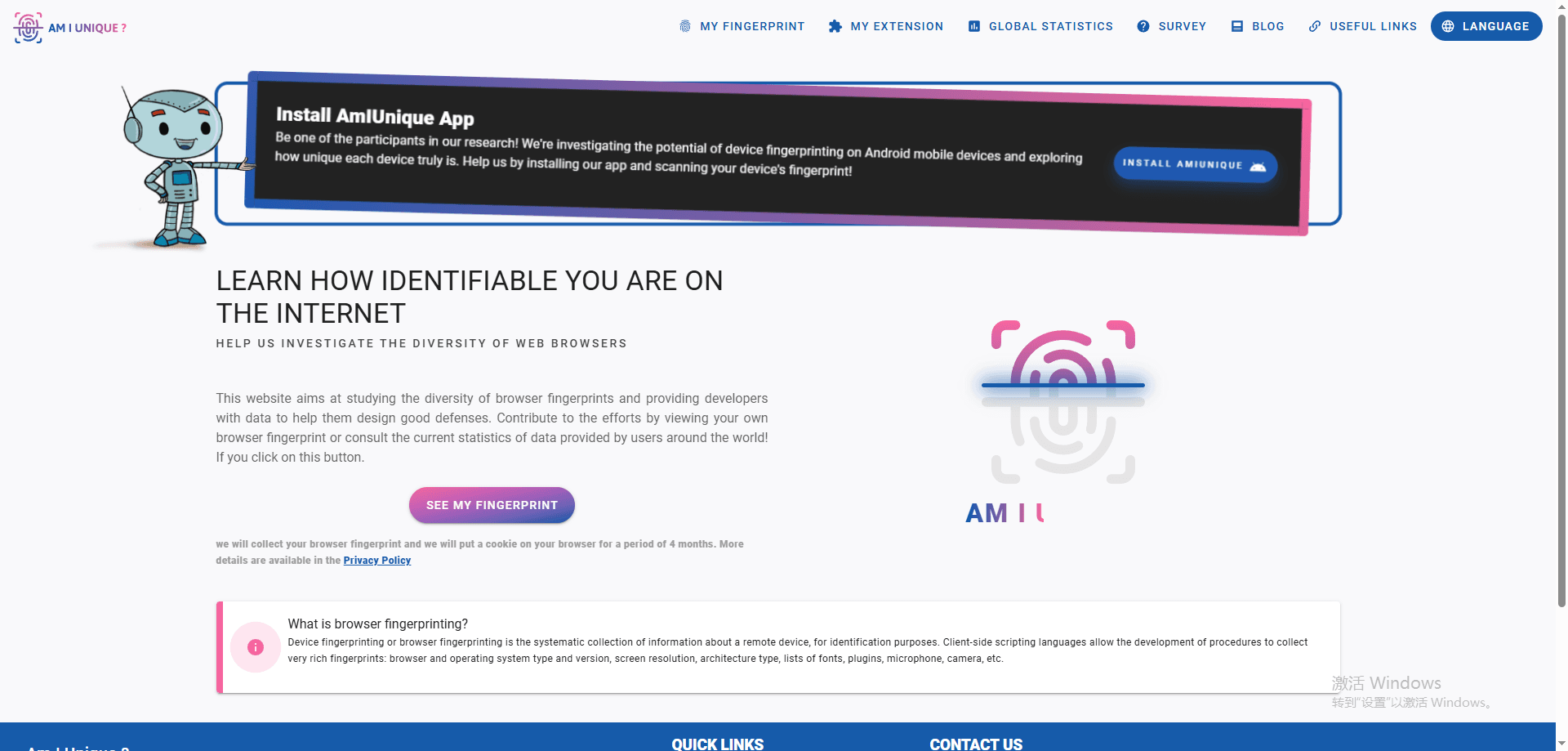
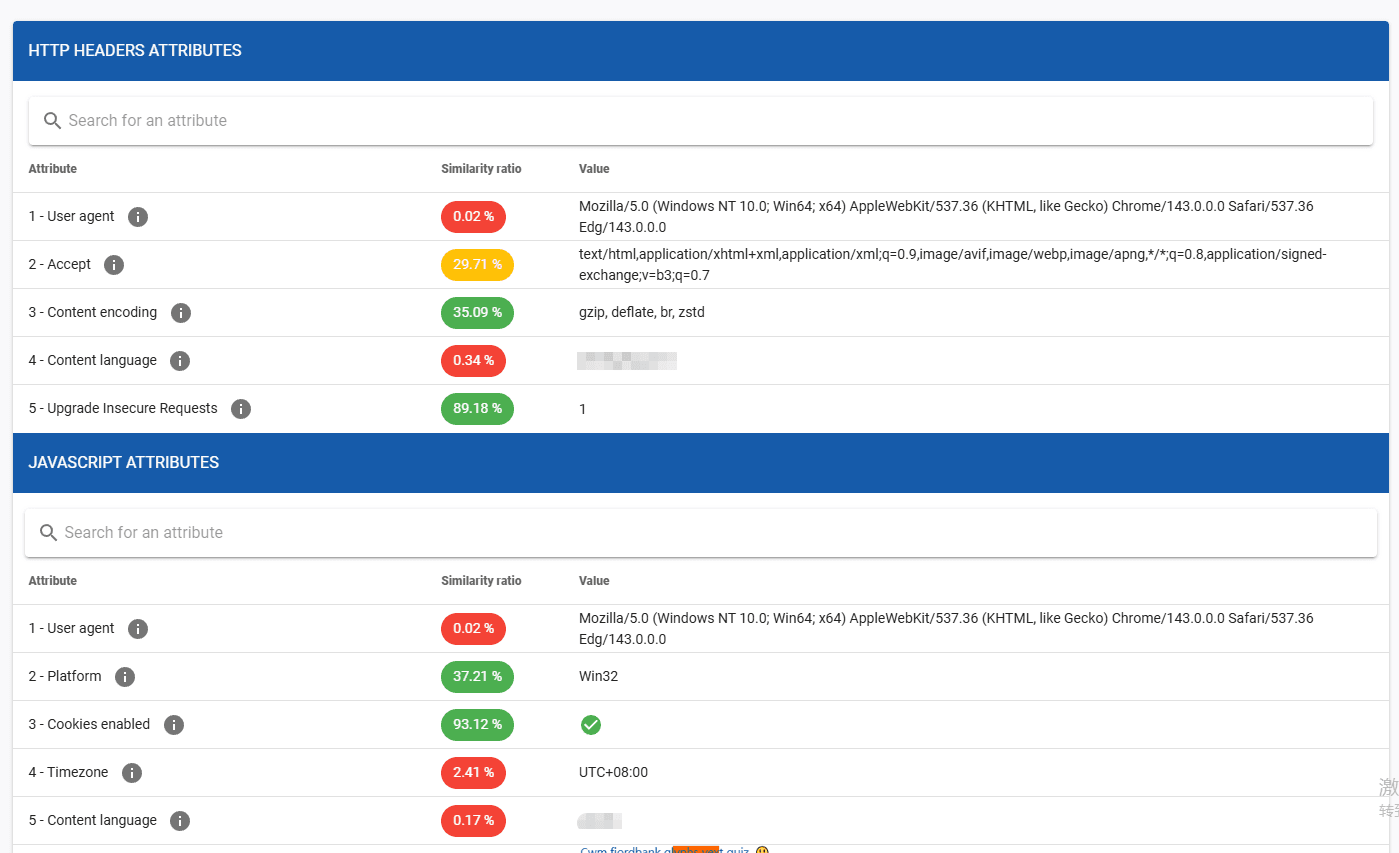
AmIUnique is a browser fingerprint analysis project developed by INRIA (the French National Institute for Research in Digital Science and Technology). It is designed to measure how unique a browser fingerprint is by comparing it against a continuously growing dataset collected from real users worldwide.
Unlike commercial privacy or anti-detect tools, AmIUnique focuses on statistical uniqueness and fingerprint stability over time, providing a research-oriented view of browser identifiability.
Testing methodology:
AmIUnique collects and analyzes a wide range of browser fingerprint attributes, including:
· Browser and operating system details
· Screen resolution and color depth
· Time zone and language settings
· Fonts, plugins, and installed features
· Canvas and other rendering-related signals
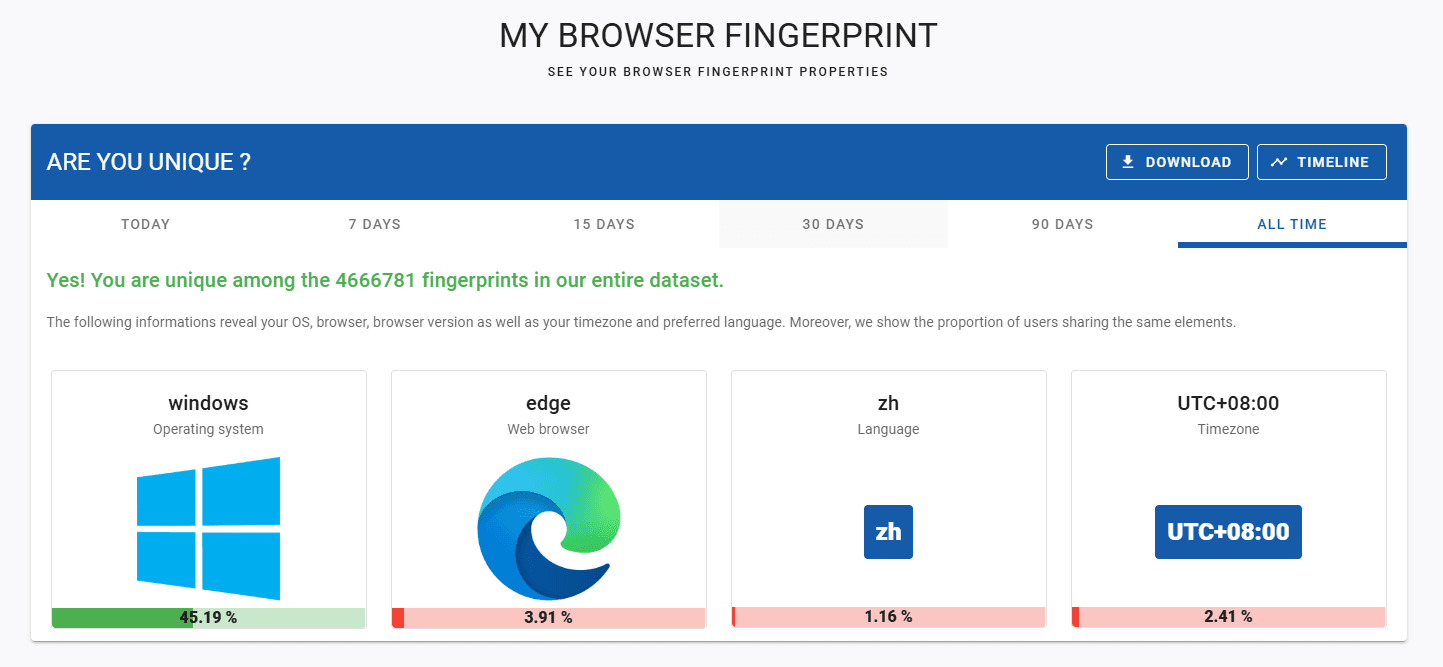
Each fingerprint is compared against AmIUnique’s dataset to determine whether it is unique, rare, or common, offering quantitative insight into how easily a browser can be distinguished from others.
Longitudinal fingerprint tracking:
One of AmIUnique’s most distinctive features is its ability to track fingerprint stability across multiple visits. By assigning a fingerprint identifier, the tool shows whether changes to browser settings actually reduce uniqueness or merely create a different but still unique fingerprint.
This longitudinal perspective is particularly valuable for understanding why simple fingerprint randomization strategies may fail in practice.
User experience:
The interface is functional and research-focused. Results are presented through tables, statistics, and comparative metrics, rather than simplified scores or visual risk indicators. Interpretation requires some familiarity with fingerprinting concepts, but the data is clearly structured.
Use case relevance:
For users of anti-detect browsers, AmIUnique serves as a validation and learning tool rather than a deployment checklist. It helps answer the question: “Is my browser fingerprint actually becoming less unique over time?”
Best for: Privacy researchers, academics, advanced users, and developers who want empirical evidence of fingerprint uniqueness and stability.
Pros: Backed by academic research and real-world data; Measures fingerprint uniqueness statistically; Tracks fingerprint changes across sessions
Cons: Not designed for real-time detection or risk scoring; No IP, proxy, or account-flagging analysis
8. IPhey
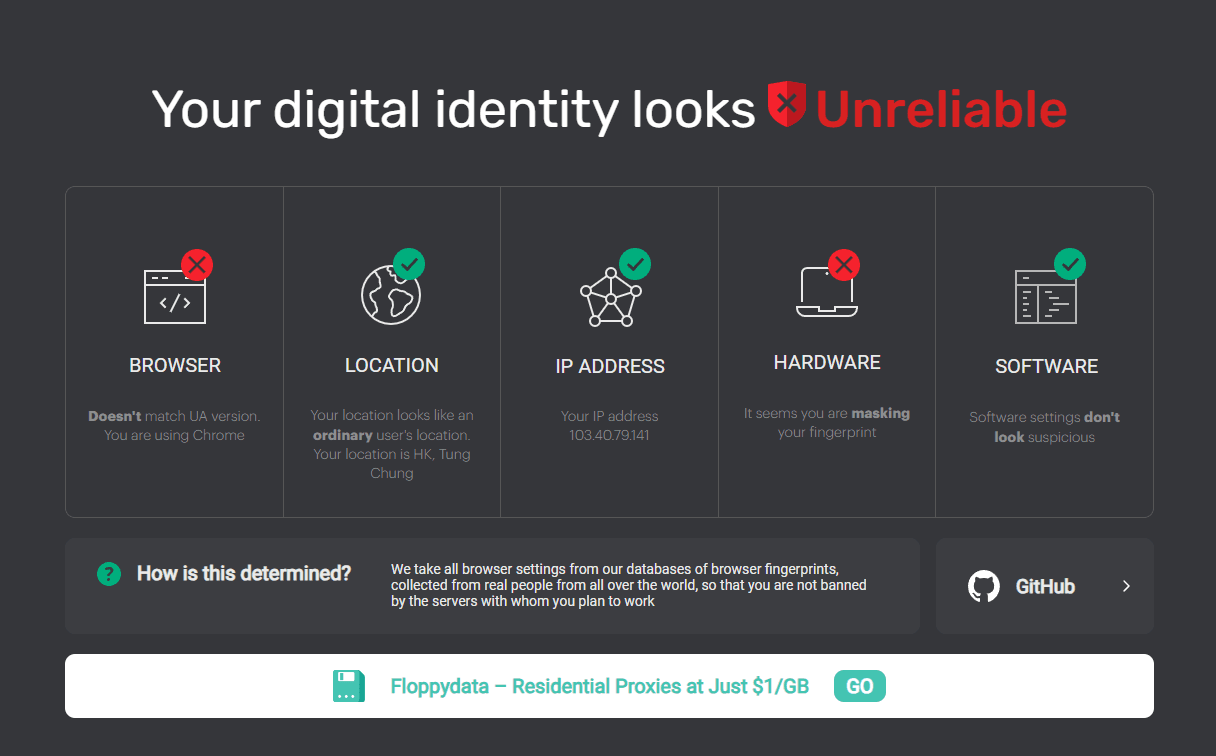
Iphey is a browser fingerprint testing tool designed to evaluate how visible or identifiable your browser appears to websites. Unlike research-focused tools that emphasize uniqueness (like AmIUnique or CreepJS), Iphey focuses on practical risk assessment for real-world operations, such as multi-account management and anti-detect workflows.
It combines fingerprint analysis with an overall visibility or risk score, giving users a simple, actionable indication of whether their browser setup might be flagged by automated detection systems.
Fingerprint and environment coverage:
Iphey checks a variety of fingerprint elements, including:
· Time zone, language, and locale settings
· Screen resolution and device characteristics
· Font lists and rendering behavior
· Browser and operating system configuration consistency
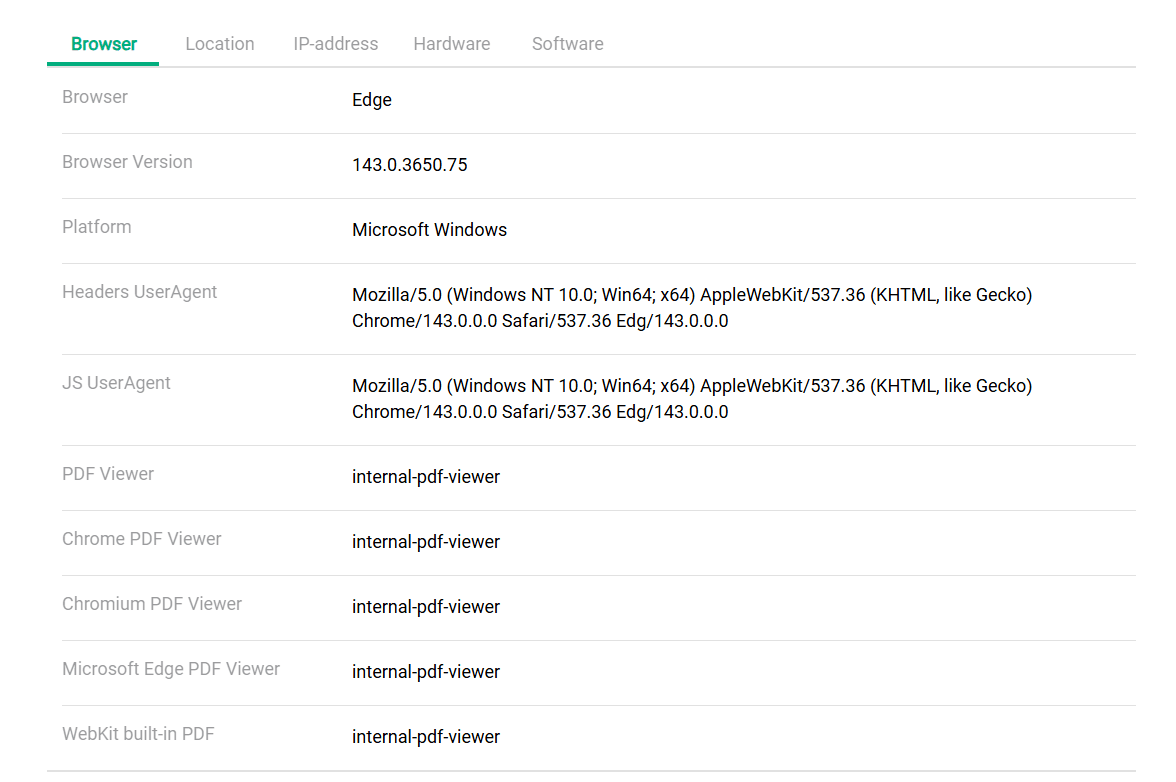
By highlighting inconsistencies between these elements, Iphey helps users determine whether their browser profile appears coherent and low-risk.
Use case for anti-detect browsers:
For users managing multiple accounts, Iphey is a quick validation tool. It can verify if anti-detect browser profiles are configured correctly, ensuring that fingerprint elements align realistically and do not raise suspicion.
User experience:
The interface is intuitive and visually oriented, making it accessible to both technical and semi-technical users. Unlike purely research tools, Iphey provides a risk score, simplifying decision-making for operational use.
Best for: Multi-account operators, social media managers, eCommerce sellers, and users who need fast, actionable feedback on browser visibility without diving into raw technical data.
Pros: Provides an easy-to-understand visibility/risk score; Useful for anti-detect and multi-account operations; Quick and intuitive interface
Cons: Less detailed than fully technical tools like BrowserLeaks; Limited low-level fingerprint or network protocol analysis
9. IPLeak.net
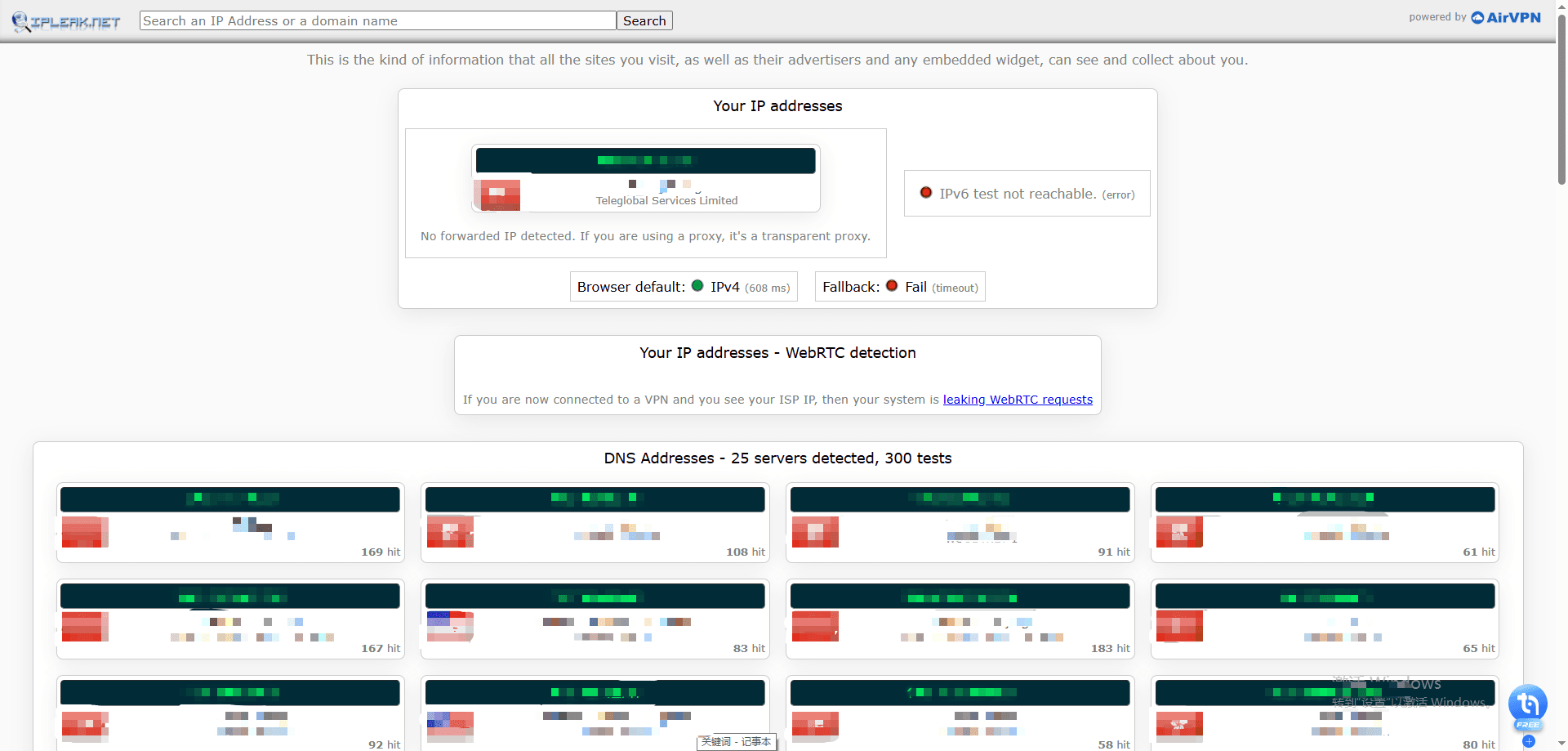
IPLeak.net is best for identifying IP leaks, DNS leaks, WebRTC leaks and Proxy misconfiguration. This tool is a must for any operator working behind VPN/proxy infrastructure. Rather than analyzing complex browser fingerprints, IPLeak.net answers a simpler but critical question: Is your real IP address leaking?
It is widely used as a quick diagnostic tool to verify whether a VPN or proxy connection is functioning as expected.
Leak detection focus:
IPLeak.net specializes in detecting common exposure points that can reveal a user’s real network identity, including:
· Public IP address and IP type
· DNS server leaks
· WebRTC IP leaks
· Torrent and connection-related exposures
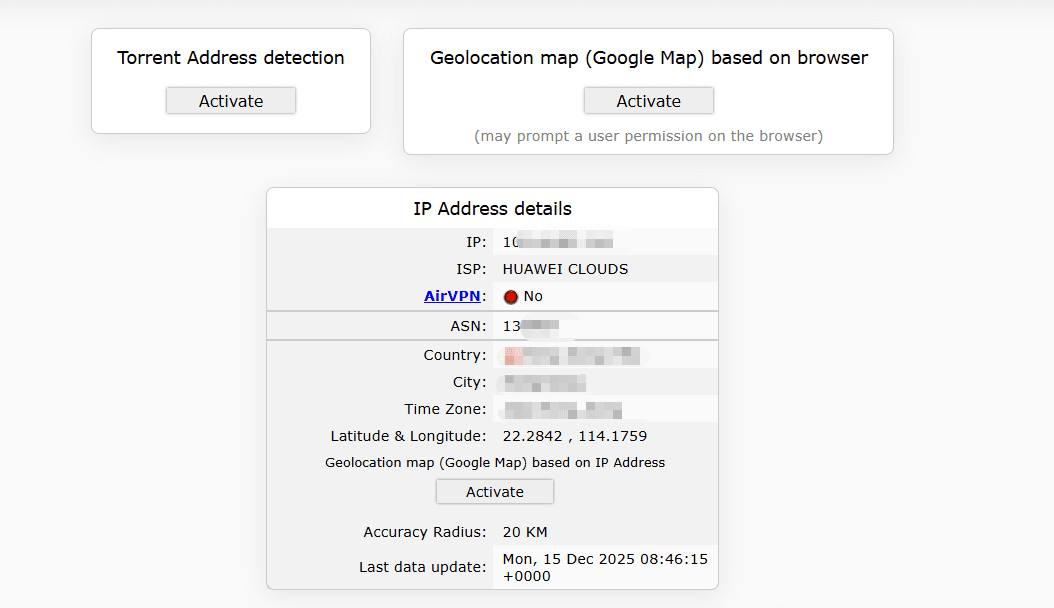
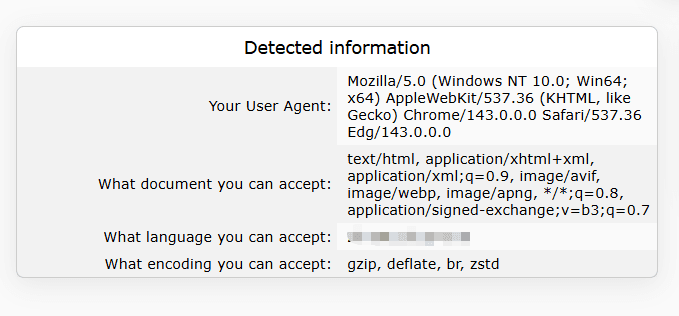
These checks help users confirm whether traffic is properly routed through a VPN or proxy, or if fallback mechanisms are exposing local network information.
Positioning vs fingerprint tools:
Unlike browser fingerprint testing tools such as BitBrowser Fingerprint Test, BrowserLeaks, or CreepJS, IPLeak.net does not attempt to evaluate fingerprint uniqueness or detection risk. Its strength lies in network-layer verification, making it a complementary tool rather than a replacement for fingerprint analysis.
User experience:
The interface is simple and utilitarian. Results are displayed immediately with minimal interpretation required, making IPLeak.net suitable even for non-technical users.
Best for: VPN users, proxy users, and anyone who needs to quickly confirm that their real IP, DNS, or WebRTC information is not leaking.
Pros: Fast and easy VPN leak verification; Focused on practical network-level issues; No technical background required
Cons: No browser fingerprint analysis; No risk scoring or multi-account validation
Why You Need a True Anti-Detect Browser
As we have seen, tools like Whoer.net and its alternatives provide valuable insights into browser fingerprints, IP leaks, and privacy risks. However, simply knowing your exposure is not enough. In today’s digital ecosystem, platforms use highly advanced fingerprinting and detection techniques that can identify users even when VPNs or proxies are enabled.
For professionals managing multiple accounts, SMM campaigns, eCommerce operations, affiliate marketing, or automated workflows, relying solely on IP-based or basic fingerprint tests leaves you vulnerable to:
· Account bans and restrictions
· Cross-account correlation detection
· Platform anti-fraud triggers
· Inconsistent privacy configurations
This is where anti-detect browsers become essential. An anti-detect browser is designed to mask, spoof, or randomize key fingerprint signals while maintaining a realistic and coherent browser environment. Unlike standard browsers, they allow users to operate multiple accounts simultaneously without raising detection flags.
Why BitBrowser Is the Ultimate Anti-Detect Solution in 2025
Among the available anti-detect solutions, BitBrowser stands out in 2025:
Comprehensive Fingerprint Management: BitBrowser generates consistent, realistic fingerprints that align with IP, timezone, screen resolution, fonts, and other critical parameters.
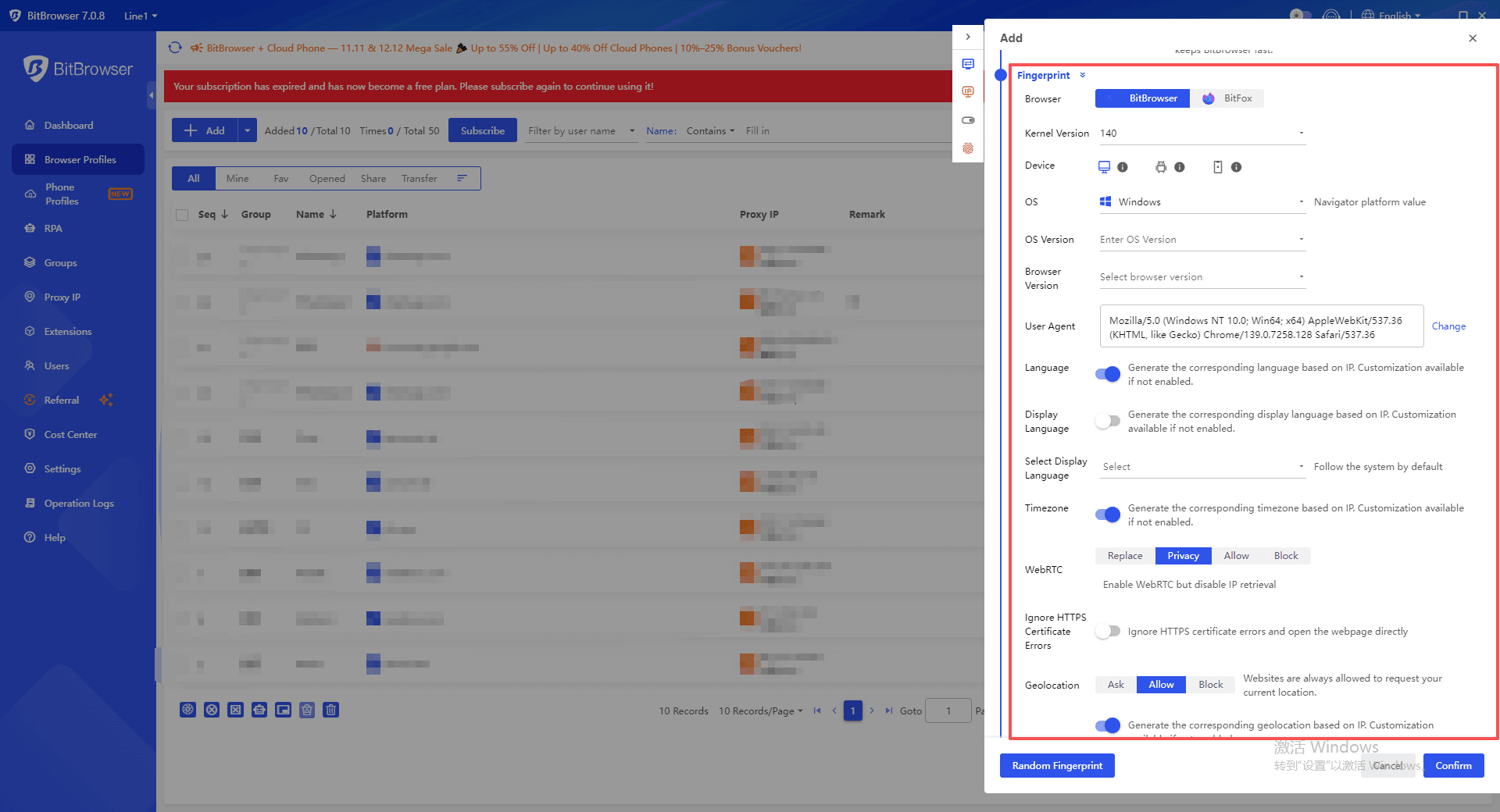
Intelligent Environment Consistency System: One of BitBrowser’s strongest advantages is its ability to automatically synchronize your browser environment with the imported proxy IP. When you add a new IP, BitBrowser ensures that timezone, browser language, geographical location, and latitude/longitude for geolocation APIs all align perfectly.
This eliminates one of the biggest causes of account bans: inconsistent profiles caused by human error. Platforms often flag accounts when IP, timezone, locale, and system signatures do not match, and BitBrowser addresses these mismatches at the root, providing seamless, realistic environment consistency.
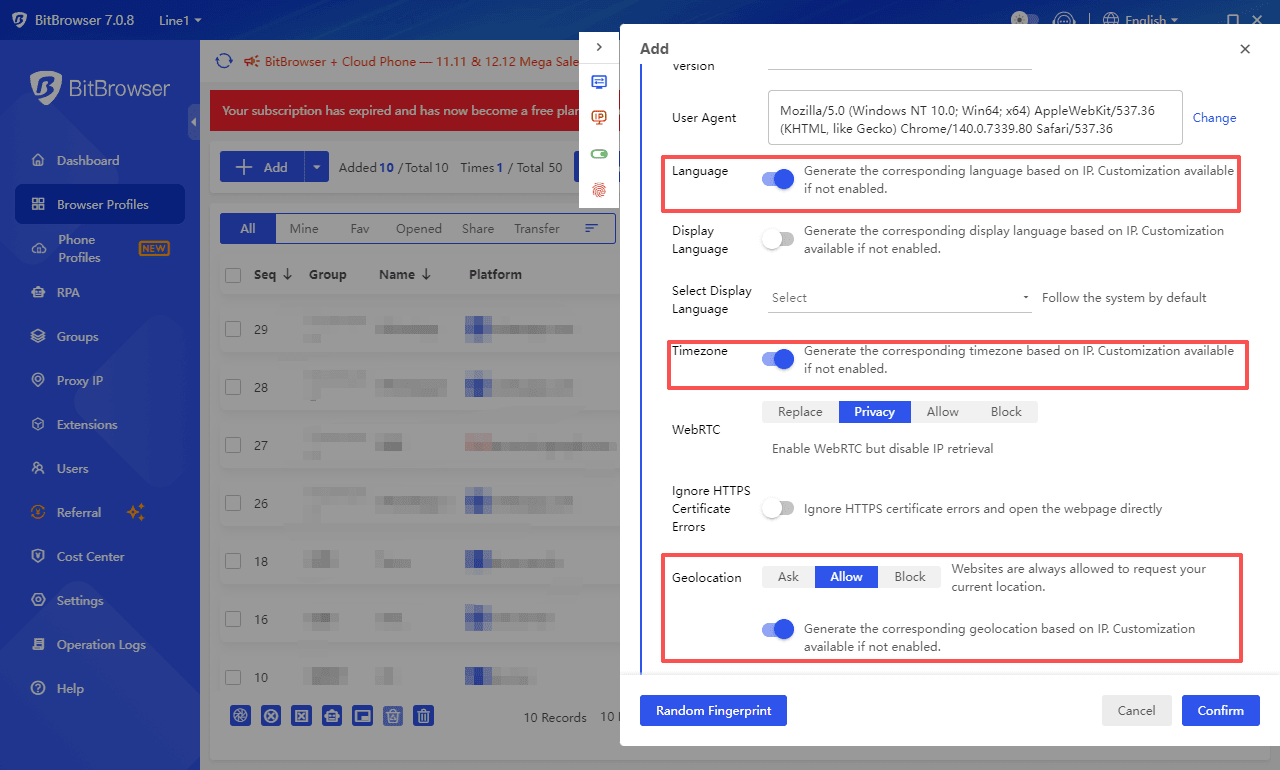
Actionable Insights: The Official Fingerprint Test identifies anomalies such as VPN/Proxy leaks, DNS misconfigurations, WebRTC exposures, and inconsistencies in fingerprint elements, providing clear guidance for remediation. BitBrowser integrates directly with its own fingerprint test, you can diagnose, fix, and retest in a complete cycle where every issue gets a solution with no guesswork, no misconfiguration, and no blind spots, making it a truly self-correcting anti-detect environment.
Multi-Account Optimization: Users can safely manage multiple profiles while minimizing the risk of detection, making it ideal for social media managers, eCommerce sellers, and affiliate marketers.
User-Friendly Interface with Deep Control: BitBrowser balances technical depth with usability, giving both beginners and advanced users precise control over their browser environment.
In short, while Whoer.net and other testing tools help measure privacy exposure, BitBrowser allows you to actively manage and protect it, ensuring a secure, low-risk online presence in 2025.
Search here: How to Protect your Online Anonymity and Privacy with Whoer and BitBrowser?
Conclusion
Whoer.net remains a useful starting point for basic IP and privacy checks, but as browser fingerprinting and detection technologies become more advanced in 2025, it is no longer sufficient on its own. Modern platforms analyze dozens of interconnected signals beyond IP, making environment consistency, fingerprint coherence, and behavioral realism critical.
By combining advanced Whoer.net alternatives for testing and validation with a true anti-detect browser like BitBrowser, users can move from passive detection to active protection, reducing detection risk, preventing account correlation, and enabling safe, scalable multi-account operations in today’s high-surveillance web environment.

 Multi-Account Management
 Prevent Account Association
 Multi-Employee Management
Recommended
See More 



