Blockaway Review 2026: Is It Safe and Worth Using
 2026.07.01 09:20
 YT.Shi
There are a lot of tools right now that promise “instant access” to blocked websites. School networks, office wifi, country restrictions, even random ISP filters. It gets annoying fast.
So people Google something like Blockaway, click the first result, and hope it just works.
This review is for that exact moment. What Blockaway is, what it is not, whether it is safe, whether it is legal, and what to do if you actually care about privacy in 2026.
What is Blockaway?
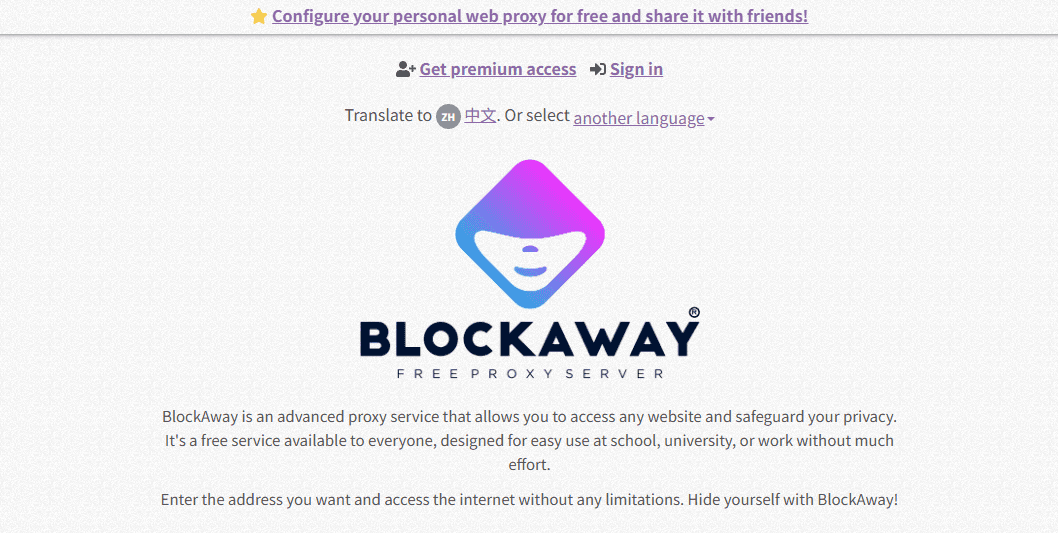
Blockaway is a web based proxy service.
In simple terms, you visit the Blockaway site, type the website you want to open, and Blockaway loads that site for you through its own server. So instead of your network seeing you visit a blocked site directly, it sees you visiting Blockaway.
That is the whole appeal. No downloads, no setup, no browser extension required. Just a page where you paste a link and go.
People mostly use Blockaway for things like:
· Opening a website blocked on school or office networks
· Accessing pages restricted by region
· Reading content that fails to load due to local filtering
· Basic private browsing when they do not want the destination site to see their real IP address
Not everyone uses it for shady stuff. A lot of the time it is just someone trying to open a blog post, a social site, or a streaming page that is blocked for no good reason.
How does Blockaway work?
Blockaway works like a middleman.
1. You go to Blockaway in your browser
2. You enter a website address
3. Blockaway visits that website for you
4. The website sends the content back to Blockaway
5. Blockaway shows you that content inside your browser
So your network sees your traffic going to Blockaway, not to the final website. And the final website sees Blockaway’s IP address, not yours.
That is also the tradeoff. You are trusting the proxy with what you do inside it.
And yes, that includes what pages you open, what you type into forms, and what links you click, depending on how the proxy is built.
Is Blockaway legal?
The honest answer is: Blockaway is generally legal, but your situation depends on your location, your network, and your purpose.
Blockaway itself is just a tool. If you use it to access content that is legal for you to access, you are usually fine.
If you use it to break laws, violate copyright rules, bypass paid services, or access illegal content, then the tool does not protect you.
Is Blockaway safe?
Blockaway can be convenient, but “safe” depends on what you mean.
1. Safety for basic browsing
If you are using Blockaway to open a simple site and read content, the risk is usually lower. You are still trusting a third party server, which is essentially a proxy server, but you are not logging into anything, not typing personal details, not sending payments.
2. Safety for logins and personal accounts
With any proxy, you should assume the proxy can potentially see sensitive data if you log in through it. Even if the service claims it does not log, you cannot verify that as a normal user.
Because of that, I would avoid using Blockaway for important accounts such as email, banking, shopping, work platforms, or social media accounts you care about. Random web proxies are better suited for casual browsing than handling sensitive logins.
3. Tracking, ads, and unknown operators
Another issue is that many free proxy services monetize traffic. Sometimes it is harmless, like basic ads. Sometimes it is more aggressive, like injecting scripts, altering pages, or tracking clicks.
I am not saying Blockaway definitely does that. I am saying this is a common pattern in the web proxy space, especially in free tools.
Quick safety verdict
Blockaway can be “safe enough” for casual reading and simple access. It is not the tool I would choose for serious privacy, long sessions, account logins, or anything where you would regret an exposure.
Blockaway’s main features (what it actually offers)
Blockaway is not packed with advanced controls. It is built for speed and simplicity. That is why people like it. Here are the main features most users care about:
Web based proxy access
No install. You open the site, paste a link, browse.
Bypass basic network blocks
It can bypass many school or office blocks, especially ones based on DNS filtering or simple domain blocking.
IP masking (basic level)
Websites you visit may see the proxy IP instead of your home IP.
Quick usage on shared devices
If you are on a locked down computer where you cannot install anything, a browser proxy page is sometimes the only option.
How to use Blockaway (simple steps)
If you decide to use Blockaway, keep it simple and low risk.
1. Open your browser
2. Visit the official Blockaway website (https://www.blockaway.net/)
3. Paste the full URL of the site you want to access
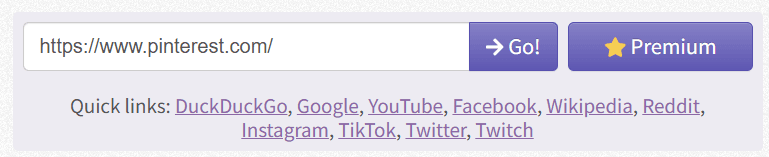
4. Start browsing through the proxy page
5. When done, close the tab and clear browsing data if you are on a shared device
And one personal rule that saves headaches: do not log in through a web proxy unless you are willing to lose that account. That sounds dramatic, but it is a good filter.
Blockaway Advantages and Disadvantages
| Advantages | Disadvantages |
|---|---|
| Free to use — No subscription or payment is required for basic access. | Limited privacy — Your traffic passes through a third-party proxy that you do not control. |
| Fast to start — You can be browsing in under a minute. | Not ideal for account logins — Using unknown proxy servers for sensitive accounts adds unnecessary risk. |
| No download or setup required — Convenient on restricted devices or public computers. | Website compatibility issues — Some pages, logins, video players, and scripts may not function correctly. |
| Can access some blocked websites — Often works for basic content and simple restrictions. | Speed and reliability vary — Free proxy servers can become slow or overloaded. |
| Useful for one-off browsing tasks — Good for quickly viewing a page or checking information. | May still get blocked — Many major websites actively detect and block known proxy IP addresses. |
Overall, Blockaway is a convenient option if you need quick, free access to a blocked website without installing anything. However, its privacy, reliability, and compatibility limitations make it better suited for casual browsing than for handling sensitive accounts or regular long-term use.
Is Blockaway worth using?
For quick access, maybe. For serious privacy, not really.
If your goal is simply “open this blocked site right now,” Blockaway can be worth trying. It is convenient and requires almost no effort.
But if your goal is “stay private, avoid tracking, avoid leaks, avoid interruptions,” then you will probably outgrow it fast.
That is where alternatives come in.
Why is BitBrowser the best alternative to Blockaway?
Blockaway is a single shared proxy experience. You go through their server, in a basic way, and you get whatever stability and privacy level comes with that.
BitBrowser is different. It is built for controlled browsing environments, where you can separate identities and reduce cross tracking in a more structured way.
Here is why BitBrowser is often a better alternative than a free web proxy:
More control over your browsing setup
Instead of a basic paste and browse proxy page, BitBrowser focuses on creating isolated browser profiles. That matters because a lot of tracking is not just IP based. It is cookies, storage, fingerprints, and session leftovers.
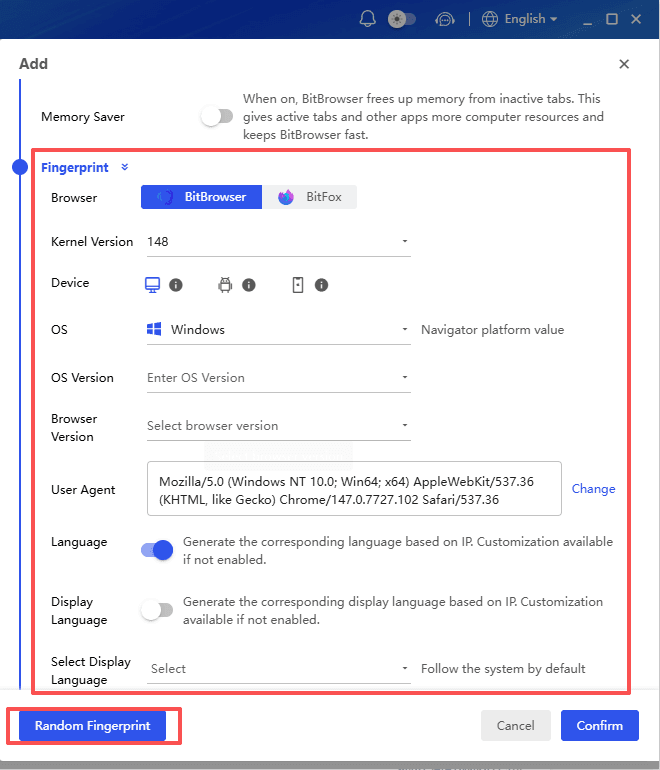
Better for uninterrupted browsing
Many proxy sites get blocked or slow down. A proper browser environment with well-managed profiles tends to be more stable for repeated use.
For example, users often rely on BitBrowser to access platforms that are commonly restricted in certain regions, including popular social media and AI services such as YouTube, Instagram, and ChatGPT. Dedicated browser profiles also make it easier to keep these sessions separate and avoid conflicts between accounts.
In addition, some users create isolated browser environments for accessing torrent and file-sharing communities. This can include sites such as TamilMV, The Pirate Bay, or Kickass Torrents, where maintaining separate cookies, fingerprints, and browsing data may help keep different activities organized.
Cleaner separation between activities
If you need to keep different browsing sessions separate, personal and work, multiple accounts, different regions, testing, research, whatever, a proxy page is not designed for that.
BitBrowser is.
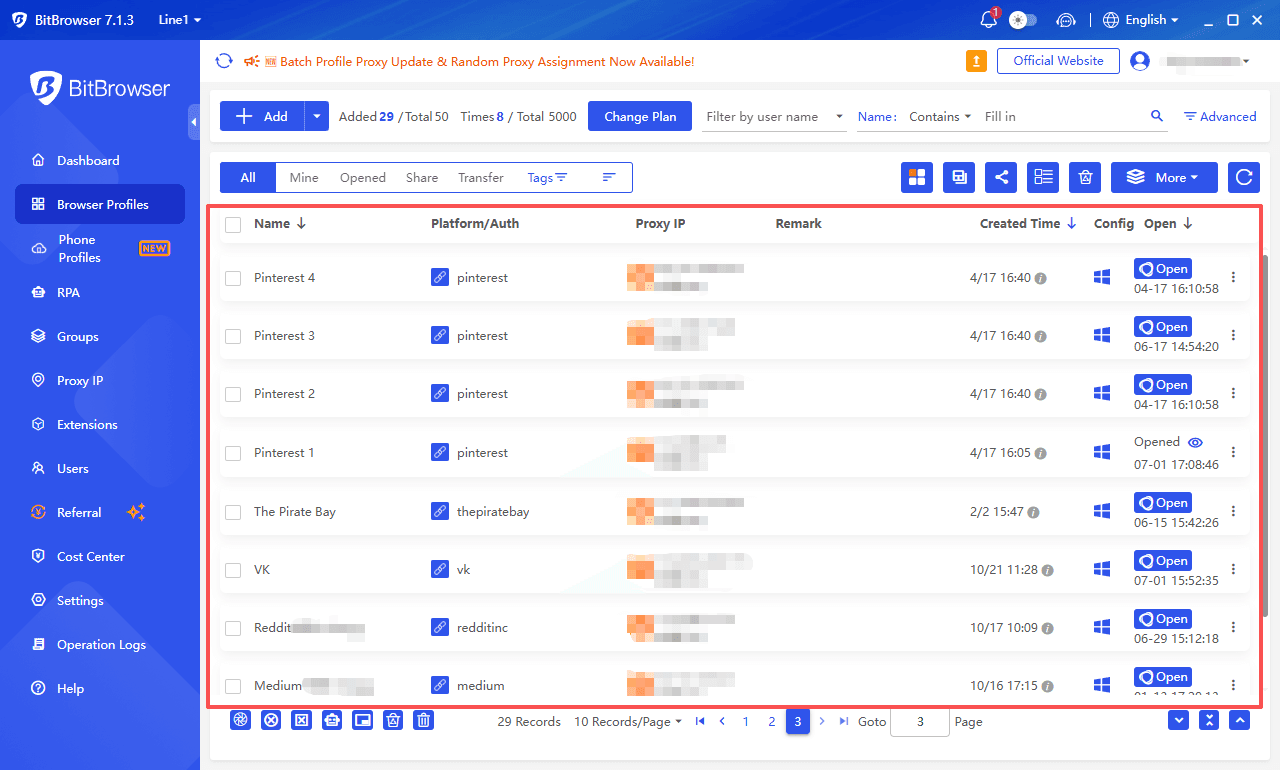
Less “random proxy” risk
With free web proxies, you are always left wondering who runs it, how it is funded, and what information is logged. A tool designed for controlled browsing generally provides a more intentional setup, with less mystery.
To be clear, no tool is magic. You still need to maintain good habits. However, BitBrowser is closer to what people actually want when they say “safe browsing” in 2026.
Best practices for safe, private, and uninterrupted browsing with BitBrowser
If you are transitioning from something like Blockaway to BitBrowser, these practical habits can be very helpful.
Use separate profiles for separate tasks
Do not mix everything in one browser profile. Create different profiles for different activities. This reduces cross tracking and keeps sessions clean.
Avoid logging into sensitive accounts on unknown networks
Even with better tools, public wifi is still public wifi. If you must use it, follow these tips for safely using public Wi-Fi, ensuring secure connections and keeping sessions short.
Keep extensions minimal
Too many extensions can leak data and increase fingerprint uniqueness. Only install what you truly need.
Update regularly
Basic but important. Updates fix security issues, and you want that.
Treat privacy like a routine, not a one time fix
The biggest difference between “I feel private” and “I am actually safer” is consistency. Separate profiles, clean habits, and not taking shortcuts when it matters.
Stay 100% Anonymous with BitBrowser
Final thoughts
Blockaway is a quick web proxy that can help you access blocked websites with almost no effort. For simple browsing, it can be useful. However, for anything involving privacy, logins, or reliability, it has limits that should not be overlooked.
If you're seeking something more stable and privacy-focused in 2026—especially if you care about keeping sessions separated and reducing tracking—it is worth considering a stronger alternative like BitBrowser.
FAQs (Frequently Asked Questions)
What is Blockaway and how does it work?
Blockaway is a web proxy that helps you access blocked websites. You enter a URL, and Blockaway loads the site through its own server, hiding the destination from your network and showing the website Blockaway’s IP instead of yours.
Is using Blockaway legal?
Generally, yes. However, legality depends on how you use it. Using a proxy does not make illegal activities, copyright infringement, or policy violations legal.
Is Blockaway safe for browsing and logging into personal accounts?
It is usually fine for casual browsing, but it is not recommended for logging into sensitive accounts such as email, banking, work platforms, or social media.
Does Blockaway track users or inject ads?
Many free proxy services rely on ads or tracking to generate revenue. While there is no specific claim against Blockaway, users should understand that free proxies may monitor or monetize traffic.
What are the main advantages of Blockaway?
Blockaway is free, requires no installation, and is easy to use. It can help bypass basic website restrictions, making it useful for quick browsing tasks.
When should I avoid using Blockaway?
Avoid using it for sensitive logins, long browsing sessions, or situations where privacy and security are important. It is best suited for simple, temporary access to blocked websites.

 Multi-Account Management
 Prevent Account Association
 Multi-Employee Management
Recommended
See More 



