How to Buy Aged Facebook Accounts Safely (2026 Guide)
 2026.04.01 12:18
 YT.Shi
If you've ever tried running ads or managing multiple profiles on Facebook, you probably noticed one thing pretty quickly: fresh accounts don’t last long.
They get flagged easily. Limited actions. Sometimes even banned within hours.
That’s why more people are turning to aged Facebook accounts. I’ve tested this myself over time, and honestly, the difference is noticeable. But buying them isn’t as simple as it sounds.
There are risks. And if you don’t do it right, you’ll lose both the account and your money.
So here’s a practical breakdown of how it actually works in 2026.
What Are Aged Facebook Accounts?
An aged Facebook account is a profile that was created months or even years ago. Unlike newly created accounts (often referred to as "fresh" accounts), aged accounts have an established history.
Typically, these profiles include:
● A history of organic human activity (likes, shares, comments).
● An established friends list.
● Profile pictures and regular timeline updates.
● Older creation dates (ranging from 1 to 10+ years old).
Because they look and act like genuine users, Facebook's algorithm treats them differently than an account created five minutes ago.
Why Do People Buy Aged Facebook Accounts?
From my experience, it mostly comes down to stability and scaling.
If you're running ads or doing outreach, new accounts are fragile. Aged ones give you more room to operate.
A few common use cases:
● Higher Trust Scores: Facebook’s anti-spam bots are hyper-vigilant against new accounts. Aged accounts have already bypassed the initial algorithmic scrutiny, making them far less likely to trigger instant bans.
● Running Facebook Ads with lower risk of instant restriction: For media buyers, linking a Business Manager to an aged profile significantly reduces the risk of random ad account suspensions.
● Building social proof faster: Fresh accounts are often restricted from using Facebook Marketplace, joining groups, or sending mass messages. Aged accounts usually have these features unlocked.
If you're dealing with multiple inboxes, this also ties into better workflows. Something like this guide to safely manage multiple Facebook Messenger accounts explains that side pretty well.
Also, aged accounts are often used together with anonymity setups. If that’s your angle, you might want to check how to browse Facebook anonymously before diving in.
Note: While aged accounts offer more resilience, they are not invincible. Bad behavior or drastic IP changes can still trigger a suspension.
Is It Safe and Legal to Buy Aged Facebook Accounts?
Short answer: it’s a gray area.
Facebook officially doesn’t allow buying or selling accounts. So technically, it violates their terms.
But in practice, people still do it every day.
The real question isn’t legality. It’s how you reduce risk.
Main risks
● Account gets recovered by original owner
● Login triggers security checks
● Immediate suspension after IP/device mismatch
That’s why setup matters more than the purchase itself.
Most issues come from environment changes, not the account itself. Facebook tracks browser fingerprint, device, and IP consistency. If these suddenly change, it’s easy to trigger verification.
That’s why people use an antidetect browser to keep a stable fingerprint, or a cloud phone to maintain a consistent mobile environment.
Buying is easy. Keeping the environment consistent is what keeps the account alive.
How to Buy Aged Facebook Accounts in 2026
If you have decided the benefits outweigh the risks, you need to know how to navigate the market safely.
Where to Buy Aged Facebook Accounts
There are countless vendors online, ranging from dedicated marketplaces to private forums. However, scams are incredibly common. It is vital to use reputable sellers who offer guarantees.
If you are looking for trusted vendors, check out our curated list of the six best platforms to buy Facebook accounts to ensure you get high-quality profiles without getting scammed.
What to Prepare Before Buying Aged Facebook Accounts
This is where most people mess up.
Before you even click "buy," you must have your digital infrastructure ready:
● Backup email ready: Make sure it’s clean and hasn’t been linked to other Facebook accounts
● 2FA setup plan: Prepare an authenticator and avoid SMS if possible
● High-Quality Proxies: Never log into a purchased account using your home IP address. Purchase a dedicated residential or 4G mobile proxy that matches the country of the account.
● Clean and Isolated Browser Environment (like BitBrowser): Do not use your standard Chrome or Safari browser, as Facebook reads your browser fingerprint.
Safety Tips for Buyers
● Ask for Cookies: Always buy accounts that come with browser cookies. Logging in via cookies is much safer than using a username and password, as it bypasses suspicious login alerts.
● Check the Warranty: Good sellers offer a 24-to-48-hour replacement guarantee if the account is banned upon first login.
● Pace Yourself: Do not change the password, email, and profile picture on day one. Let the account "rest" on your new IP for a few days before making changes. Always warm it up. Scroll, like, maybe update profile. Don’t jump straight into ads.
And most importantly, never mix multiple accounts in the same browser environment. That’s where most bans happen.
How to Safely Transfer Accounts Using BitBrowser
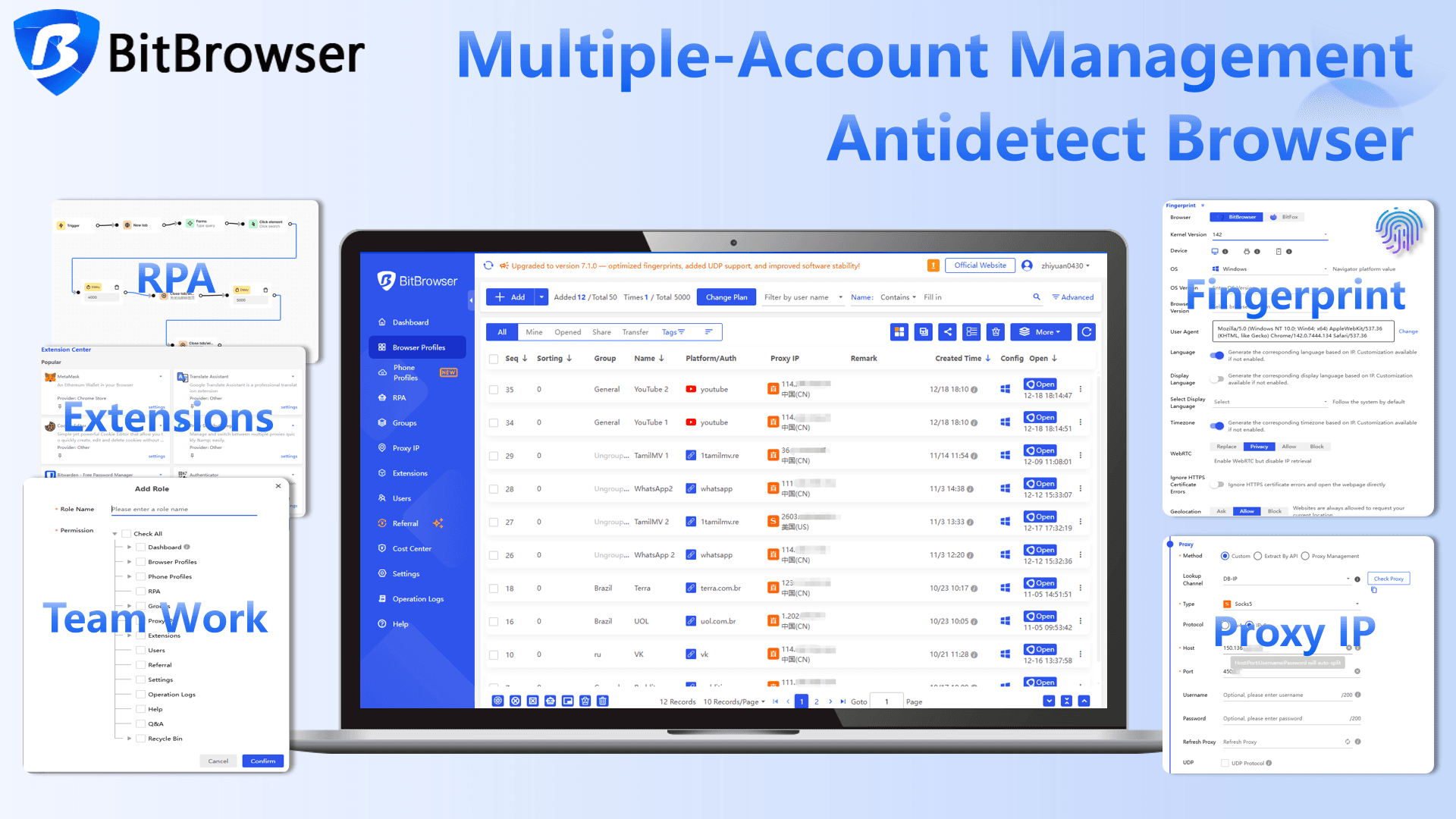
To prevent Facebook from linking your newly purchased account to your existing ones, you must spoof your browser fingerprint. An antidetect browser like BitBrowser is the industry standard for this.
Sign up to get 10 permanent free profiles
Here is how to safely import your aged account using BitBrowser:
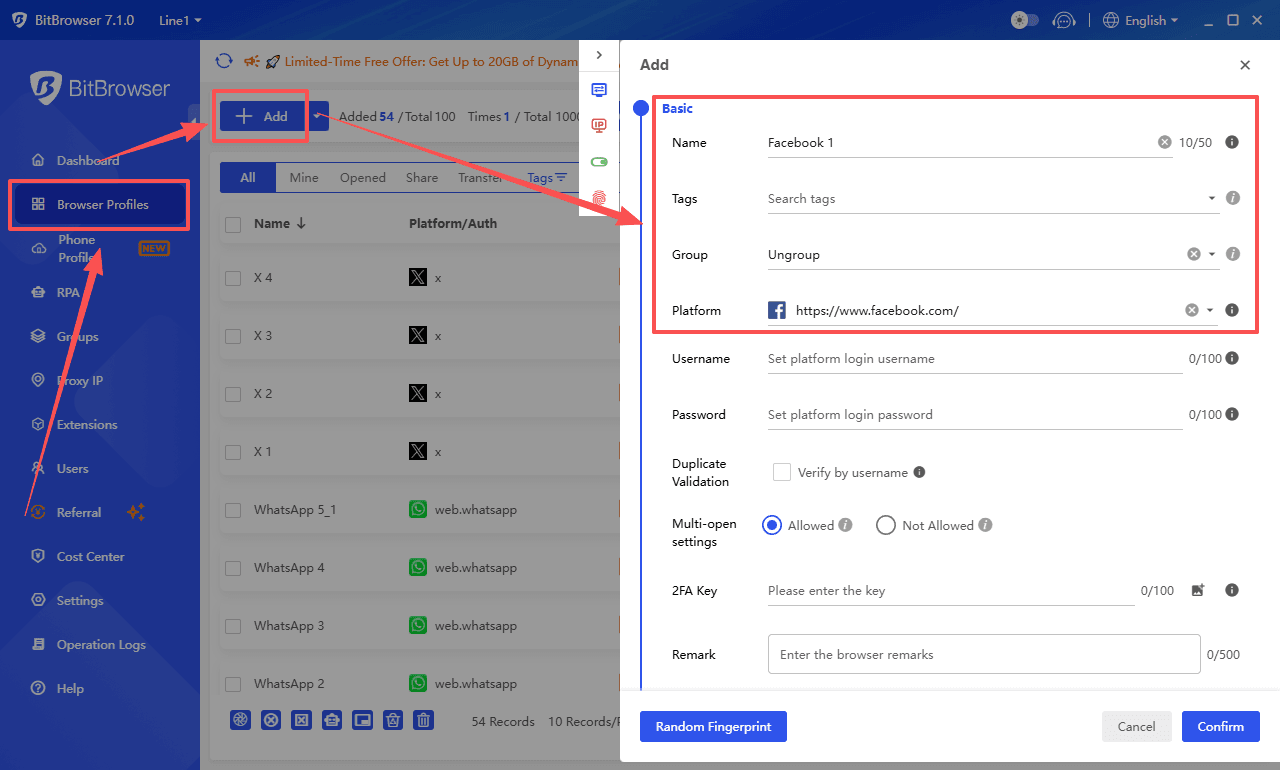
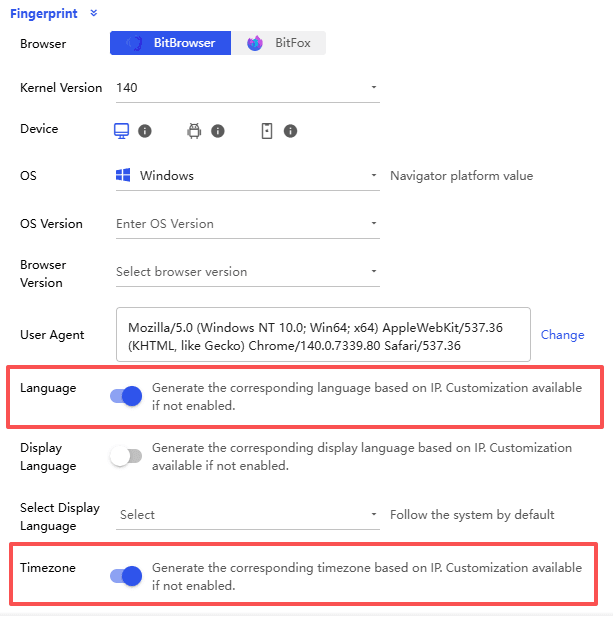
1. Create a New Profile: Open BitBrowser and click "Browser Profiles > Add." Set the operating system and browser version to match what the previous owner used (the seller usually provides this data).
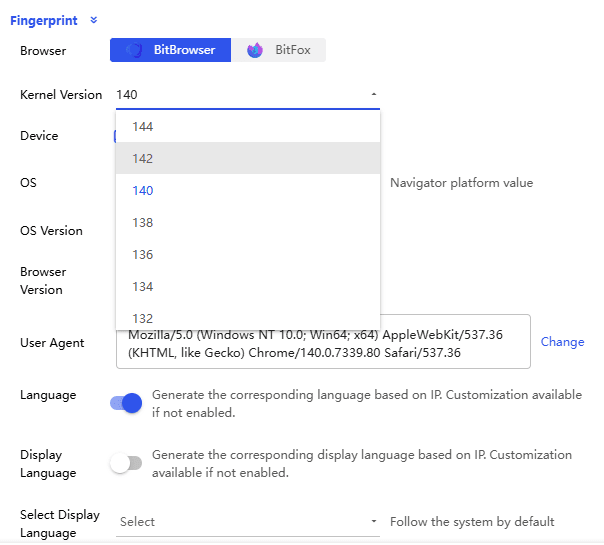
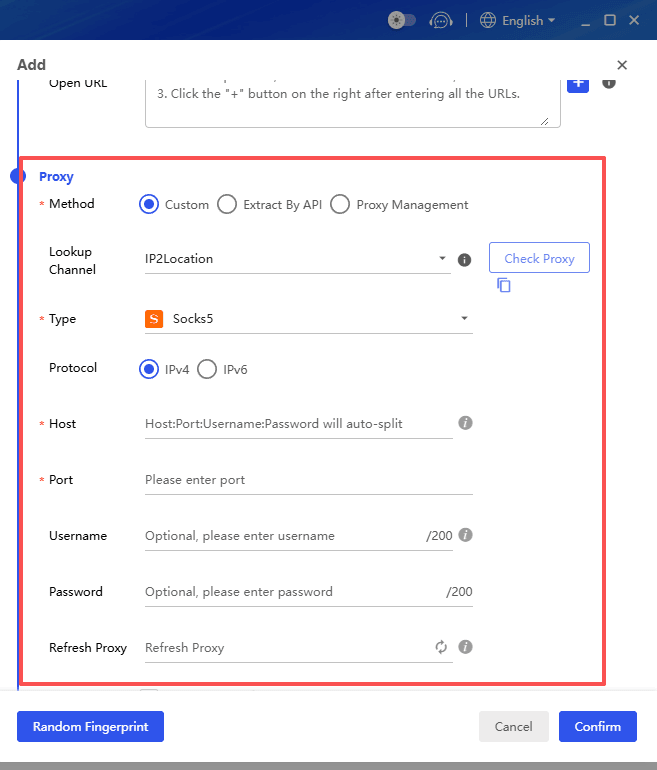
2. Bind Your Proxy: In the proxy settings, input the details of your residential proxy. Ensure the IP location matches the account's original location, and keep the corresponding timezone, language, and system settings consistent with that region.
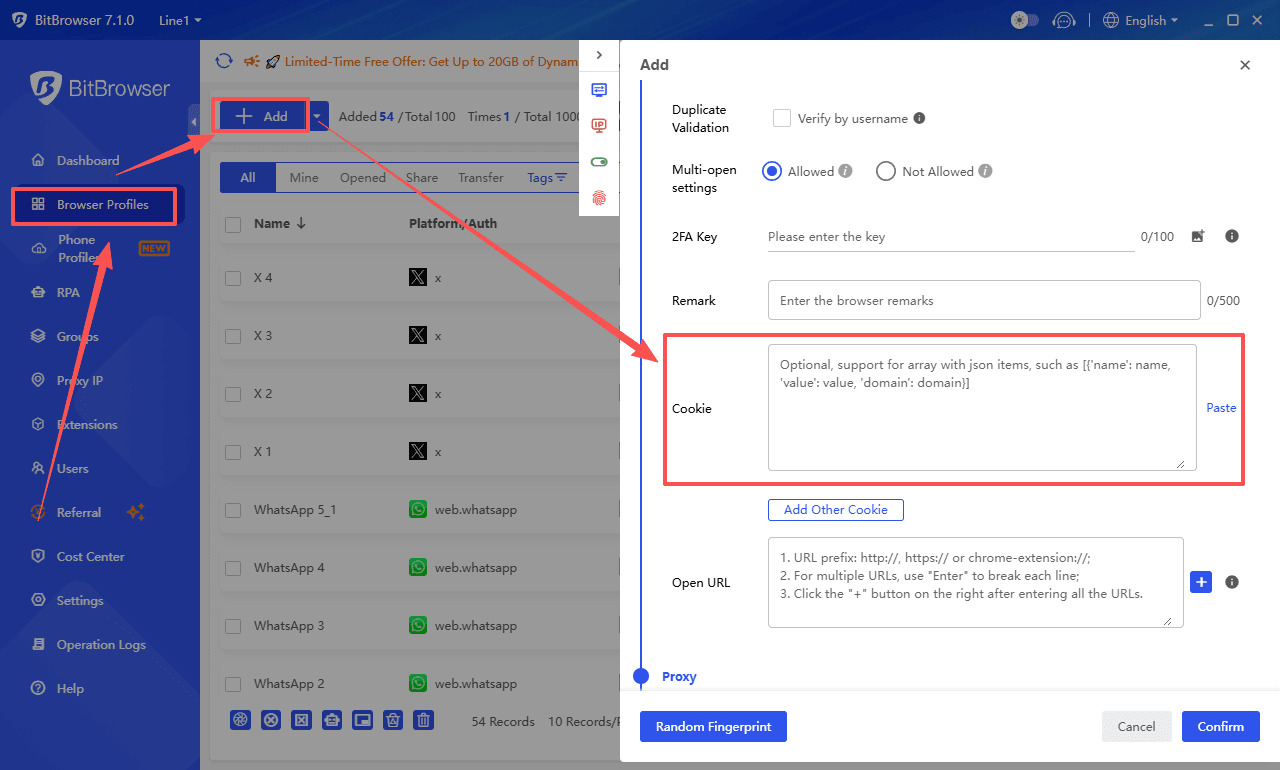
3. Import Cookies: Instead of typing the username and password, locate the "Cookies" section in your BitBrowser profile settings. Paste the JSON cookie code provided by your seller. The format must include name=value key-value pairs, which can be obtained from the developer tools.
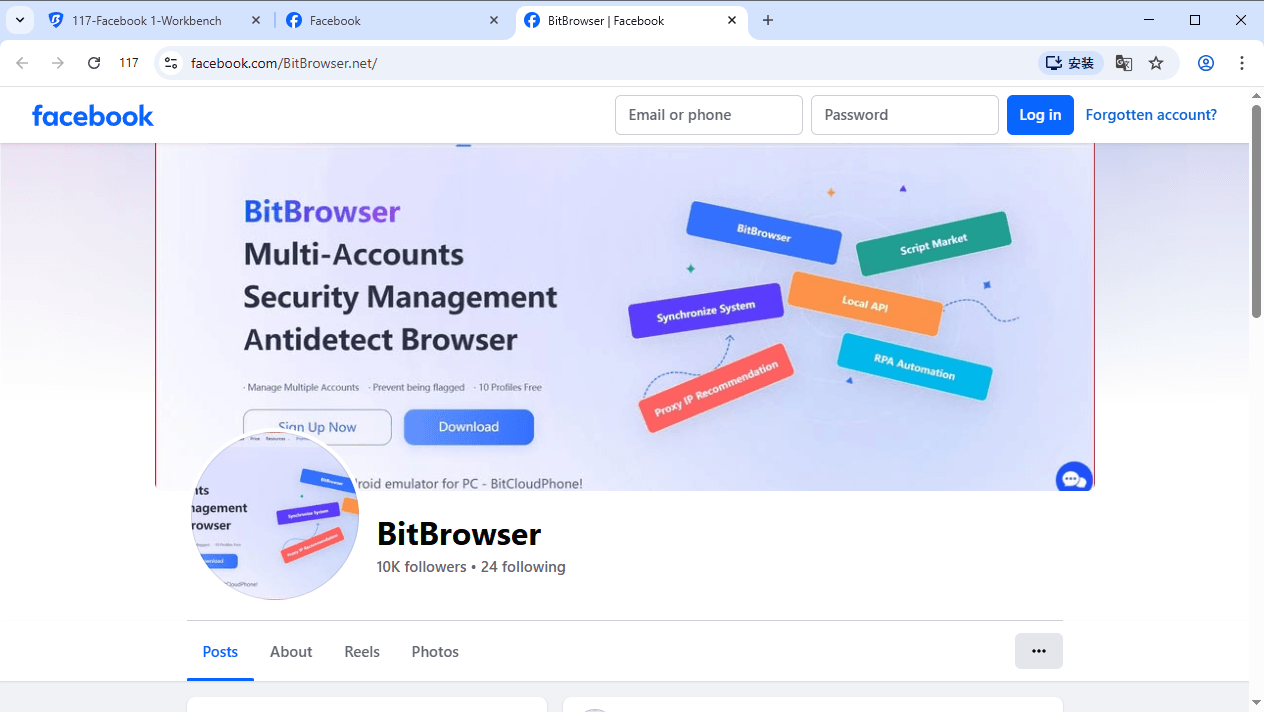
4. Launch and Warm Up: Open the profile. You should automatically be logged into Facebook. Spend 10–15 minutes scrolling the feed, liking a few benign posts, and watching videos. Do not run ads or send mass messages immediately.
Conclusion
Buying aged Facebook accounts is a powerful strategy for marketers who need reliable profiles to run ads, access the Marketplace, or perform outreach. However, because it violates Facebook's Terms of Service, it requires strict operational security.
By purchasing from reputable sellers, utilizing high-quality residential proxies, and using antidetect browsers like BitBrowser, you can drastically minimize your risk of bans and keep your campaigns running smoothly.
Register with BitBrowser to ensure the security of your account transfer
FAQ
Q: Can I use a free VPN instead of a proxy?
A: No. Free VPNs use data center IPs that are heavily flagged by Facebook. Using a free VPN will almost certainly result in your new account getting locked instantly. Always use dedicated residential or mobile proxies.
Q: How long should I wait before running Facebook Ads on an aged account?
A: You should warm up the account on your new IP and device for at least 3 to 7 days. Engage organically (scrolling, liking, watching videos) before creating a Business Manager or launching ad campaigns.
Q: What does "Account with ID" mean?
A: Some premium aged accounts are sold with a matching photo ID (usually a legally obtained or synthetic ID). This is highly valuable because if Facebook temporarily restricts the account and asks for identity verification, you can submit the ID to unlock it.

 Multi-Account Management
 Prevent Account Association
 Multi-Employee Management
Recommended
See More 



