How to Watch TikTok Unblocked in 2026: 7 Methods That Actually Work
 2026.05.09 09:26
 YT.Shi
That moment when you open TikTok and it just will not load is frustrating. Whether you are at school, at work, or in a region where the app is restricted, a block can stop you from catching up on your favorite creators. The good news is that there are plenty of reliable ways to get back in. Some take only a few seconds, and others are built for tougher, more clever blocks.
This guide walks you through the most practical methods you can use right now. You will find clear steps for everyday fixes like switching to mobile data, using a VPN, and installing the APK on Android. We also included a less common but powerful option: setting up an anti-detect browser like BitBrowser to bypass even the trickiest blocks.
Why Is TikTok Blocked?
Understanding the block helps you pick the right solution. Not all TikTok blocks are the same. They tend to fall into a few common categories:
● Network restrictions at school or work. Administrators block TikTok on Wi-Fi to save bandwidth or to keep people focused. These blocks usually target the domain name or the app's servers through firewall rules.
● Regional bans. Some countries have restricted TikTok entirely over data privacy or content concerns. Internet service providers in those areas block TikTok at a national level.
● App store removals. Even if the service works in your country, the app itself might be pulled from the Google Play Store or Apple App Store. This leaves you unable to install or update it through normal channels.
The method you choose should match the type of block you are facing. A simple firewall at school will fall to a different trick than a nationwide ban.
How to Watch TikTok Unblocked: 7 Methods
Here are the most effective ways to bring TikTok back, from quick fixes to advanced setups. Start with the easiest one and work your way down if needed.
1. Switch to Mobile Data (Quickest Fix)
If you are on a blocked school or office Wi-Fi, this is the first thing to try. Most network filters only apply to that specific Wi-Fi connection. Your phone's cellular data goes through a completely different route.
Steps:
● Turn off Wi-Fi on your phone. On iPhone, swipe down and tap the Wi-Fi icon. On Android, pull down the quick settings panel and disable Wi-Fi.
● Make sure mobile data is turned on.
● Open the TikTok app. It should load immediately because you have left the restricted network.
● To save data, you can switch back to Wi-Fi for other tasks and use mobile data just for TikTok browsing.
This method is safe, instant, and uses your own internet plan. It does not work, of course, if TikTok is blocked in your entire country or if your mobile carrier also blocks it.
2. Use a VPN (The Secure Go To Method)
A virtual private network, or VPN, is the most reliable way to watch TikTok unblocked when you face a serious block. It encrypts your data and makes it look like you are connecting from a different location where TikTok is allowed. Choose a reputable paid VPN for speed and privacy. Free VPNs often log your data or struggle with video streaming.
Steps on a phone:
1. Pick a trustworthy VPN. NordVPN, ExpressVPN, and Surfshark all have large server networks and strong policies against data collection.
2. Download the VPN app from your official app store.
3. Open the app, create an account, and log in.
4. Connect to a server in a country where TikTok is fully available, like the United States, the United Kingdom, or Canada.
5. Once the VPN says "Connected," open TikTok. It should now work.
6. If TikTok still shows an error, force close the app, clear its cache from your phone settings, and reopen it.
Steps on a computer:
1. Install the VPN's desktop app or browser extension.
2. Connect to a server in an allowed region.
3. Visit tiktok.com in your browser and log in.
A VPN also protects your privacy, making it the best all around solution when you want to bypass TikTok blocks securely.
3. Use a Web Proxy or a TikTok Mirror
If you cannot install anything and just need quick browser access, a web proxy or a mirror site can help. A proxy acts like a middleman: you ask the proxy to load TikTok, and it shows you the page. Mirror sites are alternative front ends that display public TikTok content without connecting to TikTok's main servers.
Steps for a web proxy:
1. Open your browser and search for a reliable web proxy. CroxyProxy and ProxySite are commonly used.
2. In the proxy's URL field, type tiktok.com and hit enter.
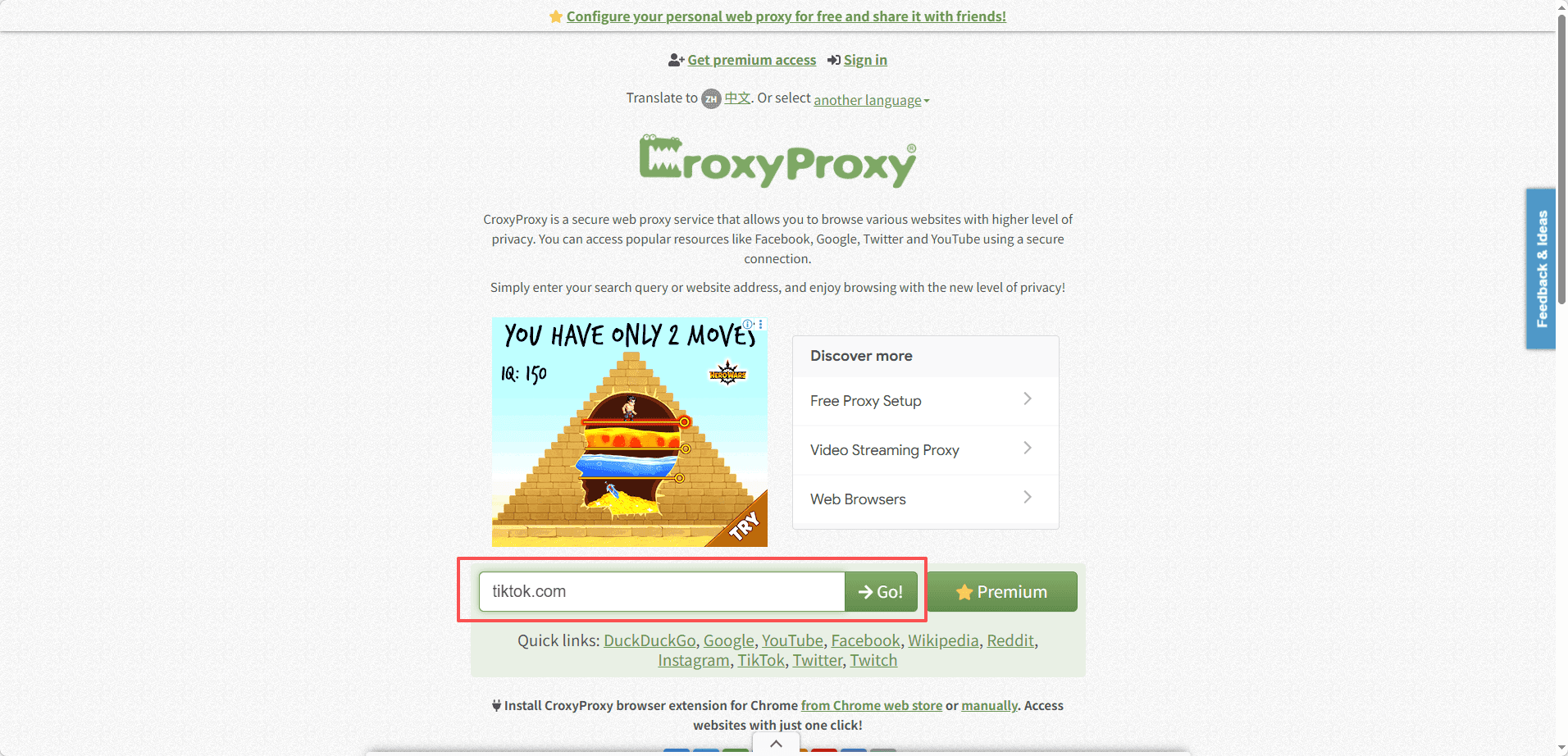
3. The proxy will load TikTok through its own server. You can browse videos, but you may need to log in for full features.
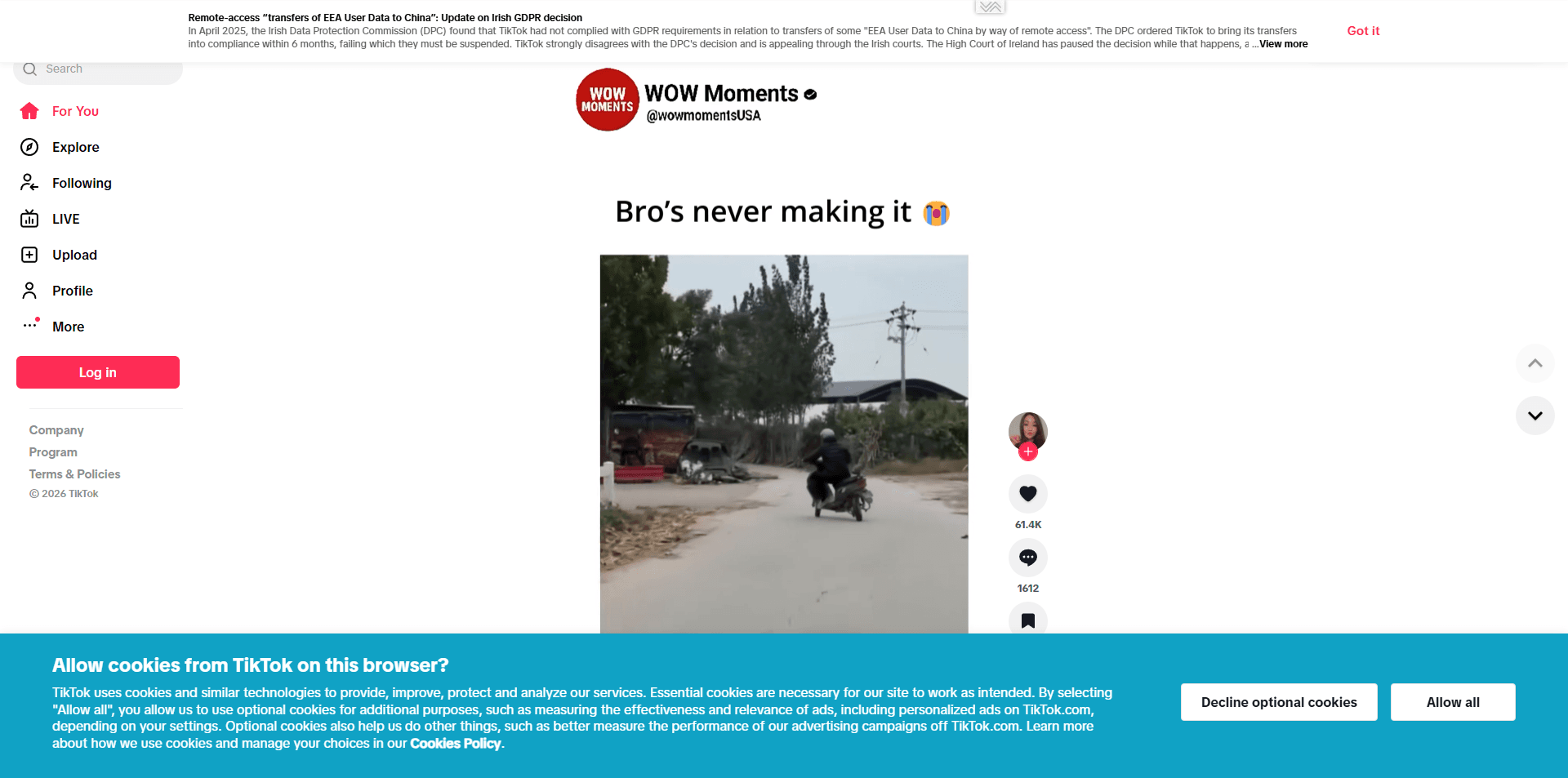
4. Keep in mind that video loading can be slower, and many proxies block login cookies for security. Use this for watching public videos rather than managing your account.
Steps for a mirror site:
1. Go to a TikTok mirror like urlebird.com. These sites let you view profiles, trends, and hashtags anonymously.
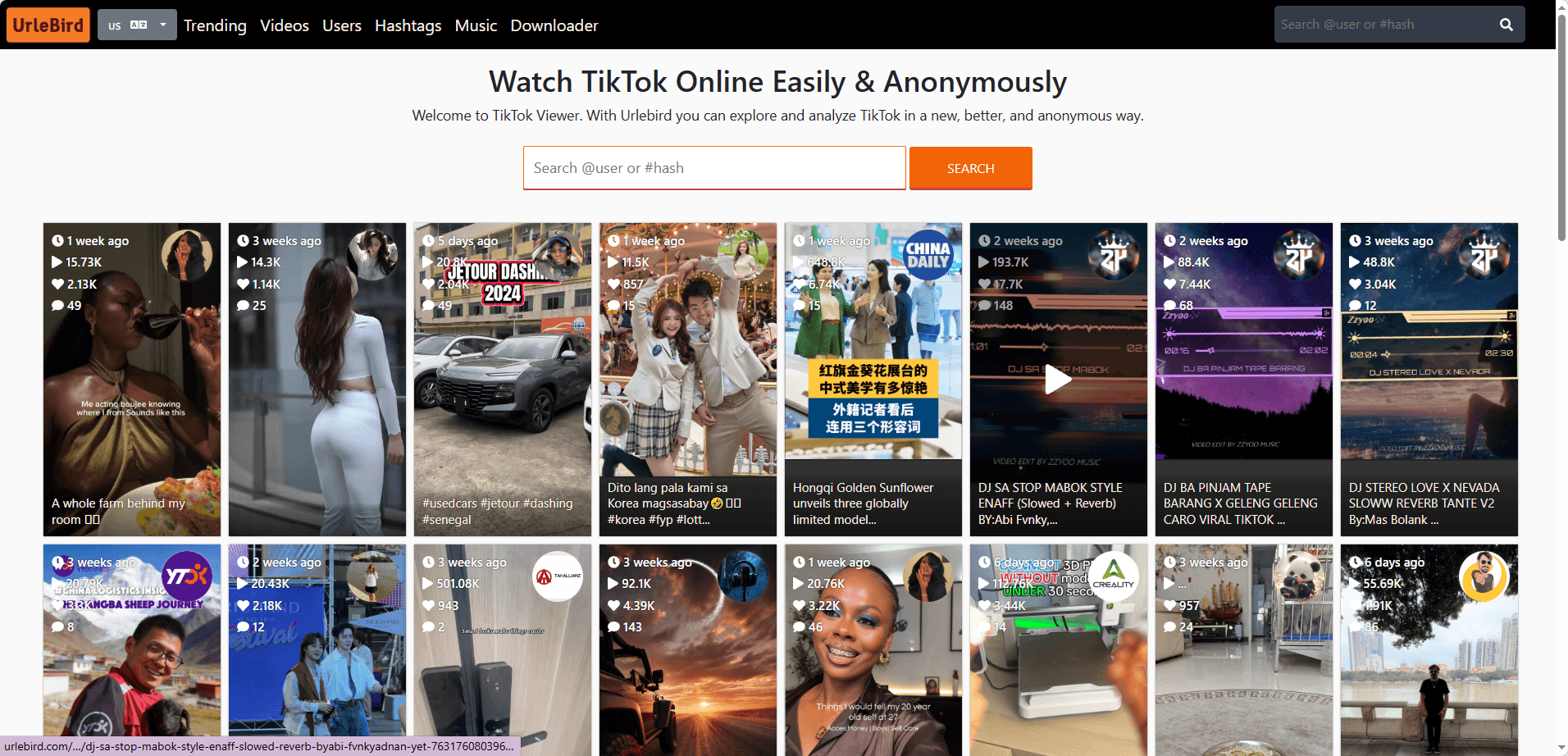
2. No login is required, and they work even when the main TikTok domain is blocked.
3. Understand that these are unofficial sites. They can go offline or change without warning, and they are best used for casual watching.
Proxies and mirrors are handy in a pinch, but they are less reliable for long term use.
4. Change Your DNS Server
Some basic blocks happen at the DNS level. A DNS server is like a phonebook that translates a domain name like "tiktok.com" into an IP address. If your network's DNS server refuses to resolve TikTok, changing to a public DNS can instantly fix the problem.
Steps on Windows:
1. Go to Control Panel > Network and Sharing Center > Change adapter settings.
2. Right click your active Wi-Fi or Ethernet connection and select "Properties".
3. Select "Internet Protocol Version 4 (TCP/IPv4)" and click "Properties".
4. Choose "Use the following DNS server addresses" and enter:
● Preferred DNS: 8.8.8.8
● Alternate DNS: 8.8.4.4 (These are Google's public DNS servers.)
5. Click OK and close all windows.
6. Open Command Prompt and type ipconfig /flushdns, then press Enter.
7. Restart your browser and try tiktok.com.
Steps on a phone:
1. Go to Wi-Fi settings and tap the connected network.
2. Find the DNS settings. On iPhone, tap "Configure DNS" and switch to "Manual." On Android, look for "Advanced" options and set a static IP, then change DNS 1 and DNS 2.
3. Enter 8.8.8.8 and 8.8.4.4, or Cloudflare's 1.1.1.1 and 1.0.0.1.
4. Save the settings and try TikTok.
This works for simple DNS blocks but will not bypass IP bans or deep packet inspection.
5. Try the Tor Browser (Strong Privacy, but Huge Slowdowns)
Tor routes your connection through several relays, making it harder to trace you or to block the site itself. It offers strong privacy, but it is not perfect. Exit nodes can be monitored, and TikTok will still see that you are using Tor, often serving endless CAPTCHAs. The biggest downside is the speed: videos will buffer constantly, so this is really a last resort.
Steps:
1. Download Tor Browser; Open it, click “Connect” and let it build a circuit.
2. Go to tiktok.com. Complete any CAPTCHA.
3. Browse, but expect lag, random languages, and a clunky login experience.
Use Tor only if every other method on this list has failed and you can tolerate a very slow, basic browsing session. It simply is not built for streaming.
6. Install the TikTok APK on Android
If TikTok is missing from your Play Store, you can install it manually using the APK file. This only works on Android.
1. Go to Settings, then “Security” or “Apps”, and enable “Install unknown apps” for your browser.
2. Visit a trusted site like APKMirror or Uptodown.
3. Search for TikTok and download the latest APK.
4. Tap the downloaded file to install it.
5. Open the app, log in, and you are good to go.
For updates, return to the same trusted source. Never download APKs from random pop ups or unfamiliar sites.
7. Use an Anti-Detect Browser like BitBrowser (Bypass Clever Blocks)
Some networks or countries do not just block TikTok by domain. They actively scan for VPN traffic or look at your browser fingerprint to force the block. That is where an anti-detect browser like BitBrowser becomes a clever workaround.
BitBrowser creates a completely isolated browser environment with a custom fingerprint: things like your timezone, language, operating system details, and even WebRTC leak settings can be configured so you look like a real user from a location where TikTok is accessible.
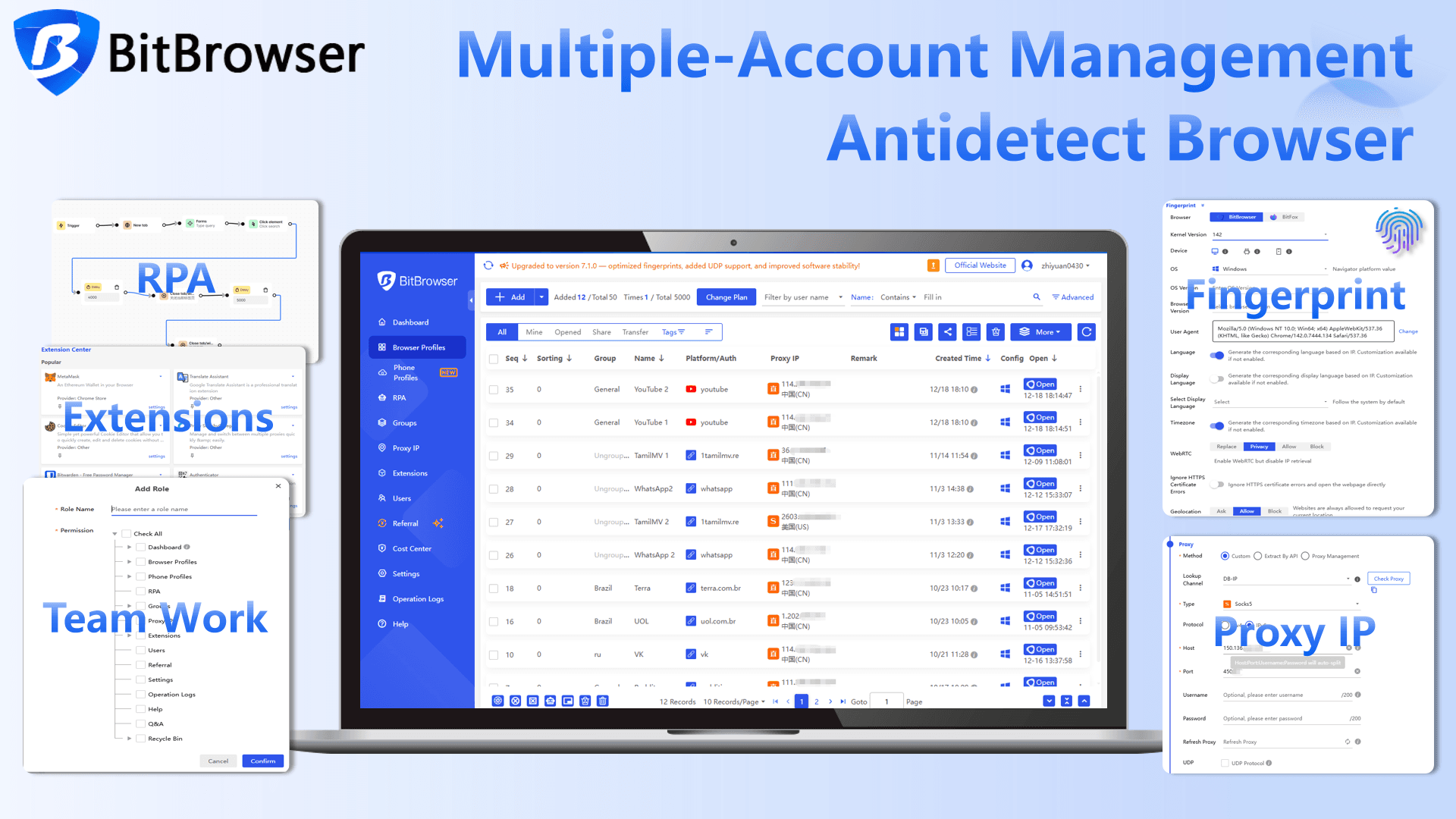
This method is particularly useful for people who need to manage multiple TikTok accounts or browse anonymously online.
Sign Up
How to set up BitBrowser to watch TikTok unblocked
Open BitBrowser. You will see a dashboard where you can create browser profiles. Choose "Browser Profiles".
Click "Add". Give it a name like "TikTok US".
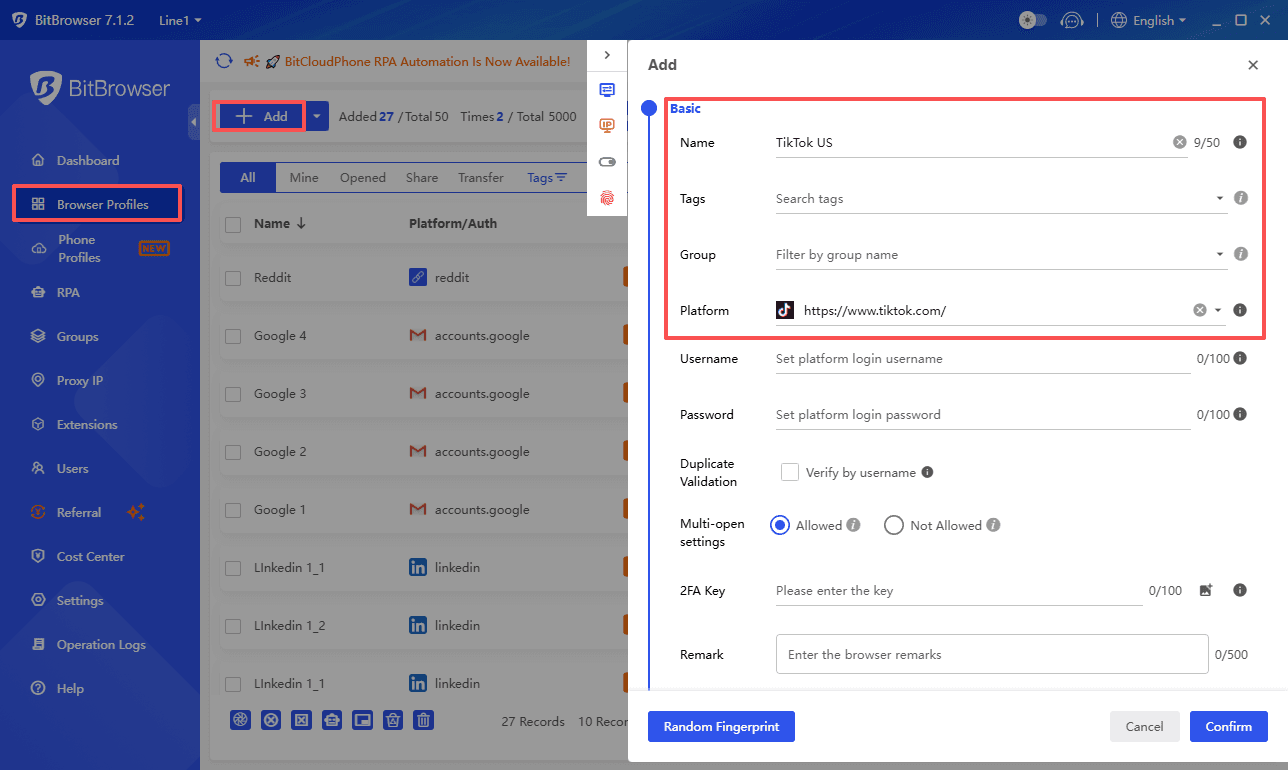
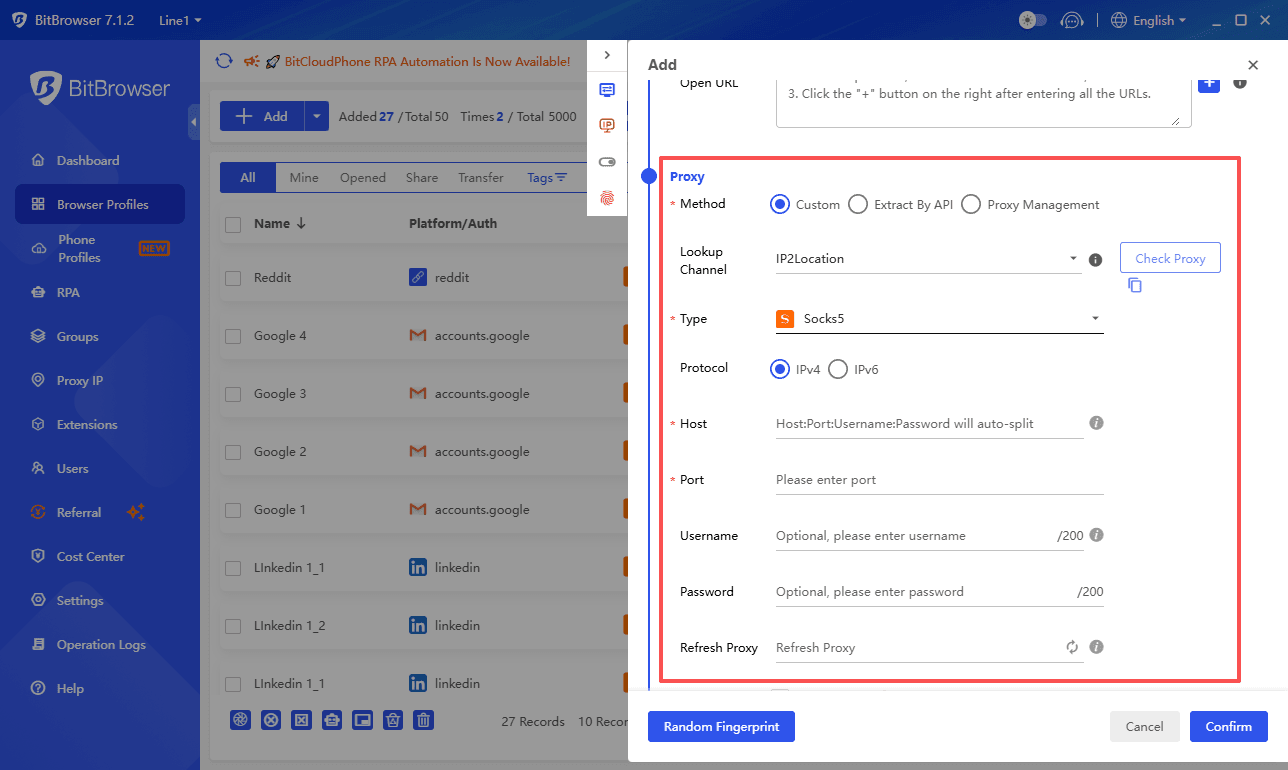
Now you need a proxy. You can purchase a residential proxy from a provider, or if you already have a VPN that offers SOCKS5 or HTTP proxy credentials, use those. Residential proxies look like real home internet connections and are much harder to detect.
In the profile settings, under "Proxy", enter your proxy type (SOCKS5, HTTP, etc.), host, port, username, and password. Choose a proxy location in a TikTok friendly country, such as the United States.
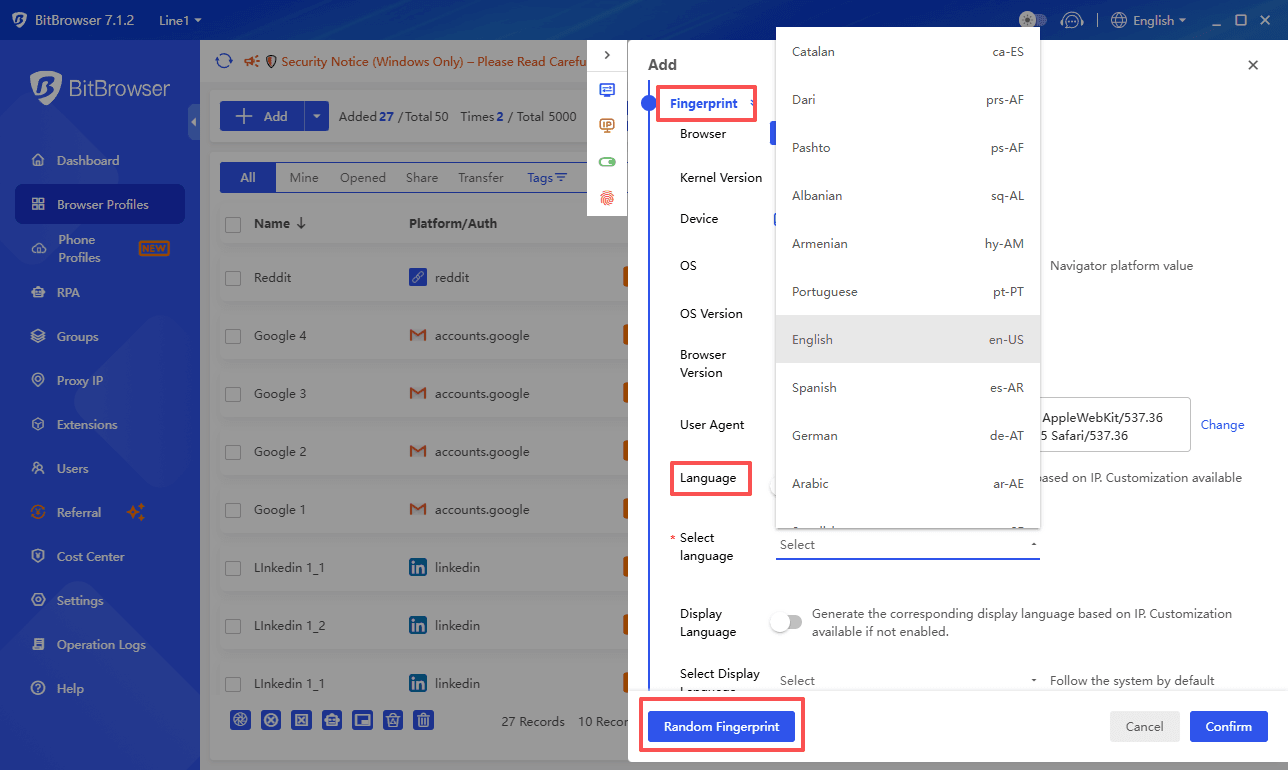
Set the fingerprint parameters to match that location. Adjust the timezone to the proxy city's timezone, set the browser language to English (US), and pick a user agent that matches a modern Chrome or Firefox version. BitBrowser can randomize many of these automatically with one click, but a quick manual check helps.
Save the profile and click "Open". A new browser window launches with its own separate environment.
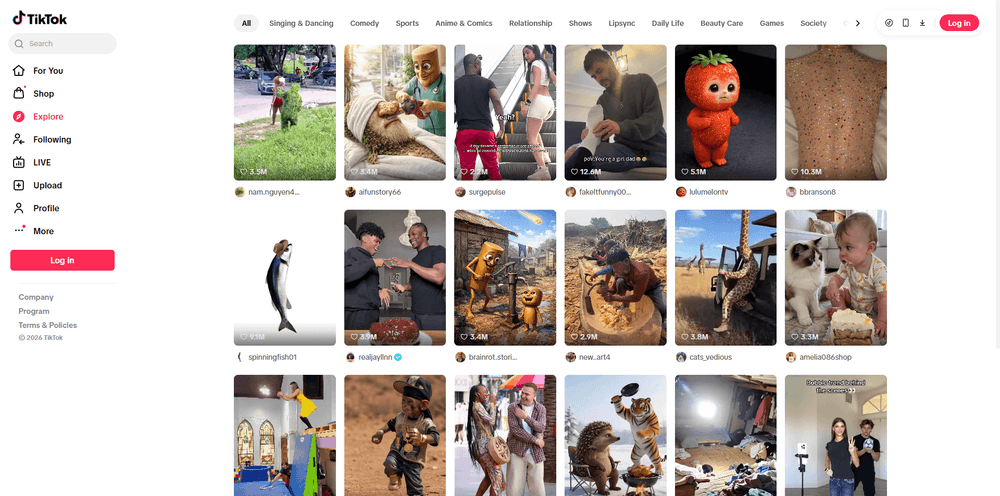
In that window, go to tiktok.com. To TikTok's servers, it looks like you are just a regular user in that country on a clean device.
Log into your TikTok account or browse videos. Because your entire digital fingerprint aligns with the proxy location, the block is much more likely to be bypassed.
You can create multiple profiles with different proxies if you need to switch between regions or accounts.
Sign Up
A Quick Tip Before You Go
When you successfully watch TikTok unblocked, you might notice location specific content on your For You page. That is normal. The platform serves videos based on the IP address and device location you appear to be using.
If you want your old feed back, you can influence it by liking and following the types of creators you used to watch. Over a few days, the algorithm will adjust.
Choose the method that fits your situation best and enjoy TikTok without limits.

 Multi-Account Management
 Prevent Account Association
 Multi-Employee Management
Recommended
See More 



