How to Manage Multiple Instagram Accounts Without Limits Using BitCloudPhone
 2026.04.16 15:07
 YT.Shi
Instagram is where your audience lives. Three billion users as of 2026. But growing beyond one account on a single phone is a headache. You hit device limits. You risk action bans or shadowbans that kill your reach.
The usual fix is buying more phones. That gets expensive and messy fast.
A cleaner way exists. Cloud phones. Specifically, a service called BitCloudPhone. It provides virtual Android devices in the cloud. Each one looks unique to Instagram.
The Real Cost of Scaling Instagram on Phones
Running five Instagram accounts is fine on one phone. Running twenty is not. Instagram watches how you access its platform. Too many logins from one device look suspicious.
So you buy more phones. Then you need a charging station. Then cables break. Then you can't find the right phone for the right client. And you still haven't solved the IP address problem.
This is where the cost adds up, both in dollars and lost time.
What BitCloudPhone Actually Is
BitCloudPhone is not a software emulator that Instagram can easily spot. It's a service that allocates real mobile CPU resources to create a virtual Android phone.
You access it through a browser on your computer. Each instance gets its own IMEI, MAC address, and sensor data. To Instagram's servers, a login from a BitCloudPhone profile looks exactly like a login from a new Samsung or Pixel sitting in a different city.
Sign Up
Why BitCloudPhone Beats Smartphones
Here is the practical advantage of moving to the cloud.
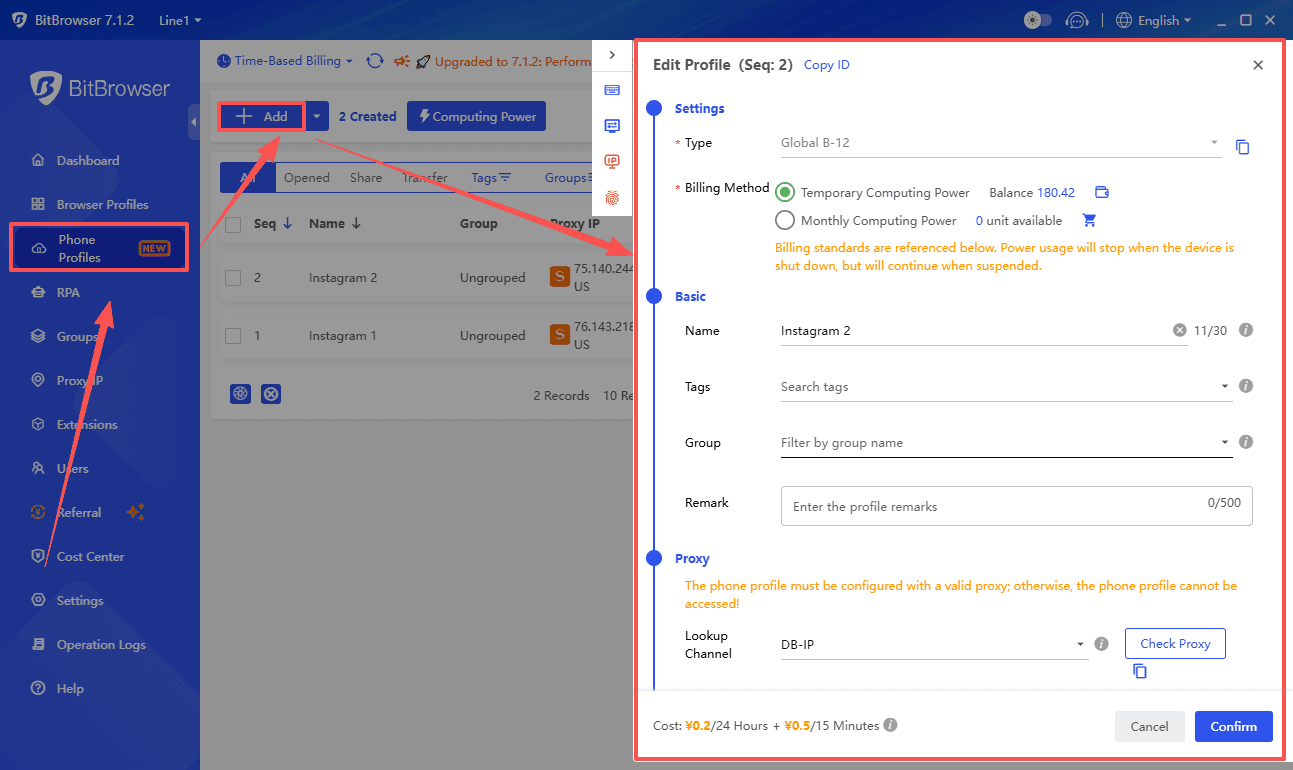
1. Hardware Limits Are Gone
Instagram limits accounts per device. BitCloudPhone supports over 1,000 concurrent profiles. You create a new profile, you get a new "phone." No waiting for shipping.
2. It Costs Less Than You Think
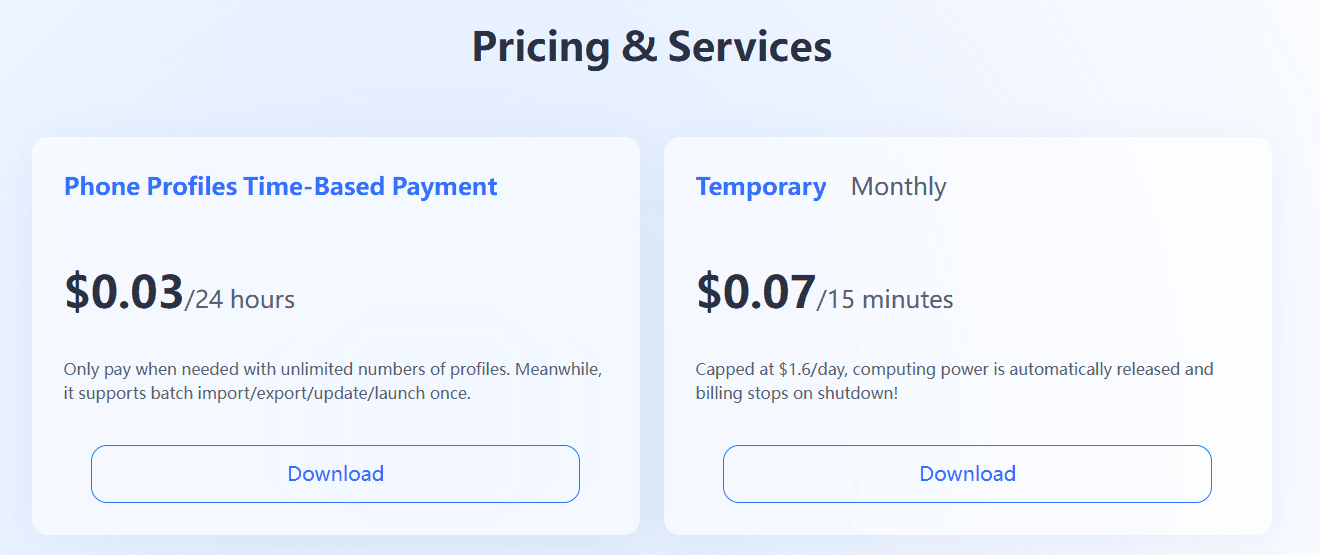
Physical phones have a fixed purchase price. BitCloudPhone bills based on time. You can pay $0.03 for a profile for a full 24 hours. If you just need a device for 15 minutes to check a DM, it costs $0.07 with a daily cap. You turn it off, you stop paying. Maintenance is zero.
3. One Click Controls Fifty Accounts
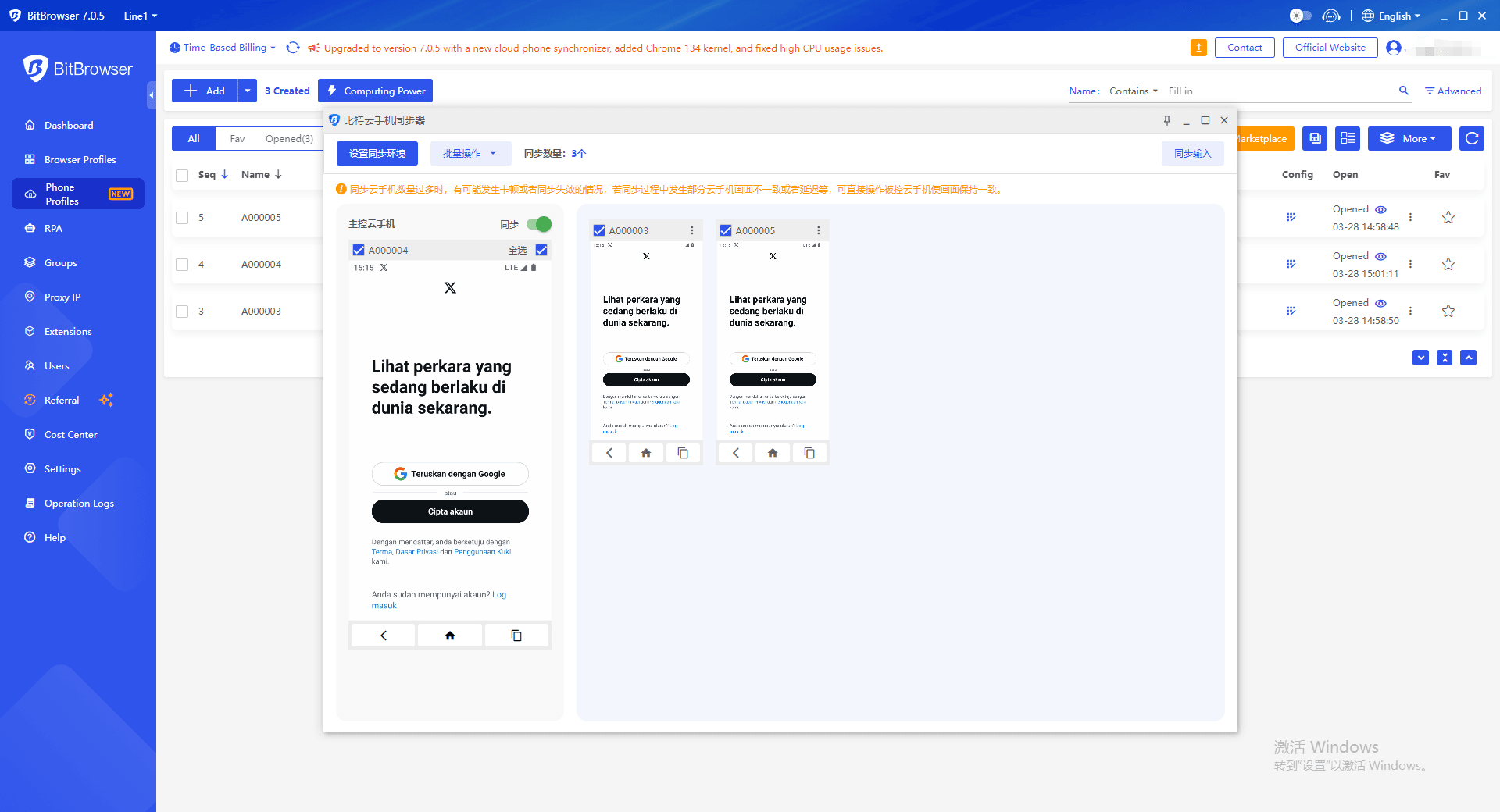
This is the part that saves hours. BitCloudPhone has a synchronizer feature. You can select 50 devices and tell them all to open Instagram, play a video, or install an APK at the same time. One action, done everywhere.
4. Clean Separation of Identity
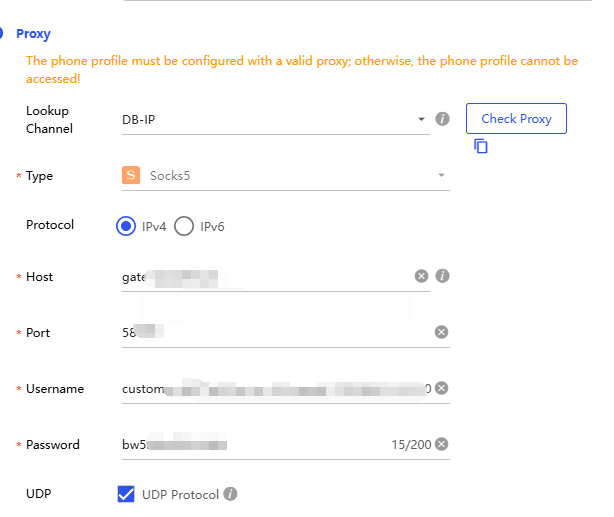
You can attach a different SOCKS5 proxy to every single profile. BitCloudPhone reads the IP location and automatically adjusts the phone's time zone and language settings. Account A looks like it's in London. Account B looks like it's in Tokyo. They never touch.
5. Your Team Works Together Without Sharing Passwords
You can share a cloud phone profile with a virtual assistant without giving them the Instagram password. You can set permissions for what they can see and do. It's cleaner and more secure than handing out login details.
Sign Up
How to Create Your First Instagram Profile
The process is straightforward.
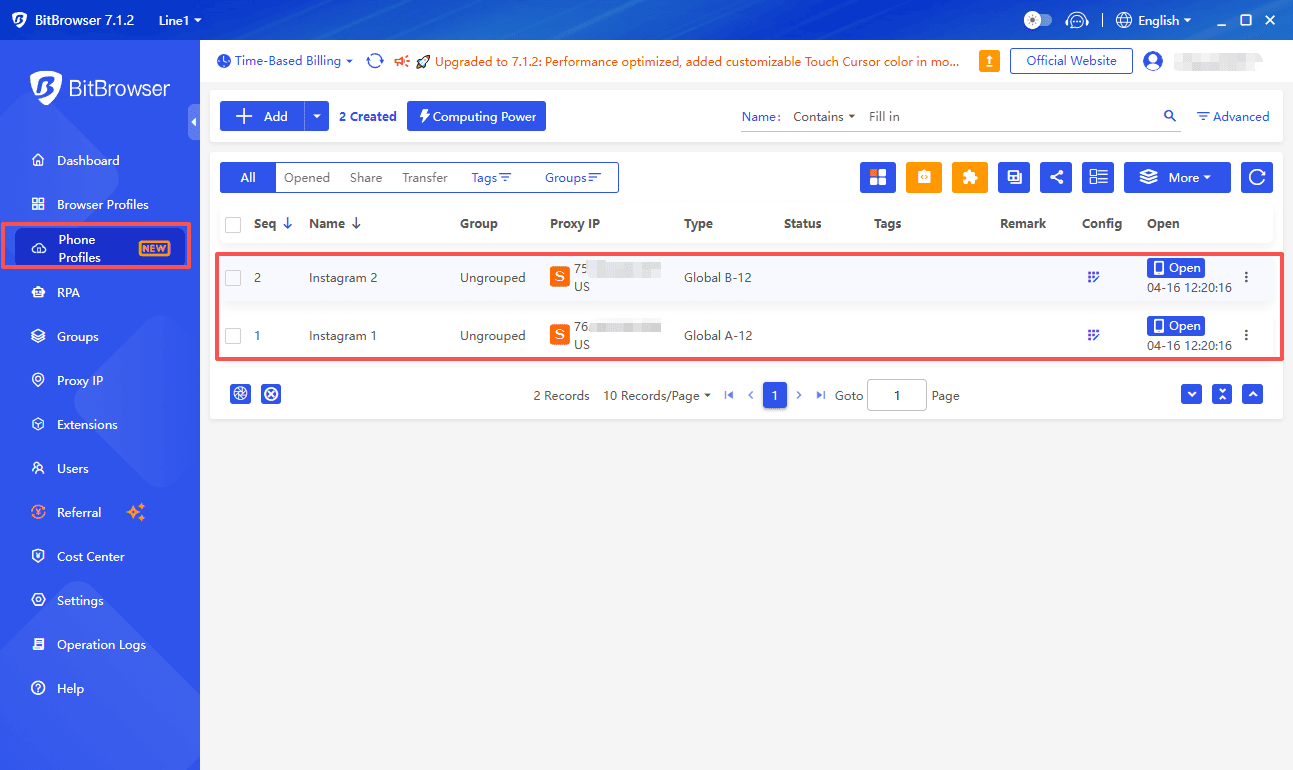
1. Sign up for BitBrowser and navigate to the Cloud Phone section.
2. Click New Profile. Name it something you'll remember.
3. Add your proxy details. The system configures the phone's regional settings automatically.
4. Launch the profile. It opens in your browser.
5. Open the Google Play Store inside the cloud phone and download Instagram. Log in.
How to Keep New Accounts Safe (Warm Up)
Don't upload ten Reels the second you create a new account. Instagram will flag you as spam.
Instead, use the first week to act human. Scroll the feed. Watch Stories. Like a few posts. Save a few sounds.
BitCloudPhone supports automation scripts that can do this for you across dozens of profiles, but the principle is the same: start slow, then ramp up.
Doing More With Less Work (Batch Ops & Automation)
Manual work kills scalability. BitCloudPhone gives you tools to avoid it.
● ADB & ROOT Access: If you know how to write scripts, you have full control over the device to automate almost anything.
● Script Marketplace: If you don't code, there are pre-made tools for tasks like auto-following niche accounts or clearing caches.
● Synchronizer: This tool lets you perform an action on a master phone and have it mirrored on every other phone in your group.
This is how agencies manage hundreds of client accounts with a small team.
Questions People Ask
Does BitCloudPhone work on a Mac?
Yes. It runs in a browser, so it works on Windows and Mac.
What happens if one of my accounts gets banned?
Because each account is on a separate virtual device with a unique fingerprint, a ban on one account does not spread to your other profiles. They remain isolated.
Can I use this for TikTok or other apps?
Yes. BitCloudPhone is a full Android environment. You can install any app from the Play Store, including TikTok, Snapchat, or WhatsApp Business.
Do I need to be technical to use the batch sync feature?
No. The batch operation is a simple interface. You check the boxes next to the profiles you want to control and choose an action.

 Multi-Account Management
 Prevent Account Association
 Multi-Employee Management
Recommended
See More