What Is a Virtual Machine? Uses, Limitations, and Cloud PC Alternatives
 2026.10.14 07:00
 YT.Shi
A virtual machine (VM) is a software-based computer that runs its own operating system and applications using resources from a physical computer or server. VMs are commonly used to test software, run different operating systems, and create isolated computing environments without buying separate hardware.
However, running a VM can require local hardware resources, setup, and ongoing maintenance. If you need a ready-to-use computer that you can access remotely, a cloud PC may be a more practical alternative.
What Is a Virtual Machine?
A virtual machine is an isolated computing environment created through virtualization. It behaves much like a physical computer, with virtual CPU, memory, storage, network interfaces, and an operating system.
The physical computer that provides these resources is called the host machine. The environment running inside it is called the guest machine.
For example, you can run a Windows virtual machine on a computer that uses Linux, or create a separate environment to test software without changing your main operating system.
How Does a Virtual Machine Work?
A virtual machine uses a software layer called a hypervisor to access and allocate the physical machine's resources. The hypervisor manages how CPU, memory, storage, and other resources are assigned to virtual machines.
1. The host computer provides the physical hardware.
2. The hypervisor allocates resources to a virtual machine.
3. The VM runs its own operating system and applications.
4. The VM operates in an isolated environment while sharing the host's underlying hardware.
There are two common types of hypervisors:
▸ Type 1 hypervisors: Run directly on the host hardware and are commonly used in servers and data centers.
▸ Type 2 hypervisors: Run as applications on an existing operating system and are often used for desktop testing and development.
Types of Virtual Machines and Their Uses
System Virtual Machines
A system VM provides an environment for running a complete operating system. It can run applications much like a physical computer, making it useful for software testing, development, running legacy applications, and using a different operating system.
Process Virtual Machines
A process VM supports a single application or process rather than an entire operating system. The Java Virtual Machine (JVM) is a common example, providing a runtime environment for Java applications.
For most users searching for a virtual machine to run Windows, Linux, or desktop applications, the term refers to a system virtual machine.
Benefits and Limitations of Virtual Machines
Virtual machines offer flexibility, but they are not the best fit for every task.
Benefits
▸ Run different operating systems: Use another OS without replacing your main system.
▸ Isolate workloads: Keep testing environments separate from the host system.
▸ Use hardware more efficiently: Run multiple environments on one physical machine.
▸ Repeat configurations: VM images and snapshots can make it easier to reproduce or restore environments, depending on the software.
Limitations
▸ Resource consumption: VMs need CPU, memory, and storage. Running several at once can slow down the host computer.
▸ Setup and maintenance: Users may need to install operating systems, configure virtual hardware, manage updates, and troubleshoot compatibility issues.
▸ Performance overhead: Performance depends on the host hardware, VM configuration, and workload.
▸ Remote access is not automatic: A VM running on a personal computer may require additional configuration to access it remotely.
These limitations do not make virtual machines unsuitable. They simply mean that a VM is most useful when you need control over the computing environment. If your main goal is to use a separate desktop for everyday work, another option may be easier to manage.
Cloud PC: An Alternative to a Virtual Machine
A cloud PC is a computer environment hosted in the cloud and accessed remotely. Instead of installing and managing a VM on your own computer, you connect to a remote desktop that provides its own operating system and computing resources.
A cloud PC can be worth considering when you need:
▸ A Windows desktop you can access from different locations.
▸ A separate work environment without relying on your local computer's hardware.
▸ Configurable CPU, memory, storage, and network options.
▸ A remote workstation for business applications, browser-based tasks, or team workflows.
BitCloudPC is a cloud PC service designed to provide a remotely accessible desktop environment.
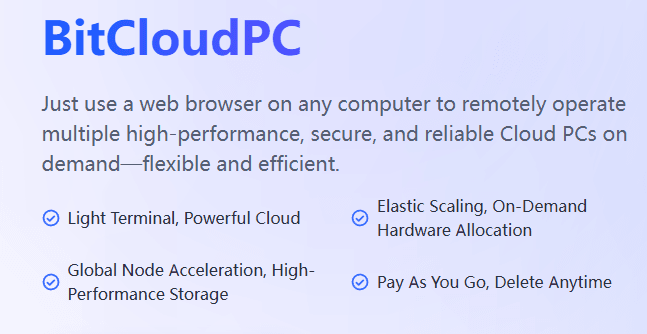
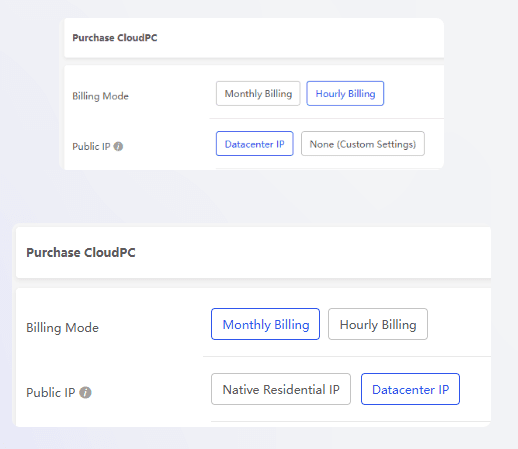
It supports Windows 10 and Windows 11 options, configurable computing resources, and hourly or monthly billing. It also provides Remote Desktop Acceleration, network configuration options, one-click system reinstallation, and multi-employee management features.
For general business workloads, 4 vCPU and 8 GB RAM can be a starting point, while the appropriate configuration depends on the applications and number of tasks you run.
With hourly billing, BitCloudPC can also suit temporary projects. Compute charges stop when the CloudPC is shut down, although storage and other retained resources may still incur charges.
A cloud PC is not simply another name for a virtual machine. A VM describes a virtualized computing environment, while a cloud PC is a user-facing remote computer service. The right choice depends on whether you need control over the virtualized system or convenient access to a remote desktop.
Common Cloud PC Use Cases
Cross-Border E-Commerce
E-commerce sellers often use different tools and workflows for product research, inventory, order management, and advertising. A cloud PC provides a remote Windows environment for these tasks, with configurable hardware and network options.
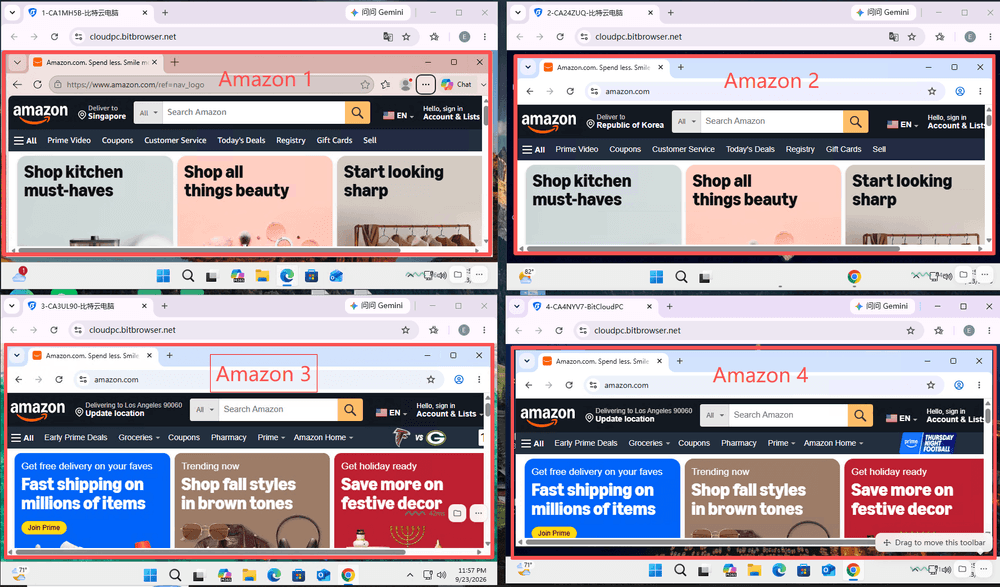
For Amazon sellers managing multiple stores, separate cloud PCs can help keep applications, files, and daily workflows organized. Sellers looking to manage multiple Amazon seller accounts with BitCloudPC can use separate cloud environments for their store-related work.
Remote Work and Business Applications
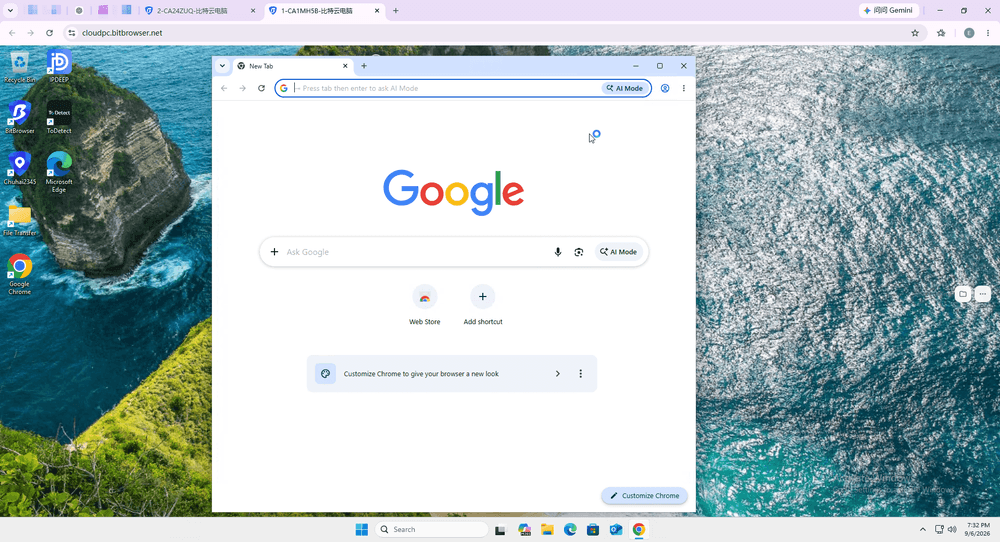
A cloud PC lets users access a desktop from different locations through a client or Remote Desktop software. It can be useful for employees who need a consistent work environment without carrying a dedicated physical computer between locations.
Social Media and Multi-Account Workflows
Some platforms, such as Telegram, are primarily used through desktop or mobile apps rather than browsers. When browser profiles alone cannot support your multi-account workflow, separate cloud PCs offer another option. You can install and use desktop applications in each environment, keeping accounts and work sessions separate.
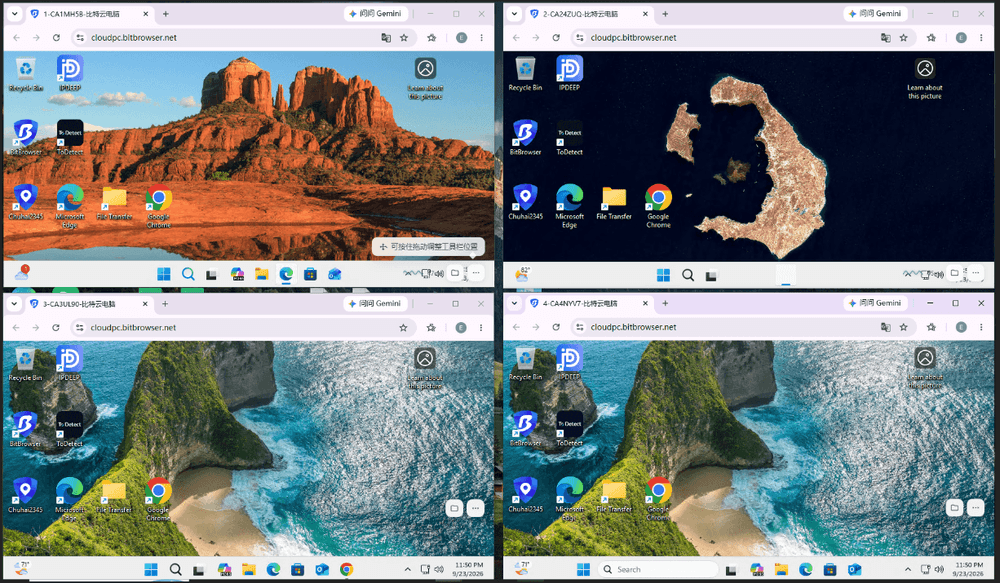
BitCloudPC also lets you configure a different proxy IP for each cloud PC, which can help assign a separate network connection to each working environment. This setup is useful for managing multiple social media accounts, messaging apps, and other desktop-based tools.
Software Testing and Temporary Projects
Cloud PCs can also provide a remote environment for short-term projects, application testing, or tasks that need additional computing resources. Hourly billing, when available, can be useful when a desktop is only needed for a limited period.

Before choosing a cloud PC, check its operating system, CPU and memory options, network configuration, remote access method, and billing terms. You can also explore how BitCloudPC works and what it offers to see whether it fits your needs.
Get the Latest BitCloudPC Coupon Code
Virtual Machine vs. Cloud PC
| Feature | Virtual Machine | Cloud PC |
|---|---|---|
| Main purpose | Create an isolated virtual computing environment | Provide a remotely accessible desktop |
| Where it runs | On a local host or a remote server | On cloud infrastructure |
| Setup | May require installing and configuring VM software and an OS | Usually involves selecting a service plan and connecting remotely |
| Local resource use | A locally hosted VM uses the host's CPU, memory, and storage | Most computing takes place on the cloud host |
| Best suited for | Development, testing, OS compatibility, and controlled environments | Remote desktop work, business applications, and ongoing workstation use |
Is a Cloud PC a Good Virtual Machine Alternative?
A cloud PC can be a good alternative when you need a usable desktop rather than a virtual machine to configure and maintain yourself.
▸ Choose a traditional VM if you need to test operating systems, reproduce development environments, or control virtual hardware settings.
▸ Consider a cloud PC if you want a remote Windows desktop with configurable resources and less dependence on your local computer.
Before choosing a service, check its operating system options, resource limits, network performance, billing rules, data retention policy, and remote access method. These details often matter more to the day-to-day experience than the label attached to the technology.
Frequently Asked Questions
Is a virtual machine the same as a cloud PC?
No. A virtual machine is a virtualized computing environment. A cloud PC is a remotely accessible desktop service. Cloud infrastructure may use virtualization, but the two terms describe different things.
Does a virtual machine need its own RAM and storage?
Yes. A VM is assigned a portion of the host's memory and storage. The amount required depends on its operating system, applications, and workload.
Can I run a virtual machine on my laptop?
Yes, if your laptop meets the requirements of the virtualization software and guest operating system. Available CPU, memory, and storage will affect performance.
What Can You Use a Cloud PC For?
A cloud PC can be used for remote work, e-commerce, multi-account management, and software testing. For example, Amazon sellers can use separate cloud PC environments to organize work across multiple stores.
When should I use a cloud PC instead of a VM?
Consider a cloud PC when you mainly need a remote desktop for work and prefer not to use your local computer's resources or manage a VM setup yourself. A VM remains useful when you need more direct control over the virtual environment.
Conclusion
A virtual machine lets you run an isolated computing environment on physical or cloud hardware. It is useful for software testing, development, and running different operating systems, but it can require additional resources and configuration.
If you mainly need a desktop you can access remotely, a cloud PC may be a more practical option. Compare the setup requirements, available resources, remote access, and billing model before deciding which approach fits your workload.

 Multi-Account Management
 Prevent Account Association
 Multi-Employee Management
Recommended
See More